2015 FORD FOCUS lock
[x] Cancel search: lockPage 40 of 453

2. Release the button and pull down on
the height adjuster to make sure it is
locked in place. SAFETY BELT WARNING LAMP
AND INDICATOR CHIME This lamp illuminates and an
audible warning will sound if the
driver's safety belt has not been
fastened when the vehicle's ignition is
turned on.
Conditions of operation Then...
If...
The safety belt warning light illuminates 1-2 minutes and the warning chime sounds 4-8 seconds.
The driver's safety belt is not buckled
before the ignition switch is turned to the on position...
The safety belt warning light and warningchime turn off.
The driver's safety belt is buckled while the
indicator light is illuminated and the warning chime is sounding...
The safety belt warning light and indicatorchime remain off.
The driver's safety belt is buckled before
the ignition switch is turned to the on posi- tion...
SAFETY BELT MINDER
Belt-Minder™
This feature supplements the safety belt
warning function by providing additional
reminders that intermittently sound a tone
and illuminate the safety belt warning light
when you are in the driver seat or you have
a front seat passenger and a safety belt is
unbuckled. The system uses information from the
front passenger sensing system to
determine if a front seat passenger is
present and therefore potentially in need
of a warning. To avoid activating the
Belt-Minder feature for objects you place
in the front passenger seat, only the front
seat passengers receive warnings as
determined by the front passenger sensing
system.
If the Belt-Minder warnings expire
(warnings for about five minutes) for one
passenger (driver or front passenger), the
other passenger can still cause the
Belt-Minder feature to turn on.
37
Focus (CDH), enUSA, First Printing Safety Belts
Page 53 of 453

GENERAL INFORMATION ON
RADIO FREQUENCIES
This device complies with Part 15 of the
FCC Rules and with Industry Canada
license-exempt RSS standard(s).
Operation is subject to the following two
conditions: (1) This device may not cause
harmful interference, and (2) This device
must accept any interference received,
including interference that may cause
undesired operation.
Note:
Changes or modifications not
expressively approved by the party
responsible for compliance could void the
user's authority to operate the equipment.
The term IC before the radio certification
number only signifies that Industry Canada
technical specifications were met.
The typical operating range for your
transmitter is approximately 33 feet (10
meters). Vehicles with the remote start
feature will have a greater range. One of
the following could cause a decrease in
operating range:
• weather conditions
• nearby radio towers
• structures around the vehicle
• other vehicles parked next to your
vehicle
The radio frequency used by your remote
control can also be used by other short
distance radio transmissions, for example
amateur radios, medical equipment,
wireless headphones, remote controls and
alarm systems. If the frequencies are
jammed, you will not be able to use your
remote control. You can lock and unlock
the doors with the key.
Note: Make sure to lock your vehicle before
leaving it unattended.
Note: If you are in range, the remote control
will operate if you press any button
unintentionally. Note:
The remote control contains sensitive
electrical components. Exposure to moisture
or impact may cause permanent damage.
REMOTE CONTROL - VEHICLES
WITH: INTEGRATED KEY
TRANSMITTER
Integrated Keyhead Transmitter (If
Equipped) Use the key blade to start your vehicle and
unlock or lock the driver door from outside
your vehicle. The buttons on the key
operate the remote control.
Note:
Your vehicle keys came with a
security label that provides important key
cut information. Keep the label in a safe
place for future reference.
50
Focus (CDH), enUSA, First Printing Keys and Remote ControlsE142585 E138615
Page 54 of 453

Programming a New Remote
Control
To program an additional remote control
See Security (page 71).
Reprogramming the Unlocking
Function
Note: When you press the unlock button,
either all the doors are unlocked or only the
driver door is unlocked. Pressing the unlock
button again unlocks all the doors.
Press and hold the unlock and lock buttons
on the remote control simultaneously for
at least four seconds with the ignition off.
The direction indicators flash twice to
confirm the change.
To return to the original unlocking function,
repeat the process.
Changing the Remote Control
Battery
The remote control uses one coin-type
three-volt lithium battery CR2032 or
equivalent. Make sure that you dispose of
old batteries in an
environmentally friendly way.
Seek advice from your local authority
about recycling old batteries. 1. Twist a thin coin in the slot of the
transmitter near the key ring to remove
the battery cover.
2. Remove the old battery. 3. Insert the new battery. Refer to the
symbols inside the transmitter for the
correct orientation of the battery.
Press the battery down to make sure
it is fully in the housing.
4. Reinstall the battery housing cover onto the transmitter.
Note: Do not wipe off any grease on the
battery terminals or on the back surface of
the circuit board.
Note: Replacing the battery does not erase
the programmed key from your vehicle.
Locating Your Vehicle
Press the lock button on the key twice
within three seconds. The horn sounds and
the direction indicators flash. We
recommend you use this method to locate
your vehicle, rather than using the panic
alarm.
The horn sounds twice and the direction
indicators do not flash if:
• Locking was not successful.
• Any door or the liftgate is open.
• The hood is open on vehicles with an
anti-theft alarm or remote start.
51
Focus (CDH), enUSA, First Printing Keys and Remote ControlsE107998 E138619 E138620
Page 55 of 453

Sounding the Panic Alarm (If Equipped)
Press the button to sound the
panic alarm. Press the button
again or switch the ignition on to
silence it.
Note: The panic alarm only operates when
the ignition is off.
REMOTE CONTROL - VEHICLES
WITH: KEYLESS ENTRY (If
Equipped)
Intelligent Access Key Key Blade
The intelligent access key also contains a
removable key blade that you can use to
unlock your vehicle.
To release the key blade:
1. Press and hold the buttons on the
edges of the transmitter to release the
cover. Carefully remove the cover.
2. Remove the key blade.
Programming a New Remote
Control
To program an additional remote control
See
Security (page 71).
Changing the Remote Control
Battery
The remote control uses one coin-type
three-volt lithium battery CR2032 or
equivalent.
52
Focus (CDH), enUSA, First Printing Keys and Remote ControlsE138624 E162192 E87964
2
1
1
Page 57 of 453
Note:
Replacing the battery does not delete
the transmitter from the vehicle. The
transmitter should operate normally.
Locating Your Vehicle
Press the lock button on the key twice
within three seconds. The horn may sound
and the direction indicators flash.
The horn may sound twice and the
direction indicators do not flash if:
• Locking was not successful.
• Any door or the liftgate is open.
• The hood is open on vehicles with an
anti-theft alarm or remote start.
REMOTE CONTROL - VEHICLES
WITH: KEYLESS ENTRY WITH
REMOTE START (If Equipped)
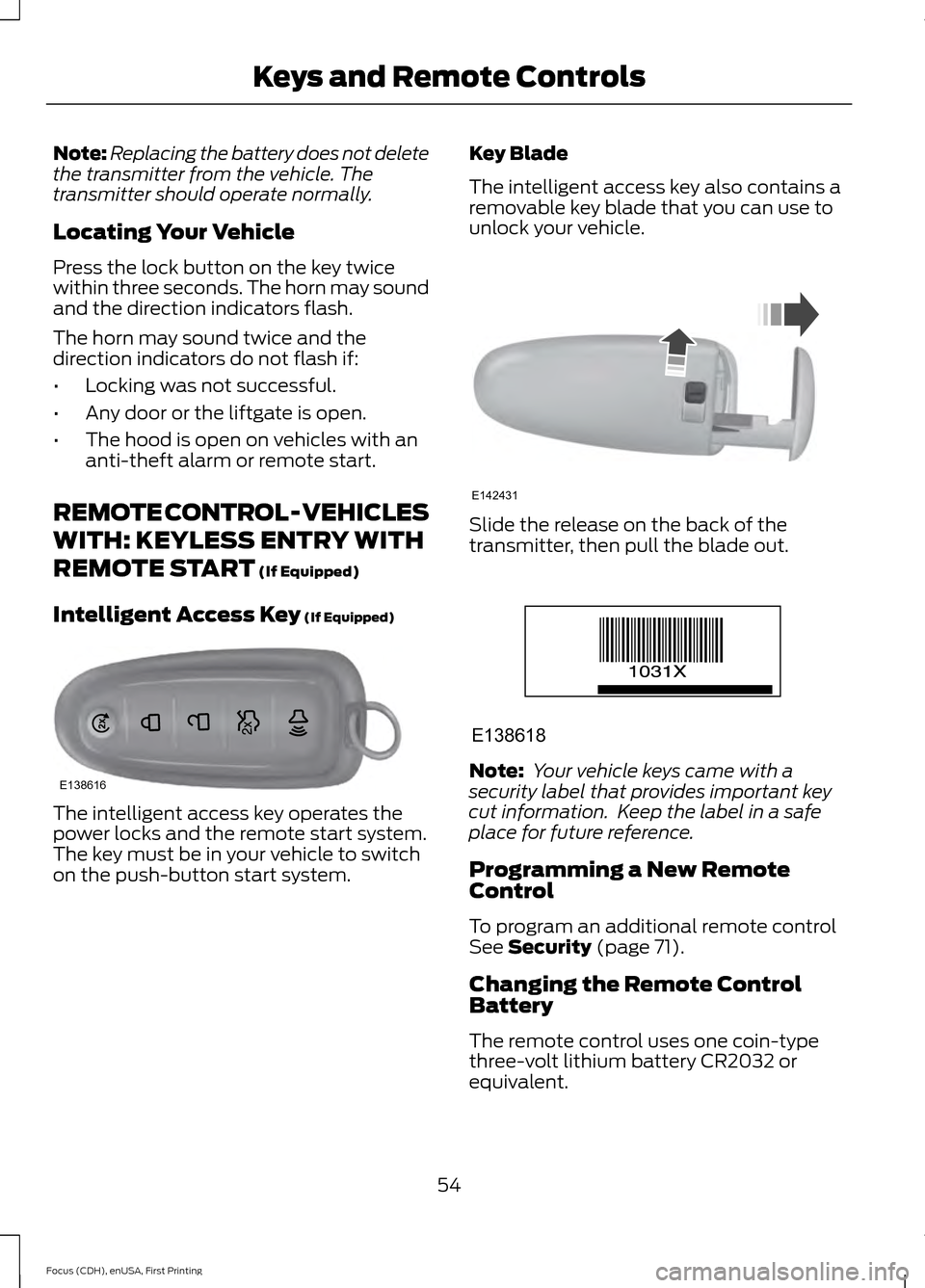
Intelligent Access Key
(If Equipped) The intelligent access key operates the
power locks and the remote start system.
The key must be in your vehicle to switch
on the push-button start system. Key Blade
The intelligent access key also contains a
removable key blade that you can use to
unlock your vehicle.
Slide the release on the back of the
transmitter, then pull the blade out.
Note:
Your vehicle keys came with a
security label that provides important key
cut information. Keep the label in a safe
place for future reference.
Programming a New Remote
Control
To program an additional remote control
See
Security (page 71).
Changing the Remote Control
Battery
The remote control uses one coin-type
three-volt lithium battery CR2032 or
equivalent.
54
Focus (CDH), enUSA, First Printing Keys and Remote ControlsE138616 E142431 E138618
Page 58 of 453
Make sure that you dispose of
old batteries in an
environmentally friendly way.
Seek advice from your local authority
about recycling old batteries.
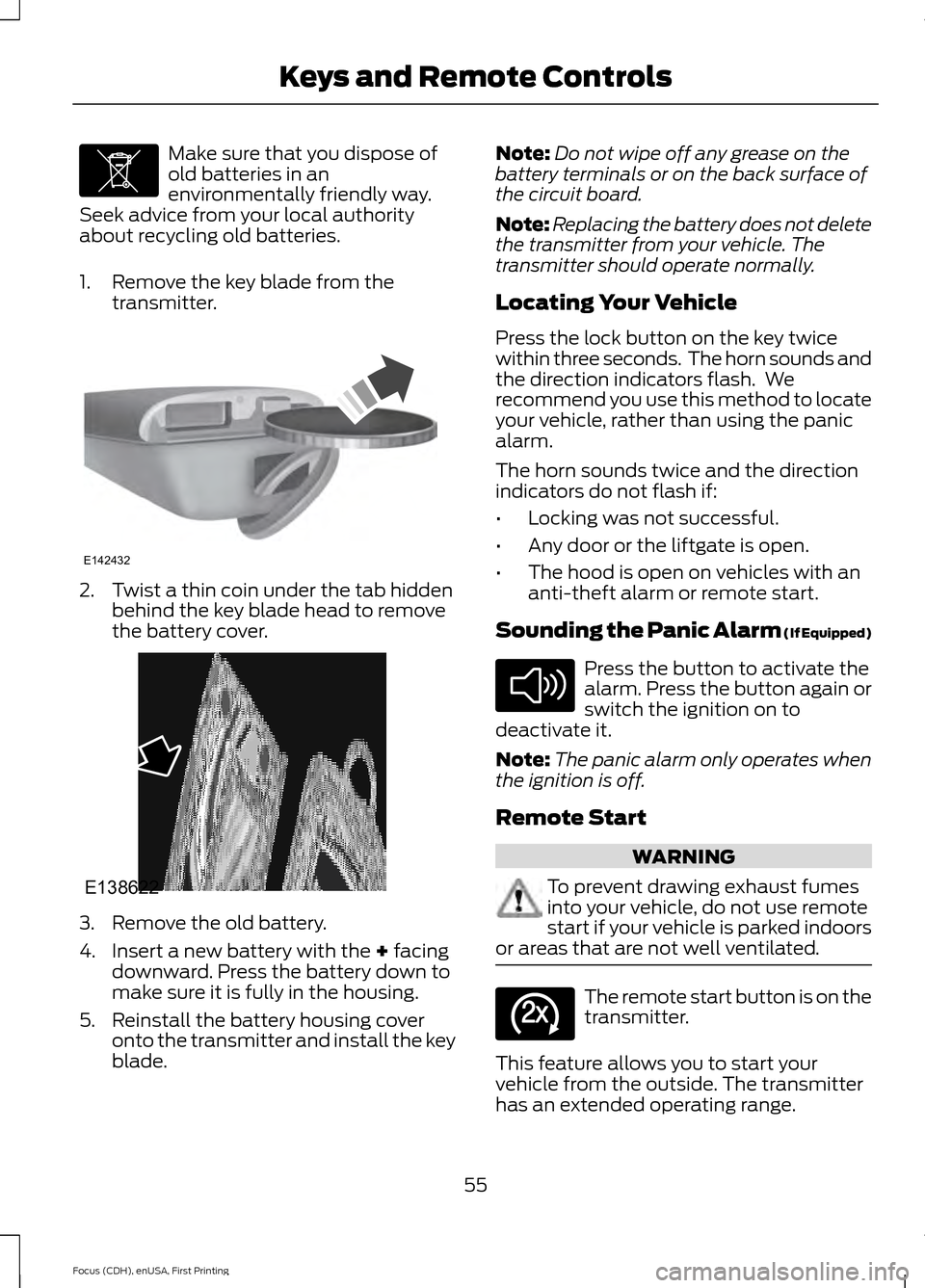
1. Remove the key blade from the transmitter. 2. Twist a thin coin under the tab hidden
behind the key blade head to remove
the battery cover. 3. Remove the old battery.
4. Insert a new battery with the + facing
downward. Press the battery down to
make sure it is fully in the housing.
5. Reinstall the battery housing cover onto the transmitter and install the key
blade. Note:
Do not wipe off any grease on the
battery terminals or on the back surface of
the circuit board.
Note: Replacing the battery does not delete
the transmitter from your vehicle. The
transmitter should operate normally.
Locating Your Vehicle
Press the lock button on the key twice
within three seconds. The horn sounds and
the direction indicators flash. We
recommend you use this method to locate
your vehicle, rather than using the panic
alarm.
The horn sounds twice and the direction
indicators do not flash if:
• Locking was not successful.
• Any door or the liftgate is open.
• The hood is open on vehicles with an
anti-theft alarm or remote start.
Sounding the Panic Alarm (If Equipped) Press the button to activate the
alarm. Press the button again or
switch the ignition on to
deactivate it.
Note: The panic alarm only operates when
the ignition is off.
Remote Start WARNING
To prevent drawing exhaust fumes
into your vehicle, do not use remote
start if your vehicle is parked indoors
or areas that are not well ventilated. The remote start button is on the
transmitter.
This feature allows you to start your
vehicle from the outside. The transmitter
has an extended operating range.
55
Focus (CDH), enUSA, First Printing Keys and Remote ControlsE107998 E142432 E138622 E138624 E138625
Page 59 of 453

Vehicles with automatic climate control
can be configured to operate when your
vehicle is remote started. See Automatic
Climate Control (page 108).
Many states and provinces have
restrictions for the use of remote start.
Check your local and state or provincial
laws for specific requirements regarding
remote start systems.
Note: Do not use remote start if your vehicle
is low on fuel.
The remote start system does not work if
any of the following occur:
• The ignition is on.
• The alarm system activates.
• You turn off the feature.
• The hood is open.
• The transmission is not in park (P).
• Your vehicle battery has no charge.
• The powertrain fault indicator was on
the last time you drove your vehicle.
Remote Starting your Vehicle
Note: You must press each button within
three seconds of each other. If you do not
follow this sequence, your vehicle does not
start remotely, the direction indicators do
not flash twice and the horn does not sound. The label on your transmitter details the
starting procedure.
To remote start your vehicle:
1. Press the lock button to lock all the
doors. 2. Press the remote start button twice.
The direction indicators flash twice.
The horn sounds if the system fails to start,
unless quiet start is on. Quiet start runs the
blower fan at a slower speed to reduce
noise. You can switch it on or off using the
information display. See
(page 96).
The power windows do not work during
remote start and the radio does not turn
on automatically.
The parking lamps remain on and your
vehicle runs for 5, 10 or 15 minutes,
depending on the setting.
Note: If you remote start your vehicle with
an intelligent access transmitter, you must
press the push button ignition switch on the
instrument panel once while applying the
brake pedal before driving your vehicle.
Extending the Engine Running Time
To extend the engine running time duration
of your vehicle during remote start, repeat
steps 1 and 2 while the engine is running.
For example, if your vehicle had been
running from the first remote start for 5
minutes, your vehicle continues to run now
for a total of 20 minutes. If the duration is
set to 10 minutes, the duration extends by
another 10 minutes. You can extend the
engine running time duration to a
maximum of 30 minutes.
Wait at least five seconds before remote
starting after a vehicle shutdown.
Turning Your Vehicle Off After Remote
Starting Press the button once. The
parking lamps turn off.
You may have to be closer to
your vehicle than when starting due to
ground reflection and the added noise of
the running vehicle.
56
Focus (CDH), enUSA, First Printing Keys and Remote ControlsE138626 E138625
Page 66 of 453

LOCKING AND UNLOCKING
You can use the power door lock control
or the remote control to lock and unlock
your vehicle.
Power Door Locks
The power door lock control is on the driver
and front passenger door panels.
Unlock.
A
Lock.
B
Door Lock Indicator
An LED on the power door lock control
illuminates when you lock the door.
They will remain illuminated for up to five
minutes after you switch the ignition off.
Door Lock Switch Inhibitor
When you electronically lock your vehicle,
the power door lock switch will no longer
operate after approximately 11 seconds.
You must unlock your vehicle with the
remote control or keyless keypad, or switch
the ignition on, to restore function to these
switches.
Rear Door Unlocking and Opening
Pull the interior door handle twice to
unlock and open a rear door. Remote Control
You can use the remote control at any
time.
The liftgate or luggage compartment
release button will only work when the
vehicle speed is less than 4 mph (7 km/h).
Unlocking the Doors (Two-Stage
Unlock)
Press the button to unlock the
driver door. Press the button
again within three seconds to
unlock all doors. The direction indicators
will flash.
Press and hold both the lock and unlock
buttons on the remote control for three
seconds to change between driver door or
all doors unlock mode. The direction
indicators will flash twice to indicate a
change to the unlocking mode. Driver door
unlock mode will only unlock the driver
door when you press the unlock button
once. All door unlock mode will unlock all
doors when you press the unlock button
once. The unlocking mode applies to the
remote control, keyless entry keypad and
intelligent access.
Locking the Doors Press the button to lock all
doors. The direction indicators
will flash. Press the button again
within three seconds to confirm that all
the doors are closed. The doors will lock
again, the horn will sound and the direction
indicators will flash if all the doors and the
liftgate or luggage compartment are
closed.
63
Focus (CDH), enUSA, First Printing LocksE184784
A
B E138629 E138623