2015 FORD FOCUS service indicator
[x] Cancel search: service indicatorPage 143 of 453

If the vehicle
’s engine or transmission has
just been serviced, or the battery has
recently run down or been replaced, the
OBD-II system may indicate that the
vehicle is not ready for I/M testing. To
determine if the vehicle is ready for I/M
testing, turn the ignition key to the on
position for 15 seconds without cranking
the engine. If the service engine soon
indicator blinks eight times, it means that
the vehicle is not ready for I/M testing; if
the service engine soon indicator stays on
solid, it means that the vehicle is ready for
I/M testing.
The OBD-II system monitors the emission
control system during normal driving. A
complete check may take several days. If
the vehicle is not ready for I/M testing, you
may need to perform the following driving
cycle consisting of mixed city and highway
driving:
Drive on an expressway or highway for a
steady 15 minutes, followed by 20 minutes
of stop-and-go driving with at least four
30-second idle periods.
Allow the vehicle to sit for at least eight
hours without starting the engine. Then,
start the engine and complete the above
driving cycle. The engine must warm up to
its normal operating temperature. Once
started, do not turn off the engine until the
above driving cycle is complete. If the
vehicle is still not ready for I/M testing, you
will have to repeat the above driving cycle.
140
Focus (CDH), enUSA, First Printing Fuel and Refueling
Page 151 of 453

GENERAL INFORMATION
Note:
Occasional brake noise is normal. If
a metal-to-metal, continuous grinding or
continuous squeal sound is present, the
brake linings may be worn-out and an
authorized dealer should check them. If the
vehicle has continuous vibration or shudder
in the steering wheel while braking, an
authorized dealer should check your vehicle.
Note: Brake dust may accumulate on the
wheels, even under normal driving
conditions. Some dust is inevitable as the
brakes wear and does not contribute to
brake noise. See Cleaning the Alloy
Wheels (page 234). See
Warning Lamps and
Indicators (page 92).
Wet brakes result in reduced braking
efficiency. Gently press the brake pedal a
few times when driving from a car wash or
standing water to dry the brakes.
Brake Over Accelerator
In the event the accelerator pedal
becomes stuck or entrapped, apply steady
and firm pressure to the brake pedal to
slow the vehicle and reduce engine power.
If you experience this condition, apply the
brakes and bring your vehicle to a safe
stop. Switch the engine off, move the
transmission to park (P) and apply the
parking brake. Inspect the accelerator
pedal and the area around it for any items
or debris that may be obstructing its
movement. If none are found and the
condition persists, have your vehicle towed
to the nearest authorized dealer. Emergency Brake Assist
Emergency brake assist detects when you
brake heavily by measuring the rate at
which you press the brake pedal. It
provides maximum braking efficiency as
long as you press the pedal. Emergency
brake assist can reduce stopping distances
in critical situations.
Anti-lock Brake System
This system helps you maintain steering
control during emergency stops by keeping
the brakes from locking.
This lamp momentarily
illuminates when you switch the
ignition on. If the light does not
illuminate during start up, remains on or
flashes, the anti-lock braking system may
be disabled. Have the system checked by
an authorized dealer. If the anti-lock brake
system is disabled, normal braking is still
effective. If the brake warning lamp
illuminates with the parking
brake released, have your brake
system serviced immediately.
HINTS ON DRIVING WITH
ANTI-LOCK BRAKES
Note: When the system is operating, the
brake pedal will pulse and may travel
further. Maintain pressure on the brake
pedal. You may also hear a noise from the
system. This is normal.
The anti-lock braking system will not
eliminate the risks when:
• You drive too closely to the vehicle in
front of you.
• Your vehicle is hydroplaning.
• You take corners too fast.
• The road surface is poor.
148
Focus (CDH), enUSA, First Printing BrakesE138644 E138644
Page 154 of 453
PRINCIPLE OF OPERATION
The traction control system helps avoid
drive wheel spin and loss of traction.
If your vehicle begins to slide, the system
applies the brakes to individual wheels
and, when needed, reduces engine power
at the same time. If the wheels spin when
accelerating on slippery or loose surfaces,
the system reduces engine power in order
to increase traction.
USING TRACTION CONTROL
In certain situations for example, stuck in
snow or mud, turning the traction control
off may be beneficial as this allows the
wheels to spin with full engine power.
Depending on the type of system you have
on your vehicle, you can either turn the
system off using the information display
or by pressing the button.
Switching the System Off Using
the Information Display Controls
(If Equipped)
Your vehicle comes with this feature
already enabled. If required, you can switch
this feature off using the information
display controls. See (page 96).
Switching the System Off Using a
Switch
(If Equipped)
The button is located in the instrument
panel.
Press the button. You will see a message
in conjunction with an illuminated icon in
the display. Press the button again to
return the system to normal mode.
When you switch the traction control
system off, stability control remains fully
active. System Indicator Lights and
Messages WARNING
If a failure has been detected within
the AdvanceTrac system, the
stability control light will illuminate
steadily. Verify that the AdvanceTrac
system was not manually disabled through
the information display. If the stability
control light still illuminates steadily, have
the system serviced by an authorized
dealer immediately. Operating your vehicle
with AdvanceTrac disabled could lead to
an increased risk of loss of vehicle control,
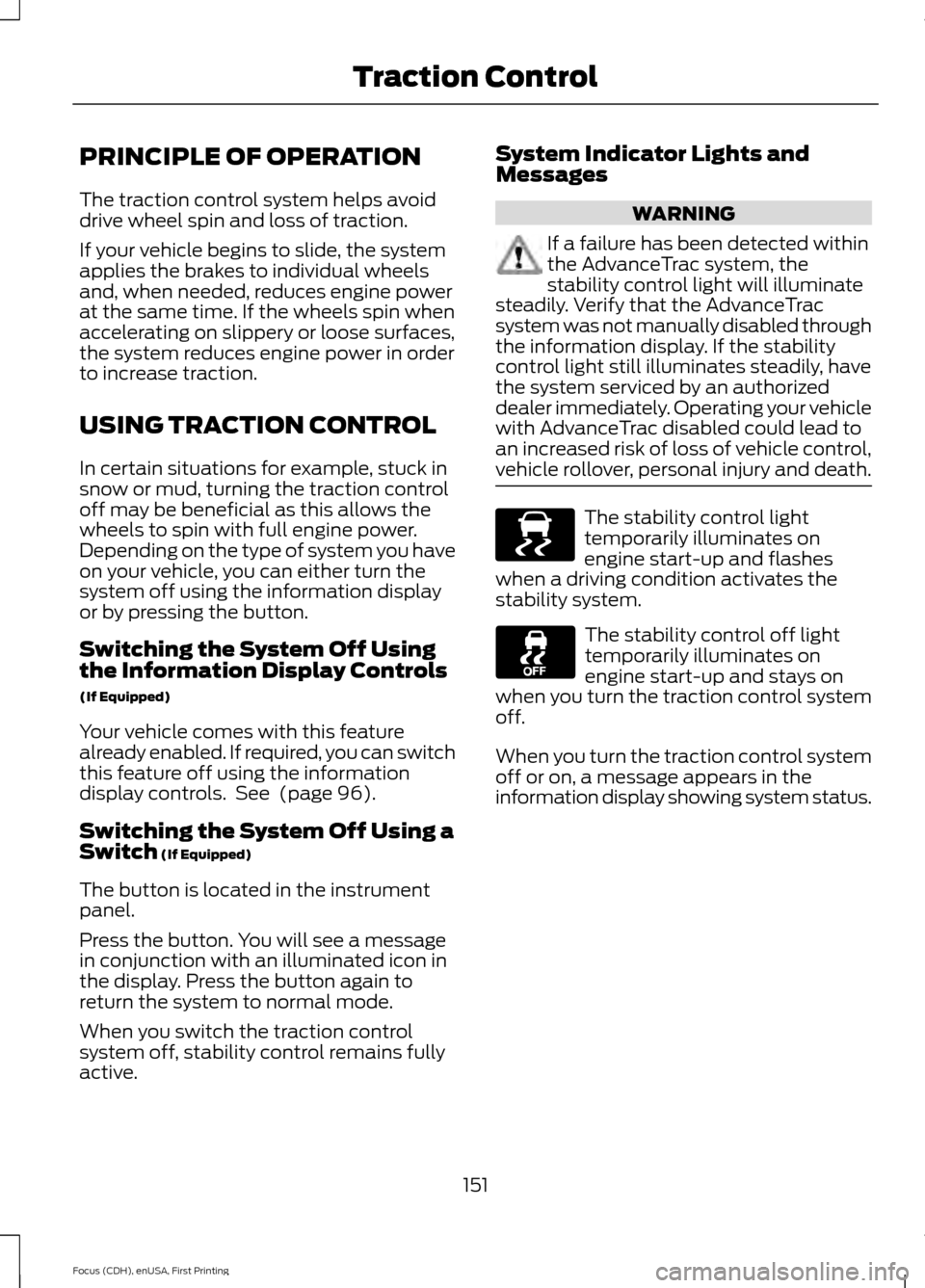
vehicle rollover, personal injury and death. The stability control light
temporarily illuminates on
engine start-up and flashes
when a driving condition activates the
stability system. The stability control off light
temporarily illuminates on
engine start-up and stays on
when you turn the traction control system
off.
When you turn the traction control system
off or on, a message appears in the
information display showing system status.
151
Focus (CDH), enUSA, First Printing Traction ControlE138639
Page 193 of 453

Canadian roadside coverage and benefits
may differ from the U.S. coverage. If you
require more information, please refer to
the coverage section of your warranty
guide, call us in Canada at
1-800-665-2006, or visit our website at
www.ford.ca.
Sykes Assistance Services Corporation
administers the Roadside Assistance
program. You must receive covered
services in Canada or the continental
United States. Coverage extends to
vehicles that use public, non-seasonal,
annually traveled roadways. Roadside
Assistance coverage does not extend to
vehicles involved in cross-country driving,
logging, autocross and any other form of
off-road use. Well maintained roads and
surfaces help ensure safe travel for the
supplier, and allow their representatives
to perform service as per the standard
operating procedures.
In Remote Locations
If our supplier cannot take your vehicle by
road to the nearest authorized dealership,
transportation by rail or water may be
necessary. The program covers a tow to
the dock or rail terminal and also to the
dealership at the end of the trip.
For rail or water transportation, however,
contact your authorized dealer to confirm
if you are eligible for additional coverage
before you authorize or pay for the service.
Call the Ford Roadside Assistance at
1-800-665-2006 for additional
information.
HAZARD WARNING FLASHERS
Note:
If used when the vehicle is not
running, the battery will lose charge. There
may be insufficient power to restart your
vehicle. The hazard warning button is
located on the instrument panel.
Use it when your vehicle is
creating a safety hazard for other
motorists.
• Press the button to turn on the hazard
warning function, and the front and
rear direction indicators will flash.
• Press the button again to turn them
off.
FUEL SHUTOFF WARNING
Failure to inspect and, if necessary,
repair fuel leaks after a collision may
increase the risk of fire and serious
injury. Ford Motor Company recommends
that the fuel system be inspected by an
authorized dealer after any collision. In the event of a moderate to severe
collision, this vehicle includes a fuel pump
shutoff feature that stops the flow of fuel
to the engine. Not every impact will cause
a shutoff.
Should your vehicle shut off after a
collision, you may restart your vehicle. For
vehicles equipped with a key system:
1. Switch off the ignition.
2. Switch on the ignition.
3. Repeat Steps 1 and 2 to re-enable the
fuel pump.
For vehicles equipped with a push button
start system:
1. Press the START/STOP button to
switch off the ignition.
2. Press the brake pedal and press the START/STOP
button to start the
vehicle.
190
Focus (CDH), enUSA, First Printing Roadside Emergencies
Page 259 of 453

How Temperature Affects Your Tire
Pressure
The tire pressure monitoring system
monitors tire pressure in each pneumatic
tire. While driving in a normal manner, a
typical passenger tire inflation pressure
may increase about 2 to 4 psi (14 to 28
kPa) from a cold start situation. If the
vehicle is stationary overnight with the
outside temperature significantly lower
than the daytime temperature, the tire
pressure may decrease about 3 psi (21
kPa) for a drop of 30°F (17°C) in ambient
temperature. This lower pressure value
may be detected by the tire pressure
monitoring system as being significantly
lower than the recommended inflation
pressure and activate the system warning
light for low tire pressure. If the low tire
pressure warning light is on, visually check
each tire to verify that no tire is flat. If one
or more tires are flat, repair as necessary.
Check the air pressure in the road tires. If
any tire is under-inflated, carefully drive
the vehicle to the nearest location where
air can be added to the tires. Inflate all the
tires to the recommended inflation
pressure.
CHANGING A ROAD WHEEL
WARNINGS
The use of tire sealant may damage
your tire pressure monitoring system
and should only be used in roadside
emergencies. If you must use a sealant, the
Ford Tire Mobility Kit sealant should be
used. The tire pressure monitoring system
sensor and valve stem on the wheel must
be replaced by an authorized dealer after
use of the sealant. If the tire pressure monitor sensor
becomes damaged, it will no longer
function. See Tire Pressure
Monitoring System (page 253). Note:
The tire pressure monitoring system
indicator light will illuminate when the spare
tire is in use. To restore the full function of
the monitoring system, all road wheels
equipped with tire pressure monitoring
sensors must be mounted on this vehicle.
If you get a flat tire while driving, do not
apply the brake heavily. Instead, gradually
decrease your speed. Hold the steering
wheel firmly and slowly move to a safe
place on the side of the road.
Have a flat serviced by an authorized
dealer in order to prevent damage to the
system sensors
See Tire Pressure
Monitoring System (page 253). Replace
the spare tire with a road tire as soon as
possible. During repairing or replacing of
the flat tire, have the authorized dealer
inspect the system sensor for damage.
Dissimilar Spare Wheel and Tire
Assembly Information WARNING
Failure to follow these guidelines
could result in an increased risk of
loss of vehicle control, injury or death.
If you have a dissimilar spare wheel and
tire, then it is intended for temporary use
only. This means that if you need to use it,
you should replace it as soon as possible
with a road wheel and tire assembly that
is the same size and type as the road tires
and wheels that were originally provided
by Ford. If the dissimilar spare tire or wheel
is damaged, it should be replaced rather
than repaired.
A dissimilar spare wheel and tire assembly
is defined as a spare wheel and tire
assembly that is different in brand, size or
appearance from the road tires and wheels
and can be one of three types:
256
Focus (CDH), enUSA, First Printing Wheels and Tires
Page 445 of 453

Booster Seats..................................................28
Types of Booster Seats...................................... 28
Brake Fluid Check.........................................216
Brakes...............................................................148 General Information.......................................... 148
Breaking-In.....................................................186
Bulb Specification Chart...........................227
C
Cabin Air Filter.................................................112
California Proposition 65..............................11
Capacities and Specifications - 1.0L EcoBoost™.................................................266
Specifications...................................................... 267
Capacities and Specifications - 2.0L Duratec-HE (MI4)
....................................269
Specifications..................................................... 270
Capacities and Specifications.................261
Car Wash See: Cleaning the Exterior.............................. 230
Center Console
...............................................121
Changing a Bulb...........................................222 Replacing Fog Lamp Bulbs............................ 224
Replacing Headlamp Bulbs........................... 222
Replacing HID Headlamp Bulbs................... 222
Replacing LED Rear Lamps........................... 226
Replacing Licence Plate and High Mounted Brake Lamp Bulbs......................................... 227
Replacing Rear Lamps - 4 Door................... 224
Replacing Rear Lamps - 5 Door.................... 225
Changing a Fuse..........................................209 Fuses...................................................................... 209
Changing a Road Wheel...........................256 Dissimilar Spare Wheel and Tire Assembly
Information..................................................... 256
Tire Change Procedure..................................... 257
Changing the 12V Battery...........................217
Changing the Engine Air Filter.................229
Changing the Wiper Blades
......................219
Checking MyKey System Status................61
Checking the Wiper Blades.......................219
Child Restraint and Safety Belt Maintenance.................................................39
Child Safety......................................................20 General Information............................................ 20Child Safety Locks...........................................31
Left-Hand Side...................................................... 32
Right-Hand Side................................................... 32
Child Seat Positioning
..................................30
Cleaning Leather Seats.............................233
Cleaning Products.......................................230
Cleaning the Alloy Wheels.......................234
Cleaning the Engine.....................................231
Cleaning the Exterior..................................230 Body Paintwork Preservation......................... 231
Cleaning the Chrome Trim............................. 230
Cleaning the Headlamps................................ 230
Cleaning the Rear Window............................ 230
Cleaning the Instrument Panel and Instrument Cluster Lens.........................232
Cleaning the Interior....................................232 Instrument Cluster Screens, LCD Screens
and Radio Screens........................................ 232
Rear Windows..................................................... 232
Safety Belts.......................................................... 232
Cleaning the Windows and Wiper Blades............................................................232
Clearing All MyKeys......................................60
Climate.............................................................381 Climate Control Voice Commands.............383
Climate Control
.............................................107
Clutch Fluid Check - Manual Transmission................................................217
Cold Weather Precautions
........................186
Coolant Check See: Engine Coolant Check............................. 214
Crash Sensors and Airbag Indicator.......48
Creating a MyKey...........................................59 Programming/Changing Configurable
Settings............................................................... 59
Cruise Control
..................................................75
Principle of Operation....................................... 162
Cruise control See: Using Cruise Control................................ 162
Customer Assistance
..................................194
D
Data Recording
..................................................9
Event Data Recording........................................... 9
Service Data Recording........................................ 9
442
Focus (CDH), enUSA, First Printing Index
Page 446 of 453
Daytime Running Lamps..............................81
Type 1 - Conventional
(Non-Configurable)........................................ 81
Type 2 - Configurable.......................................... 81
Digital Radio..................................................283
HD Radio Reception and Station
Troubleshooting............................................ 284
Direction Indicators.......................................83
Driver and Passenger Airbags....................42 Children and Airbags........................................... 42
Proper Driver and Front Passenger Seating Adjustment........................................................ 42
Driver Knee Airbag
.........................................46
Driving Aids.....................................................163
Driving at High Speed................................259
Driving Hints...................................................186
Driving Through Water...............................186
DRL See: Daytime Running Lamps.......................... 81
E
Eco Mode
..........................................................171
Resetting Eco Mode........................................... 172
Type 1....................................................................... 172
Type 2 and 3.......................................................... 172
Economical Driving
......................................186
Emission Control System..........................138 On-Board Diagnostics (OBD-II)................... 139
Readiness for Inspection/Maintenance (I/M) Testing................................................... 139
End User License Agreement..................401 SYNC End User License Agreement
(EULA).............................................................. 401
Engine Block Heater
....................................128
Using the Engine Block Heater...................... 129
Engine Coolant Check
.................................214
Adding Engine Coolant..................................... 214
Checking the Engine Coolant......................... 214
Recycled Engine Coolant................................. 215
Severe Climates.................................................. 215
Engine Immobilizer See: Passive Anti-Theft System...................... 71
Engine Oil Check...........................................213 Adding Engine Oil................................................ 213
Engine Oil Dipstick - 1.0L EcoBoost™..................................................213 Engine Oil Dipstick - 2.0L Duratec-HE
(MI4)
...............................................................213
Engine Specifications - 1.0L EcoBoost™..................................................261
Drivebelt Routing................................................ 261
Engine Specifications - 2.0L Duratec-HE (MI4)..............................................................261
Drivebelt Routing............................................... 262
Entertainment..............................................348 AM/FM Radio...................................................... 348
Bluetooth Audio................................................. 362
CD........................................................................\
.... 358
Line In..................................................................... 362
SD Card Slot and USB Port........................... 359
SIRIUS® Satellite Radio (If Activated)........................................................ 354
Supported Media Players, Formats and Metadata Information................................ 362
Environment......................................................14
Event Data Recording See: Data Recording.............................................. 9
Export Unique Options..................................13
Extended Service Plan (ESP).................423 SERVICE PLANS (CANADA ONLY)............424
SERVICE PLANS (U.S. Only)......................... 423
Exterior Mirrors................................................86 Blind Spot Monitor............................................... 87
Fold-Away Exterior Mirrors............................... 86
Heated Exterior Mirrors...................................... 87
Integrated Blind Spot Mirrors........................... 87
Memory Mirrors..................................................... 87
Power Exterior Mirrors........................................ 86
F
Fastening the Safety Belts
..........................34
Safety Belt Extension Assembly.................... 36
Safety Belt Locking Modes............................... 35
Using Safety Belts During Pregnancy...........34
Floor Mats........................................................187
Fog Lamps - Front See: Front Fog Lamps........................................ 83
Ford Credit
..........................................................11
(U.S. Only)................................................................. 11
Front Exterior Overview................................15
Front Fog Lamps............................................83
443
Focus (CDH), enUSA, First Printing Index
Page 447 of 453

Front Parking Aid..........................................154
Front Sensing System....................................... 154
Obstacle Distance Indicator........................... 155
Front Passenger Sensing System............43
Fuel and Refueling........................................132
Fuel Consumption........................................137 Calculating Fuel Economy............................... 137
Filling the Tank..................................................... 137
Fuel Filler Funnel Location........................134
Fuel Filter..........................................................217
Fuel Quality - E85.........................................133 Choosing the Right Fuel................................... 133
Fuel Quality - Gasoline...............................133 Choosing the Right Fuel................................... 133
Fuel Shutoff
...................................................190
Fuses................................................................200
Fuse Specification Chart..........................200 Engine Compartment Fuse Box.................. 200
Luggage Compartment Fuse Box...............206
Passenger Compartment Fuse Box...........204
G
Gauges...............................................................90 Engine Coolant Temperature Gauge.............91
Fuel Gauge............................................................... 91
Information Display............................................ 90
General Information on Radio Frequencies...................................................50
General Maintenance Information........425 Multi-Point Inspection...................................... 427
Owner Checks and Services.......................... 426
Protecting Your Investment........................... 425
Why Maintain Your Vehicle?.......................... 425
Why Maintain Your Vehicle at Your Dealership?..................................................... 425
Getting Assistance Outside the U.S. and Canada..........................................................197
Getting the Services You Need...............194 Away From Home.............................................. 194
H
Handbrake See: Parking Brake............................................. 149
Hazard Warning Flashers..........................190
Headlamp Exit Delay
...................................80 Head Restraints
..............................................114
Adjusting the Head Restraint.......................... 115
Tilting Head Restraints ..................................... 115
Heated Seats
..................................................119
Heated Steering Wheel................................76
Heated Windows and Mirrors
....................112
Heated Exterior Mirrors...................................... 112
Heated Rear Window......................................... 112
Heating See: Climate Control......................................... 107
Hill Start Assist..............................................149 Using Hill Start Assist....................................... 150
Hints on Controlling the Interior Climate...........................................................110
Cooling the Interior Quickly............................... 111
General Hints........................................................ 110
Heating the Interior Quickly............................. 110
Recommended Settings for Cooling ............111
Recommended Settings for Heating.............111
Side Window Defogging in Cold Weather.............................................................. 112
Hints on Driving With Anti-Lock Brakes............................................................148
Hood Lock See: Opening and Closing the Hood...........210
I
Ignition Switch...............................................122
In California (U.S. Only).............................195
Information Display Control.......................76
Information Displays....................................96 General Information........................................... 96
Information......................................................371 911 Assist................................................................ 377
Alerts....................................................................... 377
Calendar................................................................. 377
Sirius Travel Link................................................. 376
SYNC Services (If Equipped, United States Only)................................................................... 372
Vehicle Health Report...................................... 379
444
Focus (CDH), enUSA, First Printing Index