Page 176 of 564
The power point can switch to a fault mode when it is overloaded,
overheated or shorted. Unplug your device and turn the ignition off then
on for overloading and shorting conditions. Let the system cool off, then
turn the ignition off then on for an overheating condition.
The power point can provide power whenever the ignition is on and the
indicator light is on. The indicator light is located in the top left corner
of the power point.
When the indicator light is:
•on — power point is ready to supply power
•off — power point power supply is off; ignition is not on
•blinking — power point is in fault mode
Auxiliary Power Points175
2015 Expedition(exd)
Owners Guide gf, 1st Printing, July 2014
USA(fus)
Page 285 of 564

Fuse or relay
locationFuse amp rating Protected circuits
18 30A** Trailer brake
19 20A** Power point (console)
20 20A** 4x4 module relay
21 30A** Trailer tow module
22 30A** Passenger power seat
23 — Air conditioner clutch relay
24 — Trailer tow park lamp relay
25 — Not used
26 10A* ALT sensor
27 20A* 4x4 all wheel drive module
28 25A* Trailer tow park lamp relay
29 10A* Integrated wheel end solenoid
30 10A* Air conditioner clutch relay
31 15A* Trailer tow back up lamp
32 40A** Blower motor relay
33 40A** 110–volt AC power point
34 30A** Auxiliary blower motor
35 50A** Powertrain control module relay
36 30A** Power liftgate
37 — Not used
38 — Not used
39 — Trailer tow backup lamps relay
40 — Electronic fan 2 relay
41 10A* Powertrain control module
keep-alive power
42 5A* Run/start relay
43 10A* Brake on/off switch
44 20A* Fuel pump relay
45 10A* Not used (spare)
46 15A* Front/rear washer pump
47 30A** Rear wiper motor
284Fuses
2015 Expedition(exd)
Owners Guide gf, 1st Printing, July 2014
USA(fus)
Page 286 of 564
Fuse or relay
locationFuse amp rating Protected circuits
48 40A** Trailer tow module
49 — Not used
50 30A** Front wiper motor relay
51 40A** Rear window defroster and heated
mirror relay
52 10A* Anti-lock brake system run/start
feed
53 5A* Powertrain control module ISP
54 5A* Power steering
55 — Not used
56 30A* Passenger compartment fuse panel
run/start feed
57 5A* Blower motor run/start
58 — Not used
59 15A* Heated mirrors
60 — Not used
61 — Not used
62 — Not used
63 25A** Electronic fan
64 30A** Moonroof
65 — Not used
66 20A** Auxiliary power point (rear of
center console)
67 40A** Front row climate controlled seats
68 30A** Anti-lock brake system valves
69 60A** Anti-lock brake system pump
70 30A** Third row power fold seat
71 20A** Auxiliary power point/cigar lighter
72 20A** Auxiliary power point (right rear
quarter panel)
73 30A** Rear seat climate module
74 30A** Driver power seat
Fuses285
2015 Expedition(exd)
Owners Guide gf, 1st Printing, July 2014
USA(fus)
Page 292 of 564
Working with the Engine Off
1. Set the parking brake and shift toP(Park).
2. Turn off the engine and remove the key (if equipped).
3. Block the wheels.
Working with the Engine On
WARNING:To reduce the risk of vehicle damage or personal
burn injuries, do not start your engine with the air cleaner
removed and do not remove it while the engine is running.
1. Set the parking brake and shift to positionP(Park) .
2. Block the wheels.
OPENING AND CLOSING THE HOOD
1. Inside the vehicle, pull the hood
release handle located under the
bottom of the instrument panel.
2. Go to the front of the vehicle and
release the auxiliary latch that is
located under the front center of
the hood.
3. Lift the hood until the lift
cylinders hold it open.
B
R
A
K
E
Maintenance291
2015 Expedition(exd)
Owners Guide gf, 1st Printing, July 2014
USA(fus)
Page 357 of 564

TECHNICAL SPECIFICATIONS
Item Capacity Ford part nameFord part number /
Ford specification
Brake fluid
1
Between MIN and MAX
on reservoirMotorcraft High
Performance DOT 3
Motor Vehicle Brake
FluidPM–1–C /
WSS-M6C65-A1
Hinges, latches, striker plates
and rotors, seat tracks, fuel
filler door hinge and spring—Multi-Purpose Grease
(Lithium grease)Motorcraft XL-5
(aerosol) /
CRCSL3151ESB
ESB-M1C93-B
Lock cylinders —Motorcraft Penetrating
and Lock LubricantXL-1 /
None
Engine coolant
2
Base radiator with
auxiliary rear heat
18.5 qt (17.5L)
Motorcraft Orange
Antifreeze/Coolant
PredilutedVC-3DIL-B (U.S.) or
CVD-3DIL-B
(Canada) /
WSS-M97B44-D2 Heavy-duty trailer tow
radiator with auxiliary
rear heat
18.0 qt (17.0L)
Engine oil
3
6.0 qt (5.7L)Motorcraft SAE 5W-30
Premium Synthetic
Blend Motor Oil or
Motorcraft SAE 5W-30
Full Synthetic Motor OilXO-5W30-QSP or
XO-5W30-QFS
WSS-M2C946-A
356Capacities and Specifications
2015 Expedition(exd)
Owners Guide gf, 1st Printing, July 2014
USA(fus)
Page 373 of 564
L.PHONE:Press this button to access the phone features of the SYNC
system. See theSYNCchapter for more information.
M.MENU:Press this button to access different audio system features.
SeeMenu structurelater in this section.
N.MUTE:orSIRIUS:Press this button to mute the playing audio, or if
equipped, listen to Sirius satellite radio.
O.AUX:Press this button to access your auxiliary input jack or switch
between devices you plug into the input jack or USB port. SeeAuxiliary
input jacklater in this chapter.
P.RADIO:Press this button to listen to the radio or change radio
frequency bands. Press the function buttons below the radio screen to
select different radio functions.
Q.CD:Press this button to listen to a CD. Press the function buttons
below the radio screen to select on-screen options of Repeat or Shuffle.
Menu Structure
Note:Depending on your system, some options may appear slightly
different.
PressMENU.
Press the up and down arrow buttons to scroll through the options.
Press the right arrow to enter a menu. Press the left arrow to exit a
menu.
PressOKto confirm a selection.
Radio Settings
ScanSelect for a brief sampling of all available
channels.
Set CategorySelect to have the system search by certain
music categories (such as Rock, Pop or
Country).
RBDS/RDS TextSelect to view additional broadcast data, if
available. This feature defaults to off. RBDS
must be on for you to set a category.
372Audio System
2015 Expedition(exd)
Owners Guide gf, 1st Printing, July 2014
USA(fus)
Page 384 of 564
AUXILIARY INPUT JACK
WARNING:Driving while distracted can result in loss of vehicle
control, crash and injury. We strongly recommend that you use
extreme caution when using any device that may take your focus off
the road. Your primary responsibility is the safe operation of your
vehicle. We recommend against the use of any hand-held device while
driving and encourage the use of voice-operated systems when possible.
Make sure you are aware of all applicable local laws that may affect the
use of electronic devices while driving.
WARNING:For safety reasons, do not connect or adjust the
settings on your portable music player while your vehicle is
moving.
WARNING:Store the portable music player in a secure location,
such as the center console or the glove box, when your vehicle is
moving. Hard objects may become projectiles in a crash or sudden stop,
which may increase the risk of serious injury. The audio extension cable
must be long enough to allow the portable music player to be safely
stored while your vehicle is moving.
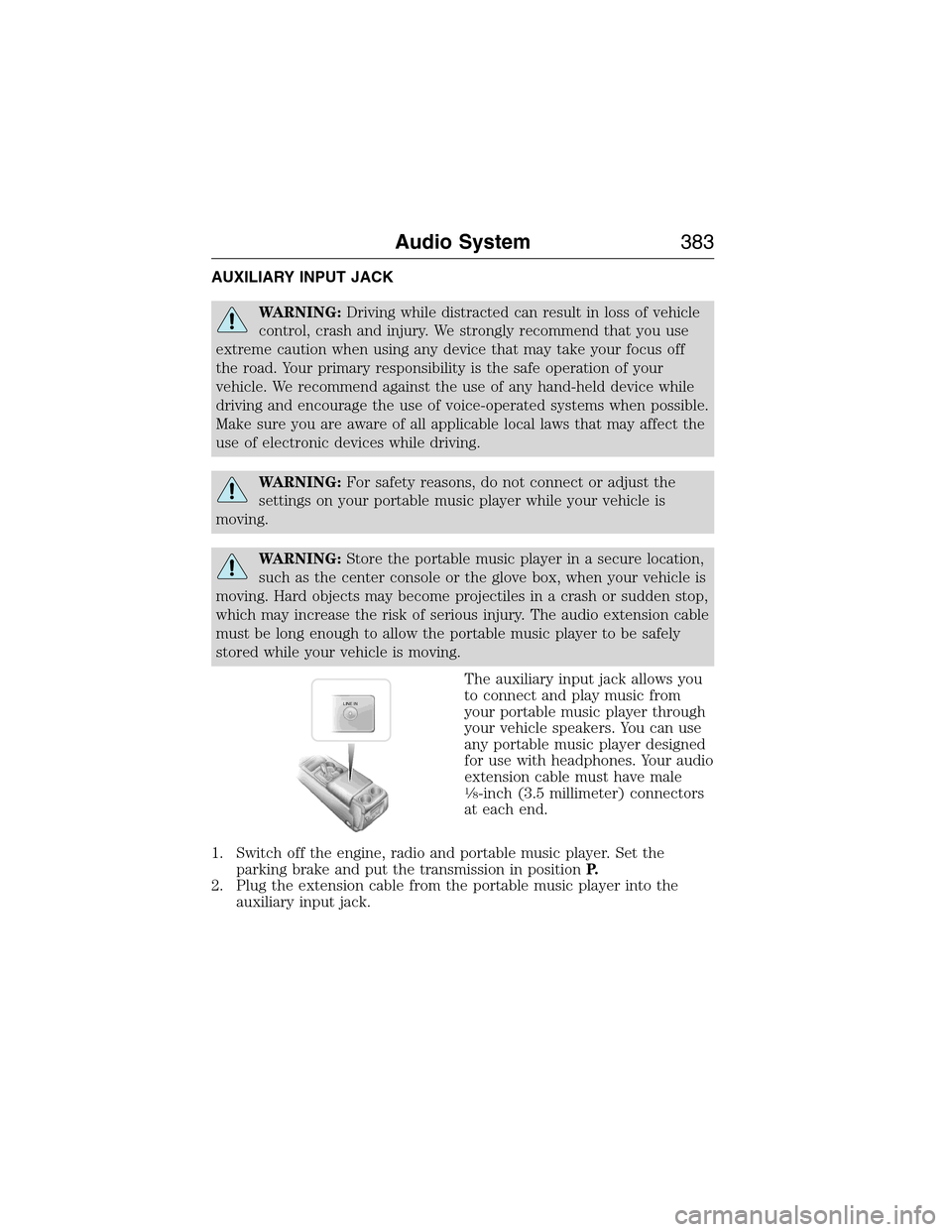
The auxiliary input jack allows you
to connect and play music from
your portable music player through
your vehicle speakers. You can use
any portable music player designed
for use with headphones. Your audio
extension cable must have male
18-inch (3.5 millimeter) connectors
at each end.
1. Switch off the engine, radio and portable music player. Set the
parking brake and put the transmission in positionP.
2. Plug the extension cable from the portable music player into the
auxiliary input jack.
LINE IN
Audio System383
2015 Expedition(exd)
Owners Guide gf, 1st Printing, July 2014
USA(fus)
Page 385 of 564
3. Switch the radio on. Select either a tuned FM station or a CD.
4. Adjust the volume as desired.
5. Switch your portable music player on and adjust its volume to half its
maximum level.
6. PressAUXuntilLINEorLINE INappears in the display. You
should hear music from your device even if it is low.
7. Adjust the volume on your portable music player until it reaches the
volume level of the FM station or CD. Do this by switching back and
forth between the AUX and FM or CD controls.
USB PORT (IF EQUIPPED)
WARNING:Driving while distracted can result in loss of vehicle
control, crash and injury. We strongly recommend that you use
extreme caution when using any device that may take your focus off
the road. Your primary responsibility is the safe operation of your
vehicle. We recommend against the use of any hand-held device while
driving and encourage the use of voice-operated systems when possible.
Make sure you are aware of all applicable local laws that may affect the
use of electronic devices while driving.
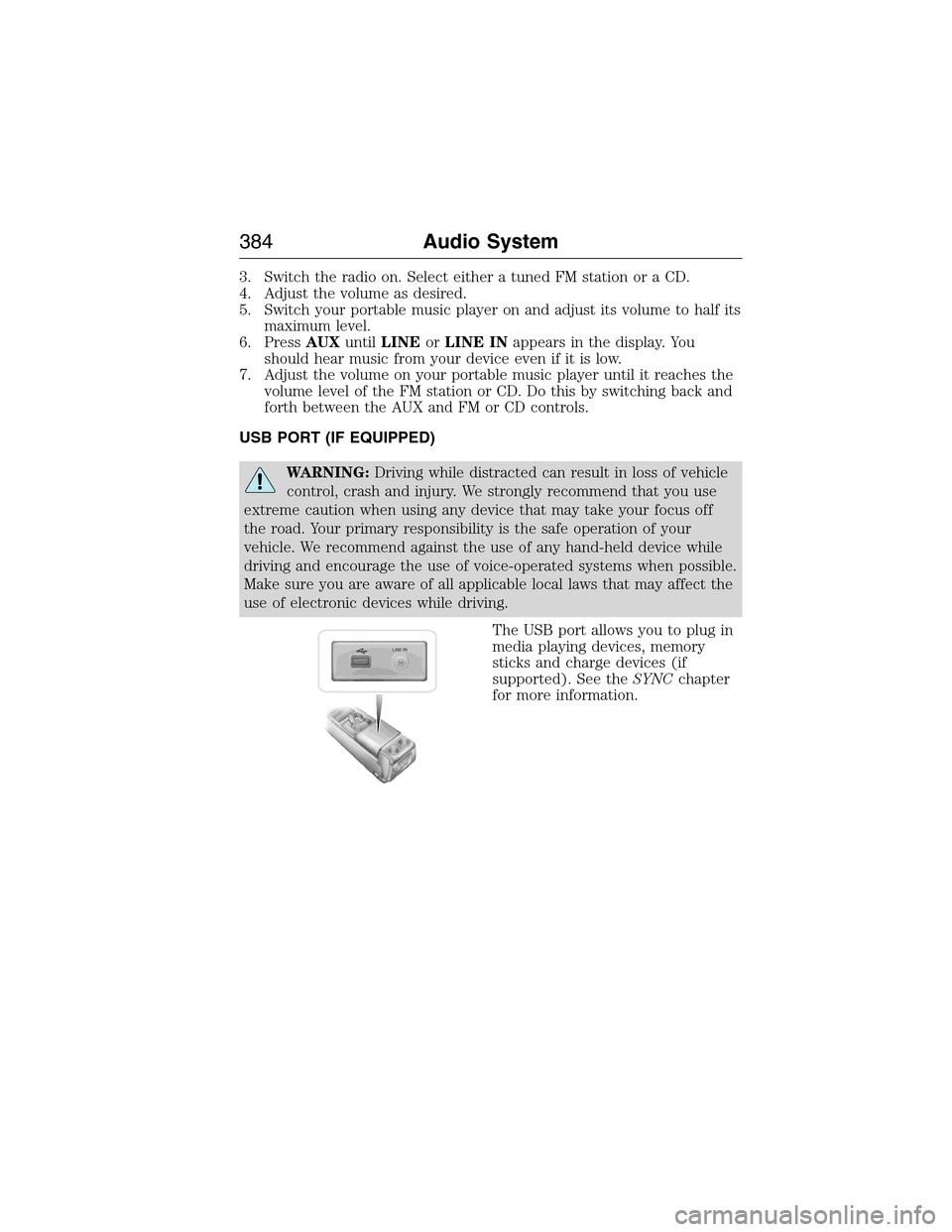
The USB port allows you to plug in
media playing devices, memory
sticks and charge devices (if
supported). See theSYNCchapter
for more information.
LINE IN
384Audio System
2015 Expedition(exd)
Owners Guide gf, 1st Printing, July 2014
USA(fus)