Page 117 of 438
Deactivation
Pull the multifunction lever toward the steering wheel
and hold it for more than two seconds.
Front Fog Lights — If Equipped
The fog light switch is located on the center
stack of the instrument panel, just below the
radio. Press the switch once to turn the front
fog lights on. Press the switch a second time to turn the
front fog lights off.
Interior Lights
The interior light switches are located in the overhead
console. The interior lights can be set to three different
positions (Off/Left Position, Center Position, On/Right
Position).
Using the switch on the bottom of the overhead console,
press the switch to the on/right position from its center
position and the lights are always on.
On/Right Position
3
UNDERSTANDING THE FEATURES OF YOUR VEHICLE 115
Page 128 of 438
To Resume Speed
To resume a previously set speed, push the RES (+)
button and release. Resume can be used at any speed
above 25 mph (40 km/h).
To Vary The Speed Setting
To Increase Speed
When the Electronic Speed Control is set, you can in-
crease speed by pushing the RES (+) button.
The drivers preferred units can be selected through the
instrument panel settings if equipped. Refer to “ Under-
standing Your Instrument Panel” for more information.
The speed increment shown is dependent on the selected
speed unit of U.S. (mph) or Metric (km/h):
U.S. Speed (mph)
•Pressing the RES (+) button once will result ina1mph
increase in set speed. Each subsequent tap of the
button results in an increase of 1 mph.
•If the button is continually pressed, the set speed will
continue to increase until the button is released, then
the new set speed will be established.
Metric Speed (km/h)
•Pressing the RES (+) button once will result in a
1 km/h increase in set speed. Each subsequent tap of
the button results in an increase of 1 km/h.
•If the button is continually pressed, the set speed will
continue to increase until the button is released, then
the new set speed will be established.
126 UNDERSTANDING THE FEATURES OF YOUR VEHICLE
Page 129 of 438
To Decrease Speed
When the Electronic Speed Control is set, you can de-
crease speed by pushing the SET (-) button.
The drivers preferred units can be selected through the
instrument panel settings if equipped. Refer to “ Under-
standing Your Instrument Panel” for more information.
The speed decrement shown is dependant on the selected
speed unit of U.S. (mph) or Metric (km/h):
U.S. Speed (mph)
•Pressing the SET (-) button once will result ina1mph
decrease in set speed. Each subsequent tap of the
button results in a decrease of 1 mph.
•If the button is continually pressed, the set speed will
continue to decrease until the button is released, then
the new set speed will be established.
Metric Speed (km/h)
•Pressing the SET (-) button once will result in a 1 km/h
decrease in set speed. Each subsequent tap of the
button results in a decrease of 1 km/h.
•If the button is continually pressed, the set speed will
continue to decrease until the button is released, then
the new set speed will be established.
To Accelerate For Passing
Press the accelerator as you would normally. When the
pedal is released, the vehicle will return to the set speed.
Using Electronic Speed Control On Hills
The transmission may downshift on hills to maintain the
vehicle set speed.
NOTE:The Electronic Speed Control system maintains
speed up and down hills. A slight speed change on
moderate hills is normal.
3
UNDERSTANDING THE FEATURES OF YOUR VEHICLE 127
Page 133 of 438
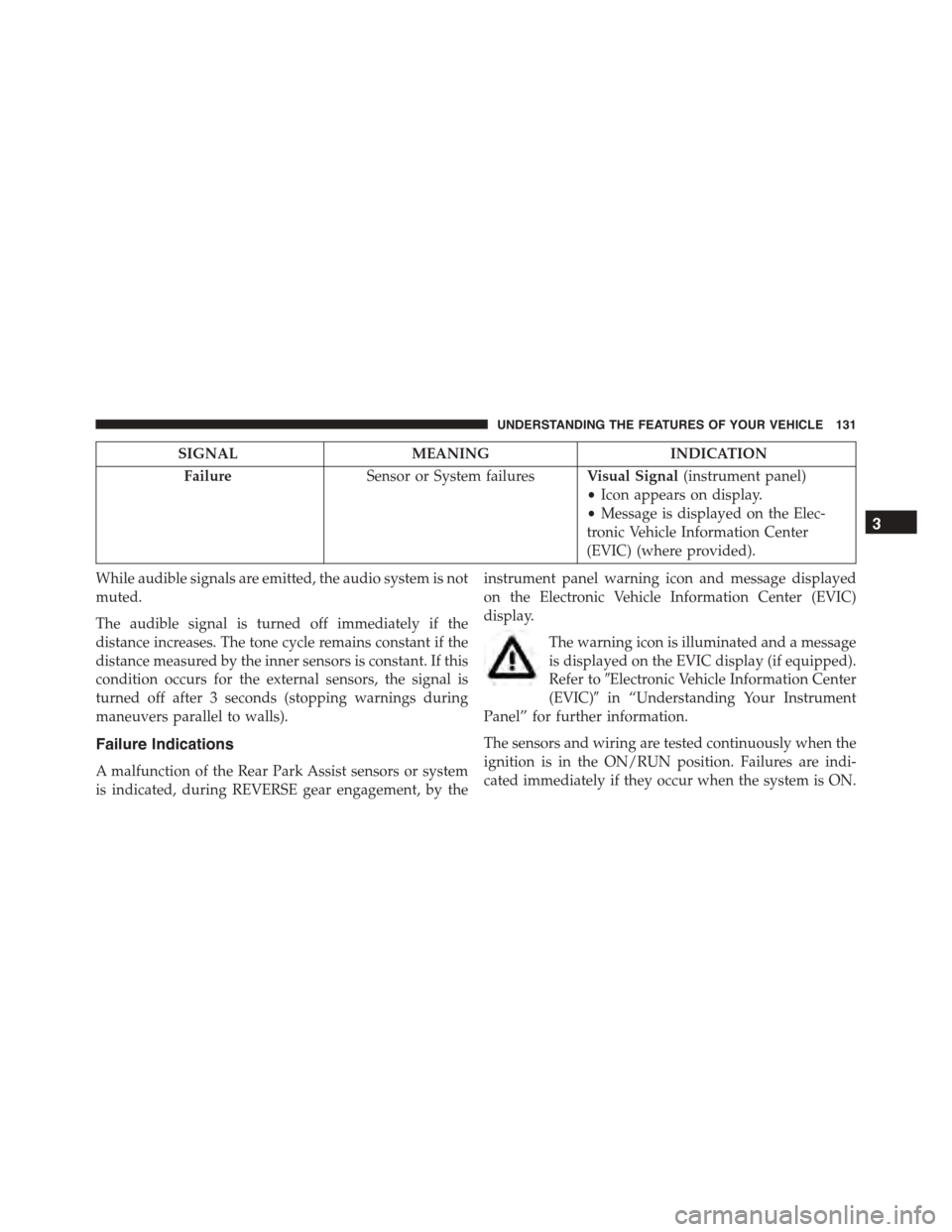
SIGNALMEANINGINDICATION
FailureSensor or System failuresVisual Signal(instrument panel)
•Icon appears on display.
•Message is displayed on the Elec-
tronic Vehicle Information Center
(EVIC) (where provided).
While audible signals are emitted, the audio system is not
muted.
The audible signal is turned off immediately if the
distance increases. The tone cycle remains constant if the
distance measured by the inner sensors is constant. If this
condition occurs for the external sensors, the signal is
turned off after 3 seconds (stopping warnings during
maneuvers parallel to walls).
Failure Indications
A malfunction of the Rear Park Assist sensors or system
is indicated, during REVERSE gear engagement, by the
instrument panel warning icon and message displayed
on the Electronic Vehicle Information Center (EVIC)
display.
The warning icon is illuminated and a message
is displayed on the EVIC display (if equipped).
Refer to#Electronic Vehicle Information Center
(EVIC)#in “Understanding Your Instrument
Panel” for further information.
The sensors and wiring are tested continuously when the
ignition is in the ON/RUN position. Failures are indi-
cated immediately if they occur when the system is ON.
3
UNDERSTANDING THE FEATURES OF YOUR VEHICLE 131
Page 153 of 438
STORAGE
Glove Compartment
Your vehicle is equipped with a upper and lower glove
compartment which is located on the right side of the
instrument panel. Push the latch button upward on the
upper glove compartment door to open it. Pull outward
on the lower glove compartment latch to open the lower
glove compartment. Push the upper glove compartment
door down to close it and the lower glove compartment
door upward to close it.
Upper And Lower Glove Compartments
3
UNDERSTANDING THE FEATURES OF YOUR VEHICLE 151
Page 162 of 438
Storage Compartments
There are two storage compartments located on the rear
side panels.
REAR WINDOW FEATURES
Rear Window Defroster
The rear window defroster button is located with
the climate controls on the instrument panel. Press
this button to turn on the rear window defroster. An
indicator in the button will illuminate when the rear
window defroster is on. The rear window defroster
automatically turns off after approximately 20 minutes.
To manually shut the defroster off, push the button a
second time.
NOTE:To prevent excessive battery drain, use the rear
window defroster only when the engine is operating.
Storage Compartment
160 UNDERSTANDING THE FEATURES OF YOUR VEHICLE
Page 165 of 438
UNDERSTANDING YOUR INSTRUMENT PANEL
CONTENTS
!INSTRUMENT PANEL FEATURES..........165
!INSTRUMENT CLUSTER.................166
!INSTRUMENT CLUSTER DESCRIPTIONS.....167
!ELECTRONIC VEHICLE INFORMATION
CENTER (EVIC).......................177
▫EVIC Screen.........................177
▫EVIC Control Buttons..................178
▫Electronic Vehicle Information Center (EVIC)
Setup Menu.........................179
▫Change Engine Oil Indicator System........180
▫Trip Computer.......................181
▫Trip Button..........................181
▫Trip Functions........................182
▫Values Displayed......................183
▫Personal Settings (Customer-Programmable
Features)............................184
!Uconnect® RADIOS.....................187
!iPod®/USB/MEDIA PLAYER CONTROL.....187
!STEERING WHEEL AUDIO CONTROLS......188
▫Radio Operation......................189
4
Page 166 of 438
▫Player Operation......................189
!CD/DVD DISC MAINTENANCE...........190
!RADIO OPERATION AND MOBILE PHONES . .190
!CLIMATE CONTROLS...................191
▫Manual Climate Control System...........191
▫Automatic Dual Zone Climate Control System
(If Equipped).........................197
!Uconnect® VOICE RECOGNITION
QUICK TIPS..........................209
▫Introducing Uconnect®.................209
▫Get Started..........................211
▫Basic Voice Commands..................212
▫Radio..............................213
▫Media..............................215
▫Phone..............................216
▫Navigation (6.5A/6.5AN)................218
▫Voice Text Reply......................219
▫Additional Information.................220
164 UNDERSTANDING YOUR INSTRUMENT PANEL