Page 93 of 438
▫Programming A Rolling Code.............138
▫Programming A Non-Rolling Code.........140
▫Canadian/Gate Operator Programming......141
▫Using HomeLink®.....................143
▫Security............................143
▫Troubleshooting Tips...................143
▫General Information....................144
!POWER SUNROOF — IF EQUIPPED........145
▫To Open............................146
▫To Close............................146
▫Wind Buffeting.......................147
▫Power Sun Blind......................147
!POWER OUTLETS.....................147
!CIGAR LIGHTER — IF EQUIPPED..........148
!CUPHOLDERS........................150
!STORAGE............................151
▫Glove Compartment...................151
▫Front Center Armrest Storage — If Equipped . .152
!REAR CARGO STORAGE FEATURES........153
▫Securing Your Load....................158
▫Storage Compartments..................160
!REAR WINDOW FEATURES..............160
▫Rear Window Defroster.................160
!ROOF LUGGAGE RACK-IF EQUIPPED.......161
3
UNDERSTANDING THE FEATURES OF YOUR VEHICLE 91
Page 113 of 438
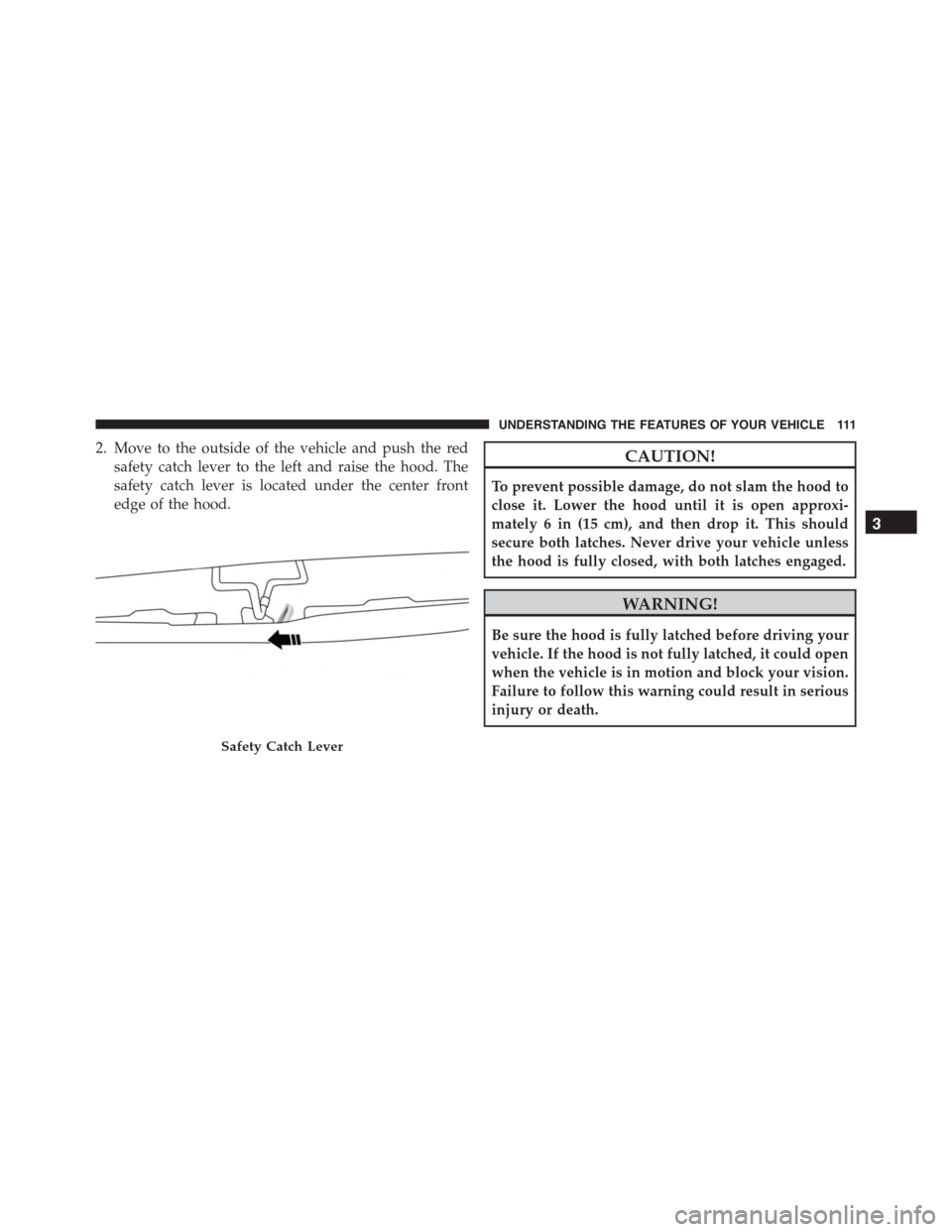
2. Move to the outside of the vehicle and push the red
safety catch lever to the left and raise the hood. The
safety catch lever is located under the center front
edge of the hood.
CAUTION!
To prevent possible damage, do not slam the hood to
close it. Lower the hood until it is open approxi-
mately 6 in (15 cm), and then drop it. This should
secure both latches. Never drive your vehicle unless
the hood is fully closed, with both latches engaged.
WARNING!
Be sure the hood is fully latched before driving your
vehicle. If the hood is not fully latched, it could open
when the vehicle is in motion and block your vision.
Failure to follow this warning could result in serious
injury or death.
Safety Catch Lever
3
UNDERSTANDING THE FEATURES OF YOUR VEHICLE 111
Page 138 of 438
WARNING!
Drivers must be careful when backing up even when
using the ParkView® Rear Back Up Camera. Always
check carefully behind your vehicle, and be sure to
check for pedestrians, animals, other vehicles, ob-
structions, or blind spots before backing up. You are
responsible for the safety of your surroundings and
must continue to pay attention while backing up.
Failure to do so can result in serious injury or death.
CAUTION!
•To avoid vehicle damage, ParkView® should only
be used as a parking aid. The ParkView® camera is
unable to view every obstacle or object in your
drive path.
(Continued)
CAUTION!(Continued)
•To avoid vehicle damage, the vehicle must be
driven slowly when using ParkView® to be able to
stop in time when an obstacle is seen. It is recom-
mended that the driver look frequently over his/her
shoulder when using ParkView®.
NOTE:If snow, ice, mud, or any foreign substance builds
up on the camera lens, clean the lens, rinse with water,
and dry with a soft cloth. Do not cover the lens.
GARAGE DOOR OPENER — IF EQUIPPED
HomeLink® replaces up to three remote controls (hand-
held transmitters) that operate devices such as garage
door openers, motorized gates, lighting or home security
systems. The HomeLink® unit operates off your vehicles
battery.
136 UNDERSTANDING THE FEATURES OF YOUR VEHICLE
Page 139 of 438
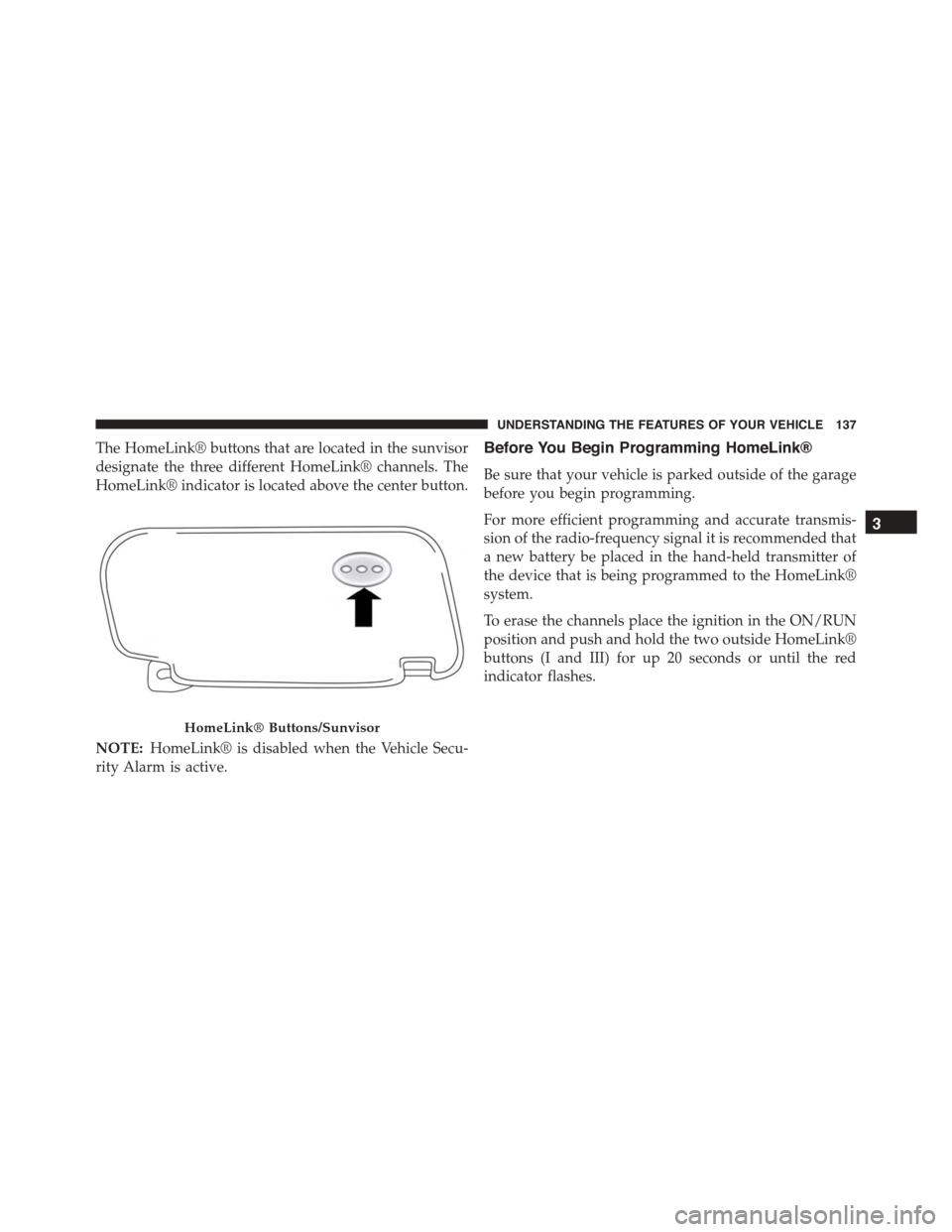
The HomeLink® buttons that are located in the sunvisor
designate the three different HomeLink® channels. The
HomeLink® indicator is located above the center button.
NOTE:HomeLink® is disabled when the Vehicle Secu-
rity Alarm is active.
Before You Begin Programming HomeLink®
Be sure that your vehicle is parked outside of the garage
before you begin programming.
For more efficient programming and accurate transmis-
sion of the radio-frequency signal it is recommended that
a new battery be placed in the hand-held transmitter of
the device that is being programmed to the HomeLink®
system.
To erase the channels place the ignition in the ON/RUN
position and push and hold the two outside HomeLink®
buttons (I and III) for up 20 seconds or until the red
indicator flashes.
HomeLink® Buttons/Sunvisor
3
UNDERSTANDING THE FEATURES OF YOUR VEHICLE 137
Page 145 of 438

Using HomeLink®
To operate, switch the ignition to the ON/RUN position
and the press and release the programmed HomeLink®
button. Activation will now occur for the programmed
device (i.e., garage door opener, gate operator, security
system, entry door lock, home/office lighting, etc.,). The
hand-held transmitter of the device may also be used at
any time. If the ignition is switched to the OFF position,
HomeLink® will remain active for three minutes. During
this time, if the vehicle is locked, HomeLink® is disabled.
Security
It is advised to erase all channels before you sell or turn
in your vehicle.
To do this, push and hold the two outside buttons for 20
seconds until the red indicator flashes. Note that all
channels will be erased. Individual channels cannot be
erased.
The HomeLink® Universal Transceiver is disabled when
the Vehicle Security Alarm is active.
Troubleshooting Tips
If you are having trouble programming HomeLink®,
here are some of the most common solutions:
•Replace the battery in the original hand-held transmit-
ter.
•Push the LEARN button on the Garage Door Opener
to complete the training for a Rolling Code.
•Did you unplug the device for programming and
remember to plug it back in?
If you have any problems, or require assistance, please
call toll-free 1-800-355-3515 or, on the Internet at
HomeLink.com for information or assistance.
3
UNDERSTANDING THE FEATURES OF YOUR VEHICLE 143
Page 148 of 438
WARNING!
•Never leave children alone in a vehicle, or with
access to an unlocked vehicle. Never leave the Key
Fob in or near the vehicle or in a location accessible
to children. Occupants, particularly unattended
children, can become entrapped by the power sun-
roof while operating the power sunroof switch.
Such entrapment may result in serious injury or
death.
•In a collision, there is greater risk of being thrown
from a vehicle with an open sunroof. You could
also be seriously injured or killed. Always fasten
your seat belt properly and make sure all passen-
gers are properly secured too.
•Do not allow small children to operate the sunroof.
Never allow your fingers, other body parts, or any
object to project through the sunroof opening.
Injury may result.
To Open
•Pull the power sunroof switch for approximately one
second and the sunroof will stop at the vented posi-
tion. Pull the power sunroof switch a second time for
approximately one second and release, the sunroof
will open fully, then stop automatically. This is called
“Express Open”.
NOTE:During Express Open operation, any movement
of the sunroof switch will stop the sunroof.
To Close
•With the sunroof in the full open position, pull and
hold the power sunroof switch for approximately one
second.
NOTE:During Express close any movement of the
sunroof switch will stop the sunroof.
146 UNDERSTANDING THE FEATURES OF YOUR VEHICLE
Page 160 of 438
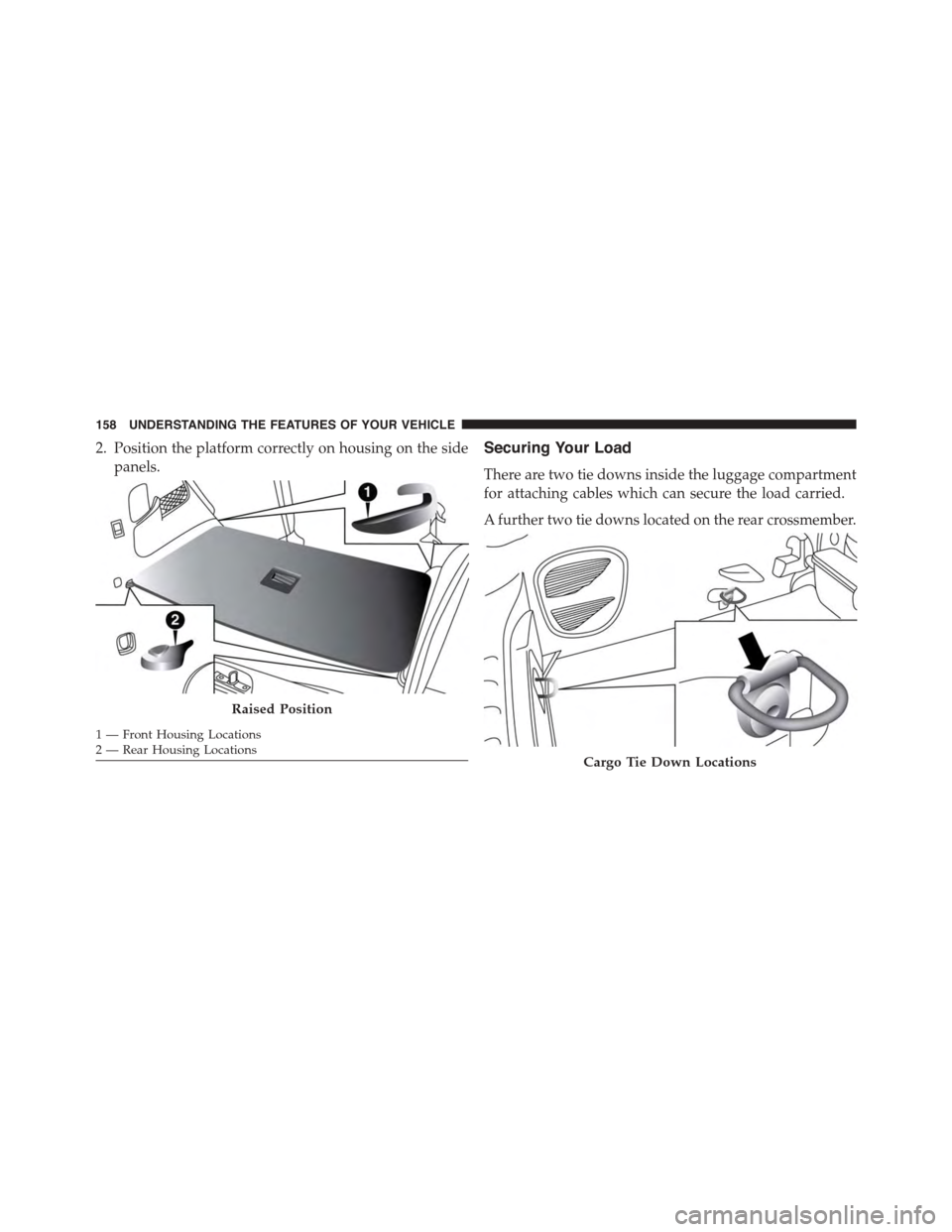
2. Position the platform correctly on housing on the side
panels.
Securing Your Load
There are two tie downs inside the luggage compartment
for attaching cables which can secure the load carried.
A further two tie downs located on the rear crossmember.
Raised Position
1—FrontHousingLocations2—RearHousingLocationsCargo Tie Down Locations
158 UNDERSTANDING THE FEATURES OF YOUR VEHICLE
Page 164 of 438
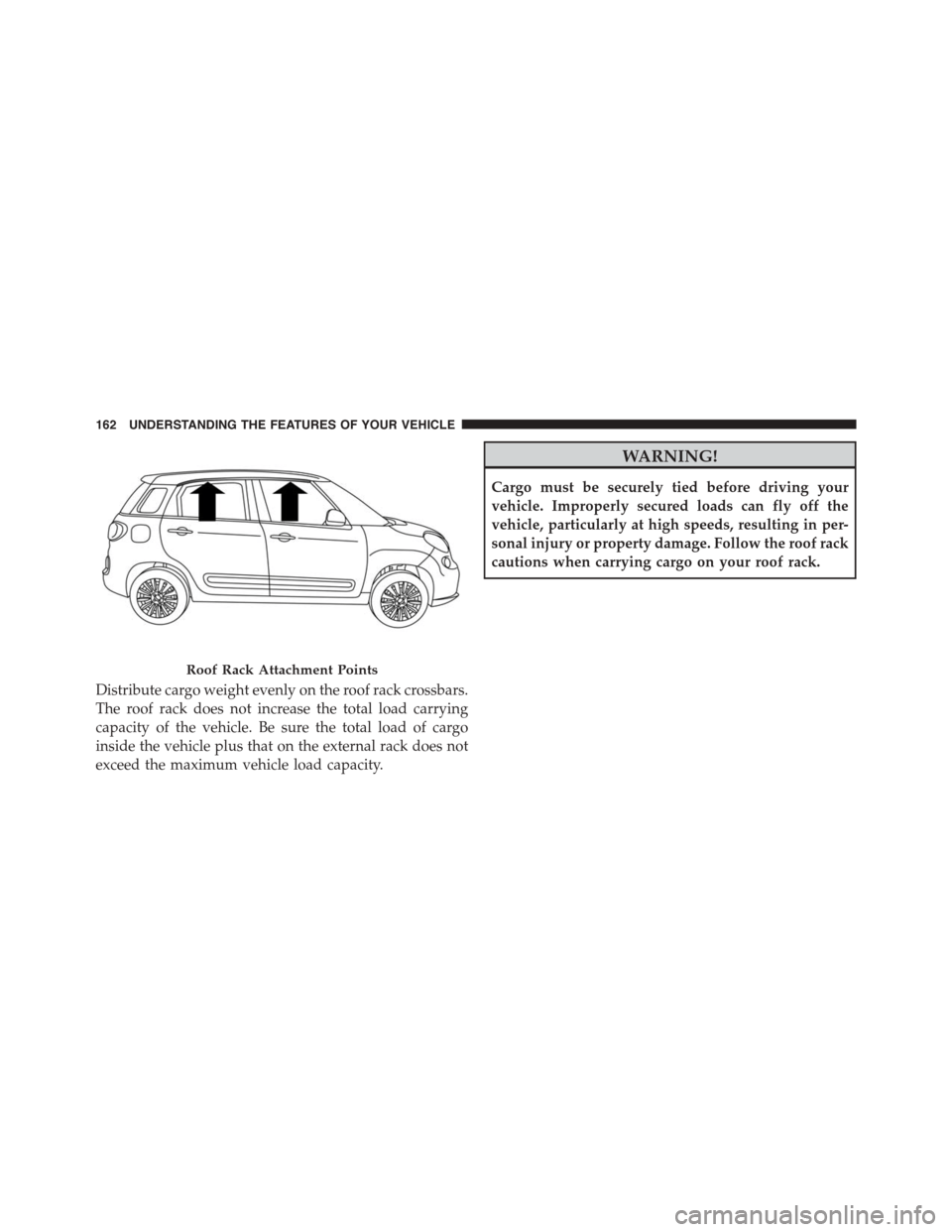
Distribute cargo weight evenly on the roof rack crossbars.
The roof rack does not increase the total load carrying
capacity of the vehicle. Be sure the total load of cargo
inside the vehicle plus that on the external rack does not
exceed the maximum vehicle load capacity.
WARNING!
Cargo must be securely tied before driving your
vehicle. Improperly secured loads can fly off the
vehicle, particularly at high speeds, resulting in per-
sonal injury or property damage. Follow the roof rack
cautions when carrying cargo on your roof rack.
Roof Rack Attachment Points
162 UNDERSTANDING THE FEATURES OF YOUR VEHICLE