Page 163 of 400
Driver Information Display (DID) Messages
•Front Seat Belts Unbuckled
•Driver Seat Belt Unbuckled
•Passenger Seat Belt Unbuckled
•Key Fob Battery Low
•Service Air Bag System
•ESC Status (ESC OFF, ESC ON, ESC SPORT, ESC
TRACK, RAIN MODE) — Refer to “Starting And
Operating” for further information.
•Oil Pressure Low
•Fuel Low
•Service Antilock Brake System
•Service Electronic Throttle Control
•Cruise Off
•Cruise Ready
•Cruise Set To XXX MPH
•Tire Pressure Screen With Low Tire Pressure Warnings
•Service Tire Pressure System
•Parking Brake Engaged
•Brake Fluid Low
•Service Electronic Braking System
•Engine Temperature Hot
•Battery Voltage Low
•Service Electronic Throttle Control
•Lights On
•Right Turn Signal Light Out
•Left Turn Signal Light Out
4
UNDERSTANDING YOUR INSTRUMENT PANEL 161
Page 164 of 400
•Turn Signal On
•Service Air Bag System
•Service Air Bag Warning Light
•Driver Seat Belt Unbuckled
•Passenger Seat Belt Unbuckled
•Front Seat Belts Unbuckled
•Door Open
•Doors Open
•Engage Park Brake to Prevent Rolling
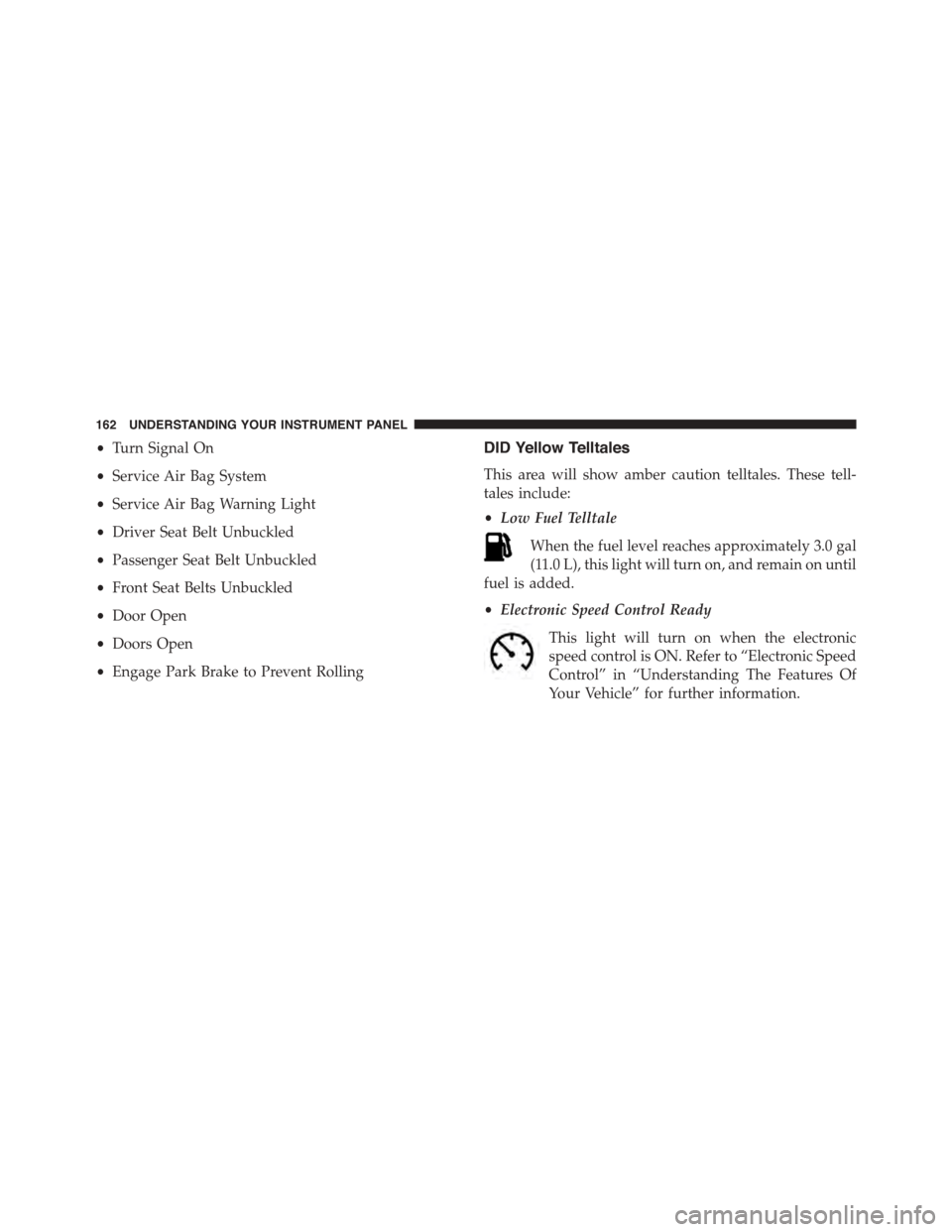
DID Yellow Telltales
This area will show amber caution telltales. These tell-
tales include:
•Low Fuel Telltale
When the fuel level reaches approximately 3.0 gal
(11.0 L), this light will turn on, and remain on until
fuel is added.
•Electronic Speed Control Ready
This light will turn on when the electronic
speed control is ON. Refer to “Electronic Speed
Control” in “Understanding The Features Of
Your Vehicle” for further information.
162 UNDERSTANDING YOUR INSTRUMENT PANEL
Page 165 of 400

DID Red Telltales
This area will show red telltales. These telltales include:
•Door Ajar
This light will turn on to indicate that one or
more doors may be ajar.
•Oil Pressure Warning Light
This telltale indicates low engine oil pressure. If
the light turns on while driving, stop the vehicle and shut
off the engine as soon as possible. The selectable gauge
will flash red for 3 seconds if the pressure is 10 psi or less.
The oil level should be checked under this condition.
Do not operate the vehicle until the cause is corrected.
This light does not show how much oil is in the engine.
The engine oil level must be checked under the hood.
The oil level should be maintained in the#SAFE#zone at
all times. Oil level below the#SAFE#zone can cause the
oil pressure warning lamp to illuminate under some
conditions and can cause engine damage.
•Charging System Light
This light shows the status of the electrical charg-
ing system. If the light stays on or comes on while
driving, turn off some of the vehicle’s non-essential
electrical devices or increase engine speed (if at idle). If
the charging system light remains on, it means that the
vehicle is experiencing a problem with the charging
system. Obtain SERVICE IMMEDIATELY. See an autho-
rized dealer.
Refer to “Jump Starting Procedures” in “What To Do In
Emergencies” if jump starting is required.
4
UNDERSTANDING YOUR INSTRUMENT PANEL 163
Page 166 of 400

•Electronic Throttle Control (ETC) Light
This light informs you of a problem with the
Electronic Throttle Control (ETC) system. The
light will come on when the ignition is first
cycled ON and remain on briefly as a bulb
check. If the light does not come on during starting, have
the system checked by an authorized dealer.
If a problem is detected, the light will come on while the
engine is running. Cycle the ignition when the vehicle
has completely stopped and the shift lever is in Neutral,
with the Parking Brake applied. The light should turn off.
If the light remains lit with the engine running, your
vehicle will usually be drivable. However, see an autho-
rized dealer for service as soon as possible. If the light is
flashing when the engine is running, immediate service is
required. You may experience reduced performance, an
elevated/rough idle or engine stall, and your vehicle
may require towing.
•Engine Temperature Warning Light
This light warns of an overheated engine condi-
tion. As temperatures rise and the gauge ap-
proachesH,this indicator will illuminate, and a single
chime will sound after reaching a set threshold. Further
overheating will cause the temperature gauge to passH,
the indicator will continuously flash, and a continuous
chime will occur until the engine is allowed to cool.
If the light turns on while driving, safely pull over and
stop the vehicle. If the A/C system is on, turn it off. Also,
shift the transmission into NEUTRAL and idle the ve-
hicle. If the temperature reading does not return to
normal, turn the engine off immediately and call for
service. Refer to “If Your Engine Overheats” in “What To
Do In Emergencies” for more information.
164 UNDERSTANDING YOUR INSTRUMENT PANEL
Page 168 of 400

Vehicle Info (Customer Information Features)
Push and release the UP or DOWN arrow
button until the Vehicle Info icon is highlighted
in the DID. Push and release the RIGHT arrow
button to display the following information
sub-menus:
Tire Pressure
Push and release the UP or DOWN arrow button until
“Tire Pressure” is highlighted in the DID. Push and
release the RIGHT arrow button, and one of the follow-
ing will be displayed:
•If tire pressure is OK for all tires a vehicle ICON is
displayed with tire pressure values in each corner of
the ICON.
•If one or more tires have low pressure, the tire pressure
values in each corner of the ICON with the pressure
value of the low tire displayed in a different color than
the other tire pressure value.
•If the Tire Pressure system requires service, “Service
Tire Pressure System” is displayed.
Tire PSI is an information only function and cannot be
reset. Push and release the LEFT arrow button to return
to the main menu.
Refer to “Tire Pressure Monitoring System (TPMS)”
under “Starting and Operating” for further information.
Coolant Temperature
Push and release the UP or DOWN arrow button until
“Coolant Temperature” is highlighted in the DID. Push
and release the RIGHT arrow button, and the coolant
temperature will be displayed.
166 UNDERSTANDING YOUR INSTRUMENT PANEL
Page 190 of 400

•Subscription Information
New vehicle purchasers or lessees will receive a free
limited time subscription to SiriusXM Satellite Radio
with your radio. Following the expiration of the free
services, it will be necessary to access the information on
the Subscription Information screen to re-subscribe.
Press the “Subscription Info” button on the touchscreen
to access the Subscription Information screen.
Write down the SIRIUS ID numbers for your receiver. To
reactivate your service, either call the number listed on
the screen or visit the provider online.
NOTE:SiriusXM Travel Link is a separate subscription
and is available for U.S. residents only.
Restore Settings
After pressing the “Restore Settings” button on the
touchscreen the following settings will be available:
•Restore Settings
When this feature is selected it will reset the Display,
Clock, Audio, and Radio Settings to their default settings.
To restore the settings to their default setting, press the
Restore Settings button. A pop-up will appear asking
#Are you sure you want to reset your settings to default?”
select “Yes” to restore, or “Cancel” to exit. Once the
settings are restored, a pop up appears stating#settings
reset to default.#Press the okay button on the touchscreen
to exit.
188 UNDERSTANDING YOUR INSTRUMENT PANEL
Page 205 of 400

coolant selection. Use of the air Recirculation mode
during Winter months is not recommended because it
may cause window fogging.
Vacation/Storage
Any time you store your vehicle or keep it out of service
(i.e., vacation) for two weeks or more, run the air
conditioning system at idle for about five minutes in
fresh air with the blower setting in high. This will ensure
adequate system lubrication to minimize the possibility
of compressor damage when the system is started again.
Window Fogging and Frosting
Vehicle windows tend to fog on the inside of the glass in
mild, rainy and/or humid weather. Windows may frost
on the inside of the glass in very cold weather. To clear
the windows, select Defrost or Mix mode and increase
the front blower speed. Do not use the Recirculation
mode without A/C for long periods, as fogging may
occur.
NOTE:Automatic Temperature Controls (ATC) will au-
tomatically adjust the climate control settings to reduce
or eliminate window fogging on the front windshield.
When this occurs, recirculation will be unavailable.
Outside Air Intake
Make sure the air intake, located directly in front of the
windshield, is free of obstructions such as leaves. Leaves
collected in the air intake may reduce airflow, can cause
odor, and if they enter the plenum they could plug the
water drains. In winter months, ensure the air intake is
clear of ice, slush and snow.
4
UNDERSTANDING YOUR INSTRUMENT PANEL 203
Page 214 of 400
TIP:To start a POI search, push the VR button.
After the beep, say: “Find nearestcoffee shop.”
Uconnect® Access* (8.4AN)
An included trial and/or subscription is required to take
advantage of the Uconnect® Access services in the next
section of this guide. To register with Uconnect® Access,
press the SRT & Apps button on the 8.4-inch touchscreen
to get started. Detailed registration instructions can be
found on the next page.
*Uconnect® Access is available only on equipped ve-
hicles purchased within the continental United States and
Alaska. Services can only be used where coverage is
available; see coverage map for details.
9-1-1 Call
Theft Alarm Notification
Remote Door Lock/Unlock
Stolen Vehicle Assistance
Remote Vehicle Start**
Remote Horn and Lights
Yelp® Search
Voice Texting
Uconnect® 8.4AN Navigation
212 UNDERSTANDING YOUR INSTRUMENT PANEL