Page 379 of 595
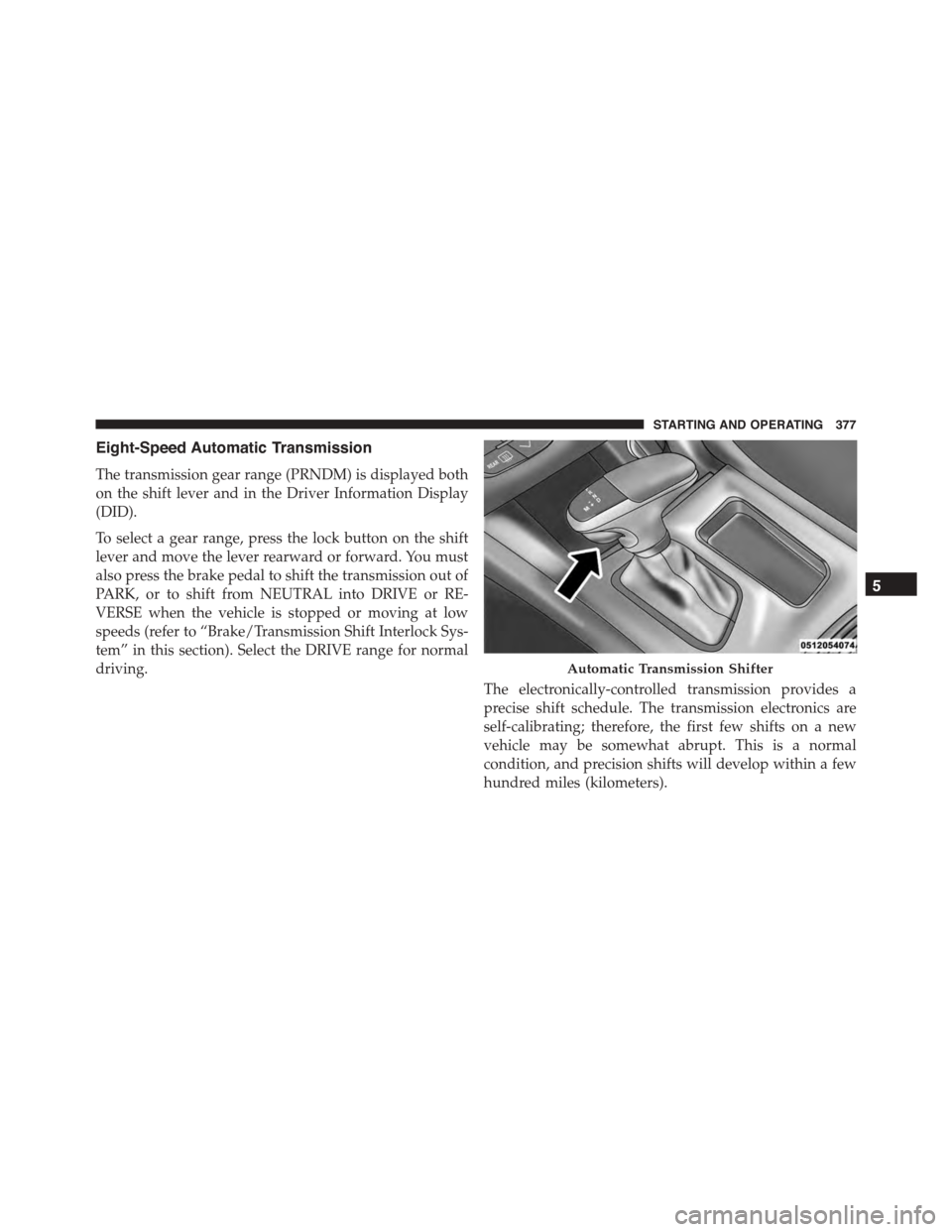
Eight-Speed Automatic Transmission
The transmission gear range (PRNDM) is displayed both
on the shift lever and in the Driver Information Display
(DID).
To select a gear range, press the lock button on the shift
lever and move the lever rearward or forward. You must
also press the brake pedal to shift the transmission out of
PARK, or to shift from NEUTRAL into DRIVE or RE-
VERSE when the vehicle is stopped or moving at low
speeds (refer to “Brake/Transmission Shift Interlock Sys-
tem” in this section). Select the DRIVE range for normal
driving.
The electronically-controlled transmission provides a
precise shift schedule. The transmission electronics are
self-calibrating; therefore, the first few shifts on a new
vehicle may be somewhat abrupt. This is a normal
condition, and precision shifts will develop within a few
hundred miles (kilometers).
Automatic Transmission Shifter
5
STARTING AND OPERATING 377
Page 380 of 595

Only shift from DRIVE to PARK or REVERSE when the
accelerator pedal is released and the vehicle is stopped.
Be sure to keep your foot on the brake pedal when
shifting between these gears.
The transmission shift lever has PARK, REVERSE, NEU-
TRAL, DRIVE, and MANUAL (Autostick) shift positions.
Manual shifts can be made using the Autostick shift
control (refer to “AutoStick” in this section for further
information). Toggling the shift lever forward (-) or
rearward (+) while in the MANUAL (AutoStick) position
(beside the DRIVE position) will manually select the
transmission gear, and will display the current gear in the
instrument cluster as M1, M2, M3, etc.
NOTE:If the shift lever cannot be moved to the PARK,
REVERSE, or NEUTRAL position (when pushed for-
ward) it is probably in the MANUAL (AutoStick, +/-)
position (beside the DRIVE position). In MANUAL
(AutoStick) mode, the transmission gear is displayed in
the instrument cluster (as M1, M2, M3, etc.). Move the
shift lever to the right (into the DRIVE [D] position) for
access to PARK, REVERSE, and NEUTRAL.
Gear Ranges
DO NOT race the engine when shifting from PARK or
NEUTRAL into another gear range.
NOTE:After selecting any gear range, wait a moment to
allow the selected gear to engage before accelerating.
This is especially important when the engine is cold.
PARK (P)
This range supplements the parking brake by locking the
transmission. The engine can be started in this range.
378 STARTING AND OPERATING
Page 382 of 595

WARNING!(Continued)
•Unintended movement of a vehicle could injure
those in or near the vehicle. As with all vehicles,
you should never exit a vehicle while the engine is
running. Before exiting a vehicle, always apply the
parking brake, shift the transmission into PARK,
turn the engine OFF, and remove the key fob. When
the ignition is in the OFF position, the transmis-
sion is locked in PARK, securing the vehicle
against unwanted movement.
•When leaving the vehicle, always make sure the
ignition is in the OFF position, remove the key fob
from the vehicle, and lock the vehicle.
(Continued)
WARNING!(Continued)
•Never leave children alone in a vehicle, or with
access to an unlocked vehicle. Allowing children to
be in a vehicle unattended is dangerous for a
number of reasons. A child or others could be
seriously or fatally injured. Children should be
warned not to touch the parking brake, brake pedal
or the shift lever.
•Do not leave the key fob in or near the vehicle (or
in a location accessible to children), and do not
leave the ignition in the ACC or ON/RUN position.
A child could operate power windows, other con-
trols, or move the vehicle.
380 STARTING AND OPERATING
Page 383 of 595

CAUTION!
•Before moving the shift lever out of PARK, you
must start the engine and also press the brake
pedal. Otherwise, damage to the shift lever could
result.
•DO NOT race the engine when shifting from
PARK or NEUTRAL into another gear range, as this
can damage the drivetrain.
The following indicators should be used to ensure that
you have engaged the transmission into the PARK posi-
tion:
•When shifting into PARK, press the lock button on the
shift lever and firmly move the lever all the way
forward until it stops and is fully seated.
•Look at the transmission gear position display and
verify that it indicates the PARK position (P).
•With brake pedal released, verify that the shift lever
will not move out of PARK.
REVERSE (R)
This range is for moving the vehicle backward. Shift into
REVERSE only after the vehicle has come to a complete
stop.
NEUTRAL (N)
Use this range when the vehicle is standing for prolonged
periods with the engine running. Apply the parking
brake and shift the transmission into PARK if you must
leave the vehicle.
5
STARTING AND OPERATING 381
Page 393 of 595

(active dampening system) stiffness may be config-
ured to either the STREET, SPORT or TRACK settings
within this mode. Steering wheel mounted paddle
shifters may be enabled or disabled while in this mode
as well.
NOTE:The vehicle will restart with DEFAULT active if
DEFAULT was active when the vehicle was last shut
down.
•VALET — To enter Valet Mode the operator must
select it from the Drive Modes interface and enter a
four digit PIN code. The PIN code is not predeter-
mined, so the operator is free to select any four digit
numeric combination that will be easy to remember.
While in Valet Mode the following vehicle configura-
tions are set and locked to prevent unauthorized
modification:
•Engine limited to a lowest power output state.
•Transmission locks out access to first gear and shifts
earlier than normal.
•Traction, Steering and Suspension are forced to
STREET settings.
•Steering wheel mounted paddle shifters are disabled.
•The SRT Drive Modes are not available. Pressing the
SRT button will display the unlock keypad.
•The ESC Off button is disabled.
•The Launch Control button is disabled.
NOTE:
•To exit VALET Mode the operator must enter the same
four digit PIN that was used to enter the mode. The
unlock keypad can be accessed by either pressing the
SRT button or selecting to disable Valet on the
Uconnect® touchscreen.
5
STARTING AND OPERATING 391
Page 402 of 595

CAUTION!(Continued)
•Determine the condition of the road or the path
that is under water and if there are any obstacles in
the way before driving through the standing water.
•Do not exceed 5 mph (8 km/h) when driving
through standing water. This will minimize wave
effects.
•Driving through standing water may cause damage
to your vehicle’s drivetrain components. Always
inspect your vehicle’s fluids (i.e., engine oil, trans-
mission, axle, etc.) for signs of contamination (i.e.,
fluid that is milky or foamy in appearance) after
driving through standing water. Do not continue to
operate the vehicle if any fluid appears contami-
nated, as this may result in further damage. Such
damage is not covered by the New Vehicle Limited
Warranty.
(Continued)
CAUTION!(Continued)
•Getting water inside your vehicle’s engine can
cause it to lock up and stall out, and cause serious
internal damage to the engine. Such damage is not
covered by the New Vehicle Limited Warranty.
POWER STEERING — 6.4L ENGINE
The electric power steering system will give you good
vehicle response and increased ease of maneuverability
in tight spaces. The system will vary its assist to provide
light efforts while parking and good feel while driving. If
the electric steering system experiences a fault that
prevents it from providing assist, you will still have the
ability to steer the vehicle manually.
Alternate electric power steering efforts can be selected
through the Uconnect® System. Refer to the “Drive
Modes” in this section for further information.
400 STARTING AND OPERATING
Page 406 of 595

NOTE:
•When the parking brake is applied and the transmis-
sion is placed in gear, the “Brake Warning Light” will
flash. If vehicle speed is detected, a chime will sound
to alert the driver. Fully release the parking brake
before attempting to move the vehicle.
•This light only shows that the parking brake is ap-
plied. It does not show the degree of brake application.
When parking on a hill, it is important to turn the front
wheels toward the curb on a downhill grade and away
from the curb on an uphill grade. Apply the parking
brake before placing the shift lever/gear selector in
PARK, otherwise the load on the transmission locking
mechanism may make it difficult to move the shift
lever/gear selector out of PARK. The parking brake
should always be applied whenever the driver is not in
the vehicle.
WARNING!
•Never use the PARK position as a substitute for the
parking brake. Always apply the parking brake
fully when parked to guard against vehicle move-
ment and possible injury or damage.
•When leaving the vehicle, always remove the Key
Fob from the ignition and lock your vehicle.
•Never leave children alone in a vehicle, or with
access to an unlocked vehicle. Allowing children to
be in a vehicle unattended is dangerous for a
number of reasons. A child or others could be
seriously or fatally injured. Children should be
warned not to touch the parking brake, brake pedal
or the shift lever/gear selector.
(Continued)
404 STARTING AND OPERATING
Page 408 of 595

In the event power assist is lost for any reason (for
example, repeated brake applications with the engine
OFF) the brakes will still function. The effort required to
brake the vehicle will be much greater than that required
with the power system operating.
NOTE:Your vehicle is equipped with a high perfor-
mance braking system. The brake pads are a semi-
metallic compound, which offer superior fade resistance
for consistent operation. A compromise to using this type
of brake pad is that the brakes may produce more brake
dust and may squeal slightly under certain weather and
operating conditions (.i.e., during light brake applica-
tions) this is considered normal conditions.
ELECTRONIC BRAKE CONTROL SYSTEM
Your vehicle is equipped with an advanced electronic
brake control system that include Anti-Lock Brake Sys-
tem (ABS), Traction Control System (TCS), Brake Assist
System (BAS), and the Electronic Stability Control (ESC).
All four of these systems work together to enhance
vehicle stability and control in various driving condi-
tions.
Also, your vehicle may be equipped with Hill Start Assist
(HSA), Ready Alert Braking, and Rain Brake Support.
Anti-Lock Brake System (ABS)
The Anti-Lock Brake System (ABS) provides increased
vehicle stability and brake performance under most
braking conditions. The system automatically prevents
wheel lock, reduces stop distance, and enhances vehicle
control during stop.
When the vehicle is driven over 6 mph (10 km/h), you
may also hear a slight clicking sound as well as some
related motor noises. These noises are the system per-
forming its self-check cycle to ensure that the ABS is
working properly. This self-check occurs each time the
vehicle is started and accelerated past 6 mph (10 km/h).
406 STARTING AND OPERATING