Page 294 of 603
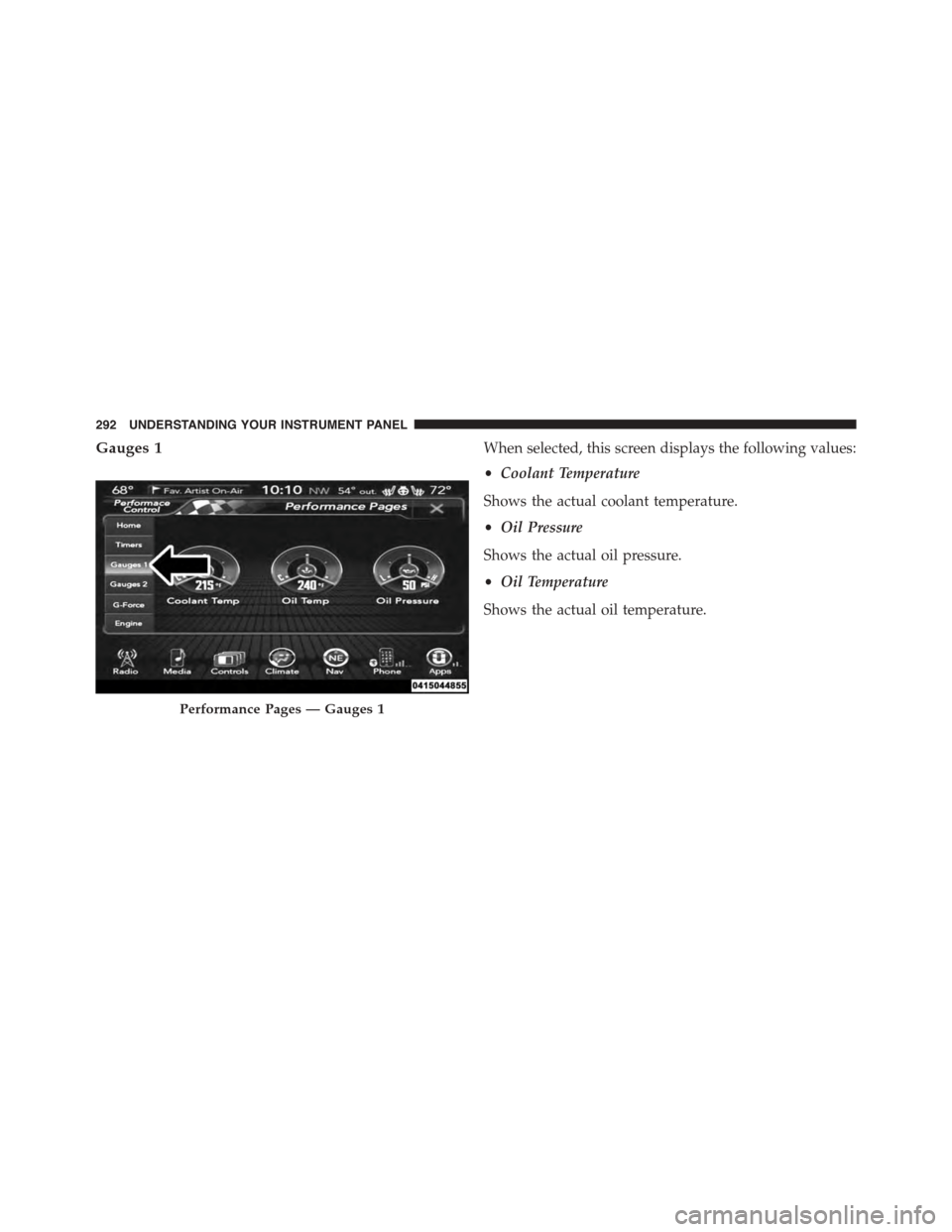
Gauges 1When selected, this screen displays the following values:
•Coolant Temperature
Shows the actual coolant temperature.
•Oil Pressure
Shows the actual oil pressure.
•Oil Temperature
Shows the actual oil temperature.
Performance Pages — Gauges 1
292 UNDERSTANDING YOUR INSTRUMENT PANEL
Page 296 of 603
When selected, this screen displays the following values:
•Battery Voltage
Shows the actual battery voltage.
•Intake Air Temperature
Shows the actual intake air temperature.
•Transmission Temperature (Automatic Transmission
Only)
Shows the actual transmission temperature.
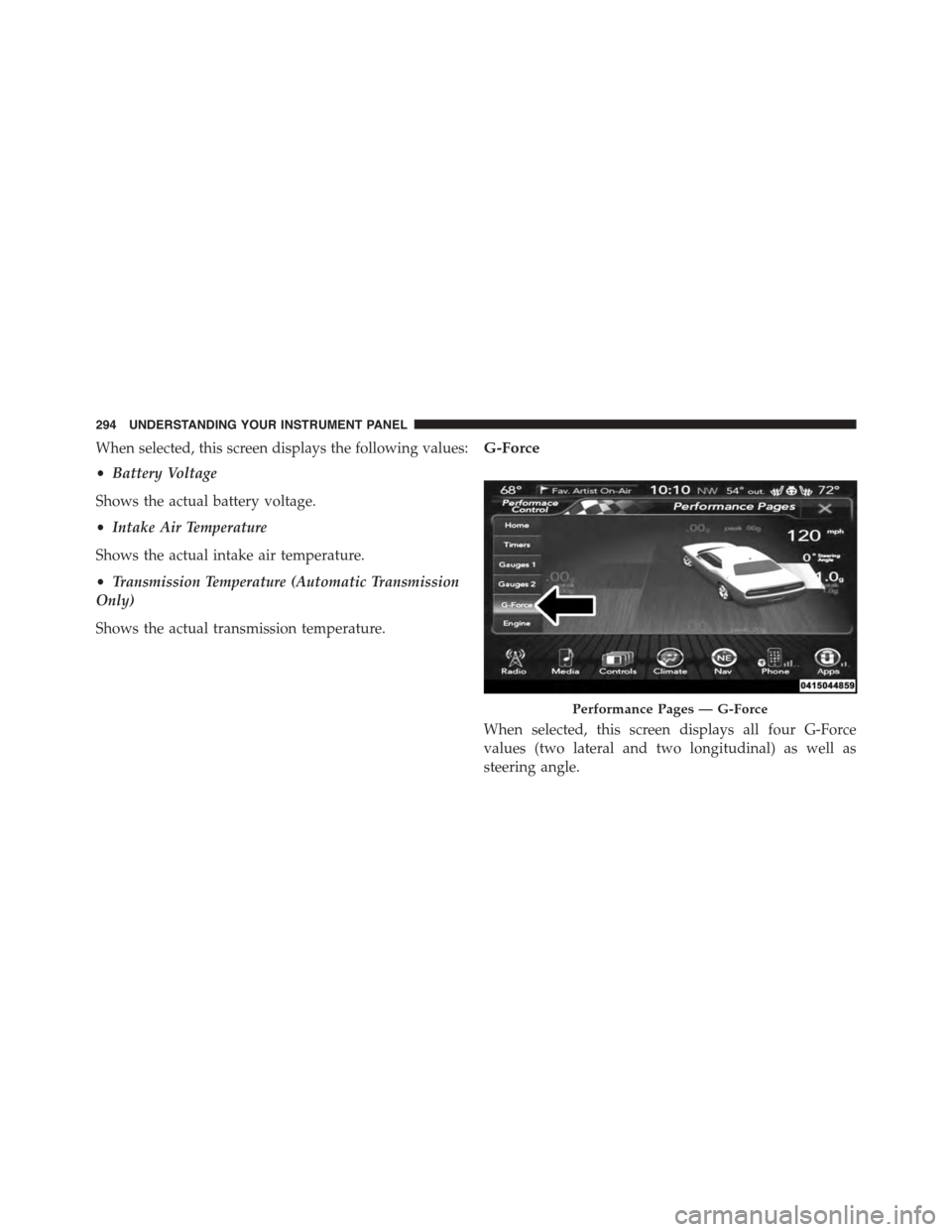
G-Force
When selected, this screen displays all four G-Force
values (two lateral and two longitudinal) as well as
steering angle.
Performance Pages — G-Force
294 UNDERSTANDING YOUR INSTRUMENT PANEL
Page 298 of 603
Engine
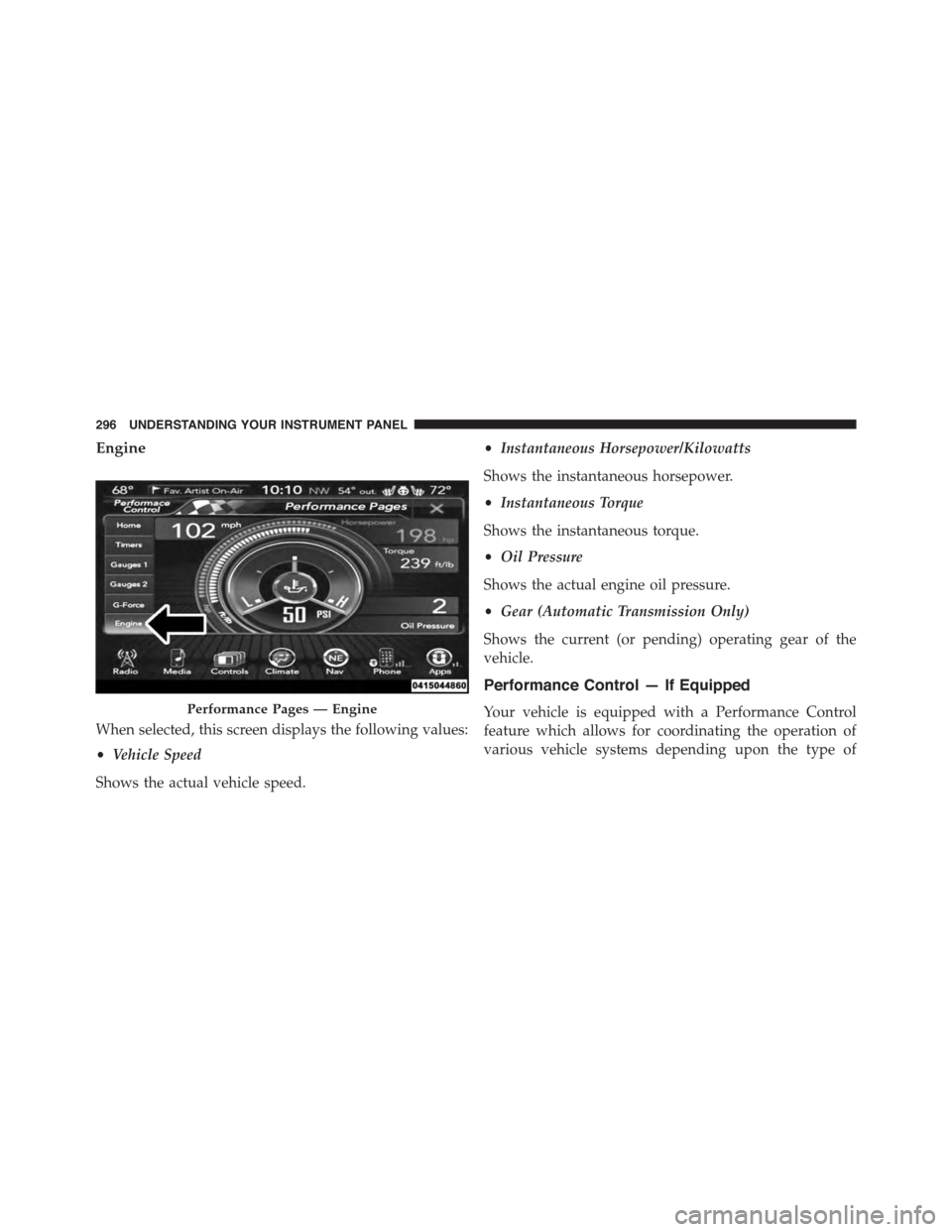
When selected, this screen displays the following values:
•Vehicle Speed
Shows the actual vehicle speed.
•Instantaneous Horsepower/Kilowatts
Shows the instantaneous horsepower.
•Instantaneous Torque
Shows the instantaneous torque.
•Oil Pressure
Shows the actual engine oil pressure.
•Gear (Automatic Transmission Only)
Shows the current (or pending) operating gear of the
vehicle.
Performance Control — If Equipped
Your vehicle is equipped with a Performance Control
feature which allows for coordinating the operation of
various vehicle systems depending upon the type of
Performance Pages — Engine
296 UNDERSTANDING YOUR INSTRUMENT PANEL
Page 302 of 603
6. While holding the brake, rapidly apply the accelerator
pedal to wide open throttle. The engine speed will
hold at the RPM that was set in the “Launch RPM
Set-up” screen.
NOTE:Messages will appear in the Driver Information
Display (DID) to inform the driver if one or more of the
above conditions have not been met.
7. When conditions four through six have been met, the
DID will read “Launch Ready Release Brake.” Release
the brake and continue to hold wide open throttle to
launch.
8. Keep the vehicle pointed straight. Launch Control will
be active until the vehicle reaches 62 MPH (100 km/h).
Launch Control will abort before launch completion and
display “Launch Aborted” in the DID for any the follow-
ing conditions:
•The accelerator pedal is released during launch.
•The ESC system detects that the vehicle is no longer
moving in a straight line.
•The “ESC OFF” button is pressed to change the system
to another mode if Launch Control is enabled.
NOTE:Launch mode is not available within the first 500
miles of engine break-in.
Manual Transmission — If Equipped
Launch Control is only available when the following
procedure is followed:
1. Press the “Apps” button on the touchscreen, select
Performance Control, and press the “Launch Control”
button on the touchscreen or push the Super Track Pak
button on the center stack switch bank.
2. Press the “Launch RPM Set-Up” button on the touch-
screen. This screen will allow you to adjust your
launch RPM for optimum launch/traction. To adjust
300 UNDERSTANDING YOUR INSTRUMENT PANEL
Page 303 of 603
the Launch RPM, press and drag the slider bar or press
the arrows on the touchscreen to adjust the holding
RPM. Press the back arrow button when finished. The
setting will be saved.
NOTE:The default for launch control is 3000 RPM.
Optimal launch RPM will depend on the engine and tires
on the vehicle, as well as road and weather conditions.
Not all RPM settings will be usable in all configurations
and scenarios. If requested launch RPM is not attainable
in a given scenario, the engine will provide the maximum
amount of torque possible to get as close as possible to
the requested RPM.
3. Press the “Activate Launch Mode” button on the
touchscreen.
4. Ensure the vehicle is not moving and the steering
wheel is pointing straight.
5. Fully depress the clutch pedal and verify the vehicle is
in first gear.
6. While holding the clutch depressed, rapidly apply the
accelerator pedal to wide open throttle. The engine
speed will hold at the RPM that was set in the “Launch
RPM Set-up” screen.
NOTE:Messages will appear in the Driver Information
Display (DID) to inform the driver if one or more of the
above conditions have not been met.
7. When conditions four through six have been met, the
DID will read “Launch Ready Release Clutch.” Re-
lease the clutch quickly and continue to hold wide
open throttle to launch. Execute shifts as described in
the section “Manual Transmission – Shifting.”
8. Keep the vehicle pointed straight. Launch control will
be active until the vehicle reaches 62 MPH (100 km/h).
4
UNDERSTANDING YOUR INSTRUMENT PANEL 301
Page 304 of 603
Launch Control will abort before launch completion and
display “Launch Aborted” in the DID for any the follow-
ing conditions:
•The brake is applied during launch.
•The ESC system detects that the vehicle is no longer
moving in a straight line.
•The “ESC OFF” button is pressed to change the ESC
system to another mode if Launch Control is enabled.
NOTE:Launch mode is not available within the first 500
miles of engine break-in.
NOTE:Do not attempt to shift when the drive wheels
are spinning and do not have traction. Damage to the
transmission may occur.
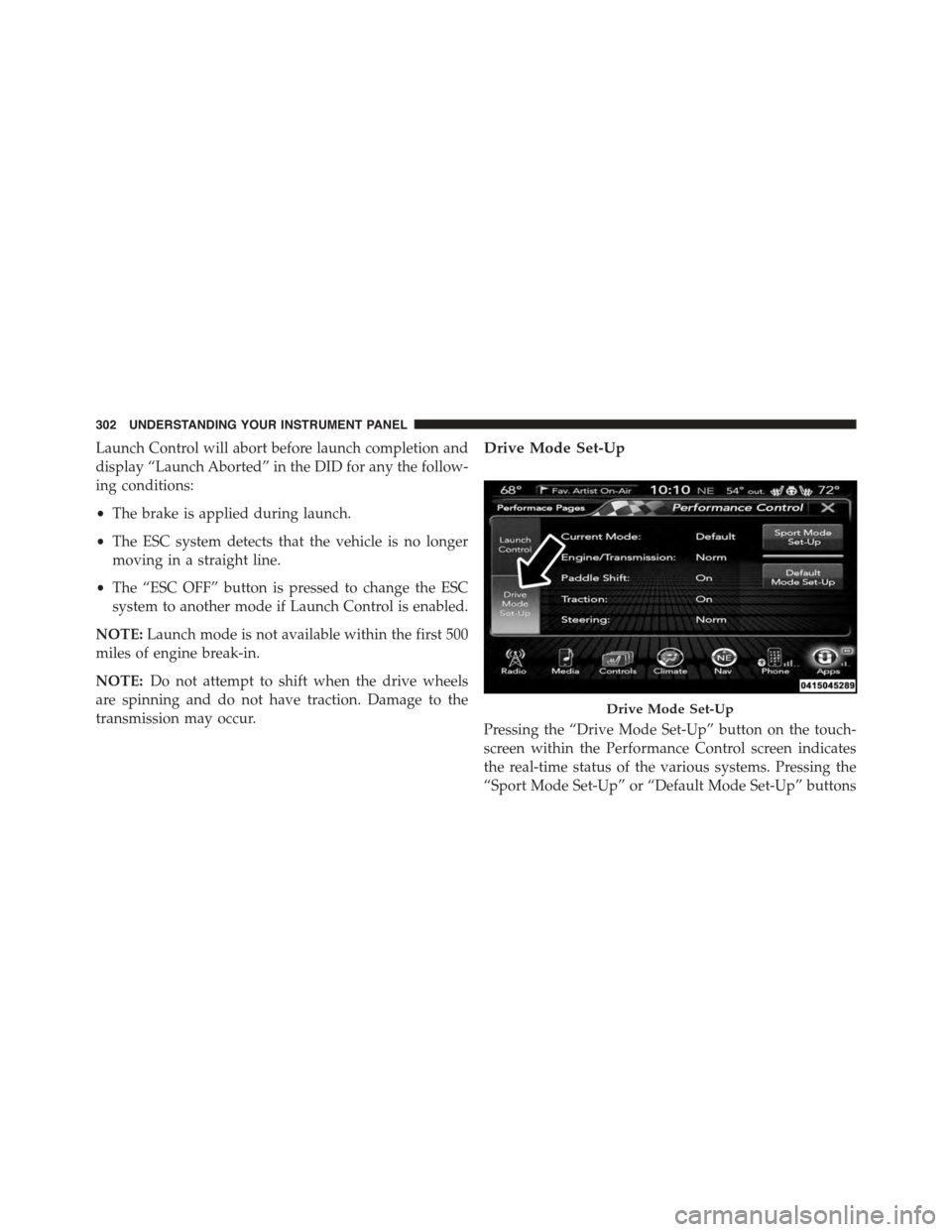
Drive Mode Set-Up
Pressing the “Drive Mode Set-Up” button on the touch-
screen within the Performance Control screen indicates
the real-time status of the various systems. Pressing the
“Sport Mode Set-Up” or “Default Mode Set-Up” buttons
Drive Mode Set-Up
302 UNDERSTANDING YOUR INSTRUMENT PANEL
Page 316 of 603
brouillage radioélectrique subi, même si le brouillage est
susceptible d’en compromettre le fonctionnement.
NOTE:
•This equipment has been tested and found to comply
with the limits for a Class B digital device, pursuant to
Part 15 of the FCC Rules. These limits are designed to
provide reasonable protection against harmful inter-
ference in a residential installation. This equipment
generates, uses and can radiate radio frequency energy
and, if not installed and used in accordance with the
instructions, may cause harmful interference to radio
communications. However, there is no guarantee that
interference will not occur in a particular installation.
•If this equipment does cause harmful interference to
radio or television reception, which can be determined
by turning the equipment off and on, the user is
encouraged to try to correct the interference by one or
more of the following measures:
•Increase the separation between the equipment and
receiver.
•Consult the dealer or an experienced radio technician
for help.
CLIMATE CONTROLS
The air conditioning and heating system is designed to
make you comfortable in all types of weather. This
system can be operated through either the controls on the
instrument panel or through the Uconnect® system dis-
play.
When the Uconnect® system is in different modes (Ra-
dio, Player, Settings, More, etc.) the driver and passenger
temperature settings will be indicated at the top of the
display.
314 UNDERSTANDING YOUR INSTRUMENT PANEL
Page 325 of 603
2. Next, adjust the temperature you would like the
system to maintain by adjusting the driver and pas-
senger temperature buttons on the faceplate or but-
tons on the touchscreen. Once the desired temperature
is displayed, the system will achieve and automati-
cally maintain that comfort level.
3. When the system is set up for your comfort level, it is
not necessary to change the temperature. You will
experience the greatest efficiency by simply allowing
the system to function automatically.
NOTE:
•It is not necessary to move the temperature settings.
The system automatically adjusts the temperature,
mode, and blower speed to provide comfort as quickly
as possible.
•The temperature can be displayed in U.S. or Metric
units by selecting the Uconnect® customer-
programmable feature. Refer to the “Uconnect® Sys-
tem Settings” in this section of the manual.
To provide you with maximum comfort in the Automatic
mode, during cold start-ups the blower fan will remain
on low until the engine warms up. The blower will
increase in speed and transition into Auto mode.
Manual Operation Override
The system allows for manual selection of blower speed,
air distribution mode, A/C status and recirculation con-
trol.
The blower fan speed can be set to any fixed speed by
adjusting the blower control. The fan will now operate at
a fixed speed until additional speeds are selected. This
allows the front occupants to control the volume of air
circulated in the vehicle and cancel the Auto mode.
4
UNDERSTANDING YOUR INSTRUMENT PANEL 323