Page 333 of 603
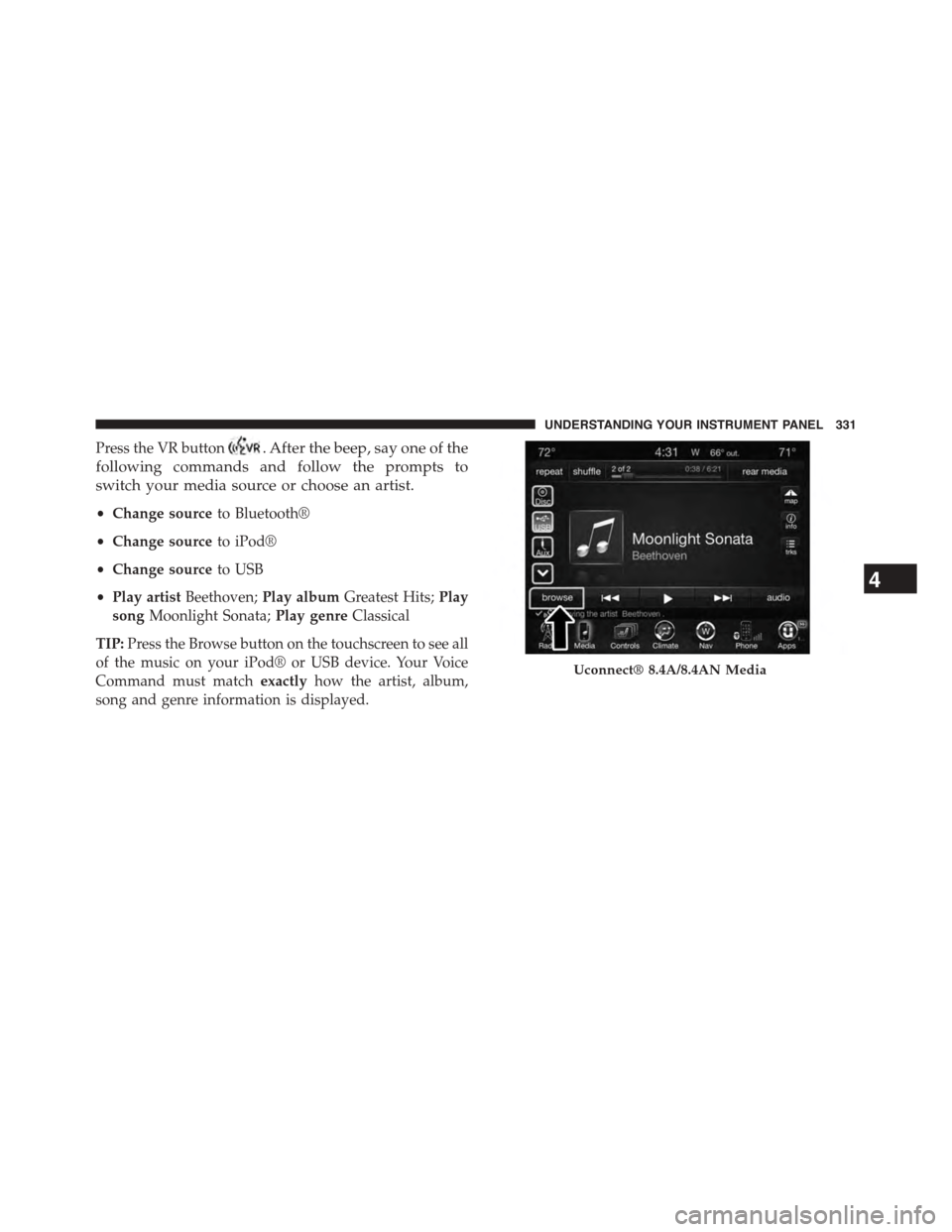
Press the VR button. After the beep, say one of the
following commands and follow the prompts to
switch your media source or choose an artist.
•Change sourceto Bluetooth®
•Change sourceto iPod®
•Change sourceto USB
•Play artistBeethoven;Play albumGreatest Hits;Play
songMoonlight Sonata;Play genreClassical
TIP:Press the Browse button on the touchscreen to see all
of the music on your iPod® or USB device. Your Voice
Command must matchexactlyhow the artist, album,
song and genre information is displayed.
Uconnect® 8.4A/8.4AN Media
4
UNDERSTANDING YOUR INSTRUMENT PANEL 331
Page 341 of 603
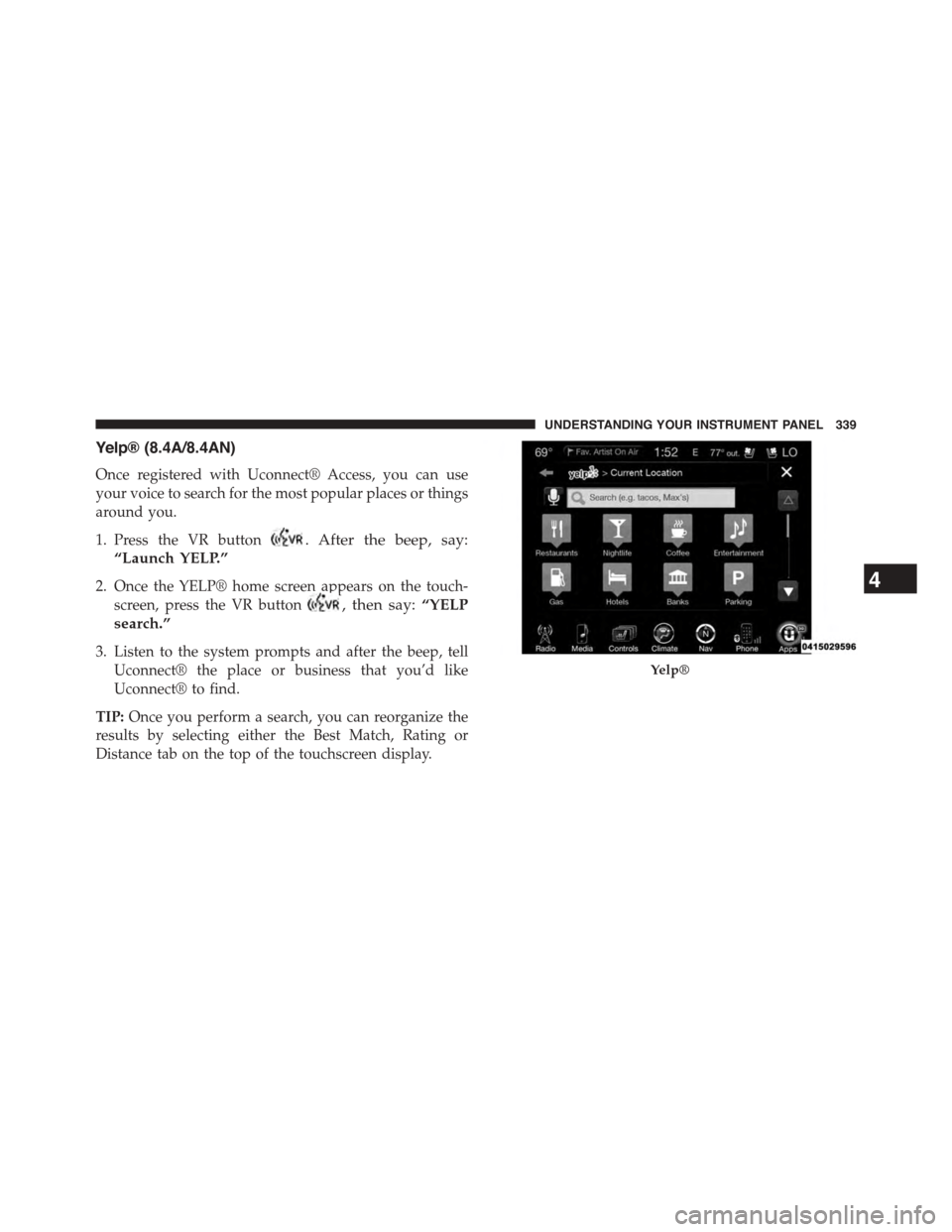
Yelp® (8.4A/8.4AN)
Once registered with Uconnect® Access, you can use
your voice to search for the most popular places or things
around you.
1. Press the VR button. After the beep, say:
“Launch YELP.”
2. Once the YELP® home screen appears on the touch-
screen, press the VR button, then say:“YELP
search.”
3. Listen to the system prompts and after the beep, tell
Uconnect® the place or business that you’d like
Uconnect® to find.
TIP:Once you perform a search, you can reorganize the
results by selecting either the Best Match, Rating or
Distance tab on the top of the touchscreen display.
Yelp®
4
UNDERSTANDING YOUR INSTRUMENT PANEL 339
Page 353 of 603

position. If the shift lever is not in PARK and the
ENGINE START/STOP button is pressed once, the
Driver Information Display (DID) will display a “VE-
HICLE NOT IN PARK” message and the engine will
remain running. Never leave a vehicle out of the
PARK position, or it could roll.
NOTE:If the ignition switch is left in the ACC or RUN
(engine not running) position and the transmission is in
PARK, the system will automatically time out after 30
minutes of inactivity and the ignition will switch to the
OFF position.
To Turn Off The Engine Using ENGINE
START/STOP Button — Manual Transmission
Only
1. With the vehicle stopped, place the shift lever in
NEUTRAL, then press and release the ENGINE
START/STOP button.
2. The ignition switch will return to the OFF position.
3. Place the shift lever in first gear or REVERSE and then
apply the parking brake.
NOTE:
•If the ignition switch is left in the ACC position, the
system will automatically time out after 30 minutes of
inactivity and the ignition will switch to the OFF
position.
•If the ignition switch is left in the RUN position, the
system will automatically time out after 30 minutes of
inactivity if the vehicle speed is 0 mph (0 km/h) and
the engine is not running.
•If the vehicle speed is above 5 mph (8 km/h), the
ENGINE START/STOP button must be held for two
seconds before the engine will shut off. The ignition
5
STARTING AND OPERATING 351
Page 364 of 603
Eight-Speed Automatic Transmission — If
Equipped
The transmission gear range (PRNDM) is displayed both
on the shift lever and in the Driver Information Display
(DID).
To select a gear range, press the lock button on the shift
lever and move the lever rearward or forward. You must
also press the brake pedal to shift the transmission out of
PARK, or to shift from NEUTRAL into DRIVE or RE-
VERSE when the vehicle is stopped or moving at low
speeds (refer to “Brake/Transmission Shift Interlock Sys-
tem” in this section). Select the DRIVE range for normal
driving.The electronically-controlled transmission provides a
precise shift schedule. The transmission electronics are
self-calibrating; therefore, the first few shifts on a new
vehicle may be somewhat abrupt. This is a normal
condition, and precision shifts will develop within a few
hundred miles (kilometers).
Automatic Transmission Shifter
362 STARTING AND OPERATING
Page 365 of 603

Only shift from DRIVE to PARK or REVERSE when the
accelerator pedal is released and the vehicle is stopped.
Be sure to keep your foot on the brake pedal when
shifting between these gears.
The transmission shift lever has PARK, REVERSE, NEU-
TRAL, DRIVE, and MANUAL (Autostick®) shift posi-
tions. Manual shifts can be made using the Autostick®
shift control (refer to “AutoStick®” in this section for
further information). Toggling the shift lever forward (-)
or rearward (+) while in the MANUAL (AutoStick®)
position (beside the DRIVE position) will manually select
the transmission gear, and will display the current gear in
the instrument cluster as M1, M2, M3, etc.
NOTE:If the shift lever cannot be moved to the PARK,
REVERSE, or NEUTRAL position (when pushed for-
ward) it is probably in the MANUAL (AutoStick®, +/-)
position (beside the DRIVE position). In MANUAL
(AutoStick®) mode, the transmission gear is displayed in
the instrument cluster (as M1, M2, M3, etc.). Move the
shift lever to the right (into the DRIVE [D] position) for
access to PARK, REVERSE, and NEUTRAL.
Gear Ranges
DO NOT race the engine when shifting from PARK or
NEUTRAL into another gear range.
NOTE:After selecting any gear range, wait a moment to
allow the selected gear to engage before accelerating.
This is especially important when the engine is cold.
PARK (P)
This range supplements the parking brake by locking the
transmission. The engine can be started in this range.
5
STARTING AND OPERATING 363
Page 368 of 603

CAUTION!
•Before moving the shift lever out of PARK, you
must start the engine and also press the brake
pedal. Otherwise, damage to the shift lever could
result.
•DO NOT race the engine when shifting from
PARK or NEUTRAL into another gear range, as this
can damage the drivetrain.
The following indicators should be used to ensure that
you have engaged the transmission into the PARK posi-
tion:
•When shifting into PARK, press the lock button on the
shift lever and firmly move the lever all the way
forward until it stops and is fully seated.
•Look at the transmission gear position display and
verify that it indicates the PARK position.
•With brake pedal released, verify that the shift lever
will not move out of PARK.
REVERSE (R)
This range is for moving the vehicle backward. Shift into
REVERSE only after the vehicle has come to a complete
stop.
NEUTRAL (N)
Use this range when the vehicle is standing for prolonged
periods with the engine running. Apply the parking
brake and shift the transmission into PARK if you must
leave the vehicle.
WARNING!
Do not coast in NEUTRAL and never turn off the
ignition to coast down a hill. These are unsafe
(Continued)
366 STARTING AND OPERATING
Page 370 of 603
MANUAL (M)
The MANUAL (M, +/-) position (beside the DRIVE
position) enables full manual control of transmission
shifting (also known as AutoStick® mode; refer to
“AutoStick®” in this section for further information).
Toggling the shift lever forward (-) or rearward (+) while
in the MANUAL (AutoStick®) position will manually
select the transmission gear, and will display the current
gear in the instrument cluster as M1, M2, M3, etc.
Transmission Limp Home Mode
Transmission function is monitored electronically for
abnormal conditions. If a condition is detected that could
result in transmission damage, Transmission Limp Home
Mode is activated. In this mode, the transmission may
operate only in certain gears, or may not shift at all.
Vehicle performance may be severely degraded and the
engine may stall. In some situations, the transmission
may not re-engage if the engine is turned off and
restarted. The Malfunction Indicator Light (MIL) may be
illuminated. A message in the instrument cluster will
inform the driver of the more serious conditions, and
indicate what actions may be necessary.
In the event of a momentary problem, the transmission
can be reset to regain all forward gears by performing the
following steps.
NOTE:In cases where the instrument cluster message
indicates the transmission may not re-engage after en-
gine shutdown, perform this procedure only in a desired
location (preferably, at your authorized dealer).
368 STARTING AND OPERATING
Page 372 of 603
displayed in the instrument cluster, along with a high-
lighted#M#(Manual) indication. When the shift lever is
in the MANUAL (M) position, tap the shift lever forward
(-) (or tap the (-) shift paddle on the steering wheel, if
equipped) to downshift the transmission to the next
lower gear, or tap the lever rearward (+) (or tap the (+)
shift paddle, if equipped) to command an upshift.
NOTE:Tapping one of the steering wheel-mounted shift
paddles (+/-), if equipped, while the shift lever is in
DRIVE, will activate a temporary AutoStick® mode.
Tapping (-) to enter AutoStick® mode will downshift the
transmission to the next lower gear, while using (+) to
enter AutoStick® mode will retain the current gear. The
current gear will be displayed in the instrument cluster,
but the#M#will not be highlighted. The transmission will
revert back to normal operation (if the shift lever remains
in DRIVE) after a period of time, depending on accelera-
tor pedal activity.
In AutoStick® mode, the transmission will shift up or
down when (+/-) is manually selected by the driver
(using the shift lever, or the shift paddles [if equipped]),
unless an engine lugging or overspeed condition would
result. It will remain in the selected gear until another
upshift or downshift is chosen, except as described
below.
•In temporary AutoStick® mode (shift lever in DRIVE),
the transmission will automatically shift up when
maximum engine speed is reached. If the accelerator is
fully depressed, the transmission will downshift when
possible (based on current vehicle speed and gear).
Lack of accelerator pedal activity will cause the trans-
mission to revert to automatic operation.
•If normal AutoStick® mode is engaged (shift lever in
MANUAL position), manual gear selection will be
maintained until the shift lever is returned to DRIVE,
or as described below. The transmission will not
370 STARTING AND OPERATING