Page 259 of 698
NOTE:
•It is the drivers responsibility to use the brake and
accelerator during the semi-automatic parking maneu-
ver. •
When the system instructs the driver to remove their
hands from the steering wheel, the driver should check
their surroundings and begin to back up slowly.
• The ParkSense® Active Park Assist system will allow a
maximum of six shifts between DRIVE or REVERSE. If
the maneuver cannot be completed within six shifts,
the system will cancel and the DID will instruct the
driver to complete the maneuver manually.
• The system will cancel the maneuver if the vehicle
speed exceeds 5 mph (7 km/h) during active steering
guidance into the parking space. The system will
provide a warning to the driver at 3 mph (5 km/h) that
tells them to slow down. The driver is then responsible
for completing the maneuver if the system is canceled.
• If the system is canceled during the maneuver for any
reason, the driver must take control of the vehicle.
Check Surroundings — Move Backward
3
UNDERSTANDING THE FEATURES OF YOUR VEHICLE 257
Page 264 of 698
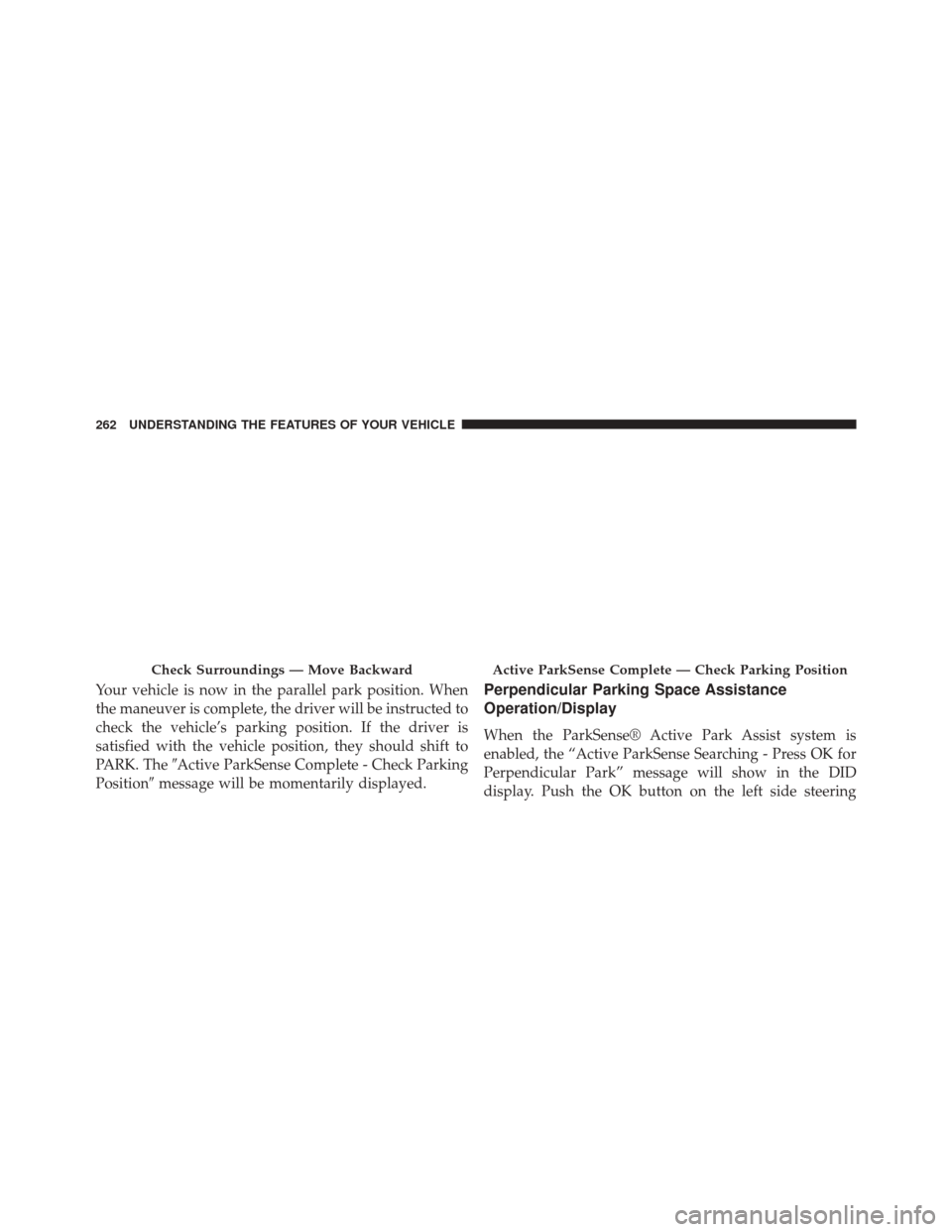
Your vehicle is now in the parallel park position. When
the maneuver is complete, the driver will be instructed to
check the vehicle’s parking position. If the driver is
satisfied with the vehicle position, they should shift to
PARK. The�Active ParkSense Complete - Check Parking
Position� message will be momentarily displayed.Perpendicular Parking Space Assistance
Operation/Display
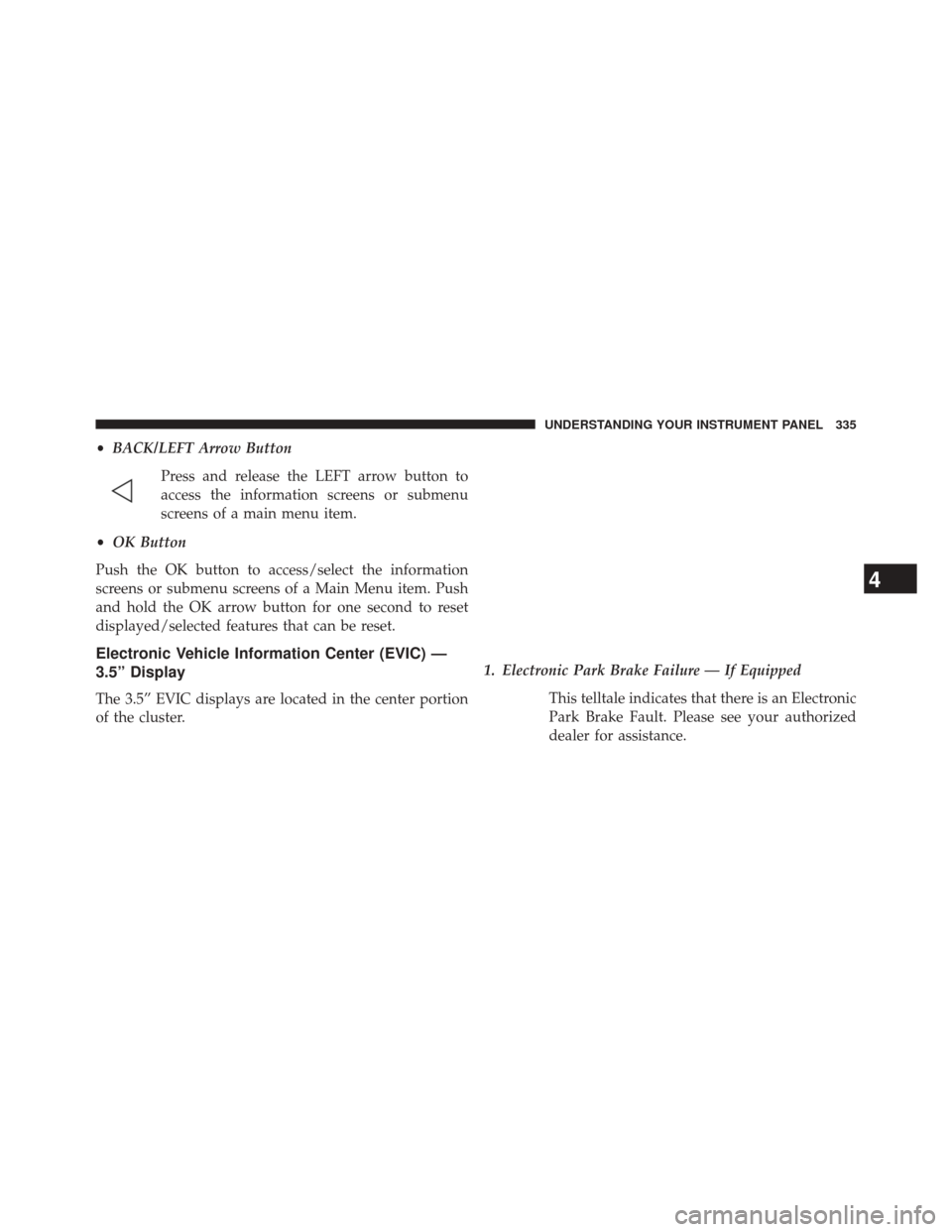
When the ParkSense® Active Park Assist system is
enabled, the “Active ParkSense Searching - Press OK for
Perpendicular Park” message will show in the DID
display. Push the OK button on the left side steering
Check Surroundings — Move BackwardActive ParkSense Complete — Check Parking Position
262 UNDERSTANDING THE FEATURES OF YOUR VEHICLE
Page 265 of 698

wheel switch to change your parking space setting to a
perpendicular maneuver. You may switch back to paral-
lel parking if you desire.
Once the driver presses OK for a perpendicular parking
maneuver, the “Active ParkSense Searching - Press OK
for Parallel Park” message will appear in the DID display.NOTE:
•
When searching for a parking space, use the turn
signal indicator to select which side of the vehicle you
want to perform the parking maneuver. The
ParkSense® Active Park Assist system will automati-
cally search for a parking space on the passenger’s side
of the vehicle if the turn signal is not activated.
• The driver needs to make sure that the selected
parking space for the maneuver remains free and clear
of any obstructions (e.g. pedestrians, bicycles, etc.).
• The driver is responsible to ensure that the selected
parking space is suitable for the maneuver and free/
clear of anything that may be overhanging or protrud-
ing into the parking space (e.g., ladders, tailgates, etc.
from surrounding objects/vehicles).
Active ParkSense Searching Display
3
UNDERSTANDING THE FEATURES OF YOUR VEHICLE 263
Page 269 of 698
•When the system instructs the driver to remove their
hands from the steering wheel, the driver should check
their surroundings and begin to back up slowly.
• The ParkSense® Active Park Assist system will allow a
maximum of six shifts between DRIVE or REVERSE. If
the maneuver cannot be completed within six shifts,
the system will cancel and the DID will instruct the
driver to complete the maneuver manually.
• The system will cancel the maneuver if the vehicle
speed exceeds 5 mph (7 km/h) during active steering
guidance into the parking space. The system will
provide a warning to the driver at 3 mph (5 km/h) that
tells them to slow down. The driver is then responsible
for completing the maneuver if the system is canceled.
• If the system is canceled during the maneuver for any
reason, the driver must take control of the vehicle. When the vehicle has reached the end of its backward
movement, the system will instruct the driver to check
their surroundings and stop the vehicle’s movement.
Check Surroundings — STOP
3
UNDERSTANDING THE FEATURES OF YOUR VEHICLE 267
Page 274 of 698
CAUTION!
•The ParkSense® Active Park Assist system is only
a parking aid and it is unable to recognize every
obstacle, including small obstacles. Parking curbs
might be temporarily detected or not detected at
all. Obstacles located above or below the sensors
will not be detected when they are in close prox-
imity.
• The vehicle must be driven slowly when using the
ParkSense® Active Park Assist system in order to
be able to stop in time when an obstacle is detected.
It is recommended that the driver looks over his/
her shoulder when using the ParkSense® Active
Park Assist system.
Active ParkSense Complete — Check Parking Position
272 UNDERSTANDING THE FEATURES OF YOUR VEHICLE
Page 275 of 698

WARNING!
•Drivers must be careful when performing parallel
or perpendicular parking maneuvers even when
using the ParkSense® Active Park Assist system.
Always check carefully behind and in front of your
vehicle, look behind and in front of you, and be
sure to check for pedestrians, animals, other ve-
hicles, obstructions, and blind spots before back-
ing up and moving forward. You are responsible
for safety and must continue to pay attention to
your surroundings. Failure to do so can result in
serious injury or death.
(Continued)
WARNING! (Continued)
•Before using the ParkSense® Active Park Assist
system, it is strongly recommended that the ball
mount and hitch ball assembly is disconnected
from the vehicle when the vehicle is not used for
towing. Failure to do so can result in injury or
damage to vehicles or obstacles because the hitch
ball will be much closer to the obstacle than the
rear fascia when the loudspeaker sounds the con-
tinuous tone. Also, the sensors could detect the ball
mount and hitch ball assembly, depending on its
size and shape, giving a false indication that an
obstacle is behind the vehicle.
3
UNDERSTANDING THE FEATURES OF YOUR VEHICLE 273
Page 337 of 698
•BACK/LEFT Arrow Button
Press and release the LEFT arrow button to
access the information screens or submenu
screens of a main menu item.
• OK Button
Push the OK button to access/select the information
screens or submenu screens of a Main Menu item. Push
and hold the OK arrow button for one second to reset
displayed/selected features that can be reset.
Electronic Vehicle Information Center (EVIC) —
3.5” Display
The 3.5” EVIC displays are located in the center portion
of the cluster. 1. Electronic Park Brake Failure — If Equipped
This telltale indicates that there is an Electronic
Park Brake Fault. Please see your authorized
dealer for assistance.
4
UNDERSTANDING YOUR INSTRUMENT PANEL 335
Page 344 of 698

NOTE:•Even if power steering assistance is no longer opera-
tional, it is still possible to steer the vehicle. Under
these conditions there will be a substantial increase
in steering effort, especially at very low vehicle
speeds and during parking maneuvers.
• If the condition persists, see your authorized dealer
for service.
• Charging System Light
This light shows the status of the electrical
charging system. If the light stays on or comes
on while driving, turn off some of the vehicle’s
non-essential electrical devices or increase engine
speed (if at idle). If the charging system light remains
on, it means that the vehicle is experiencing a prob-
lem with the charging system. Obtain SERVICE IM-
MEDIATELY. See an authorized dealer. If jump starting is required, refer to “Jump Starting
Procedures” in “What To Do In Emergencies”.
•
Oil Pressure Warning Light
This light indicates low engine oil pressure.
The light should turn on momentarily when
the engine is started. If the light turns on while
driving, stop the vehicle and shut off the engine as
soon as possible. A chime will sound for four minutes
when this light turns on.
Do not operate the vehicle until the cause is cor-
rected. This light does not show how much oil is in
the engine. The engine oil level must be checked
under the hood.
• Electronic Throttle Control (ETC) Light
This light informs you of a problem with
the Electronic Throttle Control (ETC) sys-
tem. The light will come on when the
ignition is first turned ON and remain on
342 UNDERSTANDING YOUR INSTRUMENT PANEL