2015 CHEVROLET CORVETTE automatic
[x] Cancel search: automaticPage 327 of 393
Black plate (88,1)Chevrolet Corvette Owner Manual (GMNA-Localizing-U.S./Canada/Mexico-
7576293) - 2015 - crc - 10/31/14
10-88 Vehicle Care
Caution (Continued)
automatic car wash that uses
silicone carbide tire cleaning
brushes. Damage could occur
and the repairs would not be
covered by the vehicle warranty.
Brake System
Visually inspect brake lines and
hoses for proper hook-up, binding,
leaks, cracks, chafing, etc. Inspect
disc brake pads for wear and rotors
for surface condition. Inspect drum
brake linings/shoes for wear or
cracks. Inspect other brake parts,
including drums, wheel cylinders,
calipers, parking brake, master
cylinder, brake fluid reservoir,
vacuum pipes, electric vacuum
pump including bracket and vent
hose, if equipped.
Steering, Suspension, and
Chassis Components
Visually inspect steering,
suspension, and chassis
components for damaged, loose,
or missing parts or signs of wear at
least once a year.
Inspect power steering for proper
hook-up, binding, leaks, cracks,
chafing, etc.
Visually check constant velocity joint
boots and axle seals for leaks.
Body Component Lubrication
Lubricate all key lock cylinders,
hood hinges and liftgate hinges,
unless the components are plastic.
Applying silicone grease on
weatherstrips with a clean cloth will
make them last longer, seal better,
and not stick or squeak.
Underbody Maintenance
At least twice a year, spring and fall
use plain water to flush any
corrosive materials from theunderbody. Take care to thoroughly
clean any areas where mud and
other debris can collect.
Composite Springs
{Caution
Do not use acidic or corrosive
cleaning products, engine
degreasers, or aluminum cleaning
agents on fiberglass springs as it
may cause damage. The repairs
would not be covered by the
vehicle warranty. Use only
approved cleaners.
Body Damage
If the vehicle is damaged and
requires sheet metal repair or
replacement, make sure the body
repair shop applies anti-corrosion
material to parts repaired or
replaced to restore corrosion
protection.
Page 337 of 393

Black plate (4,1)Chevrolet Corvette Owner Manual (GMNA-Localizing-U.S./Canada/Mexico-
7576293) - 2015 - crc - 10/31/14
11-4 Service and Maintenance
.Check automatic transmission
shift lock control function. See
Automatic Transmission Shift
Lock Control Function Check on
page 10-36.
.Check parking brake and
automatic transmission park
mechanism. SeePark Brake and
P (Park) Mechanism Check on
page 10-36.
.Check accelerator pedal for
damage, high effort, or binding.
Replace if needed.
.Visually inspect gas strut for
signs of wear, cracks, or other
damage. Check the hold open
ability of the strut. See your
dealer if service is required.
Page 340 of 393

Black plate (7,1)Chevrolet Corvette Owner Manual (GMNA-Localizing-U.S./Canada/Mexico-
7576293) - 2015 - crc - 10/31/14
Service and Maintenance 11-7
Maintenance Schedule
Additional Required
Services - Severe12 000 km/7,500 mi
24 000 km/15,000 mi
36 000 km/22,500 mi
48 000 km/30,000 mi
60 000 km/37,500 mi
72 000 km/45,000 mi
84 000 km/52,500 mi
96 000 km/60,000 mi
108 000 km/67,500 mi
120 000 km/75,000 mi
132 000 km/82,500 mi
144 000 km/90,000 mi
156 000 km/97,500 mi
168 000 km/105,000 mi 180 000 km/112,500 mi
192 000 km/120,000 mi
204 000 km/127,500 mi
216 000 km/135,000 mi
228 000 km/142,500 mi
240 000 km/150,000 mi
Perform Required Services. Check engine oil
level and oil life percentage. Change engine oil
and filter, if needed.@ @ @ @ @ @ @ @ @ @ @ @ @ @ @ @ @ @ @ @
Replace passenger compartment air filter. (1)@ @@@@@
Inspect evaporative control system. (2)@ @@
Replace engine air cleaner filter. (3)@@@@
Change automatic transmission fluid and filter.@ @@
Change manual transmission fluid.@@@
LT1 Engine: Replace spark plugs. Inspect spark
plug wires.@
LT4 Supercharged Engine: Replace spark plugs.
Inspect spark plug wires.@ @
Drain and fill engine cooling system. (4)@
Change rear axle fluid.@@@
Visually inspect accessory drive belts. (5)@
Replace brake fluid. (6)@@@
Replace clutch fluid. (6)@@@
Page 345 of 393
Black plate (12,1)Chevrolet Corvette Owner Manual (GMNA-Localizing-U.S./Canada/Mexico-
7576293) - 2015 - crc - 10/31/14
11-12 Service and Maintenance
Recommended Fluids, Lubricants, and Parts
Recommended Fluids and Lubricants
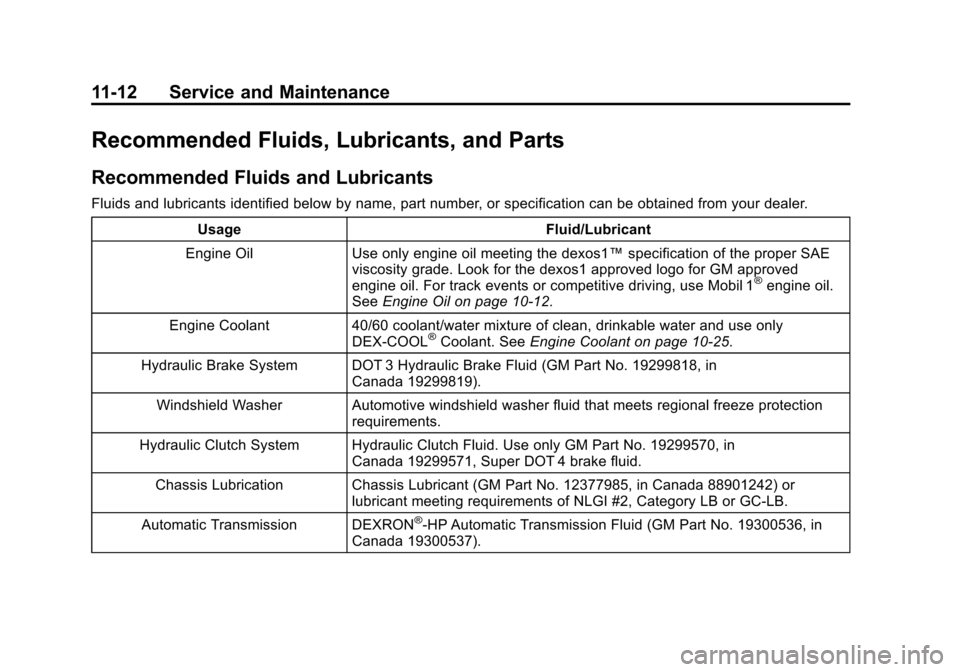
Fluids and lubricants identified below by name, part number, or specification can be obtained from your dealer.Usage Fluid/Lubricant
Engine Oil Use only engine oil meeting the dexos1™ specification of the proper SAE
viscosity grade. Look for the dexos1 approved logo for GM approved
engine oil. For track events or competitive driving, use Mobil 1
®engine oil.
See Engine Oil on page 10-12.
Engine Coolant 40/60 coolant/water mixture of clean, drinkable water and use only DEX-COOL
®Coolant. SeeEngine Coolant on page 10-25.
Hydraulic Brake System DOT 3 Hydraulic Brake Fluid (GM Part No. 19299818, in Canada 19299819).
Windshield Washer Automotive windshield washer fluid that meets regional freeze protection requirements.
Hydraulic Clutch System Hydraulic Clutch Fluid. Use only GM Part No. 19299570, in Canada 19299571, Super DOT 4 brake fluid.
Chassis Lubrication Chassis Lubricant (GM Part No. 12377985, in Canada 88901242) or lubricant meeting requirements of NLGI #2, Category LB or GC-LB.
Automatic Transmission DEXRON
®-HP Automatic Transmission Fluid (GM Part No. 19300536, in
Canada 19300537).
Page 352 of 393

Black plate (3,1)Chevrolet Corvette Owner Manual (GMNA-Localizing-U.S./Canada/Mexico-
7576293) - 2015 - crc - 10/31/14
Technical Data 12-3
Engine Specifications
EngineVIN Code Transmission Spark Plug Gap Firing Order
6.2L V8 LT1 7Automatic
Manual 0.95–1.10 mm
(0.037–0.043 in) 1–8–7–2–6–5–4–3
6.2L LT4 Supercharged 6Automatic
Manual 0.725–0.875 mm
(0.029–0.034 in) 1–8–7–2–6–5–4–3
Engine Data
Engine
Horsepower TorqueDisplacement Compression Ratio
6.2L V8 Standard 455460 lb ft 6.2L11.5:1
6.2L V8 with
Performance
Exhaust 460
465 lb ft 6.2L11.5:1
6.2L V8
Supercharged 650
650 lb ft 6.2L10.0:1
Page 370 of 393
Black plate (1,1)Chevrolet Corvette Owner Manual (GMNA-Localizing-U.S./Canada/Mexico-
7576293) - 2015 - crc - 10/31/14
OnStar 14-1
OnStar
OnStar Overview
OnStar Overview . . . . . . . . . . . . 14-1
OnStar Services
Emergency . . . . . . . . . . . . . . . . . . 14-3
Security . . . . . . . . . . . . . . . . . . . . . . 14-3
Navigation . . . . . . . . . . . . . . . . . . . 14-3
Connections . . . . . . . . . . . . . . . . . 14-4
Vehicle Diagnostics . . . . . . . . . . 14-6
OnStar Additional Information
OnStar AdditionalInformation . . . . . . . . . . . . . . . . . 14-6
OnStar Overview
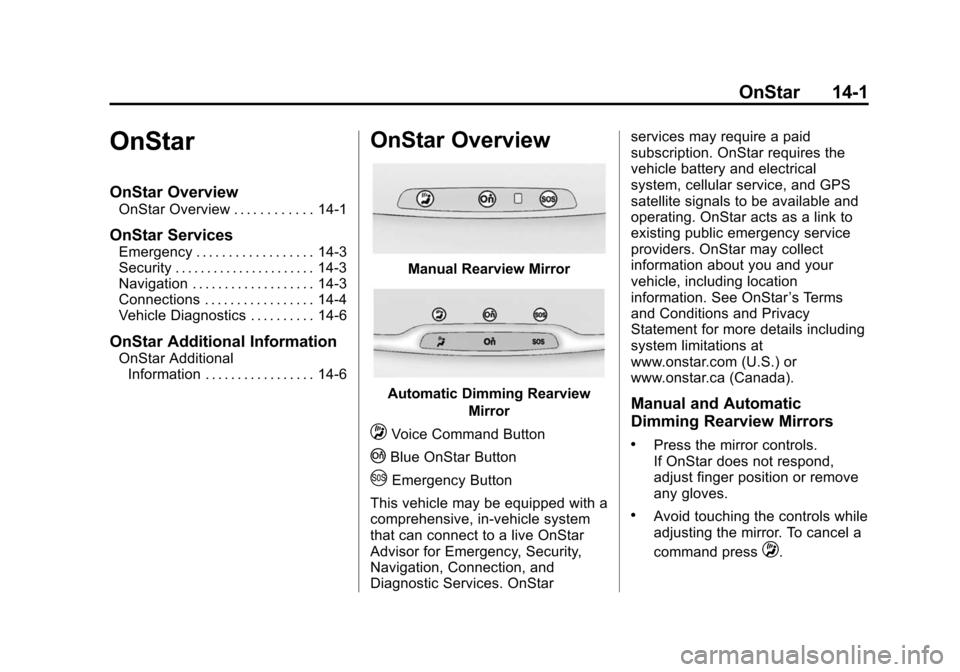
Manual Rearview Mirror
Automatic Dimming Rearview
Mirror
QVoice Command Button
|Blue OnStar Button
UEmergency Button
This vehicle may be equipped with a
comprehensive, in-vehicle system
that can connect to a live OnStar
Advisor for Emergency, Security,
Navigation, Connection, and
Diagnostic Services. OnStar services may require a paid
subscription. OnStar requires the
vehicle battery and electrical
system, cellular service, and GPS
satellite signals to be available and
operating. OnStar acts as a link to
existing public emergency service
providers. OnStar may collect
information about you and your
vehicle, including location
information. See OnStar
’s Terms
and Conditions and Privacy
Statement for more details including
system limitations at
www.onstar.com (U.S.) or
www.onstar.ca (Canada).
Manual and Automatic
Dimming Rearview Mirrors
.Press the mirror controls.
If OnStar does not respond,
adjust finger position or remove
any gloves.
.Avoid touching the controls while
adjusting the mirror. To cancel a
command press
Q.
Page 371 of 393
Black plate (2,1)Chevrolet Corvette Owner Manual (GMNA-Localizing-U.S./Canada/Mexico-
7576293) - 2015 - crc - 10/31/14
14-2 OnStar
.Clean the mirror while the
vehicle is off to avoid making
calls.
Status Indicator
The OnStar system status light is
next to the OnStar controls on the
manual rearview mirror.
If the status light is:
.Solid Green: System is on.
.Flashing Green: On a call.
.Red: Indicates a problem.
.Off: System is off. Press the blue
OnStar button twice to speak
with an OnStar Advisor.
For the automatic dimming rearview
mirror, the status is provided
through the Display on Demand
Icons.
.Three Color Icons: The system
is enabled and active.
.No Icons: The vehicle is in
motion or the OnStar
subscription is inactive
.Blinking: Button has been
pressed.
.Solid: On a call.
.~(Fault Icon On): Indicates a
problem.
OnStar Commands
Press
|or call 1-888-4-ONSTAR
(1-888-466-7827) to speak to an
Advisor.
Press
Qto:
.Make a call, end a call,
or answer an incoming call.
.Give OnStar Hands-Free Calling
voice commands.
.Give OnStar Turn-by-Turn
Navigation voice commands.
Requires a specific OnStar
subscription plan.
.Obtain the WiFi network name,
or Service Set Identifier or SSID,
and passphrase (if equipped). Press
|to connect to a live
Advisor to:
.Verify account information or
update contact information.
.Get driving directions. Requires
the available Requires a specific
OnStar subscription plan.
.Receive On-Demand
Diagnostics for a check of the
vehicle’s key operating systems.
.Receive Roadside Assistance.
.Manage WiFi Settings (if
equipped).
Press the OnStar Emergency button
Uto get a priority connection to an
Emergency Advisor available 24/
7 to:
.Get help for an emergency.
.Be a Good Samaritan or
respond to an AMBER Alert.
.Get assistance in severe
weather or other crisis and get
evacuation routes.
Page 372 of 393
Black plate (3,1)Chevrolet Corvette Owner Manual (GMNA-Localizing-U.S./Canada/Mexico-
7576293) - 2015 - crc - 10/31/14
OnStar 14-3
OnStar Services
Emergency
With Automatic Crash Response,
the OnStar system can
automatically connect to an OnStar
Emergency Advisor. The built-in
system can automatically connect to
help in certain crashes.
Press
Uto connect to an OnStar
Emergency Advisor. GPS
technology is used to identify the
vehicle location and can provide
important information to emergency
personnel. OnStar Emergency
Advisors are trained to provide
assistance and link to existing
public emergency service providers
in emergency situations.
With OnStar Crisis Assist, specially
trained Crisis Advisors are available
24 hours a day, 7 days a week, to
provide a central point of contact,
assistance, and information if a
crisis occurs.
Security
OnStar provides services including
Stolen Vehicle Assistance, Remote
Ignition Block, and Roadside
Assistance, if equipped. OnStar can
unlock the vehicle doors remotely,
if equipped with automatic door
locks, and can help police locate the
vehicle if it is stolen.
Navigation
OnStar navigation requires a
specific OnStar subscription plan.
Press
|to receive directions or
have them sent to the vehicle
navigation screen, if equipped.
Destinations can also be forwarded
to the vehicle from MapQuest.com.
Turn-by-Turn Navigation
1. Press|to connect to a live
Advisor.
2. Request directions.
3. Directions are downloaded to the vehicle. 4. Follow the voice-guided
commands.
Using Voice Commands
During a Planned Route
Cancel Route
1. Press
Q. System responds:
“OnStar ready,” then a tone. Say
“Cancel route.” System
responds: “Do you want to
cancel directions?”
2. Say “Yes.”System responds:
“OK, request completed, thank
you, goodbye.”
Route Preview
1. Press
Q. System responds:
“OnStar ready,” then a tone.
2. Say “Route preview.” System
responds with the next three
maneuvers.
Repeat
1. Press
Q. System responds:
“OnStar ready,” then a tone.