2015 AUDI TT ROADSTER high beam
[x] Cancel search: high beamPage 11 of 244

(!) Power window switches
@
®
©
Door handle
Power locking sw itch
Adjuster control for outside mir- rors ... . ............. .... .
® Air outlets ............... . .
@ Light switch . ... .... ... .. .. .
(J) Turn signa l and high beam . .. .
@ Mu ltifunction stee ring wheel
with:
- Horn
- Drive r's ai rbag .... ... .. .. .
- Shift buttons ..... ... .. .. .
® Instrument cluster
@ Sw itches for
- Windshield wiper/washer
- Menu disp lay ..... ... .. .. .
39
36
S2
69
48
so
1 12
85
10
54
24
- T rip computer . . . . . . . . . . . . . 23
© Steering lock/ignition/starter
switch (in the steering wheel
column) . . . . . . . . . . . . . . . . . . . 72
@ Adjustab le s teer ing column . . . 72
@ Cruise control . . . . . . . . . . . . . . 77
€3J H ood re lease . . . . . . . . . . . . . . . 164
@ Data L ink Connector (DLC) for
On Board Diagnostics ( OBD II) 30
@ Instrument lighting . . . . . . . . . 52
@ Switches for
- Fuel filler flap release 162
- Rea r lid re lease . . . . . . . . . . . . 3 7
@ Depending on opt ions: Rad io or
nav igat ion system
@ Glove compar tment ( lockable) 65
@ Front passenger's a irbag . . . . . 112
@ Rear window defogger sw itch 70
@ C limate controls . . . . . . . . . . . . 6 7
@ Ashtray w ith cigarette lighter . . 63
@ Selecto r l ever (S troni c) . . . . . . . 81
@) Switches for
- Audi magnet ic r ide or Sport
mode . . . . . . . . . . . . . . . . . . . . 79, 79
- Electronic Stab ilizat ion Con-
tro l . . . . . . . . . . . . . . . . . . . . . 141
- Emergency flasher . . . . . . . . . 51
Cockpi t 9
- Retractable rear spo iler .. ...
@ Switch for automatic folding 143
top . ... .. .. .. .. . .. .... ... .
@ Swi tch for wind deflector .... .
@ C up ho lder .. .. .. .......... .
@ Pa rking brake lever
(D Tips
- Some of the equipment or features
show n in the genera l illustration may be
standard equ ipme nt on your vehicle or
may be opt ional equ ipment depending
on you r model. Always as k yo ur au tho r
ized Aud i de aler if you have a quest ion
abou t your vehi cle.
- A separate bro ch ure is p rov ided for yo ur
facto ry-installed audio system and/or
the A udi Navigation System. 43
4
4
63
74
Page 16 of 244

14 Instruments and warning/indicator lights
Engine oil sensor malfunction
Qpage20
Battery
Qpage 16
Low fuel level
Qpage20
Windshield washer fluid level low
Q page20
Defective light bulb
Q page20
USA models: Defective brake light
Qpage20
Canada models: Defective brake
light
Q page 20
Dynamic headlight range control*
defective
Q page 20
Adaptive Light* defective
Q page20
Light/rain sensor defective (auto
matic headlights)* defective
Q page 21
Audi magnetic ride
Qpage 21
Rear spoiler./
Qpage 21
USA models: Speed warning 1
~page 75
Canada models: Speed warning 1
~page 75
USA models: Speed wa rning 2
~ page 75
Canada models: Speed warning 2
~page 75
Electro -mechanical power assist
~ page 17
Other indicator lights
•ii
T
urn s ignals
~ page 21
CRUISE USA models: Cruise control acti
vated
~ page 21
Canada models: Cruise control ac
tivated
~ page 21
High beam
Qpage50
BRAKE/ ((D) Brake system
This warning/indicator light illuminates when
the brake fluid level is too low or when there
is a malfunction in the ABS, or when the park
ing brake is set.
If the. (USA models) . (Canada models)
symbol flashes in the display with the parking
brake released , there is a malfunction in the
brake system. In addition to the symbol, one
of two messages appears in the display:
Stop vehicle and check brake fluid level
Stabilization program and ABS fault! See
Owner's manual
.,. Pull off the road and stop the veh icle.
.,. Obtain profess ional assistance.
USA models: if there is a ma lfunction in the
ABS system, the
II warning/indicator light il
luminates along with the. system malfunc
t ion warning/indicator light
Q &. .
Canada models: if there is a malfunction in
the ABS system, the
[IJ warning/indicator
light illuminates together with the. brake
system malfunction warning/indicator light
Q&. ,
The light . (USA)/ . (Canada) illuminates
when the ignition is turned on. It goes o ut af
ter the engine has been started and the park ing brake is fully released . This indicates that
the brake warn ing light is funct ion ing proper
ly.
If the brake warning light does not light up
when the engine is cranking or the parking
brake is applied, there may be a malfunction
in the electrical system. In this case, contact
your Audi dealer.
If the ABS fa ils, the ABS warn ing/ indicator
light
II (USA models)/ [IJ (Canada mode ls) ..,.
Page 50 of 244

48 Clear vision
Clear vision Lights
Switching the headlights on and off
Fig . 52 Instr ument pane l: lig ht sw itc h
Fig. 53 Instrum ent pane l: ligh t swi tch with daytime
runnin g lights (DRL)
The light switch must not be overturned past
the stops in
either direct ion.
Switching on automatic headlight
control*
.,. Turn the light switch to AUTO* ¢ fig. 52.
Switching on the side marker lights
... Turn the light switch to :;oo: .
Switching on the headlights and high
beam
... Turn the light switch to iD.
... Push the high beam lever forward towards
the instrument panel¢
page SO.
Switching off the lights
... Turn the light switch to 0.
The head lights only work when the ignition is
switched on. While start ing the engine or
when switching off the ignition, the head- lights
will go off and only the side ma rker
lights will be on.
Daytime running lights (DRL) (USA
models)
T he daytime running lights can be turned on
or off using this function. If the function is ac
tive, the daytime running lights are turned on
automatically when the ignit ion is switched
on.
The daytime running lights are activated
only
when the light switch is at the AUTO* or DRL *
position.
Daytime running lights (Canada models
only)
The daytime running lights are activated only
when the light switch ¢ fig. 52 is either at the
0 or the :;oo: position.
T he daytime r unning lights funct ion cannot be
turned off.
Automatic headlight control*
In the switch position AUTO the automatic
headlight control
is turned on. The low
beams are turned on automatically through a
light sensor as soon as ambient brightness
(e .g. when driving into a tunnel) falls below a
value preset at the factory. When ambient
brightness increases aga in, the low beams are
turned off again automatically ¢.&. .
In the
AUTO position the low beams are
switched off automatically when the ignition
is turned off .
Light Sensor Malfunction*
In the event of a light sensor malfunction, the
driver is notified in the instrument cluster dis
play:
tal Automatic headlights/automatic wipers
defective
For safety reasons the low beams are turned
on permanently with the switch in
AUTO* .
However, you can continue to turn the lights
on and off using the light switch . Have the
Ill>-
Page 51 of 244

light sensor checked as soon as possible at a
dealership.
Adaptive light *
The benefit of adaptive l ight is that the curve
and the edge of the road are better i llum inat
ed . The adaptive light is contro lled automati
cally, depending on vehicle speed and steering
wheel angle.
When driving a round bends, the head lights
are contro lled according to steering wheel an
g le . So that there is no black area ahead of the
ve hic le, the two main beams pivot at different
angles. The system works above a speed of
about 6 mph (10 km/h).
Com ing home /le avi ng home function *
The function is swit ched on when the switch is
in the AUTO* position and the function is
shown as active in the driver information sys
tem.
The
coming hom e function illuminates the
area around the vehicle when the ign ition is
switched off and the driver's door is ope ned.
The length of time the lights remain on can be
set in the menu display
( Illumination > Exte
rior lights > coming home ).
The leavi ng home function i lluminates the
area around the vehicle when unlocking it.
A WARNING
- Never use dayt ime running l ights to see
where you are going. They are not bright
enough and w ill not let you see far
enough ahead for safety, especially at
dusk or when it is dar k. Always switch on
the low beams at dusk or when i t is dar k.
- Automatic headlights a re only intended
to assist the dr iver. They do not re lieve
t he driver of his responsibi lity to check
t he headlights and to turn them on man
ually according to the current light and
visibility conditions. For example, fog
and rain cannot be detected by the light
sensors. So a lways switch on the head
lights under these weather cond itions
and when driving in the dark
jO .
Clear vis ion 49
- Crashes can happen when you cannot see
the road ahead and when you cannot be
seen by other motorists.
- Always turn on the headlights so that
youcanseeahe adandsothatothe ~
can see your car from the back .
- Please observe legal regulat ions w hen
using the ligh ting systems des cribed.
(D Tips
- T he light sensor for head light control is
located in the rear view mirror mount.
Do not apply any stickers to t he wind
shield in th is area to preven t malfunc
tions or fa ilures.
- Some exter io r l ighting funct ions can be
adjusted in t he driver i nformat ion sys
t em
~page 24.
- I f you remove the igni tion from t he igni
t ion lock while the headligh ts are s till
on, a buzzer wi ll sound as long as the
driver's door is o pen to remind yo u to
t u rn off the lights.
- Always observe the specific local regula
tions for your area as to when to use your
lights.
- With automatic headlights, the high
beam f unction is also available, but w ith
one restrict ion: If you have not sw itched
the high beams back to low beams dur
ing automatic headlight operation (for
example, after d riving throug h a tunnel),
only the low beams come on the next
t ime au tomati c headlights a re swi tched
on. To use the high beams , you firs t have
t o pull the hig h beam lever back and
then push the lever fo rward again .
- In coo l or damp weather, the inside of
the headlights, turn signals an d tail
lights can fog over due to the tempera
t u re difference between the inside and
outside. They w ill clear shortly after
switching them on. This does not affect
the se rv ice life of the lighting.
Page 52 of 244

50 Clear vis ion
Front fog lights
F ig. 5 4 Fog light act ivation: light switch pos itio n on
veh icles WITHOUT sensor light
Switching on the front fog lights iO
.,. Do not turn the light switch ·'t/-· ¢ fig. 54 to-
ward the fog light symbol
}D.
.,. Turn the light switch to :o o: or to io .
.,. Pull the ligh t switch to the first stop @.
When the front fog lights are on, the symbol
}D next to the light switch will i llum ina te.
@ Tips
With the switch in AUTO front fog lights
cannot be turned on in addit ion.
Turn signals and high beam lever
The lever on the left side of the steering col
umn is used to operate the turn signals and
the high beam as well as the headlight flash
er .
Fig . 55 Tu rn signa l and high beam lever
The turn signal and high beam lever has the
following functions:
Turn signals ¢ Q ©@
.,. Push the lever up as fa r as it ca n go to t urn
on the right turn s ignal or down to tu rn on
the left turn signal ¢
fig. 55 .
.,. Move the lever briefly unti l you meet res ist
ance and release it to flash three times .
.,. Move the lever (up or down) until you meet
resistance and hold it there to determine
the flashing time for the turn signals .
High be am gD @
.,. Push the lever forward to switch on the high
beam.
.,. Pull the lever back towards you to switch off
the high beam.
Headlight fla sh er gD @
.,. Pull the lever toward the steering whee l to
use the headlight flasher.
Not es on thes e features
- The turn signals on ly work wi th the ignition
sw itched on. The indicator lights
B or iPJ
in the instrument cluster~ page 12 a lso
blink.
- After you have tu rned a corner, the turn sig
na l switches off automatically .
- The
high beam wo rks on ly when the head
lights are on . The indicator light
Iii in the
instrument cluster illuminates when the
high beams are on.
- The
headlight flasher works only as lo ng as
you ho ld the lever -even if there a re no
lights turned on. The indicator light
Iii in
the instrument cluster illuminates when you
use t he headlight flasher.
A WARNING
Do not use the h igh beam or head light
flasher if yo u know that these could b lind
oncom ing traffic.
-
Page 236 of 244
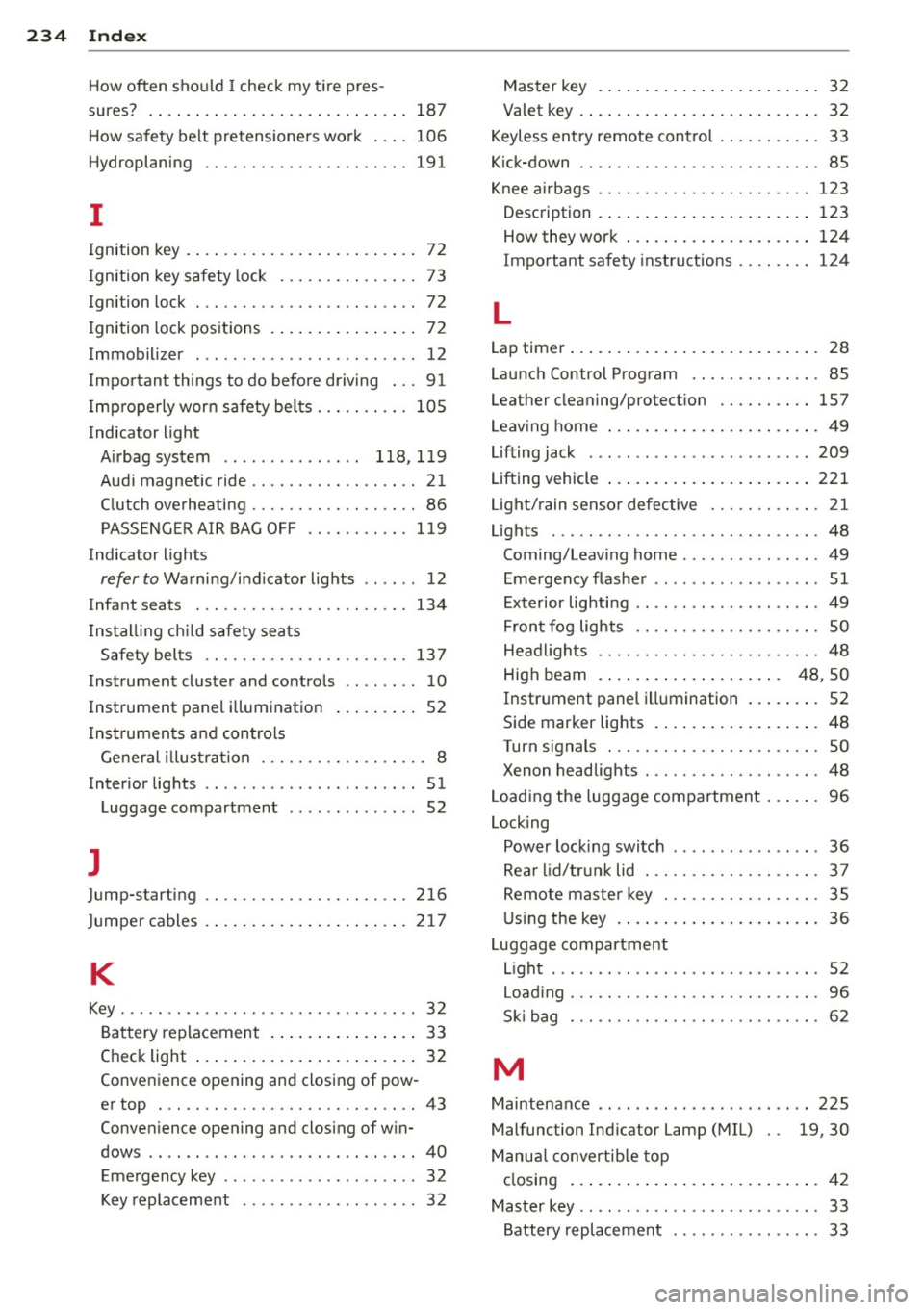
234 Index
How often should I check my t ire pres -
sures? . ..... ... . ...... ... .. .. .... . 187
H ow safety belt pretensioners wo rk ... . 106
Hydroplaning ............... .. .... . 191
I
Ignition key . . . . . . . . . . . . . . . . . . . . . . . . . 72
I gnition key safety lock . . . . . . . . . . . . . . . 73
Ignition lock . . . . . . . . . . . . . . . . . . . . . . . . 72
I gnition lock positions . . . . . . . . . . . . . . . . 72
I mmobilizer . ................ ... ... . 12
Important things to do before driving ... 91
I mproperly wor n safety be lts . .. .. .... . 10 5
Indicator light Airbag system . . . . . . . . . . . . . . . 118, 1 19
Aud i magnetic ride ...... .. .. .. .. .. .. 21
C lutch ove rheati ng . . . . . . . . . . . . . . . . . . 86
PASSENG ER A IR BAG O FF .. .. .. .. .. . 119
Indicator lights
refer to Wa rni ng/ind icator lights .. .. . . 1 2
Infant seats . ............. .. .. .. .. . 134
I ns tal ling ch ild safety sea ts
Safe ty bel ts ............. .... .... . 13 7
Instrument cluster and controls .. .. .... 10
Instrument panel i llum ination ... .. ... . 52
I ns trumen ts a nd controls
General illus tration ..... .. .. .. .. .. . .. 8
Interior lights . . . . . . . . . . . . . . . . . . . . . . . 51
L uggage compartment . ... .. .. .. .. . . 52
J
Jump-starting 216
Ju mper cables . .. .. ..... ... .. .. .... . 21 7
K
Key ... .. .... ... .......... .. .. .. .. .. 3 2
B at tery replacement . ... .. .. .. .... .. 33
Check light .... .. ..... ... .. .. .... .. 32
Conve nience opening and closing of pow-
er top . ...... ........... .... .... .. 43
Conve nience opening and closing of w in-
dows .. .... ........ ..... .. ........ 40
Emergency key . . . . . . . . . . . . . . . . . . . . . 32
Key replacement . . . . . . . . . . . . . . . . . . . 32 Master key
.... .. ... .. ..... .... . .. . 32
Valet key . ..... .. .. ... ..... ... .. .. . 32
K eyless ent ry remote cont ro l ...... .... . 33
K ick-down .. .... .. ................. . 85
Knee a irbags . ..... .. ... ..... ... .. .. 123
Description . ..... ... .. ..... ... .. .. 123
How they wor k ... .. ... ..... ... .. .. 124
Important sa fety instructions .... .... 124
L
Lap timer ... .... .. .. ... ..... ... .. .. . 28
Launc h Control Prog ram ...... ... .. .. . 85
Leathe r cleaning/protect ion ...... .... 157
L eav ing home ... .. ... .. ..... ... .. .. . 49
Lifting jack ..... .. .. ... ....... ... .. 209
Lifting vehicle ..... .. ... ..... ... .. .. 221
Li gh t/rain senso r defective ........... . 21
Lights . .... .... .. ............. ..... 48
Coming/Leav ing home ............. .. 49
E mergency flashe r . . . . . . . . . . . . . . . . . . 51
E xterior lig hting .. .... ...... ... .. ... 49
F ront fog lights . . . . . . . . . . . . . . . . . . . . 50
He ad ligh ts .. .. .. ... .......... .. .. . 48
High beam . . . . . . . . . . . . . . . . . . . . 48, 50
I n strument panel illumination ... .. .. . 52
Side marker lig hts . .... ..... ... .. .. . 48
Turn signals ... .. ................. . 50
Xenon headlights . ............. ..... 48
L oad ing the luggage compartmen t ... .. . 96
Locking Power locki ng switch .............. .. 36
Rea r lid/trun k lid . ... .......... .. .. . 37
R emote mas te r k ey .......... .. .. .. . 35
U sin g the key .... .. .... .... ... .. .. . 36
L uggage compartment
L ight . ..... ... .. .. ........ ... ... .. 52
L oad ing ... .. .. .. .. ... ........ .... . 96
S ki bag . .. .. .. .. ............. .. .. . 62
M
Maintenance .... .... ... ..... ... .. .. 225
Malfunction Ind icator Lamp (MIL) 19,30
Manu al convertib le top
cl osing ... .... .. .. .... . ..... ... .. . 42
Master key .. .. .. .. ... .. .. ... ..... .. . 33
Battery replacement . . . . . . . . . . . . . . . . 33