2015 AUDI S3 ignition
[x] Cancel search: ignitionPage 86 of 310

84 Driving
-For reasons of safety, cruise control
should not be used in the city, in stop
and-go traffic, on winding roads and
when road conditions are poor (such as
ice, fog, gravel, heavy rain and hydro
planing) -you could have an accident .
- Switch the cruise control off temporarily
when driving in turning lanes, highway
exits or in construction zones.
- Please note that unconsciously "resting"
your foot on the accelerator pedal pre
vents the cruise control from braking.
This is due to the control system being
overridden by the driver's acceleration.
- If there is a brake system malfunction
such as overheating when the speed
warning system is switched on, the brak
ing function in the system will be deacti
vated. The remaining speed warning sys
tem functions will remain active, as long
as the
B (USA models)/ ii (Canada
models) indicator light is on.
@ Tips
- The cruise control system is ideal for
stretches with speed limits. The driver is
responsible for adhering to the correct
speed.
- The cruise control remains active when
shifting gears.
- The brake lights turn on when the brakes
are activated.
Switching on
Applies to vehicles: with cr uise contro l system
0
f
~
0
Fig. 74 Opera ting lever: Cruise control system
.,. To switch the cruise control on, pull the lev
er into position
CD¢ fig. 74.
.,. Drive at the speed to be maintained.
.,. To store the speed, press the button @. The
B (USA models)/ ii (Canada models)
turns on in the instrument cluster.
Changing speed
Applies to vehicles: with cruise control system
.,. To increase or decrease the speed in incre
ments,
tap the lever in the 0 10 direction
<:;>page 84, fig. 74 .
.,. To increase or decrease the speed quickly,
hold the lever in the 010 direction until
the desired speed is reached.
Overriding the speed
You can press the accelerator pedal down to
increase your speed, for example if you want
to pass someone. The speed you saved earlier
will resume as soon as you release the acceler ator pedal.
If, however, you exceed your saved speed by 5
mph (10 km/h) for longer than 6 minutes, the
cruise control turns off temporarily. The
II
(USA models) / Bl (Canada models) indicator
light in the instrument cluster turns off and
the stored speed is retained .
Preselecting the speed
Applies to vehicles: with cruise control system
You can preselect your desired speed when
the vehicle is stationary .
.,. Switch on the ignition .
.,. Pull the lever into position
CD¢ page 84,
fig . 74.
.,. To increase or decrease the speed, tap the
lever in the
010 direction .
This function makes it possible, for example,
to save the speed you want before driving on
the highway . Once on the highway, activate
the cruise control by pulling the lever toward
CD-
Page 98 of 310

96 Audi pre sen se
it is necessary. A lways follow traffic laws
regarding mainta ining a safe distance
between your vehicle and vehicles ahead.
- pre sense front works within certain lim
its and cannot react to situations that
are outside of the system lim its, such as
when approaching a stationary vehicle or
a stationary obstacle (the end of a traffic
jam or a vehicle that has broken down).
-Always keep i n m ind that the radar sen
sor fo r pre sense front only works within
defined detection zones, which mea ns
other vehicles may not always be dete ct
ed correct ly.
- T he function and range of the radar sen
sor can be impaired by rain, snow and
heavy mist. Veh icles ahead may not be
detected right away, or not detected at
all.
- Reflective surfaces such as g uard rails or
entrances to t unnels may impair the
function of the radar sensor .
{[) Note
The senso r can be disp laced by impacts or
damage to the bumper, whee l housing and
underbody . The pre sense front sensor can
be damaged by this . Have your authorized
Aud i dea ler or authorized service facility
check the ir function.
(D Tips
- You can cance l the braking w ith increas
ing force that is initiated by the system
by braking yourself, by accelerating no
ticeab ly or by swerving.
- For information on dr iver messages
about pre sense, refer to¢ page 96.
- Keep in mind that pre sense can brake unexpectedly. Always secure any cargo or
objects that you are transporting to re
duce the r isk of damage or injury .
- Certain pre sense front funct ions sw itch
off when ESC is sw itched off (sport
mode) or when drivi ng in reve rse .
- The pre sense front funct ions are not
available if there is a malfunction in the adaptive cru
ise cont ro l* system
¢ page
92 or ¢ page 96.
- Keep in mind that pre sense front can
brake abruptly. Always sec ure cargo or
objects that you transport to red uce the
r isk of damage or injury.
Settings in the Infotainment system
Applies to vehicles: with Aud i pre sense front or Aud i
adaptive crui se con trol
.,. Select in the MM I: I MENU I button > Car >
Systems * control button > Drive r assi st a nce
> Audi pre sense .
Switching the system on and off
Audi pre sense (Sys tem): If the system is
switched off, it switches on again automati
ca lly once the ignition is switched on aga in.
S ys te m -Swit ch A udi pre sense o n-off . With
th is, yo u can switch the p rewarning and the
braking intervention from Audi pre sense on
or off.
Prewarning -The distance and app roach
warnings can be switched
o n/off .
(D Tips
-If you restrict or sw itch off the ESC, the
pre sense also sw itches i tself off
¢page
190.
- Switch the p re sense off when you a re
loading the vehicle onto a veh icle carrier,
t rain, ship o r othe r type of transporta
tion . This can prevent undesired warn
ings from the pre sense system .
Driver messages
Applies to vehicles: wit h Aud i pre sense or Aud i adapt ive
cruise control
Aud i pr e se nse curr ently un availabl e. No sen
so r vi sion
This message appears if the sensor v iew is ob
structed, for examp le by leaves, snow , heavy
spray or d irt. Clean the sensor¢ page
86,
fig. 75.
Audi pre sense: off
Page 101 of 310

....,
N
0 > co
Switching on and off
Applies to vehicles: with Audi active lane assist
•
Fig. 86 Turn signal lever: butto n fo r act ive la n e ass ist
Fig. 87 Windsh ield: ca mera w indow for act ive lane as
s is t
.. Press the q fig. 86 button to switch the sys
tem on and off. The . or. indicator light
in the instr ument cluster turns on or off.
Indicator lights
• Ready:
The indicator light turns on when
the system is ready for use. The system can
now be operated .
• Not ready: The indicator light turns on if
the system is switched on but is inoperable.
This may be due to the following reasons:
- There is no lane boundary line.
- The relevant lane marker lines are not de-
tected (for example, markings in a construc
tion zone or because they are obstructed by
snow, dirt, water or light ing) .
- The vehicle speed is below the activation
speed of approximately 40 mph (65 km/h)
(the speed may vary depending on your
country) .
- The lane is narrower than 8
ft (2 .5 m) or
wider than 18
ft (5.5 m).
rl 1.0 -The curve is too narrow.
"' ....,
"' rl
Audi active lane assist 99
-The driver's hands are not on the steering
wheel.
a) Tips
- Make sure the camera's field of view
¢ fig. 87 is not obstructed by stickers or
anything else. For information on clean
ing, refer to
¢ page 205.
- Market-specific: In certain countries: If
the system is switched on, it wi ll remain
operab le each time the ignition is switch
ed on.
lane assist display in the instrument
cluster
Applies to vehicles: with Audi active lane assist
Fig. 88 Instrumen t cluster: monoc hrome d ispl ay
Fig. 89 Instrume nt clust er: mult icolor display
The lane assist display can be called up using
the buttons in the
multifunction steering
wheel ¢
page 28.
Monochrome display
Refer to q fig. 88
Page 106 of 310

104 Audi side assist
-If vehicles are approaching or being
left behind very quickly. The display
may not turn on in time.
- In poor weather conditions such as
heavy rain, snow or heavy mist.
- On very wide lanes, in tight curves, or if
there is a rise in the road surface.
Vehicles in the adjacent lane may not
be detected because they are outside
of the sensor range.
- Audi side assist cannot detect all vehicles
under all conditions, which can increase
the risk of accidents.
- Please note that side assist only displays
approaching vehicles or vehicles in your
blind spot if your vehicle is traveling at
least 19 mph (30 km/h).
- In certain situations, the system may not
work or its function may be limited. For
example:
- The display may not turn on at the
right time if vehicles are approaching
or passing very quickly.
- In poor weather conditions, such as
heavy rain, snow or fog.
- In very wide lanes, in tight curves or
when there are slopes in the roadway,
vehicles in the neighboring lanes may not be detected because they are out
side of the sensor range.
The sensors can be displaced by impacts or damage to the bumper, wheel housing and
underbody. This can affect the system. Have your authorized Audi dealer or au
thorized service facility check their func
tion.
{D) Tips
- If the window glass in the driver's door
or front passenger's door has been tint
ed, the display in the exterior mirror may
be misinterpreted .
- For an explanation on conformity with
the FCC regulations in the United States and
the Industry Canada regulations, re
fer to~
page 292.
Switching on and off
Applies to vehicles: with Aud i s ide ass ist
The system and be switched on and off in the
MMI.
.. Select: the I MENU I button >Car> Systems*
control button > Driver assistance > Audi
side assist.
With Off, the system is switched
off.
An activated system will signal every time the ignition is switched on by turning the displays
in the exterior mirrors on briefly.
Adjusting the display brightness
Applies to vehicles: with A udi side ass ist
The display brightness can be adjusted in the
MMI.
.. Select: the I MENU I button >Car> Systems*
control button > Driver assistance > Audi
side assist.
The display brightness adjusts automatically
to the brightness of the surroundings, both in
the information and in the warning stage. In
very dark or very bright surroundings, the dis play is already set to the minimum or maxi
mum level by the automatic adjustment. In
such cases, you may notice no change when
adjusting the brightness, or the change may
only be noticeable once the surroundings
change.
Adjust the brightness to a level where the dis
play in the information stage will not disrupt
your view forward. If you change the bright
ness, the display in the exterior mirror will
briefly show the brightness level in the infor
mation stage. The brightness of the warning
stage is linked to the brightness in the infor
mation stage and is adjusted along with the
information stage adjustment. .,_
Page 111 of 310
M N
0 > co ,...., \!) 1.1"1
M 1.1"1 ,....,
Automatic
transmission S tronic-transmission
Introduction
Applies to vehicles: with S tronic transmiss ion
Your vehicle is equipped with an electronical
l y -controlled DSG transmission called S tronic.
T wo independent clutches transfer the power
between the engine and transmission. It al
lows the vehicle to accelerate without a no
ticeable interruption in traction .
T he transmission upshifts or downshifts auto
matically. The driving style continuously influ
ences the selection of the driving program .
When a
moderate driving style is used, the
transmission selects the most econom ica l
driving mode. The transmission upshifts at a
lower RPM and downshifts at a higher RPM to
improve fuel effic iency .
T he transmission switches to a sporty mode
after a kick-down or when the driver uses a
sporty driving style characterized by quick ac
celerator pedal movements, heavy accelera
tion, frequent changes in speed and traveling
at the maximum speed.
If desired, the driver can also select the gears
manually (tiptronic mode) r=> page 114,
Shifting manually (tiptronic mode) .
Selector lever positions
Applies to vehicles: with S tro nic transmission
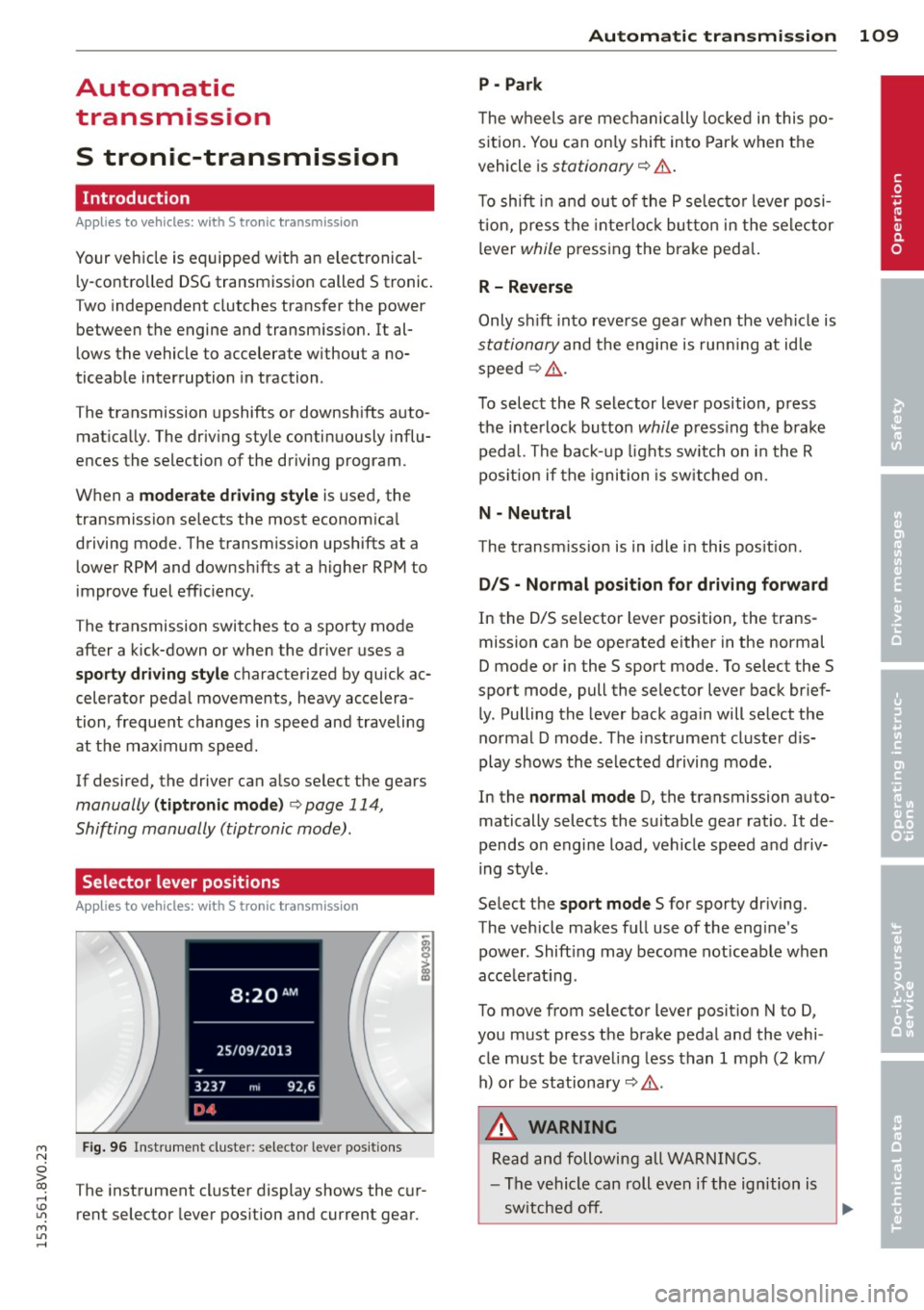
Fig. 96 Instrument cluster: selector leve r positions
The instrument cluster display shows the cur
rent selector lever position and current gear.
Automatic transmission 109
P -Park
The wheels are mechanically locked in this po
sition. You can only shift into Park when the
vehicle is
stationary r=> &..
To shift in and out of the P selector lever posi
tion, press the interlock button in the selector
lever
while pressing the brake peda l.
R- Reverse
Only shift into reverse gear when the vehicle is
stationary and the engine is running at idle
speed
r=> &. .
To select the R selector lever position, press
the interlock button
while press ing the brake
pedal. The back-up lights sw itch on in the R
pos ition if the ignition is switched on .
N -Neutral
The transm iss ion is in idle in this position .
DIS -Normal position for driving forward
In the D/S selector lever position , the trans
mission can be operated either in the normal
D mode or in the S sport mode. To select the S
spor t mode, pull the selector lever back brief
ly. Pulling the lever back again will select the
normal D mode . The instrument cluster dis
play shows the selected driving mode.
In the
normal mode D, the transmission auto
matically selects the suitable gear ratio . It de
pends on engine load, vehicle speed and driv
ing style .
Select the
sport mode S for sporty driving .
The vehicle makes full use of the eng ine's
power. Shift ing may become noticeable when
acce lerat ing.
To move from selector lever position N to D,
you must press the brake pedal and the vehi cle must be traveling less than 1 mph (2 km/
h) or be stationary~ &.-
.&_ WARNING
Read and following all WARNINGS.
- The vehicle can roll even if the ignition is
switched off.
~
•
Page 112 of 310

110 Autom atic tr an smi ssion
-Never select R or P while driving, because
this increases the risk of an accident.
- Power is still transmitted to the whee ls
when the eng ine is running at idle. To
prevent the vehicle from "creeping", you
must keep your foot on the brake in all
selector lever positions (except P) when
the engine is runn ing. Otherwise, th is in
creases the risk of an accident.
- Do not inadvertently press the accelera
tor pedal when the vehicle is stopped if a
gea r is engaged. Otherwise the vehicle
will star t to move immediately, even if
the parking bra ke is set . This could result
in a crash .
- Do not press the accelerator pedal when
changing the selector lever position
whi le the vehicle is stationary and the
engine is running.
- Never leave your vehicle with the engine
running whi le in gear . If you must leave
yo ur vehicle when the engine is running,
set the park ing brake and move these
lector lever to the P position.
- Before opening the hood and working on
a running engine, select the P position
with the se lector lever and set the park
ing brake. Always read and follow the ap
plicable warnings
~ page 217, Working
in the engine compartment.
Q) Note
Never let the veh icle roll downhill with en
gine off and the selector lever in the N po
sition, because this cou ld damage the au
tomatic transmission and cata lytic con
verter.
@ Tips
- Audi drive select : Sporty shift ing cha rac
terist ics can be se lected using th e
dy·
nam ic driving mode. Swill appear in the
i nstrument cl uste r display i nstead of D.
- If you accidenta lly sele ct N while driv ing,
take your foot off the acce le rator pedal
i mmedia tely and wait for the engine to
s low down to idle be fore se lecting Dor S . -
If there is a power failure, the selector
lever wi ll not move out of the P position.
The emergency re lease can be used i f
this happens
¢ page 116.
Selector lever lock '
Applies to vehicles: wi th S t ronic tra nsmi ssio n
The selector lever lock prevents you from se
lecting a gear occidentally, causing the vehi
cle to roll.
Fig . 97 Selecto r lever lock
To release the selector lever lock:
.. Switch on the ignition .
8 0 :,l. CX) .,
.. Press the brake pedal while pressing the in-
terlock button .
Automat ic shift loc k (AS L)
The selector lever is locked in the P and N po
sitions when the ign ition is switched on. You
must press the brake pedal to select another
position. You must also press the interlock
button if you a re mov ing from the P position .
T he following message appears in the display
when the selector lever is in the P or N pos i
t ion to remind the drive r:
When stationar y apply footbrake while se
l e cting gear
The automatic shift lock only functions when
the vehicle is stationary or at speeds be low 1
mph (2 km/h) . At higher speeds, the lock is
automat ica lly deactivated in the N pos it ion.
The selector lever is not locked when shifting
quick ly through N, for example from R to D.
T his makes it possible to free the vehicle when
it is stuck by "rocking" it. The se lector lever
lock engages if the lever stays in the N
Page 113 of 310

....,
N
ci > co
rl I.O
"' ....,
"' rl
position longer than approximately 2 seconds
when the brake pedal is not pressed.
Interlock button
The interlock button in the selector lever han
dle prevents you from moving the selector
l eve r inadvertently while in some selecto r lev
er positions. The positions that require the in
terlock button to be pressed are marked in
color in the illustration
c::;, fig. 97.
Ignition key safety interlock*
You can only remove the key from the ignition
after switching the ignition off if the se lector
lever is in the P position. The selector lever
will be locked in the P position as long as the
key is not in the ignition .
A WARNING
Read and following all WARNINGS. c::;, &. in
Selector lever positions on page 109.
{D) Tips
- If the selector lever does not engage,
there is a malfunction. The engine is dis
abled to prevent the vehicle from driving
off unintentionally . Press the brake pedal
briefly to allow the selector lever lock to
engage again.
- If the vehicle does not move forward or
i n reverse even though a drive position is
se lected, proceed as follows:
- > If the veh icle does not move in the de
sired direction, the system may not have
engaged the dr ive position correctly.
Press the brake pedal and select the
drive position again.
- >If the vehicle still does not move in the
desired direction, there is a system mal
function. See an authorized Aud i dea ler
or authorized Audi Service Facility for as
sistance to have the system checked.
Autom atic transm ission 111
Driving tips
Applies to veh icles: w it h S tronic transm iss ion
T he transmission shifts up and down auto
matically when in the driving gears.
Fig. 98 Section of the center co nsole: Selector lever
w ith interlock b utto n
The engine will only be able start when these
lector lever is in the P or N positions. At low
temperatures (below 14 °F (-10 °C)), the en
gine can only be started when the selector
lever is in the P position.
Starting from a stop
.,. Press and hold the brake pedal.
.,. Press and hold the interlock button in the
selector lever handle, select the desired se
lector lever position such as D
c::;, page 109
and re lease the lock button.
.,. Wait a moment until the transmission
shifts . Yo u will notice a slight movement
when the gear engages.
... Release the brake peda l and press the accel
erator pedal
c::;, .&_ .
Stopping temporarily
.,. Keep the vehicle stationary using the brak
ing pedal, for example at traffic lights.
.,. Do not press the accelerator peda l when do
ing this.
.,. To prevent the vehicle from ro lling when you
start driving, set the parking brake when
stopping on steep inclines
c::;, .&_ .
.,. The parking brake will release automat ically
and the vehicle will start moving once you
press the acce lerator pedal. Requ irement:
The driver's safety belt must fastened and
the driver's door must be closed.
IJll,,
Page 122 of 310

120 Parking systems
Switching on/off
App lies to vehicles: with park ing system p lus
Fig. 104 Ce nter console: parking aid button
Fig. 105 MMI: optical distance disp lay
Switching on
~ S hift into reverse, or
~ Press the p,qA button in the center console
r=;, fig. 104 . A short confirmation tone
sounds and the LED in the button turns on .
Switching off
~ Drive faster than 6 mph (10 km/h), or
~ Press the P,qA button, or
~ Switch the ignition off.
Segments in the visual display
The segments in front of and beh ind the vehi
cle (veh icles with parking system plus*) help
you to de termine the distance between yo u
and an obstacle. On some equ ipment the red
lines mark the expected direction of travel ac
cordi ng to the steering angle. A white seg
ment indicates an identified obstacle that is
outside of the vehicle's path. Red segments
show identified obstacles that are in your ve
h icle's path. As your vehicle comes closer to
the obstacle, the segments move closer to the
vehicle . The collision area has been reached
when the next to last segment is displayed. Obstacles in the collision a
rea, including those
outside of the vehicle's path, are shown in red.
Do not continue dr iving forward or in reverse
r=;, & in General information on page 118,
r=;,@ in General information on page 118!
Rearview camera
Introduction
Applies to vehicles: wi th parking sys tem plus with rea r
v iew camera
Fig. 106 Illust ration: Cross park ing
Fig. 107 Illu stration: Parallel park in g
In addition to parking system plus
r=;,page 119, this parking system also has a
rearview camera.
You can use
cross parking for example, to
park in a parking space or in a garage
r=;, fig. 106. You can use parallel parking if you
would like to park on the side of the road
¢fig. 107.