2015 AUDI S3 brake light
[x] Cancel search: brake lightPage 86 of 310

84 Driving
-For reasons of safety, cruise control
should not be used in the city, in stop
and-go traffic, on winding roads and
when road conditions are poor (such as
ice, fog, gravel, heavy rain and hydro
planing) -you could have an accident .
- Switch the cruise control off temporarily
when driving in turning lanes, highway
exits or in construction zones.
- Please note that unconsciously "resting"
your foot on the accelerator pedal pre
vents the cruise control from braking.
This is due to the control system being
overridden by the driver's acceleration.
- If there is a brake system malfunction
such as overheating when the speed
warning system is switched on, the brak
ing function in the system will be deacti
vated. The remaining speed warning sys
tem functions will remain active, as long
as the
B (USA models)/ ii (Canada
models) indicator light is on.
@ Tips
- The cruise control system is ideal for
stretches with speed limits. The driver is
responsible for adhering to the correct
speed.
- The cruise control remains active when
shifting gears.
- The brake lights turn on when the brakes
are activated.
Switching on
Applies to vehicles: with cr uise contro l system
0
f
~
0
Fig. 74 Opera ting lever: Cruise control system
.,. To switch the cruise control on, pull the lev
er into position
CD¢ fig. 74.
.,. Drive at the speed to be maintained.
.,. To store the speed, press the button @. The
B (USA models)/ ii (Canada models)
turns on in the instrument cluster.
Changing speed
Applies to vehicles: with cruise control system
.,. To increase or decrease the speed in incre
ments,
tap the lever in the 0 10 direction
<:;>page 84, fig. 74 .
.,. To increase or decrease the speed quickly,
hold the lever in the 010 direction until
the desired speed is reached.
Overriding the speed
You can press the accelerator pedal down to
increase your speed, for example if you want
to pass someone. The speed you saved earlier
will resume as soon as you release the acceler ator pedal.
If, however, you exceed your saved speed by 5
mph (10 km/h) for longer than 6 minutes, the
cruise control turns off temporarily. The
II
(USA models) / Bl (Canada models) indicator
light in the instrument cluster turns off and
the stored speed is retained .
Preselecting the speed
Applies to vehicles: with cruise control system
You can preselect your desired speed when
the vehicle is stationary .
.,. Switch on the ignition .
.,. Pull the lever into position
CD¢ page 84,
fig . 74.
.,. To increase or decrease the speed, tap the
lever in the
010 direction .
This function makes it possible, for example,
to save the speed you want before driving on
the highway . Once on the highway, activate
the cruise control by pulling the lever toward
CD-
Page 90 of 310

88 Audi adaptive cruise control
What can adaptive cruise control do?
The ad aptive cruise co ntrol sys tem uses r ad ar
a nd a video came ra . T he r ada r is subject to
designated system limits ¢
page 86.
On ope n roads w ith no t raff ic, i t fun ctions like
a cruise co ntro l system . Th e stored s peed is
main taine d. When approach ing an object
ahead and the system detects it, the ada ptive
cr uise control system automatically brakes to
match that ob ject's speed and then maintains
the stored d istance. As soon as the system
does not detect an object ahead, adaptive
cru ise control accelerates up to the s to red
speed .
W ith in the lim its of the system, adaptive
cru ise contro l can brake in stop-and-go traff ic
u ntil t he vehicle is stationary and then begin
d riving aga in under certa in conditions
¢ page 90, Driving in stop-and-go traffic.
Which functions can be controlled?
When you sw itch adaptive cruise cont ro l on,
you can set the cur rent speed as the "control
speed" ¢
page 88, Switching on/off .
When driving, you can stop cruise control
¢
page 90 or change the speed ¢ page 89
at any time .
You can a lso adjust the following settings :
- D istan ce
¢page 91
- D riving p rogram ¢ page 92
-Driving mode ¢ page 92
l) Spee d lim it s depe nd o n th e cou ntry and t he s pee dom
e te r.
Switching on/off
Applies to vehicles: wit h Audi adapt ive cr uise contro l
Fig . 79 Opera ting leve r: sw itc hin g on and off
Fig. 80 Instrume nt cluster: adaptive cru ise control
You can set any speed ll betwee n 20 mph and
95 mp h (30 and 150 km/h).
Ind icator lights and messages in the inst ru
me nt cluster d isp lay inform yo u about the cur
rent s ituation and settings.
Switching adaptive cruise control on
.,. Pull the lever tow ard you in to position (D
¢ fig . 79 . ACC: standby a ppears in the in
s trument cluster display.
Saving the speed and activating
regulation
.,. To save the c urre nt spee d, press t he ISETI
¢ fig. 79 bu tto n. The stored speed is show n
in the tachometer LE D line @and appears
briefly in the info rmation line@¢
fig. 80 .
• To activate the regulation while stationary,
you must press the brake pedal.
IJJ,-
Page 91 of 310

....,
N
0 > co
rl I.O
"' ....,
"' rl
Switching adaptiv e cruis e control off
• Push the lever away from you into position
@ until it clicks into p lace. The message
ACC: off appears.
The stored speed in the L ED line is erased .
@ Indicato r light s
Ill-adaptive cru ise control is switch ed on . No
objects ar e detected ahead. The stored spe ed
is maintained .
B-An object ahead was detected . The adap
tive cruise contro l system regulates the speed
and d istance to the object ah ead and brakes/
accelerates automatica lly.
$ -adaptive cruise contro l is switched on . An
object ahead was detected. Yo ur vehicle re
mains stopped and will not start driving auto
matica lly.
• -The automatic braking is not eno ugh to
maintain a sufficient distance to an ob ject
ahead . Yo u must int ervene ¢
page 92 , R e
quest for driver intervention.
© Instrument cluster display
If adaptive cruise cont ro l is not shown in the
instr ument cluster d isp lay, you can call it up
using the multifunction steering wheel b ut
tons ¢
page 28 .
Based on the g raphics in the display, yo u can
determ ine if the system is maintaining a dis
tance to a vehicle ahead and what that dis
tance to this vehicle is:
N o vehicle -No object ahead was detected .
White vehicl e -An object ahead was detected .
Red vehicle -Request for the driver to take ac
tion ¢
page 92 .
Both arrows on the scale© in dicate the dis
tance to the object ahead. No arrow appears
when the vehicle is on an open road and there
is no object ahead.
If an object is detected
ahead, the arrow moves on the scale.
The green zone on the scale indicates the
store distance. Fo r information on changing
Audi ad apti ve crui se control 89
the distance, refer to r::!> page 91. If the dis
tance selected is exceeded or not reached, the
arrow moves into the red zone on the scale.
_& WARNING
- Using adaptive cru ise contro l incorrectly
can cause collisions, other acc idents and
ser ious inju ries .
- If you press t he
~IS-E T ~I button when driv
ing at speeds below 20 mph (30 km/h),
the vehicle acce lerates automatically up
to 20 mph (30 km/h), wh ich is the mini
m um speed that can be set.
(D Tips
- If you switch the ig nit ion or the adaptive
cruise cont ro l system off, the set speed
is e rased for safety reason .
- The Elect ronic Stabilization Control (ESC)
and Anti-Slip Regulat ion (ASR) both
switch on when the adaptiv e cruis e con
tr ol is swi tched o n. ESC and AS R canno t
be switched off when ad aptive cruise
cont ro l is switched on .
- Wi th t he adap tive c ruise control activat
ed the ESC sport mode cannot be ac tiv at
ed.
Changing the speed
Applies to vehicles: wit h Audi adaptive cru ise control
0
f
JJ
0
Fi g. 81 Operati ng leve r: c ha ngi ng the s pee d
• To increase o r reduce the speed in incre
ments,
tap the lever up o r down .
• To increa se o r de crea se t he speed q uickl y,
hold the lever up or down until the red L ED
@ reaches the desired speed r::!> page 88,
rg. 80. ~
Page 94 of 310

92 Audi adaptive cruise control
Setting the driving program
App lies to vehicles: with Audi adaptive cruise co ntrol
A adapt ive cru ise con trol driving progr am is
ad ju st abl e on vehicle s wi tho ut Aud i dr ive se
l ec t*.
"' Se lect in the M MI: the
I MENU I button > Car
> Systems * control button > Driver assi s
tance > Adaptive cruise control > Driving
program > Comfort/Standard /Dynamic .
Selecting the driving mode
Applies to vehicles: with Audi adaptive cruise co ntrol
The adaptive cruise contro l driv ing program is
ad justab le for ve hicles w ith Aud i dr ive se lect
using the driving mode.
"' Se lect th e des ired driv ing mode
Comfort ,
Auto , Dynamic or Individual *
wit h the knob
t:;, page 106 .
Request for driver intervention
App lies to vehicles: with Audi adaptive cruise co ntrol
Fig . 84 In strum ent cluster: request fo r d rive r in terven
ti on
In some s ituations , the braki ng from the
adapt ive cruise control system is not enough
to maintain enough d istance to the object
ahead. In thes e situations, the system will re
quest yo u to take action .
The . indicat or light and the graphic in the
d isplay w ill wa rn you about the danger
t:;, fig . 84 . You will a lso hear an aud io signa l.
Pr ess the brake pedal to s low y our veh icl e
down.
Driver messages
Applies to vehicles: wit h Aud i adapt ive c ru ise control
IIJ ACC : unavailable
The system cannot gu arantee that it will de
tect o bject s cor rectly and i s switched off. The
sens or was move d or is fa ulty. Drive to your
autho rized Audi dea le r or a uth ori zed Audi
service facility immediately to have the ma l
f unct ion corrected.
Ill ACC: currently unavailable . No sensor vi
sion
fl ACC and Audi pre sense : currently un
available. No sen sor vision No sen sor vi sion
T h is message appears if the senso r view is ob
structe d, for examp le by l eaves, snow, heavy
s pr ay or d irt . C lean t he sensor
t:;, p age 86 ,
fig. 75.
ill ACC: currently unavailable. Gradient too
steep
The road exceeds t he max imum possible an
gle fo r safe adaptive cruise control operation.
T he adapt ive cr uise control cannot be switch
ed o n.
ill ACC: only available in D, Sor M
Se lect the D/S or M selector leve r position .
ill ACC: parking brake applied
The adapt ive cr uise control system switch es
off automa tically if th e parki ng br ake is set.
T he adapt ive cru ise con tro l is ava ilable again
aft er re leas ing t he pa rking br ake.
ill ACC: currently unavailable. Stabilization
control input
This message appears if the Electronic Stabili
zation Control (ESC) is taking action to stab i
l ize the veh icle. I n this case, adapt ive cr uise
control switches off automat ica lly .
ill ACC off: manual control!
This message a ppears if t he vehicle ro lls back
whe n start ing on a s light incline, even though
ACC is active. Press the b rake pedal to prevent
the vehicle from rolling or starting to move.
IIJ,
Page 96 of 310

94 Audi pre sen se
Audi pre sense
Introduction
Applies to vehicles: with Audi pre sense basic or Audi pre
sense front
Within the limits of the system, pre sense ba
sic and pre sense front can initiate steps to
protect vehicle occupants in certain danger
ous situations.
Critical driving situations can be recognized by
the pre sense front v ia a network of differe nt
vehicle systems and can take steps to prepare
the vehicle occupants for a potentia l collision.
The pre sense front works with a radar sensor
and a video came ra* .
It also functions within
the limits of the system when adapt ive cruise
control * is switched off.
General information
General information
App lies to vehicles: with Audi pre sense front or Audi
adaptive cruise control
A WARNING
Also follow the general information found
on
~ page 86, General information.
Audi pre sense basic
Descript ion
Applies to vehicles: with Audi pre sense basic
The function of the pre sense basic is activat
ed at a speed of 20 mph (30 km/h) or higher.
The following functions can be triggered un
der certain conditions within the limits of the
system:
- T ensioning of the safety be lts (for example,
during heavy braking) : The front safety belts
have reversib le be lt pretensioners. If a colli
sion does not occur, the safety belts loosen
s light ly and are ready to trigger again .
- Closing the windows and the sunroof* (for
example, when over- or understeering): The
windows and the sunroof" close until there is only a small gap open. Audi drive select:
The dep loyment time is
adapted in dynamic mode.
A WARNING
-The pre sense basic cannot overcome natu- ral phys ica l laws.
It is a system designed to
assist and it cannot prevent a coll is ion. Do
not let the increased safety provided
tempt you into taking risks. This could in
crease your r isk of a collis ion.
- The system can deploy incorrectly due to system-specific limits .
(D Tips
-Certa in pre sense bas ic functions switch
off when ESC is switched off (sport
mode) or when dr iving in reverse .
- The pre sense bas ic functions may not be
available if there is a ma lfunction in the
ESC system or the a irbag control mod
ule .
- Note that with pre sense bas ic, the rever
sible safety belt pretensioner on the
front passenger 's side deactivates when
the front passenger's a irbag is deactivat
ed.
Audi pre sense front
Description
Applies to vehicles: with Audi pre sense front or Audi
adapt ive cru ise control
Pre sense front informs yo u if the distance to
the vehicle ahead falls below the safe distance
for an extended period of time. It can warn of a possible collision and initiate braking ma
neuvers, within the limits of the system .
When detected in time, the system can assess
dangerous situat ions where an object ahead
brakes suddenly or if your own veh icle is trav
eling at a high speed and approaching an ob
ject that is moving more slow ly . If detection is
not possible, then p re sense fro nt does not re
act.
Page 97 of 310

....,
N
0 > co
rl I.O
"'
Warnings
Applies to vehicles: with Audi pre sense fro nt or Audi
adaptive cruise control
Fig . 85 In strum ent cluste r: approac h warnin g
The system recognizes various dangerous sit
uat ions :
- Vehicles with adaptive cruise control: The
distance warning occurs if you drive too
closely to the object ahead for a long period
of time.
If the ob ject ahead brakes strongly,
you would not be able to avo id a coll ision.
T he indicato r light . indicates this.
- The
approach warning occurs when an ob
ject ahead is traveling mo re slowly o r brake s
strongly. When this warning occurs, it may only be possible to avoid a collision by
swerving or braking strongly. The message
Audi pre sense. Distance c::> fig . 85 and a
warning tone will warn you about the dan ger. For vehicles with adaptive cruise con
trol, the. indicator light also turns on.
If you do not react enough or not at all to a
dangerous s ituation that was detected by the
system, pre sense front provides assistance by
applying the brakes .
- If a collision is imminent, the system will
first provide an
acute warning by braking
sharply. You will also be made aware of the
danger by the instrument cluster display
c::> fig. 85. For vehicles with adaptive cruise
control, the. indicator light also turns on .
-If you do not react to the acute warning, pre
sense front can brake with increasing force
within the limits of the system
l)_ This re
duces the vehicle sp eed in th e event of a col-
....,
"' ll Thi s is no t a vailable in some coun tries . rl
Audi pre sense 95
lision . The message Audi pre sense -Input
also app ears .
- At low driving speeds , pre sense front can
begin complete deceleration shortly before
a collision
l) .
-If pre sense front determines that you are
not braking strongly enough when a colli
sion is imminent, it can increase the braking
force.
A WARNING
--- Pre sense front cannot overcome natural
physical laws.
It is a system designed to
assist and it cannot prevent a collision .
The driver must always intervene. The driver is always responsible for braking
at the correct t ime. Do not let the in
creased safety provided tempt you into
taking risks. This could increase your risk
of a collision.
- The system can deploy incorrectly due to
system-specific limits .
- Please note that the sensor does not al
ways detect all objects . This increases
the risk of a collision.
- Pre sense front does not react to people
or animals or objects that are crossing
the vehicle's path or are difficult to de
tect
c::> page 86 , General Information.
- Reflective objects such as guard rails or
the entrance to a tunnel, heavy rain and
ice can affect the function of the radar
sensor and the system's ability to detect
a collision risk .
- Lack of attention can lead to collisions,
other accidents and serious injuries. pre
sense front is an assistance system and
cannot prevent a collision by itself . The
driver must always intervene . The driver
is always responsible for braking at the
right time.
- Always pay attention to traffic, even
when pre sense front is switched on. Al-
ways be ready to intervene and take over
comp lete control of the vehicle whenever .,.
Page 111 of 310
M N
0 > co ,...., \!) 1.1"1
M 1.1"1 ,....,
Automatic
transmission S tronic-transmission
Introduction
Applies to vehicles: with S tronic transmiss ion
Your vehicle is equipped with an electronical
l y -controlled DSG transmission called S tronic.
T wo independent clutches transfer the power
between the engine and transmission. It al
lows the vehicle to accelerate without a no
ticeable interruption in traction .
T he transmission upshifts or downshifts auto
matically. The driving style continuously influ
ences the selection of the driving program .
When a
moderate driving style is used, the
transmission selects the most econom ica l
driving mode. The transmission upshifts at a
lower RPM and downshifts at a higher RPM to
improve fuel effic iency .
T he transmission switches to a sporty mode
after a kick-down or when the driver uses a
sporty driving style characterized by quick ac
celerator pedal movements, heavy accelera
tion, frequent changes in speed and traveling
at the maximum speed.
If desired, the driver can also select the gears
manually (tiptronic mode) r=> page 114,
Shifting manually (tiptronic mode) .
Selector lever positions
Applies to vehicles: with S tro nic transmission
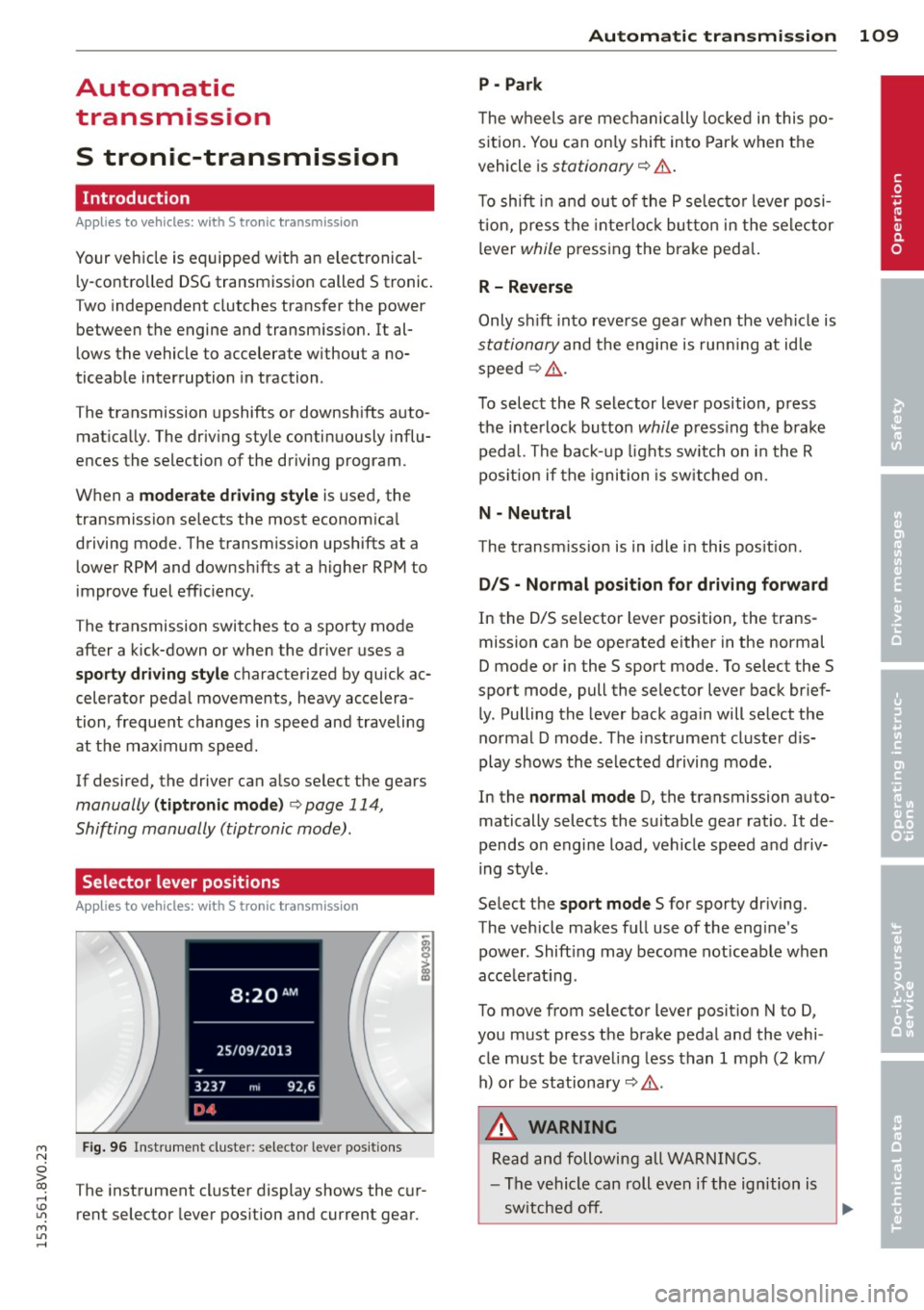
Fig. 96 Instrument cluster: selector leve r positions
The instrument cluster display shows the cur
rent selector lever position and current gear.
Automatic transmission 109
P -Park
The wheels are mechanically locked in this po
sition. You can only shift into Park when the
vehicle is
stationary r=> &..
To shift in and out of the P selector lever posi
tion, press the interlock button in the selector
lever
while pressing the brake peda l.
R- Reverse
Only shift into reverse gear when the vehicle is
stationary and the engine is running at idle
speed
r=> &. .
To select the R selector lever position, press
the interlock button
while press ing the brake
pedal. The back-up lights sw itch on in the R
pos ition if the ignition is switched on .
N -Neutral
The transm iss ion is in idle in this position .
DIS -Normal position for driving forward
In the D/S selector lever position , the trans
mission can be operated either in the normal
D mode or in the S sport mode. To select the S
spor t mode, pull the selector lever back brief
ly. Pulling the lever back again will select the
normal D mode . The instrument cluster dis
play shows the selected driving mode.
In the
normal mode D, the transmission auto
matically selects the suitable gear ratio . It de
pends on engine load, vehicle speed and driv
ing style .
Select the
sport mode S for sporty driving .
The vehicle makes full use of the eng ine's
power. Shift ing may become noticeable when
acce lerat ing.
To move from selector lever position N to D,
you must press the brake pedal and the vehi cle must be traveling less than 1 mph (2 km/
h) or be stationary~ &.-
.&_ WARNING
Read and following all WARNINGS.
- The vehicle can roll even if the ignition is
switched off.
~
•
Page 113 of 310

....,
N
ci > co
rl I.O
"' ....,
"' rl
position longer than approximately 2 seconds
when the brake pedal is not pressed.
Interlock button
The interlock button in the selector lever han
dle prevents you from moving the selector
l eve r inadvertently while in some selecto r lev
er positions. The positions that require the in
terlock button to be pressed are marked in
color in the illustration
c::;, fig. 97.
Ignition key safety interlock*
You can only remove the key from the ignition
after switching the ignition off if the se lector
lever is in the P position. The selector lever
will be locked in the P position as long as the
key is not in the ignition .
A WARNING
Read and following all WARNINGS. c::;, &. in
Selector lever positions on page 109.
{D) Tips
- If the selector lever does not engage,
there is a malfunction. The engine is dis
abled to prevent the vehicle from driving
off unintentionally . Press the brake pedal
briefly to allow the selector lever lock to
engage again.
- If the vehicle does not move forward or
i n reverse even though a drive position is
se lected, proceed as follows:
- > If the veh icle does not move in the de
sired direction, the system may not have
engaged the dr ive position correctly.
Press the brake pedal and select the
drive position again.
- >If the vehicle still does not move in the
desired direction, there is a system mal
function. See an authorized Aud i dea ler
or authorized Audi Service Facility for as
sistance to have the system checked.
Autom atic transm ission 111
Driving tips
Applies to veh icles: w it h S tronic transm iss ion
T he transmission shifts up and down auto
matically when in the driving gears.
Fig. 98 Section of the center co nsole: Selector lever
w ith interlock b utto n
The engine will only be able start when these
lector lever is in the P or N positions. At low
temperatures (below 14 °F (-10 °C)), the en
gine can only be started when the selector
lever is in the P position.
Starting from a stop
.,. Press and hold the brake pedal.
.,. Press and hold the interlock button in the
selector lever handle, select the desired se
lector lever position such as D
c::;, page 109
and re lease the lock button.
.,. Wait a moment until the transmission
shifts . Yo u will notice a slight movement
when the gear engages.
... Release the brake peda l and press the accel
erator pedal
c::;, .&_ .
Stopping temporarily
.,. Keep the vehicle stationary using the brak
ing pedal, for example at traffic lights.
.,. Do not press the accelerator peda l when do
ing this.
.,. To prevent the vehicle from ro lling when you
start driving, set the parking brake when
stopping on steep inclines
c::;, .&_ .
.,. The parking brake will release automat ically
and the vehicle will start moving once you
press the acce lerator pedal. Requ irement:
The driver's safety belt must fastened and
the driver's door must be closed.
IJll,,