2015 AUDI S3 warning lights
[x] Cancel search: warning lightsPage 49 of 310

....,
N
0 > co
rl I.O
"' ....,
"' rl
Aud i adapti ve lig ht*
The adaptive light on ly functions when the
light switch is in the AUTO position. You can
deactivate adaptive light in the MMI
c:> page
48.
When switched on, adapt ive light adjusts to
curves depending on the vehicle speed and
steering whee l ang le. This provides better
l ighting through the curve . The system op er
ates in a speed range from approximately
6 mph (10 km/h) to 68 mph (110 km/h).
St atic corner ing li ght * (vehicles with adaptive
l ight) -th e corne ring light switches on auto
matically when the steering whee l is tu rned at
a cert ain angle a t speeds up to approximately
44 mph (70 km/h) and when the turn signal is
activated at speeds up to approximately
25 mph (40 km /h). The area to the s ide of the
ve hicle is il luminated better when turning .
Spee d d epen de nt ligh t dist rib uti on* -The
speed dependent light distribution adapts the
light in towns and on highways or express
ways . Inte rsect io ns can also be illuminated on
veh icles w ith a navigation system* .
Highway light function*
(Vehicles with adaptive light or L ED head
lights) -This function adapts the light ing for
h ighway driving based on vehicle speed .
A WARNING
-Automatic headligh ts* are only intended
to assist the dr iver. They do not re lieve
the driver of responsibility to check the headlights and to turn them on manua lly
according to the current light and visib ili
ty conditions. For example, fog cannot be detected by the light sensors. So al
ways switch on the low beam under
these weather conditions and when driv ing in the dark
io .
-Acc idents could occur if you cannot see
the road ahead of you well and if othe rs
on the road cannot see you. Always
swit ch you r headlights on so that you can Ligh
ts and Visi on 4 7
see the road ahead of you and ot hers can
see your vehicle from behind.
- Please observe legal regulations when
using the lighting systems described.
(D Note
The rear fog lights shou ld only be turned
on in accordance with traffic regu lations,
to prevent glare for traffic behind your ve
hicle.
(D Tips
- The light sensor for the automatic head
lights * is in the rearview mirror mount.
Therefore, do not place any stickers in
this area on the windshield .
- Some functions of the exterior lighting
can be adjusted
c:> page 48.
-If you turn off the ignition while the ex
terior lights are on and open the door,
you will hear a warning tone.
- The tail lights do not switch on when the
daytime running lights switch on.
- In cool or damp weather, the inside of
the headlights, turn signals and tail
lights can fog over due to the tempera
ture difference between the inside and
outside . They w ill clear shortly after
switching them on . This does not affect
the se rvice life of the lighting.
- A message w ill appear in the instrument
cluster if there is a malfunction in the
light senso r
c:> page 25.
Emergency flasher
Fig. 34 In str umen t pa nel: em erg ency fla sher button
Page 50 of 310

48 Lights and Vision
The emergency flashers ma kes other drivers
aware of your ve hicle in dangero us situations .
... Press the~ button to sw itch the e mergency
flashers on o r off.
You can indicate a lane change or a tu rn whe n
the eme rgency flashers are sw itched on by us
ing the turn sign al lever. The eme rgency flash
e rs stop temporarily .
The emergency flashers also work when the ignit io n is tu rned off.
(D Tips
You should switch the em ergency f lashe rs
on if:
- You are the last ca r in a traffic jam so
that all o ther veh icles app roach ing from
behind can see you, or if
- Your vehicle has broken down o r you are
having an eme rgency, or if
- Your vehicle is being towed or if you a re
tow ing another vehicl e.
Turn signal and high beam lever
The lever operates the turn signals, the high
beams and the headlight flasher .
Fig. 35 Turn sig na l an d high beam leve r
Turn signals ¢¢
The tu rn s ignals activate when you move the
l eve r into a turn s ignal pos ition when the ign i
tion is switche d on.
@ -Turn sig nal
@ -Turn signal
The turn s ignal blinks three times if yo u tap
the lever (conven ience turn signal).
High beams and headlight flasher [D
Move the lever to t he corres po nding po sitio n:
@ -high b eams on
© -high beams off or headlight flasher
The
II indicator light in t he inst rument cl us
te r turns on .
A WARNING
High beams can cause glare for other driv
e rs, which increases the r isk of an acci
dent. For this reason, on ly use the h igh
beams o r the headlight flasher when they
will not create glare for o ther drivers .
Adjusting the exterior lighting
The settings are adjusted in the MMI.
... Select: the I MENU I> Car > Systems * control
button
> Vehicle sett ings > Exterior light
ing .
Automatic headlights
You can adjus t the following se tt ings in the
Automatic headlights menu :
Activation time : -Yo u can ad just if the head
li gh ts sw itch on
early , medium or la te ac co rd
ing to the sens it iv ity o f the lig ht senso r.
Audi adaptive light * -you can switch adaptive
li gh t
on and off .
Coming home, Leaving home*
The coming home function illuminates the
area o utside the vehicle whe n you tu rn the ig
nition off and open the d river 's doo r. T o turn
t h e fun ction on , se lect
Lights when leaving
car > on .
The leaving home illum inates the area outs ide
the ve hicl e when you un lock the vehicl e. T o
tu rn t he fun ct ion on, se lect
Light s when un
locking car > on.
The coming home a nd leav ing home funct ions
only operate when it is dark and the light
swit ch is in the
AUTO posi tion.
Page 54 of 310

52 Lights an d Vi sion
Removing the wip er blad e
.,. Fold the w indshield wiper arm away from
the windshie ld .
.,. Press the locking knob
(D ¢ fig. 41 on the
wip er blade . Hold th e wiper blade f irm ly.
.,. Remove the wipe r blade in the direction of
t he arrow.
In stall ing t he wip er blade
.,. Inse rt the new wipe r blade into the mount
on the w iper arm @ until you hear it latch
into place .
.,. Place the wiper arm back on the windshie ld.
.,. Tu rn the serv ice position off.
_& WARNING
For safety reasons, the windshield wiper
blades should be replaced once or twice
each year.
Q) Note
- The w indshield wiper blades must only
be folded away when in the serv ice posi
tion . Otherw ise, you risk damag ing the
paint on the hood or the windshield wip
er motor.
- You should not drive your veh icle or
press the w indshield w iper lever when
the wiper arms are folded away from the
winds hield. The w indshie ld w ipers would
move back into their original position
and could damage the hood and wind
shield.
- To prevent damage to the windshield
washer system, always loosen wiper
blades that have frozen to the wind
s h ield before turning the wipers on.
- To prevent damage to the wiper blades,
do not apply gasoline, petroleum, thin
ning agents or other solvents on the wip
er blades or near them.
- To prevent damage to the wipe r arms or
other components, do not try to move
the windshie ld w ipers by hand .
-
(D Tips
-Commercial hot wax such as the types
used by car washes make it more d ifficult
to clean the windshie ld.
- You can also use the service position, for
example, if you want to protect the
w indshield from icing by using a cover.
- Yo u cannot activate the serv ice position
when the hood is open .
Outside mirror
Adjusting the exterior mirrors
F ig. 42 Drive r's doo r: kno b fo r th e exte rior mir rors (ex
amp le)
T urn the knob to the des ired posit ion:
q;p -In this pos ition, yo u can adjust the
dr iver's and front passenger's exterior m irrors
by turning the knob in the desired direction .
Cffil -The mirrors are heated* depend ing on the
outside temperature and dr iv ing speed .
8 - The ex ter ior m irrors are folded in*.
Front passenge r's ex terior mirror tilt
function*
To he lp you see the curb when backing into a
parking space , the surfa ce of the mirror can
be tilted s light ly. The knob mus t be in the
P pos ition for this to happen .
You can adjust the tilted mir ror surface by
turning the knob in the desired direction.
When you move ou t of reverse and into ano th
er gear, the new m irror position is stored and
ass igned to the key you are using. .,.
Page 55 of 310

....,
N
0 > co
rl I.O
"' ....,
"' rl
The mirror goes back into its original position
once you drive forward faster tha n 9 mph
(15 km/h) or turn the ign ition
off .
Folding mirr ors in and out
To fold the mirrors i n w ith the knob, turn the
knob in the
&l pos it ion .
To fold the m irrors out, turn the knob in the
q or
P or O position.
You can set in the MMI if the mirrors should
fold in when locking the vehicle or not
~ page 40 . When you lock the vehicle, the
m irrors fold in . When you start the ignit ion,
the mirrors fold out .
_& WARNING
Curved mirror surfaces (convex or asphe
ric*) enlarge the field of vision. However,
they make objects in the mirror appear sma ller and farther away. Your may est i
mate incorrectly when you use these m ir
rors to gauge your d istance from the
vehicles behind you when changing lanes -
accident risk!
(D Note
- For vehicles with power folding exterior
mirrors*: If the m irror housing was
moved by outside forces (such as an im
pact when maneuvering), you must use
the power folding function to fold the mir ror a ll the way out. You will hear a
l oud noise when the mi rrors are latched
back in place. The mirror housing must
not be moved back into place by hand
because this would affect the mirror
mechan ism.
- Applies to vehicles witho ut power fold
i ng exterior mirro rs:
If the mirror hous
ing was moved by outside forces (s uch as
i n impact d uring maneuvering), you
must move the mirror housing back into
place by hand.
- If you wash the vehicle in an automatic
car wash, you must fold the exterior m ir
rors in to reduce the r isk of damage to
the mi rrors. Never fold power foldi ng ex-
-
Ligh ts and Visi on 5 3
terior mirrors by hand . On ly fold them in
and out using the power controls.
a) Tips
If t h e power ad justmen t fa ils, bot h mir
rors can be adjusted by hand by pressing
on the edge of the mirror surface.
Dimming the mirrors
Your vehicle is equipped with a manual or au
tomatic* dimming reorview mirror.
F ig. 43 Auto mat ic d immin g rea rv iew mi rror *
Manu al dimming rear view mirror
.,. Pull the lever on the bottom of the mirror
back.
Automat ic dimming rearview mirror*
.,. Press the b utton @. The indicator light @
turns on. The rearview and driver 's exterior*
m irrors dim automatically when light shines
on them, for example from headlights on a
veh icle to the rear.
A WARNING
Elect ro lyte fluid can leak from automatic
d imm ing mirro rs if the glass is b roken .
E lec tro lyte fluid can irr itate skin, eyes and
a ir ways.
- Repeated or long-te rm expos ure to elec
trolyte fluid can lead to irritat io n of the
a irways, especially in peop le w it h asthma
or other resp iratory co ndit ions . T a ke
deep breaths immediately after leaving
the vehicle or, if this is not possib le,
open all of the doors and windows as
wide as possible.
Page 80 of 310

78 Driving
must use more force to steer or brake
the vehicle. Because the usual steering
and braking capability is not available,
the risk of accidents or injuries increases .
- Avoid high engine speed, full throttle,
and heavy engine load as long as the en
gine has not reached operating tempera
ture yet. You could damage the engine .
- The engine cannot be started by pushing
or towing.
@ For the sake of the environment
Do not let the engine run while parked to
warm up. Begin driving immediately. This
reduces unnecessary emissions.
{D) Tips
- After starting a cold engine, there may
be a brief period of increased noise be
cause the oil pressure must first build up in the hydraulic valve adjusters. This is
normal and not a cause for concern .
- If the . indicator light blinks in the in
strument cluster before switching the ig
nition off, the ignition will not switch on
again.
9 page 193
- If you leave your vehicle with the ignition
switched on, the ignition will switch off
after a certain amount of time. Make
sure that electrical equipment such as
the exterior lights are switched off.
Turning the engine off using the button
Applies to vehicles: with conven ience key
• Bring the vehicle to a full stop.
• Move the selector lever into the P position .
• Press the
I START ENGIN E STOPI button
9page 77, fig. 71 .
Steering lockll
The steering locks when you turn the engine
off using the
I START E NGIN E STOP t* button,
l) Thi s fun ction is not available in all c oun tries.
move the selector lever into the P position
and open the driver's door.
The locked steering helps prevent vehicle
theft .
Emergency off function
If it is absolutely necessary, the engine can al
so be turned off while driving at speeds lower
than 6 mph (10 km/h). If you press the
I STAR T ENGINE ST OPI* button while driving,
the message
Pressing start/stop button
again will switch off engine!
appears. To
switch the engine off, press the
I S TAR T ENGINE ST OPI* button twice in a row
briefly or press and hold for longer than two
seconds.
A WARNING ~
- Never turn off the engine before the ve- hicle has come to a complete stop . The
full function of the brake booster and the
power steering is not guaranteed . You
must use more force to turn or brake if
necessary. Because you cannot steer and
brake as you usually would, this could
lead to crashes and serious injuries.
- Please note that the brake booster and
power steering only work when the en
gine is running. When the engine off, you
must use more force to steer or brake
the vehicle. Because the usual steering
and braking capability is not available,
the risk of accidents or injuries increases.
- Always take the vehicle key with you
when leaving the vehicle, even for a
short period of time. This applies partic
ularly when children remain in the vehi
cle . Otherwise the children could start
the engine or operate electrical equip
ment such as power windows.
- For safety reasons, always park the vehi
cle with the selector lever in the P posi
tion. Otherwise, there is the risk that the
vehicle could roll.
Page 83 of 310

M N
0 > co ,...., \!) ..,.,
M ..,., ,....,
driving force has been built up at the
whee ls.
E mergenc y brake fun ction
An emergency braking funct ions ensures that
the vehicle can be slowed down even if the
normal brakes fail¢ page 82, Emergency
braking function .
A WARNING
-Do not press the accelerator pedal inad
vertent ly when the vehicle is stationary
and the engine is runn ing and a gear is
selected. Otherwise the vehicle will start
to move immediately and could result in a crash .
- If the power supply fa ils, the re leased
park ing brake can no longer engage. In
this case, par k the vehicle on level
ground and secure it by placing the se
lector lever i n the P pos ition. See an au
thori zed Aud i dea ler or a utho rized Aud i
Serv ice Facility for ass istance.
(D Note
I f the . or. (U SA mode ls) /. (Cana
da mode ls) indicato r light in t he instru
ment cluster blinks, there is a mal fun ct ion
in the brake system . Re fer to the detailed
description of the indicator lights
r=:>page 18.
-If the . (USA models) /. (Cana-
da models) or
Iii indicator light turns
on, there is a malfunct ion in the park ing
brake
r=:> page 19.
(D Tips
- If the electromechanical parking brake is
set wh ile the ignition is switched off, the
¢C)'A indicator light in the button and in
the instrument cluster dis- play . (USA models)
I. (Cana-
da models) w ill t urn off afte r a ce rtain
amount of time.
- If dr iver's door is opened while the ign i
tion is switched on, the parking b rake
sets automat ically. This prevents unin
tended ro lling of the vehicle .
Dri vin g 81
-Occasional noises when the pa rking
brake is set and released are normal and
are not a cause for concern.
- When the vehicle is pa rked, the park ing
brake goes through a self -test cycle at
regu lar interva ls. Any no ises assoc iated
w ith this are normal.
- If there is a power fa ilure, the park ing
brake will not set if it is released, and it
w ill not release if it is set
r=;, & . See a n
authorized Audi dealer or autho rized
Audi Service Facility fo r ass ista nce.
Parking
" Press the b rake pedal to stop the veh icle.
" Pull the switch @¢
page 80, fig. 73 to set
t he par king brake.
" Place the se lecto r lever in the P position .
.. Turn the engine off¢
A_.
"Tu rn the steering wheel when parking on in
clines so that the wheels w ill roll into the
curb if the vehicle starts moving.
A WARNING
- Always take the vehicle key w ith you
when leav ing the vehicle, even for a
short pe riod of time. This applies part ic
ularly when children rema in in the veh i
cle . Ot herwise children co uld s tart the
engine, release the pa rking brake o r op
erate electrical equipment such as power
windows, which increases the risk of an
accident.
- No one should remain in the vehicle
when it is locked, especially children.
Loc ked doors make it more difficult for
emergency workers to get into the ve hi
cle, which puts lives at risk.
•
Page 86 of 310

84 Driving
-For reasons of safety, cruise control
should not be used in the city, in stop
and-go traffic, on winding roads and
when road conditions are poor (such as
ice, fog, gravel, heavy rain and hydro
planing) -you could have an accident .
- Switch the cruise control off temporarily
when driving in turning lanes, highway
exits or in construction zones.
- Please note that unconsciously "resting"
your foot on the accelerator pedal pre
vents the cruise control from braking.
This is due to the control system being
overridden by the driver's acceleration.
- If there is a brake system malfunction
such as overheating when the speed
warning system is switched on, the brak
ing function in the system will be deacti
vated. The remaining speed warning sys
tem functions will remain active, as long
as the
B (USA models)/ ii (Canada
models) indicator light is on.
@ Tips
- The cruise control system is ideal for
stretches with speed limits. The driver is
responsible for adhering to the correct
speed.
- The cruise control remains active when
shifting gears.
- The brake lights turn on when the brakes
are activated.
Switching on
Applies to vehicles: with cr uise contro l system
0
f
~
0
Fig. 74 Opera ting lever: Cruise control system
.,. To switch the cruise control on, pull the lev
er into position
CD¢ fig. 74.
.,. Drive at the speed to be maintained.
.,. To store the speed, press the button @. The
B (USA models)/ ii (Canada models)
turns on in the instrument cluster.
Changing speed
Applies to vehicles: with cruise control system
.,. To increase or decrease the speed in incre
ments,
tap the lever in the 0 10 direction
<:;>page 84, fig. 74 .
.,. To increase or decrease the speed quickly,
hold the lever in the 010 direction until
the desired speed is reached.
Overriding the speed
You can press the accelerator pedal down to
increase your speed, for example if you want
to pass someone. The speed you saved earlier
will resume as soon as you release the acceler ator pedal.
If, however, you exceed your saved speed by 5
mph (10 km/h) for longer than 6 minutes, the
cruise control turns off temporarily. The
II
(USA models) / Bl (Canada models) indicator
light in the instrument cluster turns off and
the stored speed is retained .
Preselecting the speed
Applies to vehicles: with cruise control system
You can preselect your desired speed when
the vehicle is stationary .
.,. Switch on the ignition .
.,. Pull the lever into position
CD¢ page 84,
fig . 74.
.,. To increase or decrease the speed, tap the
lever in the
010 direction .
This function makes it possible, for example,
to save the speed you want before driving on
the highway . Once on the highway, activate
the cruise control by pulling the lever toward
CD-
Page 111 of 310
M N
0 > co ,...., \!) 1.1"1
M 1.1"1 ,....,
Automatic
transmission S tronic-transmission
Introduction
Applies to vehicles: with S tronic transmiss ion
Your vehicle is equipped with an electronical
l y -controlled DSG transmission called S tronic.
T wo independent clutches transfer the power
between the engine and transmission. It al
lows the vehicle to accelerate without a no
ticeable interruption in traction .
T he transmission upshifts or downshifts auto
matically. The driving style continuously influ
ences the selection of the driving program .
When a
moderate driving style is used, the
transmission selects the most econom ica l
driving mode. The transmission upshifts at a
lower RPM and downshifts at a higher RPM to
improve fuel effic iency .
T he transmission switches to a sporty mode
after a kick-down or when the driver uses a
sporty driving style characterized by quick ac
celerator pedal movements, heavy accelera
tion, frequent changes in speed and traveling
at the maximum speed.
If desired, the driver can also select the gears
manually (tiptronic mode) r=> page 114,
Shifting manually (tiptronic mode) .
Selector lever positions
Applies to vehicles: with S tro nic transmission
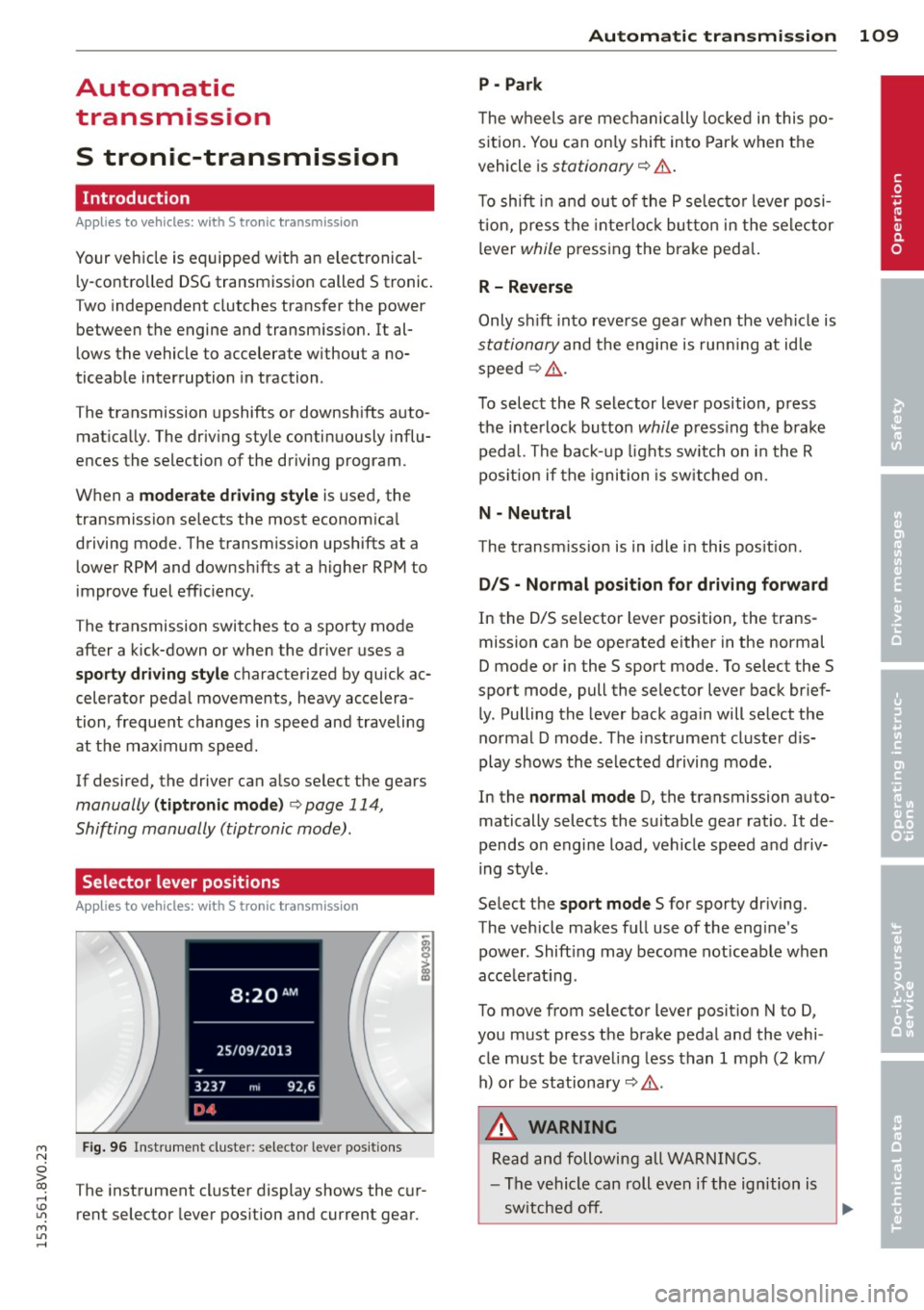
Fig. 96 Instrument cluster: selector leve r positions
The instrument cluster display shows the cur
rent selector lever position and current gear.
Automatic transmission 109
P -Park
The wheels are mechanically locked in this po
sition. You can only shift into Park when the
vehicle is
stationary r=> &..
To shift in and out of the P selector lever posi
tion, press the interlock button in the selector
lever
while pressing the brake peda l.
R- Reverse
Only shift into reverse gear when the vehicle is
stationary and the engine is running at idle
speed
r=> &. .
To select the R selector lever position, press
the interlock button
while press ing the brake
pedal. The back-up lights sw itch on in the R
pos ition if the ignition is switched on .
N -Neutral
The transm iss ion is in idle in this position .
DIS -Normal position for driving forward
In the D/S selector lever position , the trans
mission can be operated either in the normal
D mode or in the S sport mode. To select the S
spor t mode, pull the selector lever back brief
ly. Pulling the lever back again will select the
normal D mode . The instrument cluster dis
play shows the selected driving mode.
In the
normal mode D, the transmission auto
matically selects the suitable gear ratio . It de
pends on engine load, vehicle speed and driv
ing style .
Select the
sport mode S for sporty driving .
The vehicle makes full use of the eng ine's
power. Shift ing may become noticeable when
acce lerat ing.
To move from selector lever position N to D,
you must press the brake pedal and the vehi cle must be traveling less than 1 mph (2 km/
h) or be stationary~ &.-
.&_ WARNING
Read and following all WARNINGS.
- The vehicle can roll even if the ignition is
switched off.
~
•