2015 AUDI A7 S tronic
[x] Cancel search: S tronicPage 31 of 316

M N <( I.J "". rl I.O
"' rl
"' rl
Instrument s and warning /indicator lights 29
Adjusting the height
The height of the display can be a djus ted to
t he individual driver .
.. Make sure you a re seated cor rect ly
¢page 129.
.. Turn the knob~ to adjust the displ ay .
Settings in the MMI
.. Se lect: I CARI funct ion button > ( Car )* s ys
tems
control button > D river Assist > Head
up Display > Head-up Display content
or
Di splay brightne ss .
Display content
In the MMI, you ca n specify which information
should be displayed :
- Cruise contro l system*
- Navigatio n information*
- A udi adaptive cruise control *
- Audi a ct ive lane assist*
- Night vis ion assistant*
The speed display and some of the red indica tor lights cannot be hidden in the MMI.
Display brightness
You can ad just the display brightness in t he
MMI. The display brightness decreases auto
mat ica lly as the amount of light decreases.
The basic leve l of brightness is adjusted with
the ins trumen t illum ina tion ¢ page 47 .
(D Note
To prevent sc ratches on t he g lass covering
the Head-up Disp lay, do not place any ob
jects in the proj ection opening.
(D Tips
- Sung lasses w ith polar izat ion fi lters an d
unfavorable lighting condit ions can af
fect the display.
- A specia l w indshield is needed for the
Head-up Display funct io n.
- Fo r information on cleaning, refer to
¢ table on page 214.
On-Board Diagnostic
system (OBD)
Malfunction Indicator Lamp (MIL )
The Ma lfunction Indicator Lamp ( MIL ) ¢'4 in
the instr ument cluster is part of the On-Board
Diagnostic (OBD II) system .
T he wa rni ng/indicator light ill uminates when
the ignit io n is switched on and goes out after
the engine sta rts and the id le has stab ilized.
This indicates that the MIL is working proper
ly .
If the light does not go out afte r th e en gine
is started, or illuminates while you are dr iv
ing, a mal function may exist in the engine sys
tem.
If the lig ht illum inates, the catalyt ic con
verter could be damaged .
Contin ue driving
with reduced power (avoid
ing s ustained high speeds and/or rapid accel
erations) and have the cond ition corrected.
Contact your aut horized Audi dea ler.
If the light illuminates, the e lectronic speed
limiter may also be malfunct ioning . For more
information
c> page 30, Electronic speed
limiter.
An improperly closed fuel filler cap may also
cause the MIL light to illuminate
c> page 219.
On-Board Diagnostics
Fig. 1 6 Location o f Data Li nk Co nnector (D LC)
On-Board Diagnostics monitors the com po
nents of your emission cont ro l system. Each
monitored component in your engine system
Iii>-
Page 32 of 316

30 Instruments and warning /indicator lights
has been assigned a code. In case of a ma l
function, the component will be identified
and the fault stored as a code in the contro l
module memory.
The MIL light may a lso illuminate if there is a
leak in the on-board fue l vapor recovery sys
tem .
If the light illuminates after a refue lling,
stop the vehicle and make sure the fuel filler
cap is properly closed ¢
page 219.
In order to make an accurate diagnosis, the
stored data can only be displayed using spe
cial diagnostic equipment (generic scan tool
for OBD) .
In order to connect the special diagnostic
equipment, push the plug into the Data L ink
Connector (DLC). The DLC is located to the
right of the hood release¢
fig. 16.
Your authorized Audi dealer or a qualified
service station can interpret the code and per
form the necessary repair .
A WARNING
Do not use the diagnostic connector for
personal use . Incorrect usage can cause
malfunctions, which can increase the risk
of a coll ision!
Electronic speed limiter
-
Your veh icle may be factory equipped with
tires that are rated for a maximum speed of
130 mph (210 km/h). This is less than the
maximum speed of you r vehicle. To reduce the
risk of sudden tire failure and loss of control if
the vehicle is operated at excessive speeds,
your veh icle also has an electronic speed limit
er. The electronic speed limiter prevents your
vehicle from go ing faster than the tire speed
rating. For more informat ion ¢
page 260 .
If the engine control unit receives faulty vehi
cle road speed s ignals, the Malfunction Indi
cator Lamp (MIU
¢'4 will illuminate. If this
occurs, contact the nearest authorized Aud i
dealer for assistance. S models
Your
vehicle's top speed is elect ron icall y limit
ed to 155 mph (250 km/h).
If the engine control unit receives faulty veh i
cle roadspeed signals, the Malfunction Indica
tor Lam p (MIL)
¢'4 will illuminate . If this oc
curs, contact the nearest authorized Audi
dealer for assistance.
_& WARNING
-= -
Always observe the posted speed limits
and adjust your speed to suit prevailing
road, traffic and weather cond itions. Never
drive your vehicle faster than the maxi
mum speed rating of the tires installed .
Page 34 of 316

32 Opening and clo sing
Remov ing the mechanical key
Fig. 18 Remote control master key: remo vin g the me
ch ani cal key
> Press the release button @c::> fig. 18.
.. Pull the mecha nica l key @ out of the master
key.
Using the mechan ica l key, you can:
- lock and unlock the storage compartment
on the passenger's side
c::> page 61.
- lock and unlock the vehicle manually
<=>page 36.
-lock the front and rear passenger doors me
chanically
c::> page 37.
Master key battery replacement
Fig . 19 Remote mas ter key: Removing the batter y
ho lder
Ch eck light in the master ke y
The check light @in the master key provides
information about d ifferent cond itions .
.. The check light comes on briefly once when
a button is pressed , and during an "inquiry"
by the convenience key system .
> If the check light does not come on, the bat
tery is dead and has to be rep laced . In addi
t ion, when the battery is dead the
II sym
bol appears in the instrument cluster dis- play as well as the message:
Plea
se ch ange
key b attery.
Ma ster key battery replacement
• Pull the mechanical key out of the master
key
c::> page 32 .
.. Press the release button @ on the battery
holder and at the same time pull the battery
holder out of the master key in the direction
of the arrow .
.. Install the new battery CR 2032 with the
"+" sign facing down.
• Push the battery holder carefully into the
maste r key .
• Insta ll the mechan ica l key.
@ For the sake of the environment
D ispose of dead batteries properly so as
not to poll ute the environment.
(D Tips
The replacement battery must be the
same specification as the original.
Electronic immobilizer
The immobilizer helps to prevent unauthor
ized use of your vehicle .
A computer chip ins ide your key automatically
deactivates the electron ic immobilizer when
the key is inside the vehicle . When you remove
the key from the vehicle, the electron ic immo
bilizer is automatically ac tivated once aga in .
_& WARNING
-
A lways take the key with you when you
l eave the vehicle . T he key can disarm the
e lectronic engine immobilize r and permi t
an unauthorized person to start the engine
and enable operation of the vehicle sys
tems such as power window or power sun
roof leadi ng to serious personal injury.
(D Tips
- The vehicle cannot be started if an una u
thorized key is used . The vehicle may not
start if another radio device s uch as a key "'
Page 44 of 316

42 Opening and clo sing
• To select an intermediate position, press/
pull the switch forward/back to the first lev
el unti l the des ired pos it ion is reached .
@ Opening/sliding (v ers ion 2 )
• To open the s unroof complete ly, press the
swit ch back to jus t before the second level.
• To close the sunroof completely, press the
switch forward briefly to the second level
cc> & .
• To select an intermediate position, press/
pull the switch forward/back to the first lev
el until the desired pos it ion is reached.
The sun shade can be opened and closed by hand when the sunroof is closed. The solar
protection opens automatically when the sun
roof opens .
You can still close or open the sunroof for up
to ten m inutes after you have sw itched the ig
n ition off . The switch is deactivated once the
driver's or front passenger's door is opened.
A WARNING
Pay careful attention when clos ing the
sliding/ tilting sunroof- otherw ise ser ious
injury cou ld result! A lway s take the key
w ith you when leaving the vehicle.
(D Note
-
Always close your sliding/tilting sunroof
when leaving yo ur vehicle. Sudden rain can
cause damage to the inte rior equipment of
your veh icle, part icu larly the elec tronic
equipment.
@ Tips
The slid ing/tilt ing s unroof will only open
at temperatures above -4°F ( -20°().
Emergency closing of the sliding/tilting
sunroof
If the sunroof detects an object in its path
when it is closing, it will open again automati
cally. In this case, you can close the roof with
the power eme rgency closing function . •
Within five seconds after the sunroo f opens
automatically, pu ll the switc h until the roof
closes.
Garage door opener (Homelink)
Description
Appl ies to vehicles: with garage door opener (HomeLink)
F ig. 3 4 Garage door opener: examples of us ing w it h
d ifferent systems
You can activate various systems such as ga
rage doors, secur ity systems and home light
ing from inside your veh icle using the garage
door opener (Home link). There are three but
tons for this in the vehicle headliner that can
be in used in place of up to three hand-held
transmitters .
To operate systems us ing t he garage door
opener, the three buttons in the roof headlin
er must be programmed first.
A WARNING
-M ake sure no people or objects a re in the
i mmedia te v icin ity of the eq uipment w hen
using or p rog ramming the garage door
opener. People can be injured and objects
can be damaged if they are ca ught in the
equipment .
(D Tips
- For se curity re ason s, we recommend th at
you clear the programmed buttons be
fore selling the ve hicle .
- For add it iona l information about Home-
L ink, visit www .homelink .com. .,.
Page 63 of 316

M N <( I.J "". rl I.O
"' rl
"' rl
Front cupholder
• To open the cupholder, tap the cover
¢fig. 60.
Rear cupholder*
• To open the rear cupholder, press on the
symbol
'i @ ¢ fig. 61.
• To adjust the arm@, swing it in the direc
t ion of the arrow.
• Place the beverage in the holder and release
the arm. The arm swings back by itself and
automatically secures the beverage.
• To close the rear cup holder, press on the
center section between the two arms and
push the cupholder in the slot as far as it
will go .
& WARNING
Spilled hot liquid can cause an accident
and personal injury.
- Never carry any beverage containers with
hot liquids, such as hot coffee or hot tea,
in the vehi cle while it is moving . In case
of an accident, sudden braking or other
vehicle movement, hot liquid could spill,
causing sca lding burns. Spilled hot liquid
can a lso cause an accident and personal
injury.
- Use only soft cups in the cupholder . Hard
cups and g lasses can cause injury in an
accident.
- Never use the cupholder or adapter as an
ashtray -risk of fire.
(D Note
On ly drink containers with lids should be
carried in the cupho lder. Liquid could spill
out and damage your vehicle's e lectronic
equipment or stain the upholstery, etc.
Seats and storage 61
Cooled glove compartment
Applies to vehicles: w ith cooled g love compart men t
The cooled glove compartment only functions
when the AIC system is switched on .
Fig. 62 Glove compartment: sw it c h in g cooling mode
on/off
• Turn the knob@counterclockwise to switch
cooling on. The symbols on the knob indi
cate the correct position .
• Turn the knob @clockwise to switch cooling
off.
The glove compartment cooling mode only
functions when the vehicle A/C system is
switched on . If the heating is switched on,
switching the glove compa rtment cooling
mode off is recommended.
& WARNING ~ -
Always leave the lid on the glove compart
ment cover closed while driving to reduce
the r isk of injury.
Additional storage
There are a variety of storage compartments
and fasteners in various places in the vehicle .
- Storage compartments in the doors
- Compartment in the glove compartment
(coo led*) . Th e g love compartment can be
locked using the mechanica l key ¢
page 32.
-Storage compartment for (sun)glasses* in
the roof (near the interio r mirror)
- Storage compartments under the center
armrests
- Storage compartment on the rear side of
the front seat*. The compartment can hold a
maximum weight of 1 kg. ..,..
Page 91 of 316

Audi adaptive cruise control and braking guard 89
tachometer @and is also shown briefly in
the display @
c::> fig. 94.
.. You must also press the brake pedal when
the vehicle is stopped.
Switching adaptive cruise control off
.. Push the lever away from you into position
@ until it clicks into place. The message
ACC off appears.
@ Indicator lights
II-Adaptive cru ise contro l is switched on.
No vehicles are detec ted up ahead. The stored
speed is ma intained.
• -A moving vehicle is detected up ahead.
The adaptive cruise control system regulates
the speed and distance to the moving vehicle
ahead and acce lerates/brakes automatical ly.
fit -Adaptive cruise contro l is switched on. A
mov ing vehicle up ahead was detected. Your
vehicle remains stopped.
• -When automatic brak ing is not able to
keep enough distance to a previously detected
moving vehicle up ahead, you must take con
trol and brake
c::> page 91, Prompt for driver
intervention.
© Display
If adaptive cruise control is not shown in the
d isp lay, you can call it up with the multifunc
tion steering wheel buttons
c::> page 24.
Based on the symbols in the d isplay, you can
determine if the system is maintaining a dis
tance to the vehicle ahead and what that d is
tance is.
No vehicle -No veh icle ahead was detected .
White vehicle -A vehicle ahead was detected.
Red vehicle -Prompt for the driver to take ac
tion
c::> page 91.
Both arrow s on the scale© indicate the dis
tance to the vehicle ahead. No arrow appears
~ when the vehicle is on an open road and there <(
~ is no object ahead . If an object is detected
:;, ahead , the arrow moves on the scale .
"' ,....,
"' ,....,
The green zone on the scale shows the stored
distance. For information on changing the
stored distance, refer to
c::> page 90 . If the
distance selected is too close or may soon be
come too close, the arrows move into the red
zone on the sca le .
A WARNING
Improper use of the adaptive cruise con
trol can cause collisions, other accidents
and serious personal injur ies .
- Pressing the
!SET ! button when driv ing at
speeds below 20 mph (30 km/h), will au
tomatically accelerate the vehicle to 20
mph (30 km/h), which is the minimum
speed that can be set.
(D Tips
-If you switch the ignit ion or the adaptive
cruise control off, the set speed is erased
from the system memory.
- Th e elec tronic stab ilization control (ESC)
and the anti-slip-regulation (ASR) are au
tomatically turned on when the adaptive
cruise control is turned on. Both systems
cannot be turned off if the adaptive
cruise contro l is turned on.
Changing the speed
Applies to veh icles: with Audi adaptive cruise control
0
f
• 0
Fig . 95 Se lector lever: chang ing the speed
.. To increase or reduce the speed in incre
ments,
tap the lever up or down.
.. To increase or reduce the speed quickly,
hold
the lever up or down until the red LED @
reaches the desired speed
c::> page 88,
fig . 94.
~
Page 104 of 316

102 Audi drive select
Audi drive select
Driving settings
Introduction
Aud i d rive select mak es it possible to expe ri
ence diffe ren t types of vehi cle se ttin gs i n o ne
ve hicl e. The dr ive r can se lect th ree
Comfort ,
Auto and Dynamic modes in the M MI to
switch between a sporty and a comforta ble
driving mo de.
You c an a lso a djust the setti ng according to
your p re ferences in the
Individual mode . F o r
examp le, you ca n combine settings such as a
sporty en gine t uning with comfortab le steer
ing.
A WARNING
Improper use of the A udi drive select can
cause collisions, ot her acc idents and se ri
ous personal injury.
Description
The follow ing systems a re affected by dr ive
se lect:
Engine and transmission
Depending on the mode, the engine and the
tra nsmission respond quicker or in a more bal
a nced manner to acce lerator pedal move
men ts. I n the sporty dynamic mode, the
tra nsmission sh ifts at highe r RPMs.
Air suspension*
The adaptive air suspension/adaptive air sus
pe nsion sport*
(A ir suspension in the MMI) is
an e lec tronically con tro lled air suspens ion and
d ampi ng sys tem. Th ey are adjusted depe nd
ing on the se lected driving mode, the dr ive r's
steer ing, br aki ng and acceler ation inpu t and
the road s urface, ve hicle speed an d load . A
sporty se tting is generally use d in vehicl es
with a daptive ai r suspension s port* .
The vehicle clea rance v aries depe nd ing on the
se lec ted mode and the speed . T
he hig hway setting is act ivated automat ically
whe n you drive above 7 5 mph (120 km/ h) for
m ore than
30 seconds in the Auto or Dynamic
mode. The g ro und clearance is increased a uto
matically if the speed drops below
44 mph
(70 km/h) for more than 120 seconds .
Steering
The steering adapts in terms of steering effort
and steering ratios. Indirect steering that
moves easily, like the steer ing in comfort
m ode, is best suited to lo ng drives o n a hig h
way. In contrast, dynamic mode provides spo rty, direct steer ing .
The following applies to veh icles with dynamic
steering* : the steer ing rat io changes based on
vehicle speed in orde r to ma inta in optimum
stee ring effort for the dr ive r at all times . This
sets the stee ring to be less sens itive at h igher
speeds in order to provide improved vehicle
co ntrol. At reduced spee ds, howeve r, s teer ing
is mo re d ire ct in order to keep the stee ring ef
fort as minima l as poss ible when the drive r is
mane uve rin g the vehicle. At low and average
speeds, dynamic steering addit iona lly pro
vides more responsive steeri ng performance.
Sport differential*
As a component o f the all whee l dr ive system
(quatt ro)
¢ page 200, the Sport differential *
dist ributes t he d riving power to the rear ax le
depend ing on the sit uat ion . The distrib ution
of power var ies depending on the selected
mode, from balanced (comfo rt) to agile (dy
nam ic) . The goal is a h igh level of ag ility and
abili ty to acce lera te on curves . Th e veh icle is
very respons ive to stee ring.
Curve light*
The curve light adapts to driving on curves.
The pivoting act io n and the lighting are also
adapt ed to the mode.
Adaptive cruise control*
The behav ior when accelerating can be adjust
ed from comfortab le to sporty, depending on
the drive select mode . Adaptive cru ise contro l
also responds to the driv ing behavior o f the
IJI,,
Page 111 of 316
M N <( I.J "". rl I.O
"' rl
"' rl
Automatic Transmission
S tronic, tiptronic
Introduction
The automatic transmission is controlled elec
tronically. The transmission upsh ifts or down
shifts automatically depending on which drive
program is selected.
When a
moderate driving style is used, the
transmission selects the most econom ica l
driving mode. It will then change up early and
delay the downshifts to give better fuel econ
omy.
The transmission switches to a sporty mode
after a kick-down or when the driver uses a
sporty driving style characterized by quick ac
celerator pedal movements, heavy accelera
tion, frequent changes in speed and traveling
at the maximum speed.
If desired, the driver can also select the gears
manually (tiptronic mode) ¢ page 113.
Various automatic transmissions may be in
stalled, depending on the model :
S tronic transmission
The S tronic is a dual-clutch transmission.
Power is transferred using two clutches that
work independently from one another . They
replace the torque convert er used in conven
tional automatic transmissions and allow the
veh icle to accelerate without a noticeable in
terruption in traction.
tiptronic transmission
In the tiptronic transmission, power is trans
ferred by a torque converter .
Automatic Transmission 109
Selector lever positions
Fig. 118 D isp lay in the instrument clus te r: se le ctor
lever pos itio n
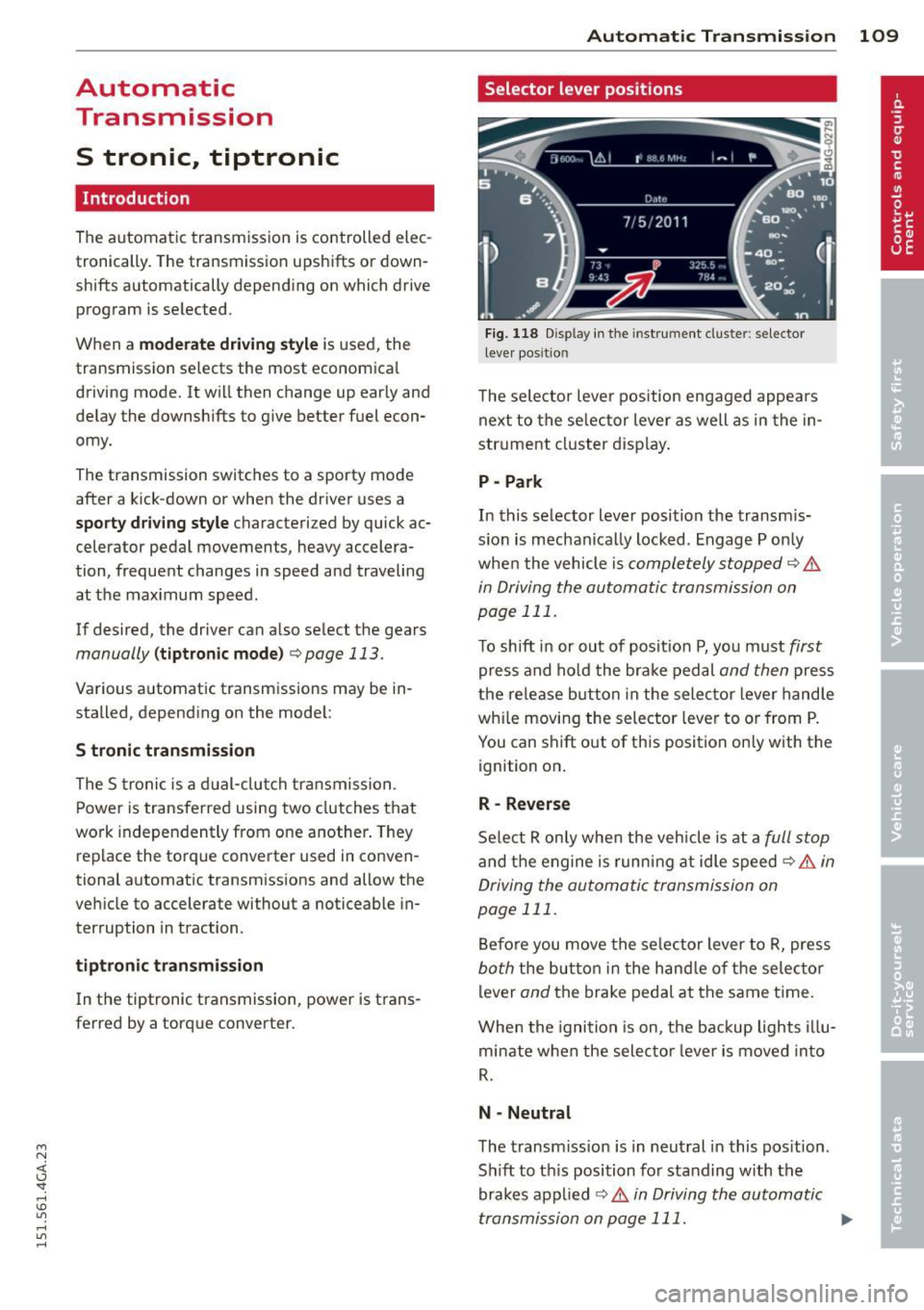
The selector lever position engaged appea rs
next to the selector lever as well as in the in
str ument cluster display.
P- Park
In this selector lever position the transm is
s ion is mechanica lly locked . Engage P only
when the vehicle is
completely stopped Q .&.
in Driving the automatic transmission on
page 111.
To shift in or out of posit ion P, you must first
press and hold the brake pedal and then press
the release button in the selector lever handle
whi le moving the selector lever to or from P.
You can shift out of this position on ly with the
ignit ion on .
R- Reverse
Select R only when the vehicle is at a full stop
and the engine is running at idle speed ¢.&. in
Driving the automatic transmission on
page 111.
Before you move the selector lever to R, press
both the button in the hand le of the selec tor
lever
and the brake pedal at the same t i me .
When the ignition is on, the backup lights illu
minate when the selector lever is moved into
R.
N -Neutral
The transmission is in neutral in this pos ition .
Sh ift to th is position for standing with the
brakes applied
¢.&. in Driving the automatic
transmission on page 111. ..,.