Page 100 of 545
99
uuIndicators uMulti-Information Display Warning and Information Messages
Continued
Instrument Panel
*1:On the left: Models with full color display
On the right: Models without full color display
Message
*1
Condition
Explanation
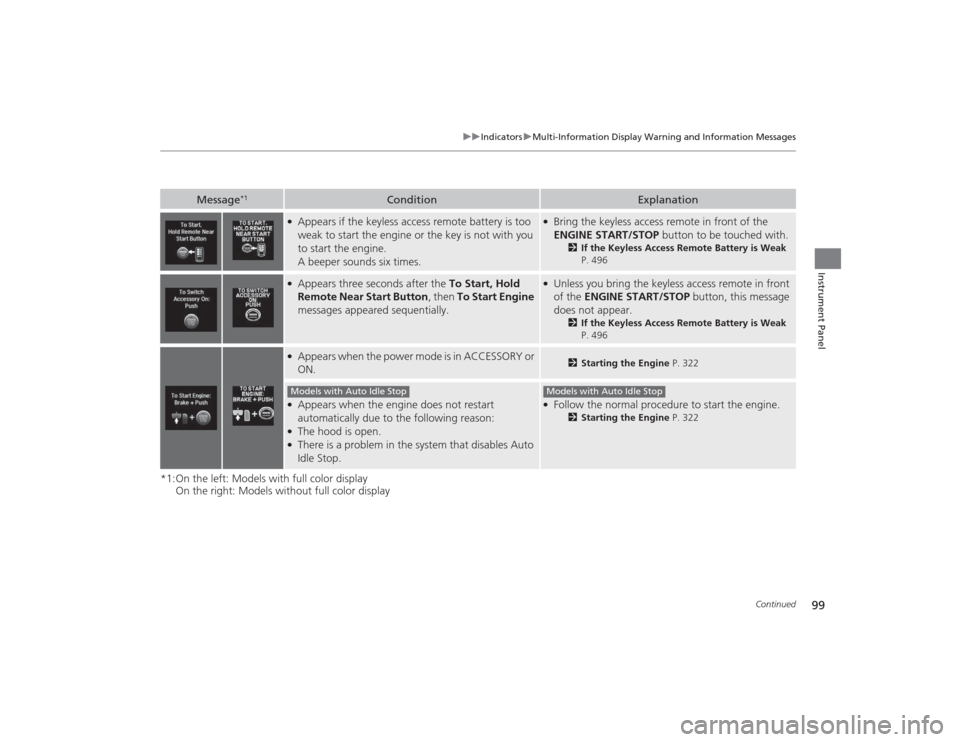
●Appears if the keyless access remote battery is too
weak to start the engine or the key is not with you
to start the engine.
A beeper sounds six times.
●Bring the keyless access remote in front of the
ENGINE START/STOP button to be touched with.
2If the Keyless Access Remote Battery is Weak
P. 496
●Appears three seconds after the To Start, Hold
Remote Near Start Button , then To Start Engine
messages appeared sequentially.
●Unless you bring the keyless access remote in front
of the ENGINE START/STOP button, this message
does not appear.
2 If the Keyless Access Remote Battery is Weak
P. 496
●Appears when the power mode is in ACCESSORY or
ON.
2 Starting the Engine P. 322
●Appears when the engine does not restart
automatically due to the following reason:●The hood is open.●There is a problem in the system that disables Auto
Idle Stop.
●Follow the normal procedure to start the engine.
2Starting the Engine P. 322
Models with Auto Idle Stop
Models with Auto Idle Stop
Page 102 of 545

101
uuIndicators uMulti-Information Display Warning and Information Messages
Continued
Instrument Panel
* Not available on all models*1:On the left: Models with full color display
On the right: Models without full color display
Message
*1
Condition
Explanation
●Appears when you try to change the gear position
without depressing the brake pedal.
●Depress the brake pedal, then select a shift button.
●Appears when you try to change the gear position
without releasing your foot off the accelerator
pedal.
●Release your foot off the accelerator pedal, then
select a shift button.
●Appears when the
(P
button is pressed while the
vehicle is moving.
●Appears if you change the gear position to
(R
while
the vehicle is moving forward, or to
(D
while the
vehicle is reversing.
●Make sure that the vehicle comes to a stop before
operating the select button.
—
●Appears if there is a problem with the e-
pretensioner system
*.
●Have your vehicle checked by a dealer.
●Appears when you set the power mode to ON
without fastening the driver’s seat belt.●Appears when you change the gear position after (P
has been automatically selected with the driver’s
door open, the driver’s seat belt unfastened, then
the brake pedal is released.
●Fasten the seat belt properly before you start to
drive.
2 Shift Operation P. 332
Models with electronic gear selector
Page 104 of 545
103
uuIndicators uMulti-Information Display Warning and Information Messages
Continued
Instrument Panel
*1:On the left: Models with full color display
On the right: Models without full color display
Message
*1
Condition
Explanation
●Appears if you press the ENGINE START/STOP
button to turn the engine off without the shift lever
in
(P
.
●Press the ENGINE START/STOP button twice after
moving the shift lever to
(P
.
●Appears when you try change to the shift position
other than
(P
with the driver’s door open.
●Moving the shift lever to
(P
If you leave the vehicle.
Models with shift lever
Page 106 of 545
105
uuIndicators uMulti-Information Display Warning and Information Messages
Continued
Instrument Panel
*1:On the left: Models with full color display
On the right: Models without full color display
Message
*1
Condition
Explanation
●Appears when the automatic brake hold system is
turned off.
2Automatic Brake Hold P. 400
●Appears when the automatic brake hold system
button is pressed without wearing the driver’s seat
belt.
●Fasten the driver’s seat belt.
2Automatic Brake Hold P. 400
●Appears when the automatic brake hold system
button is pressed without depressing the brake
pedal while the automatic brake hold system is in
operation.
●Press the automatic brake hold system button with
the brake pedal depressed.
2Automatic Brake Hold P. 400
●Appears when the parking brake is applied
automatically while it is in operation.
2Automatic Brake Hold P. 400
2 Parking Brake P. 396
Page 108 of 545
107
uuIndicators uMulti-Information Display Warning and Information Messages
Continued
Instrument Panel
Message
Condition
Explanation
●Flashes when the system senses a likely collision with a
vehicle in front of you.
●Take the appropriate means to prevent a collision (apply
the brakes, change lanes, etc.)
2 Collision Mitigation Braking System
TM (CMBS
TM)*
P. 404
2 Forward Collision Warning (FCW) with Pedestrian
Detection
* P. 365
2 Adaptive Cruise Control (ACC) with Low Speed
Follow (LSF)* P. 352
Models with FCW* Not available on all models
Page 110 of 545

109
uuIndicators uMulti-Information Display Warning and Information Messages
Continued
Instrument Panel
Message
Condition
Explanation
●Appears when the distance between your vehicle and
the vehicle ahead of you is too close while ACC with LSF
is in operation.
●ACC with LSF has been automatically canceled.
2 Adaptive Cruise Control (ACC) with Low Speed
Follow (LSF)
* P. 352
●Appears when pressing the RES/+/SET/– switch down
while the distance between your vehicle and the vehicle
ahead of you is too close.
●ACC with LSF cannot be set.
2 Adaptive Cruise Control (ACC) with Low Speed
Follow (LSF)
* P. 352
●Appears when pressing the RES/+/SET/– switch down
while the driver’s seat belt is unfastened.
●ACC with LSF cannot be set.
2 Adaptive Cruise Control (ACC) with Low Speed
Follow (LSF)
* P. 352
●Appears when pressing the RES/+/SET/– switch down
while the transmission is not in
(D
.
●ACC with LSF cannot be set.
2 Adaptive Cruise Control (ACC) with Low Speed
Follow (LSF)
* P. 352
Models with ACC with LSF* Not available on all models
Page 112 of 545
111
uuIndicators uMulti-Information Display Warning and Information Messages
Continued
Instrument Panel
Message
Condition
Explanation
●Appears when pressing the RES/+/SET/– switch down
while the vehicle is moving and the brake pedal is
depressed.
●ACC with LSF cannot be set.
2 Adaptive Cruise Control (ACC) with Low Speed
Follow (LSF)
* P. 352
●Appears if ACC with LSF is canceled while your vehicle
is automatically stopped by ACC with LSF.
●Immediately depress the brake pedal.
Models with ACC with LSF* Not available on all models
Page 114 of 545

113
uuIndicators uMulti-Information Display Warning and Information Messages
Continued
Instrument Panel
Message
Condition
Explanation
●Appears when the vehicle is driving out of a detected
line. The beeper sounds simultaneously.●Beeps and a warning display alert you that the vehicle is
drifting out of a detected lane.●Rapid vibrations on the steering wheel and a warning
display alert you that the vehicle is drifting out of a
detected lane.
●Keep the vehicle within the lane you are driving.●The color of either line changes from white to amber as
the vehicle gets closer to that side of the lane line.
●Blinks when you fail to steer the vehicle. The beeper
sounds simultaneously.
●Operate the steering wheel to resume the LKAS.
●Appears when the LKAS is in operation, or the LKAS
button is pressed, but there is a problem with a system
related to the LKAS. The LKAS cancels automatically.
The beeper sounds simultaneously.
●If any other system indicators come on, such as the
VSA ®, ABS and brake system, take appropriate action.
Models with LKAS
Models with LDW or models with RDM selected Warning onlyModels with RDM selected Normal or Wide


