Page 225 of 620
x OR: Press a point on the scale either side of the slider. The slider will then ? “jump” straight to the selected point.
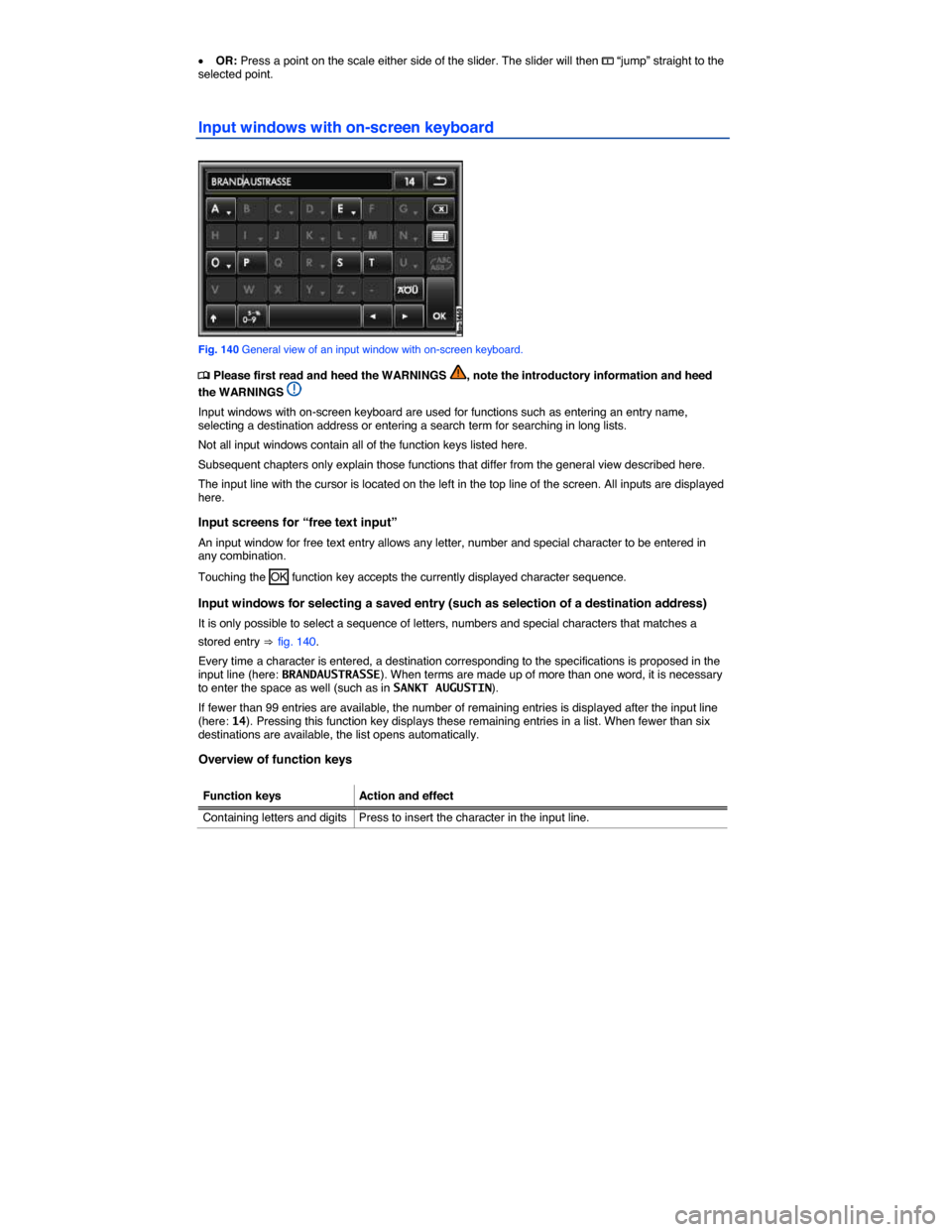
Input windows with on-screen keyboard
Fig. 140 General view of an input window with on-screen keyboard.
Page 226 of 620
233
Function keys Action and effect
Containing letters anda
Press and hold to open a pop-up window with special characters based on this letter. Press the desired character to enter it. Some special characters can also be written out (such as “AE” for “Ä”).
y
Pressing briefly highlights all function keys for which special characters are available. Press a function key to open the pop-up window to select a special character.
: Press to switch between upper and lower case.
; Press to open the input window for numbers and special characters or to go back to the letter input window. OR: A-Z
Press to enter a space.
Page 233 of 620
x In the Sound settings main menu, press the Dynaudio Confidence main menu.
Function key: Effect
Dynaudio Presets : Set sound profile and tone color.
Individual : Move slider ? to change setting for tone color.
Authentic , Soft , Dynamic , Speech : Press to select sound profile.
Surround : Set level of surround effect.
System settings
Page 234 of 620
241
Function key: Effect
Date format : Press to set format for displaying the date.
Resetting to factory settings
Resetting to the original settings will erase entered data, destinations and settings, depending on the selection made.
x Press Factory default settings in the System settings main menu.
x In the Factory settings selection menu, select the check boxes on the left of the entries that you want to delete.
x Press the Reset function key.
x Also accept the confirmation dialog with the Reset function key.
Music files stored on the unit's hard drive must be deleted manually
It is important that the correct date and time are set in the vehicle to ensure all Infotainment Systems work properly.
Display settings
Page 238 of 620
245
x Press the CAR Infotainment button.
x Tap the Settings function key on the screen.
Pressing the
Page 239 of 620
x OR: Tap the Settings and then tap the Service/inspection function key on the screen.
Display of current oil level and service messages
Pressing the
Page 250 of 620
Function key: Effect
Arrow Keys : Define the station selection for the arrow buttons
Page 263 of 620
x Press the F function key to open the current folder's parent folder (for example : F1).
The audio source and the folder currently opened are displayed in the title bar (in : SD card and folder F1.1).
Pressing the F function key several times switches from one folder to another until you reach the top selection level of the data media.
If only the name of a data medium is displayed in the title bar, this means the root directory of the data
media is opened ⇒ fig. 162.
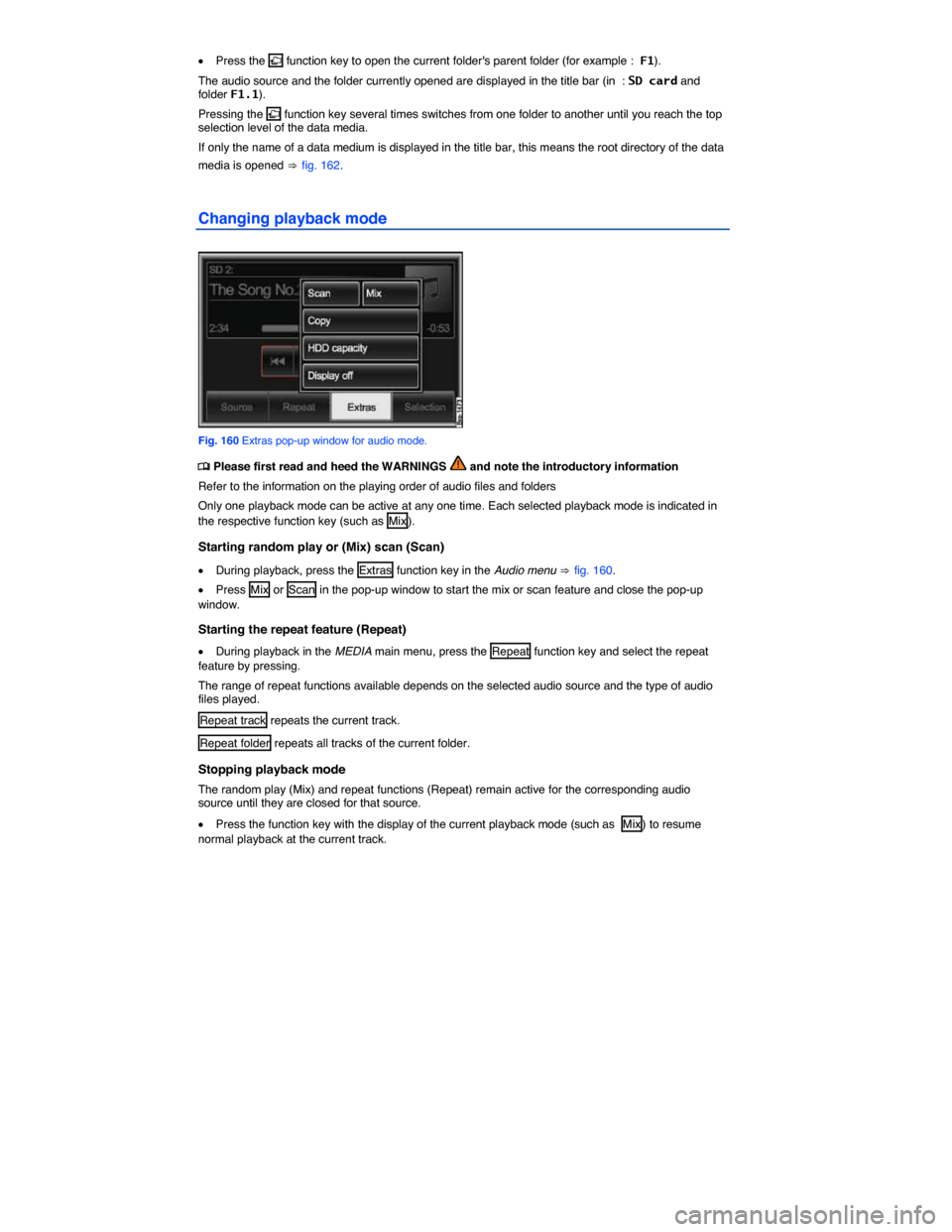
Changing playback mode
Fig. 160 Extras pop-up window for audio mode.