2014 VAUXHALL MOVANO_B climate control
[x] Cancel search: climate controlPage 98 of 201

96Climate control
Demisting and defrosting the
windows ■ Switch cooling n on.
■ Set temperature control to warmest
level.
■ Set fan speed to highest level.
■ Set air distribution control to V.
■ Switch on heated rear window Ü.
■ Open side air vents as required and
direct them towards door windows.
■ For simultaneous warming of the foot well, set air distribution control
to J.Electronic climate control
system
Controls for: ■ Temperature
■ Air distribution and menu selection
■ Fan speed
AUTO=Automatic modeu=air recirculationV=demisting and defrosting
Heated rear window Ü 3 33, Heated
seats ß 3 40.
The preselected temperature is
automatically regulated. In the
automatic mode the fan speed and air distribution automatically regulate the
air flow.
The system can be manually adapted by use of air distribution and air flowcontrols.
The electronic climate control system
is only fully operational when the
engine is running.
For correct operation do not cover the
sensor on the instrument panel.
Automatic mode Basic setting for maximum comfort:
■ Press AUTO button.
■ Open all air vents.
■ AC on.
■ Set desired temperature.
Temperature preselection
Temperatures can be set to the
desired value.
For reasons of comfort, change
temperature only in small increments.
Page 99 of 201
Climate control97
red=warmblue=cold
Heating will not be fully effective until
the engine has reached normal
operating temperature.
If the minimum temperature of 15 ℃
is set, the electronic climate control
system runs at maximum cooling.
If the maximum temperature of 27 ℃
is set, the electronic climate control
system runs at maximum heating.
Fan speed
The selected fan speed is indicated
with x in the display.
If the fan is switched off the air
conditioning is also deactivated.
To return to automatic mode: Press
AUTO button.
Demisting and defrosting the
windows
Press the V button.
Temperature and air distribution are
set automatically and the fan runs at
a high speed.
To return to automatic mode: press
button V or AUTO .
Air distribution
Press s or K repeatedly.
Arrows shown in the display indicate
the distribution settings.
Cooling
The air conditioning system cools and
dehumidifies (dries) when outside
temperature is above a specific level.
Therefore condensation may form
and drip from under the vehicle.
If no cooling or drying is required
press AC OFF to switch the cooling
system off, thus saving fuel.
Manual air recirculation mode
Operated with the u button.9 Warning
The exchange of fresh air is
reduced in air recirculation mode.
In operation without cooling the air humidity increases, so the
windows may mist up. The quality
of the passenger compartment air
deteriorates, which may cause the vehicle occupants to feel drowsy.
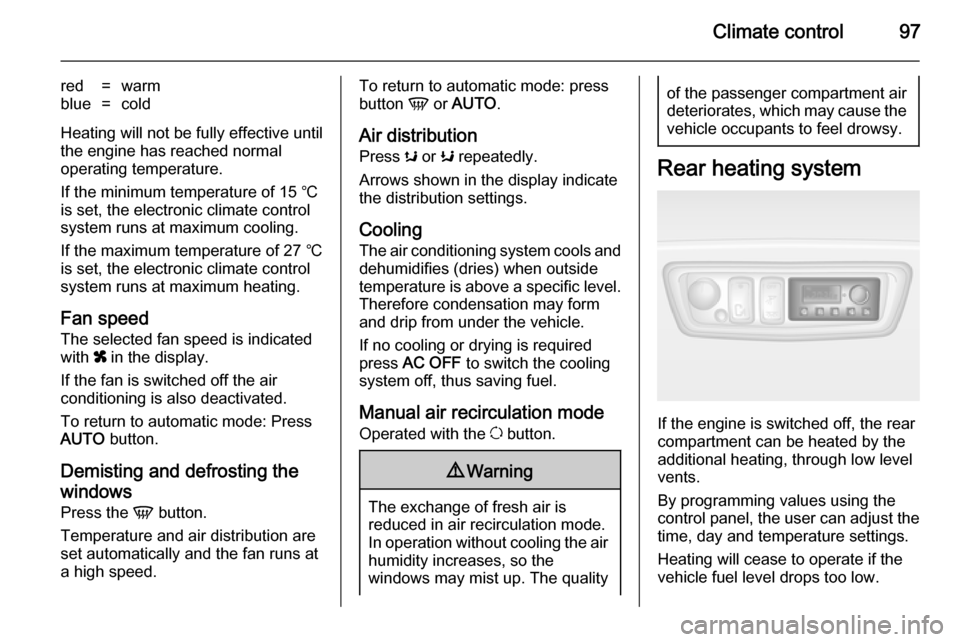
Rear heating system
If the engine is switched off, the rear
compartment can be heated by the
additional heating, through low level
vents.
By programming values using the
control panel, the user can adjust the
time, day and temperature settings.
Heating will cease to operate if the
vehicle fuel level drops too low.
Page 100 of 201

98Climate control
During operation, power from the
vehicle battery is used. For short
journey times, check the vehicle
battery regularly and recharge if
necessary.
To ensure efficient performance, the
low level air vents in the rear
passenger compartment must not be
obstructed.9 Warning
Do not operate the system when
refuelling, when dust or
combustible vapours are present
or in enclosed spaces (e.g.
garage).
Setting the time and day
Press button Ö until the time display
flashes.
If the vehicle battery supply has been
interrupted prior to its use press the
m or n button briefly to make the
time display flash.
Adjust the time using the m or n
buttons.
The time is set when the displayed
time stops flashing.
The display for the day will then flash: adjust the day using the m or n
buttons.
The day is set when the display stops
flashing.
The display will remain illuminated for approx. 15 seconds after the ignition
is switched off.
Operating the rear compartment
additional heating Press button Y to operate heating. Y
will appear in the display to indicate
that the heating is operating.
Changing the period for which
heating is operating With the heating switched off ( Y
extinguished in display), press m
button for briefly until the period for
which heating is provided flashes in
the display.
Use the m or n buttons to adjust
the heating duration. The duration is
set when the display extinguishes.Programming the heating mode
It is possible to store up to three
programmes which allow the heating
to be switched on.
Press P button the appropriate
number of times to select the desired
stored programme.
Press the m or n buttons briefly;
the programming time flashes in the
display.
Using the m or n buttons adjust to
the desired time, then, as soon as the
time display stops flashing, adjust the day using the m or n buttons.
The time and day are set when the
display stops flashing.
Recalling a programming mode To activate a stored programme,
press P button the appropriate
number of times until the
corresponding number appears on
the display.
Page 101 of 201
Climate control99
Neutral position or no stored
programme activated Press P button until their is no stored
programme number visible in the
display.
Adjusting the temperature To adjust the temperature of the
heating, turn the rotary knob located
on the control panel.Turn
clockwise=increase temperatureTurn anti-
clockwise=decrease temperature
Rear air conditioning
system
The rear air conditioning system is
actuated in conjunction with the front
passenger compartment air
conditioning system.
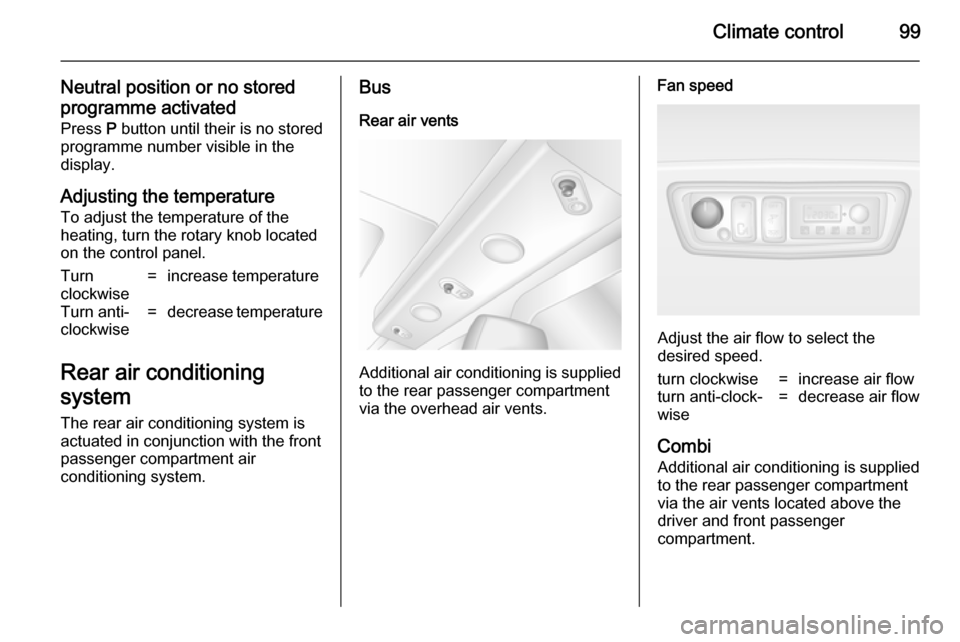
Bus
Rear air vents
Additional air conditioning is supplied
to the rear passenger compartment
via the overhead air vents.
Fan speed
Adjust the air flow to select the
desired speed.
turn clockwise=increase air flowturn anti-clock‐
wise=decrease air flow
Combi
Additional air conditioning is supplied to the rear passenger compartment
via the air vents located above the
driver and front passenger
compartment.
Page 102 of 201

100Climate control
With the front passenger
compartment air conditioning system
switched on, adjust the air flow to
select the desired speed.
Ensure the air vents are open when in use, to prevent ice forming in the
system due to lack of air movement.
Auxiliary heater
Coolant heater The Eberspächer engine-
independent, fuel-powered coolant heater provides rapid heating of the
engine coolant to enable heating of
the vehicle interior without the engine
running.9 Warning
Do not operate the system when
refuelling, when dust or
combustible vapours are present
or in enclosed spaces (e.g.
garage).
Before starting or programming the
system to start, turn the vehicle's climate control system to heat and the
air distribution to V.
Switch off when not required. Heating stops automatically after the
programmed runtime. It will also
cease to operate if the vehicle fuel
level drops too low.
During operation, power from the
vehicle battery is used. The driving
time should therefore be at least as
long as the heating time. For short
journey times, check the vehicle
battery regularly and recharge if
necessary.
To ensure efficient performance,
briefly operate the auxiliary heater
once a month.
Control units
The timer or remote control unit turns the system on and off, and is used to
programme specific departure times.Timer1 X
Activation
button=Switches the control
unit on/off and
changes displayed
information2 q Back
button=Selects functions in
the menu bar and
adjusts values3 Menu bar=Displays the
selectable functions
Y , x , P , Ö and Y4 r Next
button=Selects functions in
the menu bar and
adjusts values5 OK button=Confirms selection
Page 103 of 201
Climate control101
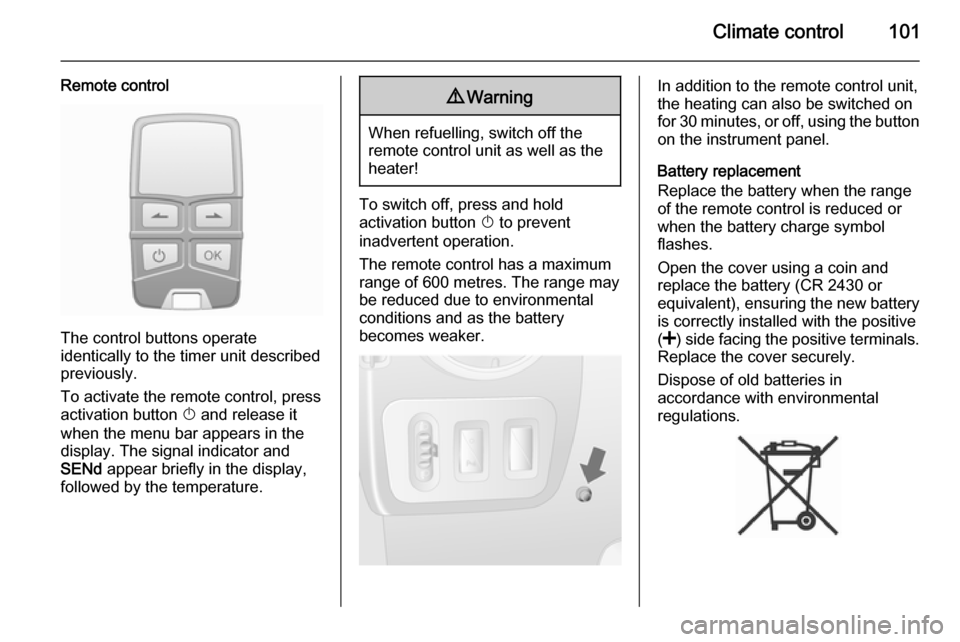
Remote control
The control buttons operate
identically to the timer unit described
previously.
To activate the remote control, press activation button X and release it
when the menu bar appears in the display. The signal indicator and
SENd appear briefly in the display,
followed by the temperature.
9 Warning
When refuelling, switch off the
remote control unit as well as the
heater!
To switch off, press and hold
activation button X to prevent
inadvertent operation.
The remote control has a maximum
range of 600 metres. The range may
be reduced due to environmental
conditions and as the battery
becomes weaker.
In addition to the remote control unit,
the heating can also be switched on
for 30 minutes, or off, using the button
on the instrument panel.
Battery replacement
Replace the battery when the range
of the remote control is reduced or when the battery charge symbol
flashes.
Open the cover using a coin and
replace the battery (CR 2430 or equivalent), ensuring the new battery
is correctly installed with the positive
( < ) side facing the positive terminals.
Replace the cover securely.
Dispose of old batteries in
accordance with environmental
regulations.
Page 104 of 201

102Climate control
Batteries do not belong in household
waste. They must be disposed of at
an appropriate recycling collection
point.
Remote control fault displayscobA=Poor signal –
adjust positionconP=No signal – move closerbALo=Battery low –
change batteryErr=System error –
consult workshopAdd,
AddE=System in learning
mode
Teach remote control
If the vehicle battery is reconnected, the LED in the instrument panel
button illuminates and the system
configures the remote control menu
automatically. If the LED flashes,
press OK button on remote control,
select Add or AddE and confirm.
Additional remote control units may
also be configured. Press the button
until LED flashes, switch on the
remote control, select Add and
confirm.
AddE teaches the current remote
control unit exclusively and blocks all
previously configured units. Add
teaches up to 4 remote control units,
but only one unit can operate the
system at any one time.
Operation
Heating Y
Select Y in the menu bar and confirm.
The predetermined heating duration,
e.g. L 30, flashes in the display. The
factory setting is 30 minutes.
To temporarily adjust the heating
duration, adjust with the q or r
button and confirm. The value can be
set from 10 to 120 minutes. Due to the power consumption, note the heatingduration.
To switch off, select Y in the menu bar
again and confirm.
Ventilation x
Select x in the menu bar and confirm.
The ventilation duration can be
accepted or adjusted. The duration
shown is accepted without
confirmation.To switch off, select x in the menu bar
again and confirm.
Programming P
Up to 3 preset departure times can be
programmed, either during one day or over one week.
■ Select P in the menu bar and
confirm
■ Select desired preset memory number 1, 2 or 3 and confirm
■ Select day and confirm
■ Select hour and confirm
■ Select minutes and confirm
■ Select Y or x and confirm
■ If necessary, adjust the runtime duration prior to departure andconfirm
The next preset memory number to
be activated is underlined and the
weekday is displayed. Repeat the
procedure to programme the other
preset memory numbers.
Pressing button X during the
procedure will exit without storing programme adjustments.
Page 105 of 201

Climate control103
To delete a preset departure time,
follow the steps for programming until
heating symbol Y flashes. Press
button q or r until oFF appears in
the display and confirm.
Heating stops automatically
5 minutes after the programmed departure time.
Notice
The remote control system features
a temperature sensor which
calculates the runtime according to
the ambient temperature and the
desired heating level (ECO or
HIGH). The system starts
automatically between 5 and
60 minutes prior to the programmed
departure time.
Set weekday, time and heating
duration Ö
If the vehicle battery is disconnected
or its voltage is too low, the unit will
need to be reset.
■ Select Ö and confirm
■ Select weekday and confirm
■ Change hours and confirm■ Change minutes and confirm
■ Change the default heating duration and confirm
Heating level Y
The preferred heating level for
programmed departure times can be set to either ECO or HIGH.
Select Y and confirm. ECO or HIGH
flashes in the display. Adjust using the q or r button and confirm.Air vents
Adjustable air vents
At least one air vent must be open
while cooling is on in order to prevent
the evaporator from icing up due to lack of air movement.
Centre air vents
Press the vent to open.
Direct the flow of air by swivelling the vent.
Push vent to close.