Page 5 of 201

Introduction3Vehicle specific data
Please enter your vehicle's data on
the previous page to keep it easily
accessible. This information is
available in the sections "Service and maintenance" and "Technical data"
as well as on the identification plate.
Introduction
Your vehicle is a designed
combination of advanced technology, safety, environmental friendliness
and economy.
This Owner's Manual provides you
with all the necessary information to
enable you to drive your vehicle
safely and efficiently.
Make sure your passengers are
aware of the possible risk of accident
and injury which may result from
improper use of the vehicle.
You must always comply with the
specific laws and regulations of the
country that you are in. These laws
may differ from the information in this Owner's Manual.When this Owner's Manual refers to aworkshop visit, we recommend your
Vauxhall Authorised Repairer.
All Vauxhall Authorised Repairers
provide first-class service at
reasonable prices. Experienced
mechanics trained by Vauxhall work
according to specific Vauxhall
instructions.
The customer literature pack should
always be kept ready to hand in the
vehicle.
Using this manual ■ This manual describes all options and features available for this
model. Certain descriptions,
including those for display and
menu functions, may not apply to
your vehicle due to model variant,
country specifications, special
equipment or accessories.
■ The "In brief" section will give you an initial overview.
■ The table of contents at the beginning of this manual and withineach section shows where the
information is located.■ The index will enable you to search
for specific information.
■ This Owner's Manual depicts left- hand drive vehicles. Operation is
similar for right-hand drive vehicles.
■ The Owner's Manual uses the factory engine designations. The
corresponding sales designations
can be found in the section
"Technical data".
■ Directional data, e.g. left or right, or
front or back, always relate to the
direction of travel.
■ The vehicle display screens may not support your specific language.
■ Display messages and interior labelling are written in bold letters.
Danger, Warnings and
Cautions9 Danger
Text marked 9 Danger provides
information on risk of fatal injury.
Disregarding this information may
endanger life.
Page 6 of 201
4Introduction9Warning
Text marked 9 Warning provides
information on risk of accident or
injury. Disregarding this
information may lead to injury.
Caution
Text marked Caution provides
information on possible damage to
the vehicle. Disregarding this
information may lead to vehicle
damage.
Symbols
Page references are indicated with 3.
3 means "see page".
Thank you for choosing a Vauxhall.
We wish you many hours of
pleasurable driving.
Your Vauxhall Team
Page 14 of 201
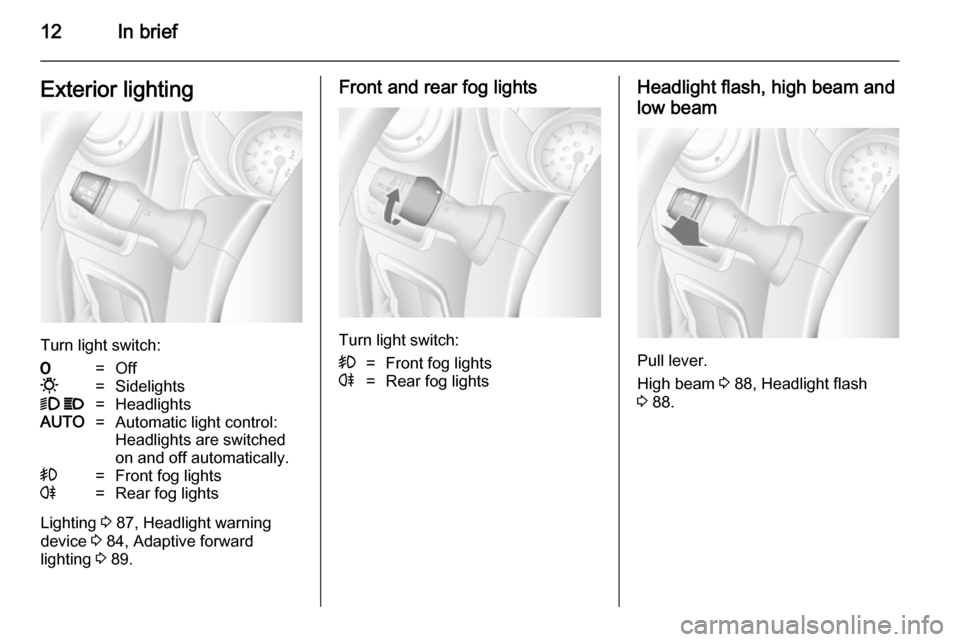
12In briefExterior lighting
Turn light switch:
7=Off0=Sidelights9 P=HeadlightsAUTO=Automatic light control:
Headlights are switched
on and off automatically.>=Front fog lightsr=Rear fog lights
Lighting 3 87, Headlight warning
device 3 84, Adaptive forward
lighting 3 89.
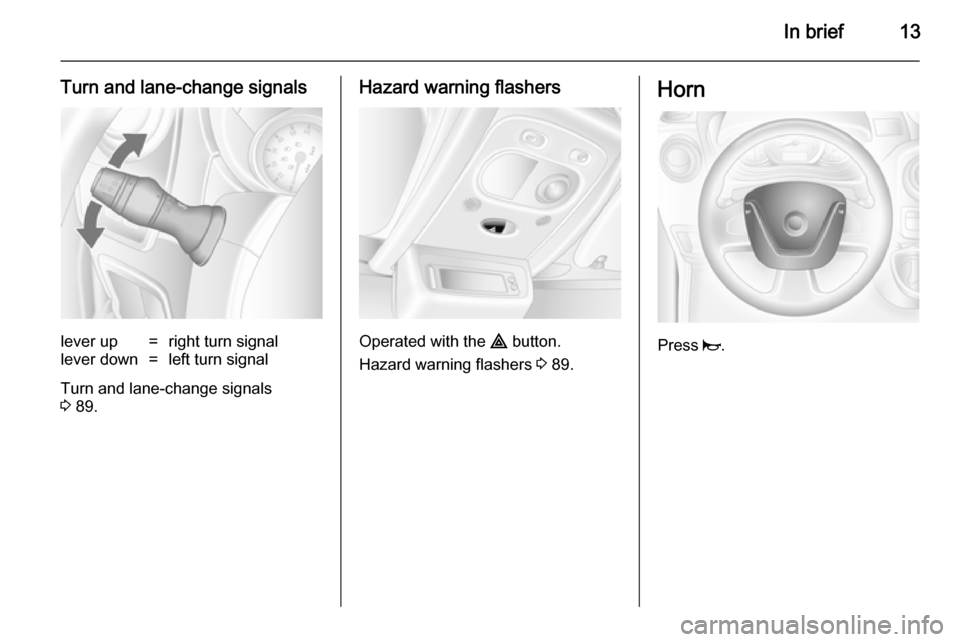
Front and rear fog lights
Turn light switch:
>=Front fog lightsr=Rear fog lightsHeadlight flash, high beam and
low beam
Pull lever.
High beam 3 88, Headlight flash
3 88.
Page 15 of 201
In brief13
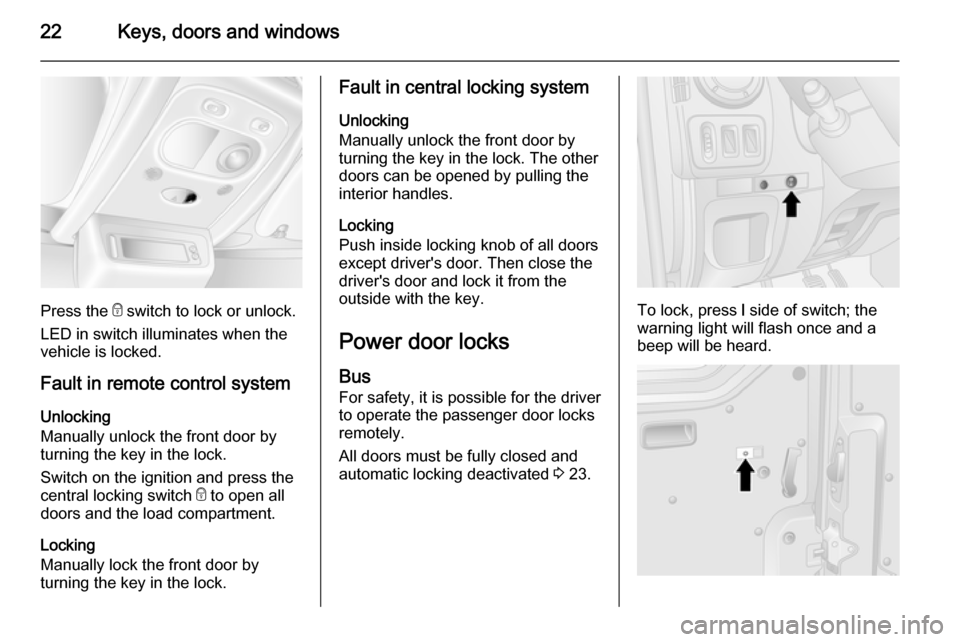
Turn and lane-change signalslever up=right turn signallever down=left turn signal
Turn and lane-change signals
3 89.
Hazard warning flashers
Operated with the ¨ button.
Hazard warning flashers 3 89.
Horn
Press j.
Page 20 of 201

18Keys, doors and windowsKeys, doors and
windowsKeys, locks ................................... 18
Doors ........................................... 24
Vehicle security ............................ 27
Exterior mirrors ............................ 30
Interior mirrors ............................. 31
Windows ...................................... 32
Roof ............................................. 34Keys, locks
Keys Replacement keys
The key number is specified in the
Car Pass or on a detachable tag.
The key number must be quoted
when ordering replacement keys as it
is a component of the immobiliser
system.
Locks 3 164.
Car Pass The Car Pass contains security
related vehicle data and should
therefore be kept in a safe place.
When the vehicle is taken to a
workshop, this vehicle data is needed
in order to perform certain operations.Radio remote control
Used to operate:
■ Central locking system
■ Anti-theft locking system
■ Anti-theft alarm system
Depending on model, the vehicle may use a 2-button or 3-button remote
control.
The remote control has a range of
approx. 5 metres. It can be affected
by external influences. The hazard
warning flashers confirm operation.
Page 24 of 201
22Keys, doors and windows
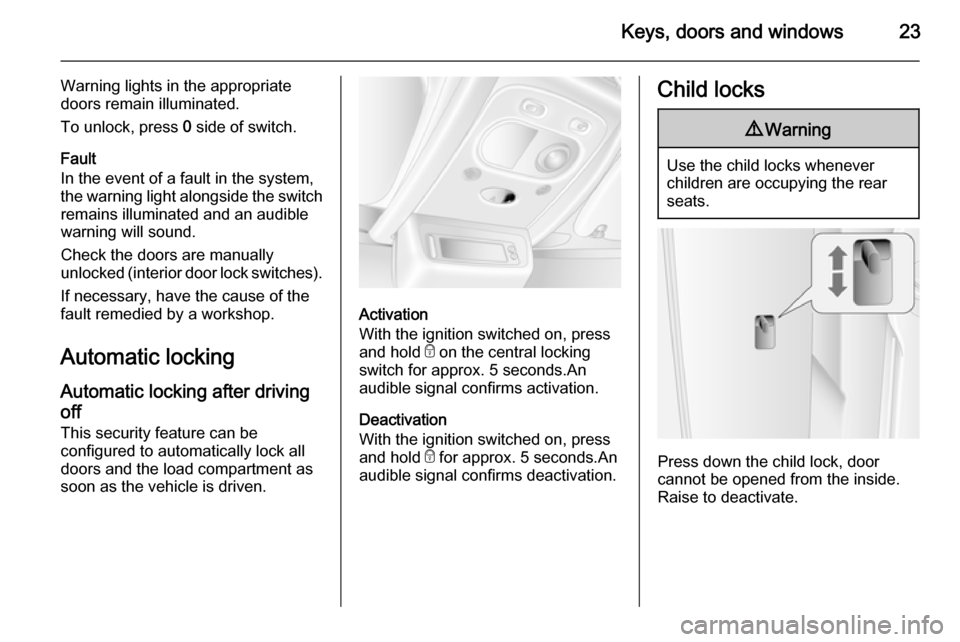
Press the e switch to lock or unlock.
LED in switch illuminates when the vehicle is locked.
Fault in remote control system
Unlocking
Manually unlock the front door by
turning the key in the lock.
Switch on the ignition and press the
central locking switch e to open all
doors and the load compartment.
Locking
Manually lock the front door by
turning the key in the lock.
Fault in central locking system
Unlocking
Manually unlock the front door by turning the key in the lock. The other
doors can be opened by pulling the
interior handles.
Locking
Push inside locking knob of all doors
except driver's door. Then close the
driver's door and lock it from the
outside with the key.
Power door locks
Bus For safety, it is possible for the driver
to operate the passenger door locks
remotely.
All doors must be fully closed and
automatic locking deactivated 3 23.
To lock, press l side of switch; the
warning light will flash once and a
beep will be heard.
Page 25 of 201
Keys, doors and windows23
Warning lights in the appropriate
doors remain illuminated.
To unlock, press 0 side of switch.
Fault
In the event of a fault in the system,
the warning light alongside the switch remains illuminated and an audiblewarning will sound.
Check the doors are manually
unlocked (interior door lock switches).
If necessary, have the cause of the
fault remedied by a workshop.
Automatic locking
Automatic locking after driving
off This security feature can be
configured to automatically lock all
doors and the load compartment as
soon as the vehicle is driven.
Activation
With the ignition switched on, press
and hold e on the central locking
switch for approx. 5 seconds.An audible signal confirms activation.
Deactivation
With the ignition switched on, press and hold e for approx. 5 seconds.An
audible signal confirms deactivation.
Child locks9 Warning
Use the child locks whenever
children are occupying the rear
seats.
Press down the child lock, door
cannot be opened from the inside.
Raise to deactivate.
Page 26 of 201

24Keys, doors and windowsDoors
Sliding door
Open and close the sliding side door
only when the vehicle is at a standstill with the parking brake applied. On
certain models, a warning chime will
sound when the sliding door is open
and the parking brake is released.
The sliding side door can be locked
from inside the vehicle with the
interior lock switch.
Ensure the side door is fully closed and secure before driving the vehicle.
Power sliding door
Opening
With vehicle at a standstill and the
parking brake applied, press switch
on instrument panel to open the
power sliding door automatically; the
LED in the switch flashes during
operation.
To stop movement at any time, press
the switch again. Press once more to
continue power sliding door
movement.
Closing
Press switch again; the LED flashes
and a chime sounds during operation.
In the event of opening or closing
difficulties, e.g. due to frost, press and
hold the switch to increase power to
the sliding door.9 Warning
Take care when operating the
power sliding door. Risk of injury,
particularly to children.
Take particular care when the
vehicle is parked on a slope: open
or close the door fully until it
latches into its locking position.
Keep a close watch on the moving door when operating. Ensure thatnothing becomes trapped during
operation and no-one is standing
within the moving area.
Notice
Do not operate power sliding door too often without engine running asthis will discharge the vehicle
battery.