Page 162 of 560
162 2-1. Driving procedures
VERSO-S_EE
Parking the vehicle
Vehicles with a Multidrive
With the shift lever in D, depress the brake pedal.
Set the parking brake. (P. 205)
Shift the shift lever to P. (P. 190)
If parking on a hill, block the wheels as needed.
Vehicles without a smart entry & start system:
Turn the engine switch to the “LOCK” position to stop the
engine.
Vehicles with a smart entry & start system:
Press the “ENGINE START STOP” switch to stop the
engine.
Lock the door, making sure that you have the key on your
person.
Vehicles with a multi-mode manual transmission
With the shift lever in E or M, depress the brake pedal.
Set the parking brake. (P. 205)
Shift the shift lever to E, M or R. (P. 196)
If parking on a hill, block the wheels as needed.
Vehicles without a smart entry & start system: Turn the
engine switch to the “LOCK” position to stop the engine.
Vehicles with a smart entry & start system: Press the
“ENGINE START STOP” switch to stop the engine.
Make sure that the display of the gear position indicator shows 1
or R.
Lock the door, making sure that you have the key on your
person.
STEP1
STEP2
STEP3
STEP4
STEP5
STEP1
STEP2
STEP3
STEP4
STEP5
Page 163 of 560
163 2-1. Driving procedures
2
When driving
VERSO-S_EE
Vehicles with a manual transmission
While depressing the clutch pedal, depress the brake
pedal.
Set the parking brake. (P. 205)
Shift the shift lever to N. (P. 201)
If parking on a hill, shift the shift lever to 1 or R and block the
wheels as needed.
Vehicles without a smart entry & start system: Turn the
engine switch to the “LOCK” position to stop the engine.
Vehicles with a smart entry & start system: Press the
“ENGINE START STOP” switch to stop the engine.
Lock the door, making sure that you have the key on your
person.
STEP1
STEP2
STEP3
STEP4
STEP5
Page 176 of 560
176
2-1. Driving procedures
VERSO-S_EE
Engine (ignition) switch (vehicles with a smar t entr y & star t system)
Performing the following operations when carrying the electronic
key on your person starts the engine or changes “ENGINE START
STOP” switch modes.
Starting the engine
Vehicles with a Multidrive
Check that the parking brake is set.
Check that the shift lever is set in P.
If the shift lever is not set in P, the engine may not be started.
(P. 190)
Firmly depress the brake pedal.
The smart entry & start system indicator light (green) will turn on.
If the indicator light does not turn on, the engine cannot be
started.
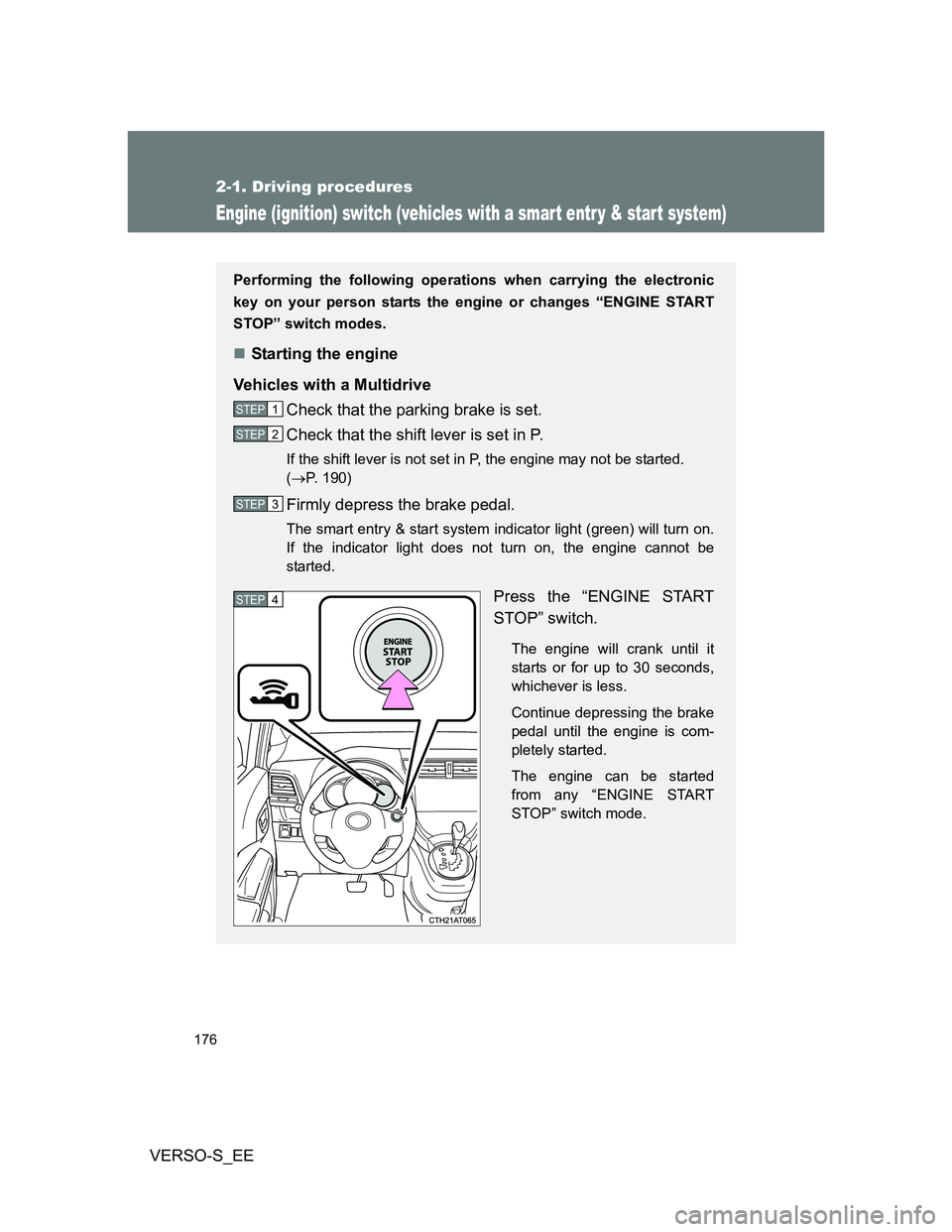
Press the “ENGINE START
STOP” switch.
The engine will crank until it
starts or for up to 30 seconds,
whichever is less.
Continue depressing the brake
pedal until the engine is com-
pletely started.
The engine can be started
from any “ENGINE START
STOP” switch mode.
STEP1
STEP2
STEP3
STEP4
Page 182 of 560
182 2-1. Driving procedures
VERSO-S_EE
Operation of the “ENGINE START STOP” switch
When operating the “ENGINE START STOP” switch, one short, firm press is
enough. If the switch is pressed improperly, the engine may not start or the
“ENGINE START STOP” switch mode may not change. It is not necessary to
press and hold the switch.
Electronic key battery depletion
P. 4 4
Conditions affecting operation
P. 4 1
Notes for the entry function
P. 4 2
If the engine does not start
The engine immobilizer system may not have been deactivated.
(P. 107)
Steering lock
After turning the “ENGINE START STOP” switch off and opening and closing
the doors, the steering wheel will be locked due to the steering lock function.
Operating the “ENGINE START STOP” switch again automatically cancels
the steering lock.
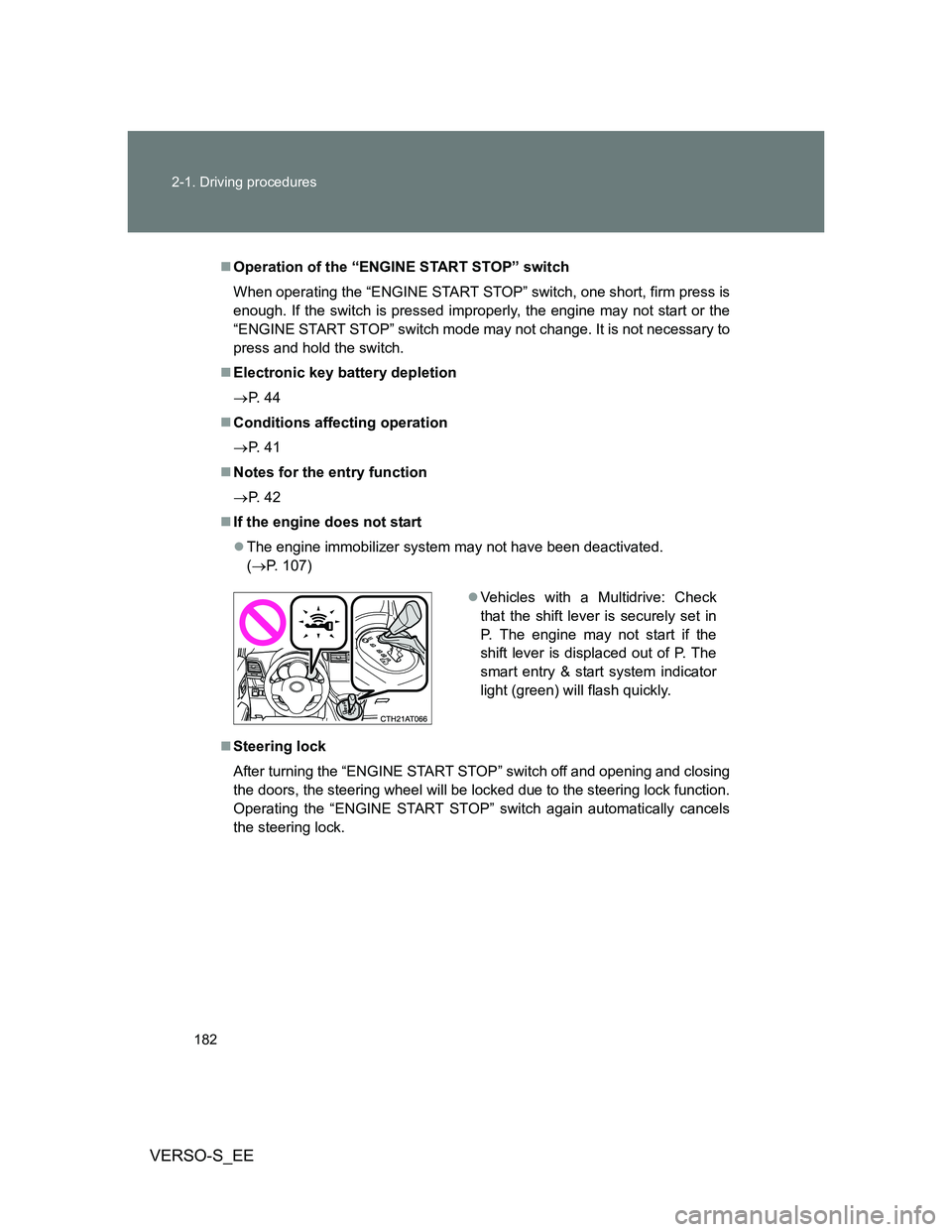
Vehicles with a Multidrive: Check
that the shift lever is securely set in
P. The engine may not start if the
shift lever is displaced out of P. The
smart entry & start system indicator
light (green) will flash quickly.
Page 183 of 560
183 2-1. Driving procedures
2
When driving
VERSO-S_EE
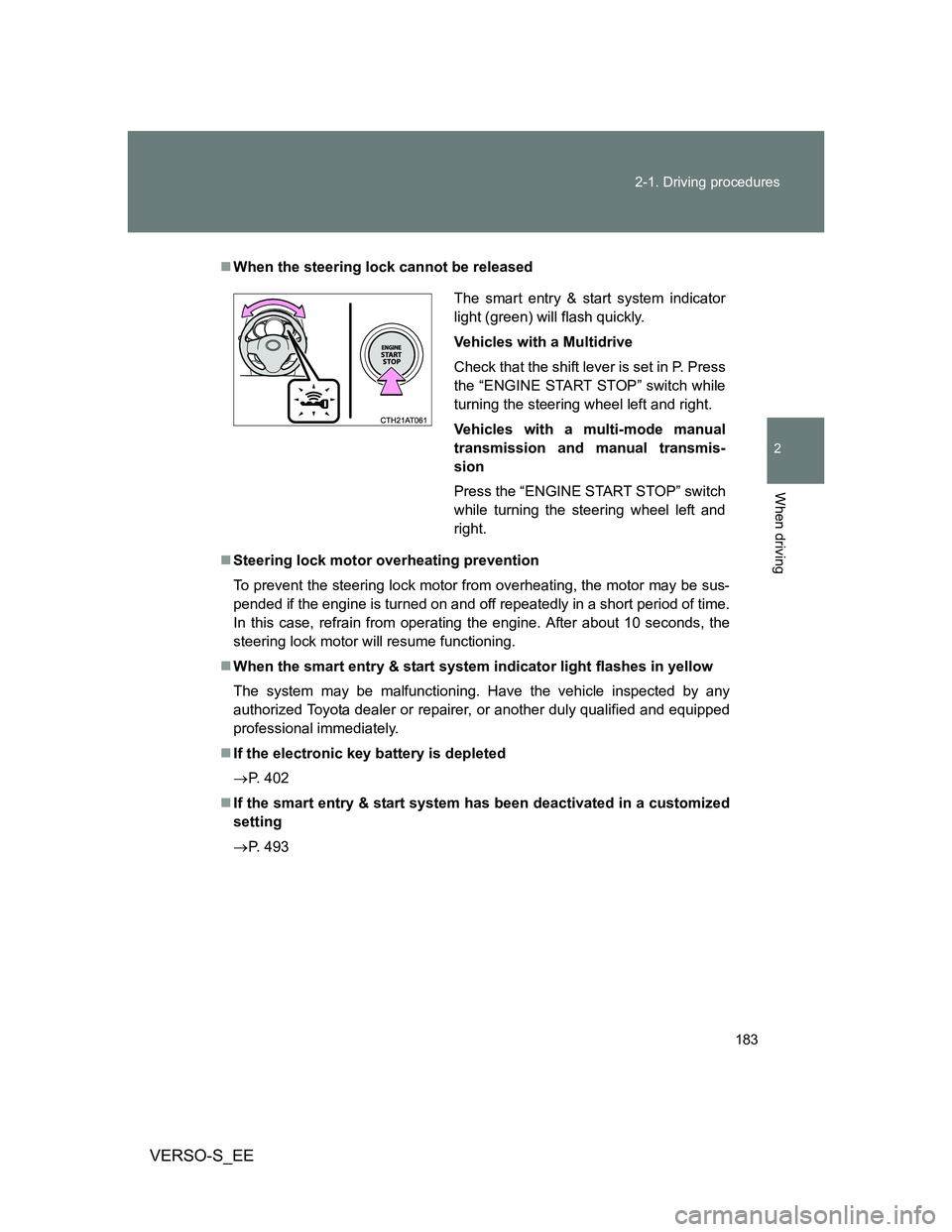
When the steering lock cannot be released
Steering lock motor overheating prevention
To prevent the steering lock motor from overheating, the motor may be sus-
pended if the engine is turned on and off repeatedly in a short period of time.
In this case, refrain from operating the engine. After about 10 seconds, the
steering lock motor will resume functioning.
When the smart entry & start system indicator light flashes in yellow
The system may be malfunctioning. Have the vehicle inspected by any
authorized Toyota dealer or repairer, or another duly qualified and equipped
professional immediately.
If the electronic key battery is depleted
P. 402
If the smart entry & start system has been deactivated in a customized
setting
P. 493
The smart entry & start system indicator
light (green) will flash quickly.
Vehicles with a Multidrive
Check that the shift lever is set in P. Press
the “ENGINE START STOP” switch while
turning the steering wheel left and right.
Vehicles with a multi-mode manual
transmission and manual transmis-
sion
Press the “ENGINE START STOP” switch
while turning the steering wheel left and
right.
Page 187 of 560
187 2-1. Driving procedures
2
When driving
VERSO-S_EE
Vehicles with a manual transmission (diesel engine)
Check that the parking brake is set.
Check that the shift lever is set in N.
Firmly depress the clutch pedal.
Turn the engine switch to the “ON” position.
The indicator turns on.
After the indicator light goes out, turn the engine
switch to the “START” position to start the engine.
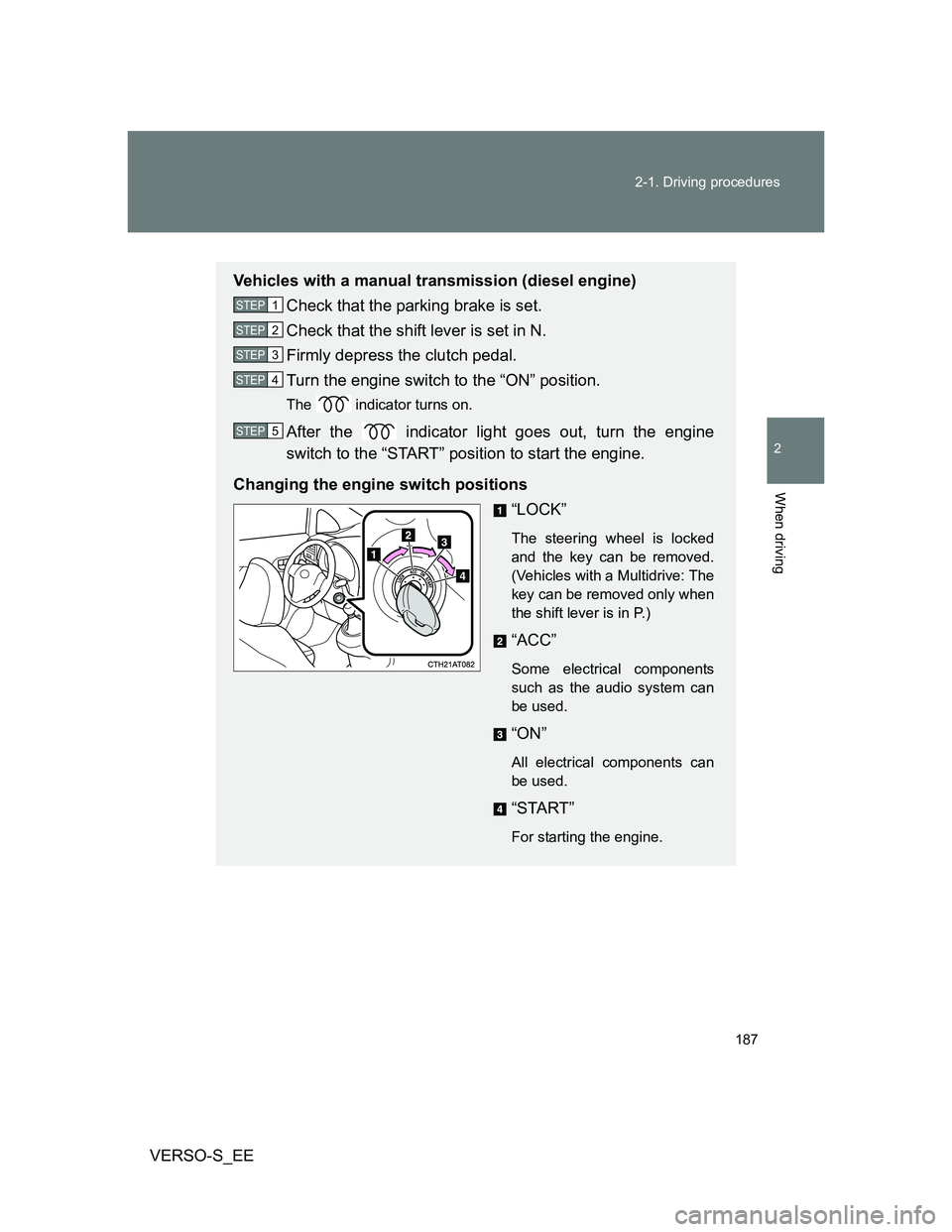
Changing the engine switch positions
“LOCK”
The steering wheel is locked
and the key can be removed.
(Vehicles with a Multidrive: The
key can be removed only when
the shift lever is in P.)
“ACC”
Some electrical components
such as the audio system can
be used.
“ON”
All electrical components can
be used.
“START”
For starting the engine.
STEP1
STEP2
STEP3
STEP4
STEP5
Page 188 of 560
188 2-1. Driving procedures
VERSO-S_EE
Turning the key from “ACC” to “LOCK”
Vehicles with a Multidrive: Shift the shift lever to P. (P. 190)
Vehicles with a multi-mode manual transmission: Shift the shift
lever to E, M or R. (P. 196)
Vehicles with a manual transmission: Shift the shift lever to N.
(P. 201)
If the engine does not start
The engine immobilizer system may not have been deactivated. (P. 107)
When the steering lock cannot be released
Key reminder function
A buzzer sounds if the driver’s door is opened while the engine switch is in
the “LOCK” or “ACC” position to remind you to remove the key.
STEP1
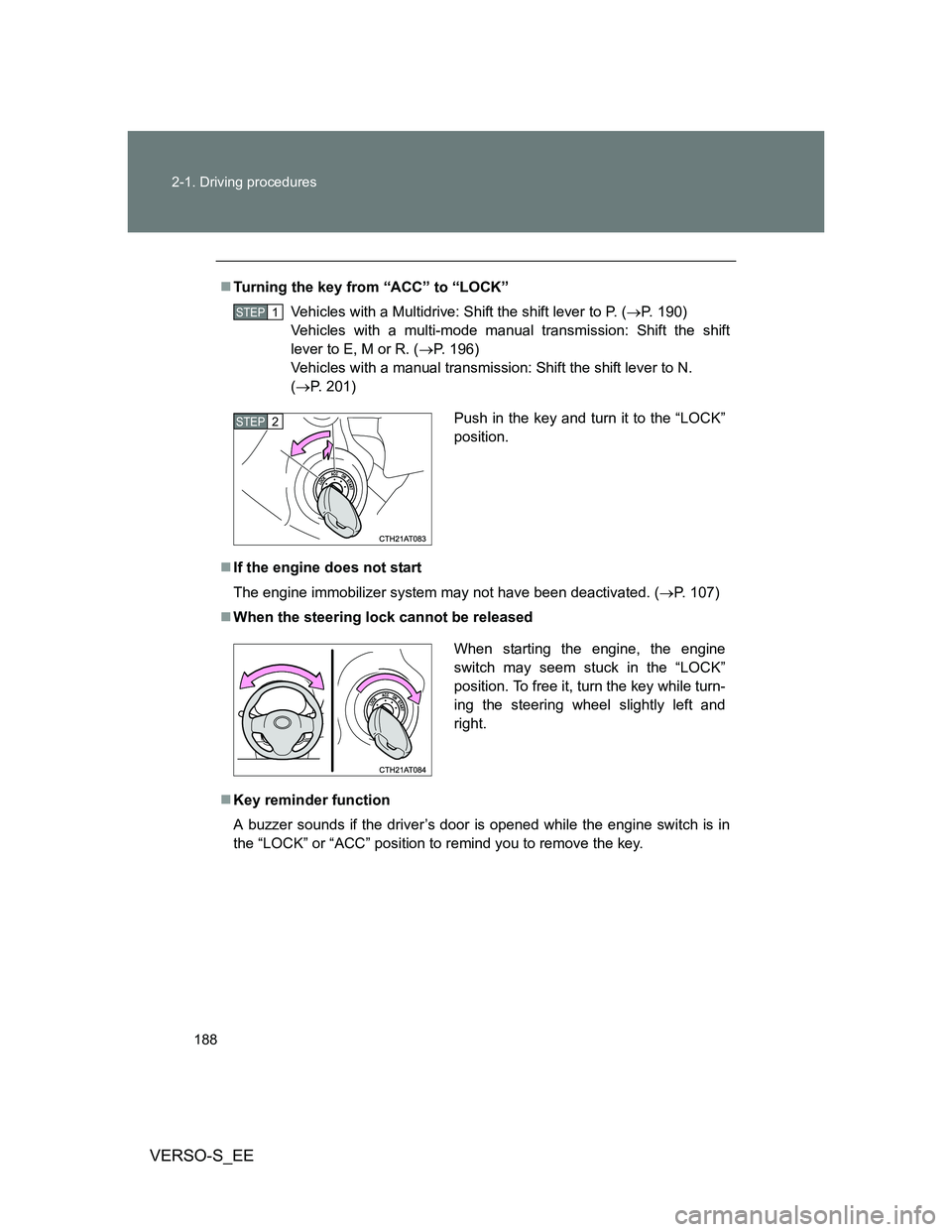
Push in the key and turn it to the “LOCK”
position.STEP2
When starting the engine, the engine
switch may seem stuck in the “LOCK”
position. To free it, turn the key while turn-
ing the steering wheel slightly left and
right.
Page 332 of 560
332 3-3. Using the interior lights
VERSO-S_EE
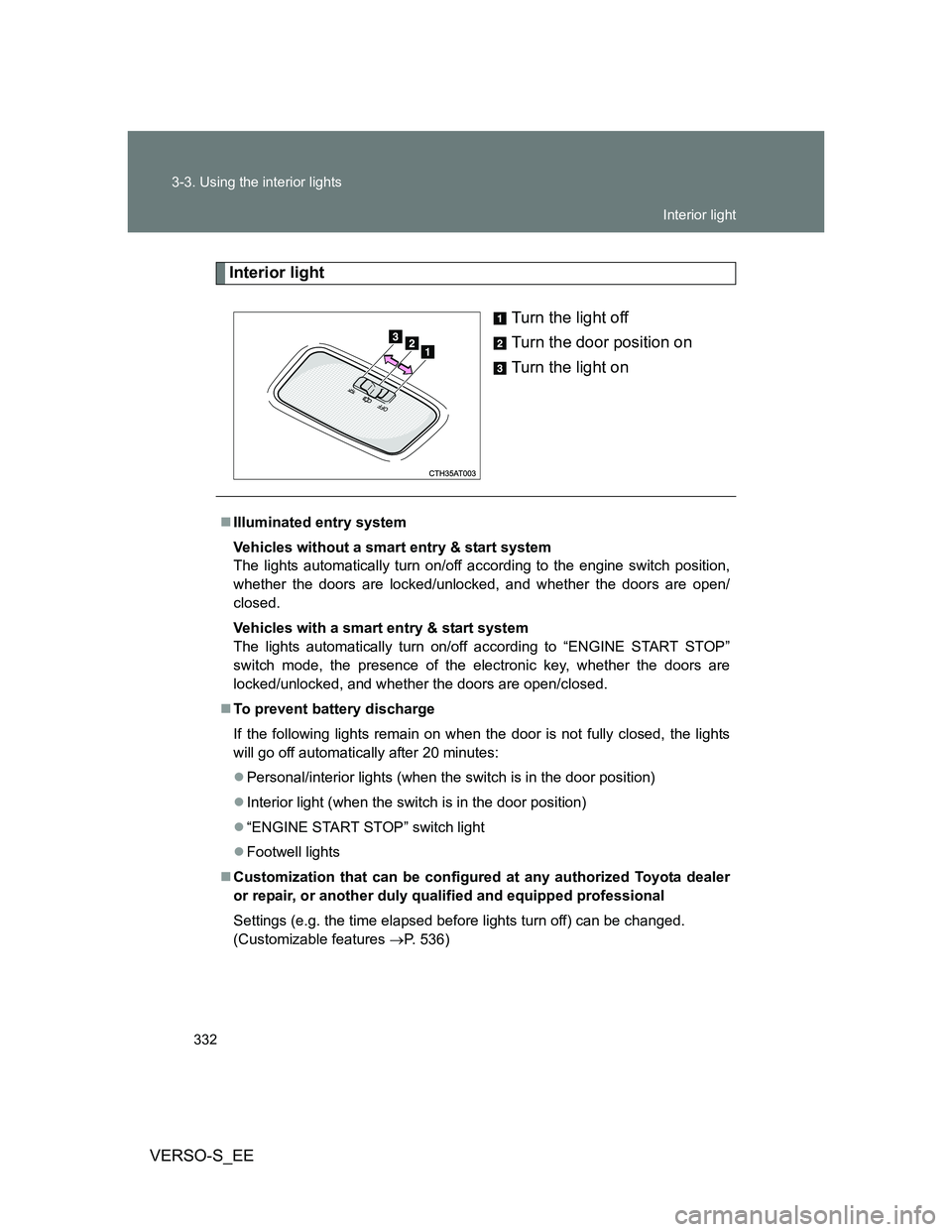
Interior light
Turn the light off
Turn the door position on
Turn the light on
Illuminated entry system
Vehicles without a smart entry & start system
The lights automatically turn on/off according to the engine switch position,
whether the doors are locked/unlocked, and whether the doors are open/
closed.
Vehicles with a smart entry & start system
The lights automatically turn on/off according to “ENGINE START STOP”
switch mode, the presence of the electronic key, whether the doors are
locked/unlocked, and whether the doors are open/closed.
To prevent battery discharge
If the following lights remain on when the door is not fully closed, the lights
will go off automatically after 20 minutes:
Personal/interior lights (when the switch is in the door position)
Interior light (when the switch is in the door position)
“ENGINE START STOP” switch light
Footwell lights
Customization that can be configured at any authorized Toyota dealer
or repair, or another duly qualified and equipped professional
Settings (e.g. the time elapsed before lights turn off) can be changed.
(Customizable features P. 536)
Interior light