Page 157 of 650

157 1-7. Safety information
1
Before driving
CAUTION
Modification and disposal of SRS airbag system components
Do not dispose of your vehicle or perform any of the following modifications
without consulting any authorized Toyota dealer or repairer, or another duly
qualified and equipped professional.
The SRS airbags may malfunction or deploy (inflate) accidentally, causing
death or serious injury.
Installation, removal, disassembly and repair of the SRS airbags.
Repairs, modifications, removal or replacement of the steering wheel,
instrument panel, dashboard, seats or seat upholstery, front, center and
rear pillars or roof side rail.
Repairs or modifications of the front fender, front bumper, or side of the
occupant compartment.
Installation of a grille guard (bull bars, kangaroo bar, etc.), snow plows or
winches.
Modifications to the vehicle’s suspension system.
Installation of electronic devices such as mobile two-way radio (RF-trans-
mitter) or CD players.
VERSO_WE.book Page 157 Thursday, June 19, 2014 11:31 AM
Page 277 of 650

277 2-4. Using other driving systems
2
When driving
Rear corner and rear center sensors:
• The shift lever is in “R”.
Sensor detection information
Certain vehicle conditions and the surrounding environment may affect
the ability of a sensor to correctly detect an obstacle. Particular instances
where this may occur are listed below.
• There is dirt, snow or ice on a sensor.
• A sensor is frozen.
• A sensor is covered in any way.
• The vehicle is leaning considerably to one side.
• On an extremely bumpy road, on an incline, on gravel, or on grass.
• The vicinity of the vehicle is noisy due to vehicle horns, motorcycle
engines, air brakes of large vehicles, or other loud noises producing
ultrasonic waves.
• There is another vehicle equipped with parking assist sensors in the
vicinity.
• A sensor is coated with a sheet of spray or heavy rain.
• The vehicle is equipped with a fender pole or radio antenna.
• Towing eyelet is installed.
• A bumper or sensor receives a strong impact.
• The vehicle is approaching a tall or right-angled curb.
• In harsh sunlight or intense cold weather.
• A non-genuine Toyota suspension (lowered suspension etc.) is
installed.
In addition to the examples above, there are instances in which, because of
their shape, signs and other objects may be judged by a sensor to be closer
than they are.
The shape of the obstacle may prevent a sensor from detecting it. Pay
particular attention to the following obstacles:
• Wires, fences, ropes, etc.
• Cotton, snow and other materials that absorb sound waves
• Sharply-angles objects
• Low obstacles
• Tall obstacles with upper sections projecting outwards in the direction
of your vehicle
VERSO_WE.book Page 277 Thursday, June 19, 2014 11:31 AM
Page 311 of 650
3Interior features
311
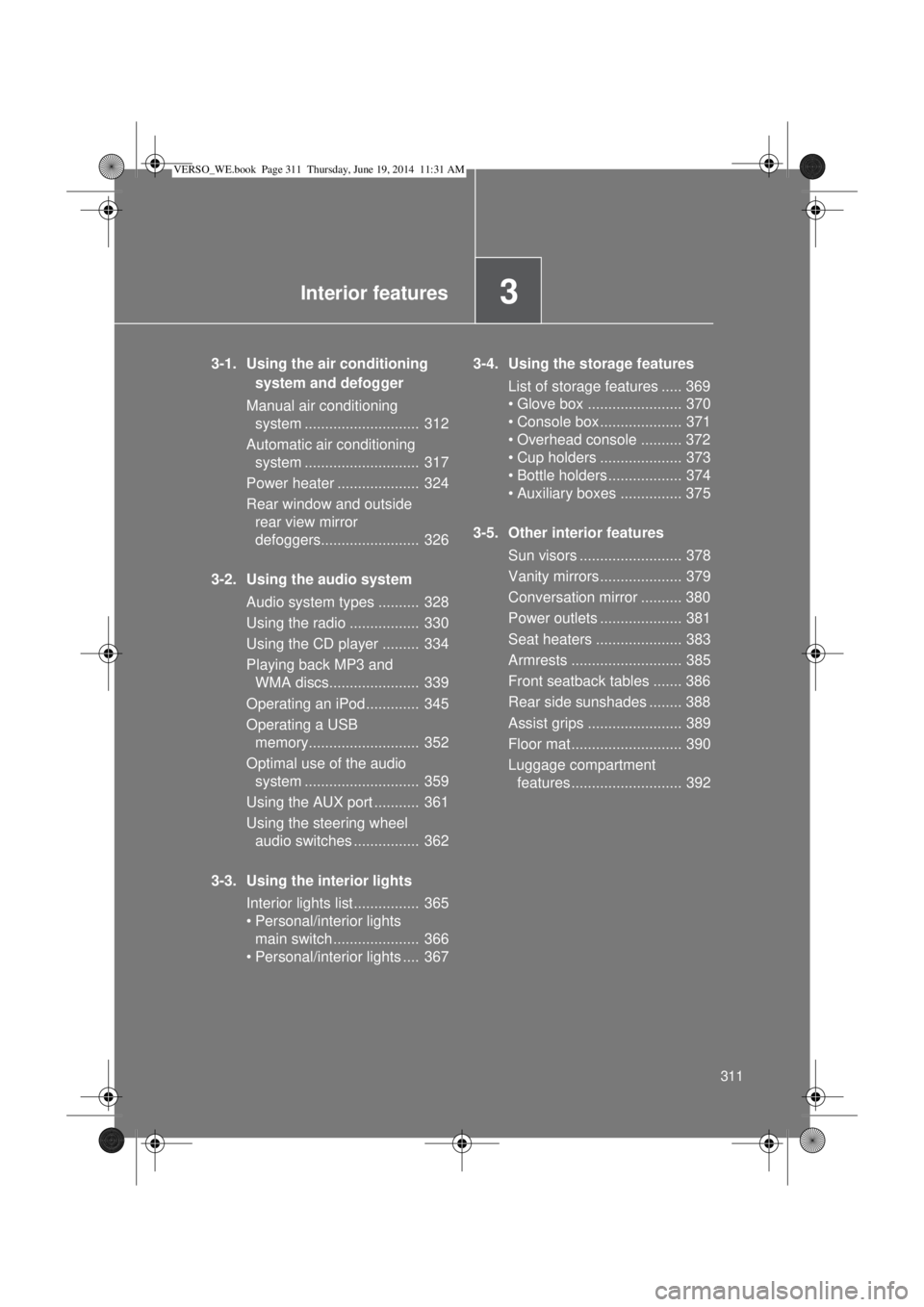
3-1. Using the air conditioning
system and defogger
Manual air conditioning
system ............................ 312
Automatic air conditioning
system ............................ 317
Power heater .................... 324
Rear window and outside
rear view mirror
defoggers........................ 326
3-2. Using the audio system
Audio system types .......... 328
Using the radio ................. 330
Using the CD player ......... 334
Playing back MP3 and
WMA discs...................... 339
Operating an iPod............. 345
Operating a USB
memory........................... 352
Optimal use of the audio
system ............................ 359
Using the AUX port ........... 361
Using the steering wheel
audio switches ................ 362
3-3. Using the interior lights
Interior lights list ................ 365
• Personal/interior lights
main switch ..................... 366
• Personal/interior lights .... 3673-4. Using the storage features
List of storage features ..... 369
• Glove box ....................... 370
• Console box.................... 371
• Overhead console .......... 372
• Cup holders .................... 373
• Bottle holders.................. 374
• Auxiliary boxes ............... 375
3-5. Other interior features
Sun visors ......................... 378
Vanity mirrors.................... 379
Conversation mirror .......... 380
Power outlets .................... 381
Seat heaters ..................... 383
Armrests ........................... 385
Front seatback tables ....... 386
Rear side sunshades ........ 388
Assist grips ....................... 389
Floor mat........................... 390
Luggage compartment
features........................... 392
VERSO_WE.book Page 311 Thursday, June 19, 2014 11:31 AM
Page 328 of 650
328
3-2. Using the audio system
Audio system types
: If equipped
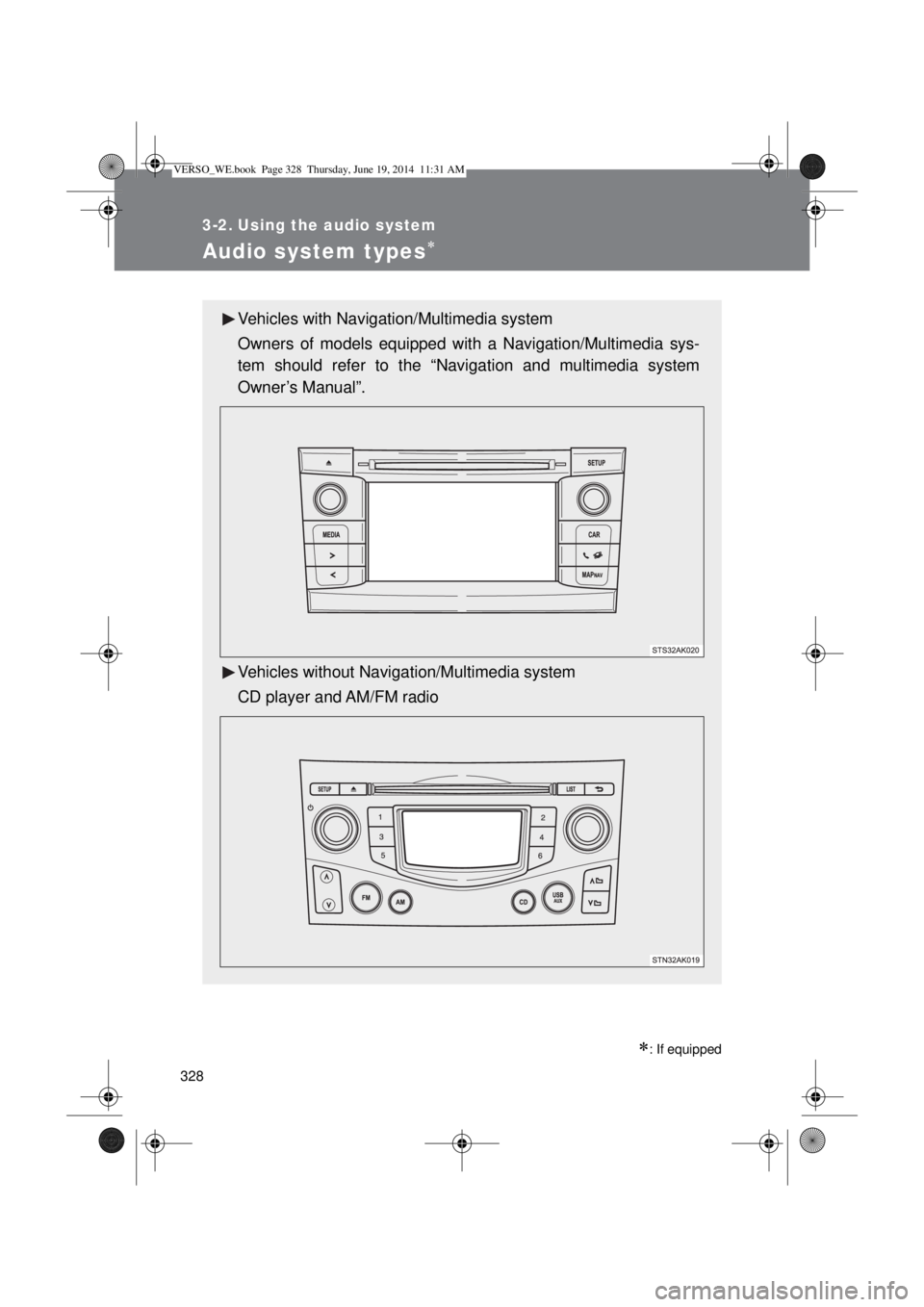
Vehicles with Navigation/Multimedia system
Owners of models equipped with a Navigation/Multimedia sys-
tem should refer to the “Navigation and multimedia system
Owner’s Manual”.
Vehicles without Navigation/Multimedia system
CD player and AM/FM radio
VERSO_WE.book Page 328 Thursday, June 19, 2014 11:31 AM
Page 329 of 650
329 3-2. Using the audio system
3
Interior features
Using cellular phones
Interference may be heard through the audio system’s speakers if a cellular
phone is being used inside or close to the vehicle while the audio system is
operating.
NOTICE
To prevent battery discharge
Do not leave the audio system on longer than necessary when the engine is
stopped.
To avoid damaging the audio system
Take care not to spill drinks or other fluids over the audio system.
To prevent damage to USB memory or its terminal
Depending on the size and shape of the USB memory that is connected to
the system, the passenger’s seat may hit the USB memory when moving the
seat forward. In this case, do not forcibly move the seat forward as this may
damage the USB memory or the terminal, etc.
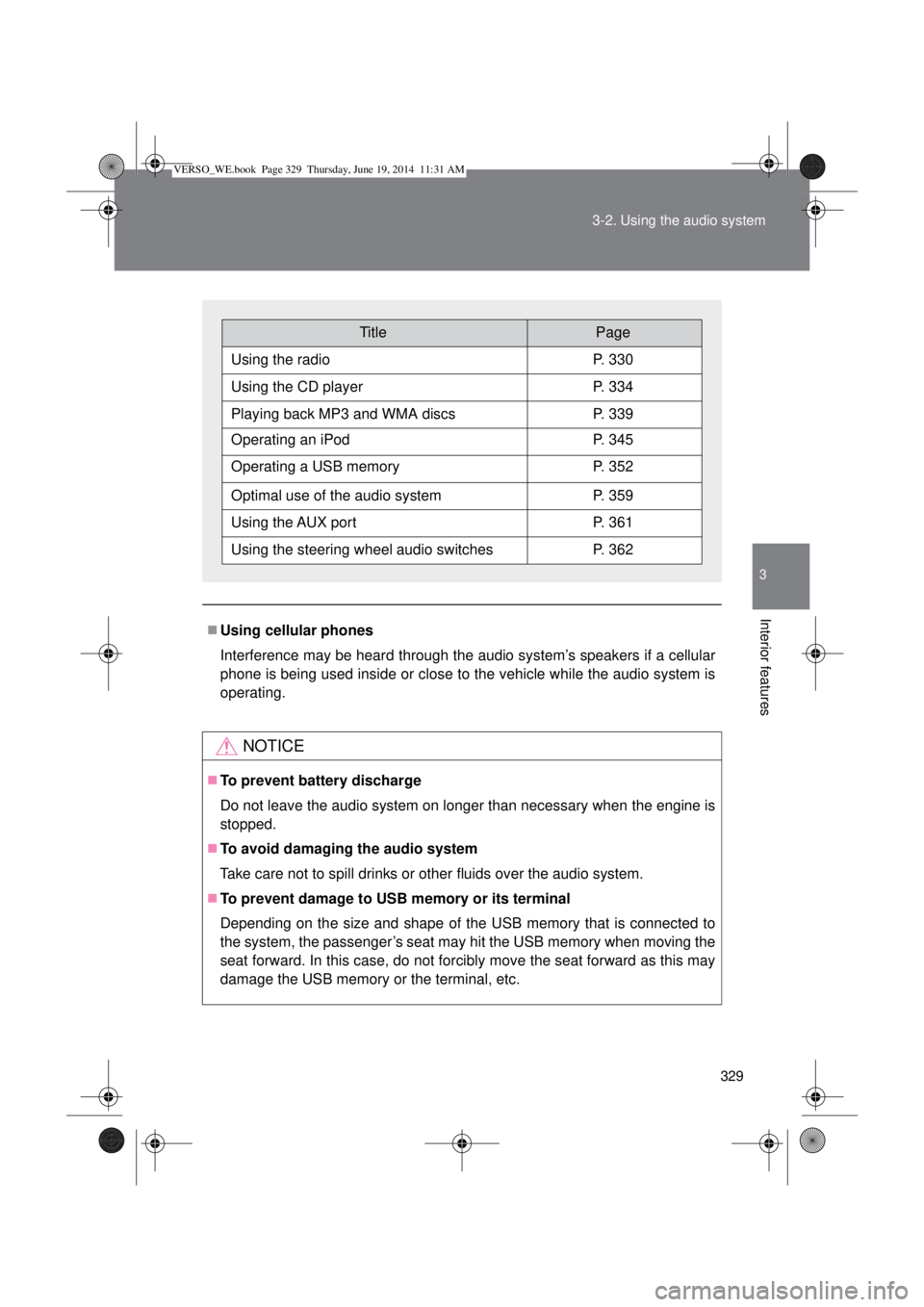
TitlePage
Using the radioP. 330
Using the CD playerP. 334
Playing back MP3 and WMA discsP. 339
Operating an iPodP. 345
Operating a USB memoryP. 352
Optimal use of the audio systemP. 359
Using the AUX portP. 361
Using the steering wheel audio switchesP. 362
VERSO_WE.book Page 329 Thursday, June 19, 2014 11:31 AM
Page 330 of 650
330
3-2. Using the audio system
Using the radio
Setting station presets
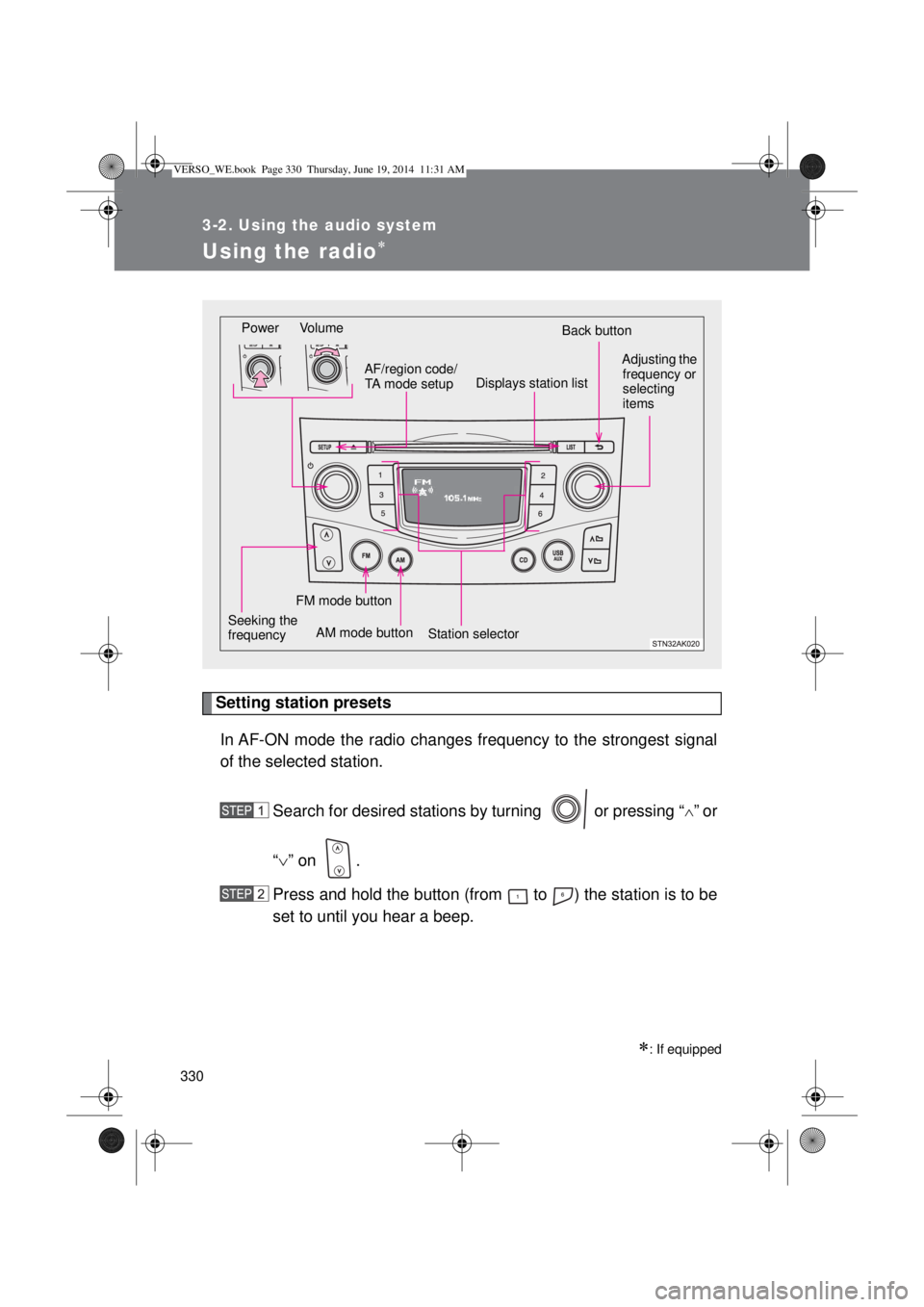
In AF-ON mode the radio changes frequency to the strongest signal
of the selected station.
Search for desired stations by turning or pressing “
”or
“” on .
Press and hold the button (from to ) the station is to be
set to until you hear a beep.
: If equipped
Power Volume
Station selectorBack button
Adjusting the
frequency or
selecting
items
AM mode buttonAF/region code/
TA mode setup
Seeking the
frequency
Displays station list
FM mode button
VERSO_WE.book Page 330 Thursday, June 19, 2014 11:31 AM
Page 331 of 650
331 3-2. Using the audio system
3
Interior features
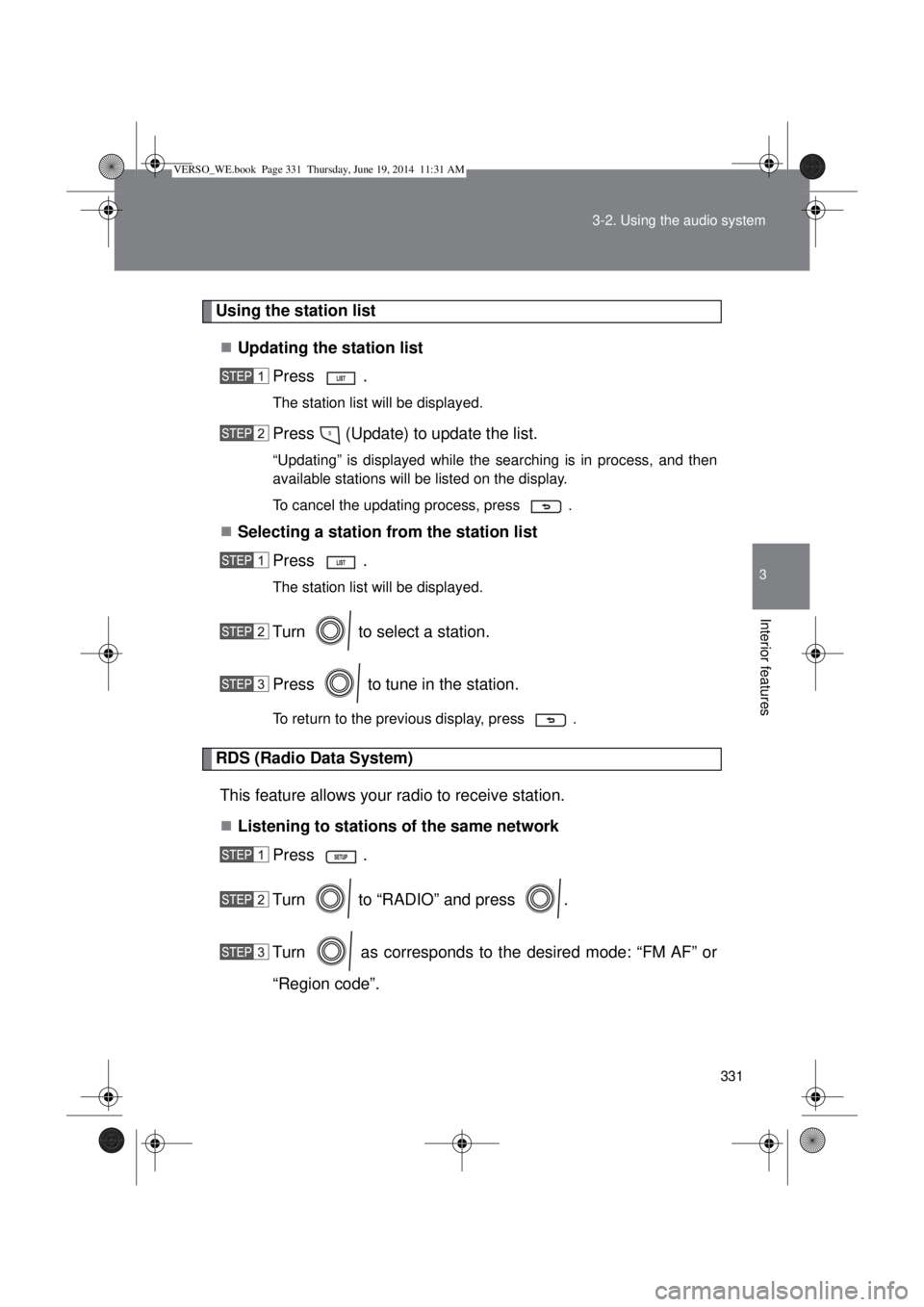
Using the station list
Updating the station list
Press .
The station list will be displayed.
Press (Update) to update the list.
“Updating” is displayed while the searching is in process, and then
available stations will be listed on the display.
To cancel the updating process, press .
Selecting a station from the station list
Press .
The station list will be displayed.
Turn to select a station.
Press to tune in the station.
To return to the previous display, press .
RDS (Radio Data System)
This feature allows your radio to receive station.
Listening to stations of the same network
Press .
Turn to “RADIO” and press .
Turn as corresponds to the desired mode: “FM AF” or
“Region code”.
VERSO_WE.book Page 331 Thursday, June 19, 2014 11:31 AM
Page 332 of 650
332 3-2. Using the audio system
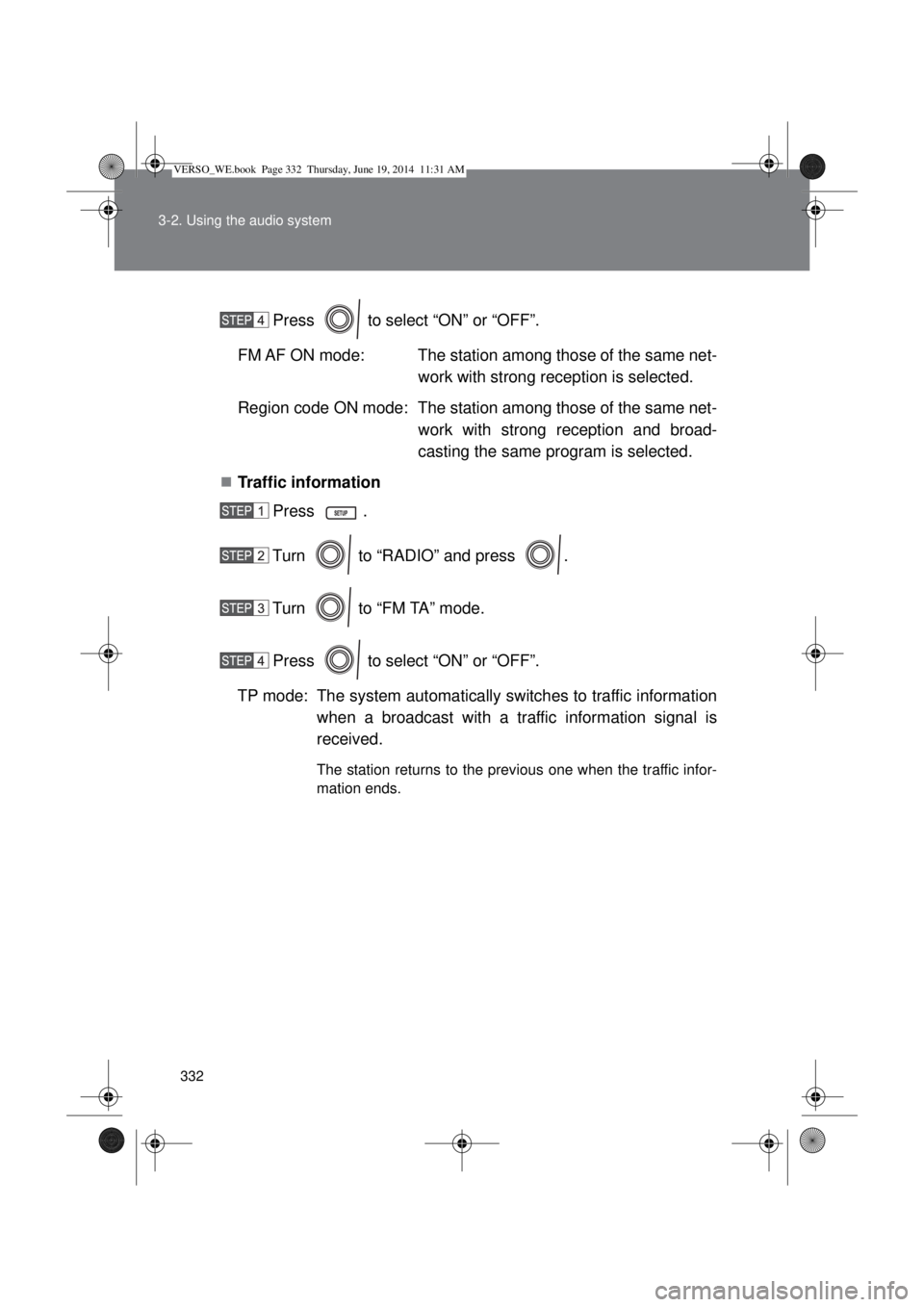
Press to select “ON” or “OFF”.
FM AF ON mode: The station among those of the same net-
work with strong reception is selected.
Region code ON mode: The station among those of the same net-
work with strong reception and broad-
casting the same program is selected.
Traffic information
Press .
Turn to “RADIO” and press .
Turn to “FM TA” mode.
Press to select “ON” or “OFF”.
TP mode: The system automatically switches to traffic information
when a broadcast with a traffic information signal is
received.
The station returns to the previous one when the traffic infor-
mation ends.
VERSO_WE.book Page 332 Thursday, June 19, 2014 11:31 AM