Page 502 of 872
502 3-3. Using the Bluetooth
® audio system
SIENNA_OM_OM45483U_(U)
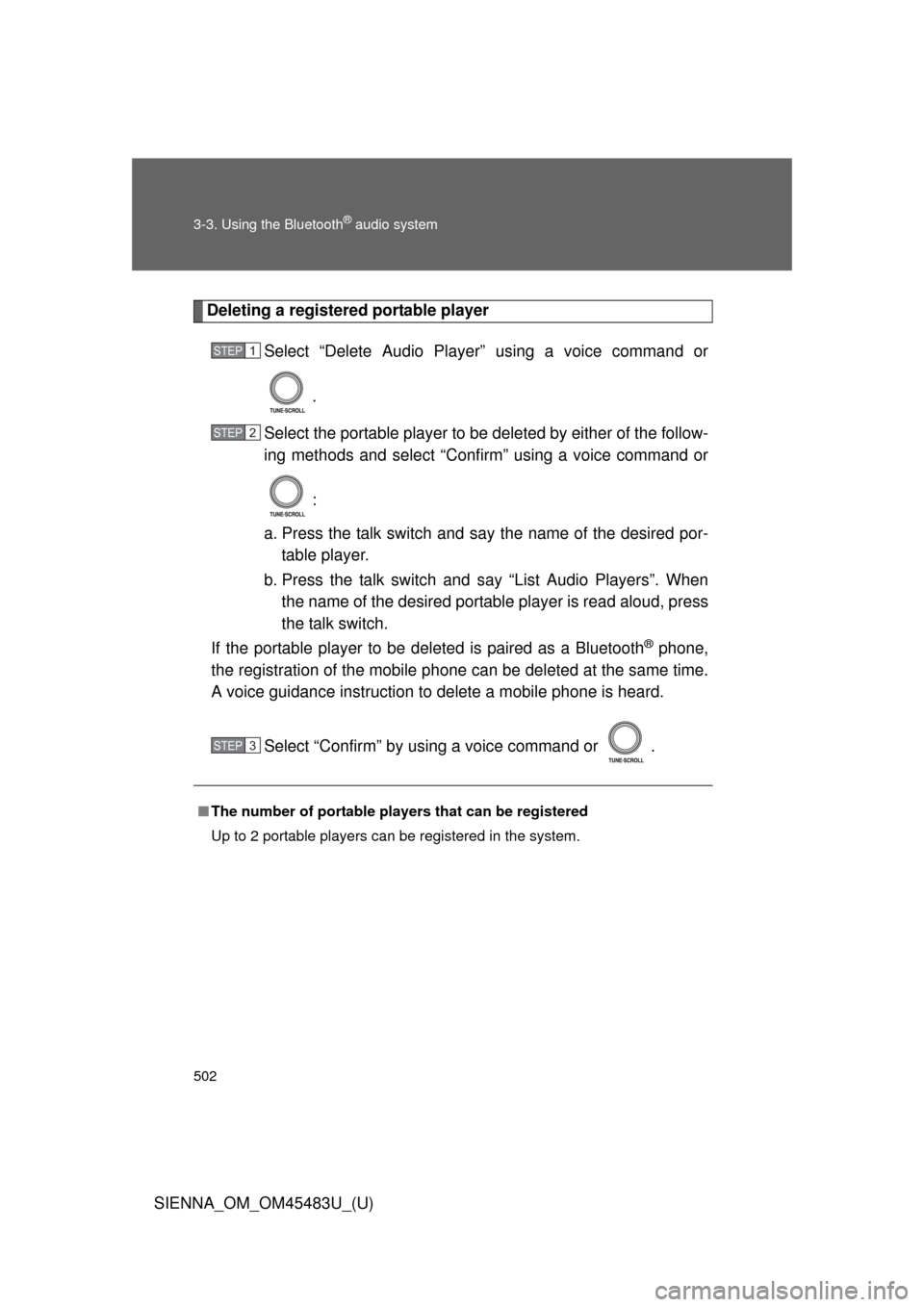
Deleting a registered portable playerSelect “Delete Audio Player” using a voice command or
.
Select the portable player to be deleted by either of the follow-
ing methods and select “Confirm” using a voice command or
:
a. Press the talk switch and say the name of the desired por- table player.
b. Press the talk switch and say “List Audio Players”. When
the name of the desired portable player is read aloud, press
the talk switch.
If the portable player to be deleted is paired as a Bluetooth
® phone,
the registration of the mobile phone can be deleted at the same time.
A voice guidance instruction to delete a mobile phone is heard.
Select “Confirm” by using a voice command or .
■The number of portable pl ayers that can be registered
Up to 2 portable players can be registered in the system.
STEP1
STEP2
STEP3
Page 504 of 872
504
SIENNA_OM_OM45483U_(U)
3-4. Using the rear audio system
Rear seat entertainment system features
: If equipped
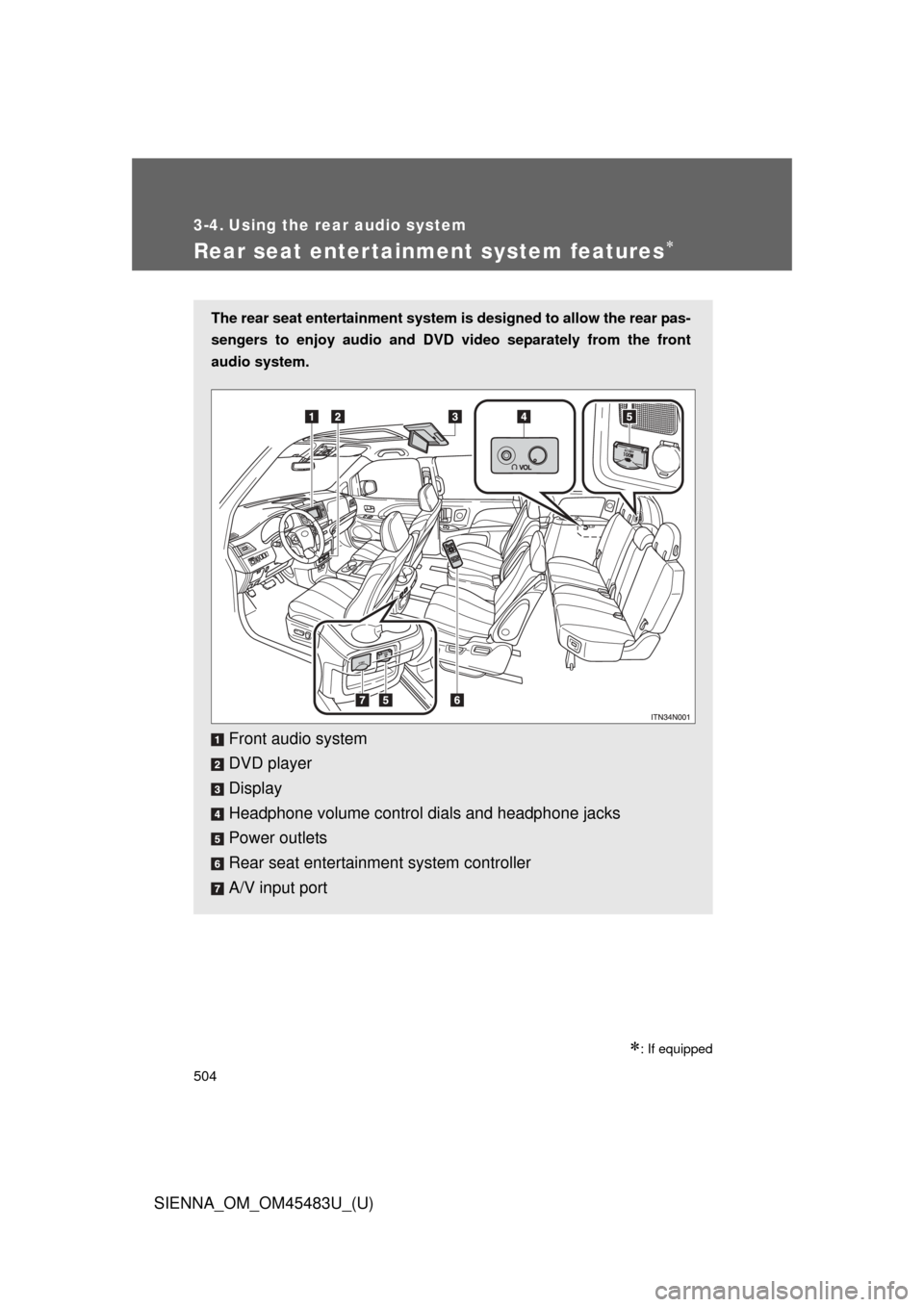
The rear seat entertainment system is designed to allow the rear pas-
sengers to enjoy audio and DVD video separately from the front
audio system.
Front audio system
DVD player
Display
Headphone volume control dials and headphone jacks
Power outlets
Rear seat entertainment system controller
A/V input port
Page 506 of 872
506 3-4. Using the rear audio system
SIENNA_OM_OM45483U_(U)
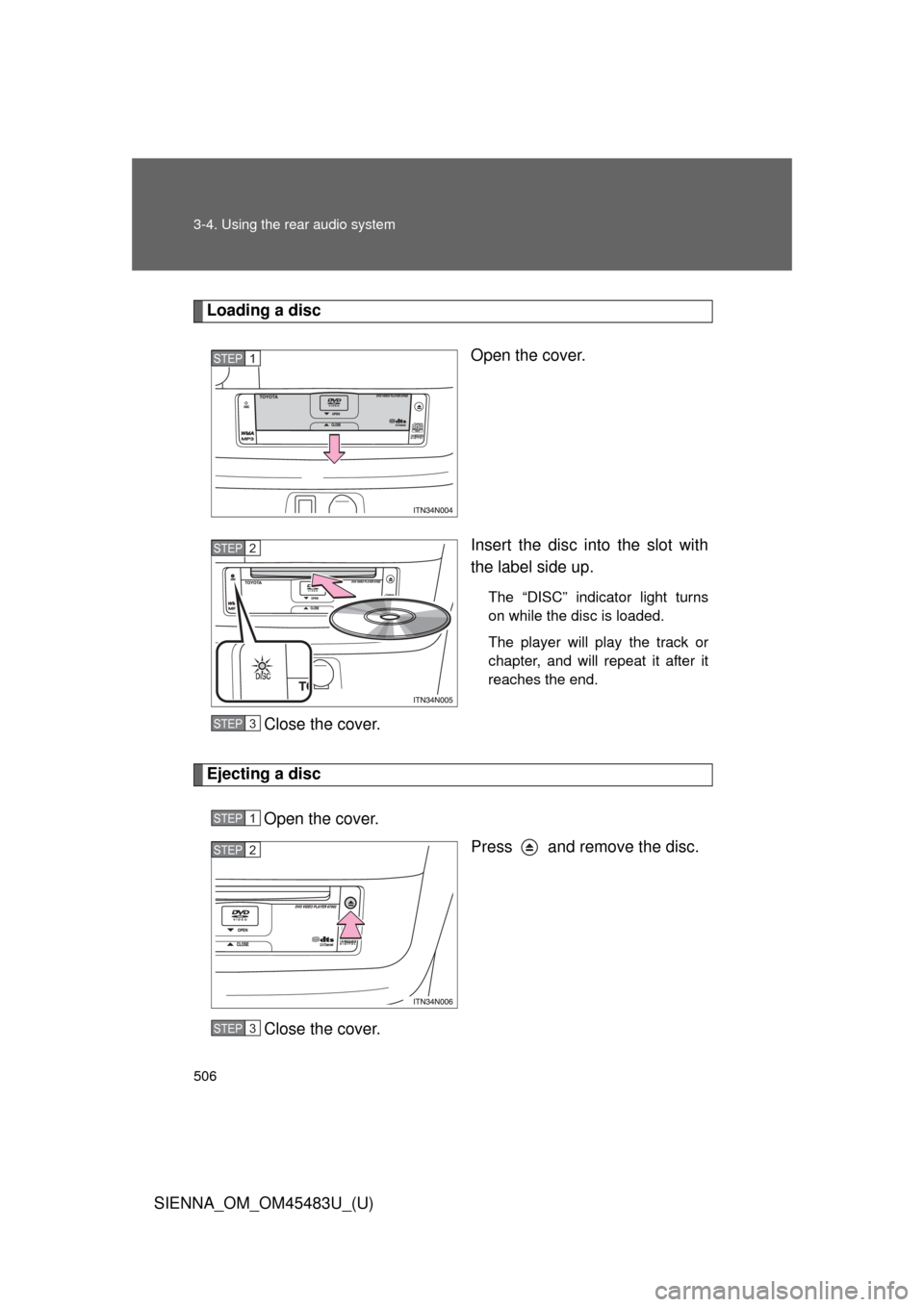
Loading a discOpen the cover.
Insert the disc into the slot with
the label side up.
The “DISC” indicator light turns
on while the disc is loaded.
The player will play the track or
chapter, and will repeat it after it
reaches the end.
Close the cover.
Ejecting a discOpen the cover. Press and remove the disc.
Close the cover.
STEP1
STEP2
STEP3
STEP1
STEP2
STEP3
Page 507 of 872
507
3-4. Using the rear audio system
3
Interior features
SIENNA_OM_OM45483U_(U)
Turning the rear seat entertainment system power on/off
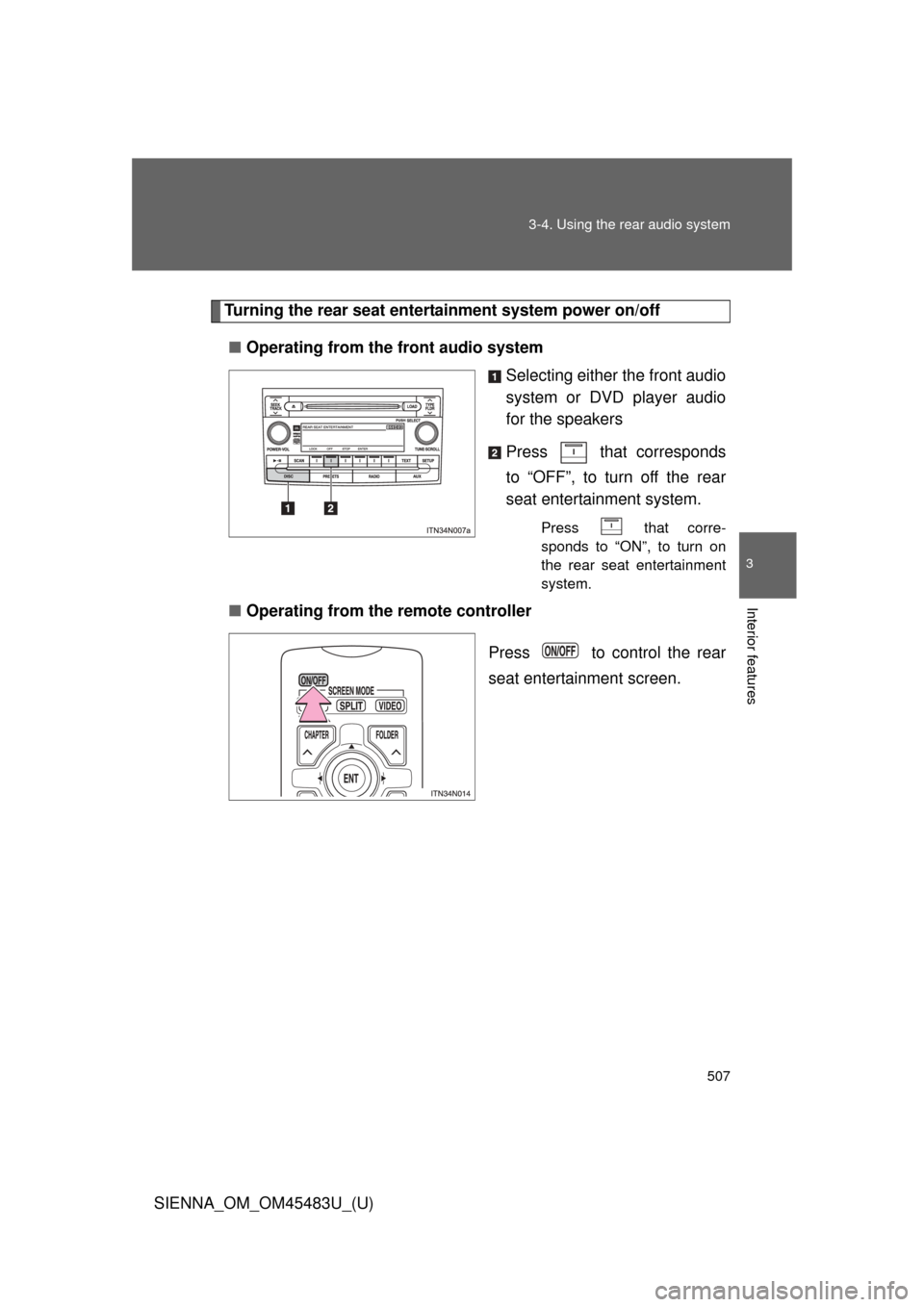
■ Operating from the front audio system
Selecting either the front audio
system or DVD player audio
for the speakers
Press that corresponds
to “OFF”, to turn off the rear
seat entertainment system.
Press that corre-
sponds to “ON”, to turn on
the rear seat entertainment
system.
■Operating from the remote controller
Press to control the rear
seat entertainment screen.
Page 508 of 872
508 3-4. Using the rear audio system
SIENNA_OM_OM45483U_(U)
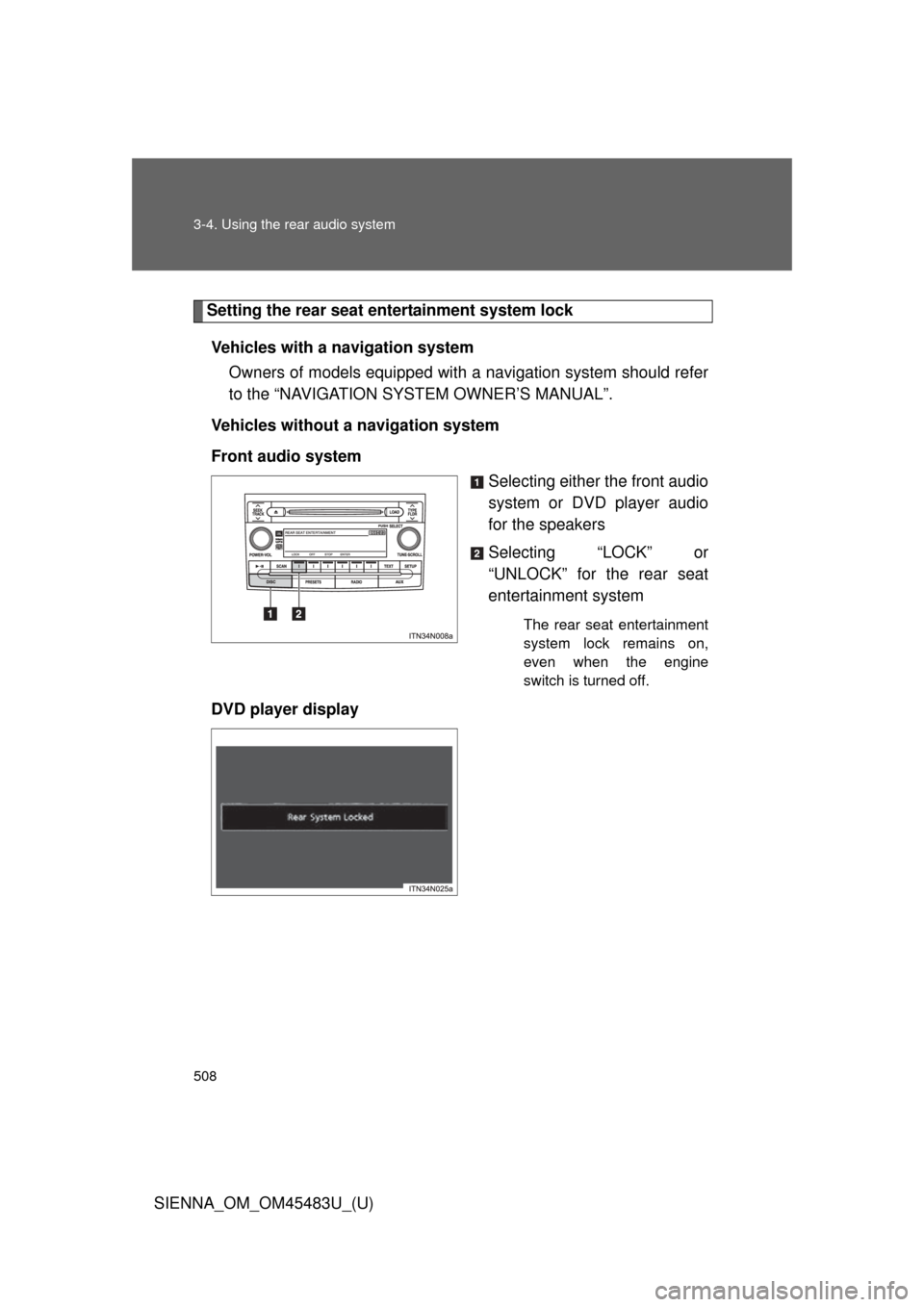
Setting the rear seat entertainment system lockVehicles with a navigation system Owners of models equipped with a navigation system should refer
to the “NAVIGATION SYSTEM OWNER’S MANUAL”.
Vehicles without a navigation system
Front audio system Selecting either the front audio
system or DVD player audio
for the speakers
Selecting “LOCK” or
“UNLOCK” for the rear seat
entertainment system
The rear seat entertainment
system lock remains on,
even when the engine
switch is turned off.
DVD player display
Page 511 of 872
511
3-4. Using the rear audio system
3
Interior features
SIENNA_OM_OM45483U_(U)
■
Headphone audio during split screen display
Audio from the left-hand screen will be played through the left headphone,
and audio from the right-hand screen will be played through the right head-
phone.
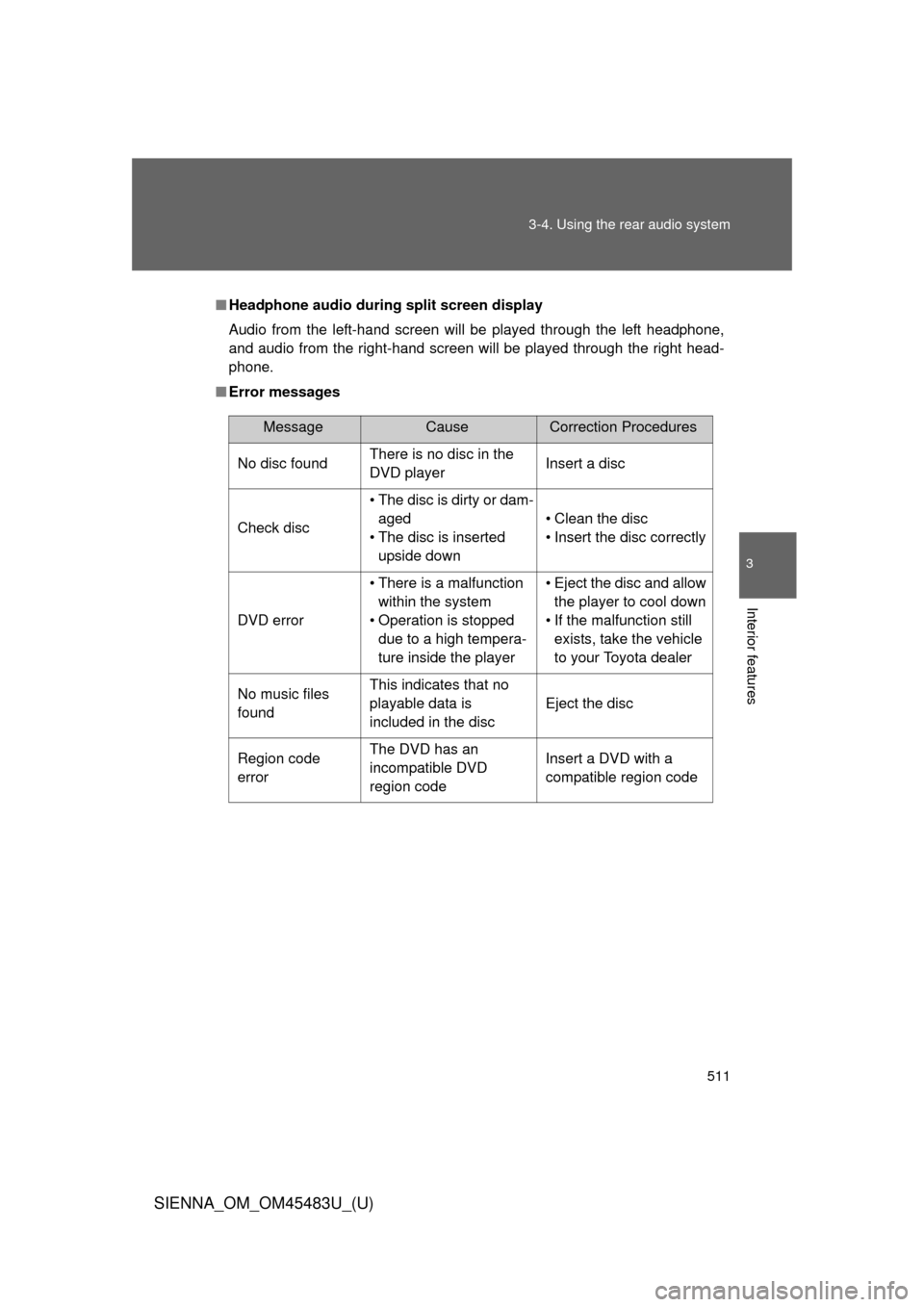
■ Error messages
MessageCauseCorrection Procedures
No disc found There is no disc in the
DVD player Insert a disc
Check disc• The disc is dirty or dam-
aged
• The disc is inserted upside down • Clean the disc
• Insert the disc correctly
DVD error• There is a malfunction
within the system
• Operation is stopped due to a high tempera-
ture inside the player • Eject the disc and allow
the player to cool down
• If the malfunction still exists, take the vehicle
to your Toyota dealer
No music files
found This indicates that no
playable data is
included in the disc
Eject the disc
Region code
errorThe DVD has an
incompatible DVD
region code Insert a DVD with a
compatible region code
Page 515 of 872
515
3-4. Using the rear audio system
3
Interior features
SIENNA_OM_OM45483U_(U)
Using the DVD player (DVD video)
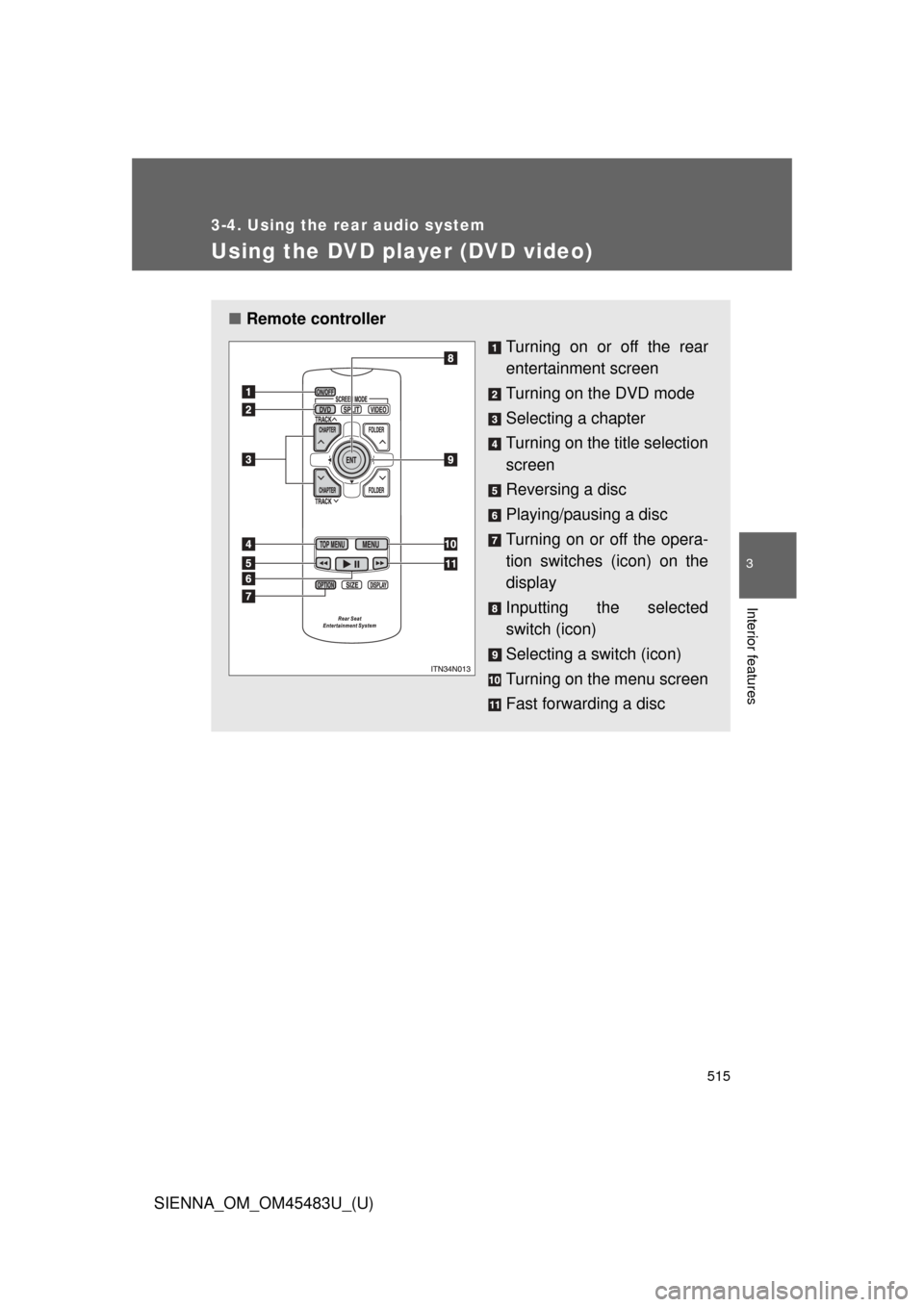
■Remote controller
Turning on or off the rear
entertainment screen
Turning on the DVD mode
Selecting a chapter
Turning on the title selection
screen
Reversing a disc
Playing/pausing a disc
Turning on or off the opera-
tion switches (icon) on the
display
Inputting the selected
switch (icon)
Selecting a switch (icon)
Turning on the menu screen
Fast forwarding a disc
Page 518 of 872
518 3-4. Using the rear audio system
SIENNA_OM_OM45483U_(U)
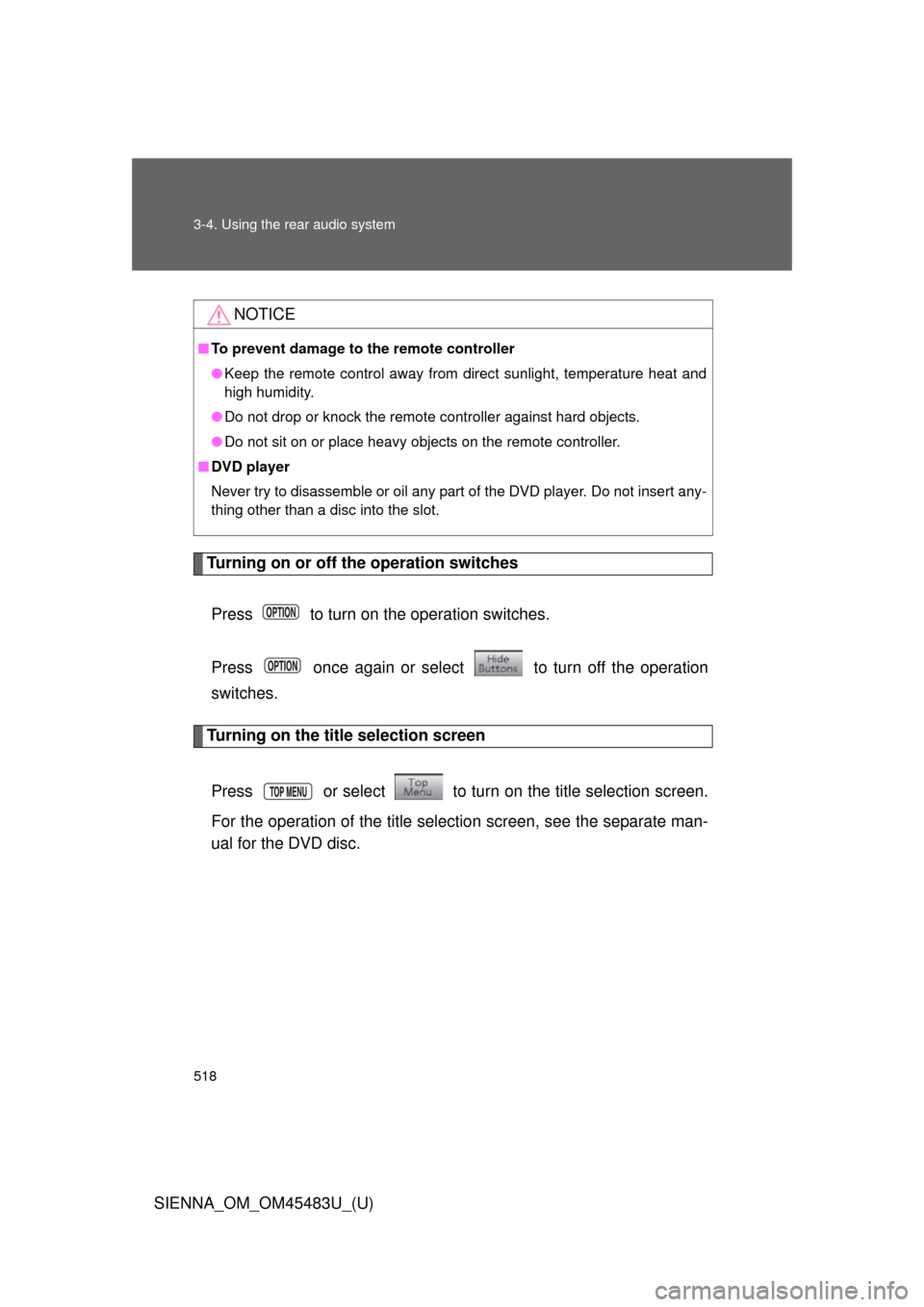
Turning on or off the operation switchesPress to turn on the operation switches.
Press once again or select to turn off the operation
switches.
Turning on the title selection screen
Press or select to turn on the title selection screen.
For the operation of the title selection screen, see the separate man-
ual for the DVD disc.
NOTICE
■ To prevent damage to the remote controller
●Keep the remote control away from direct sunlight, temperature heat and
high humidity.
● Do not drop or knock the remote controller against hard objects.
● Do not sit on or place heavy objects on the remote controller.
■ DVD player
Never try to disassemble or oil any part of the DVD player. Do not insert any-
thing other than a disc into the slot.