Page 254 of 872
254 2-2. Instrument cluster and information display
SIENNA_OM_OM45483U_(U)
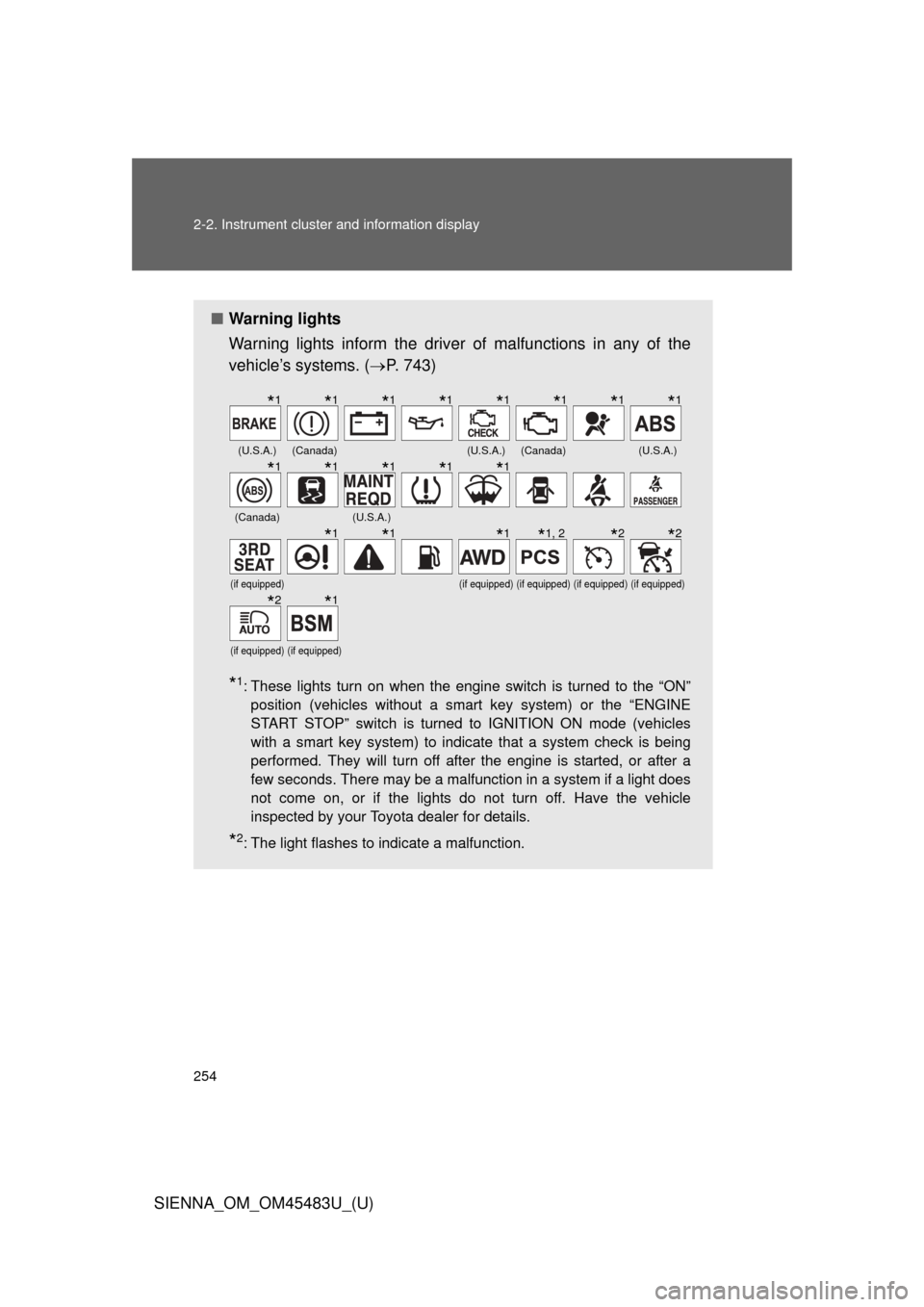
■Warning lights
Warning lights inform the driver of malfunctions in any of the
vehicle’s systems. ( P. 743)
*1: These lights turn on when the engine switch is turned to the “ON”
position (vehicles without a smart key system) or the “ENGINE
START STOP” switch is turned to IGNITION ON mode (vehicles
with a smart key system) to indicate that a system check is being
performed. They will turn off after the engine is started, or after a
few seconds. There may be a malfunction in a system if a light does
not come on, or if the lights do not turn off. Have the vehicle
inspected by your Toyota dealer for details.
*2: The light flashes to indicate a malfunction.
(U.S.A.)(Canada)(U.S.A.)(Canada)(U.S.A.)
(Canada)(U.S.A.)
(if equipped)(if equipped)(if equipped)(if equipped)(if equipped)
(if equipped)(if equipped)
*1*1*1*1*1*1*1*1
*1*1*1*1*1
*1*1*1*1, 2*2*2
*2*1
Page 261 of 872
261
2-2. Instrument cluster and information display
2
When driving
SIENNA_OM_OM45483U_(U)
■
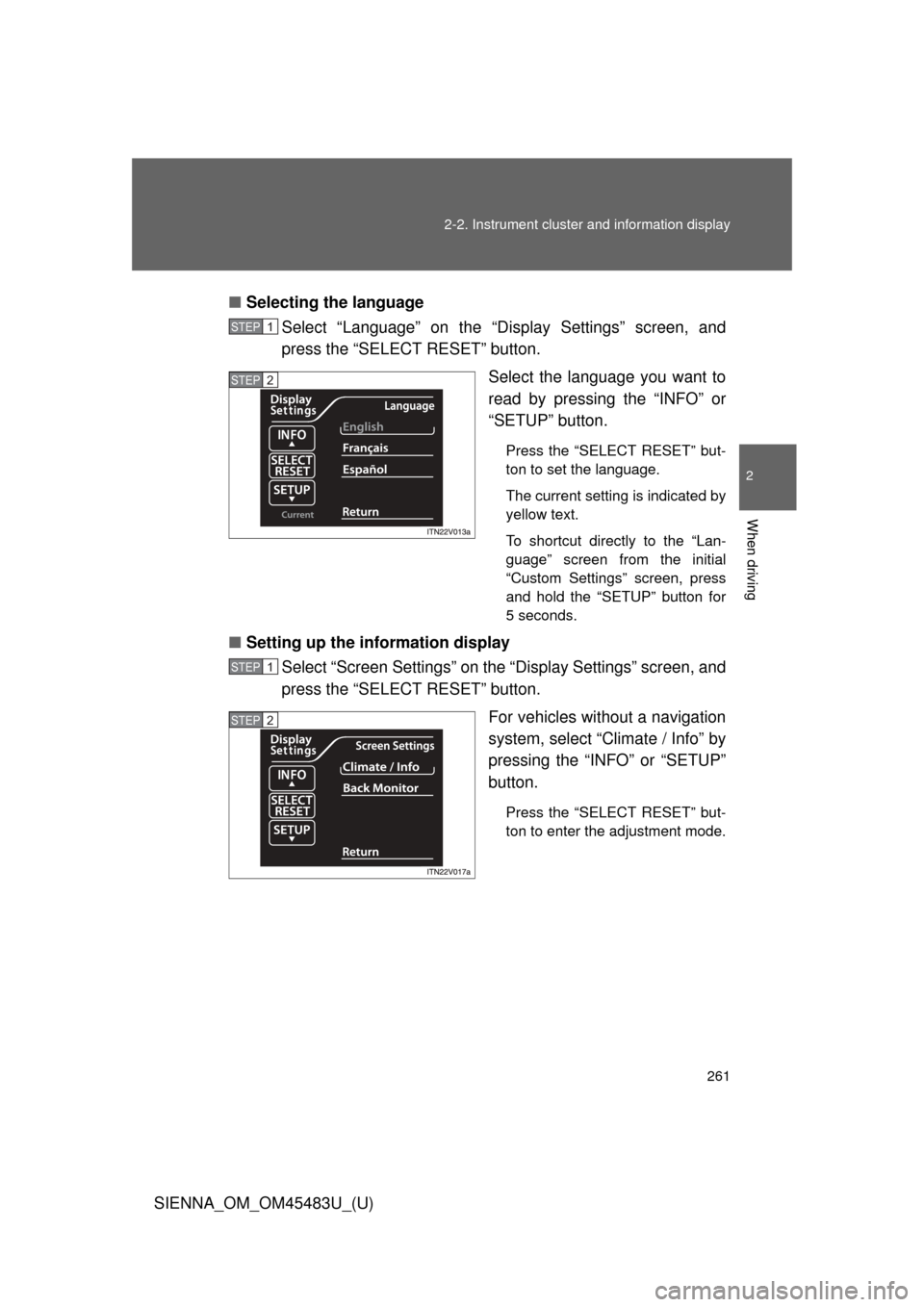
Selecting the language
Select “Language” on the “Display Settings” screen, and
press the “SELECT RESET” button.
Select the language you want to
read by pressing the “INFO” or
“SETUP” button.
Press the “SELECT RESET” but-
ton to set the language.
The current setting is indicated by
yellow text.
To shortcut directly to the “Lan-
guage” screen from the initial
“Custom Settings” screen, press
and hold the “SETUP” button for
5 seconds.
■Setting up the information display
Select “Screen Settings” on the “Display Settings” screen, and
press the “SELECT RESET” button.
For vehicles without a navigation
system, select “Climate / Info” by
pressing the “INFO” or “SETUP”
button.
Press the “SELECT RESET” but-
ton to enter the adjustment mode.
STEP1
STEP2
STEP1
STEP2
Page 267 of 872
267
2-2. Instrument cluster and information display
2
When driving
SIENNA_OM_OM45483U_(U)
■
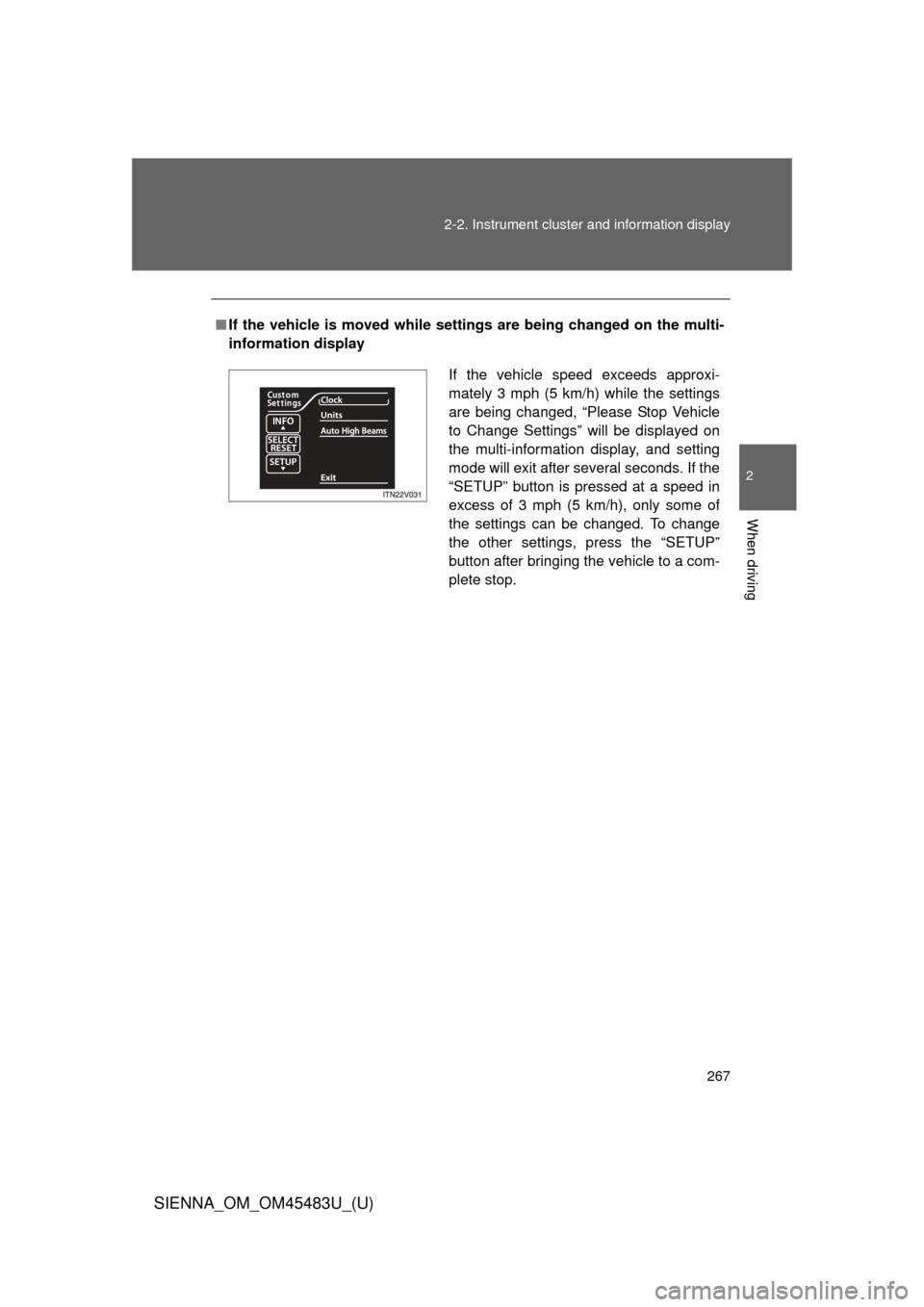
If the vehicle is moved while setti ngs are being changed on the multi-
information display
If the vehicle speed exceeds approxi-
mately 3 mph (5 km/h) while the settings
are being changed, “Please Stop Vehicle
to Change Settings” will be displayed on
the multi-information display, and setting
mode will exit after several seconds. If the
“SETUP” button is pressed at a speed in
excess of 3 mph (5 km/h), only some of
the settings can be changed. To change
the other settings, press the “SETUP”
button after bringing the vehicle to a com-
plete stop.
Page 273 of 872
273
2-3. Operating the lights and wipers
2
When driving
SIENNA_OM_OM45483U_(U)
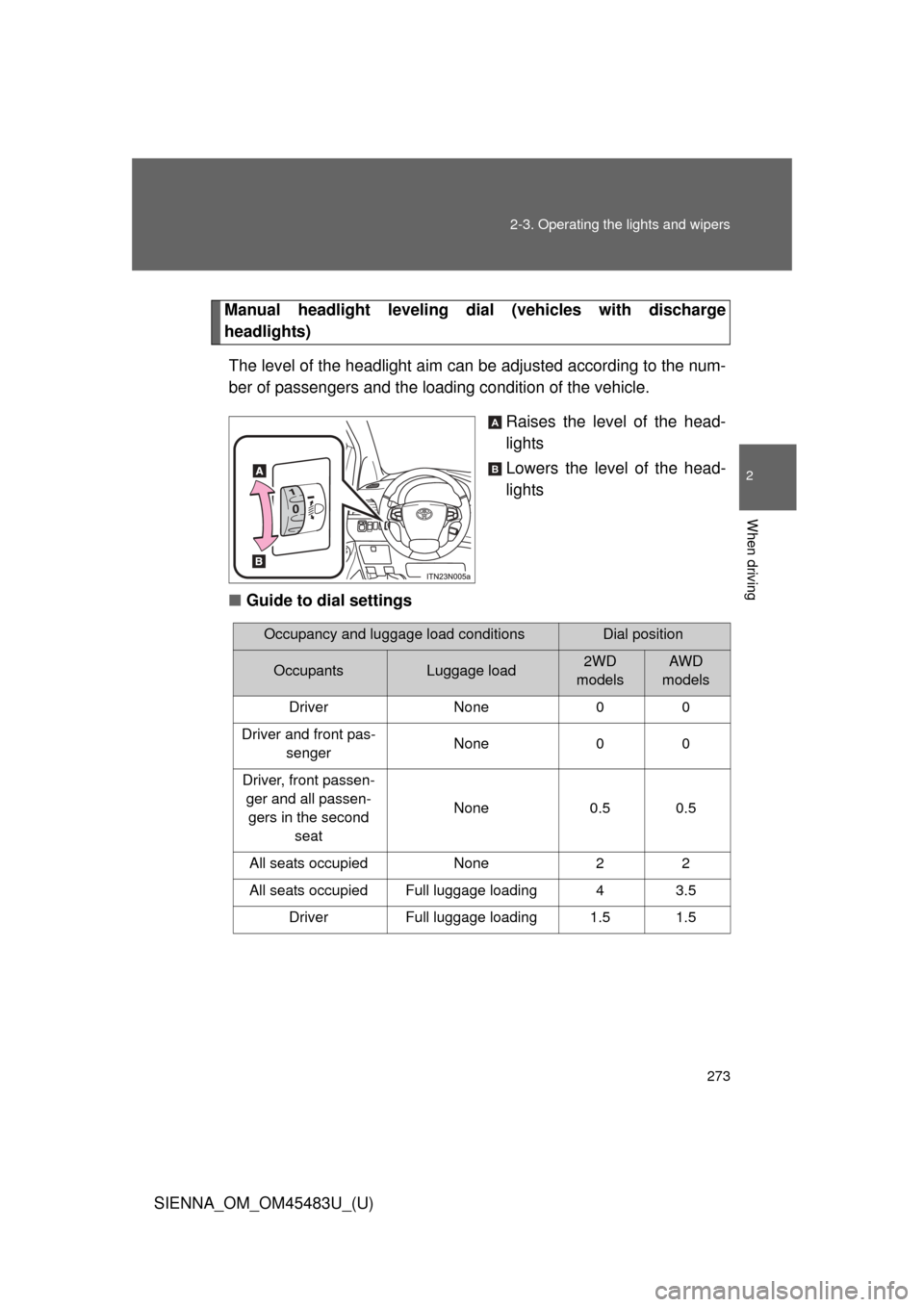
Manual headlight leveling dial
(vehicles with discharge
headlights)
The level of the headlight aim can be adjusted according to the num-
ber of passengers and the loadi ng condition of the vehicle.
Raises the level of the head-
lights
Lowers the level of the head-
lights
■ Guide to dial settings
A
B
Occupancy and luggage load conditionsDial position
OccupantsLuggage load2WD
modelsAWD
models
Driver None 0 0
Driver and front pas- senger None 0 0
Driver, front passen- ger and all passen-gers in the second seat None 0.5 0.5
All seats occupied None 2 2
All seats occupied Full luggage loading 4 3.5 Driver Full luggage loading 1.5 1.5
Page 293 of 872
293
2-3. Operating the lights and wipers
2
When driving
SIENNA_OM_OM45483U_(U)
CAUTION
■
Caution regarding the use of windshield wipers in “AUTO” mode
The windshield wipers may operate unexpec tedly if the sensor is touched or
the windshield is subject to vibration in “AUTO” mode. Take care that your
fingers etc. do not become caught in the windshield wipers.
NOTICE
■ When the windshield is dry
Do not use the wipers, as they may damage the windshield.
■ When the washer fluid tank is empty
Do not operate the switch continually as the washer fluid pump may over-
heat.
■ When a nozzle becomes blocked
In this case, contact your Toyota dealer.
Do not try to clear it with a pin or other object. The nozzle will be damaged.
Page 303 of 872
303
2-4. Using other
driving systems
2
When driving
SIENNA_OM_OM45483U_(U)
■Setting the vehicle speed (vehicle-to-vehicle distance con-
trol mode)
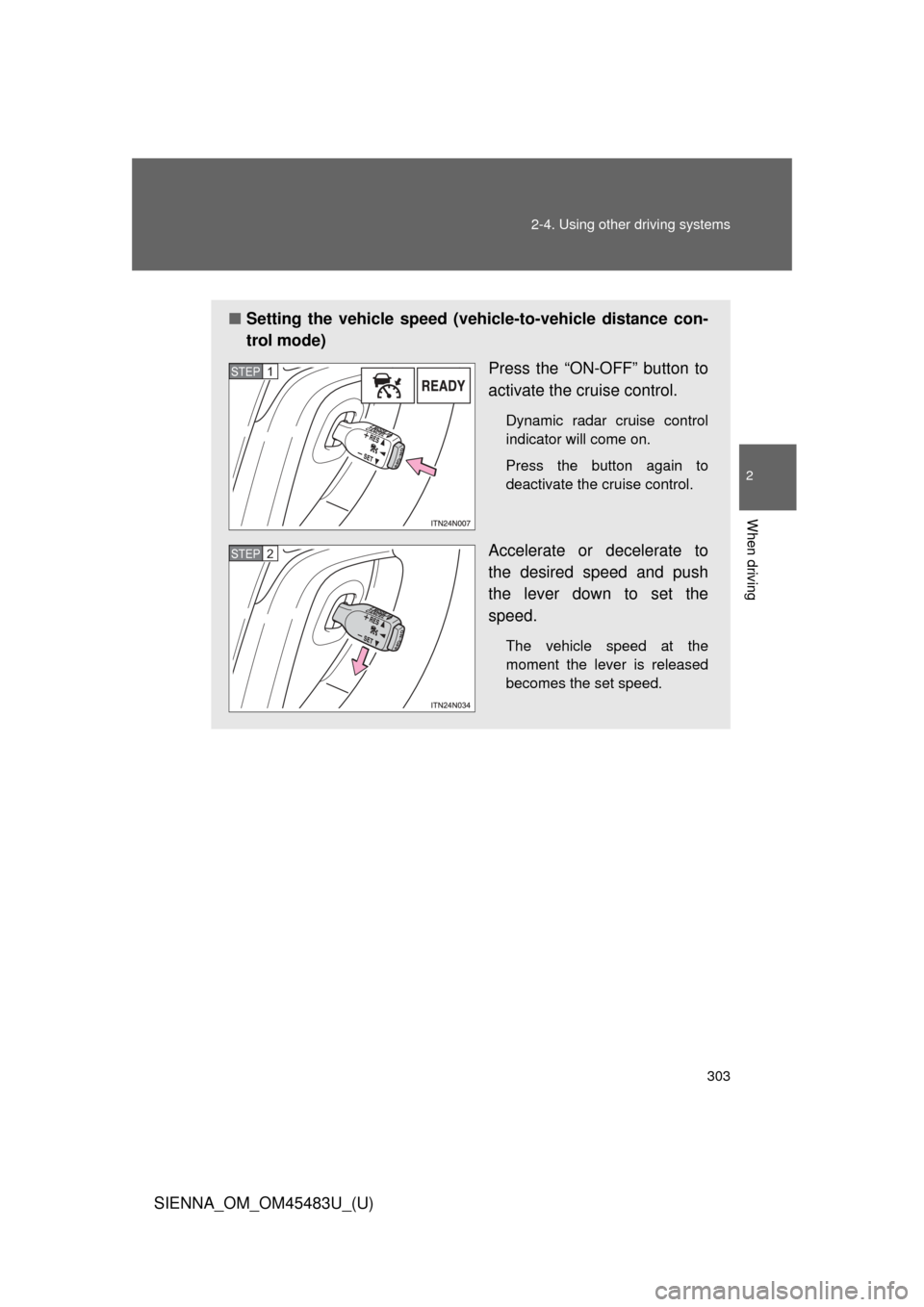
Press the “ON-OFF” button to
activate the cruise control.
Dynamic radar cruise control
indicator will come on.
Press the button again to
deactivate the cruise control.
Accelerate or decelerate to
the desired speed and push
the lever down to set the
speed.
The vehicle speed at the
moment the lever is released
becomes the set speed.
STEP1
STEP2
Page 304 of 872
304 2-4. Using other driving systems
SIENNA_OM_OM45483U_(U)
■Adjusting the set speed
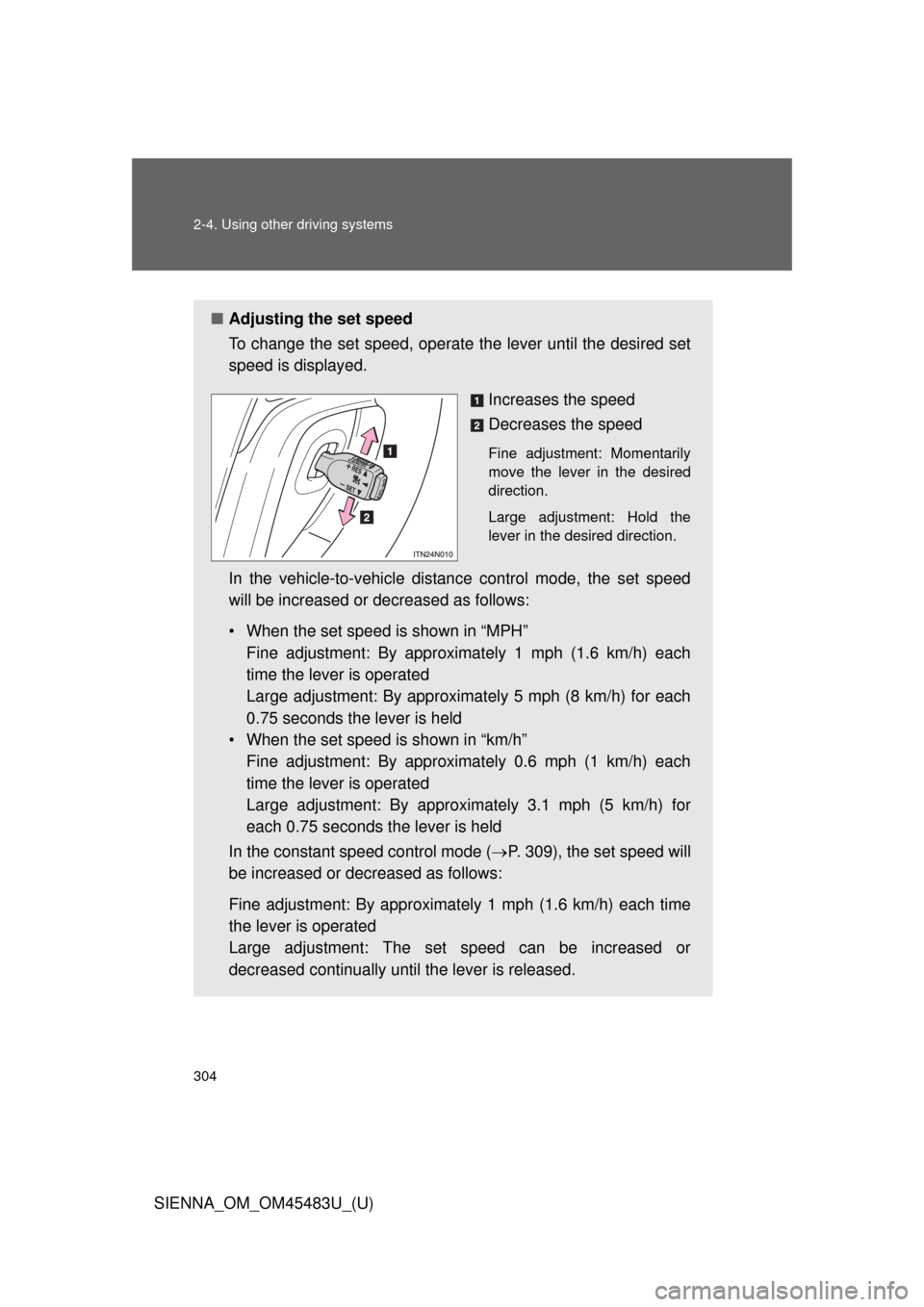
To change the set speed, operate the lever until the desired set
speed is displayed.
Increases the speed
Decreases the speed
Fine adjustment: Momentarily
move the lever in the desired
direction.
Large adjustment: Hold the
lever in the desired direction.
In the vehicle-to-vehicle distance control mode, the set speed
will be increased or decreased as follows:
• When the set speed is shown in “MPH”Fine adjustment: By approximately 1 mph (1.6 km/h) each
time the lever is operated
Large adjustment: By approximat ely 5 mph (8 km/h) for each
0.75 seconds the lever is held
• When the set speed is shown in “km/h” Fine adjustment: By approximately 0.6 mph (1 km/h) each
time the lever is operated
Large adjustment: By approximately 3.1 mph (5 km/h) for
each 0.75 seconds the lever is held
In the constant speed control mode ( P. 309), the set speed will
be increased or decreased as follows:
Fine adjustment: By approximat ely 1 mph (1.6 km/h) each time
the lever is operated
Large adjustment: The set speed can be increased or
decreased continually until the lever is released.
Page 309 of 872
309
2-4. Using other
driving systems
2
When driving
SIENNA_OM_OM45483U_(U)
Selecting conventional cons tant speed control mode
Constant speed control mode differ s from vehicle-to-vehicle distance
control mode. When constant spee d control mode is selected, your
vehicle will maintain a set speed regardless of whether or not there
are other vehicles in the lane ahead.
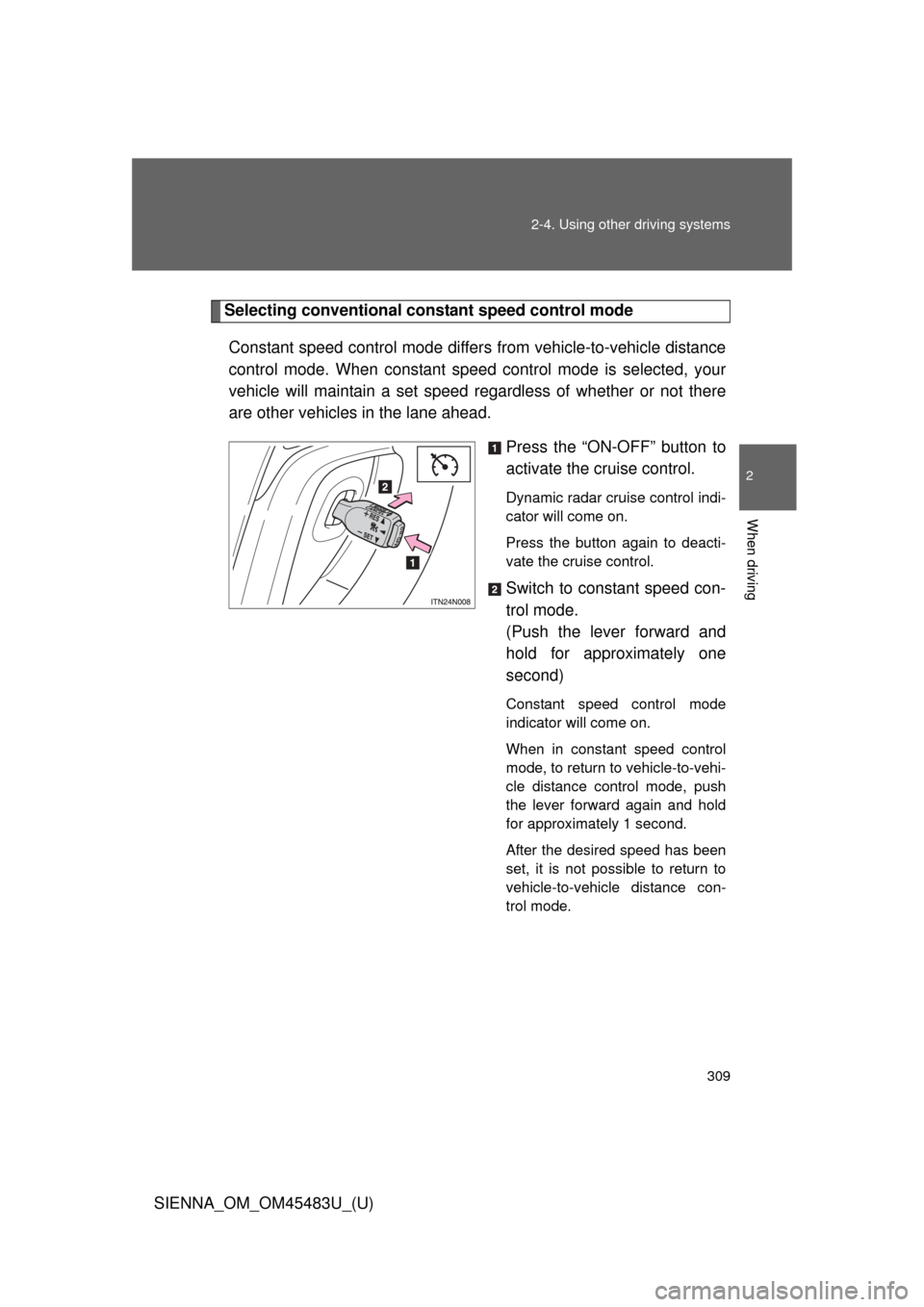
Press the “ON-OFF” button to
activate the cruise control.
Dynamic radar cruise control indi-
cator will come on.
Press the button again to deacti-
vate the cruise control.
Switch to constant speed con-
trol mode.
(Push the lever forward and
hold for approximately one
second)
Constant speed control mode
indicator will come on.
When in constant speed control
mode, to return to vehicle-to-vehi-
cle distance control mode, push
the lever forward again and hold
for approximately 1 second.
After the desired speed has been
set, it is not possible to return to
vehicle-to-vehicle distance con-
trol mode.