Page 252 of 872
252 2-2. Instrument cluster and information display
SIENNA_OM_OM45483U_(U)
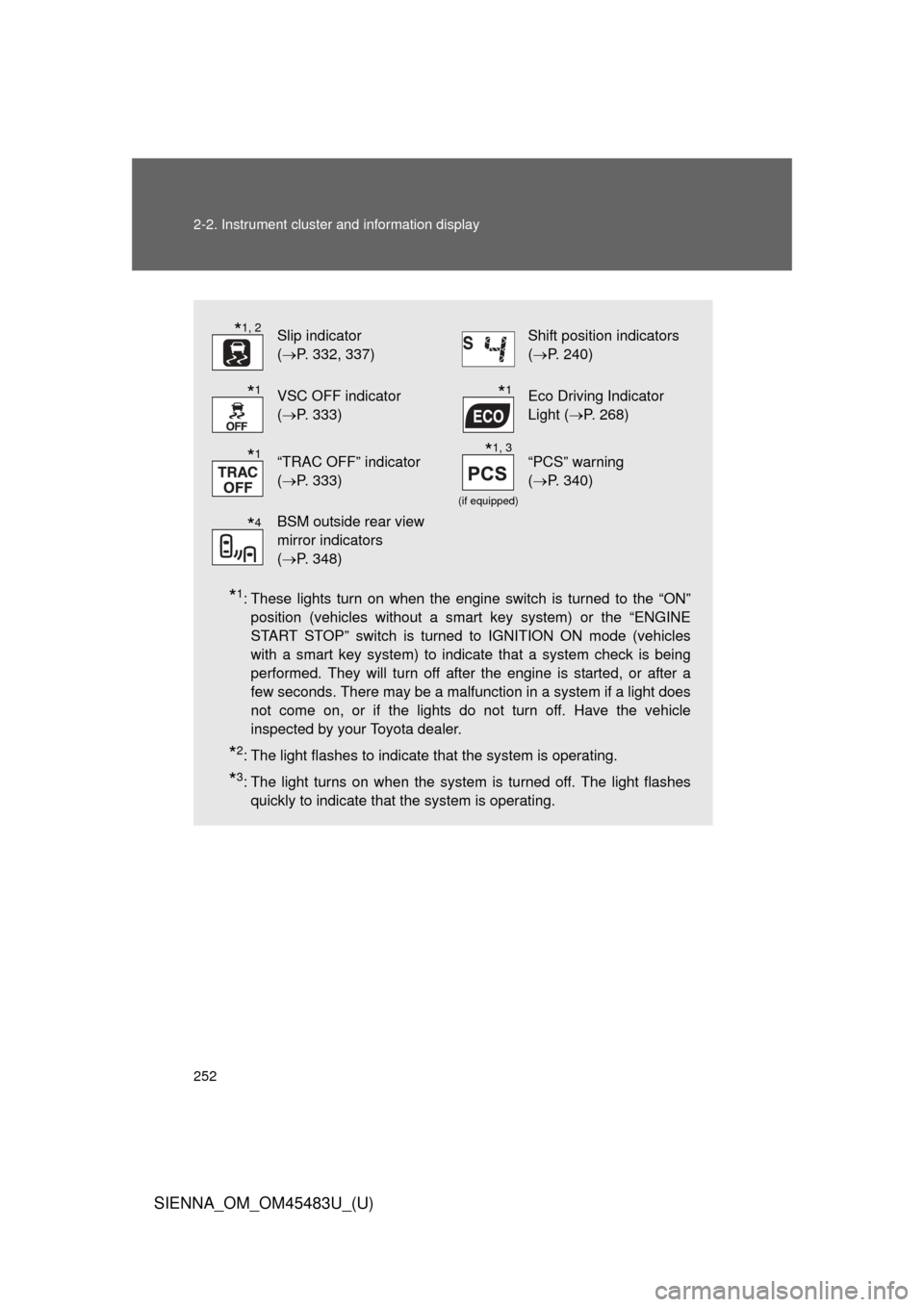
*1: These lights turn on when the engine switch is turned to the “ON”position (vehicles without a smart key system) or the “ENGINE
START STOP” switch is turned to IGNITION ON mode (vehicles
with a smart key system) to indicate that a system check is being
performed. They will turn off after the engine is started, or after a
few seconds. There may be a malfunction in a system if a light does
not come on, or if the lights do not turn off. Have the vehicle
inspected by your Toyota dealer.
*2: The light flashes to indicate that the system is operating.
*3: The light turns on when the system is turned off. The light flashesquickly to indicate that the system is operating.
Slip indicator
(P. 332, 337)Shift position indicators
(P. 240)
VSC OFF indicator
(P. 333)Eco Driving Indicator
Light ( P. 268)
“TRAC OFF” indicator
(P. 333)
(if equipped)
“PCS” warning
(P. 340)
BSM outside rear view
mirror indicators
(P. 348)
*1, 2
*1*1
*1*1, 3
*4
Page 254 of 872
254 2-2. Instrument cluster and information display
SIENNA_OM_OM45483U_(U)
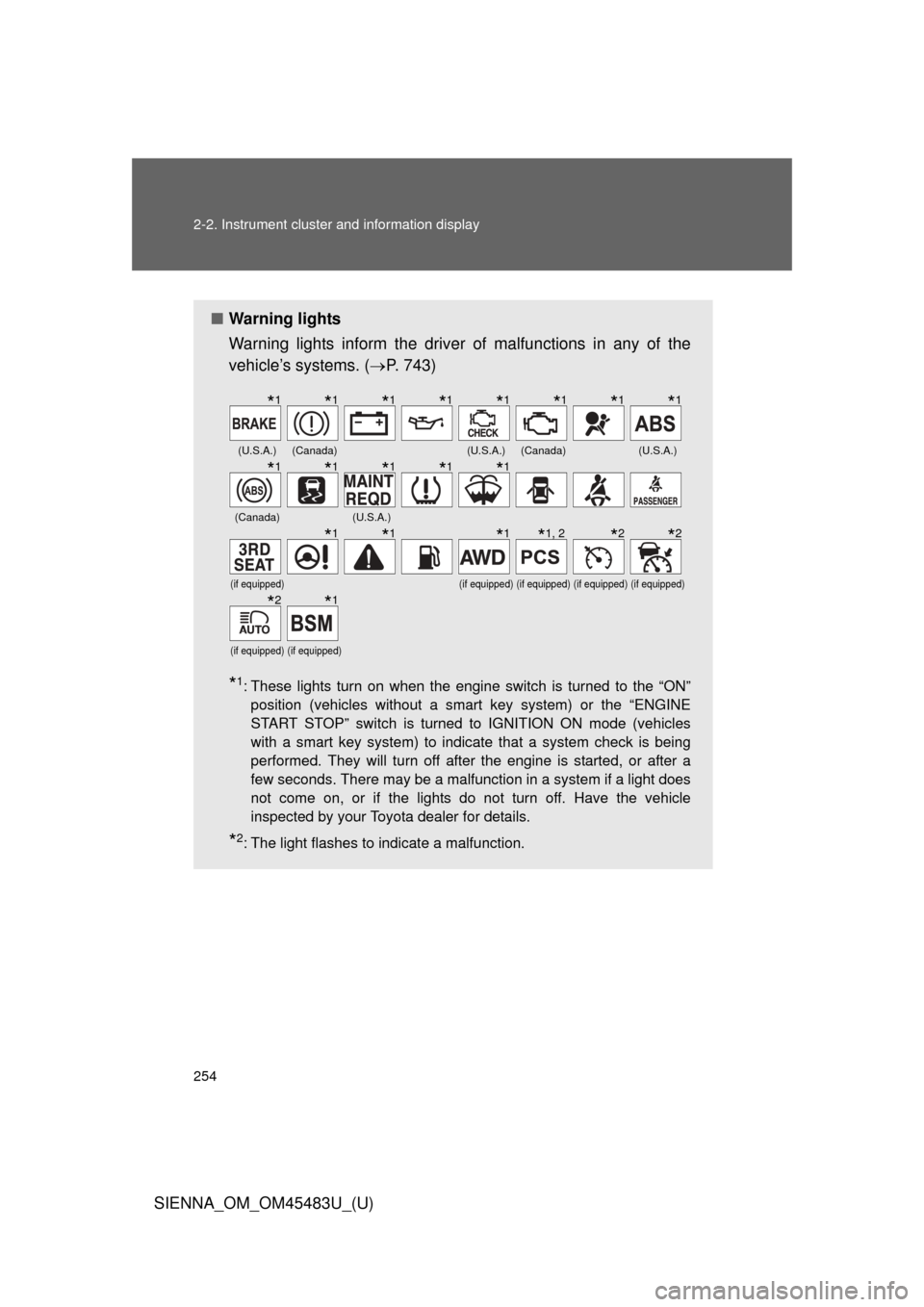
■Warning lights
Warning lights inform the driver of malfunctions in any of the
vehicle’s systems. ( P. 743)
*1: These lights turn on when the engine switch is turned to the “ON”
position (vehicles without a smart key system) or the “ENGINE
START STOP” switch is turned to IGNITION ON mode (vehicles
with a smart key system) to indicate that a system check is being
performed. They will turn off after the engine is started, or after a
few seconds. There may be a malfunction in a system if a light does
not come on, or if the lights do not turn off. Have the vehicle
inspected by your Toyota dealer for details.
*2: The light flashes to indicate a malfunction.
(U.S.A.)(Canada)(U.S.A.)(Canada)(U.S.A.)
(Canada)(U.S.A.)
(if equipped)(if equipped)(if equipped)(if equipped)(if equipped)
(if equipped)(if equipped)
*1*1*1*1*1*1*1*1
*1*1*1*1*1
*1*1*1*1, 2*2*2
*2*1
Page 255 of 872
255
2-2. Instrument cluster and information display
2
When driving
SIENNA_OM_OM45483U_(U)
CAUTION
■
If a safety system warning light does not come on
Should a safety system light such as the ABS or SRS airbag warning light
not come on when you start the engine, this could mean that these systems
are not available to help protect you in an accident, which could result in
death or serious injury. Have the vehicle inspected by your Toyota dealer
immediately if this occurs.
Page 257 of 872
257
2-2. Instrument cluster and information display
2
When driving
SIENNA_OM_OM45483U_(U)
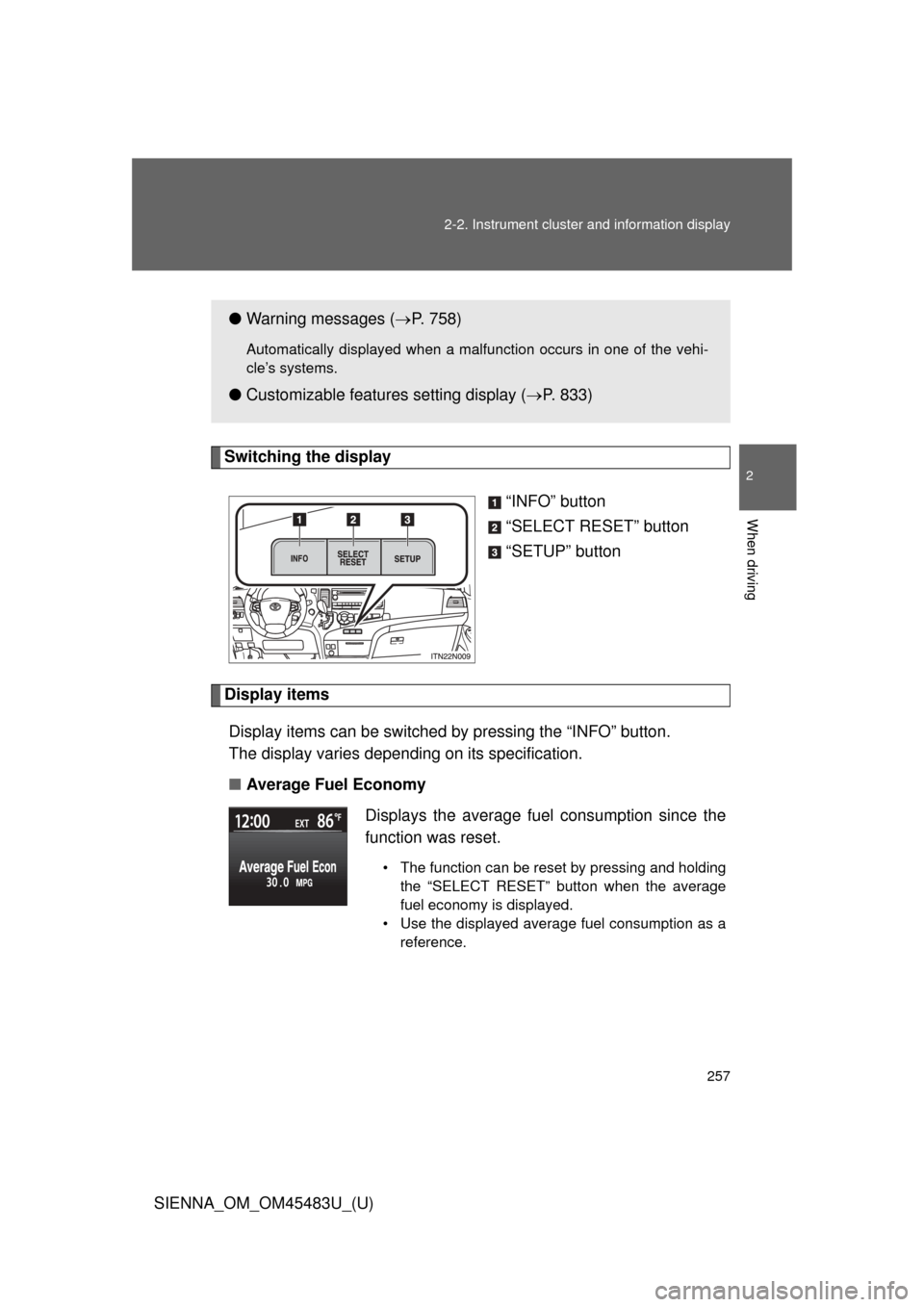
Switching the display
“INFO” button
“SELECT RESET” button
“SETUP” button
Display itemsDisplay items can be switched by pressing the “INFO” button.
The display varies depending on its specification.
■ Average Fuel Economy
●Warning messages ( P. 758)
Automatically displayed when a malfunction occurs in one of the vehi-
cle’s systems.
● Customizable features setting display ( P. 833)
Displays the average fuel consumption since the
function was reset.
• The function can be reset by pressing and holding the “SELECT RESET” button when the average
fuel economy is displayed.
• Use the displayed average fuel consumption as a reference.
Page 307 of 872
307
2-4. Using other
driving systems
2
When driving
SIENNA_OM_OM45483U_(U)
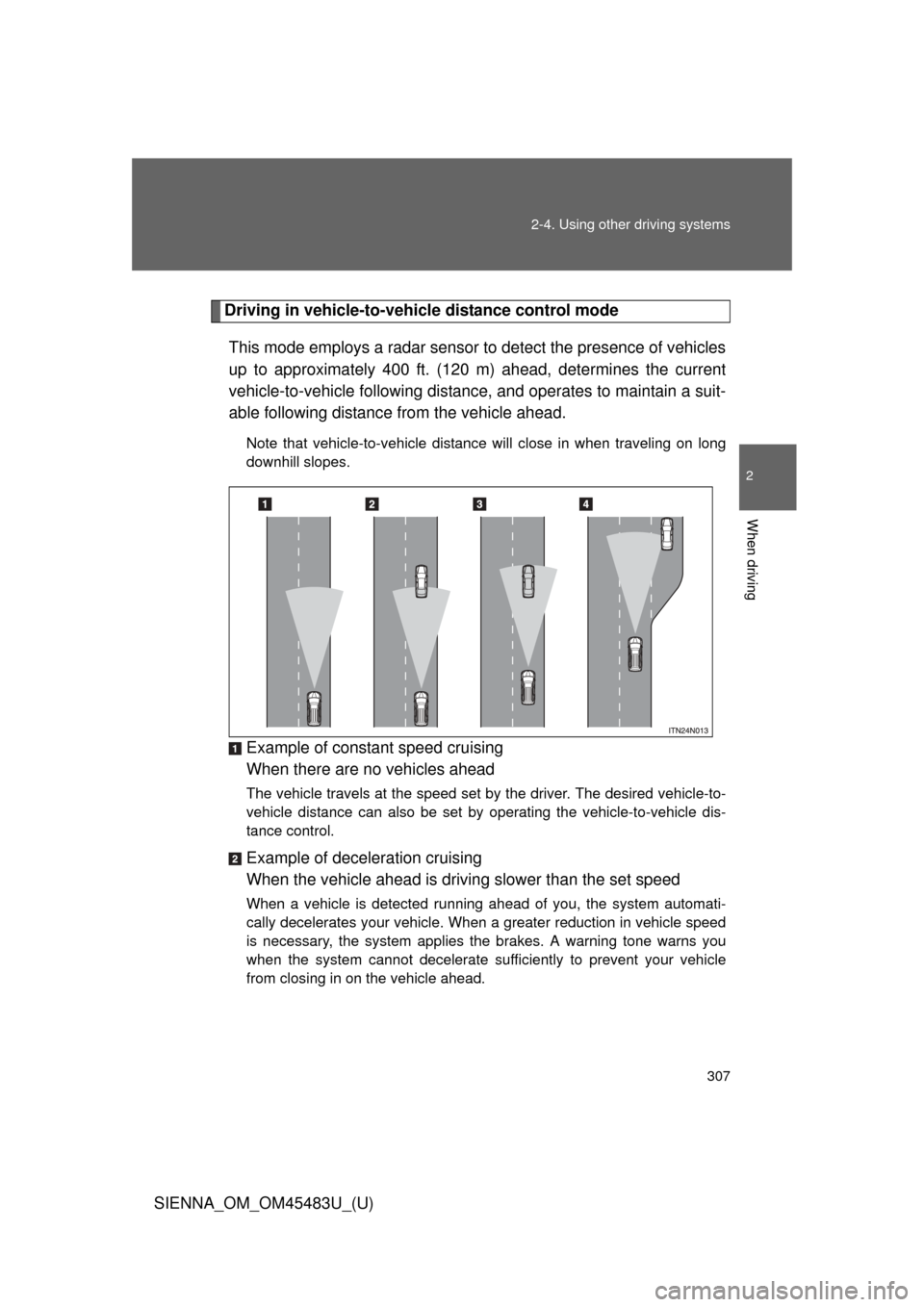
Driving in vehicle-to-vehicle distance control mode
This mode employs a radar sensor to detect the presence of vehicles
up to approximately 400 ft. (120 m) ahead, determines the current
vehicle-to-vehicle following distance, and operates to maintain a suit-
able following distance from the vehicle ahead.
Note that vehicle-to-vehicle distance will close in when traveling on long
downhill slopes.
Example of constant speed cruising
When there are no vehicles ahead
The vehicle travels at the speed set by the driver. The desired vehicle-to-
vehicle distance can also be set by operating the vehicle-to-vehicle dis-
tance control.
Example of deceleration cruising
When the vehicle ahead is driving slower than the set speed
When a vehicle is detected running ahead of you, the system automati-
cally decelerates your vehicle. When a greater reduction in vehicle speed
is necessary, the system applies the brakes. A warning tone warns you
when the system cannot decelerate sufficiently to prevent your vehicle
from closing in on the vehicle ahead.
Page 308 of 872
308 2-4. Using other driving systems
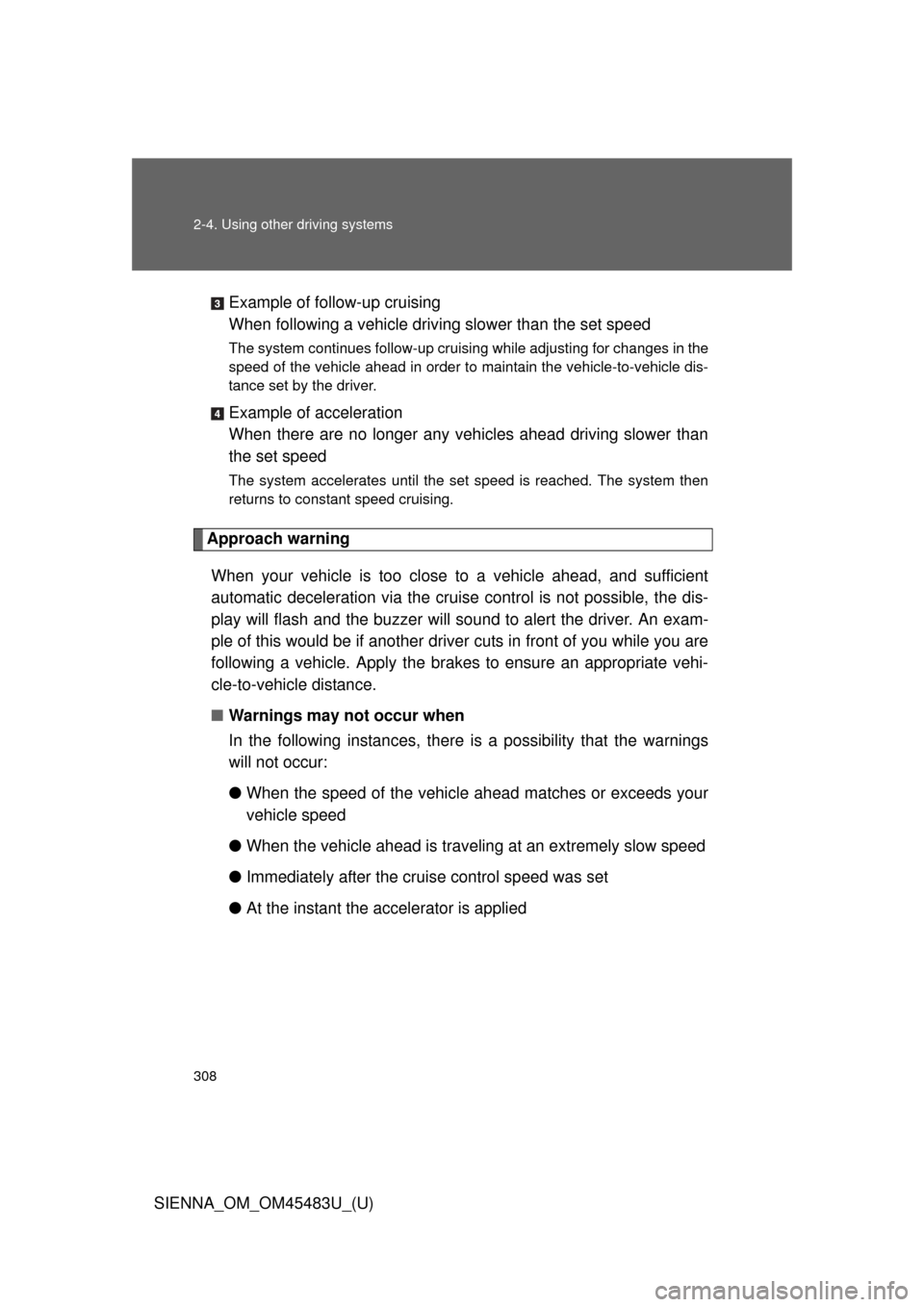
SIENNA_OM_OM45483U_(U)Example of follow-up cruising
When following a vehicle driv
ing slower than the set speed
The system continues follow-up cruising while adjusting for changes in the
speed of the vehicle ahead in order to maintain the vehicle-to-vehicle dis-
tance set by the driver.
Example of acceleration
When there are no longer any vehi cles ahead driving slower than
the set speed
The system accelerates until the set speed is reached. The system then
returns to constant speed cruising.
Approach warning
When your vehicle is too close to a vehicle ahead, and sufficient
automatic deceleration via the cruise control is not possible, the dis-
play will flash and the bu zzer will sound to alert the driver. An exam-
ple of this would be if another driver cuts in front of you while you are
following a vehicle. Apply the brakes to ensure an appropriate vehi-
cle-to-vehicle distance.
■ Warnings may not occur when
In the following instan ces, there is a possibility that the warnings
will not occur:
● When the speed of the vehicl e ahead matches or exceeds your
vehicle speed
● When the vehicle ahead is traveling at an extremely slow speed
● Immediately after the cruise control speed was set
● At the instant the accelerator is applied
Page 312 of 872
312 2-4. Using other driving systems
SIENNA_OM_OM45483U_(U)
■Automatic cancelation of constant speed control
The cruise control will stop maintaining the vehicle speed in the following sit-
uations.
●Actual vehicle speed is more than approximately 10 mph (16 km/h)
below the set vehicle speed.
At this time, the memorized set speed is not retained.
● Vehicle speed falls below appr oximately 25 mph (40 km/h).
● Enhanced VSC is activated.
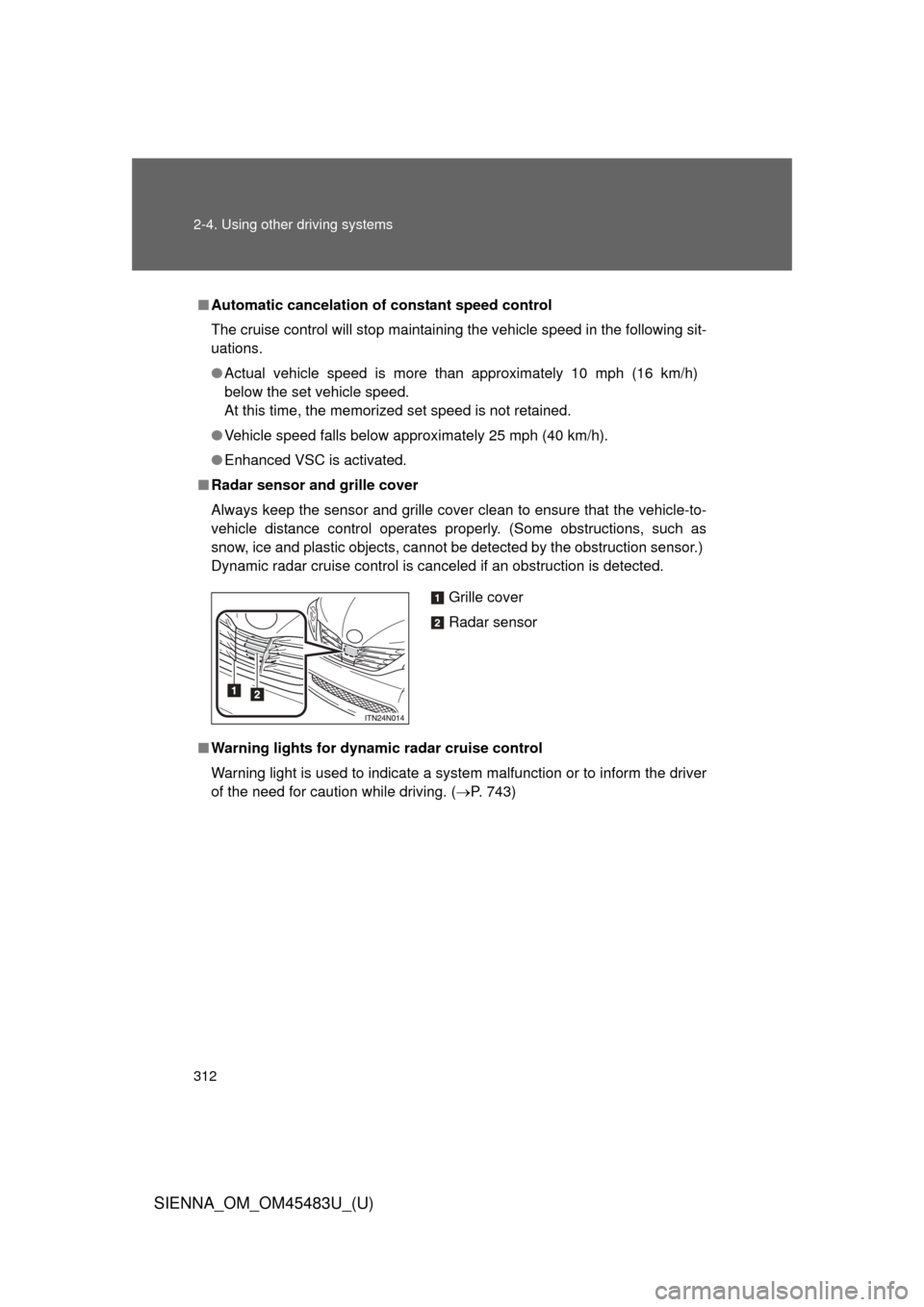
■ Radar sensor and grille cover
Always keep the sensor and grille cover clean to ensure that the vehicle-t\
o-
vehicle distance control operates pr operly. (Some obstructions, such as
snow, ice and plastic objects, cannot be detected by the obstruction sensor.)
Dynamic radar cruise control is canceled if an obstruction is detected.
■ Warning lights for dynamic radar cruise control
Warning light is used to indicate a system malfunction or to inform the driver
of the need for caution while driving. ( P. 743)
Grille cover
Radar sensor
Page 313 of 872

313
2-4. Using other
driving systems
2
When driving
SIENNA_OM_OM45483U_(U)
■Certification
U.S.A.
FCC ID: HYQDNMWR005
This device complies with part 15 of the FCC Rules. Operation is subject to
the following two conditions: (1) This device may not cause harmful interfer-
ence, and (2) this device must accept any interference received, including
interference that may cause undesired operation.
FCC WARNING
Changes or modifications not expressly approved by the party responsible
for compliance could void the user’s authority to operate the equipment.
Radiofrequency radiation exposure Information:
This equipment complies with FCC radiation exposure limits set forth for an
uncontrolled environment.
This equipment should be installed and operated with minimum distance of
20 cm between the radiator (antenna) and your body.
This transmitter must not be co-located or operating in conjunction with any
other antenna or transmitter.
Canada
Operation is subject to the following two conditions: (1) this device may not
cause interference, and (2) this device must accept any interference, includ-
ing interference that may cause undesired operation of the device.