Page 344 of 563
341
3-6. Other interior features
3
Interior features
Floor mat
Use only floor mats designed specifically for vehicles of the same
model and model year as your vehicle. Fix them securely in place
onto the carpet.
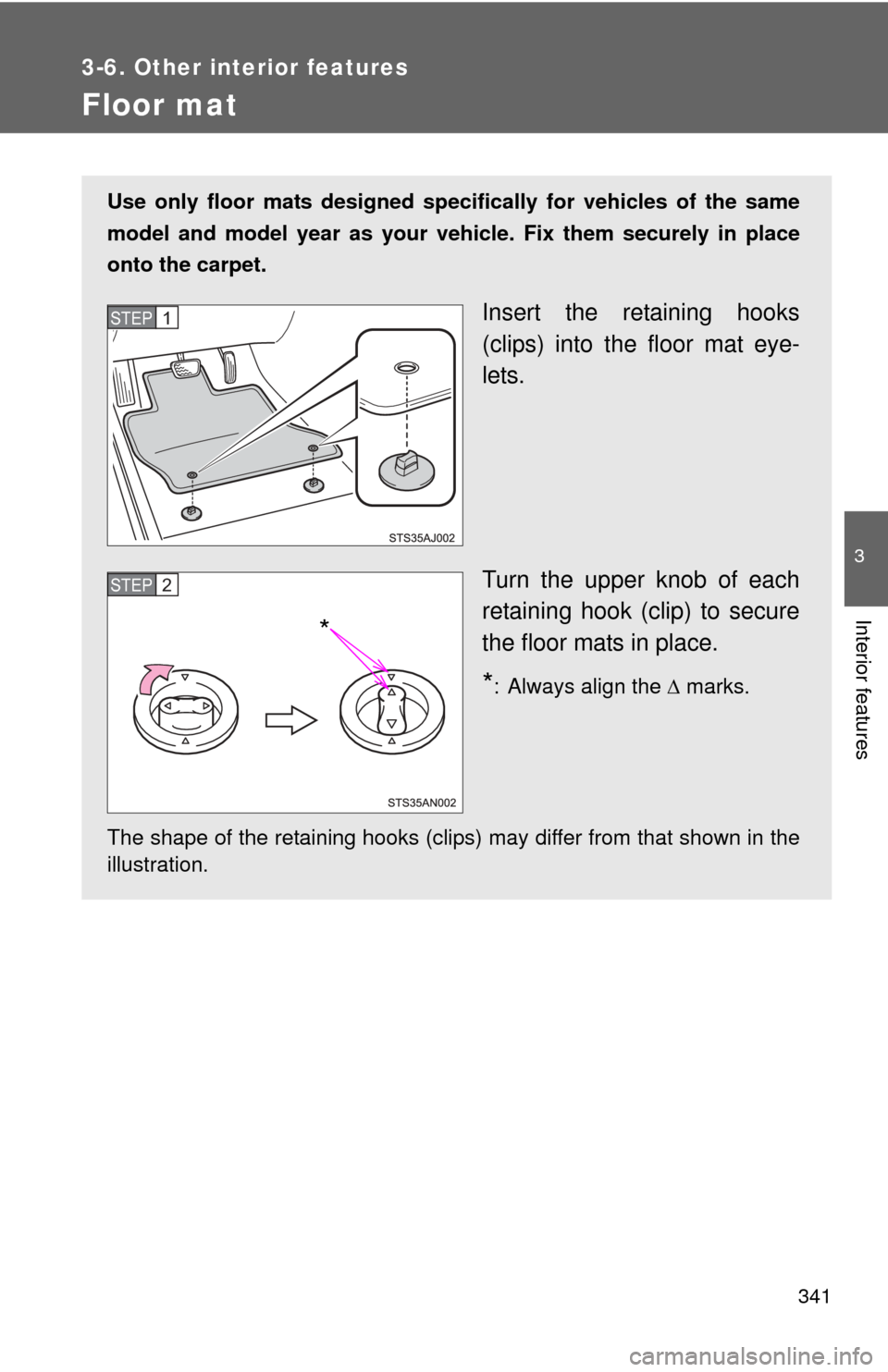
Insert the retaining hooks
(clips) into the floor mat eye-
lets.
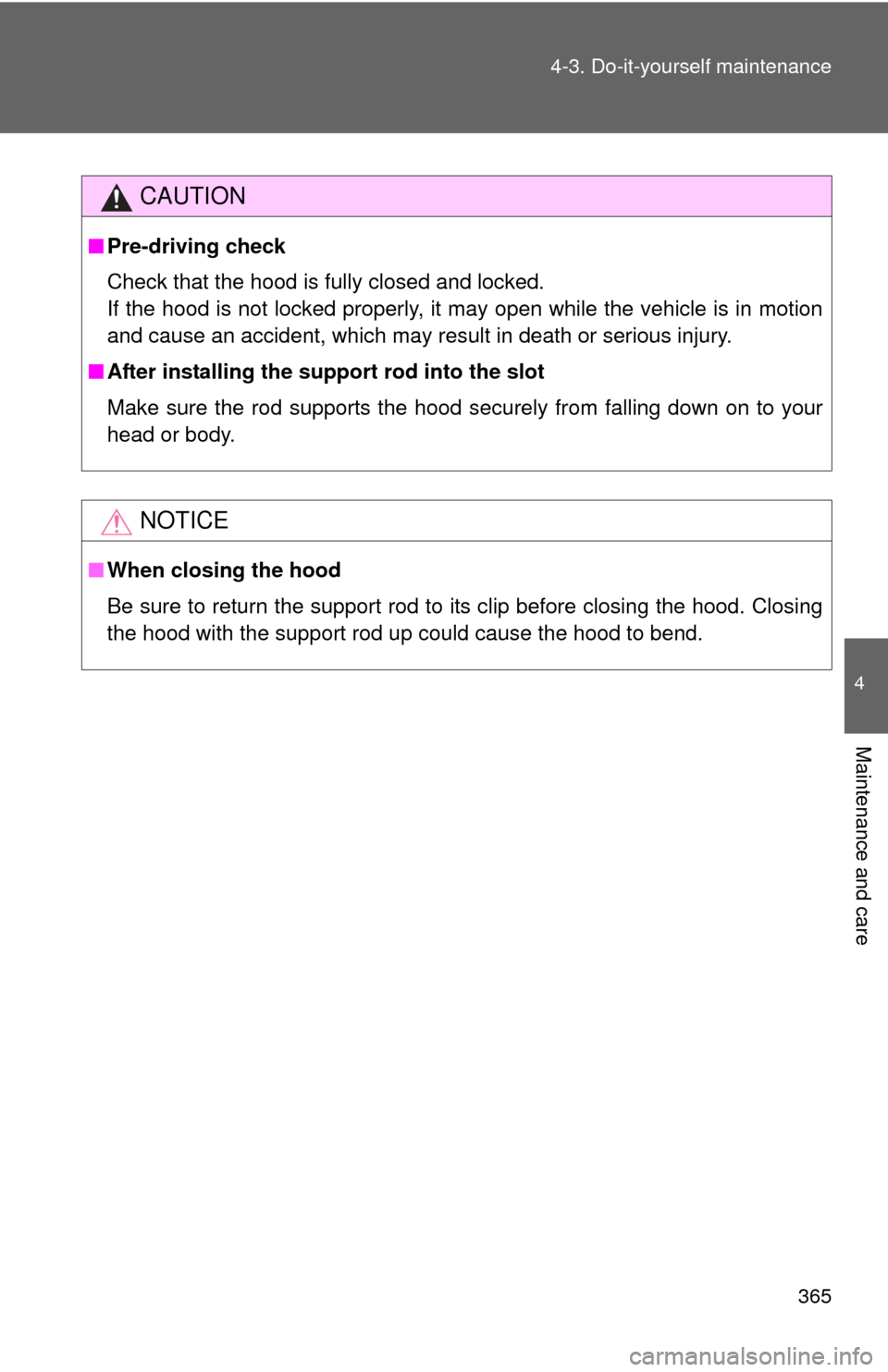
Turn the upper knob of each
retaining hook (clip) to secure
the floor mats in place.
*: Always align the marks.
The shape of the retaining hooks (clips) may differ from that shown in the
illustration.
STEP1
*
STEP2
Page 345 of 563
342 3-6. Other interior features
CAUTION
Observe the following precautions.
Failure to do so may cause the driver's floor mat to slip, possibly interfering
with the pedals while driving. An unexpectedly high speed may result or it may
become difficult to stop the vehicle, leading to a serious accident.
■When installing the driver's floor mat
●Do not use floor mats designed for other models or different model year
vehicles, even if they are Toyota Genuine floor mats.
● Only use floor mats designed for the driver's seat.
● Always install the floor mat securely using the retaining hooks (clips) pro-
vided.
● Do not use two or more floor mats on top of each other.
● Do not place the floor mat bottom-side up or upside-down.
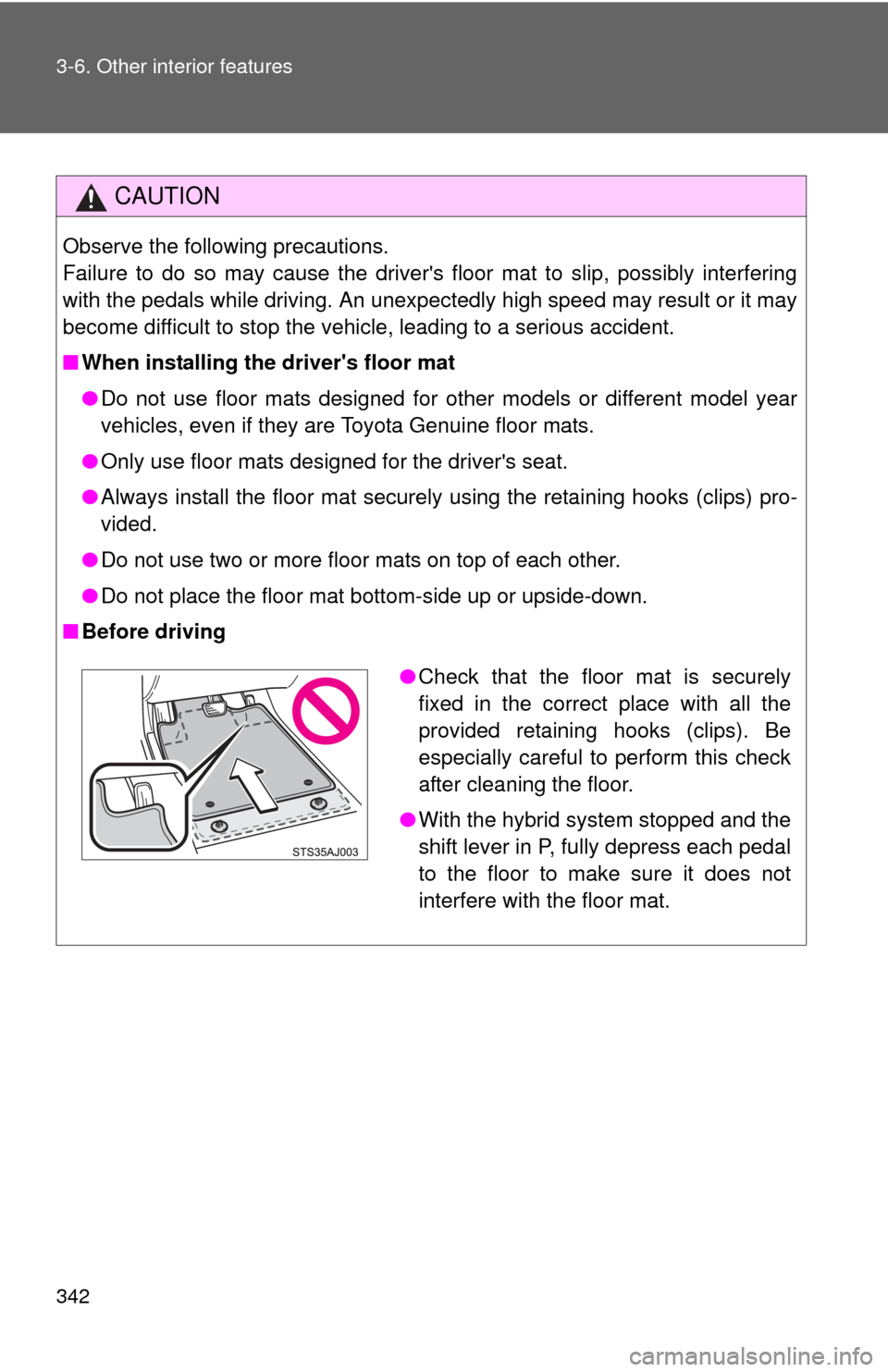
■ Before driving
●Check that the floor mat is securely
fixed in the correct place with all the
provided retaining hooks (clips). Be
especially careful to perform this check
after cleaning the floor.
● With the hybrid system stopped and the
shift lever in P, fully depress each pedal
to the floor to make sure it does not
interfere with the floor mat.
Page 368 of 563
365
4-3. Do-it-yourself maintenance
4
Maintenance and care
CAUTION
■
Pre-driving check
Check that the hood is fully closed and locked.
If the hood is not locked properly, it may open while the vehicle is in motion
and cause an accident, which may result in death or serious injury.
■ After installing the support rod into the slot
Make sure the rod supports the hood securely from falling down on to your
head or body.
NOTICE
■When closing the hood
Be sure to return the support rod to its clip before closing the hood. Closing
the hood with the support rod up could cause the hood to bend.
Page 379 of 563
376 4-3. Do-it-yourself maintenance
■Adding fluid
Make sure to check the fluid type and prepare the necessary item.
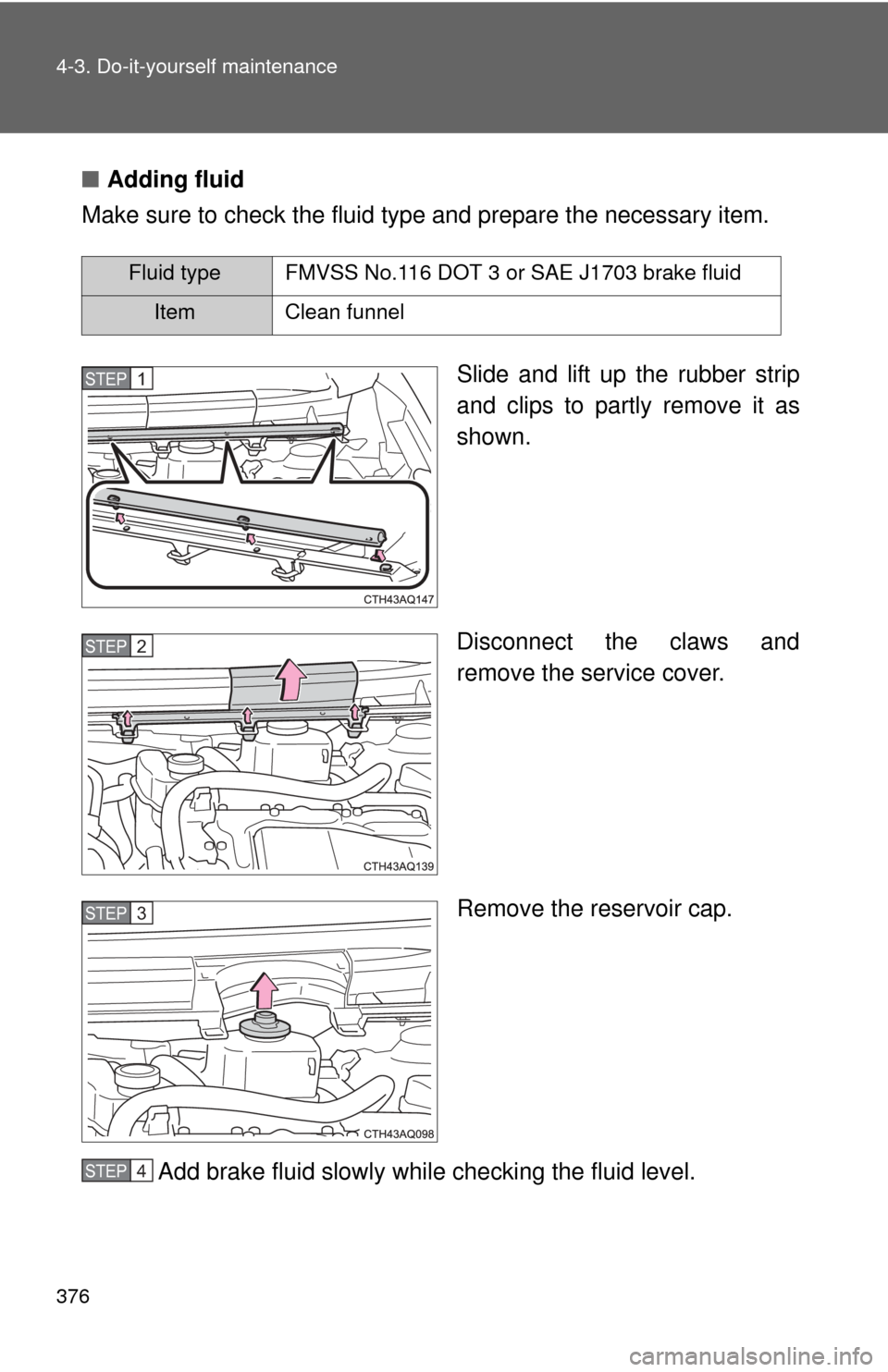
Slide and lift up the rubber strip
and clips to partly remove it as
shown.
Disconnect the claws and
remove the service cover.
Remove the reservoir cap.
Add brake fluid slowly while checking the fluid level.
Fluid type FMVSS No.116 DOT 3 or SAE J1703 brake fluid
Item Clean funnel
STEP1
STEP2
STEP3
STEP4
Page 382 of 563
379
4-3. Do-it-yourself maintenance
4
Maintenance and care
12-volt batter y
■Location
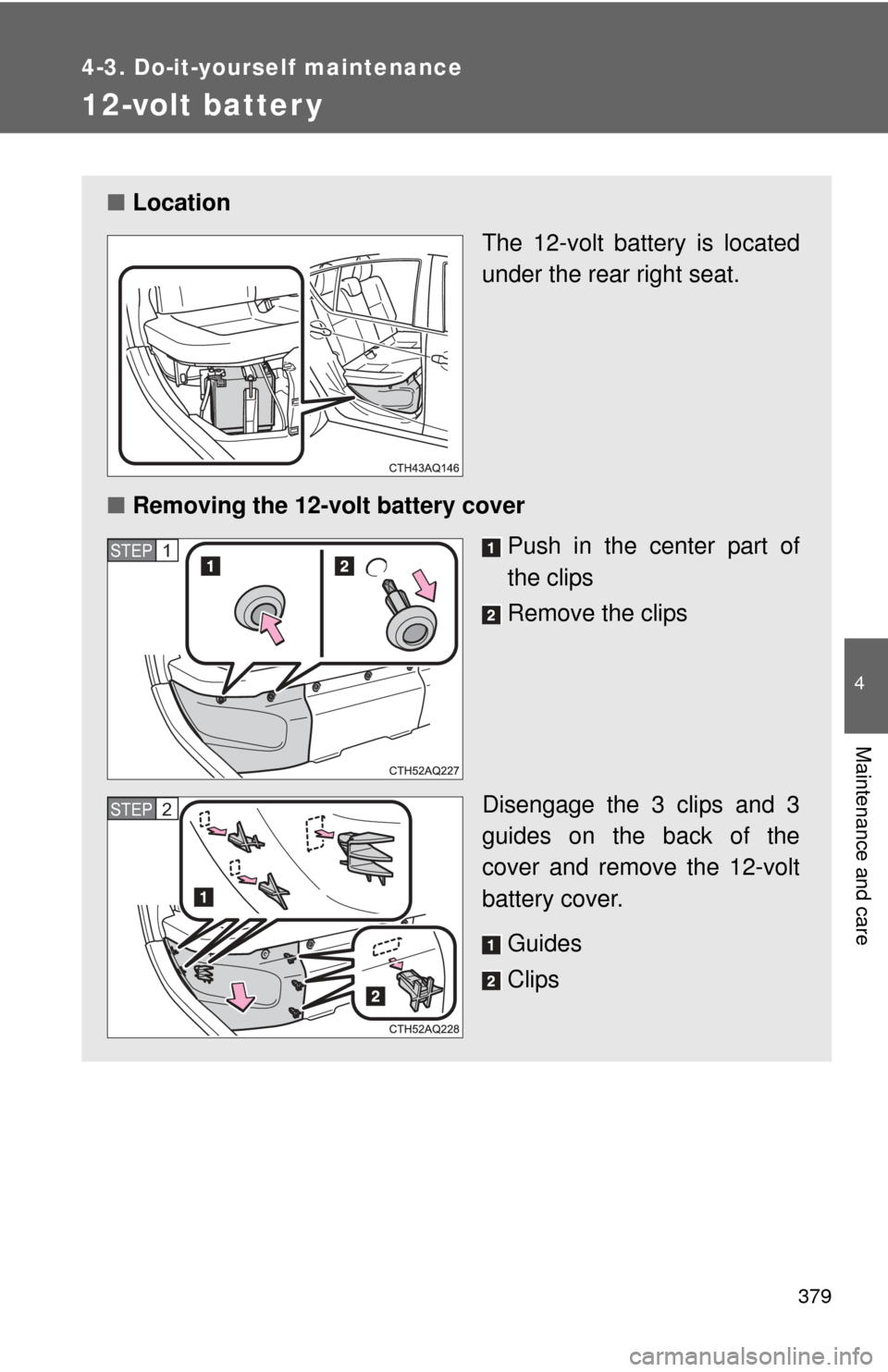
The 12-volt battery is located
under the rear right seat.
■ Removing the 12-volt battery cover
Push in the center part of
the clips
Remove the clips
Disengage the 3 clips and 3
guides on the back of the
cover and remove the 12-volt
battery cover. Guides
Clips
STEP1
STEP2
Page 383 of 563
380 4-3. Do-it-yourself maintenance
■Exterior
Make sure that the 12-volt battery terminals are not corroded
and that there are no loose c onnections, cracks, or loose
clamps.
Terminals
Hold-down clamp
■ Installing the 12-volt battery cover
Install the 12-volt battery
cover.
Guides
Clips
Check if the clips and guides
on the back of the cover are
engaging properly if the cover
cannot be installed.
Push out the center part of
the clips
Insert the clips
Push in the center part of
the clips
STEP1
STEP2
Page 424 of 563
421
4-3. Do-it-yourself maintenance
4
Maintenance and care
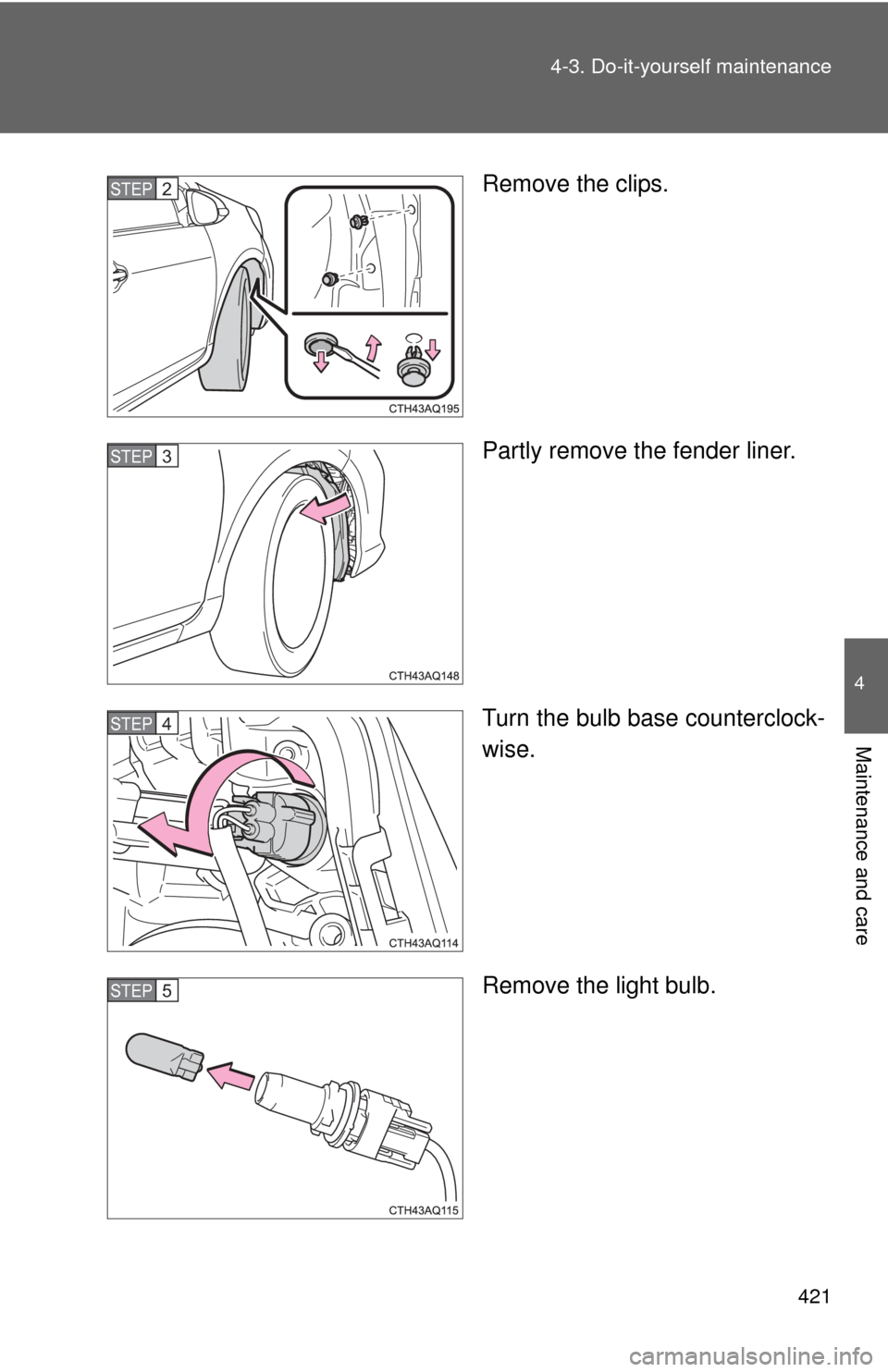
Remove the clips.
Partly remove the fender liner.
Turn the bulb base counterclock-
wise.
Remove the light bulb.STEP2
STEP3
STEP4
STEP5
Page 425 of 563
422 4-3. Do-it-yourself maintenance
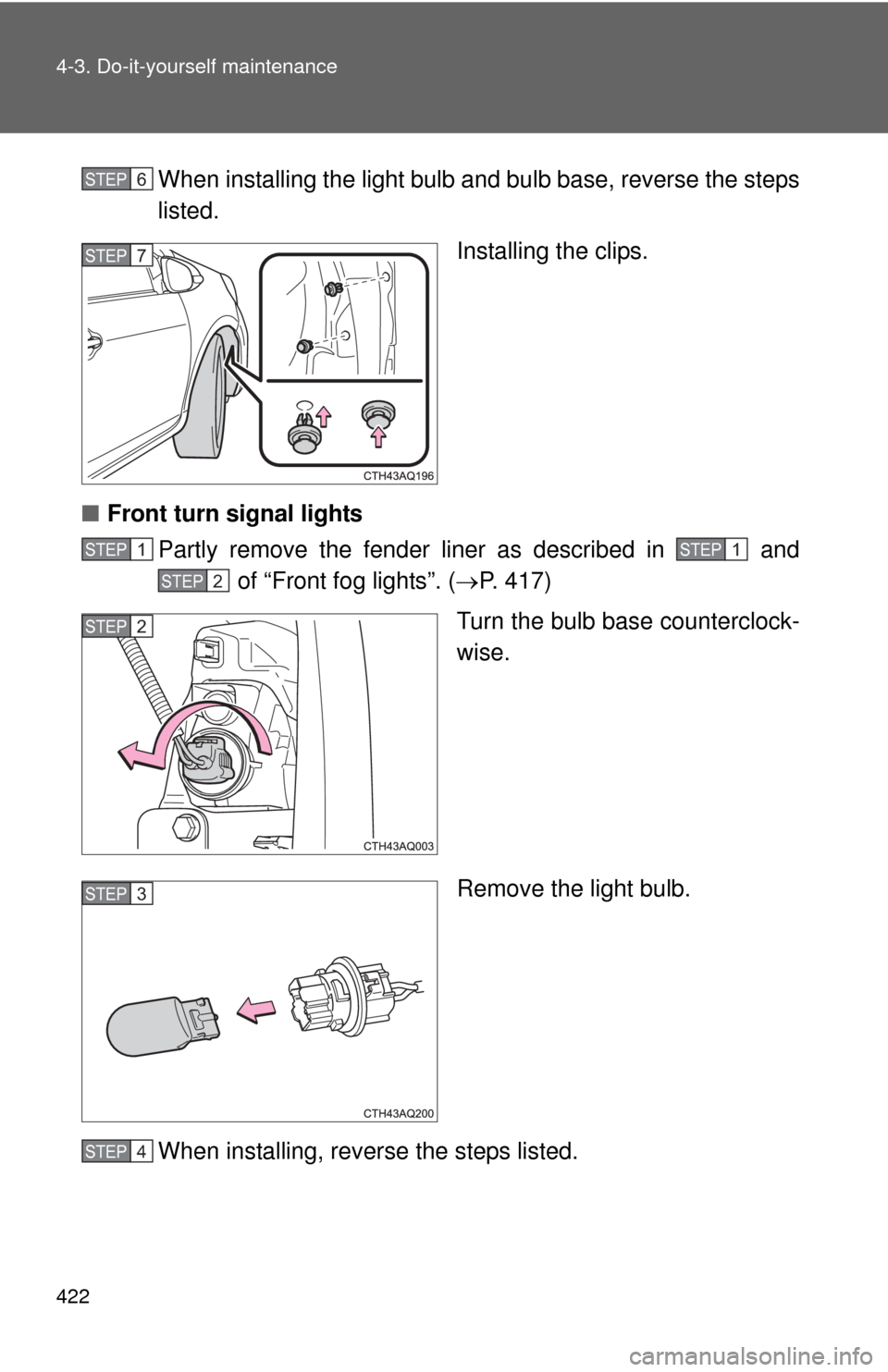
When installing the light bulb and bulb base, reverse the steps
listed.
Installing the clips.
■ Front turn signal lights
Partly remove the fender liner as described in and of “Front fog lights”. ( P. 417)
Turn the bulb base counterclock-
wise.
Remove the light bulb.
When installing, reverse the steps listed.STEP6
STEP7
STEP1STEP1
STEP2
STEP2
STEP3
STEP4