Page 231 of 563
230
2-5. Driving information
Vehicle load limits
■Total load capacity and seating capacity
These details are also described on the tire and loading information
label. (P. 392)
CAUTION
■Overloading the vehicle
Do not overload the vehicle.
It may not only cause damage to the ti res, but also degrade steering and
braking ability, resulting in an accident.
Vehicle load limits include total load capacity, seating capacity,
towing capacity and cargo capacity.
■ Total load capacity (vehicle capacity weight): ( P. 496)
Total load capacity means the combined weight of occupants,
cargo and luggage.
■ Seating capacity: 5 occupants (Front 2, Rear 3)
Seating capacity means the maxi mum number of occupants whose
estimated average weight is 150 lb. (68 kg) per person.
■ Towing capacity
Toyota does not recommend towing a trailer with your vehicle.
■Cargo capacity
Cargo capacity may increase or decrease depending on the weight
and the number of occupants.
Page 234 of 563
233
2-5. Driving information
2
When driving
■
Tire chain installation
Observe the following precautions when installing and removing chains:
●Install and remove tire chains in a safe location.
● Install tire chains on the front tires only. Do not install tire chains on the
rear tires.
● Install tire chains on front tires as tightly as possible. Retighten chains
after driving 1/4 1/2 mile (0.5 1.0 km).
● Install tire chains following the instructions provided with the tire chains.
CAUTION
■Driving with snow tires
Observe the following precautions to reduce the risk of accidents.
Failure to do so may result in a loss of vehicle control and cause death or
serious injury.
●Use tires of the size specified.
● Maintain the recommended level of air pressure.
● Do not drive in excess of 75 mph (120 km/h), regardless of the type of
snow tires being used.
● Use snow tires on all, not just some wheels.
Page 240 of 563

Interior features3
237
3-1. Using the air conditioning system and defogger
Automatic air conditioning system ........................... 238
Rear window and outside rear view
mirror defoggers ............ 247
3-2. Using the audio system Audio system types .......... 248
Using the radio ................. 254
Using the CD player ......... 256
Playing back MP3 and WMA discs .............. 261
Operating an iPod ............ 268
Operating a USB memory .......................... 276
Optimal use of the audio system.................. 284
Using the AUX port .......... 287
Using the steering wheel audio switches ..... 288
3-3. Using the Bluetooth
®
audio system
Bluetooth
® audio/
phone ............................. 291
Using the Bluetooth
®
audio/phone ................... 295
Operating a Bluetooth
®
enabled portable
player ............................. 300
Making a phone call ......... 303 Using the “SET UP” menu
(“Bluetooth” menu) ......... 308
Using the “SET UP” menu (“Phone” menu).............. 314
3-4. Using the interior lights Interior lights list ............... 321
• Interior lights/personal lights................ 322
3-5. Using the storage features
List of storage features .... 324
• Glove box........................ 325
• Console box ................... 325
• Auxiliary boxes ............... 327
• Cup holders ................... 329
• Bottle holders ................. 330
3-6. Other interior features Sun visors ........................ 332
Vanity mirrors ................... 333
Outside temperature display............................ 334
Power outlet ..................... 336
Seat heaters..................... 337
Coat hooks ....................... 339
Assist grips....................... 340
Floor mat .......................... 341
Luggage cover ................. 343
Page 250 of 563
247
3-1. Using the air conditioning system and defogger
3
Interior features
Rear window and outside rear view mirror defoggers
■The defoggers can be operated when
Vehicles without a smart key system
The engine switch is in the “ON” position.
Vehicles with a smart key system
The “POWER” switch is in ON mode.
■ The outside rear view mirr or defoggers (if equipped)
Turning the rear window defogger on will turn the outside rear view mirror
defoggers on.
CAUTION
■ When the outside rear view mirr or defoggers are on (if equipped)
Do not touch the outside surface of the rear view mirrors, as they can
become very hot and burn you.
Defoggers are used to defog the rear window, and to remove rain-
drops, dew and frost from the outside rear view mirrors.
Turns the defoggers on/off
The defoggers will automati-
cally turn off after approxi-
mately 15 minutes.
Page 258 of 563

255
3-2. Using the audio system
3
Interior features
Scanning radio stations
■ Scanning the preset radio stations
Press and hold until you hear a beep.
Preset stations will be played for 5 seconds each.
When the desired station is reached, press again.
■ Scanning all the radio stations within range
Press .
All the stations with reception will be played for 5 seconds each.
When the desired station is reached, press again.
■ When the 12-volt battery is disconnected
Preset stations are erased.
■ Reception sensitivity
●Maintaining perfect radio reception at all times is difficult due to the con-
tinually changing position of the antenna when driving, differences in sig-
nal strength and surrounding objects, such as trains, transmitters, etc.
● When is used, automatic station selection may not be possi-
ble.
● The radio antenna is mounted on the rear roof. The antenna can be
removed from the base by turning it.
NOTICE
■To prevent damage, remove the antenna in the following cases.
●The antenna will touch the ceiling of a garage.
● A car cover will be put on the roof.
STEP1
STEP2
STEP1
STEP2
Page 288 of 563
285
3-2. Using the audio system
3
Interior features
Using the audio control function
■ Changing sound quality modes
Press .
Turn to select “Sound Setting”.
Press .
Turn to select the desired mode.
“BASS”, “TREBLE”, “FADER”, “BALANCE”, or “ASL”
Press .
■ Adjusting sound quality
Turning adjusts the level.
*: The sound quality level is adjusted individually in each audio mode.
STEP1
STEP2
STEP3
STEP4
STEP5
Mode
displayedSound
quality modeLevelTurn to the leftTurn to the right
“BASS”Bass*-5 to 5LowHigh“TREBLE”Treble*-5 to 5
“FADER”
Front/rear volume
balance
R7 to F7Shifts to rearShifts to front
“BALANCE”
Left/right volume
balance
L7 to R7Shifts to leftShifts to right
Page 332 of 563
329
3-5. Using the
storage features
3
Interior features
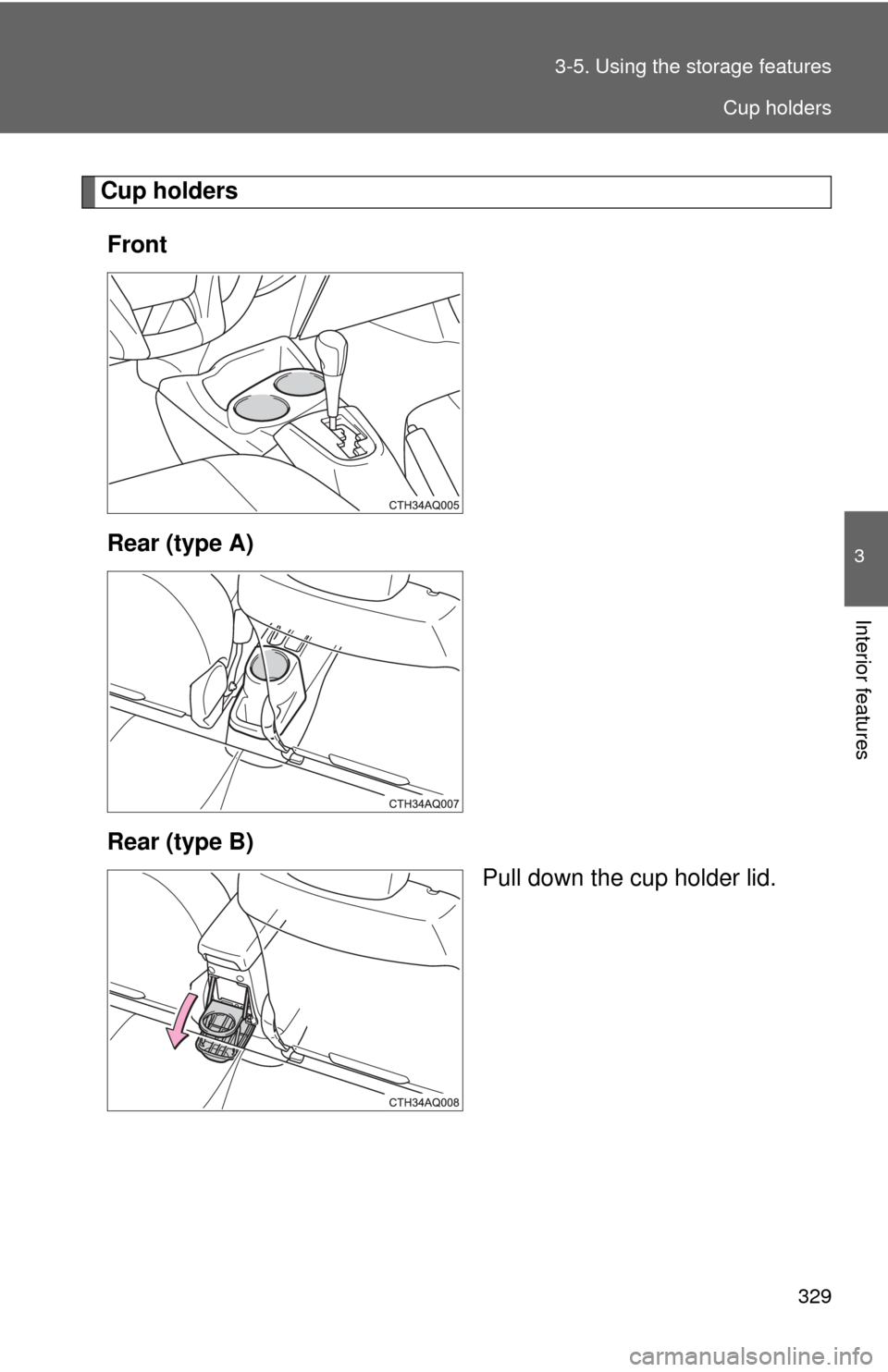
Cup holders
Front
Rear (type A)
Rear (type B) Pull down the cup holder lid.
Cup holders
Page 333 of 563
330 3-5. Using the storage features
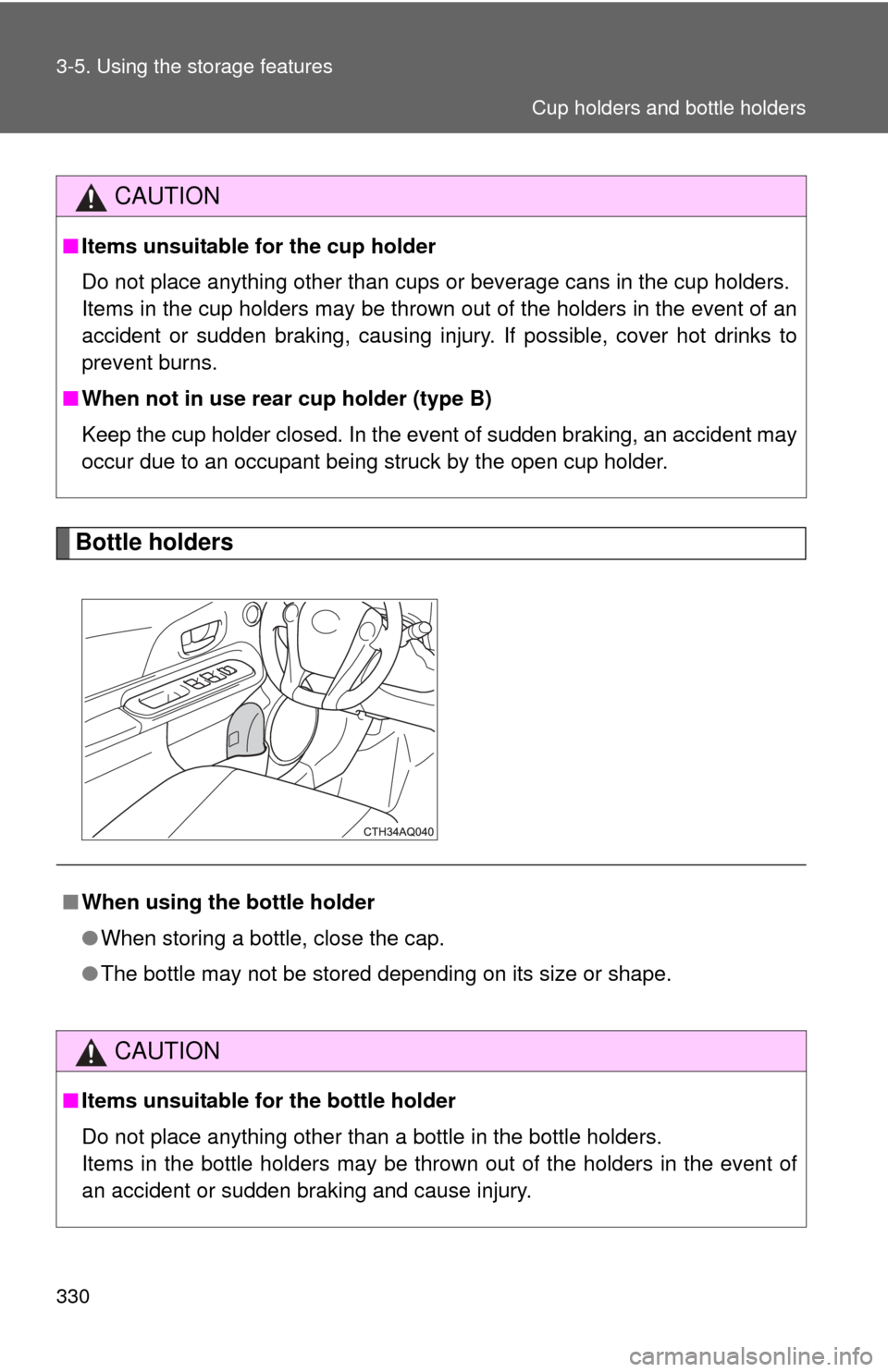
Bottle holders
CAUTION
■Items unsuitable for the cup holder
Do not place anything other than cups or beverage cans in the cup holders.
Items in the cup holders may be thrown out of the holders in the event o\
f an
accident or sudden braking, causing injury. If possible, cover hot drinks to
prevent burns.
■ When not in use rear cup holder (type B)
Keep the cup holder closed. In the event of sudden braking, an accident may
occur due to an occupant being struck by the open cup holder.
■ When using the bottle holder
●When storing a bottle, close the cap.
● The bottle may not be stored depending on its size or shape.
CAUTION
■Items unsuitable for the bottle holder
Do not place anything other than a bottle in the bottle holders.
Items in the bottle holders may be thrown out of the holders in the even\
t of
an accident or sudden braking and cause injury.
Cup holders and bottle holders