Page 196 of 724
196
LC200_OM_OM60L09U_(U)
2-3. Operating the lights and wipers
Headlight switch
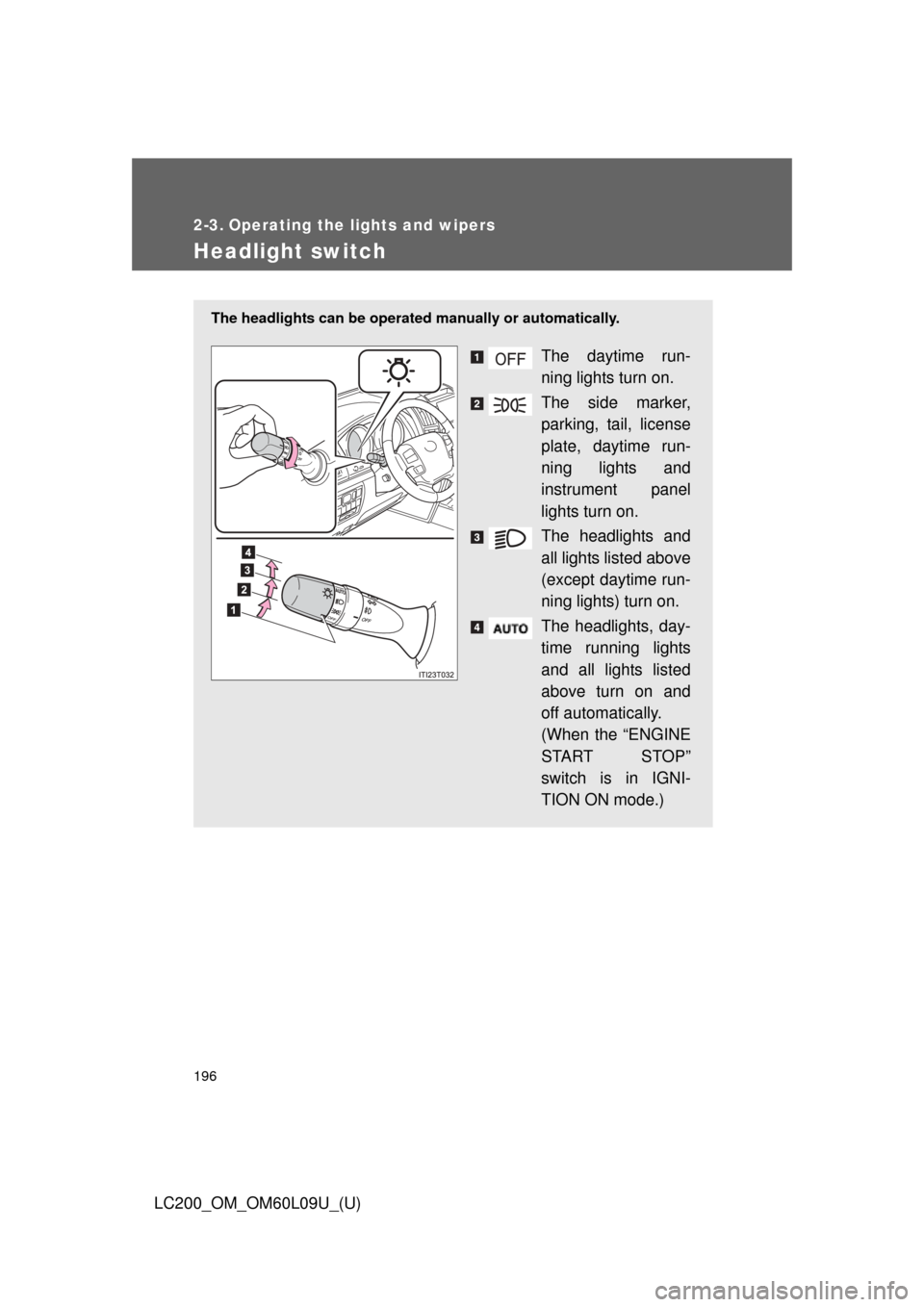
The headlights can be operated manually or automatically.
The daytime run-
ning lights turn on.
The side marker,
parking, tail, license
plate, daytime run-
ning lights and
instrument panel
lights turn on.
The headlights and
all lights listed above
(except daytime run-
ning lights) turn on.
The headlights, day-
time running lights
and all lights listed
above turn on and
off automatically.
(When the “ENGINE
START STOP”
switch is in IGNI-
TION ON mode.)
Page 200 of 724
200 2-3. Operating the lights and wipers
LC200_OM_OM60L09U_(U)
■Automatic light off system
●When the headlights are on: The headlights and tail lights turn off 30 sec-
onds after a door is opened and closed if the “ENGINE START STOP”
switch has been switched to ACCESSORY or OFF mode.
● When only the tail lights are on: The tail lights turn off automatically if the
“ENGINE START STOP” switch is switched to ACCESSORY or OFF
mode and driver’s door is opened.
To turn the lights on again, turn the “ENGINE START STOP” switch to IGNI-
TION ON mode, or turn the light switch off once and then back to the
or
position.
■ Customization
Settings (e.g. light sensor sensitivity) can be changed.
(Customizable features P. 694)
NOTICE
■To prevent battery discharge
Do not leave the lights on longer than necessary when the engine is not run-
ning.
Page 206 of 724
206 2-3. Operating the lights and wipers
LC200_OM_OM60L09U_(U)
■The windshield wiper and washer can be operated when
The “ENGINE START STOP” switch is in IGNITION ON mode.
■ Effects of vehicle speed on wiper operation (vehicles with rain-sensing
windshield wipers)
Vehicle speed affects the wiper operation when the washer is being used
(delay until drip prevention wiper sweep occurs) even when the wipers are
not in “AUTO” mode.
With “ ” selected, wiper operation will be switched from low speed to
intermittent wiper operation only when the vehicle is stationary.
(However, when the sensor sensitivity is adjusted to the highest level, the
mode cannot be switched.)
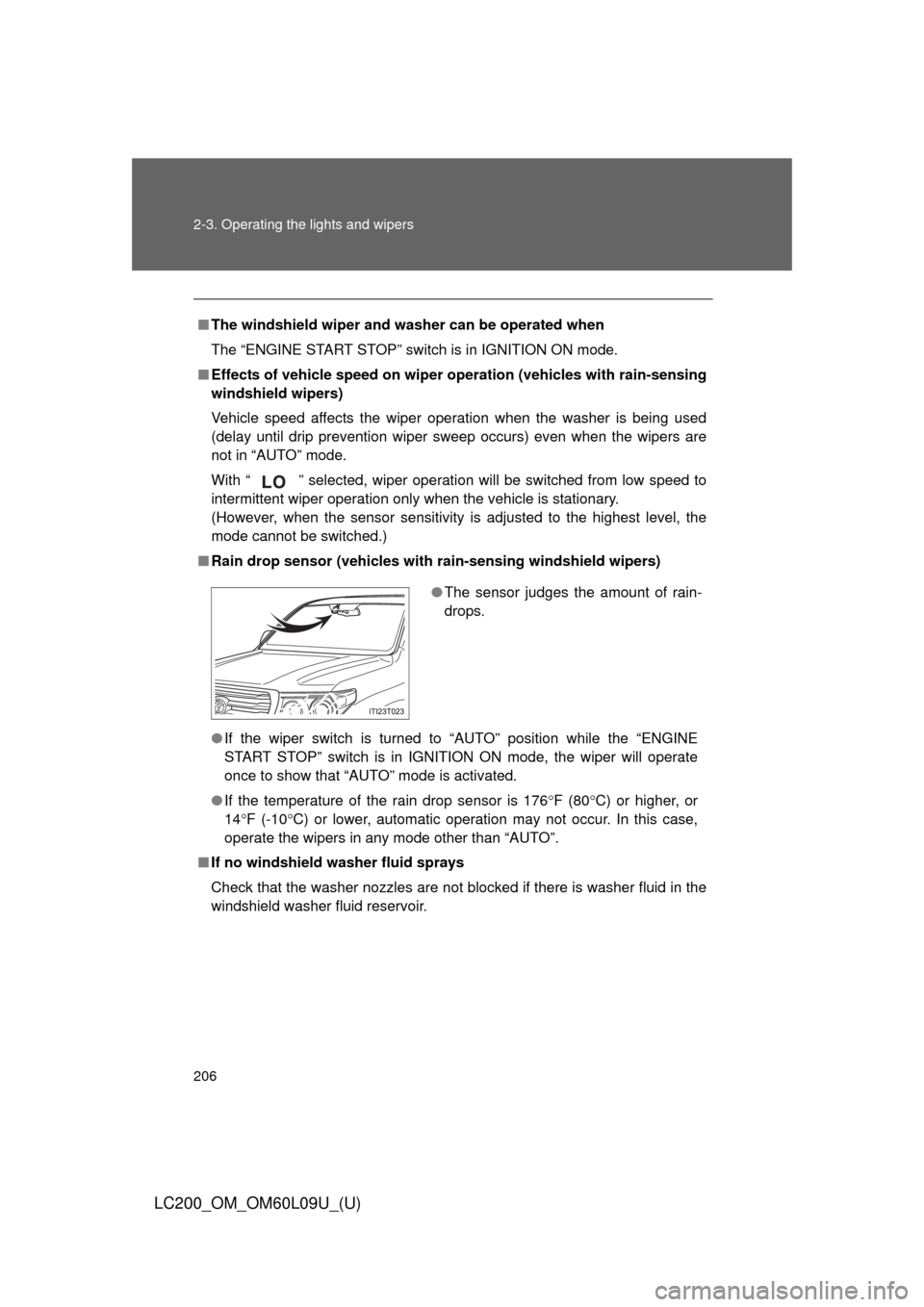
■ Rain drop sensor (vehicles with rain-sensing windshield wipers)
● If the wiper switch is turned to “AUTO” position while the “ENGINE
START STOP” switch is in IGNITIO N ON mode, the wiper will operate
once to show that “AUTO” mode is activated.
● If the temperature of the rain drop sensor is 176 F (80C) or higher, or
14 F (-10 C) or lower, automatic operation may not occur. In this case,
operate the wipers in any mode other than “AUTO”.
■ If no windshield washer fluid sprays
Check that the washer nozzles are not blocked if there is washer fluid in the
windshield washer fluid reservoir.
●The sensor judges the amount of rain-
drops.
Page 208 of 724
208
2-3. Operating the lights and wipers
LC200_OM_OM60L09U_(U)
Rear window wiper and washer
■The rear window wiper and w asher can be operated when
The “ENGINE START STOP” switch is in IGNITION ON mode.
NOTICE
■ When the rear window is dry
Do not use the wipers, as it may damage the rear window.
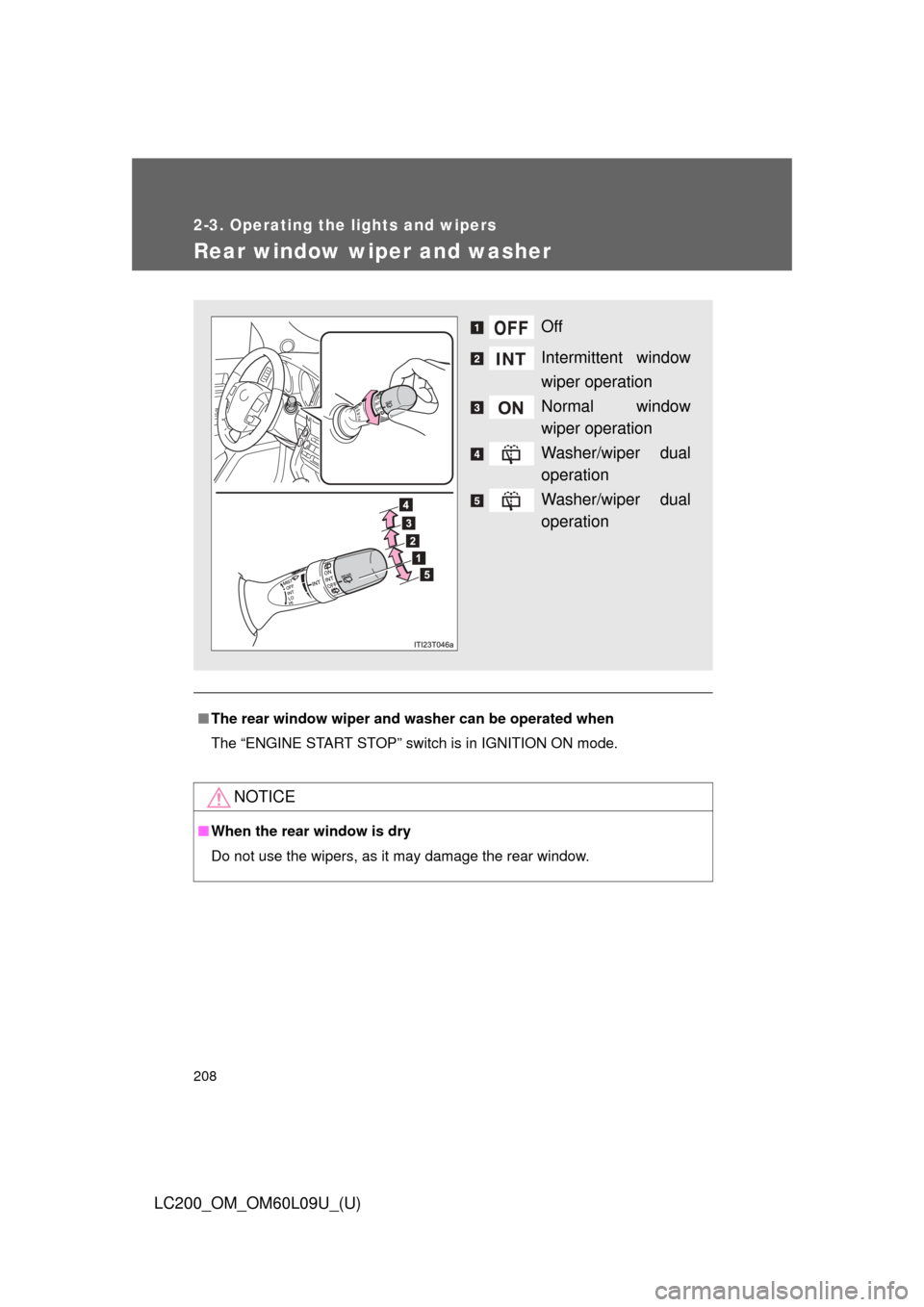
Off
Intermittent window
wiper operation
Normal window
wiper operation
Washer/wiper dual
operation
Washer/wiper dual
operation
Page 209 of 724
209
2-3. Operating the lights and wipers
2
When driving
LC200_OM_OM60L09U_(U)
Headlight cleaner switch
: If equipped
■The headlight cleaner can be operated when
The “ENGINE START STOP” switch is in IGNITION ON mode and the head-
light switch is turned on.
NOTICE
■When the washer fluid tank is empty
Do not use this function when the washer fluid tank is empty. This may
cause the washer fluid pump to overheat.
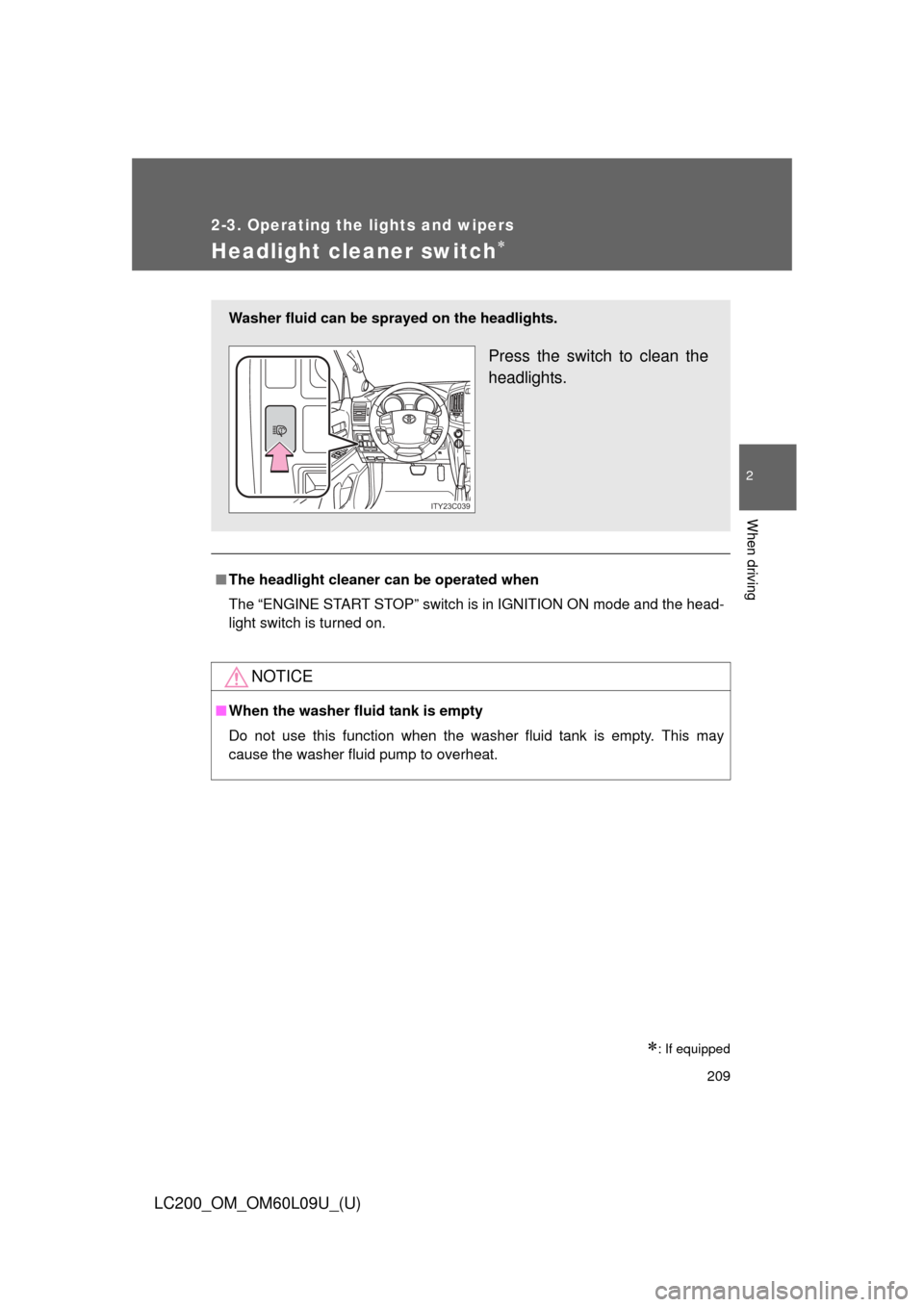
Washer fluid can be sprayed on the headlights.
Press the switch to clean the
headlights.
ITY23C039
Page 217 of 724
217
2-4. Using other
driving systems
2
When driving
LC200_OM_OM60L09U_(U)
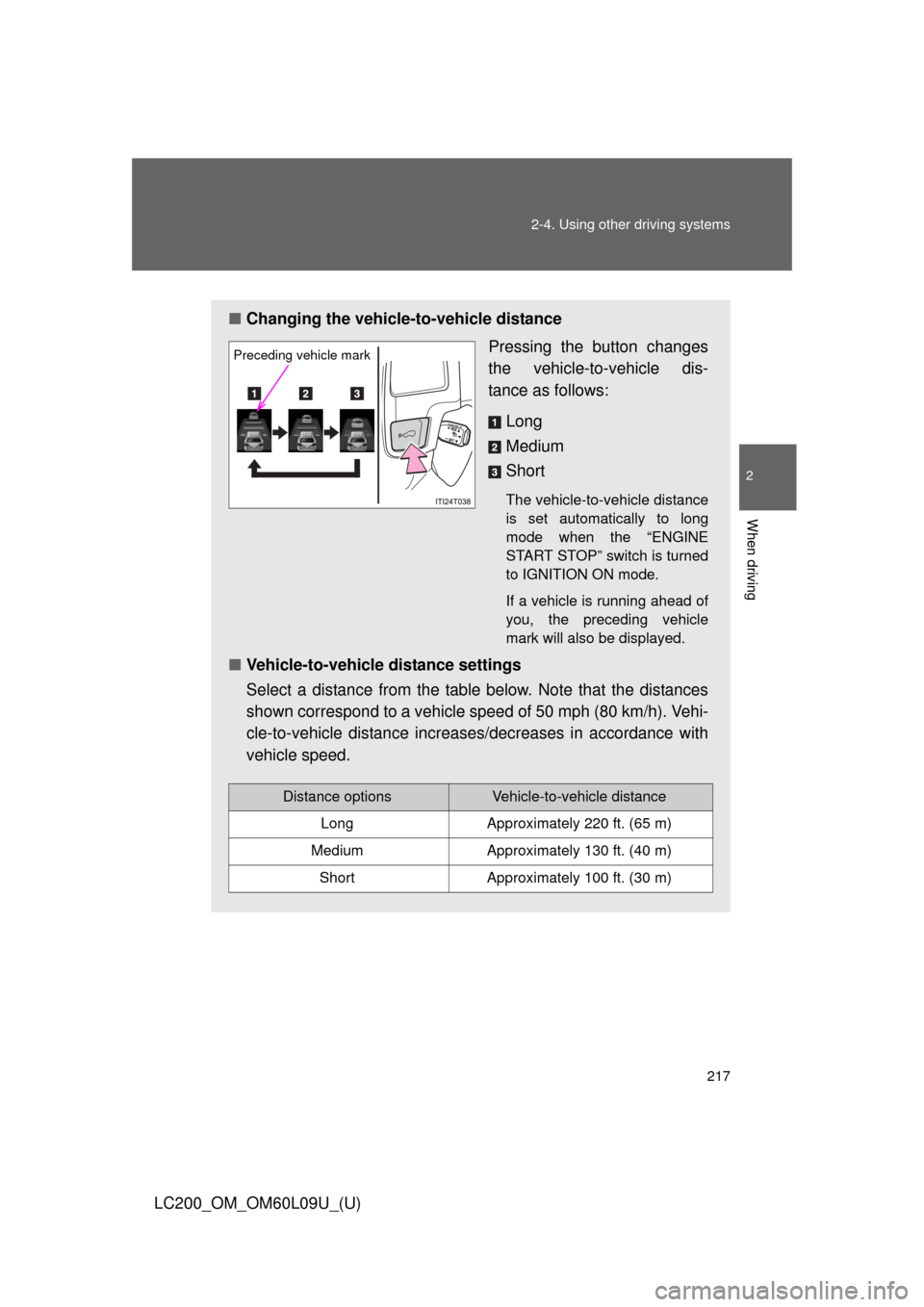
■Changing the vehicle -to-vehicle distance
Pressing the button changes
the vehicle-to-vehicle dis-
tance as follows:
Long
Medium
Short
The vehicle-to-vehicle distance
is set automatically to long
mode when the “ENGINE
START STOP” switch is turned
to IGNITION ON mode.
If a vehicle is running ahead of
you, the preceding vehicle
mark will also be displayed.
■Vehicle-to-vehicle distance settings
Select a distance from the table below. Note that the distances
shown correspond to a vehicle speed of 50 mph (80 km/h). Vehi-
cle-to-vehicle distance increases/decreases in accordance with
vehicle speed.
Preceding vehicle mark
Distance optionsVehicle-to-vehicle distance
LongApproximately 220 ft. (65 m)
MediumApproximately 130 ft. (40 m)
ShortApproximately 100 ft. (30 m)
Page 221 of 724
221
2-4. Using other
driving systems
2
When driving
LC200_OM_OM60L09U_(U)
Selecting conventional cons tant speed control mode
Constant speed control mode differ s from vehicle-to-vehicle distance
control mode. When constant spee d control mode is selected, your
vehicle will maintain a set speed regardless of whether or not there
are other vehicles in the lane ahead.
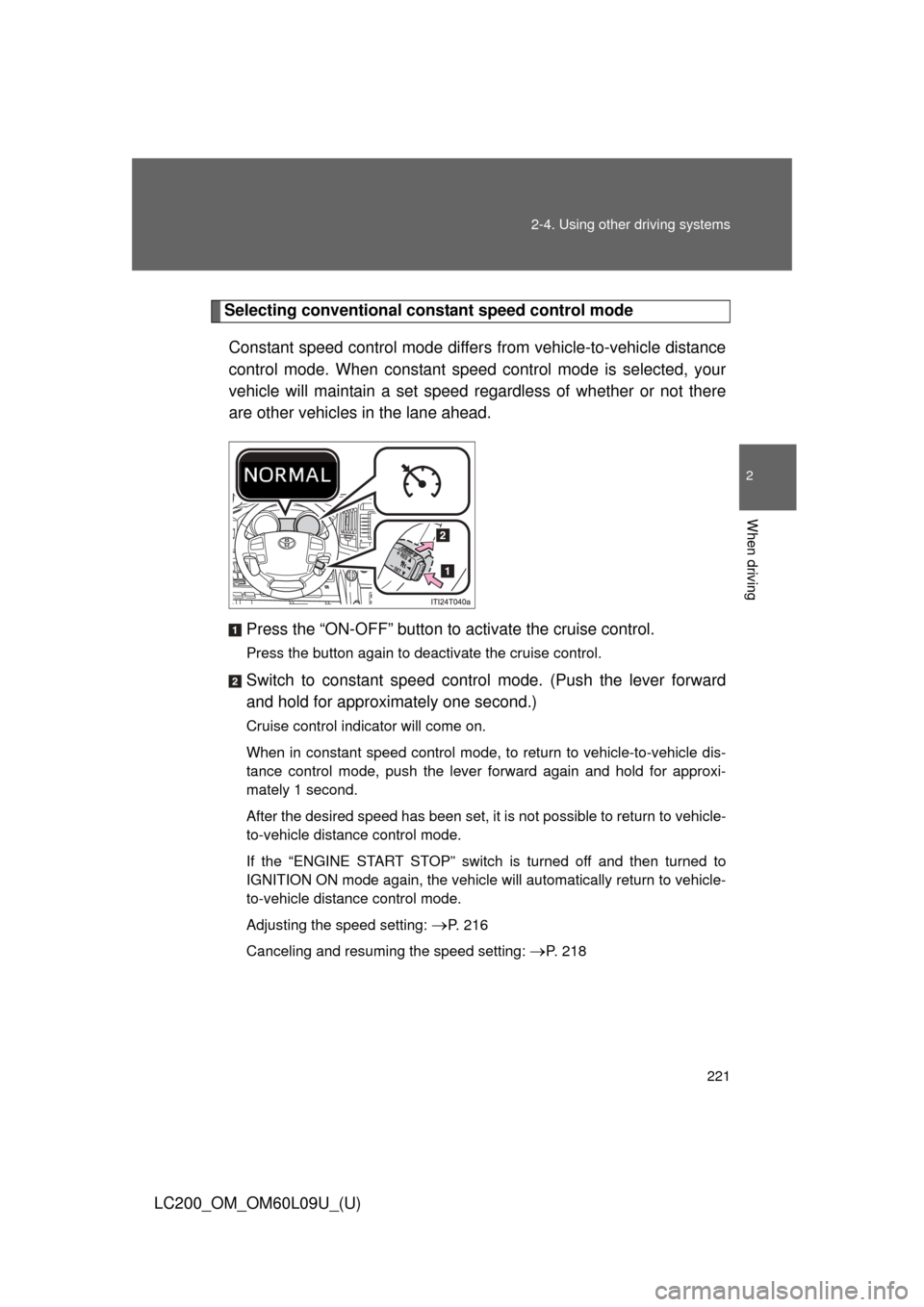
Press the “ON-OFF” button to activate the cruise control.
Press the button again to deactivate the cruise control.
Switch to constant speed contro l mode. (Push the lever forward
and hold for approximately one second.)
Cruise control indicator will come on.
When in constant speed control mode, to return to vehicle-to-vehicle dis-
tance control mode, push the lever forward again and hold for approxi-
mately 1 second.
After the desired speed has been set, it is not possible to return to vehicle-
to-vehicle distance control mode.
If the “ENGINE START STOP” switch is turned off and then turned to
IGNITION ON mode again, the vehicle will automatically return to vehicle-
to-vehicle distance control mode.
Adjusting the speed setting:
P. 216
Canceling and resuming the speed setting:
P. 218
Page 236 of 724

236 2-4. Using other driving systems
LC200_OM_OM60L09U_(U)■
Display on/off setting
On or off can be selected for intuitive parking assist display.
Touch “Display Off”.
When the “Display Off” indicator is turned on, the display of intuitive
parking assist will be off. Touch “Display Off” again to turn the display
of intuitive parking assist on.
Touch “Save”.
■ Alert distance setting
Front or rear center sensors display and tone indication can be set.
Touch “Rear”.
Long distance or short distance can be selected.
Touch “Save”.
■The intuitive parking assist can be operated when
●Front corner sensors:
• The “ENGINE START STOP” switch is in IGNITION ON mode.
• The shift lever is in a position other than “P”.
• The vehicle speed is less than approximately 6 mph (10 km/h).
● Rear corner and rear center sensors:
• The “ENGINE START STOP” switch is in IGNITION ON mode.
• The shift lever is in “R”.
■ Intuitive parking assist display
When an obstacle is detected while the rear view monitor system, Toyota
parking assist monitor or Multi-terrain Monitor is in use, the warning indicator
will appear in the top right of the screen even if the display setting has been
set to off.
STEP1
STEP2
STEP1
STEP2