Page 422 of 712
422
HIGHLANDER_U (OM48A12U)
6-1. Using the air conditioning system and defogger
■Adjusting the temperature setting
To adjust the temperature setting, turn clockwise (warm) or
counterclockwise (cool).
If is not pressed, the system will blow ambient temperature air
or heated air.
For quick cooling, turn to the “MAX A/C” position. The air condi-
tioning will automatically turn on in recirculated air mode.
■
Fan speed setting
To adjust the fan speed, turn clockwise (increase) or coun-
terclockwise (decrease).
Turning the dial to “OFF” turns off the fan.
Front manual air conditioning system
: If equipped
Air conditioning controls
Page 427 of 712
4276-1. Using the air conditioning system and defogger
6
Interior features
HIGHLANDER_U (OM48A12U)
WARNING
■To prevent the windshield from fogging up
●Do not use during cool air operation in extremely humid weather.
The difference between the temperature of the outside air and that of the
windshield can cause the outer surface of the windshield to fog up, block-
ing your vision.
■ To prevent burns
●Do not touch the rear view mirror surfaces when the outside rear view mir-
ror defoggers are on.
● Do not touch the glass at lower part of the windshield or to the side of the
front pillars when the winds hield wiper de-icer is on.
NOTICE
■To prevent battery discharge
Do not leave the air conditioning system on longer than necessary when the
engine is stopped.
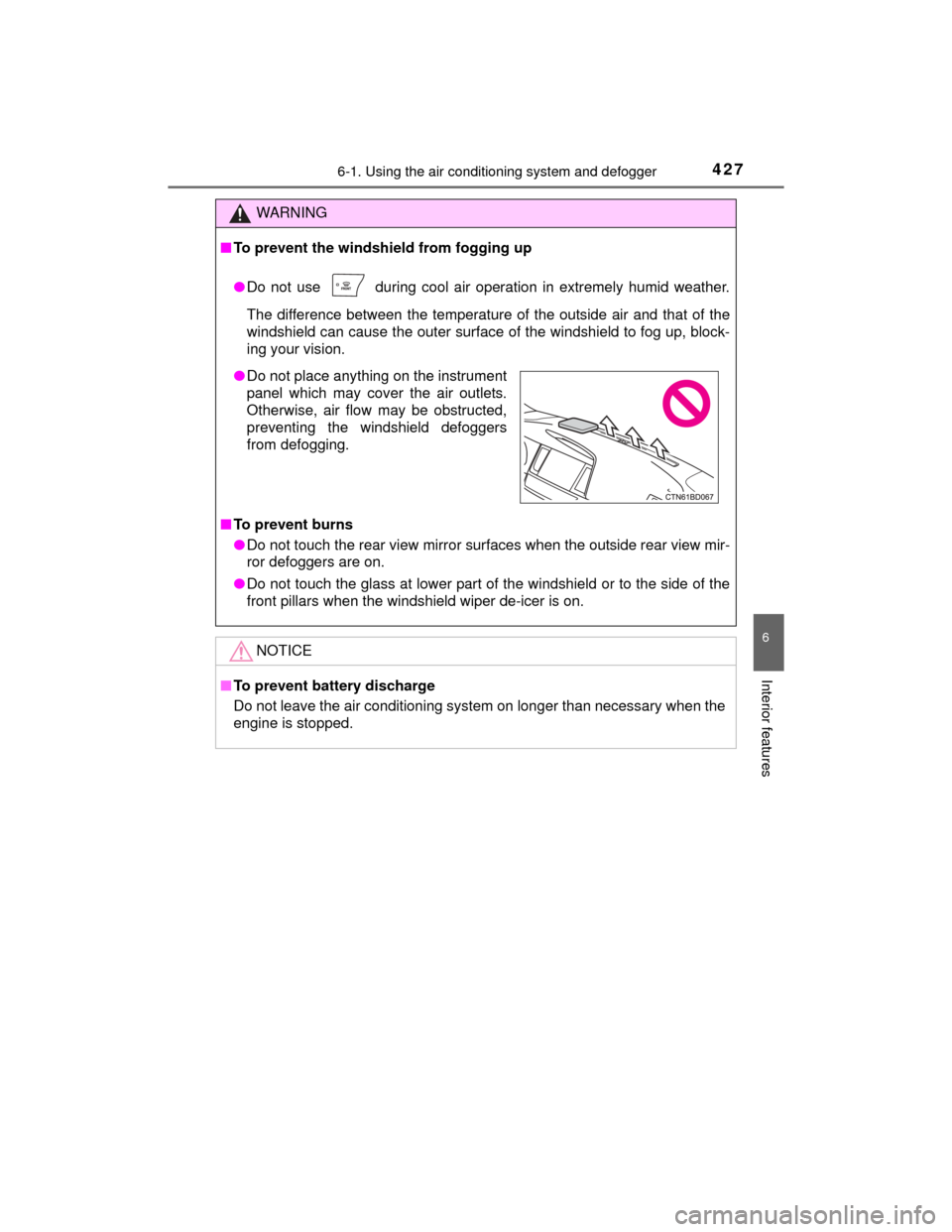
●Do not place anything on the instrument
panel which may cover the air outlets.
Otherwise, air flow may be obstructed,
preventing the windshield defoggers
from defogging.
Page 428 of 712
4286-1. Using the air conditioning system and defogger
HIGHLANDER_U (OM48A12U)■
Adjusting the temperature setting
To adjust the temperature setting, turn clockwise to increase
the temperature and counterclockwise to decrease the tempera-
ture.
The temperature for the driver, front passenger and rear seats can be
adjusted separately when:
• is pressed. (The “SYNC” displays disappear.)
• The front passenger side dial is turned. (The “PASS SYNC”
display changes to “PASS”.)
• The “
” or “” side of is pressed. (The “REAR SYNC” display
changes to “REAR”.)
The air conditioning system switches between individual and synchro-
nized modes each time is pressed.
Front automatic air conditioning system
: If equipped
Air outlets and fan speed are automatically adjusted according
to the temperature setting.
Air conditioning controls
Page 434 of 712
4346-1. Using the air conditioning system and defogger
HIGHLANDER_U (OM48A12U)
WARNING
■To prevent the windshield from fogging up
●Do not use during cool air operation in extremely humid weather.
The difference between the temperature of the outside air and that of the
windshield can cause the outer surface of the windshield to fog up, block-
ing your vision.
■ To prevent burns
●Do not touch the rear view mirror surfaces when the outside rear view mir-
ror defoggers are on.
● Do not touch the glass at lower part of the windshield or to the side of the
front pillars when the winds hield wiper de-icer is on.
NOTICE
■To prevent battery discharge
Do not leave the air conditioning system on longer than necessary when the
engine is stopped.
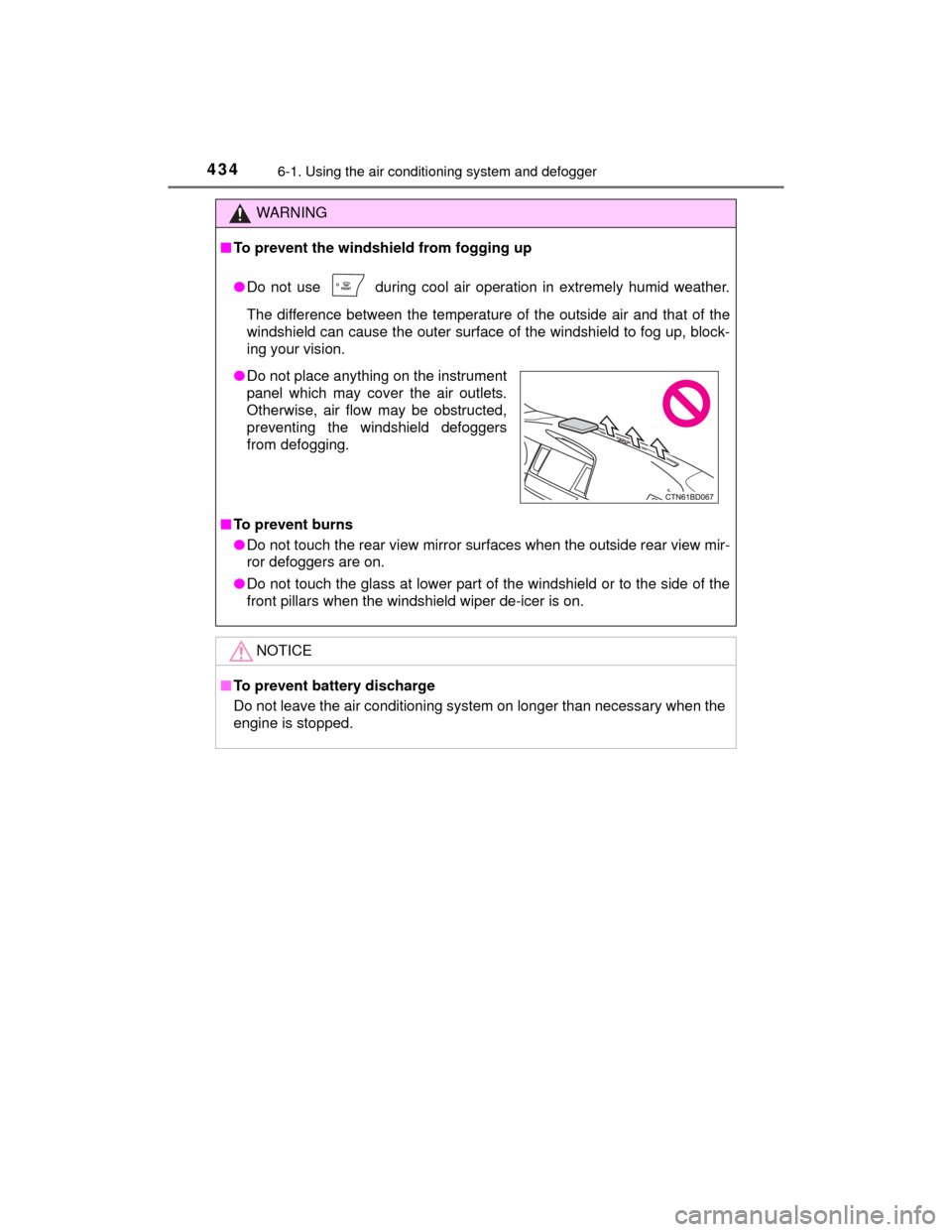
●Do not place anything on the instrument
panel which may cover the air outlets.
Otherwise, air flow may be obstructed,
preventing the windshield defoggers
from defogging.
Page 445 of 712
4456-2. Using the interior lights
6
Interior features
HIGHLANDER_U (OM48A12U)
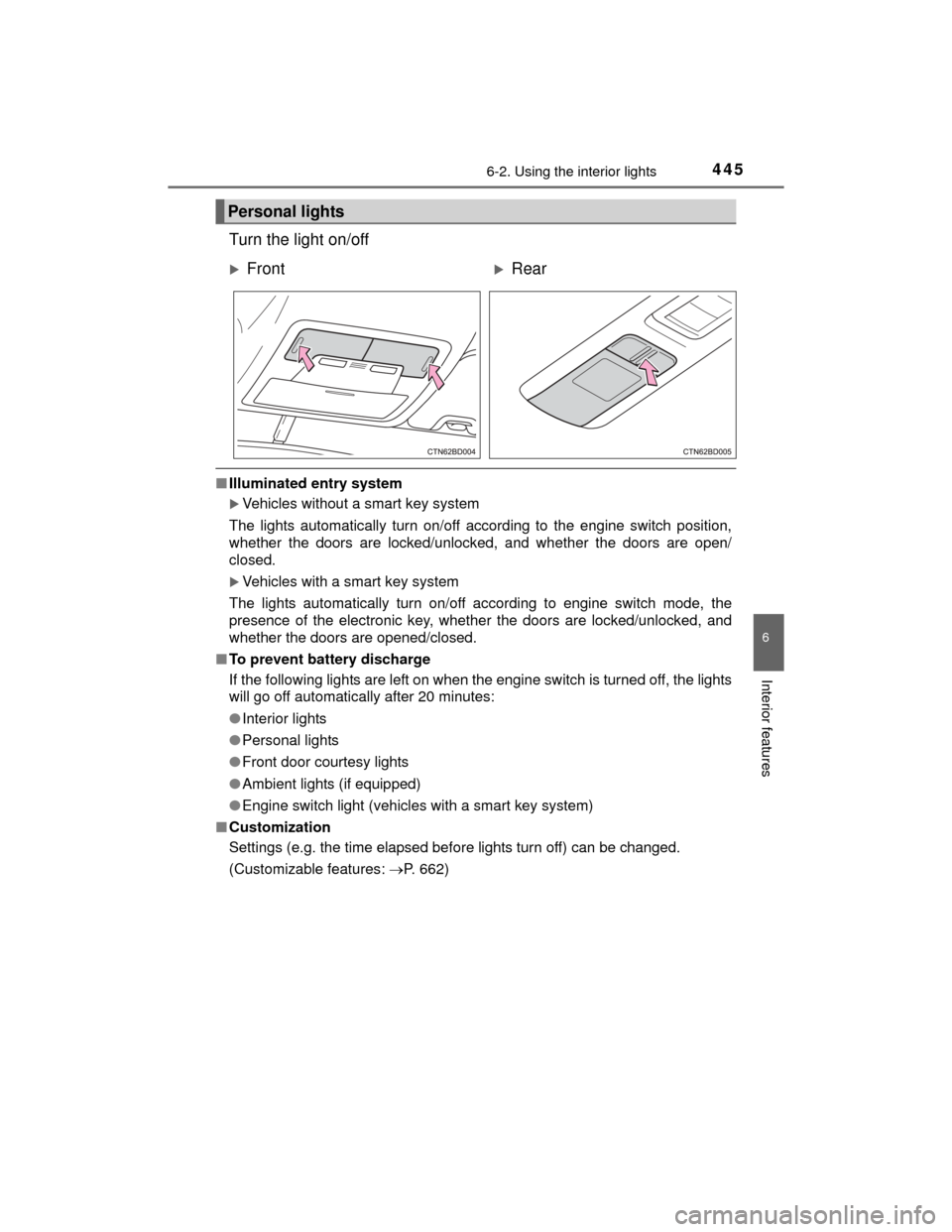
Turn the light on/off
■Illuminated entry system
Vehicles without a smart key system
The lights automatically turn on/off according to the engine switch position,
whether the doors are locked/unlocked, and whether the doors are open/
closed.
Vehicles with a smart key system
The lights automatically turn on/off according to engine switch mode, the
presence of the electronic key, whether the doors are locked/unlocked, and
whether the doors are opened/closed.
■ To prevent battery discharge
If the following lights are left on when the engine switch is turned off, the lights
will go off automatically after 20 minutes:
●Interior lights
● Personal lights
● Front door courtesy lights
● Ambient lights (if equipped)
● Engine switch light (vehicles with a smart key system)
■ Customization
Settings (e.g. the time elapsed before lights turn off) can be changed.
(Customizable features: P. 662)
Personal lights
FrontRear
Page 447 of 712
4476-3. Using the storage features
6
Interior features
HIGHLANDER_U (OM48A12U)
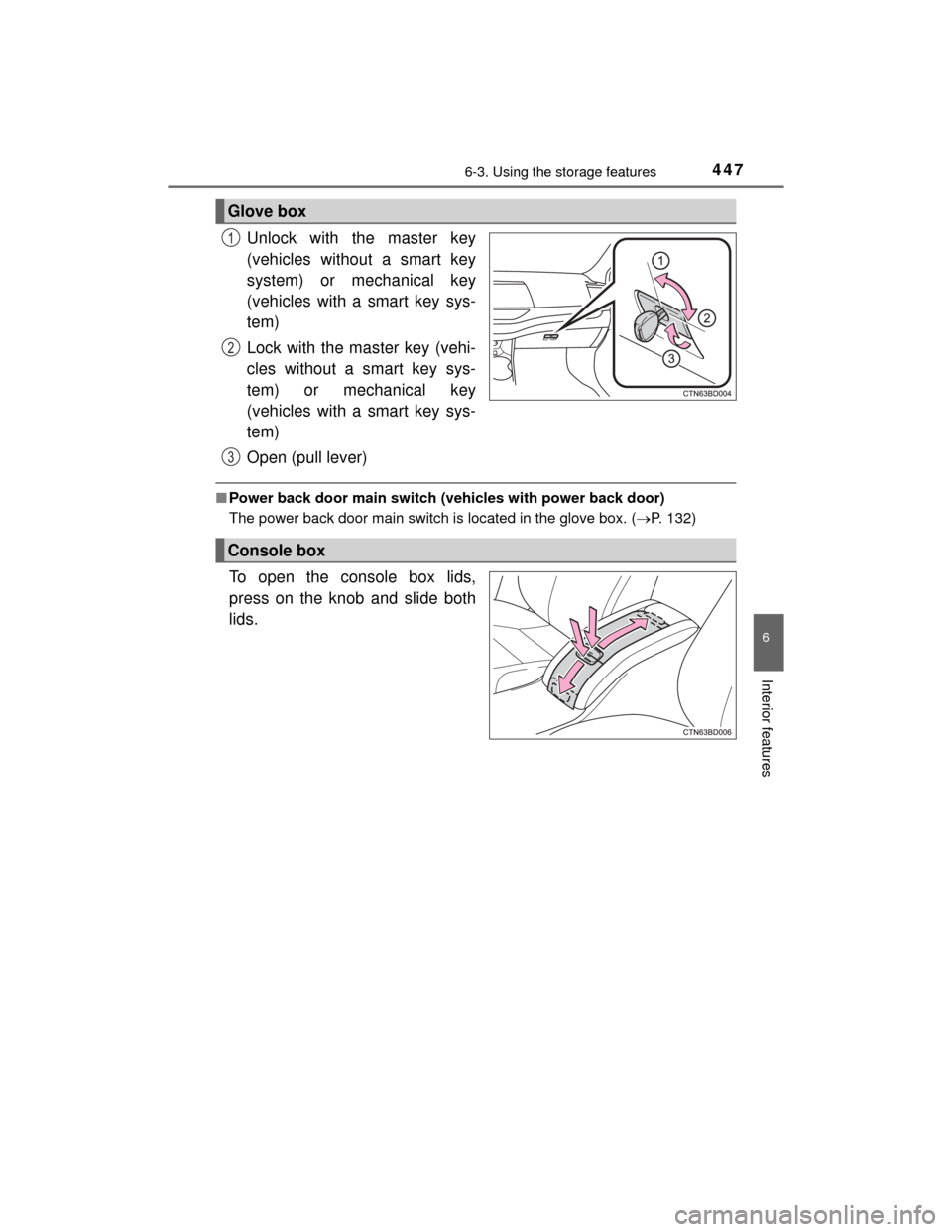
Unlock with the master key
(vehicles without a smart key
system) or mechanical key
(vehicles with a smart key sys-
tem)
Lock with the master key (vehi-
cles without a smart key sys-
tem) or mechanical key
(vehicles with a smart key sys-
tem)
Open (pull lever)
■Power back door main switch (vehicles with power back door)
The power back door main switch is located in the glove box. ( P. 132)
To open the console box lids,
press on the knob and slide both
lids.
Glove box
1
2
3
Console box
Page 457 of 712
4576-4. Using the other interior features
6
Interior features
HIGHLANDER_U (OM48A12U)
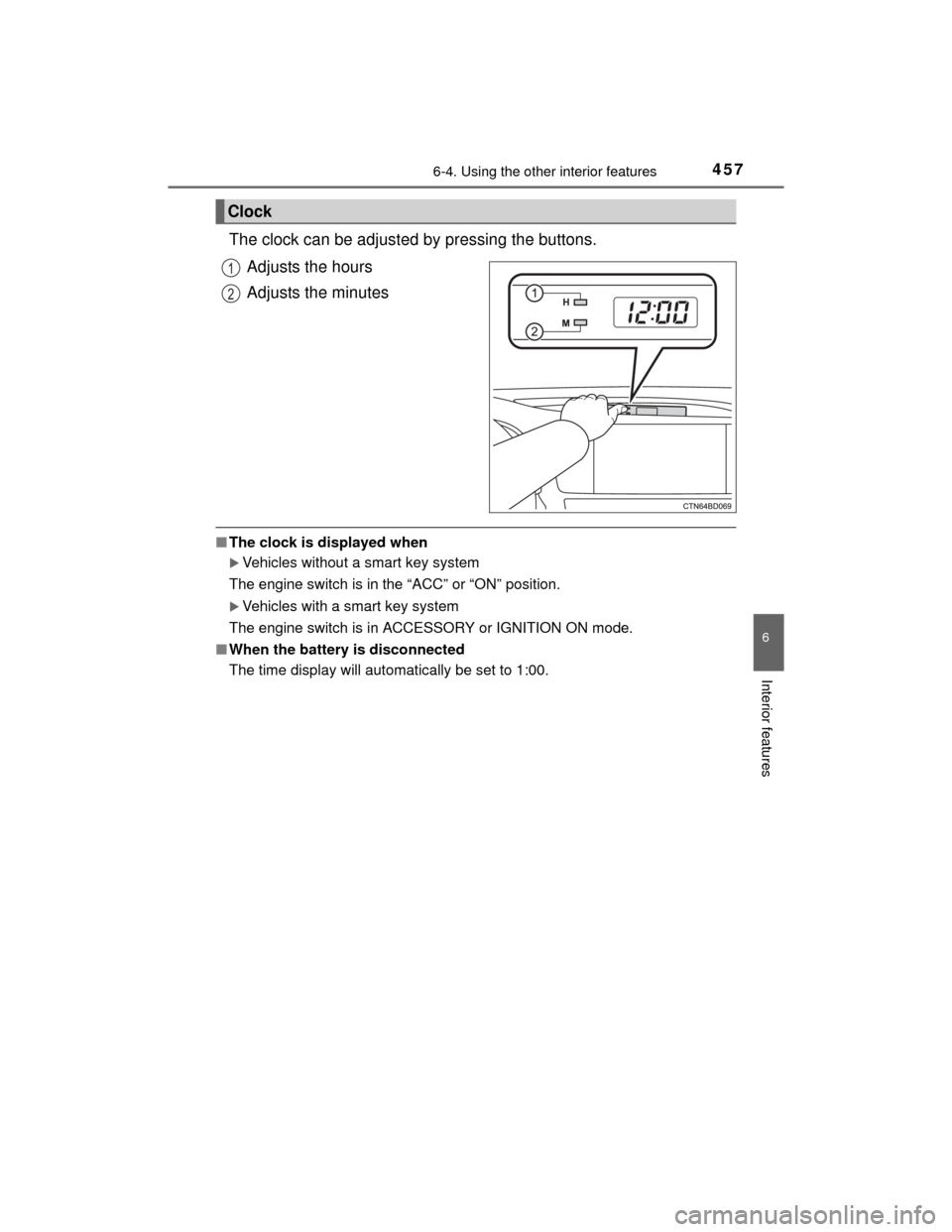
The clock can be adjusted by pressing the buttons.Adjusts the hours
Adjusts the minutes
■The clock is displayed when
Vehicles without a smart key system
The engine switch is in the “ACC” or “ON” position.
Vehicles with a smart key system
The engine switch is in ACCESSORY or IGNITION ON mode.
■ When the battery is disconnected
The time display will automatically be set to 1:00.
Clock
1
2
Page 463 of 712
4636-4. Using the other interior features
6
Interior features
HIGHLANDER_U (OM48A12U)
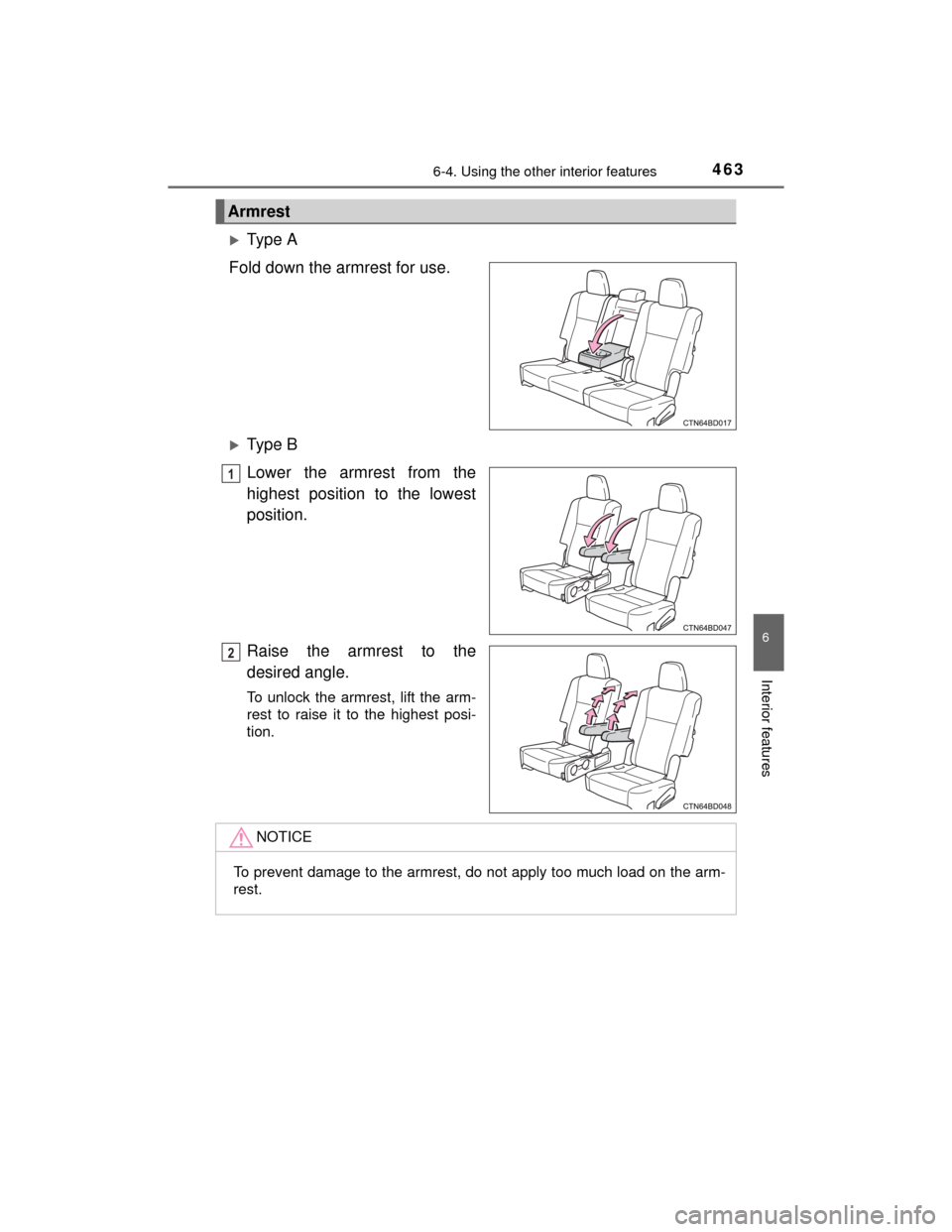
Type A
Fold down the armrest for use.
Type B
Lower the armrest from the
highest position to the lowest
position.
Raise the armrest to the
desired angle.
To unlock the armrest, lift the arm-
rest to raise it to the highest posi-
tion.
Armrest
1
2
NOTICE
To prevent damage to the armrest, do not apply too much load on the arm-
rest.