2014 TOYOTA HIGHLANDER audio
[x] Cancel search: audioPage 415 of 712

4155-10. Bluetooth®
5
Audio system
HIGHLANDER_U (OM48A12U)■
Certification
NOTE:
This device complies with part 15 of the FCC Rules. Operation is subject to
the following two conditions: (1) This device may not cause harmful interfer-
ence, and (2) this device must accept any interference received, including
interference that may cause undesired operation.
FCC WARNING:
Changes or modifications not expressly approved by the party responsible for
compliance could void the user's authority to operate the equipment.
CAUTION:
Radio Frequency Radiation Exposure
This equipment complies with FCC radiation exposure limits set forth for
uncontrolled equipment and meets the FCC radio frequency (RF) Exposure
Guidelines in Supplement C to OET65. This equipment has very low levels of
RF energy that it deemed to comply without maximum permissive exposure
evaluation (MPE). But it is desirable that it should be installed and operated
with at least 20 cm and more between the radiator and person's body
(excluding extremities: hands, wrists, feet and ankles).
Co-location:
This transmitter must not be co-located or operated in conjunction with any
other antenna or transmitter.
■ Reconnecting the portable audio player
If the portable audio player is disconnected due to poor reception, the system
automatically reconnects the portable audio player.
If you have switched off the portable audio player yourself, follow the instruc-
tions below to reconnect:
●Select the portable audio player again
● Enter the portable audio player
■ When you sell your car
Be sure to delete your personal data. ( P. 346)
Page 416 of 712
4165-10. Bluetooth®
HIGHLANDER_U (OM48A12U)
WARNING
■While driving
Do not use the portable audio player, cellular phone or connect a device to
the Bluetooth
® system.
■ Caution regarding interference with electronic devices
●Your audio unit is fitted with Bluetooth
® antennas. People with implantable
cardiac pacemakers, cardiac resynchronization therapy-pacemakers or
implantable cardioverter defibrillators should maintain a reasonable dis-
tance between themselves and the Bluetooth
® antennas. The radio waves
may affect the operation of such devices.
● Before using Bluetooth
® devices, users of any electrical medical device
other than implantable cardiac pacemakers, cardiac resynchronization
therapy-pacemakers or implantable cardioverter defibrillators should con-
sult the manufacturer of the device for information about its operation
under the influence of radio waves. Radio waves could have unexpected
effects on the operation of such medical devices.
NOTICE
■ When leaving the vehicle
Do not leave your portable audio player or cellular phone in the vehicle. The
inside of the vehicle may become hot, causing damage to the portable
audio player or cellular phone.
Page 417 of 712
417
5
Audio system
HIGHLANDER_U (OM48A12U)
5-11.Using the voice command system
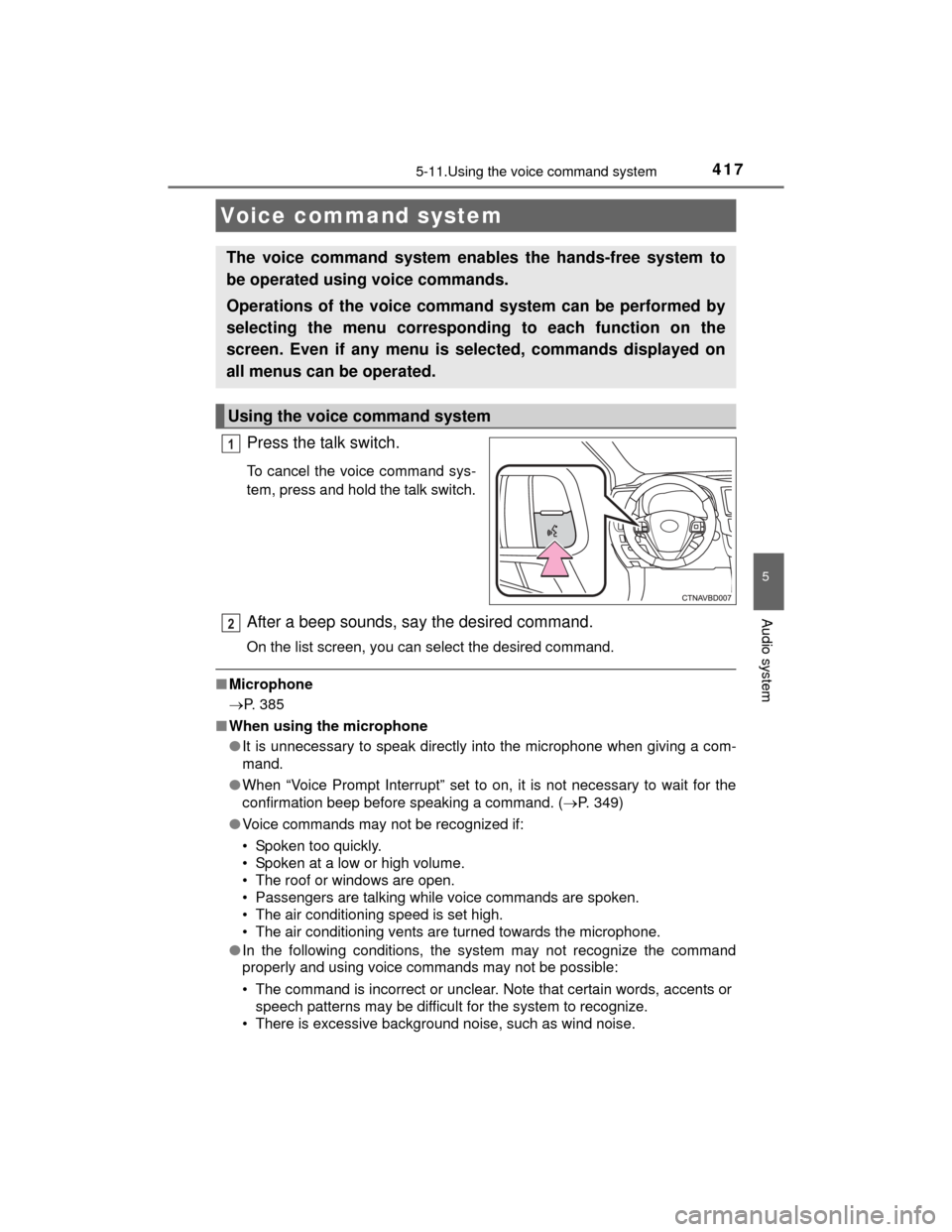
Press the talk switch.
To cancel the voice command sys-
tem, press and hold the talk switch.
After a beep sounds, say the desired command.
On the list screen, you can select the desired command.
■Microphone
P. 385
■ When using the microphone
●It is unnecessary to speak directly into the microphone when giving a com-
mand.
● When “Voice Prompt Interrupt” set to on, it is not necessary to wait for the
confirmation beep before speaking a command. ( P. 349)
● Voice commands may not be recognized if:
• Spoken too quickly.
• Spoken at a low or high volume.
• The roof or windows are open.
• Passengers are talking while voice commands are spoken.
• The air conditioning speed is set high.
• The air conditioning vents are turned towards the microphone.
● In the following conditions, the system may not recognize the command
properly and using voice commands may not be possible:
• The command is incorrect or unclear. Note that certain words, accents or
speech patterns may be difficult for the system to recognize.
• There is excessive background noise, such as wind noise.
Voice command system
The voice command system enables the hands-free system to
be operated using voice commands.
Operations of the voice command system can be performed by
selecting the menu corresponding to each function on the
screen. Even if any menu is selected, commands displayed on
all menus can be operated.
Using the voice command system
1
2
Page 419 of 712
4195-11. Using the voice command system
5
Audio system
HIGHLANDER_U (OM48A12U)
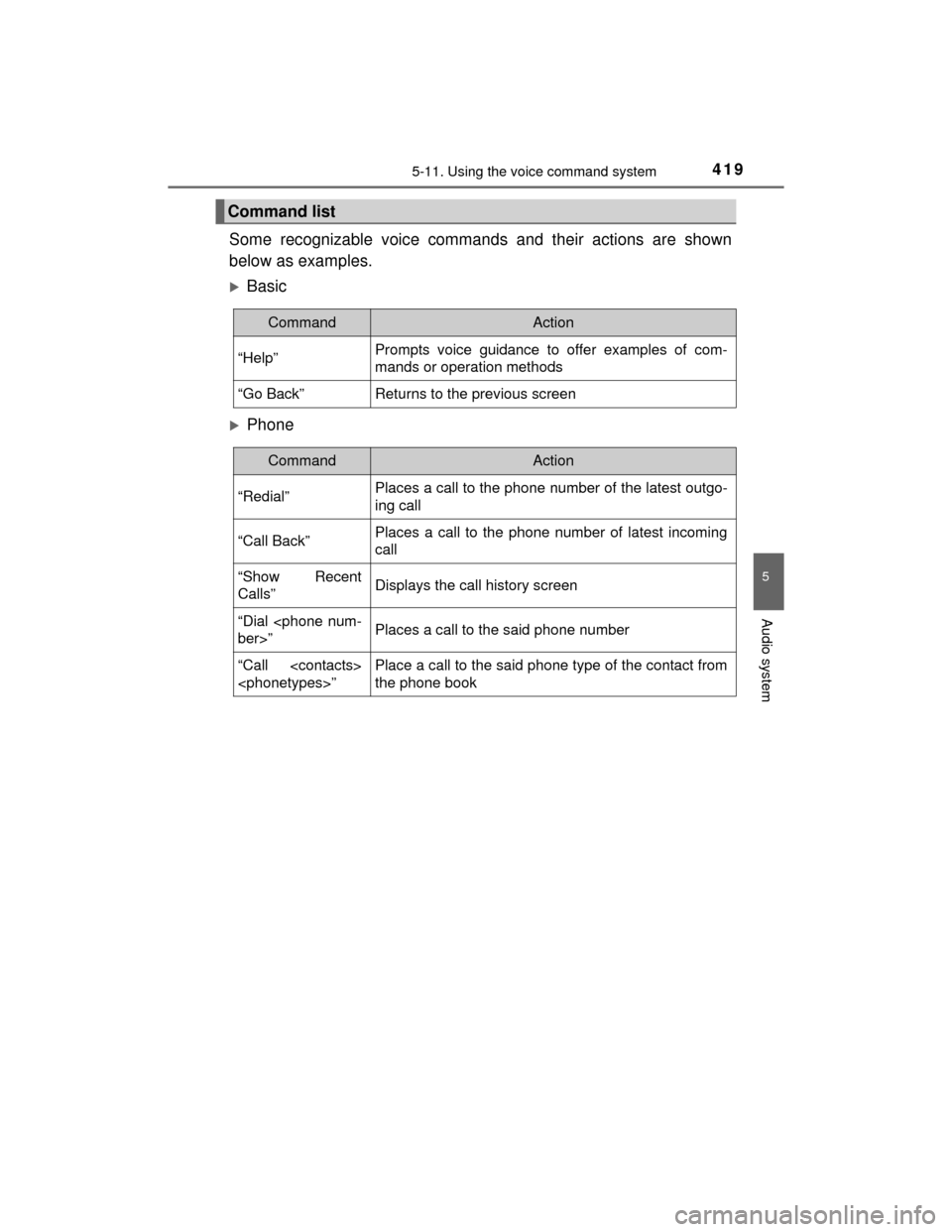
Some recognizable voice commands and their actions are shown
below as examples.
Basic
Phone
Command list
CommandAction
“Help”Prompts voice guidance to offer examples of com-
mands or operation methods
“Go Back”Returns to the previous screen
CommandAction
“Redial”Places a call to the phone number of the latest outgo-
ing call
“Call Back”Places a call to the phone number of latest incoming
call
“Show Recent
Calls”Displays the call history screen
“Dial
“Call
the phone book
Page 489 of 712
4897-1. Maintenance and care
7
Maintenance and care
HIGHLANDER_U (OM48A12U)
NOTICE
■Cleaning detergents
●Do not use the following types of detergent, as they may discolor the vehi-
cle interior or cause streaks or damage to painted surfaces:
• Non-seat portions: Organic substances such as benzene or gasoline,
alkaline or acidic solutions, dye, and bleach
• Seats: Alkaline or acidic solutions, such as thinner, benzene, and alco-
hol
● Do not use polish wax or polish cleaner. The instrument panel’s or other
interior part’s painted surface may be damaged.
■ Preventing damage to leather surfaces
Observe the following precautions to avoid damage to and deterioration of
leather surfaces:
● Remove any dust or dirt from leather surfaces immediately.
● Do not expose the vehicle to direct sunlight for extended periods of time.
Park the vehicle in the shade, especially during summer.
● Do not place items made of vinyl, pl astic, or containing wax on the uphol-
stery, as they may stick to the leather surface if the vehicle interior heats
up significantly.
■ Water on the floor
Do not wash the vehicle floor with water.
Vehicle systems such as the audio system may be damaged if water comes
into contact with electrical components such as the audio system above or
under the floor of the vehicle. Water may also cause the body to rust.
■ When cleaning the inside of the windshield (vehicles with LDA [Lane
Departure Alert] and Automatic High Beam)
Be careful not to touch the camera sensor ( P. 251, 280).
If the camera is accidentally scratched or hit, LDA and Automatic High
Beam may not operate properly or may cause a malfunction.
■ Cleaning the inside of the rear window and the rear quarter windows
●Do not use glass cleaner to clean the rear window and the rear quarter
windows, as this may cause damage to the rear window defogger heater
wires or antenna. Use a cloth dampened with lukewarm water to gently
wipe the window clean. Wipe the window in strokes running parallel to the
heater wires or antenna.
● Be careful not to scratch or damage the heater wires or antenna.
Page 568 of 712

5688-2. Steps to take in an emergency
HIGHLANDER_U (OM48A12U)■
When a tire is replaced with a spare tire
Vehicles with a compact spare tire
The compact spare tire is not equipped with a tire pressure warning valve
and transmitter. If a tire goes flat, the tire pressure warning light will not
turn off even though the flat tire has been replaced with the spare tire.
Replace the spare tire with the repaired tire and adjust the tire inflation
pressure. The tire pressure warning light will go off after a few minutes.
Vehicles with a full-size spare tire
The spare tire is also equipped with the tire pressure warning valve and
transmitter. The tire pressure warning light will turn on if the tire inflation
pressure of the spare tire is low. If a tire goes flat, even though the flat tire
is replaced with the spare tire, the tire pressure warning light does not
turn off. Replace the spare tire with the repaired tire and adjust to the
proper tire inflation pressure. The tire pressure warning light will turn off
after a few minutes.
■Conditions that the tire pressure warning system may not function
properly
P. 520
■If the tire pressure warning light frequently comes on after blinking
for 1 minute
If the tire pressure warning light frequently comes on after blinking for 1
minute when the engine switch is turned on, have it checked by your
Toyota dealer.
■Customization that can be configured at Toyota dealer
The vehicle speed linked seat belt reminder buzzer can be disabled.
(Customizable features P. 670) However, Toyota recommends that the seat
belt reminder buzzer be operational to alert the driver and front passenger
when seat belts are not fastened.
■ Warning buzzer
In some cases, the buzzer may not be heard because of noisy place or an
audio sound.
Page 624 of 712

6248-2. Steps to take in an emergency
HIGHLANDER_U (OM48A12U)
■Starting the engine when the battery is discharged
The engine cannot be started by push-starting.
■ To prevent battery discharge
●Turn off the headlights and the audio system while the engine is off.
● Turn off any unnecessary electrical components when the vehicle is running
at a low speed for an extended period, such as in heavy traffic.
■ When recharging or replacing the battery
●Vehicles with a smart key system: In some cases, it may not be possible to
unlock the doors using the smart key system when the battery is dis-
charged. Use the wireless remote control or the mechanical key to lock or
unlock the doors.
● Vehicles with a smart key system: The engine may not start on the first
attempt after the battery has recharged but will start normally after the sec-
ond attempt. This is not a malfunction.
● Vehicles with a smart key system: The engine switch mode is memorized by
the vehicle. When the battery is reconnected, the system will return to the
mode it was in before the battery was discharged. Before disconnecting the
battery, turn the engine switch off.
If you are unsure what mode the engine switch was in before the battery dis-
charged, be especially careful when reconnecting the battery.
● Vehicle with power back door: The power back door must be initialized.
(P. 672)
■ Charging the battery
The electricity stored in the battery will discharge gradually even when the
vehicle is not in use, due to natural discharge and the draining effects of cer-
tain electrical appliances. If the vehicle is left for a long time, the battery may
discharge, and the engine may be unable to start. (The battery recharges
automatically during driving.)
Page 662 of 712
662
HIGHLANDER_U (OM48A12U)
9-2. Customization
■Audio system with “CAR” buttonPress the “SETUP” button.
Touch “Vehicle” on the “Setup” screen.
Select the desired item.
■Audio system with “APPS” buttonPress the “APPS” button.
Touch “Setup” on the “Apps” screen and select “Vehicle”.
Select the desired item.
Various setting can be changed. Refer to the list of settings that can
be changed for details.
■Changing by the meter control switches
P. 99, 102
Customizable features
Your vehicle includes a variety of electronic features that can be
personalized to your preferences. The settings of these features
can be changed by the meter control switches, on the audio sys-
tem screen or at your Toyota dealer.
Customizing vehicle features (audio system screen)
Customizing vehicle features (meter control switches)
1
2
1
2