2014 TOYOTA COROLLA service
[x] Cancel search: servicePage 6 of 612

TABLE OF CONTENTS6
COROLLA_TMMMS_TMMC_U (OM12F00U)7-1. Maintenance and care
Cleaning and protecting
the vehicle exterior .......... 414
Cleaning and protecting
the vehicle interior ........... 417
7-2. Maintenance
Maintenance
requirements ................... 420
General maintenance ........ 423
Emission inspection and
maintenance (I/M)
programs ......................... 427
7-3. Do-it-yourself
maintenance
Do-it-yourself service
precautions ..................... 428
Hood.................................. 431
Positioning a floor jack ...... 433
Engine compartment ......... 435
Tires .................................. 448
Tire inflation pressure........ 457
Wheels .............................. 460
Air conditioning filter .......... 462
Wireless remote control/
electronic key battery ...... 464
Checking and replacing
fuses ............................... 467
Light bulbs ......................... 4708-1. Essential information
Emergency flashers ........... 482
If your vehicle has to
be stopped in an
emergency....................... 483
8-2. Steps to take in an
emergency
If your vehicle needs
to be towed ...................... 485
If you think something is
wrong............................... 490
Fuel pump shut off
system ............................. 491
If a warning light turns
on or a warning buzzer
sounds ............................. 492
If a warning message or
indicator is displayed ....... 504
If you have a flat tire .......... 514
If the engine will not
start ................................. 526
If the shift lever cannot
be shifted from P ............. 528
If the electronic key does
not operate properly ........ 529
If the vehicle battery is
discharged ....................... 532
If your vehicle
overheats......................... 537
If the vehicle becomes
stuck ................................ 540
7Maintenance and care8When trouble arises
Page 11 of 612
11
COROLLA_TMMMS_TMMC_U (OM12F00U)The SRS airbag and seat belt pretensioner devices in your Toyota contain
explosive chemicals. If the vehicle is scrapped with the airbags and seat belt
pretensioners left as they are, this may cause an accident such as fire. Be
sure to have the systems of the SRS airbag and seat belt pretensioner
removed and disposed of by a qualified service shop or by your Toyota dealer
before you scrap your vehicle.
Special handling may apply, See www.dtsc.ca.gov/hazardouswaste/perchlor-
ate.
Your vehicle has components that may contain perchlorate. These compo-
nents may include airbag, seat belt pretensioners, and wireless remote con-
trol batteries.
Scrapping of your Toyota
Perchlorate Material
CAUTION
■General precautions while driving
Driving under the influence: Never drive your vehicle when under the influ-
ence of alcohol or drugs that have impaired your ability to operate your vehi-
cle. Alcohol and certain drugs delay reaction time, impair judgment and
reduce coordination, which could lead to an accident that could result in
death or serious injury.
Defensive driving: Always drive defensively. Anticipate mistakes that other
drivers or pedestrians might make and be ready to avoid accidents.
Driver distraction: Always give your full attention to driving. Anything that
distracts the driver, such as adjusting controls, talking on a cellular phone or
reading can result in a collision with resulting death or serious injury to you,
your occupants or others.
■General precaution regarding children’s safety
Never leave children unattended in the vehicle, and never allow children to
have or use the key.
Children may be able to start the vehicle or shift the vehicle into neutral.
There is also a danger that children may injure themselves by playing with
the windows, the moon roof, or other features of the vehicle. In addition,
heat build-up or extremely cold temperatures inside the vehicle can be fatal
to children.
Page 159 of 612
1594-1. Before driving
4
Driving
COROLLA_TMMMS_TMMC_U (OM12F00U)
To prevent damage to your vehicle, perform the following procedures
before towing.
Shift the shift lever to N.
Turn the engine switch to the “ACC” position (without a smart key
system) or ACCESSORY mode (with a smart key system).
(P. 161, 166)
Ensure that the audio system and other powered devices are turned off.
Release the parking brake.
After towing, leave the engine in idle for at least 3 minutes before driving
the vehicle.
■Necessary equipment and accessories
Specialized equipment and accessories are required for dinghy towing. Con-
tact the service branch of the motor home manufacturer regarding recom-
mended equipment.
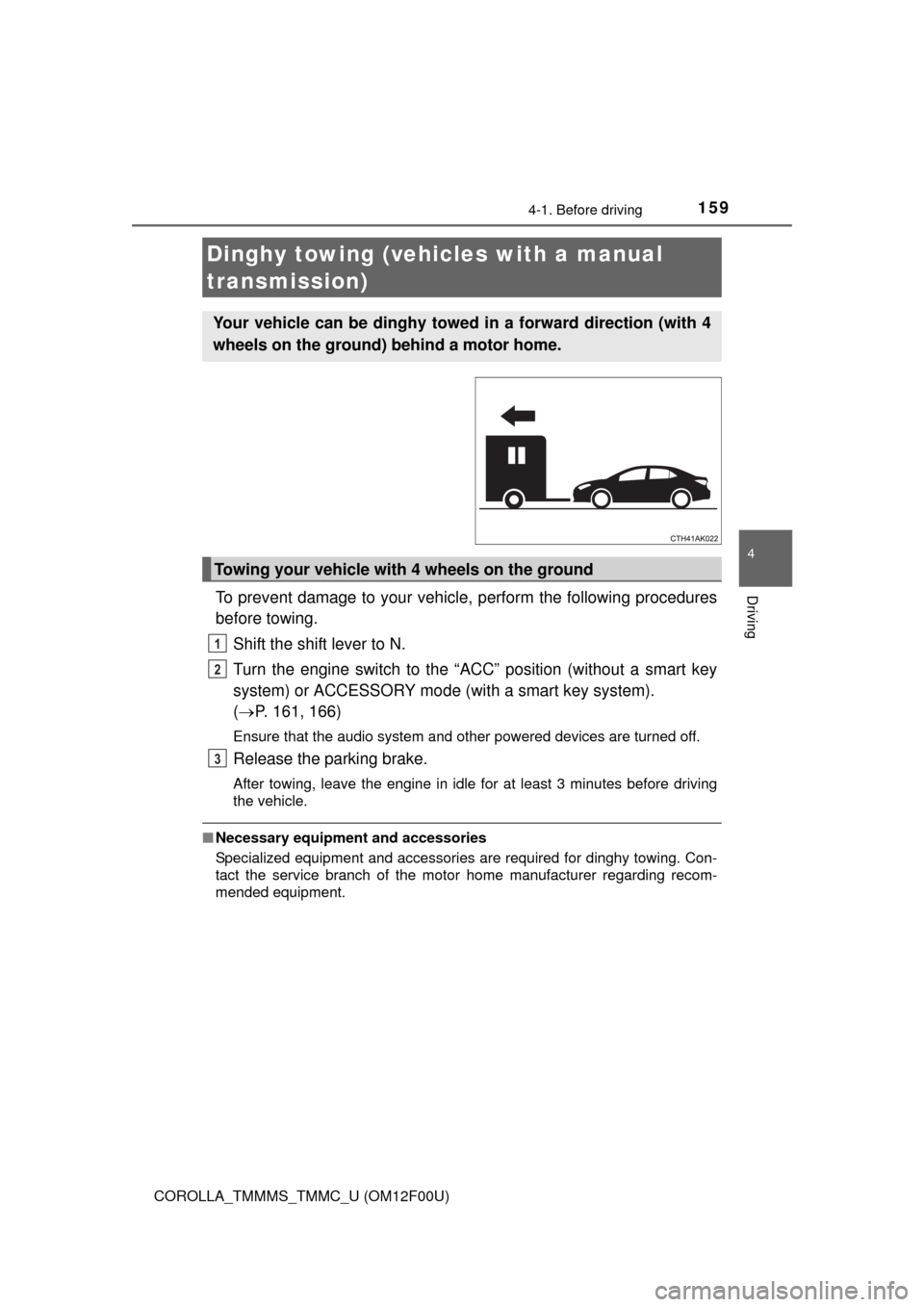
Dinghy towing (vehicles with a manual
transmission)
Your vehicle can be dinghy towed in a forward direction (with 4
wheels on the ground) behind a motor home.
Towing your vehicle with 4 wheels on the ground
1
2
3
Page 216 of 612

216
COROLLA_TMMMS_TMMC_U (OM12F00U)
4-6. Driving tips
●Use fluids that are appropriate to the prevailing outside tempera-
tures.
• Engine oil
• Engine coolant
• Washer fluid
●Have a service technician inspect the condition of the battery.
●Have the vehicle fitted with four snow tires or purchase a set of tire
chains for the front tires.
Ensure that all tires are the same size and brand, and that chains match
the size of the tires.
Perform the following according to the driving conditions:
●Do not try to forcibly open a window or move a wiper that is frozen.
Pour warm water over the frozen area to melt the ice. Wipe away
the water immediately to prevent it from freezing.
●To ensure proper operation of the climate control system fan,
remove any snow that has accumulated on the air inlet vents in
front of the windshield.
●Check for and remove any excess ice or snow that may have accu-
mulated on the exterior lights, vehicle’s roof, chassis, around the
tires or on the brakes.
●Remove any snow or mud from the bottom of your shoes before
getting in the vehicle.
Winter driving tips
Carry out the necessary preparations and inspections before
driving the vehicle in winter. Always drive the vehicle in a man-
ner appropriate to the prevailing weather conditions.
Preparation for winter
Before driving the vehicle
Page 281 of 612
281
5
Interior features
COROLLA_TMMMS_TMMC_U (OM12F00U)
5-10. Bluetooth®
■When using the Bluetooth® audio system
●In the following situations, the system may not function.
• The portable player does not support Bluetooth
®
• The cellular phone is located outside the service area
• The Bluetooth® device is switched off
• The Bluetooth® device has a low battery
• The Bluetooth® device is not connected to the system
• The Bluetooth® device is behind the seat or in the glove box or console
box, or is touching or covered by metal objects
●There may be a delay if a cellular phone connection is made during
Bluetooth
® audio playback.
●Depending on the type of portable audio player that is connected to the sys-
tem, operation may differ slightly and certain functions may not be available.
■When transferring ownership of the vehicle
Be sure to initialize the system to prevent personal data from being improp-
erly accessed. (P. 266)
■About Bluetooth
®
■Compatible models
●Bluetooth® specifications:
Ver. 1.1, or higher (recommended: Ver. 2.1 + EDR or higher)
●Following Profiles:
• A2DP (Advanced Audio Distribution Profile) Ver. 1.0, or higher (recom-
mended: Ver. 1.2 or higher)
• AVRCP (Audio/Video Remote Control Profile) Ver. 1.0 or higher (recom-
mended: Ver. 1.3 or higher)
Portable players must correspond to the above specifications in order to be
connected to the Bluetooth
® audio system. However, please note that some
functions may be limited depending on the type of portable player.
●Cellular phone
• HFP (Hands Free Profile) Ver. 1.0 or higher (recommended: Ver. 1.5)
• OPP (Object Push Profile) Ver. 1.1
• PBAP (Phone Book Access Profile) Ver. 1.0
Bluetooth®
Bluetooth is a registered trademark of
Bluetooth SIG. Inc.
Page 341 of 612
3415-19. Bluetooth® phone (Multimedia system)
5
Interior features
COROLLA_TMMMS_TMMC_U (OM12F00U)
Display the phone screen. (P. 338)
Select the “Dial Pad” tab and enter a phone number.
To delete the input phone number, select .
For the first digit, you can enter “+” by selecting “” for a while.
Press the switch on the steering wheel or select .
You can dial a number from the contact data imported from your cellu-
lar phone. The system has one contact for each registered phone. Up
to 2500 contacts may be stored in each contact. (P. 341)
Display the phone screen. (P. 338)
Select “Contacts” tab.
Choose the desired contact to call from the list.
Choose the number and then press the switch on the steering
wheel or select .
You can transfer the phone numbers in a Bluetooth
® phone to the sys-
tem.
Operation methods differ between PBAP (Phone Book Access Profile)
compatible and PBAP incompatible Bluetooth
® phones. If the cellular
phone does not support either PBAP or OPP (Object Push Profile)
service, you cannot transfer contacts.
Making a call
Once a Bluetooth® phone is registered, you can make a call
using the following procedure:
Dialing
Dialing from the contacts list
When the contact is empty
1
2
3
1
2
3
4
Page 345 of 612
3455-19. Bluetooth® phone (Multimedia system)
5
Interior features
COROLLA_TMMMS_TMMC_U (OM12F00U)
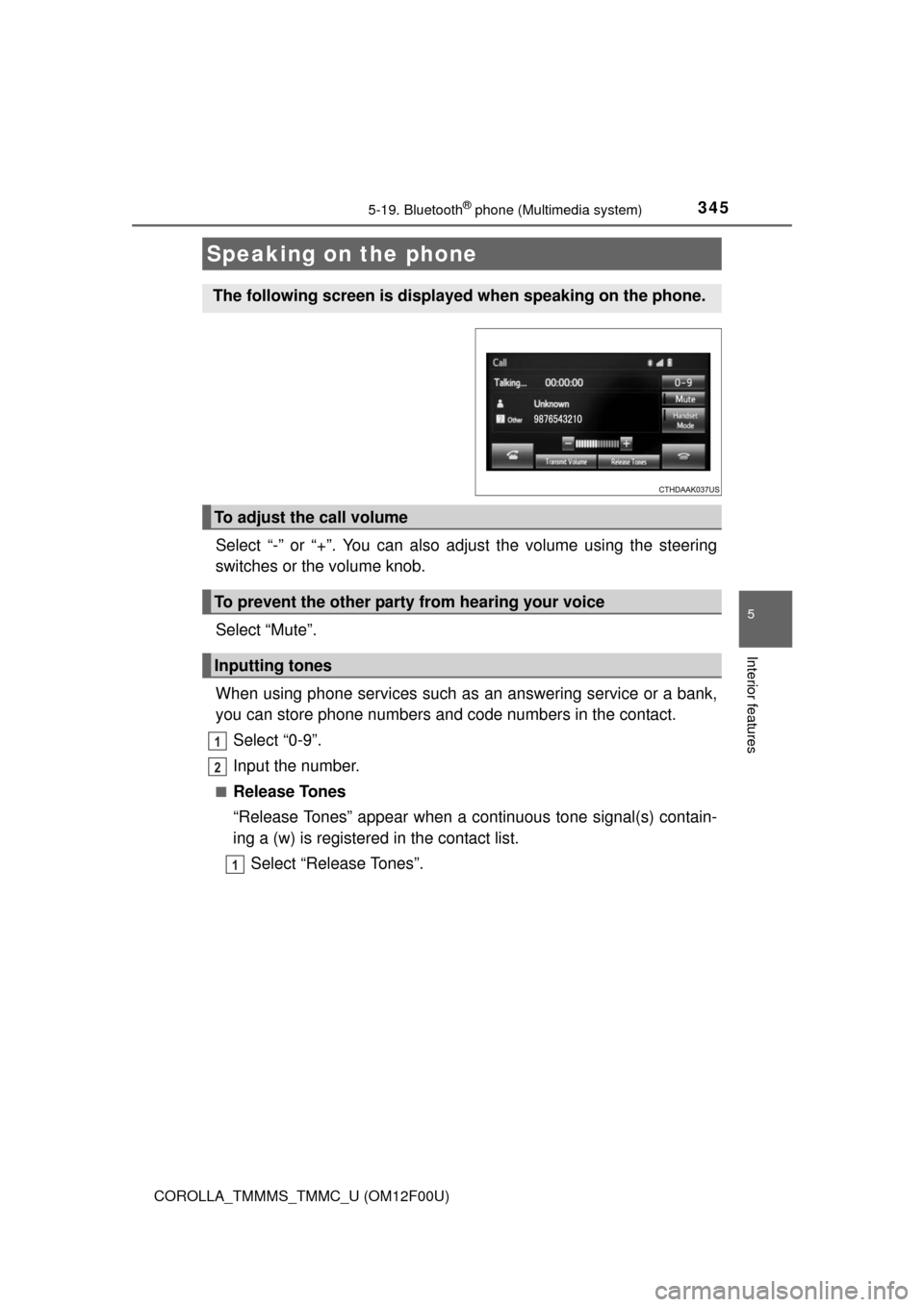
Select “-” or “+”. You can also adjust the volume using the steering
switches or the volume knob.
Select “Mute”.
When using phone services such as an answering service or a bank,
you can store phone numbers and code numbers in the contact.
Select “0-9”.
Input the number.
■Release Tones
“Release Tones” appear when a continuous tone signal(s) contain-
ing a (w) is registered in the contact list.
Select “Release Tones”.
Speaking on the phone
The following screen is displayed when speaking on the phone.
To adjust the call volume
To prevent the other party from hearing your voice
Inputting tones
1
2
1
Page 346 of 612

3465-19. Bluetooth® phone (Multimedia system)
COROLLA_TMMMS_TMMC_U (OM12F00U)
■Release Tones
●A continuous tone signal is a character string that consists of numbers and
the characters p or w. (e.g.056133w0123p#1)
●When the “p” pause tone is used, the tone data up until the next pause tone
will be automatically sent after 2 seconds have elapsed. When the “w”
pause tone is used, the tone data up until the next pause tone will be auto-
matically sent after a user operation is performed.
●Release tones can be used when automated operation of a phone based
service such as an answering machine or bank phone service is desired. A
phone number with continuous tone signals can be registered in the contact
list.
●Tone data after a “w” pause tone can be operated on voice command during
a call.