Page 250 of 612
2505-5. Using an external device
COROLLA_TMMMS_TMMC_U (OM12F00U)
Pressing (RPT) changes the repeat playback mode in the fol-
lowing order:
File repeat Folder repeat
* Off.
*: Available except when RDM (random playback) is selected
Pressing (RDM) changes the random playback mode in the
following order:
Folder random Disc random Off.
Press to display or hide the album title.
If there is additional text, is displayed.
Press and hold to display the remaining text.
■USB memory functions
●Depending on the USB memory that is connected to the system, the device
itself may not be operable and certain functions may not be available. If the
device is inoperable or a function is unavailable due to a malfunction (as
opposed to a system specification), disconnecting the device and recon-
necting it once again may resolve the problem.
●If the USB memory still does not begin operation after being disconnected
and reconnected, format the device.
■Display
P. 236
■Error messages
If an error message is displayed, refer to the following table and take the
appropriate measures. If the problem is not rectified, take the vehicle to your
Toyota dealer.
Repeat play
Random playback
Switching the display
MessageCause/Correction procedures
“ERROR”This indicates a problem in the USB memory
or its connection.
“NO MUSIC”This indicates that no MP3/WMA files are
included on the USB memory device.
Page 254 of 612
2545-5. Using an external device
COROLLA_TMMMS_TMMC_U (OM12F00U)
P. 2 2 7
■Operating portable audio devices connected to the audio system
The volume can be adjusted using the vehicle's audio controls. All other
adjustments must be made on the portable audio device itself.
■When using a portable audio device connected to the power outlet
Noise may occur during playback. Use the power source of the portable
audio device.
Using the AUX port
This port can be used to connect a portable audio device and lis-
ten to it through the vehicle’s speakers. Press until “AUX”
is displayed.
Connecting a portable player
Page 257 of 612
2575-6. Using Bluetooth® devices
5
Interior features
COROLLA_TMMMS_TMMC_U (OM12F00U)
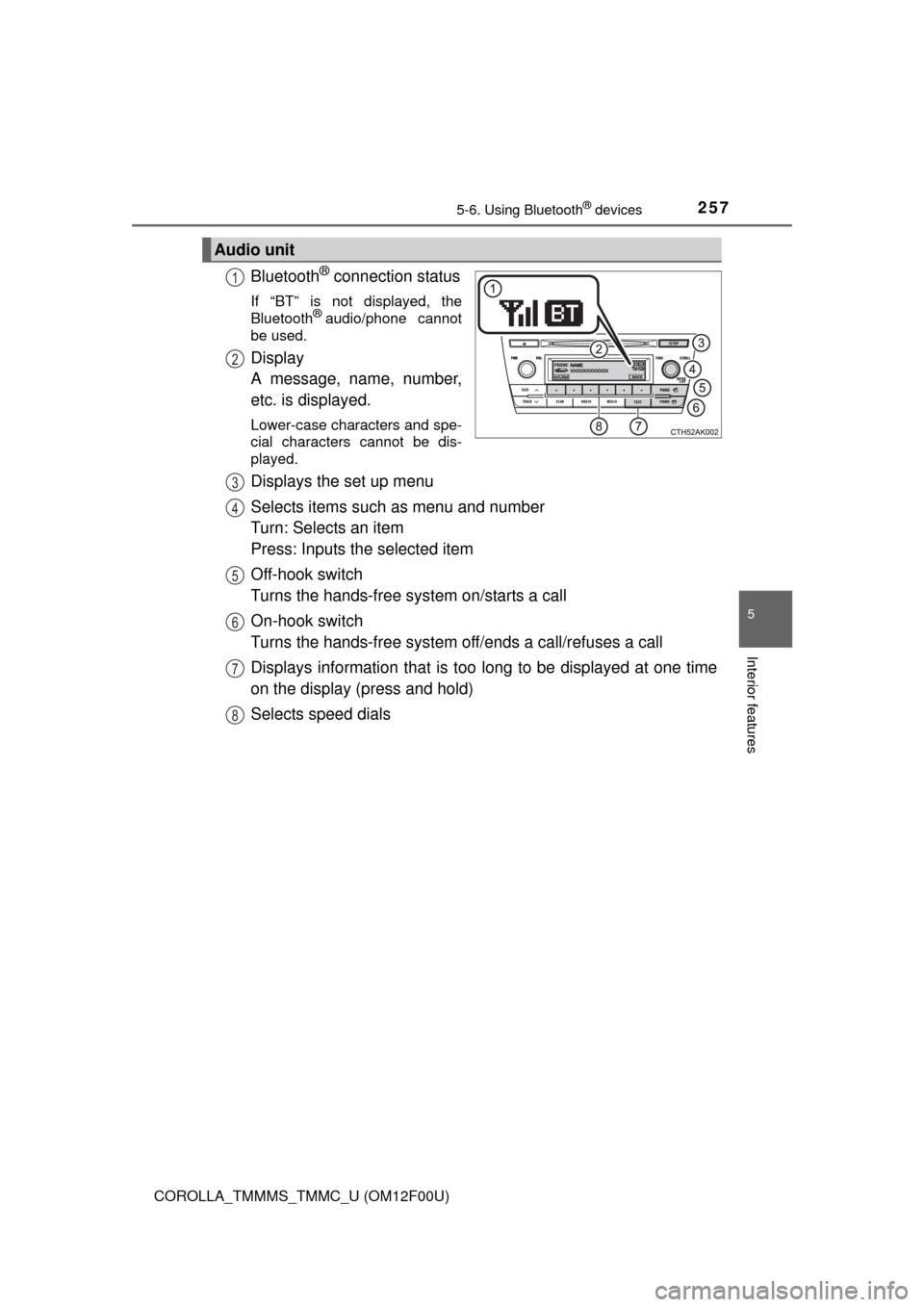
Bluetooth® connection status
If “BT” is not displayed, the
Bluetooth® audio/phone cannot
be used.
Display
A message, name, number,
etc. is displayed.
Lower-case characters and spe-
cial characters cannot be dis-
played.
Displays the set up menu
Selects items such as menu and number
Turn: Selects an item
Press: Inputs the selected item
Off-hook switch
Turns the hands-free system on/starts a call
On-hook switch
Turns the hands-free system off/ends a call/refuses a call
Displays information that is too long to be displayed at one time
on the display (press and hold)
Selects speed dials
Audio unit
1
2
3
4
5
6
7
8
Page 258 of 612
2585-6. Using Bluetooth® devices
COROLLA_TMMMS_TMMC_U (OM12F00U)
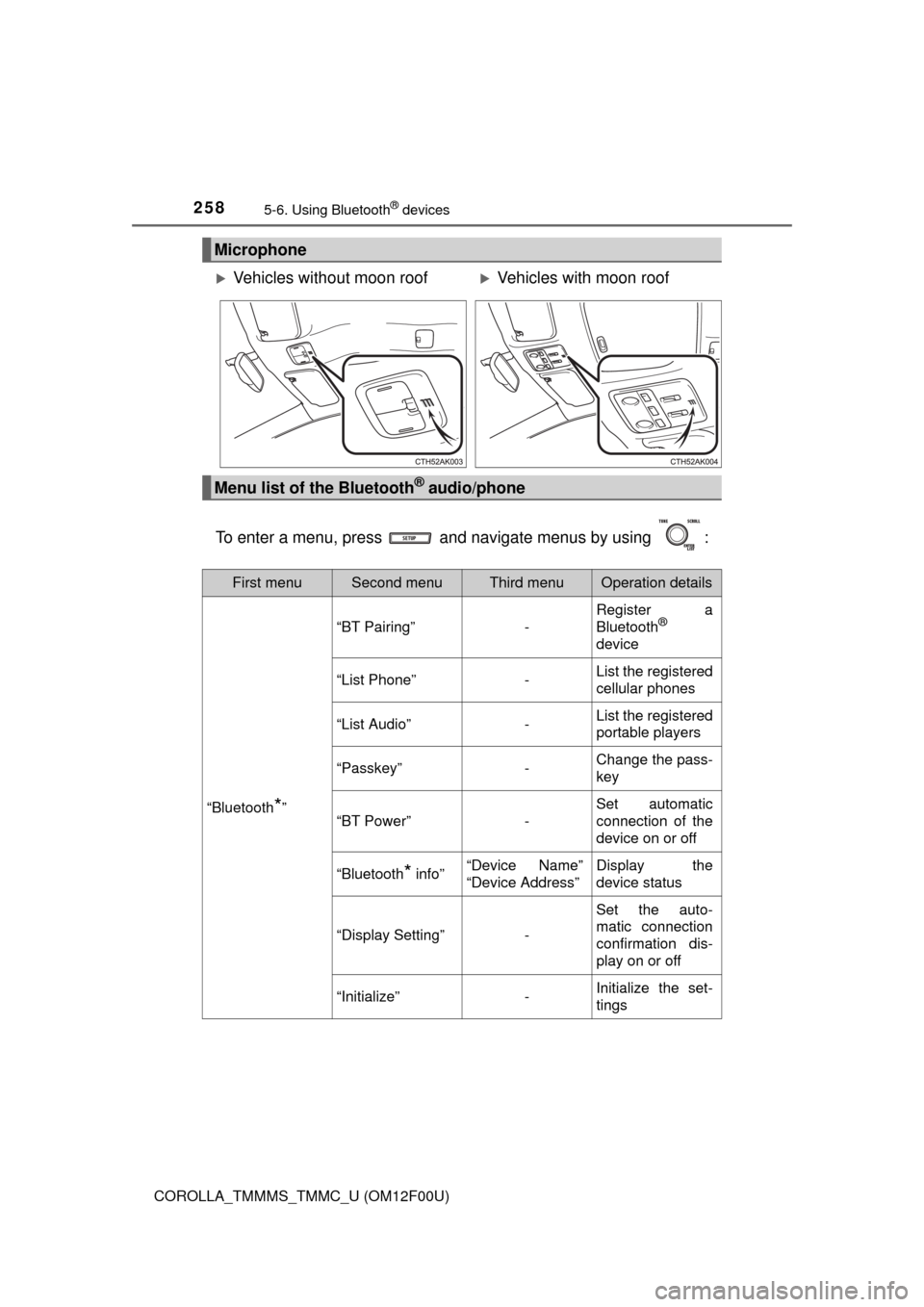
To enter a menu, press and navigate menus by using :
Microphone
Vehicles without moon roofVehicles with moon roof
Menu list of the Bluetooth® audio/phone
First menuSecond menuThird menuOperation details
“Bluetooth*”
“BT Pairing”-
Register a
Bluetooth®
device
“List Phone”-List the registered
cellular phones
“List Audio”-List the registered
portable players
“Passkey”-Change the pass-
key
“BT Power”-
Set automatic
connection of the
device on or off
“Bluetooth* info”“Device Name”
“Device Address”Display the
device status
“Display Setting”-
Set the auto-
matic connection
confirmation dis-
play on or off
“Initialize”-Initialize the set-
tings
Page 261 of 612
2615-6. Using Bluetooth® devices
5
Interior features
COROLLA_TMMMS_TMMC_U (OM12F00U)
Press and select “Bluetooth*” using .
Press and select “BT Pairing” using .
A passkey will be displayed.
SSP (Secure Simple Pairing) incompatible Bluetooth® devices:
Input the passkey into the device.
SSP (Secure Simple Pairing) compatible Bluetooth
® devices:
Select “Yes” to register the device. Depending on the type of
device, it may register automatically.
If a Bluetooth
® device has both music player and cellular phone func-
tions, both functions will be registered at the same time. When delet-
ing the device, both functions will be deleted at the same time.
If the off-hook switch is pressed and the “Phone” mode is entered
when no phones have been registered, the registration screen will be
automatically displayed.
*: Bluetooth is a registered trademark of Bluetooth SIG, Inc.
Registering a Bluetooth® device
Before using the Bluetooth® audio/phone, it is necessary to reg-
ister a Bluetooth® device in the system. You can register up to 5
Bluetooth® devices.
How to register a Bluetooth® device
1
2
3
Page 262 of 612
262
COROLLA_TMMMS_TMMC_U (OM12F00U)
5-7. “SET UP” menu
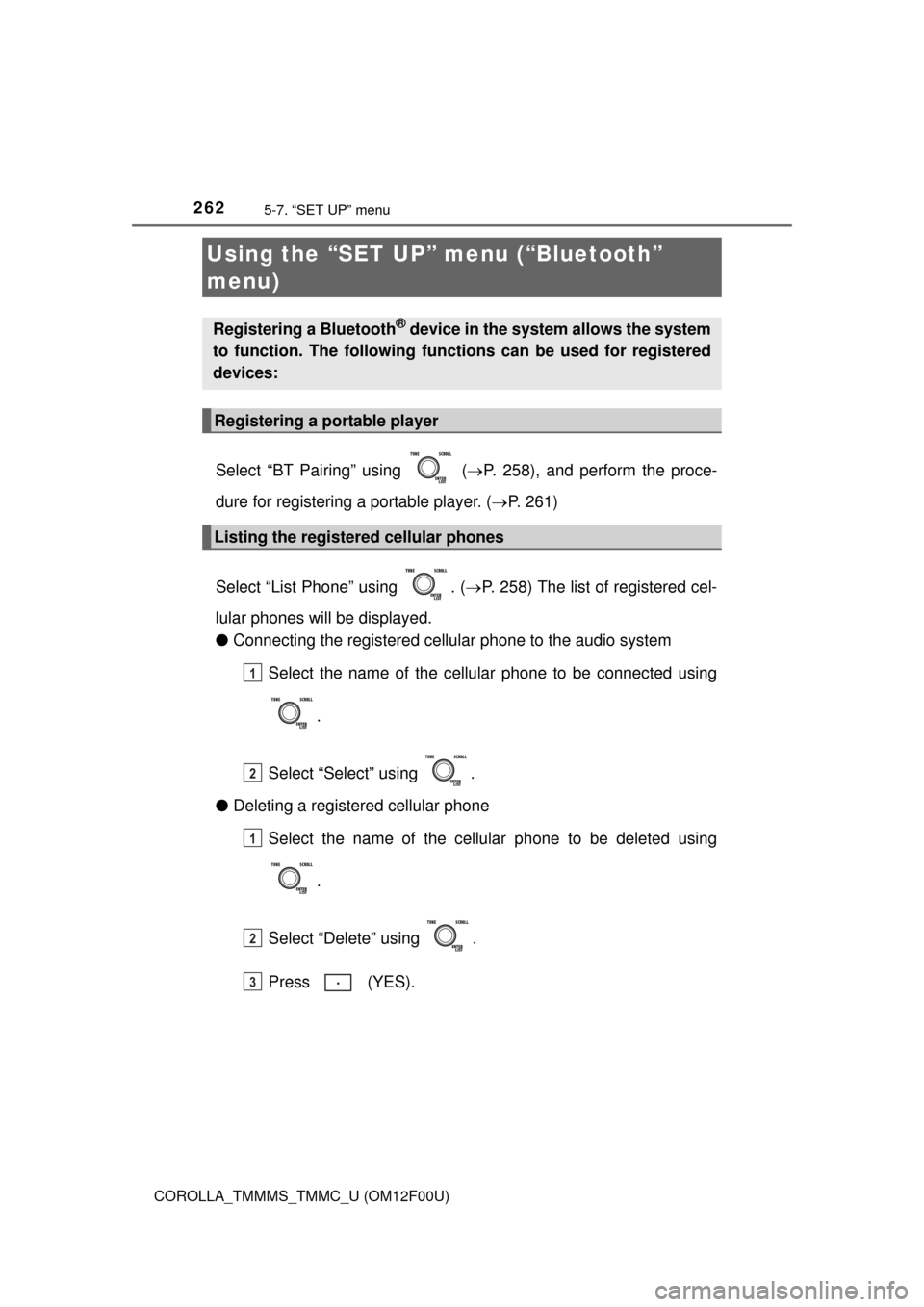
Select “BT Pairing” using (P. 258), and perform the proce-
dure for registering a portable player. (P. 261)
Select “List Phone” using . (P. 258) The list of registered cel-
lular phones will be displayed.
●Connecting the registered cellular phone to the audio system
Select the name of the cellular phone to be connected using
.
Select “Select” using .
●Deleting a registered cellular phone
Select the name of the cellular phone to be deleted using
.
Select “Delete” using .
Press (YES).
Using the “SET UP” menu (“Bluetooth”
menu)
Registering a Bluetooth® device in the system allows the system
to function. The following functions can be used for registered
devices:
Registering a portable player
Listing the registered cellular phones
1
2
1
2
3
Page 263 of 612
2635-7. “SET UP” menu
5
Interior features
COROLLA_TMMMS_TMMC_U (OM12F00U)
Select “List Audio” using . (P. 258) The list of registered por-
table players will be displayed.
●Connecting the registered portable player to the audio system
Select the name of the portable player to be connected using
.
Select “Select” using .
●Deleting the registered portable player
Select the name of the portable player to be deleted using
.
Select “Delete” using .
Press (YES).
Listing the registered portable players
1
2
1
2
3
Page 265 of 612
2655-7. “SET UP” menu
5
Interior features
COROLLA_TMMMS_TMMC_U (OM12F00U)
Select “Bluetooth* info” using . (P. 258)
●Displaying the device name
Select “Device Name” using .
●Displaying the device address
Select “Device Address” using .
*: Bluetooth is a registered trademark of Bluetooth SIG, Inc.
If the “Display Setting” is set to on, the portable player connection sta-
tus will be displayed when the engine switch is turned to the “ACC” or
“ON” position (vehicles without a smart key system) or ACCESSORY
or IGNITION ON mode (vehicles with a smart key system).
Select “Display Setting” using . (P. 258)
Select “ON” or “OFF” using .
Displaying the device status
Setting the automatic connection confirmation display to on or
off
1
2