Page 160 of 612
1604-1. Before driving
COROLLA_TMMMS_TMMC_U (OM12F00U)
NOTICE
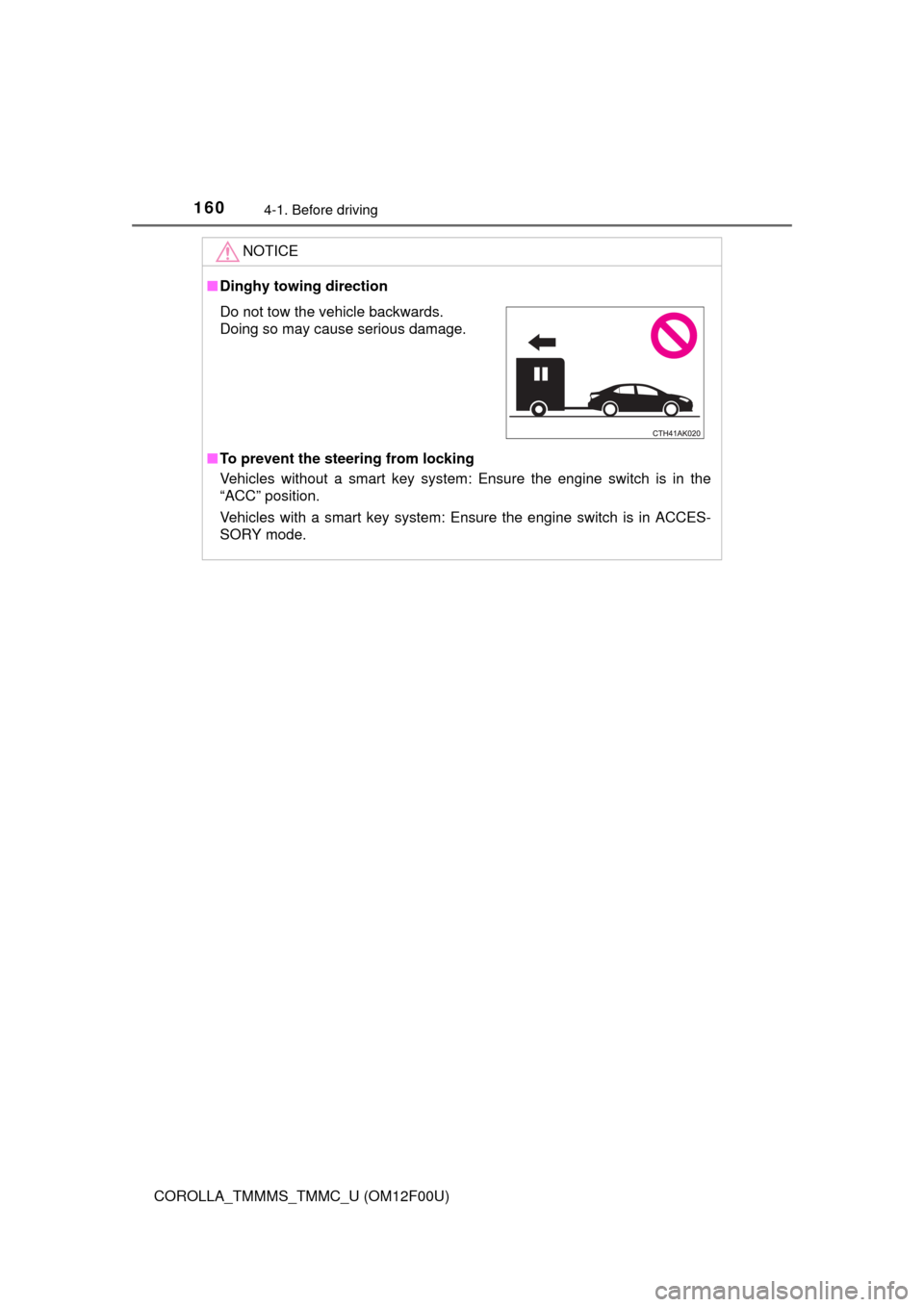
■Dinghy towing direction
■To prevent the steering from locking
Vehicles without a smart key system: Ensure the engine switch is in the
“ACC” position.
Vehicles with a smart key system: Ensure the engine switch is in ACCES-
SORY mode.
Do not tow the vehicle backwards.
Doing so may cause serious damage.
Page 188 of 612

1884-3. Operating the lights and wipers
COROLLA_TMMMS_TMMC_U (OM12F00U)
With the headlights on, push
the lever away from you to turn
on the high beams.
Pull the lever toward you to the
center position to turn the high
beams off.
Pull the lever toward you and
release it to flash the high
beams once.
You can flash the high beams with the headlights on or off.
■Daytime running light system
●To make your vehicle more visible to other drivers, the headlights turn on
automatically (at a reduced intensity) whenever the engine is started and
the parking brake is released. Daytime running lights are not designed for
use at night.
For the U.S.A.: Daytime running lights can be turned off by operating the
switch.
●Compared to turning on the headlights, the daytime running light system
offers greater durability and consumes less electricity, so it can help improve
fuel economy.
■Headlight control sensor (if equipped)
Turning on the high beam headlights
1
2
The sensor may not function properly if an
object is placed on the sensor, or anything
that blocks the sensor is affixed to the
windshield.
Doing so interferes with the sensor
detecting the level of ambient light and
may cause the automatic headlight sys-
tem to malfunction.
Page 198 of 612
1984-5. Using the driving support systems
COROLLA_TMMMS_TMMC_U (OM12F00U)
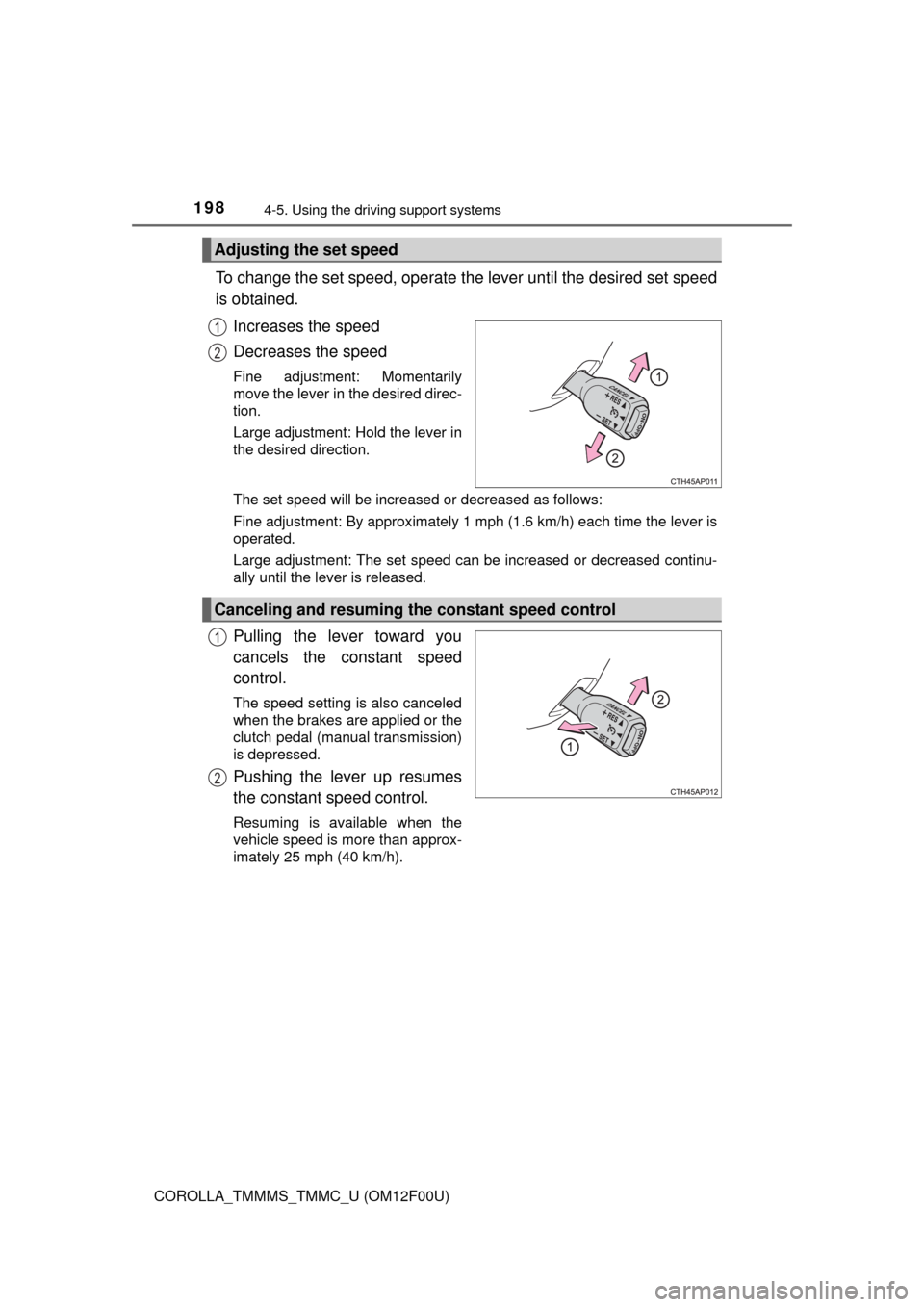
To change the set speed, operate the lever until the desired set speed
is obtained.
Increases the speed
Decreases the speed
Fine adjustment: Momentarily
move the lever in the desired direc-
tion.
Large adjustment: Hold the lever in
the desired direction.
The set speed will be increased or decreased as follows:
Fine adjustment: By approximately 1 mph (1.6 km/h) each time the lever is
operated.
Large adjustment: The set speed can be increased or decreased continu-
ally until the lever is released.
Pulling the lever toward you
cancels the constant speed
control.
The speed setting is also canceled
when the brakes are applied or the
clutch pedal (manual transmission)
is depressed.
Pushing the lever up resumes
the constant speed control.
Resuming is available when the
vehicle speed is more than approx-
imately 25 mph (40 km/h).
Adjusting the set speed
1
2
Canceling and resuming the constant speed control
1
2
Page 200 of 612
2004-5. Using the driving support systems
COROLLA_TMMMS_TMMC_U (OM12F00U)
CAUTION
■To avoid operating the cruise control by mistake
Switch the cruise control off using the “ON-OFF” button when not in use.
■Situations unsuitable for cruise control
Do not use cruise control in any of the following situations.
Doing so may result in loss of control and could cause an accident resulting
in death or serious injury.
●In heavy traffic
●On roads with sharp bends
●On winding roads
●On slippery roads, such as those covered with rain, ice or snow
●On steep hills
Vehicle speed may exceed the set speed when driving down a steep hill.
●During emergency towing
Page 376 of 612
376
COROLLA_TMMMS_TMMC_U (OM12F00U)5-21.
Using the voice command system (
Multimedia system)
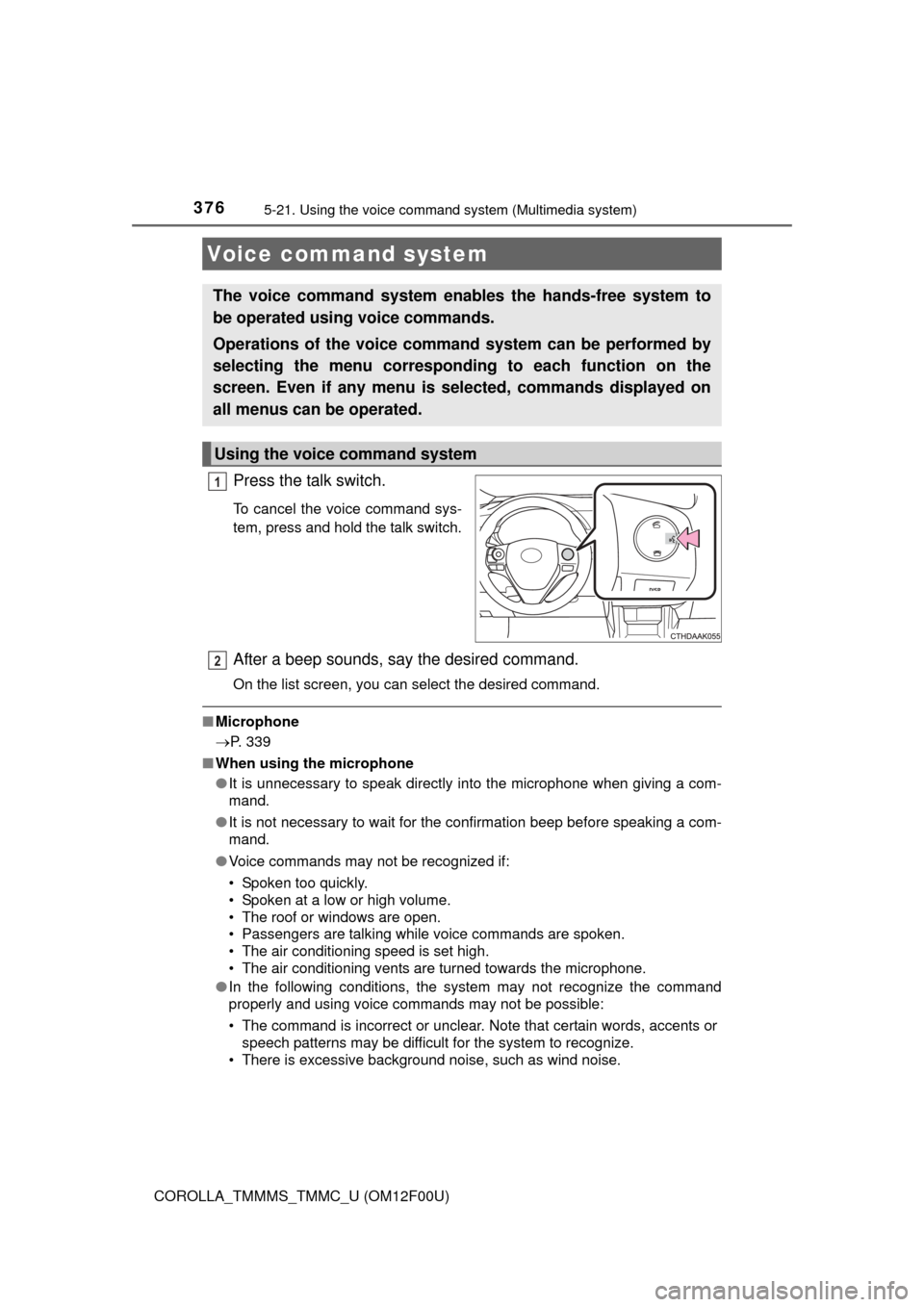
Press the talk switch.
To cancel the voice command sys-
tem, press and hold the talk switch.
After a beep sounds, say the desired command.
On the list screen, you can select the desired command.
■Microphone
P. 339
■ When using the microphone
●It is unnecessary to speak directly into the microphone when giving a com-
mand.
● It is not necessary to wait for the confirmation beep before speaking a com-
mand.
● Voice commands may not be recognized if:
• Spoken too quickly.
• Spoken at a low or high volume.
• The roof or windows are open.
• Passengers are talking while voice commands are spoken.
• The air conditioning speed is set high.
• The air conditioning vents are turned towards the microphone.
● In the following conditions, the system may not recognize the command
properly and using voice commands may not be possible:
• The command is incorrect or unclear. Note that certain words, accents or
speech patterns may be difficult for the system to recognize.
• There is excessive background noise, such as wind noise.
Voice command system
The voice command system enables the hands-free system to
be operated using voice commands.
Operations of the voice comm and system can be performed by
selecting the menu corresponding to each function on the
screen. Even if any menu is selected, commands displayed on
all menus can be operated.
Using the voice command system
1
2
Page 401 of 612
4016-3. Using the storage features
6
Interior features
COROLLA_TMMMS_TMMC_U (OM12F00U)■
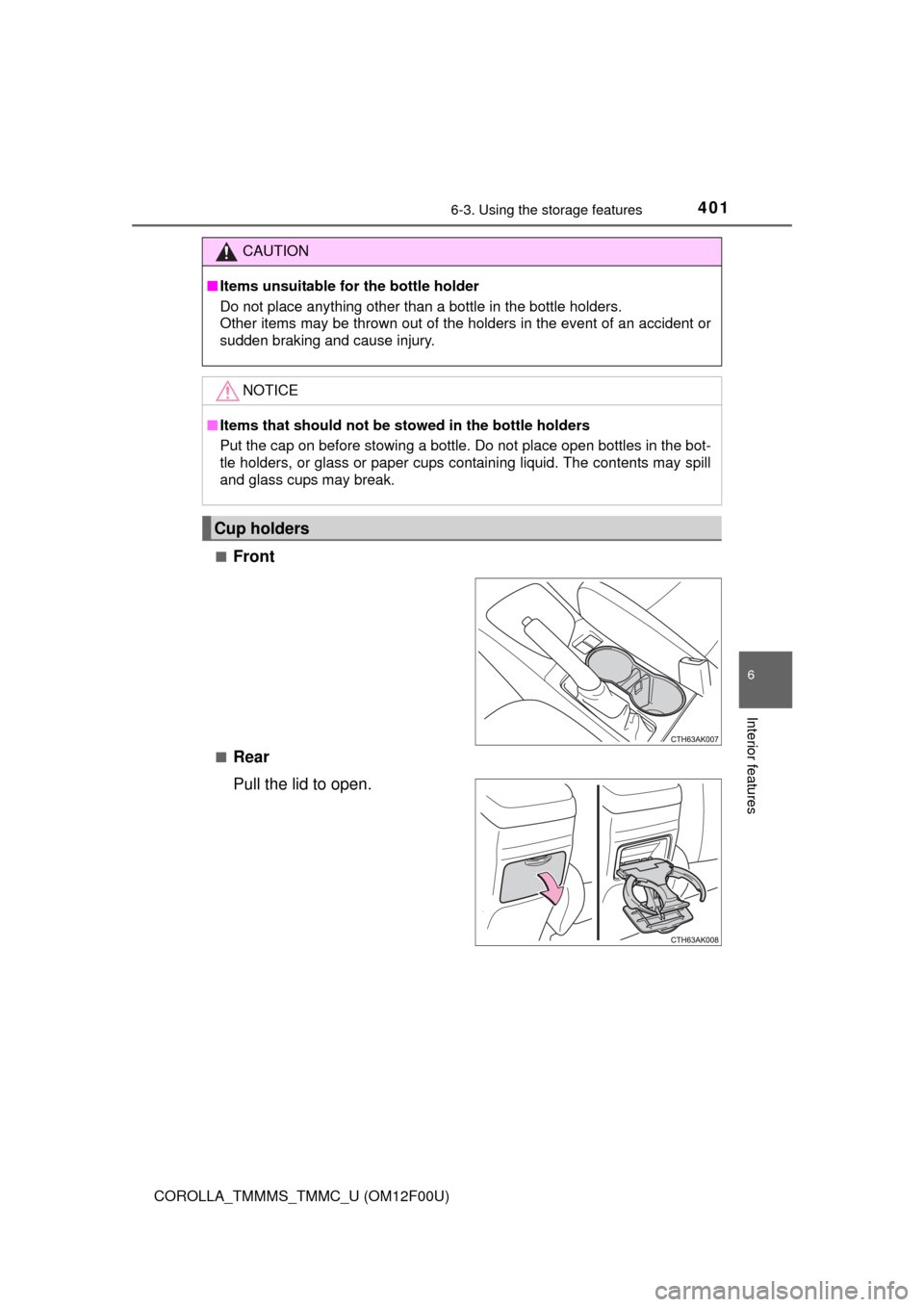
Front
■Rear
Pull the lid to open.
CAUTION
■Items unsuitable for the bottle holder
Do not place anything other than a bottle in the bottle holders.
Other items may be thrown out of the holders in the event of an accident or
sudden braking and cause injury.
NOTICE
■Items that should not be stowed in the bottle holders
Put the cap on before stowing a bottle. Do not place open bottles in the bot-
tle holders, or glass or paper cups containing liquid. The contents may spill
and glass cups may break.
Cup holders
Page 410 of 612

4106-4. Other interior features
COROLLA_TMMMS_TMMC_U (OM12F00U)
■Conditions unfavorable to correct operation
The compass may not show the correct direction in the following conditions:
●The vehicle is stopped immediately after turning.
●The vehicle is on an inclined surface.
●The vehicle is in a place where the earth's magnetic field is subject to inter-
ference by artificial magnetic fields (underground car park/parking lot, under
a steel tower, between buildings, roof car park/parking lot, near an intersec-
tion, near a large vehicle, etc.).
●The vehicle has become magnetized.
(There is a magnet or metal object near the inside rear view mirror.)
●The battery has been disconnected.
●A door is open.
CAUTION
■While driving the vehicle
Do not adjust the display. Adjust the display only when the vehicle is
stopped.
■When doing the circling calibration
Secure a wide space, and watch out for people and vehicles in the neigh-
borhood. Do not violate any local traffic rules while performing circling cali-
bration.
NOTICE
■To avoid compass malfunctions
Do not place magnets or any metal objects near the inside rear view mirror.
Doing this may cause the compass sensor to malfunction.
■To ensure normal operation of the compass
●Do not perform circling calibration of the compass in a place where the
earth's magnetic field is subject to interference by artificial magnetic fields.
●During calibration, do not operate electric systems (moon roof, power win-
dows, etc.) as they may interfere with the calibration.
Page 428 of 612
428
COROLLA_TMMMS_TMMC_U (OM12F00U)
7-3. Do-it-yourself maintenance
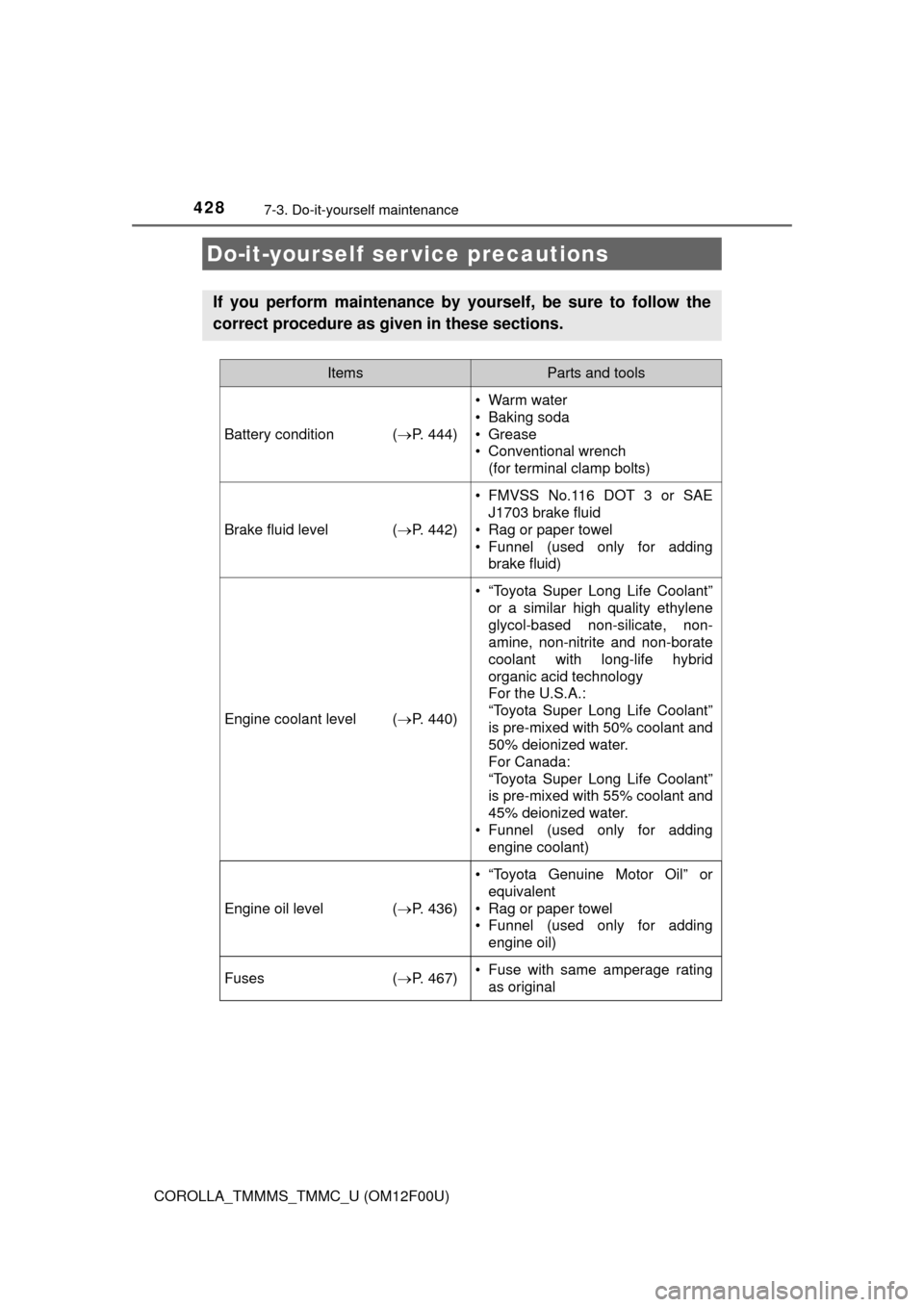
Do-it-yourself ser vice precautions
If you perform maintenance by yourself, be sure to follow the
correct procedure as given in these sections.
ItemsParts and tools
Battery condition (P. 444)
•Warm water
• Baking soda
• Grease
• Conventional wrench
(for terminal clamp bolts)
Brake fluid level (P. 442)
• FMVSS No.116 DOT 3 or SAE
J1703 brake fluid
• Rag or paper towel
• Funnel (used only for adding
brake fluid)
Engine coolant level (P. 440)
• “Toyota Super Long Life Coolant”
or a similar high quality ethylene
glycol-based non-silicate, non-
amine, non-nitrite and non-borate
coolant with long-life hybrid
organic acid technology
For the U.S.A.:
“Toyota Super Long Life Coolant”
is pre-mixed with 50% coolant and
50% deionized water.
For Canada:
“Toyota Super Long Life Coolant”
is pre-mixed with 55% coolant and
45% deionized water.
• Funnel (used only for adding
engine coolant)
Engine oil level (P. 436)
• “Toyota Genuine Motor Oil” or
equivalent
• Rag or paper towel
• Funnel (used only for adding
engine oil)
Fuses (P. 467)• Fuse with same amperage rating
as original