Page 308 of 612
308
COROLLA_TMMMS_TMMC_U (OM12F00U)5-
16.
Using an external device (Multimedia system)
P. 2 8 6
Pressing the “AUDIO” button disp lays the audio control screen from
any screens of the selected source.
Audio source selection screen
appears
Displays cover art
Selecting the play mode
( P. 309)
Shuffle play ( P. 309)
Repeat play ( P. 309)
Pause
Select to resume playback
Setting the sound ( P. 299)
Listening to an iPod
Connecting an iPod enables you to enjoy music from the vehicle
speakers.
Select “iPod” on the audi o source selection screen.
When the iPod connected to the system includes iPod video, the
system can only output the sound by selecting the browse
screen.
Connecting an iPod
Audio control screen
1
2
3
4
5
6
7
Page 313 of 612
3135-16. Using an external device (Multimedia system)
5
Interior features
COROLLA_TMMMS_TMMC_U (OM12F00U)
P. 2 8 6
Pressing the “AUDIO” button displays the audio control screen from
any screens of the selected source.
Audio source selection screen
appears
Displaying the folder list
Random playback (P. 288)
Repeat play (P. 288)
Pause
Select to resume playback
Setting the sound (P. 299)
Listening to a USB memor y device
Connecting a USB memory device enables you to enjoy music
from the vehicle speakers.
Touch “USB” on the audio source selection screen.
Connecting a USB memory device
Audio control screen
1
2
3
4
5
6
Page 336 of 612
336
COROLLA_TMMMS_TMMC_U (OM12F00U)5-18. Bluetooth
®
Audio (Multimed ia system)
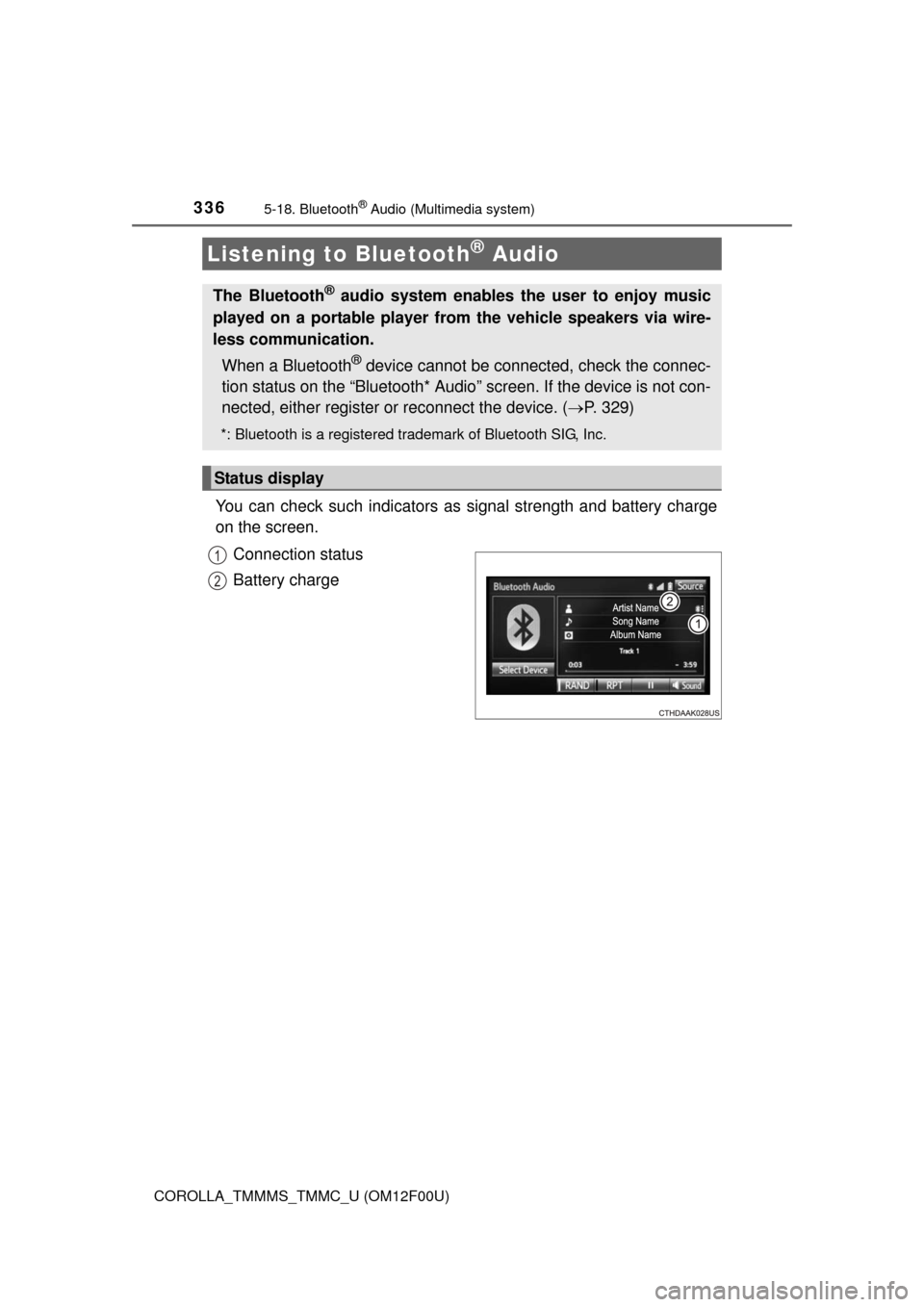
You can check such indicators as signal strength and battery charge
on the screen.
Connection status
Battery charge
Listening to Bluetooth® Audio
The Bluetooth® audio system enables the user to enjoy music
played on a portable player from the vehicle speakers via wire-
less communication.
When a Bluetooth
® device cannot be connected, check the connec-
tion status on the “Bluetooth* Audio” screen. If the device is not con-
nected, either register or reconnect the device. ( P. 329)
*: Bluetooth is a registered trademark of Bluetooth SIG, Inc.
Status display
1
2