Page 377 of 612
3775-21. Using the voice command system (Multimedia system)
5
Interior features
COROLLA_TMMMS_TMMC_U (OM12F00U)
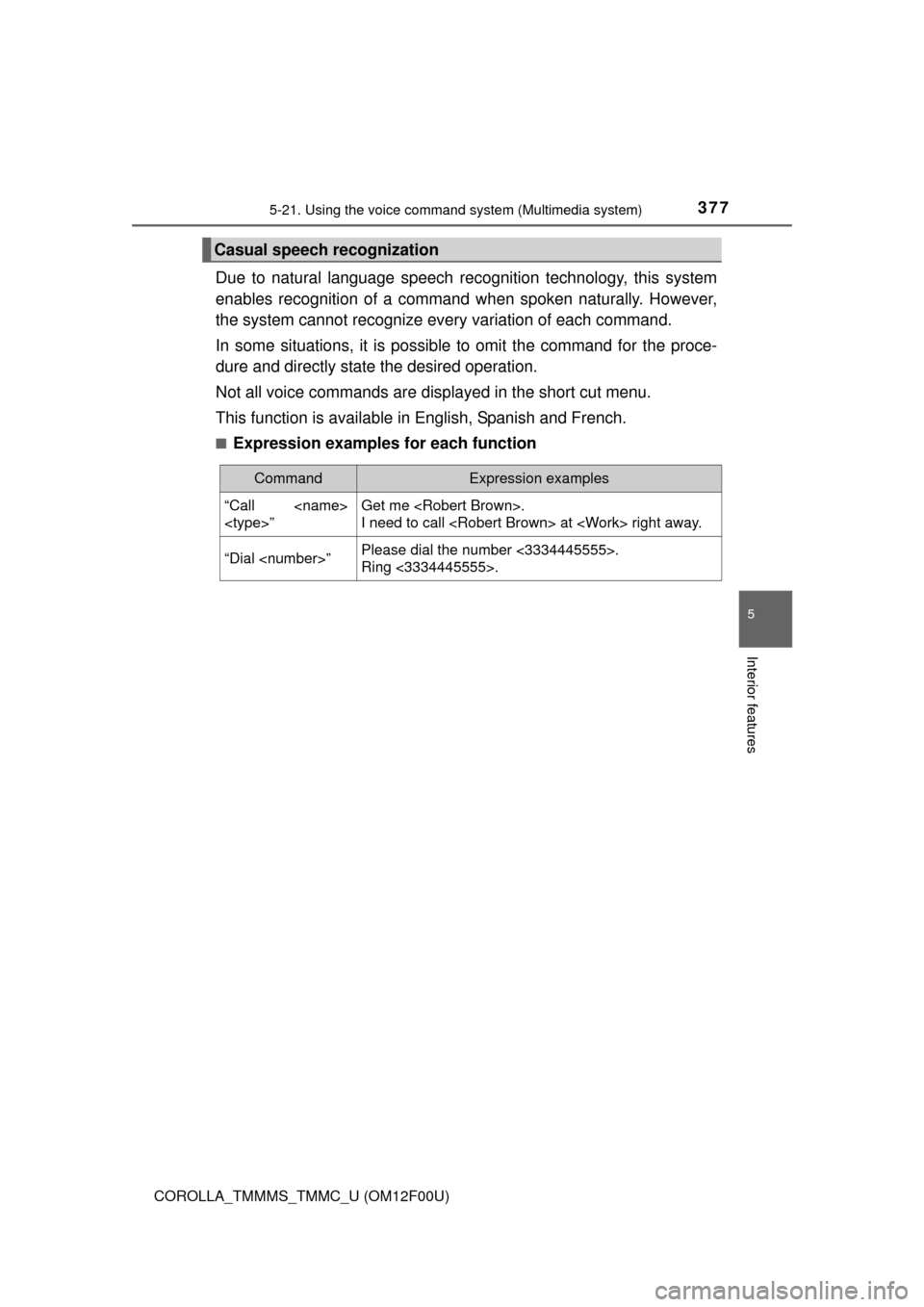
Due to natural language speech recognition technology, this system
enables recognition of a command when spoken naturally. However,
the system cannot recognize every variation of each command.
In some situations, it is possible to omit the command for the proce-
dure and directly state the desired operation.
Not all voice commands are displayed in the short cut menu.
This function is available in English, Spanish and French.
■Expression examples for each function
Casual speech recognization
CommandExpression examples
“Call
”Get me .
I need to call at right away.
“Dial ”Please dial the number <3334445555>.
Ring <3334445555>.
Page 378 of 612
3785-21. Using the voice command system (Multimedia system)
COROLLA_TMMMS_TMMC_U (OM12F00U)
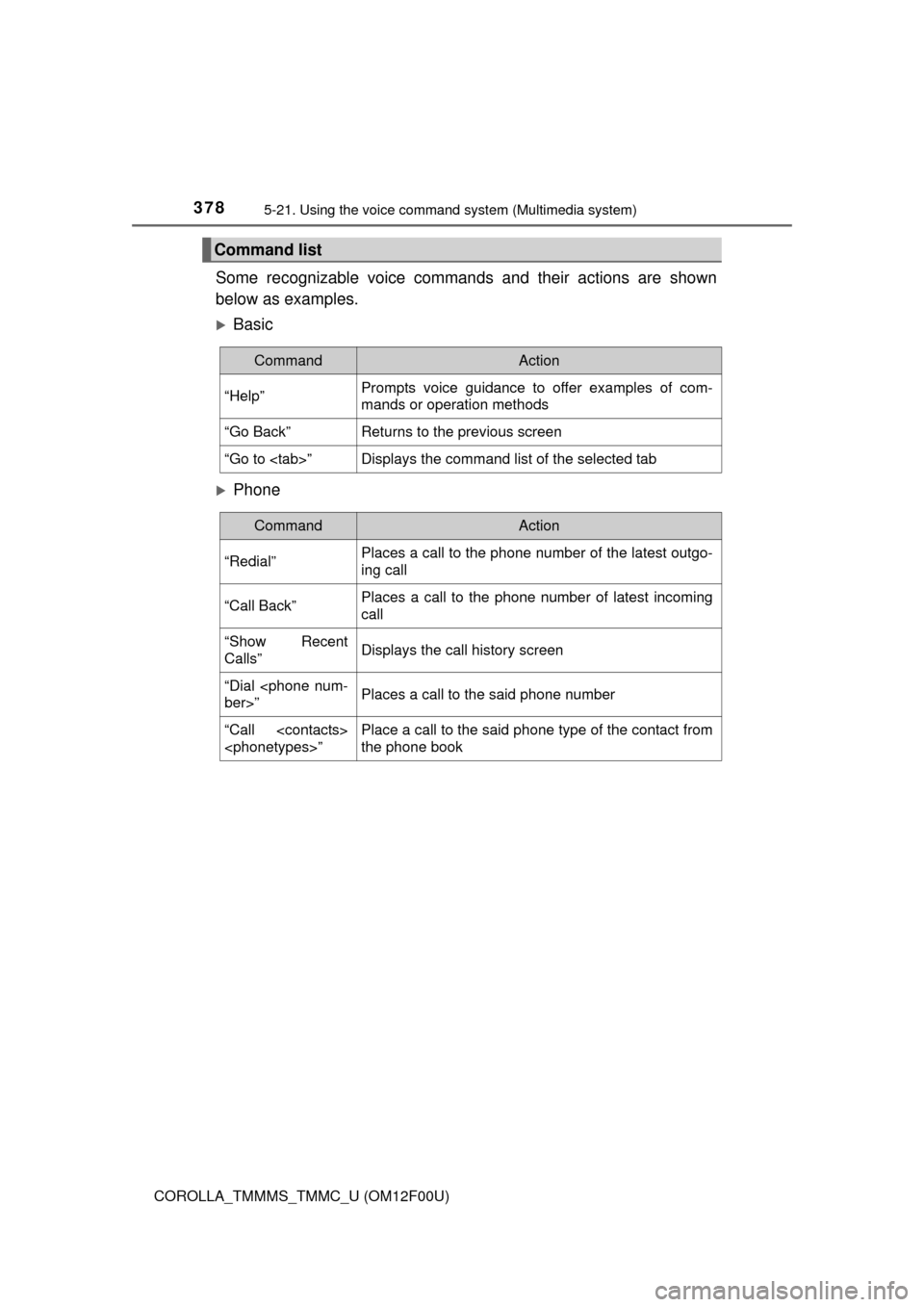
Some recognizable voice commands and their actions are shown
below as examples.
Basic
Phone
Command list
CommandAction
“Help”Prompts voice guidance to offer examples of com-
mands or operation methods
“Go Back”Returns to the previous screen
“Go to ”Displays the command list of the selected tab
CommandAction
“Redial”Places a call to the phone number of the latest outgo-
ing call
“Call Back”Places a call to the phone number of latest incoming
call
“Show Recent
Calls”Displays the call history screen
“Dial
ber>”Places a call to the said phone number
“Call
”Place a call to the said phone type of the contact from
the phone book
Page 379 of 612

379
6Interior features
COROLLA_TMMMS_TMMC_U (OM12F00U)6-1. Using the air conditioning
system and defogger
Manual air conditioning
system ............................ 380
Automatic air
conditioning system ........ 386
6-2. Using the interior lights
Interior lights list ................ 395
• Front interior light/
personal lights............... 396
• Rear interior light .......... 397
6-3. Using the storage
features
List of storage features ..... 398
• Glove box...................... 399
• Console box .................. 399
• Bottle holders ................ 400
• Cup holders .................. 401
6-4. Other interior features
Other interior features ....... 403
• Sun visors ..................... 403
• Vanity mirrors................ 403
• Clock ............................. 403
• Outside temperature
display........................... 404
• Power outlet .................. 405
• Assist grips ................... 406
Compass ........................... 407
Seat heaters...................... 411
Page 404 of 612
4046-4. Other interior features
COROLLA_TMMMS_TMMC_U (OM12F00U)
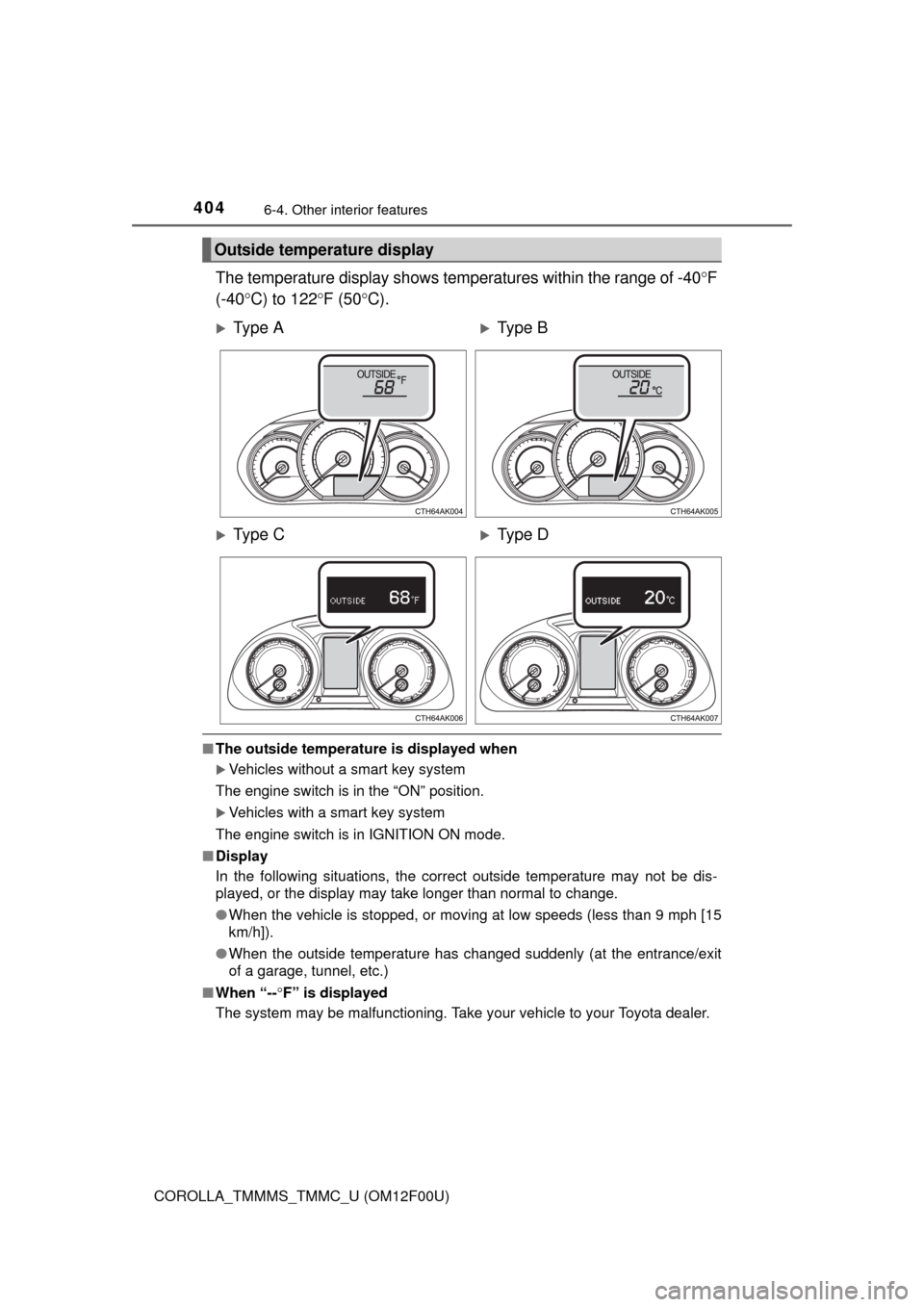
The temperature display shows temperatures within the range of -40F
(-40C) to 122F (50C).
■The outside temperature is displayed when
Vehicles without a smart key system
The engine switch is in the “ON” position.
Vehicles with a smart key system
The engine switch is in IGNITION ON mode.
■Display
In the following situations, the correct outside temperature may not be dis-
played, or the display may take longer than normal to change.
●When the vehicle is stopped, or moving at low speeds (less than 9 mph [15
km/h]).
●When the outside temperature has changed suddenly (at the entrance/exit
of a garage, tunnel, etc.)
■When “--F” is displayed
The system may be malfunctioning. Take your vehicle to your Toyota dealer.
Outside temperature display
Ty p e AType B
Ty p e CType D
Page 407 of 612
4076-4. Other interior features
6
Interior features
COROLLA_TMMMS_TMMC_U (OM12F00U)
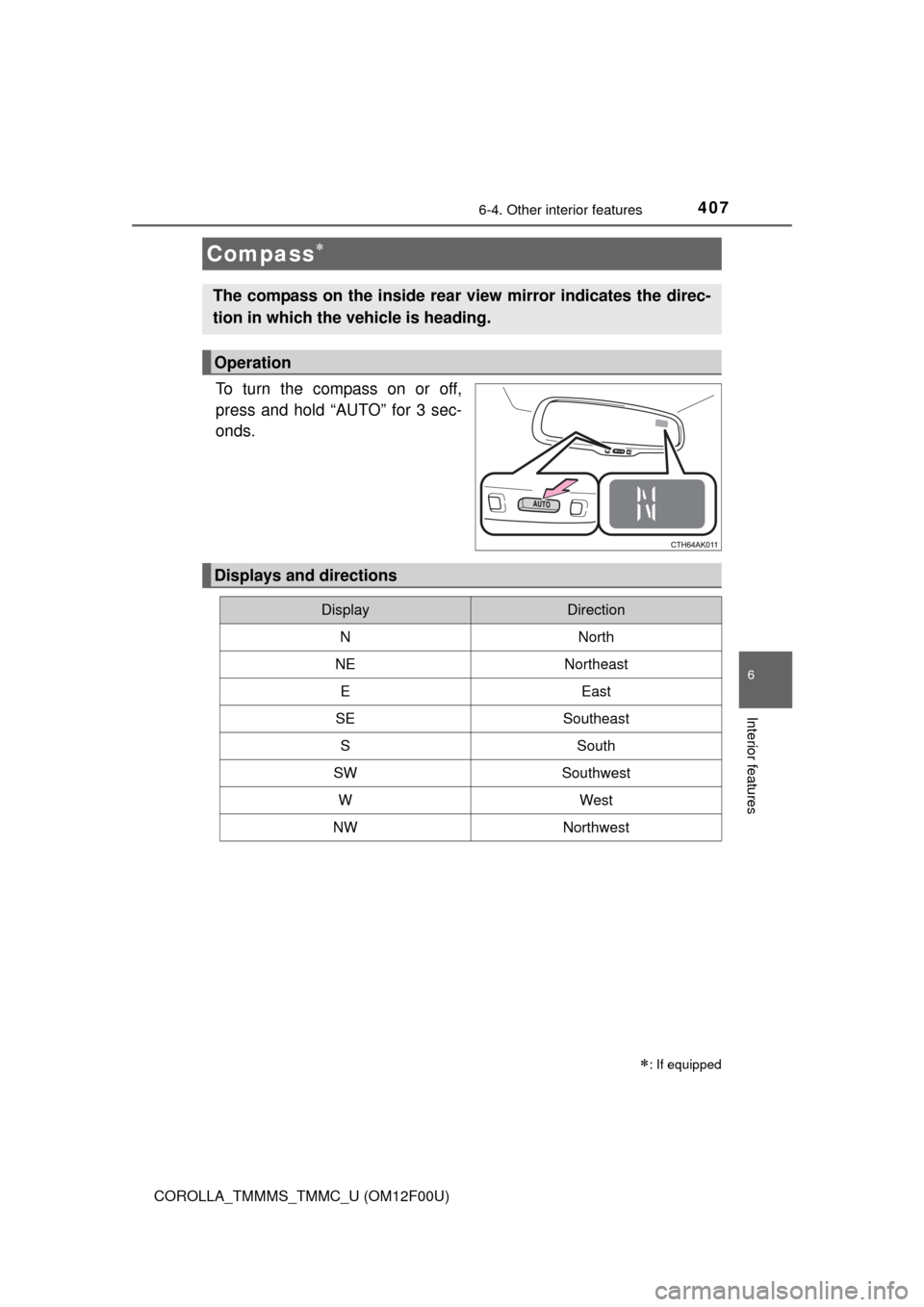
To turn the compass on or off,
press and hold “AUTO” for 3 sec-
onds.
Compass
: If equipped
The compass on the inside rear view mirror indicates the direc-
tion in which the vehicle is heading.
Operation
Displays and directions
DisplayDirection
NNorth
NENortheast
EEast
SESoutheast
SSouth
SWSouthwest
WWest
NWNorthwest
Page 408 of 612
4086-4. Other interior features
COROLLA_TMMMS_TMMC_U (OM12F00U)
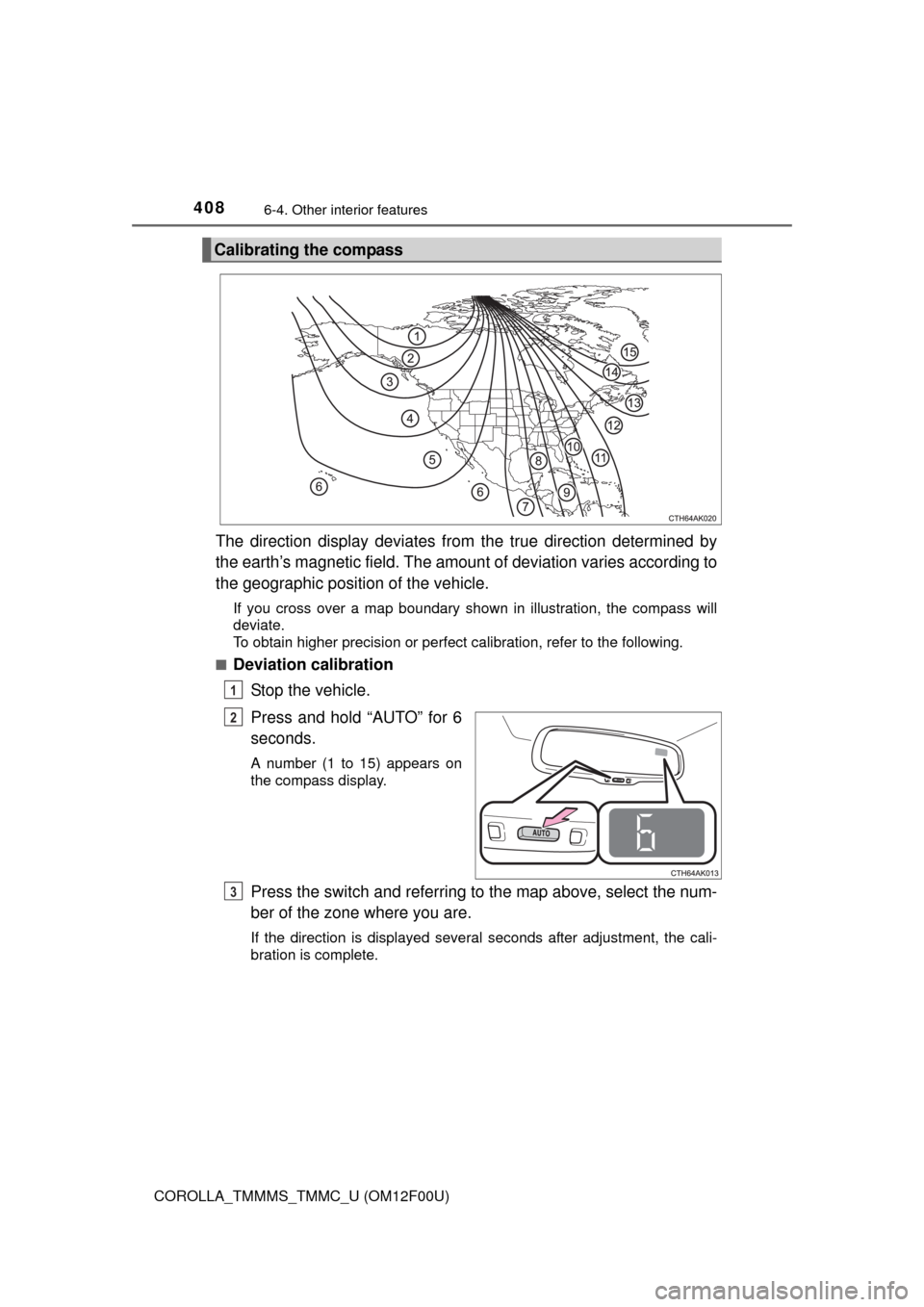
The direction display deviates from the true direction determined by
the earth’s magnetic field. The amount of deviation varies according to
the geographic position of the vehicle.
If you cross over a map boundary shown in illustration, the compass will
deviate.
To obtain higher precision or perfect calibration, refer to the following.
■
Deviation calibration
Stop the vehicle.
Press and hold “AUTO” for 6
seconds.
A number (1 to 15) appears on
the compass display.
Press the switch and referring to the map above, select the num-
ber of the zone where you are.
If the direction is displayed several seconds after adjustment, the cali-
bration is complete.
Calibrating the compass
1
2
3
Page 409 of 612
4096-4. Other interior features
6
Interior features
COROLLA_TMMMS_TMMC_U (OM12F00U)■
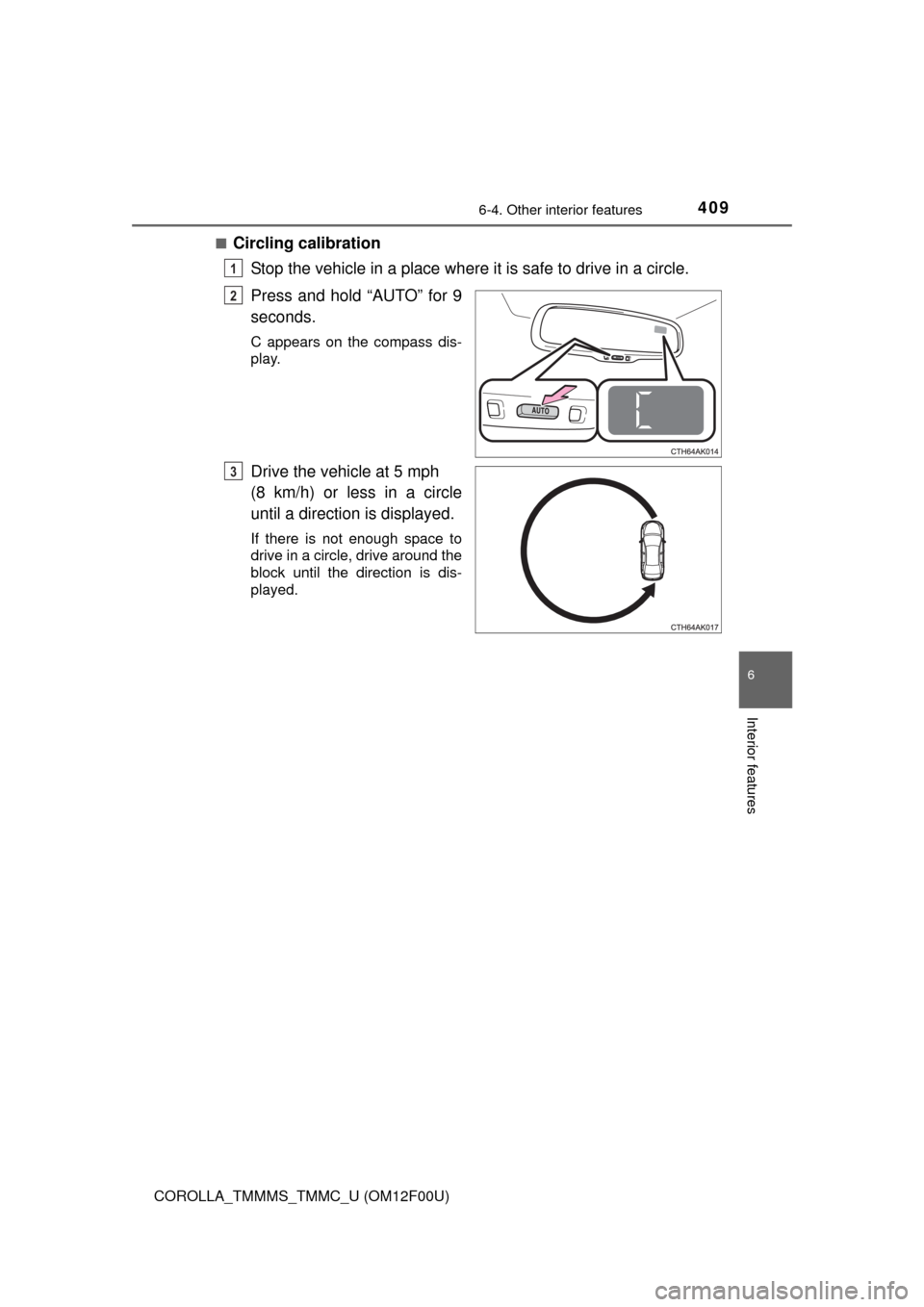
Circling calibration
Stop the vehicle in a place where it is safe to drive in a circle.
Press and hold “AUTO” for 9
seconds.
C appears on the compass dis-
play.
Drive the vehicle at 5 mph
(8 km/h) or less in a circle
until a direction is displayed.
If there is not enough space to
drive in a circle, drive around the
block until the direction is dis-
played.
1
2
3
Page 410 of 612

4106-4. Other interior features
COROLLA_TMMMS_TMMC_U (OM12F00U)
■Conditions unfavorable to correct operation
The compass may not show the correct direction in the following conditions:
●The vehicle is stopped immediately after turning.
●The vehicle is on an inclined surface.
●The vehicle is in a place where the earth's magnetic field is subject to inter-
ference by artificial magnetic fields (underground car park/parking lot, under
a steel tower, between buildings, roof car park/parking lot, near an intersec-
tion, near a large vehicle, etc.).
●The vehicle has become magnetized.
(There is a magnet or metal object near the inside rear view mirror.)
●The battery has been disconnected.
●A door is open.
CAUTION
■While driving the vehicle
Do not adjust the display. Adjust the display only when the vehicle is
stopped.
■When doing the circling calibration
Secure a wide space, and watch out for people and vehicles in the neigh-
borhood. Do not violate any local traffic rules while performing circling cali-
bration.
NOTICE
■To avoid compass malfunctions
Do not place magnets or any metal objects near the inside rear view mirror.
Doing this may cause the compass sensor to malfunction.
■To ensure normal operation of the compass
●Do not perform circling calibration of the compass in a place where the
earth's magnetic field is subject to interference by artificial magnetic fields.
●During calibration, do not operate electric systems (moon roof, power win-
dows, etc.) as they may interfere with the calibration.