Page 311 of 620
311
3-2. Using the audio system
3
Interior features
Selecting a registered device
Select “Select Devi ce” on the Bluetooth
® audio control
screen.
For more information: P. 3 0 9
■Reconnecting a Bluetooth® phone
Vehicles with a smart key system
If the system cannot connect due to poor signal strength with the “ENGINE
START STOP” switch in ACCESSORY or IGNITION ON mode, the system
will automatically attempt to reconnect.
Vehicles without a smart key system
If the system cannot connect due to poor signal strength with the engine
switch in “ACC” or “ON” mode, the system will automatically attempt to
reconnect.
If the phone is turned off, the system will not attempt to reconnect. In this
case, the connection must be made manually, or the phone must be rese-
lected.
STEP1
STEP2
Page 355 of 620
355
3-2. Using the audio system
3
Interior features
■
Reconnecting the portable audio player
Vehicles with a smart key system
If the portable audio player is disconnected due to poor reception when the
“ENGINE START STOP” switch is in ACCESSORY or IGNITION ON mode,
the system automatically reconnects the portable audio player.
Vehicles without a smart key system
If the portable audio player is disconnected due to poor reception when the
engine switch is in “ACC” or “ON” mode, the system automatically recon-
nects the portable audio player.
If you have switched off the portable audio player yourself, follow the instruc-
tions below to reconnect:
● Select the portable audio player again
● Enter the portable audio player
■ When you sell your car
Be sure to delete your personal data. ( P. 269)
CAUTION
■While driving
Do not use the portable audio player, cellular phone or connect a device to
the Bluetooth
® system.
■ Caution regarding interfer ence with electronic devices
● Your audio unit is fitted with Bluetooth
® antennas. People with implantable
cardiac pacemakers, cardiac resynchronization therapy-pacemakers or
implantable cardioverter defibrillators should maintain a reasonable dis-
tance between themselves and the Bluetooth
® antennas. The radio waves
may affect the operation of such devices.
● Before using Bluetooth
® devices, users of any electrical medical device
other than implantable cardiac pacemakers, cardiac resynchronization
therapy-pacemakers or implantable cardioverter defibrillators should con-
sult the manufacturer of the device for information about its operation
under the influence of radio waves. Radio waves could have unexpected
effects on the operation of such medical devices.
Page 360 of 620
360
3-2. Using the audio system
Rear view monitor system
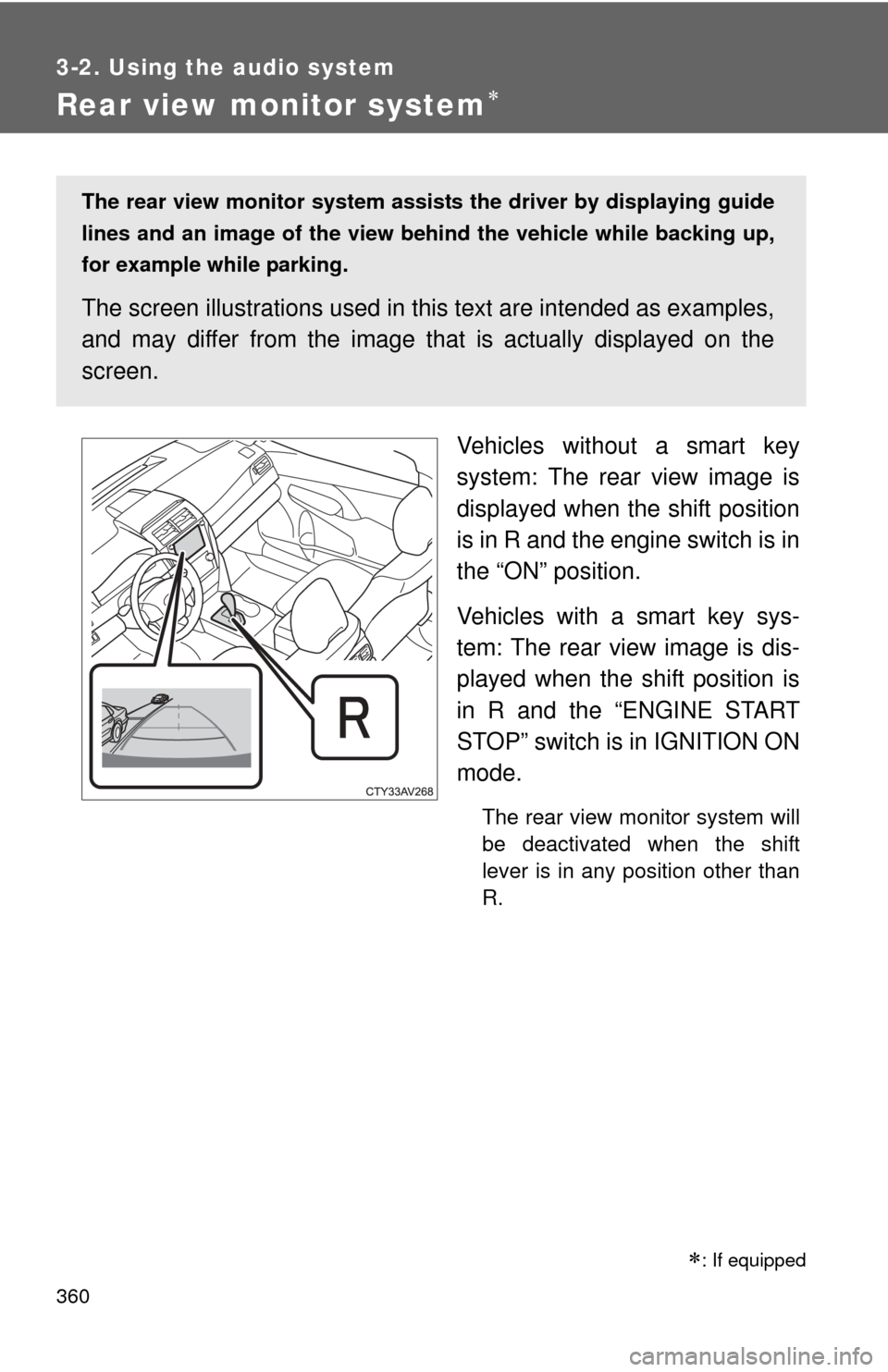
Vehicles without a smart key
system: The rear view image is
displayed when the shift position
is in R and the engine switch is in
the “ON” position.
Vehicles with a smart key sys-
tem: The rear view image is dis-
played when the shift position is
in R and the “ENGINE START
STOP” switch is in IGNITION ON
mode.
The rear view monitor system will
be deactivated when the shift
lever is in any position other than
R.
: If equipped
The rear view monitor system assists the driver by displaying guide
lines and an image of the view behind the vehicle while backing up,
for example while parking.
The screen illustrations used in th is text are intended as examples,
and may differ from the image that is actually displayed on the
screen.
Page 386 of 620
386
3-5. Other interior features
Clock
■The clock is displayed when
Vehicles without a smart key system
The engine switch is in the “ACC” or “ON” position.
Vehicles with a smart key system
The “ENGINE START STOP” switch is in ACCESSORY or IGNITION ON
mode.
■ When disconnecting and reco nnecting battery terminals
The time display will automatically be set to 1:00.
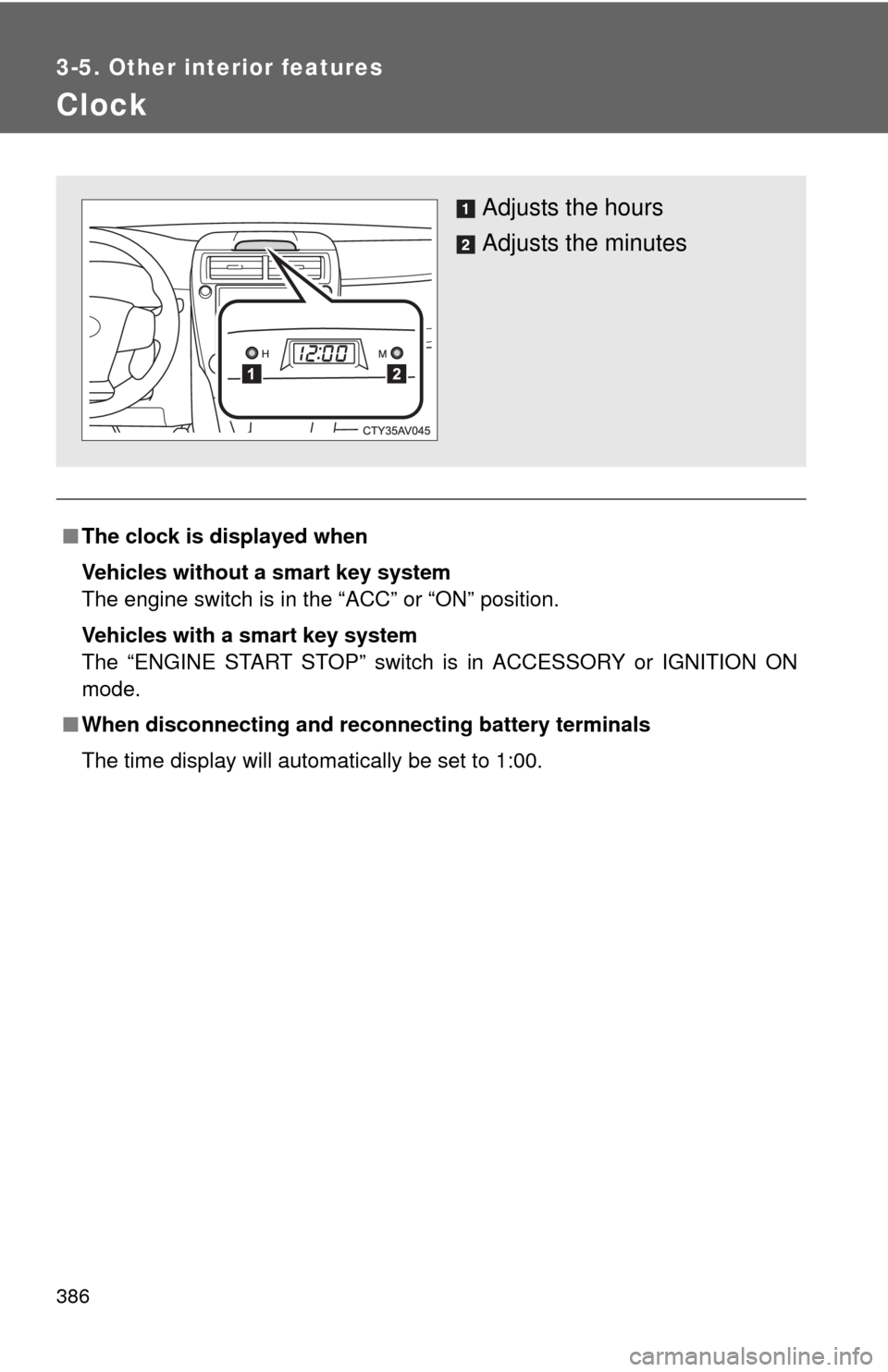
Adjusts the hours
Adjusts the minutes
Page 387 of 620
387
3-5. Other interior features
3
Interior features
Outside temperature display
■The outside temperatur e is displayed when
Vehicles without a smart key system
The engine switch is in the “ON” position.
Vehicles with a smart key system
The “ENGINE START STOP” switch is in IGNITION ON mode.
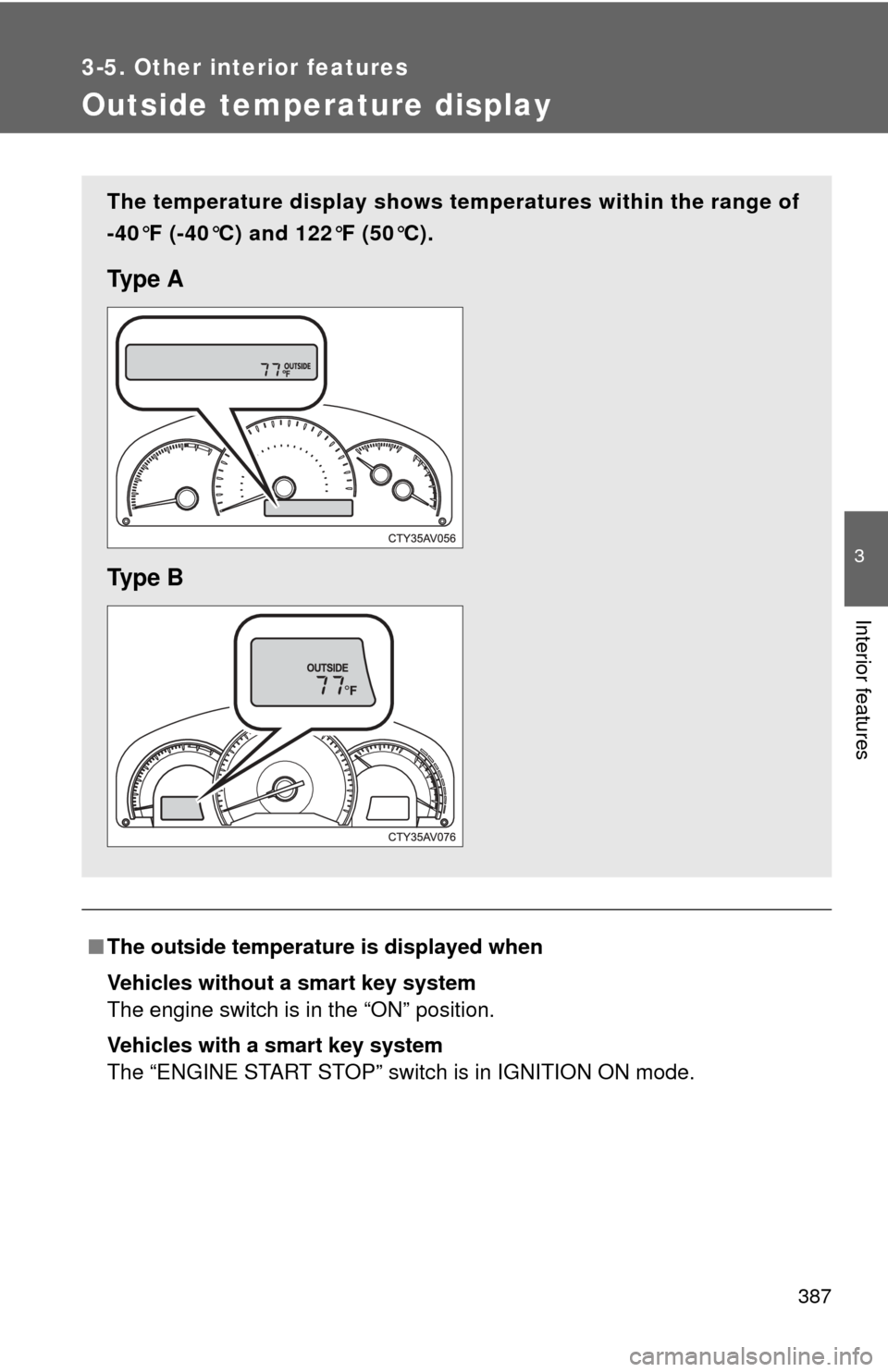
The temperature display shows te mperatures within the range of
-40°F (-40°C) and 122°F (50°C).
Ty p e A
Ty p e B
Page 391 of 620
391
3-5. Other interior features
3
Interior features
■
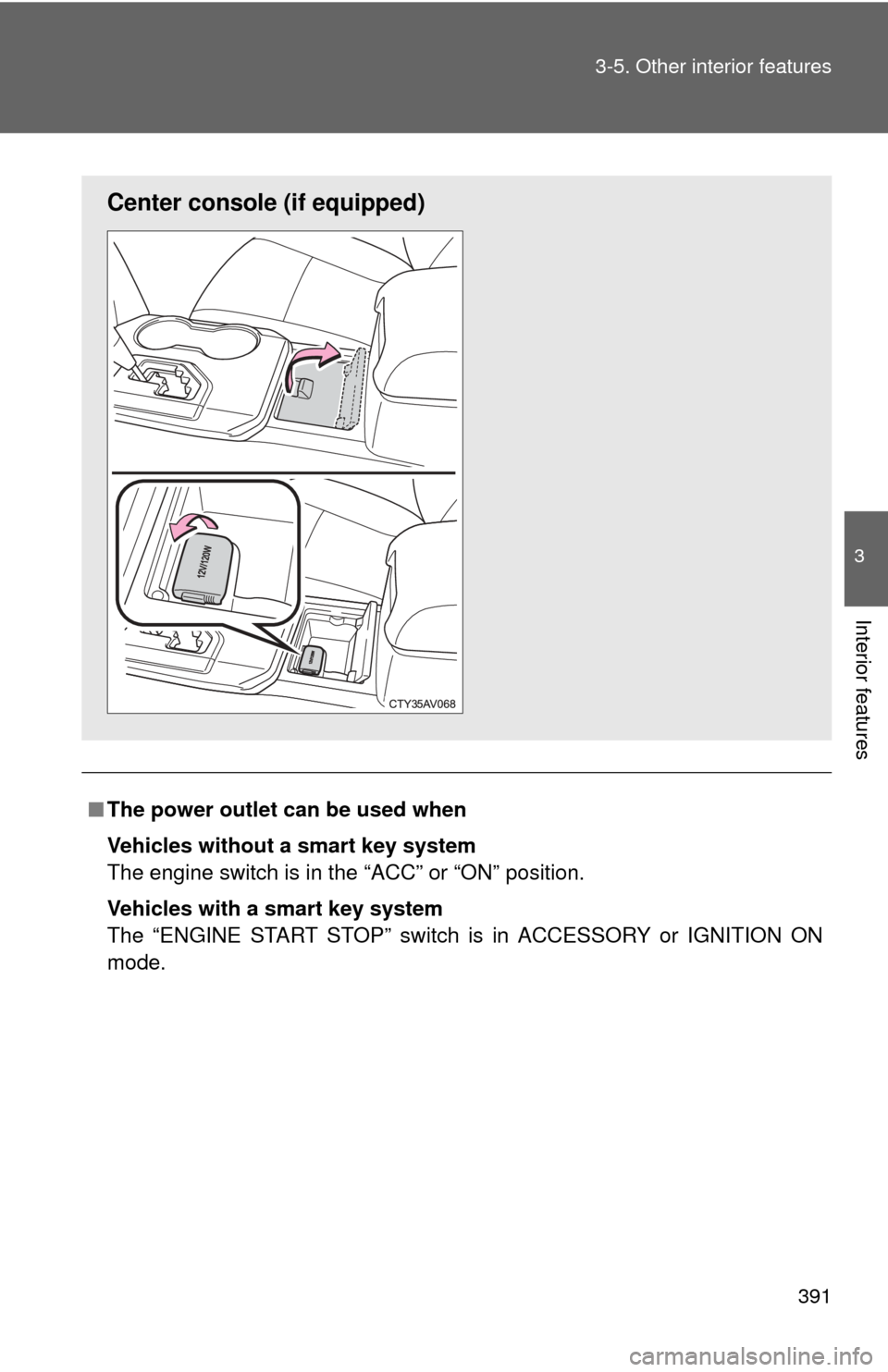
The power outlet can be used when
Vehicles without a smart key system
The engine switch is in the “ACC” or “ON” position.
Vehicles with a smart key system
The “ENGINE START STOP” switch is in ACCESSORY or IGNITION ON
mode.
Center consol e (if equipped)
Page 393 of 620
393
3-5. Other interior features
3
Interior features
Seat heaters
■The seat heaters can be used when
Vehicles without a smart key system
The engine switch is in the “ON” position.
Vehicles with a smart key system
The “ENGINE START STOP” switch is in IGNITION ON mode.
■ When not in use
Move the dial fully backward. The indicator light turns off.
On
The indicator light comes on.
Adjusts the seat tempera-
ture
The further you move the dial
forward, the warmer the seat
becomes.
Driver’s seat Front
passenger’s seat
: If equipped
Page 415 of 620

415
3-5. Other interior features
3
Interior features
Safety Connect LE
D light Indicators
When the “ENGINE START STOP” switch is turned to IGNITION ON
mode (vehicles with a smart key system) or the engine switch is
turned to the “ON” position (vehicle s without a smart key system), the
red indicator light comes on for 2 seconds then turns off. Afterward,
the green indicator light comes on, indicating that the service is
active.
The following indicator light patter ns indicate specific system usage
conditions:
● Green indicator light on = Active service
● Green indicator light flashing = Safety Connect call in process
● Red indicator light (except at v ehicle start-up) = System malfunc-
tion (contact your Toyota dealer)
● No indicator light (off) = Safety Connect service not active
Safety Connect services
■ Automatic Collision Notification
In case of either airbag deployment or severe rear-end collision,
the system is design ed to automatically call the response center.
The responding agent receives th e vehicle’s location and attempts
to speak with the vehicle occupant s to assess the level of emer-
gency. If the occupants are unable to communicate, the agent
automatically treats the call as an emergency, contacts the nearest
emergency services provider to describe the situation, and
requests that assistance be sent to the location.