Page 180 of 620
180 2-2. Instrument cluster
■Past record
Audio system with “CAR” button
Press “CAR” button to display the “Past Record” screen.
Audio system with “APPS” button
Press “APPS” button and select “E CO” to display the “Past Record”
screen.
If the “Past Record” screen does not appear, select “Past Record”.
Previous fuel economy record
Current fuel economy
Best recorded fuel economy
Update the past record data
Reset the past record data
“Trip Information” screen
appears
Average recorded fuel econ-
omy
These images are examples only, a nd may vary slightly from actual
conditions.
■ Resetting the data
Selecting “Clear” on the consumption screen will reset the consumption
data.
Selecting “Clear” on the “Past Record” screen will reset the past record data.
■ Updating the past record data
Selecting “Update” on the “Past Record” screen will update the past record
data.
Page 220 of 620

220 2-4. Using other driving systems
■Conditions under which the Rear Cross Traffic Alert function may not
function correctly
The Rear Cross Traffic Alert function may not detect vehicles correctly in the
following conditions:
●When ice or mud etc. is attached to the rear bumper
● During bad weather such as heavy rain, fog, snow etc.
● When multiple vehicles approach continuously
● Shallow angle parking
● When a vehicle is approaching at high speed
● When parking on a steep incline, such as hills, a dip in the road etc.
● Directly after the BSM main switch is set to on
■ Rear Cross Traffic Alert buzzer hearing
Rear Cross Traffic Alert function may be difficult to hear over loud noises
such as high audio volume.
■ The outside rear view mirror indicators visibility
When under strong sunlight, the outside rear view mirror indicator may be
difficult to see.
■ When there is a malfunction in the Blind Spot Monitor system
If a system malfunction is detected due to any of the following reasons,
warning lights will turn on: ( P. 506)
● There is a malfunction with the sensors
● The sensors have become dirty
● The outside temperature is extremely high or low
● The sensor voltage has become abnormal
●Vehicles that the sensors cannot detect
because of obstacles
Page 236 of 620

236
3-1. Using the air conditioning system and defogger
Manual air conditioning system ........................... 238
Automatic air conditioning system ........................... 245
Rear window and outside rear view mirror
defoggers ....................... 253 3-2. Using the audio system
Audio system types .......... 255
Audio system ................... 257
Steering wheel audio switches ......................... 260
USB/AUX port .................. 262
Basic audio operations..... 264
Setup menu...................... 267
General settings ............... 268
Audio settings .................. 270
Display settings ................ 271
Voice settings................... 273
Selecting the audio source ............................ 274
List screen operation........ 275
Optimal use of the audio system.................. 277
Radio operation................ 278
CD player operation ......... 280
Listening to an iPod ......... 287
Listening to a USB memory device .............. 293
Using the AUX port .......... 299
Preparations to use wireless
communication ............... 300
Registering a Bluetooth
®
audio player for the
first time ......................... 304
Registering a Bluetooth
®
phone for the
first time ......................... 305
Registering a Bluetooth
®
device ............................ 306
Interior features3
Page 237 of 620

Interior features3
237
Connecting a Bluetooth®
device ............................ 309
Displaying a Bluetooth
®
device details ................. 312
Detailed Bluetooth
®
system settings .............. 314
Listening to Bluetooth
®
audio .............................. 316
Using a Bluetooth
®
phone ............................. 318
Making a call .................... 320
Receiving a call ................ 324
Speaking on the phone ............................. 325
Bluetooth
® phone
message function........... 329
Using the steering wheel switches............... 334
Bluetooth
® phone
settings .......................... 335
Contact/Call history settings .......................... 337
What to do if... (Troubleshooting)........... 348
Bluetooth
®........................ 352
Voice command system ........................... 357
Rear view monitor system ........................... 360 3-3. Using the interior lights
Interior lights list ............... 371
• Interior lights .................. 372
• Personal lights ............... 373
3-4. Using the storage features
List of storage features .... 375
• Glove box....................... 376
• Console box ................... 377
• Coin holder .................... 378
• Bottle holders ................. 379
• Cup holders ................... 380
• Auxiliary boxes ............... 382
3-5. Other interior features Sun visors ........................ 384
Vanity mirrors ................... 385
Clock ................................ 386
Outside temperature display............................ 387
Ashtray ............................. 389
Power outlets ................... 390
Seat heaters..................... 393
Armrest ............................ 395
Assist grips....................... 396
Coat hooks ....................... 397
Floor mat .......................... 398
Trunk features .................. 400
Garage door opener......... 401
Compass .......................... 408
Safety Connect ................ 412
Page 255 of 620
255
3
Interior features
3-2. Using the audio system
Audio system types
Entune Audio
TitlePage
Using the radioP. 278
Using the CD playerP. 280
Playing back MP3 and WMA discsP. 280
Operating an iPodP. 287
Operating a USB memoryP. 293
Optimal use of the audio systemP. 277
Using the AUX portP. 299
Page 256 of 620
256 3-2. Using the audio system
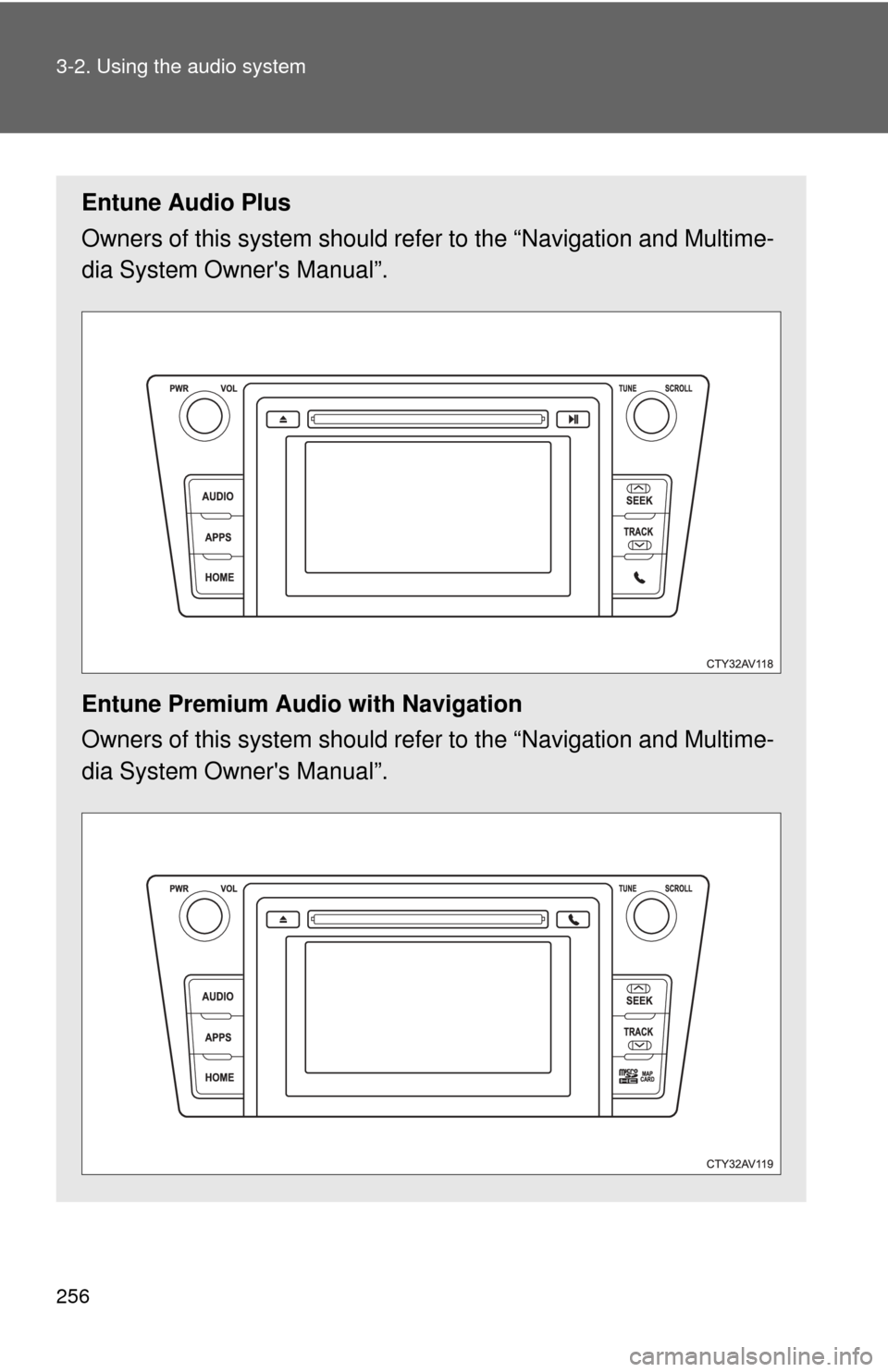
Entune Audio Plus
Owners of this system should refer to the “Navigation and Multime-
dia System Owner's Manual”.
Entune Premium Audio with Navigation
Owners of this system should refer to the “Navigation and Multime-
dia System Owner's Manual”.
Page 257 of 620
257
3-2. Using the audio system
3
Interior features
Audio system
Audio system operation buttons
Operations such as listening to audio, using the hands-free phone
and changing audio settings are st arted by using the following but-
tons.
“AUDIO” button
Display the “Select Audio Source”
screen or audio top screen. ( P. 274)
button
Press this button to access the
Bluetooth
® hands-free system.
( P. 318)
“CAR” button
Press this button to access the fuel
consumption screen. ( P. 179)
“SETUP” button
Press this button to customize the
function settings. ( P. 267)
Page 258 of 620
258 3-2. Using the audio system
Operating the touch screenBy touching the screen with your finger, you can control the audio
system, etc.
■ Drag
*
Touch the screen with your finger, and move the screen to the
desired position.
●Scrolling the lists
■ Flick
*
Touch the screen with your finger and quickly move the screen by
flicking your finger.
●Scrolling the main screen page
*:The above operations may not be performed on all screens.
■When using the touch screen
●If the screen is cold, the display may be dark, or the system may seem to
be operating slightly slower than normal.
● The screen may seem dark and hard to see when viewed through sun-
glasses. Change your angle of viewing, adjust the display on the “Dis\
play
Settings” screen ( P. 271) or remove your sunglasses.
● Flick operations may not be performed smoothly in high altitudes.