Page 408 of 620
408
3-5. Other interior features
Compass
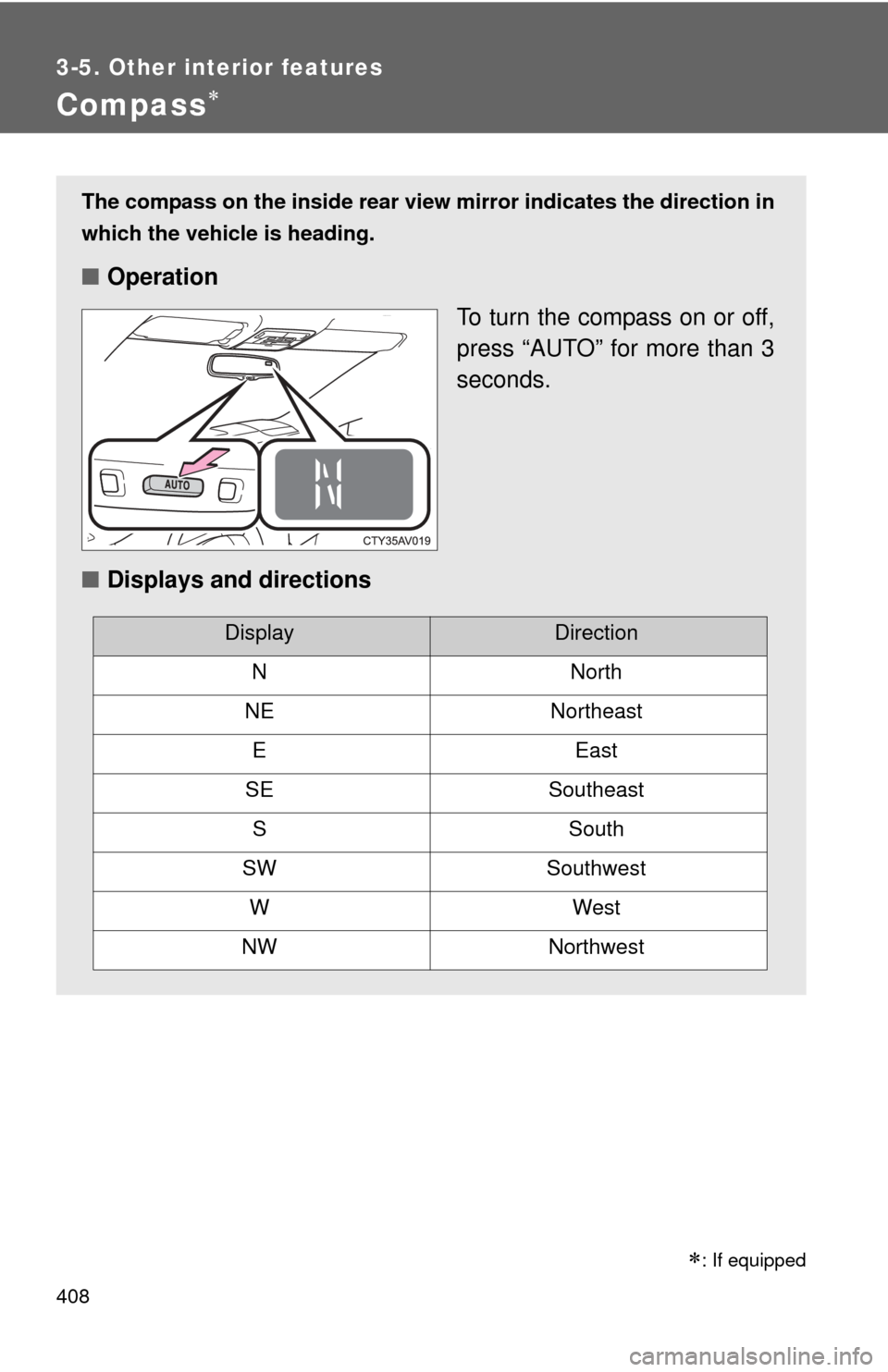
The compass on the inside rear view mirror indicates the direction in
which the vehicle is heading.
■ Operation
To turn the compass on or off,
press “AUTO” for more than 3
seconds.
■ Displays and directions
DisplayDirection
NNorth
NENortheast
EEast
SESoutheast
SSouth
SWSouthwest
WWest
NWNorthwest
: If equipped
Page 409 of 620
409
3-5. Other interior features
3
Interior features
Calibrating the compass
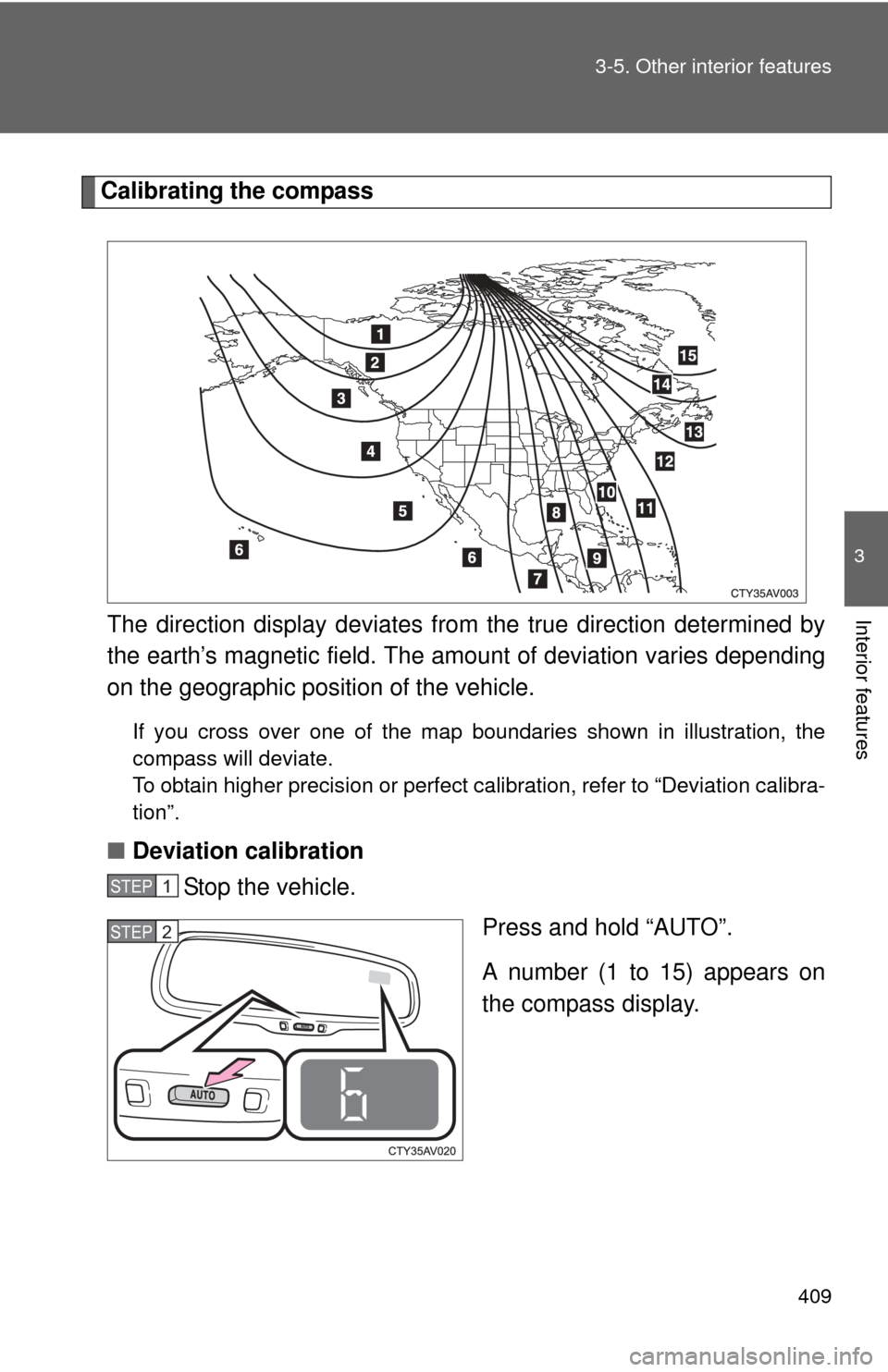
The direction display deviates fr om the true direction determined by
the earth’s magnetic field. The amount of deviation varies depending
on the geographic position of the vehicle.
If you cross over one of the map boundaries shown in illustration, the
compass will deviate.
To obtain higher precision or perfect calibration, refer to “Deviation calibra-
tion”.
■ Deviation calibration
Stop the vehicle.
Press and hold “AUTO”.
A number (1 to 15) appears on
the compass display.
STEP1
STEP2
Page 410 of 620
410 3-5. Other interior features
Referring to the map above, press “AUTO” to select the num-
ber of the zone you are in.
If the direction is displayed several seconds after adjustment, the
calibration is complete.
■Circling calibration
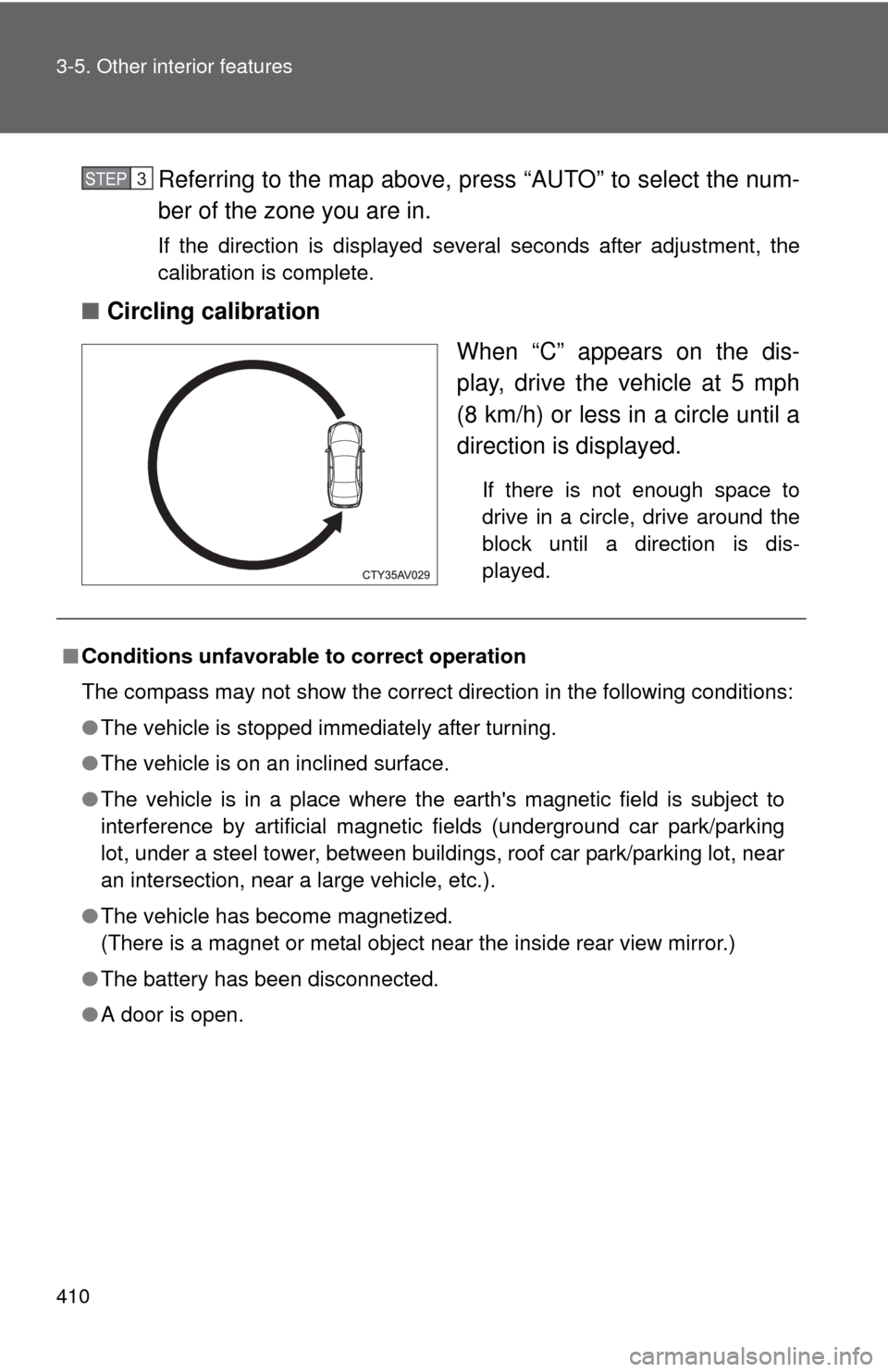
When “C” appears on the dis-
play, drive the vehicle at 5 mph
(8 km/h) or less in a circle until a
direction is displayed.
If there is not enough space to
drive in a circle, drive around the
block until a direction is dis-
played.
STEP3
■Conditions unfavorable to correct operation
The compass may not show the correct direction in the following conditions:
●The vehicle is stopped immediately after turning.
● The vehicle is on an inclined surface.
● The vehicle is in a place where the earth's magnetic field is subject to
interference by artificial magnetic fields (underground car park/parking
lot, under a steel tower, between buildings, roof car park/parking lot, near
an intersection, near a large vehicle, etc.).
● The vehicle has become magnetized.
(There is a magnet or metal object near the inside rear view mirror.)
● The battery has been disconnected.
● A door is open.
Page 411 of 620
411
3-5. Other interior features
3
Interior features
CAUTION
■
While driving the vehicle
Do not adjust the display. Adjust the display only when the vehicle is
stopped.
■ When doing the circling calibration
Secure a wide space, and watch out for people and vehicles in the vicinity.
Do not violate any local traffic rules while performing circling calibration.
NOTICE
■To avoid compass malfunctions
Do not place magnets or any metal objects near the inside rear view mirror.
Doing this may cause the compass sensor to malfunction.
■ To ensure normal operation of the compass
●Do not perform a circling calibration of the compass in a place where the
earth's magnetic field is subject to interference by artificial magnetic fields.
● During calibration, do not operate electric systems (moon roof, power win-
dows, etc.) as they may interfere with the calibration.
Page 427 of 620

427
4-2. Maintenance
4
Maintenance and care
■
Reset the maintenance data (U.S.A. only)
After the required maintenance is performed according to the maintenance
schedule, please reset the maintenance data.
To reset the data, follow the procedures described below:
Turn the engine switch (vehicles without a smart key system) or the
“ENGINE START STOP” switch (vehicles with a smart key system)
off with the trip meter A reading shown. ( P. 176)
While pressing the display change button ( P. 172), turn the
engine switch to the “ON” position (vehicles without a smart key
system) or “ENGINE START STOP” switch to IGNITION ON mode
(vehicles with a smart key system)
Continue to press and hold the button until the trip meter displays
“000000”.
■ Allow inspection and repairs to be performed by a Toyota dealer
● Toyota technicians are well-trained specialists and are kept up to date
with the latest service information. They are well informed about the
operations of all systems on your vehicle.
● Keep a copy of the repair order. It proves that the maintenance that has
been performed is under warranty coverage. If any problem should arise
while your vehicle is under warranty, your Toyota dealer will promptly
take care of it.
STEP1
STEP2
STEP3
Page 460 of 620
460
4-3. Do-it-yourself maintenance
Tire inflation pressure
■Tire inflation pressure
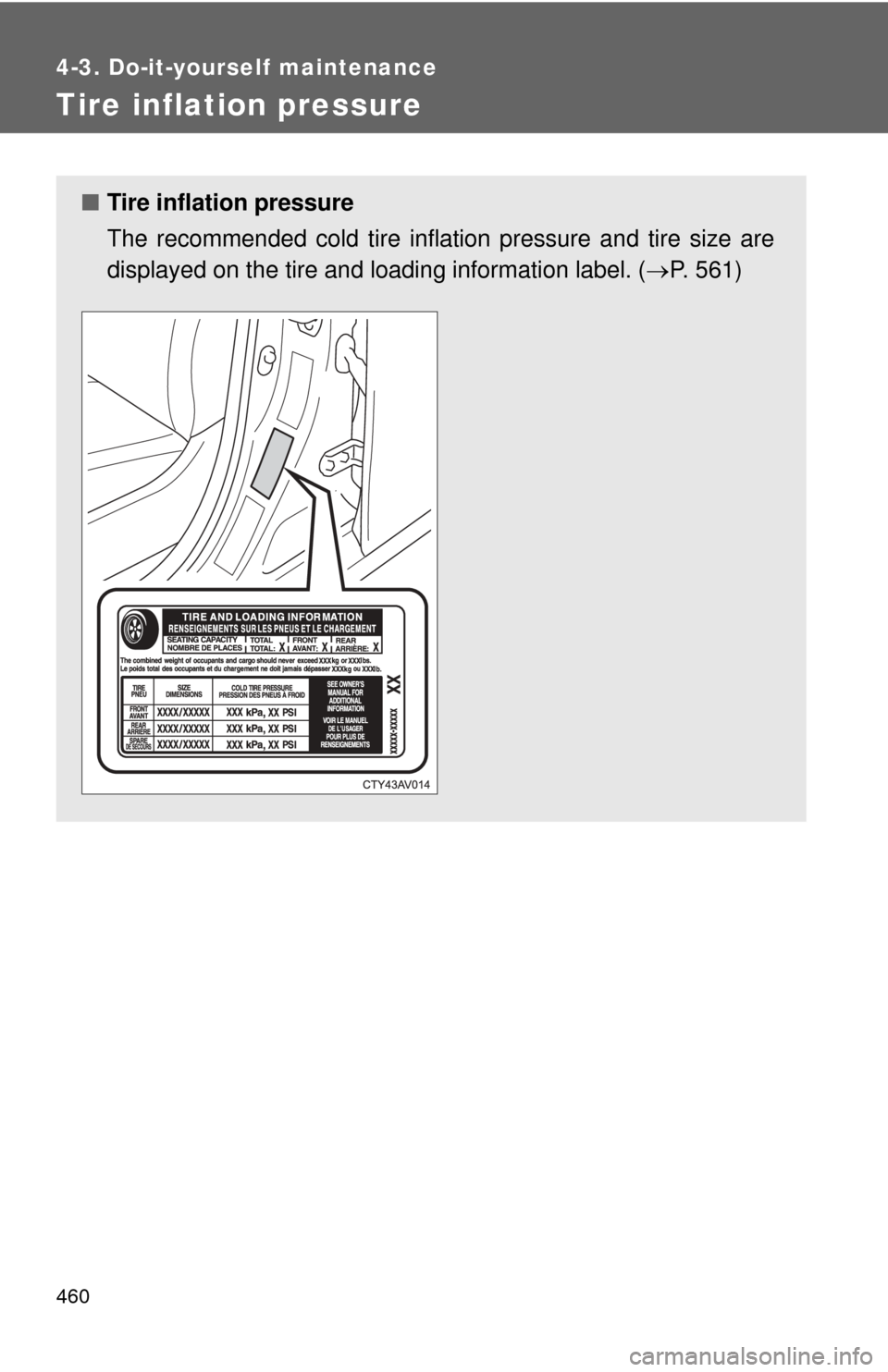
The recommended cold tire inflation pressure and tire size are
displayed on the tire and loading information label. ( P. 561)
Page 506 of 620

506 5-2. Steps to take in an emergency
Stop the vehicle immediately.The following warning indicates the possibility of damage to the vehi-
cle that may lead to an accident. Immediately stop the vehicle in a
safe place and contact your Toyota dealer.
Have the vehicle inspected by your Toyota dealer immediately.Failure to investigate the cause of the following warnings may lead to
the system operating abnormally and possibly cause an accident.
Have the vehicle inspected by your Toyota dealer immediately.
Warning lightWarning light/Details
Charging system warning light Indicates a malfunction in the vehicle’s charging system.
Low engine oil pressure warning light Indicates that the engine oil pressure is too low.
Ty p e A
Ty p e B High engine coolant temper
ature warning light (the
rightmost segment of the engine coolant temperature
display flashes) Indicates that the engine is almost overheating. ( P. 544)
Warning lightWarning light/Details
(U.S.A.)
(Canada) Malfunction indicator lamp
Indicates a malfunction in:
• The electronic engine control system; or
• The electronic throttle control system; or
• The electronic automatic transmission control system.
Page 609 of 620

609
Alphabetical index
Electric power steering........... 209
Electronic key
If the electronic key does not operate properly ........... 536
Emergency flashers
Switch ................................... 498
Emergency, in case of If a warning light turns on ..... 505
If the electronic key does
not operate properly ........... 536
If the engine will not start...... 532
If the shift lever cannot be
shifted from P ..................... 534
If the vehicle has
discharged battery ............. 539
If the warning buzzer sounds ............................... 505
If you have a flat tire ............ 520
If you lose your keys............. 535
If you think something is wrong ................................. 503
If your vehicle becomes stuck................................... 547
If your vehicle has to be stopped in an emergency... 548
If your vehicle needs to
be towed ............................ 499
If your vehicle overheats ...... 544 Engine
Compartment ........................440
Engine switch ................147, 150
Hood......................................437
How to start the
engine .........................147, 150
Identification number .............552
If the engine will not start ......532
Ignition switch................147, 150
Overheating...........................544
Engine coolant
Capacity ................................558
Checking ...............................447
Preparing and checking before winter .......................229
Engine coolan t temperature
display ....................................172
Engine immobilizer system.......96
Engine oil Capacity ................................556
Checking ...............................442
Preparing and checking before winter .......................229
Engine switch light ..................371
EPS ............................................209
Event data recorder ...................24E