Page 360 of 620
360
3-2. Using the audio system
Rear view monitor system
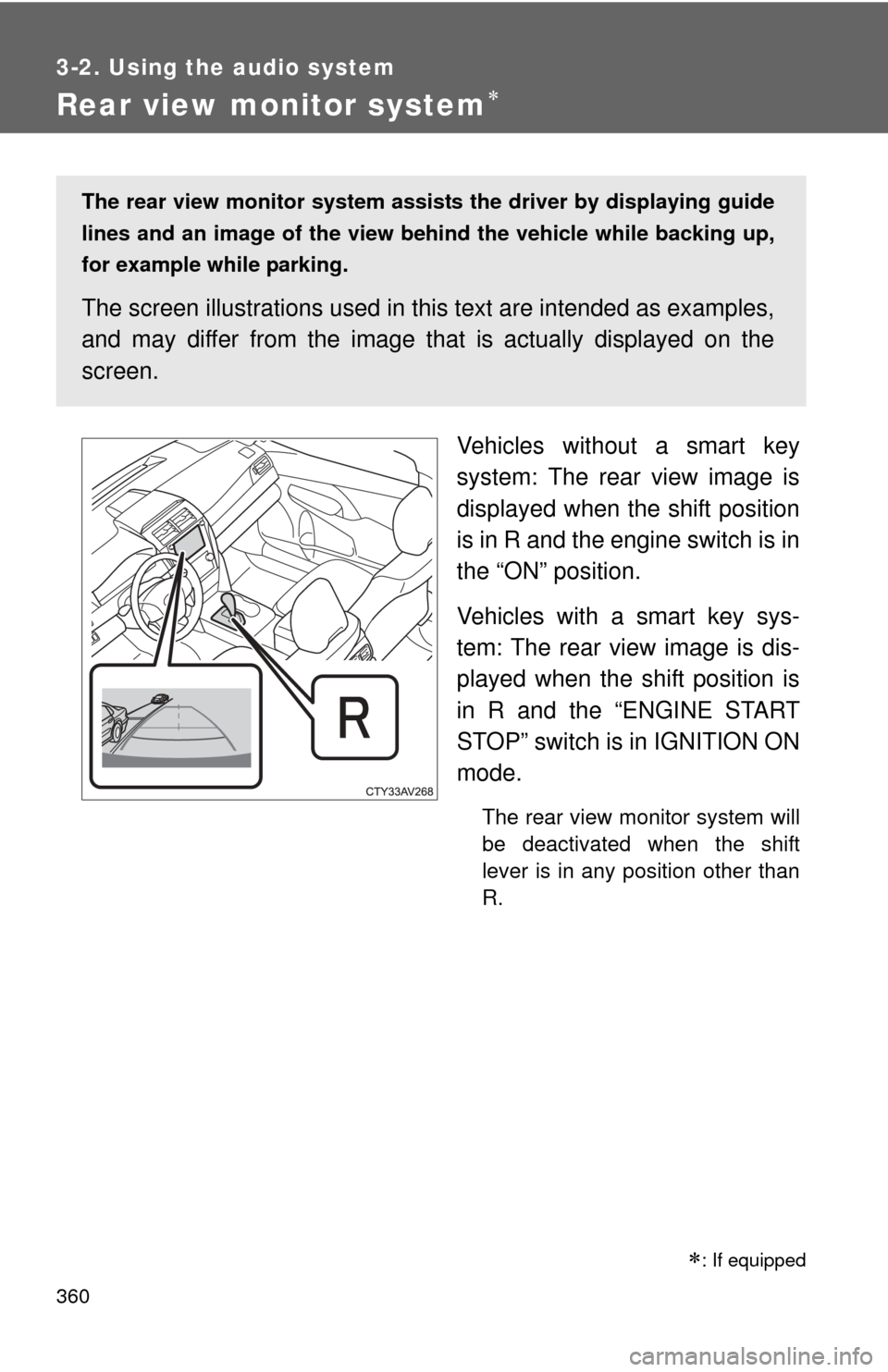
Vehicles without a smart key
system: The rear view image is
displayed when the shift position
is in R and the engine switch is in
the “ON” position.
Vehicles with a smart key sys-
tem: The rear view image is dis-
played when the shift position is
in R and the “ENGINE START
STOP” switch is in IGNITION ON
mode.
The rear view monitor system will
be deactivated when the shift
lever is in any position other than
R.
: If equipped
The rear view monitor system assists the driver by displaying guide
lines and an image of the view behind the vehicle while backing up,
for example while parking.
The screen illustrations used in th is text are intended as examples,
and may differ from the image that is actually displayed on the
screen.
Page 361 of 620
361
3-2. Using the audio system
3
Interior features
Using the rear view monitor system
■ Screen description
Vehicle width guide lines
The line indicates a guide path when the vehicle is being backed straight
up.
The displayed width is wider than the actual vehicle width.
Distance guide line
The line shows distance behind the vehicle, a point approximately 3 ft. (1
m) (blue) from the edge of the bumper.
Vehicle center guide lines
These lines indicate the estimated vehicle center on the ground.
Distance guide line
The line shows points approximately 1.5 ft . (0.5 m) (red) from the center of
the edge of the bumper.
Page 362 of 620
362 3-2. Using the audio system
Rear view monitor system precautions
■ Area displayed on screen
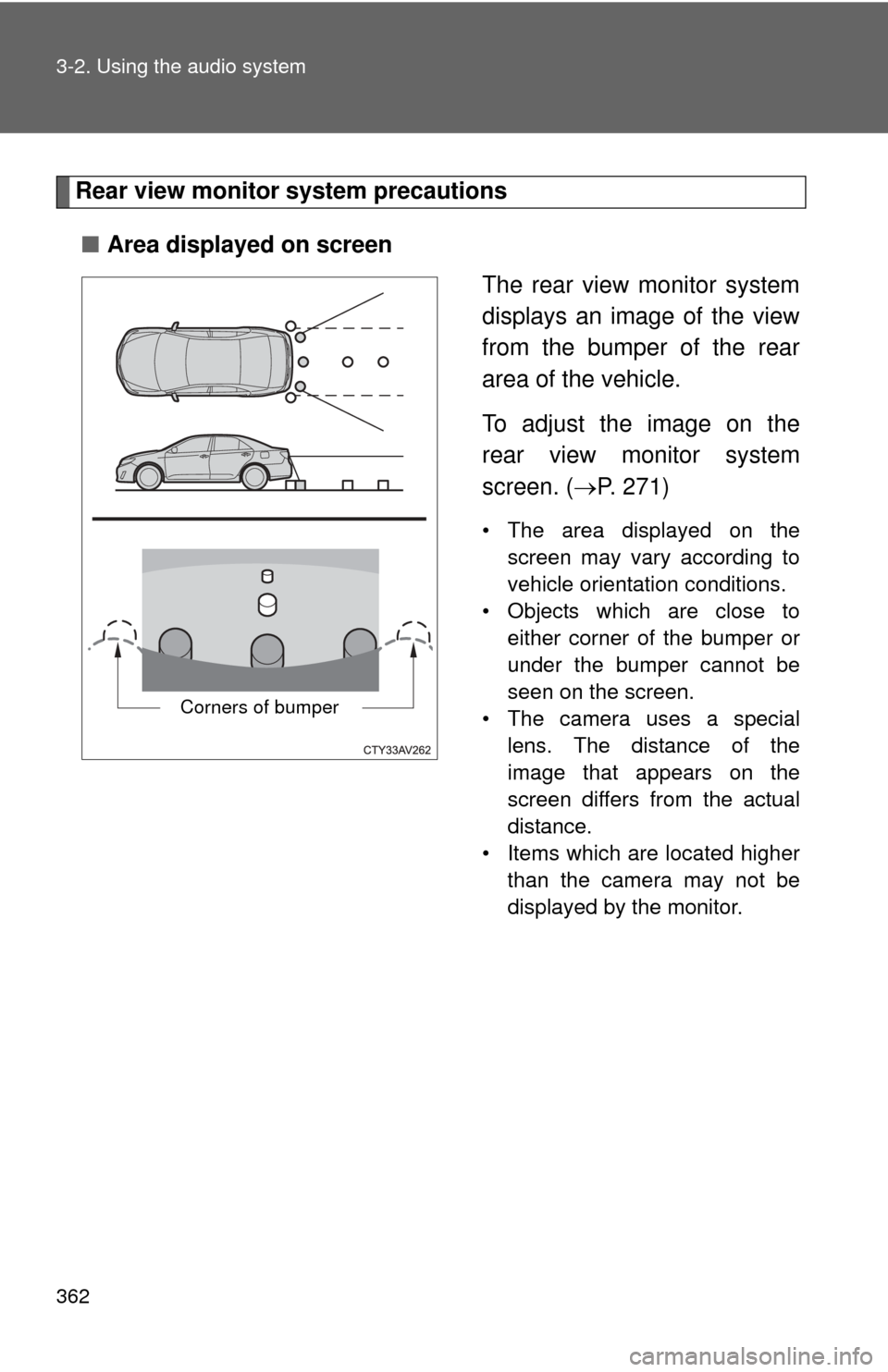
The rear view monitor system
displays an image of the view
from the bumper of the rear
area of the vehicle.
To adjust the image on the
rear view monitor system
screen. (P. 271)
• The area displayed on the
screen may vary according to
vehicle orientation conditions.
• Objects which are close to either corner of the bumper or
under the bumper cannot be
seen on the screen.
• The camera uses a special lens. The distance of the
image that appears on the
screen differs from the actual
distance.
• Items which are located higher than the camera may not be
displayed by the monitor.
Corners of bumper
Page 365 of 620
365
3-2. Using the audio system
3
Interior features
●
When any part of the vehicle sags
When any part of the vehicle
sags due to the number of pas-
sengers or the distribution of the
load, there is a margin of error
between the fixed guide lines on
the screen and the actual dis-
tance/course on the road.
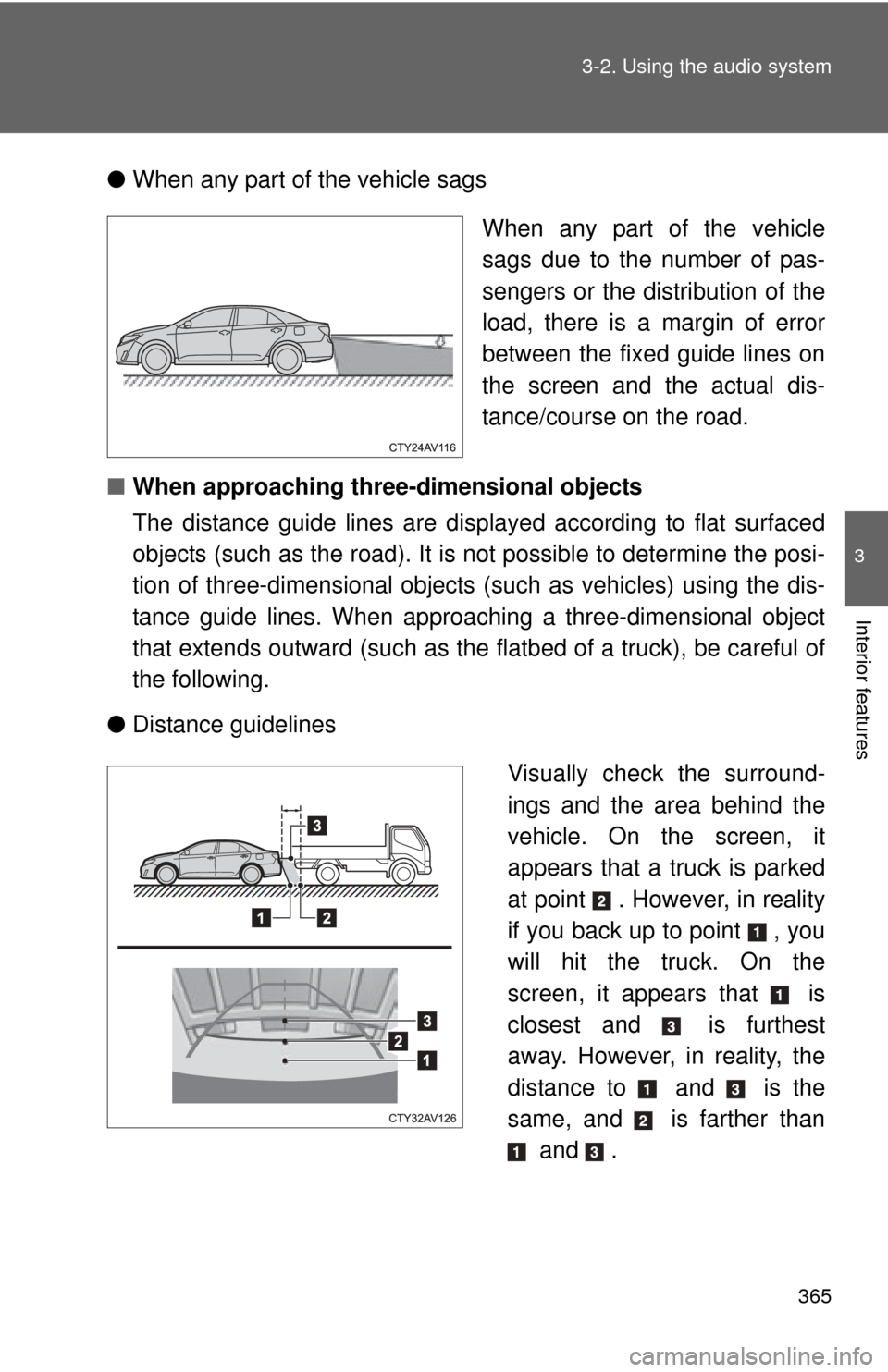
■ When approaching three-dimensional objects
The distance guide lines are displayed according to flat surfaced
objects (such as the road). It is not possible to determine the posi-
tion of three-dimensional objects (such as vehicles) using the dis-
tance guide lines. When approaching a three-dimensional object
that extends outward (such as the flatbed of a truck), be careful of
the following.
● Distance guidelines
Visually check the surround-
ings and the area behind the
vehicle. On the screen, it
appears that a truck is parked
at point . However, in reality
if you back up to point , you
will hit the truck. On the
screen, it appears that is
closest and is furthest
away. However, in reality, the
distance to and is the
same, and is farther than and .
Page 369 of 620

369
3-2. Using the audio system
3
Interior features
CAUTION
■
When using the rear view monitor system
The rear view monitor system is a supplemental device intended to assist
the driver when backing up. When backing up, be sure to check visually
behind and all around the vehicle before proceeding.
Observe the following precautions to avoid an accident that could result in
death or serious injuries.
● Never depend on the rear view monitor system entirely when backing up.
The image and the position of the guide lines displayed on the screen may
differ from the actual state.
Use caution, just as you would when backing up any vehicle.
● Be sure to back up slowly, depressing the brake pedal to control vehicle
speed.
● The instructions given are only guidelines.
When and how much to turn the steering wheel will vary according to traf-
fic conditions, road surface conditions, vehicle condition, etc. when park-
ing. It is necessary to be fully aware of this before using the rear view
monitor system.
● When parking, be sure to check that the parking space will accommodate
your vehicle before maneuvering into it.
● Do not use the rear view monitor system in the following cases:
• On icy or slick road surfaces, or in snow
• When using tire chains or the compact spare tire
• When the trunk lid is not closed completely
• On roads that are not flat or straight, such as curves or slopes.
● In low temperatures, the screen may darken or the image may become
faint. The image could distort when the vehicle is moving, or you may
become unable to see the image on the screen. Be sure to check direct
visually and with the mirrors all around the vehicle before proceeding.
● If the tire sizes are changed, the position of the fixed guide lines displayed
on the screen may change.
● The camera uses a special lens. The distances between objects and
pedestrians that appear in the image displayed on the screen will differ
from the actual distances.
Page 386 of 620
386
3-5. Other interior features
Clock
■The clock is displayed when
Vehicles without a smart key system
The engine switch is in the “ACC” or “ON” position.
Vehicles with a smart key system
The “ENGINE START STOP” switch is in ACCESSORY or IGNITION ON
mode.
■ When disconnecting and reco nnecting battery terminals
The time display will automatically be set to 1:00.
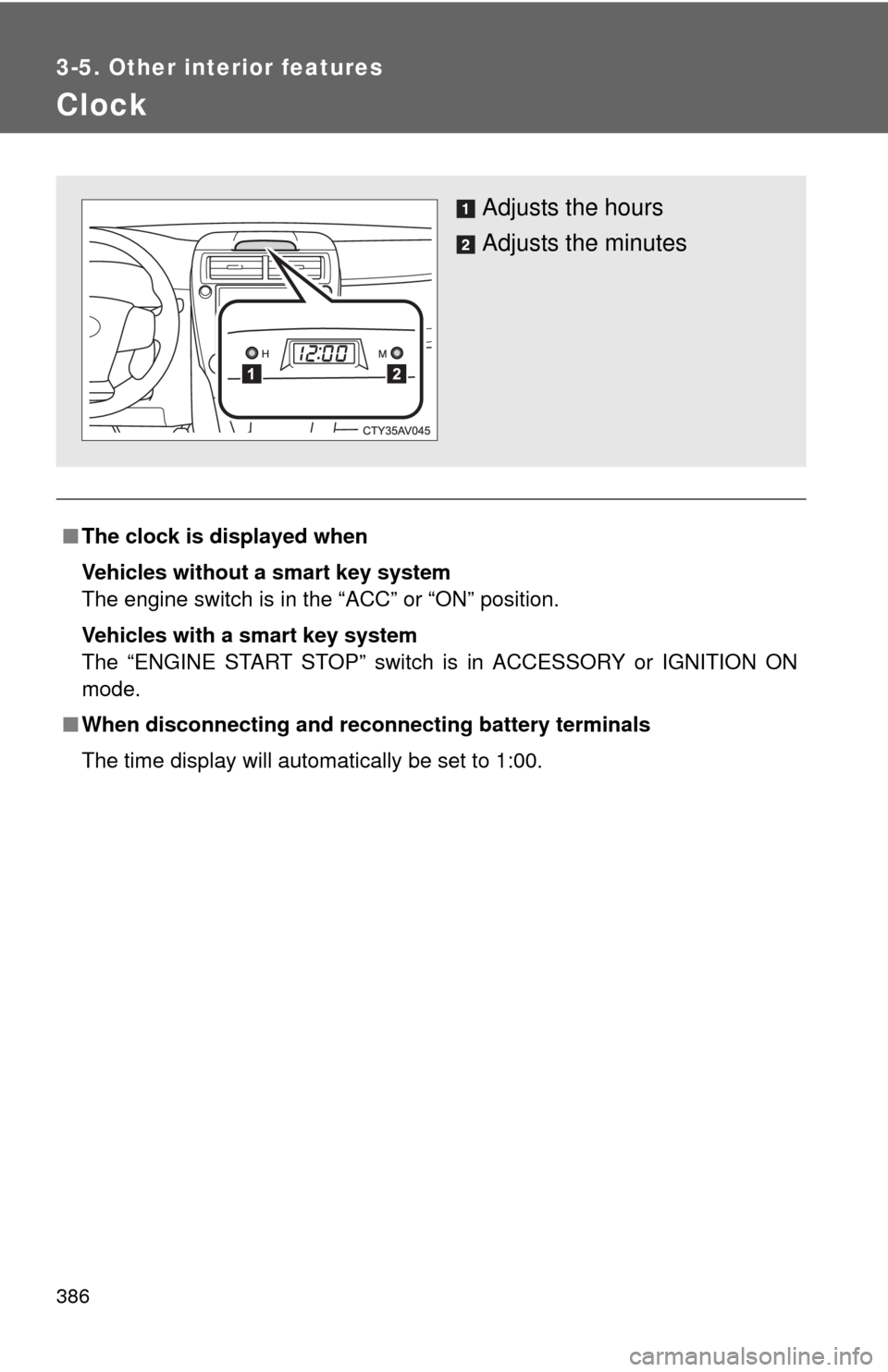
Adjusts the hours
Adjusts the minutes
Page 387 of 620
387
3-5. Other interior features
3
Interior features
Outside temperature display
■The outside temperatur e is displayed when
Vehicles without a smart key system
The engine switch is in the “ON” position.
Vehicles with a smart key system
The “ENGINE START STOP” switch is in IGNITION ON mode.
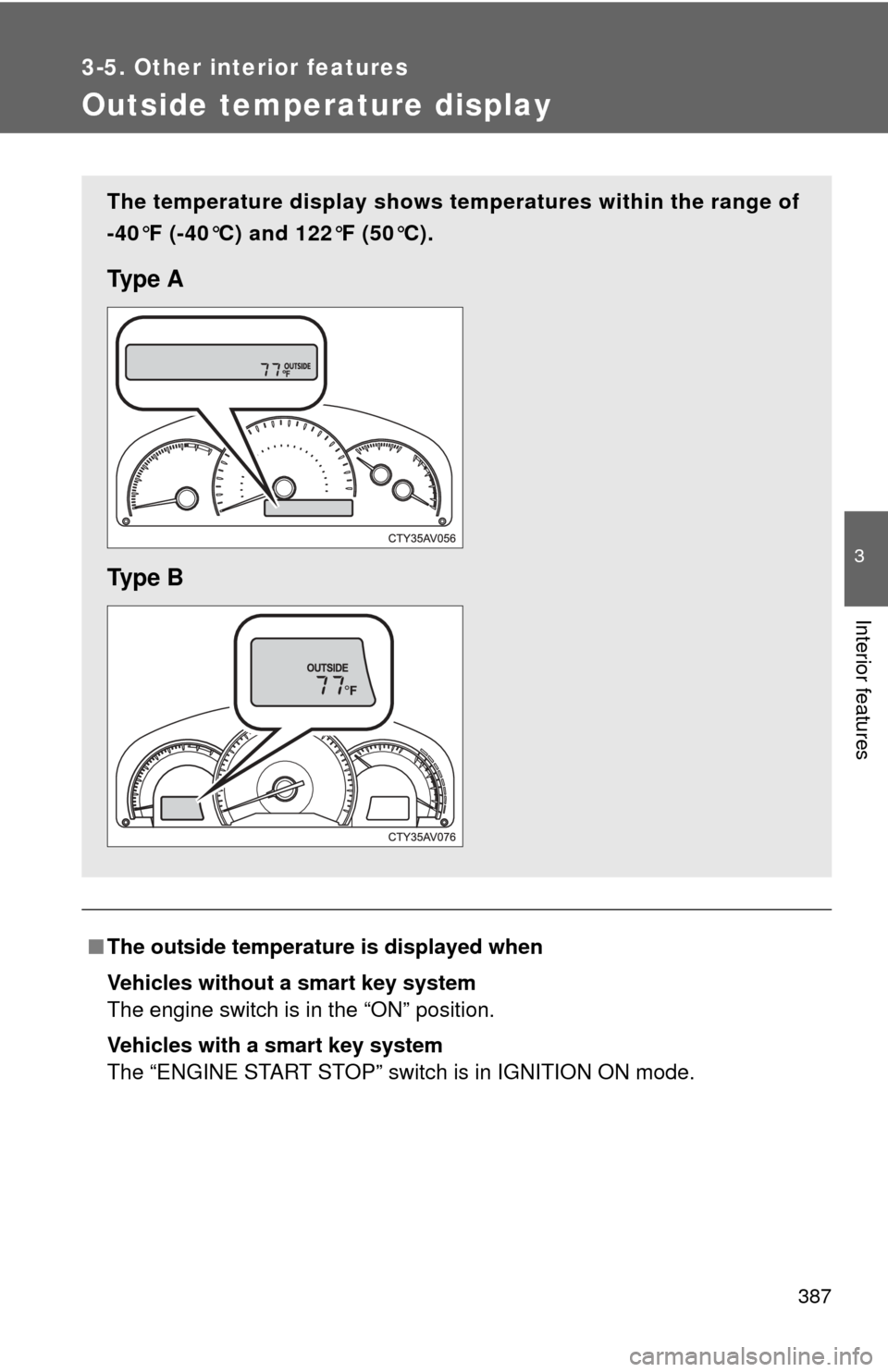
The temperature display shows te mperatures within the range of
-40°F (-40°C) and 122°F (50°C).
Ty p e A
Ty p e B
Page 388 of 620
388 3-5. Other interior features
■Display
In the following situations, the correct outside temperature may not be dis-
played, or the display may take longer than normal to change:
●When the vehicle is stopped, or moving at low speeds (less than 16 mph
[25 km/h])
● When the outside temperature has changed suddenly (at the entrance/
exit of a garage, tunnel, etc.)
■ When “E” is displayed
The system may be malfunctioning. Take your vehicle to your Toyota dealer.