Page 338 of 530
3365-4. Other interior features
4RUNNER (U)_(OM35A83U)
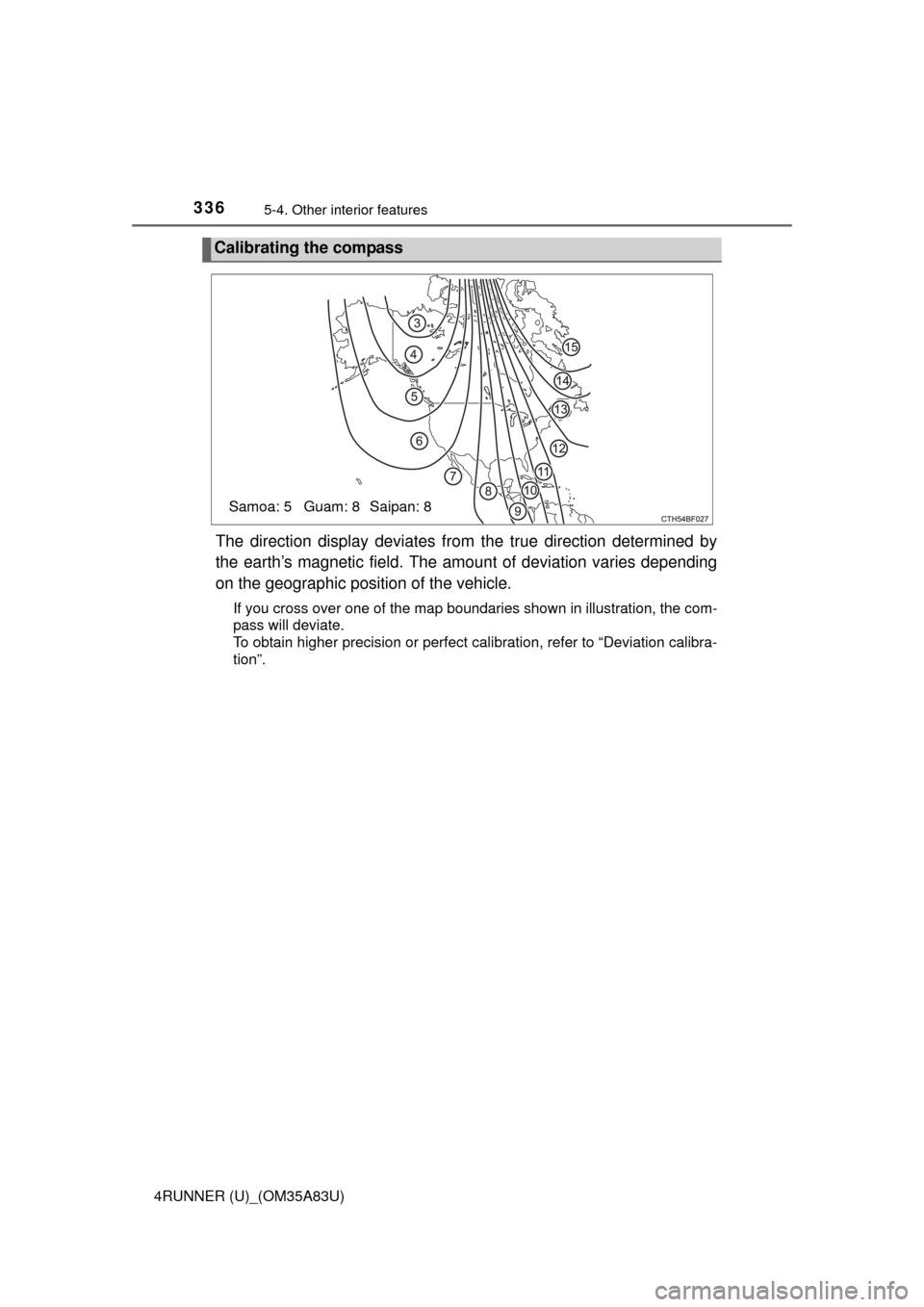
The direction display deviates from the true direction determined by
the earth’s magnetic field. The amount of deviation varies depending
on the geographic position of the vehicle.
If you cross over one of the map boundaries shown in illustration, the com-
pass will deviate.
To obtain higher precision or perfect calibration, refer to “Deviation calibra-
tion”.
Calibrating the compass
Samoa: 5 Guam: 8 Saipan: 8
Page 339 of 530
3375-4. Other interior features
5
Interior features
4RUNNER (U)_(OM35A83U)■
Deviation calibration
Stop the vehicle.
Change the accessory meter display to deviation calibration
mode by doing the following.
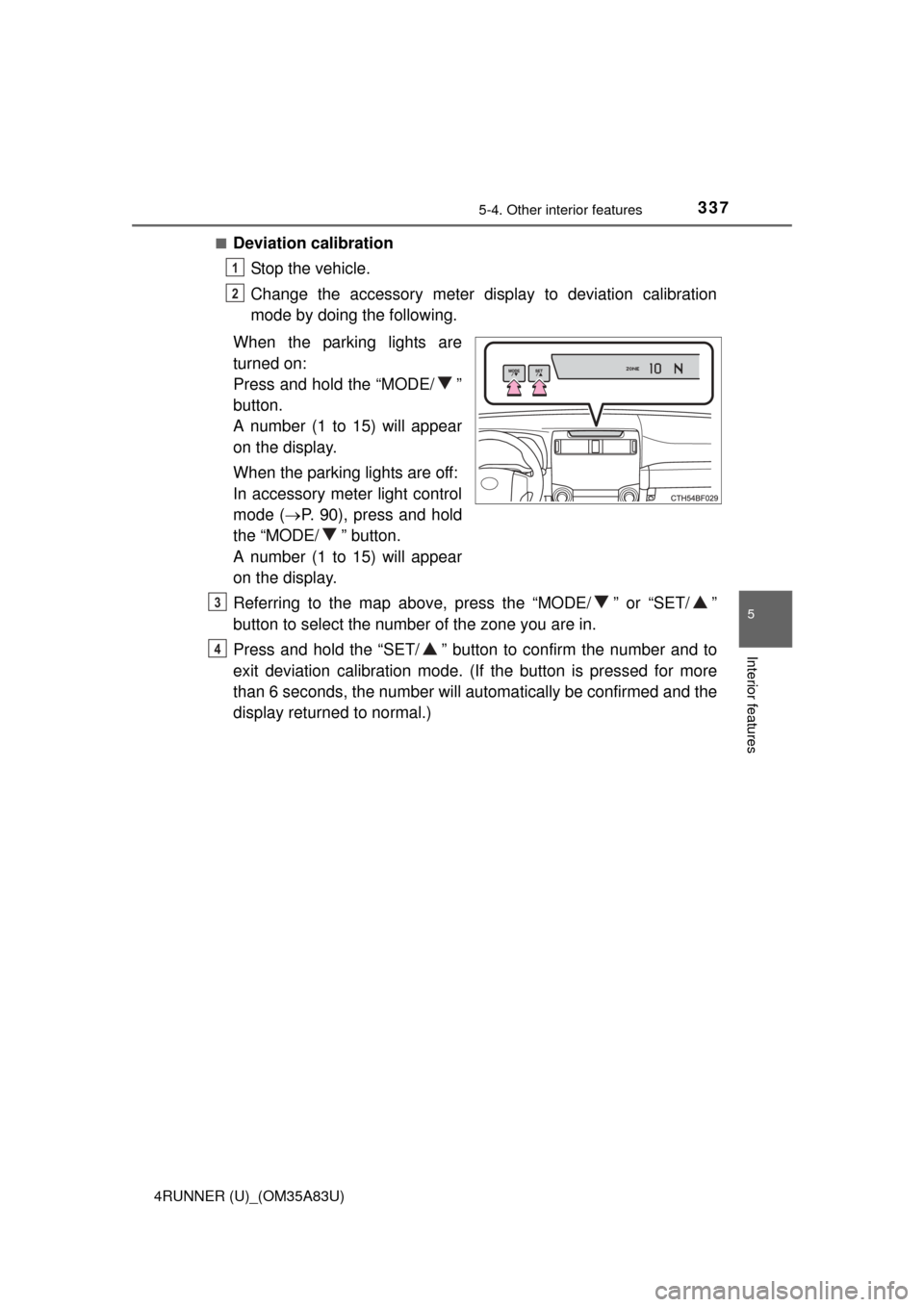
When the parking lights are
turned on:
Press and hold the “MODE/ ”
button.
A number (1 to 15) will appear
on the display.
When the parking lights are off:
In accessory meter light control
mode ( P. 90), press and hold
the “MODE/ ” button.
A number (1 to 15) will appear
on the display.
Referring to the map above, press the “MODE/ ” or “SET/ ”
button to select the number of the zone you are in.
Press and hold the “SET/ ” button to confirm the number and to
exit deviation calibration mode. ( If the button is pressed for more
than 6 seconds, the num ber will automatically be confirmed and the
display returned to normal.)
1
2
3
4
Page 340 of 530
3385-4. Other interior features
4RUNNER (U)_(OM35A83U)■
Circling calibration
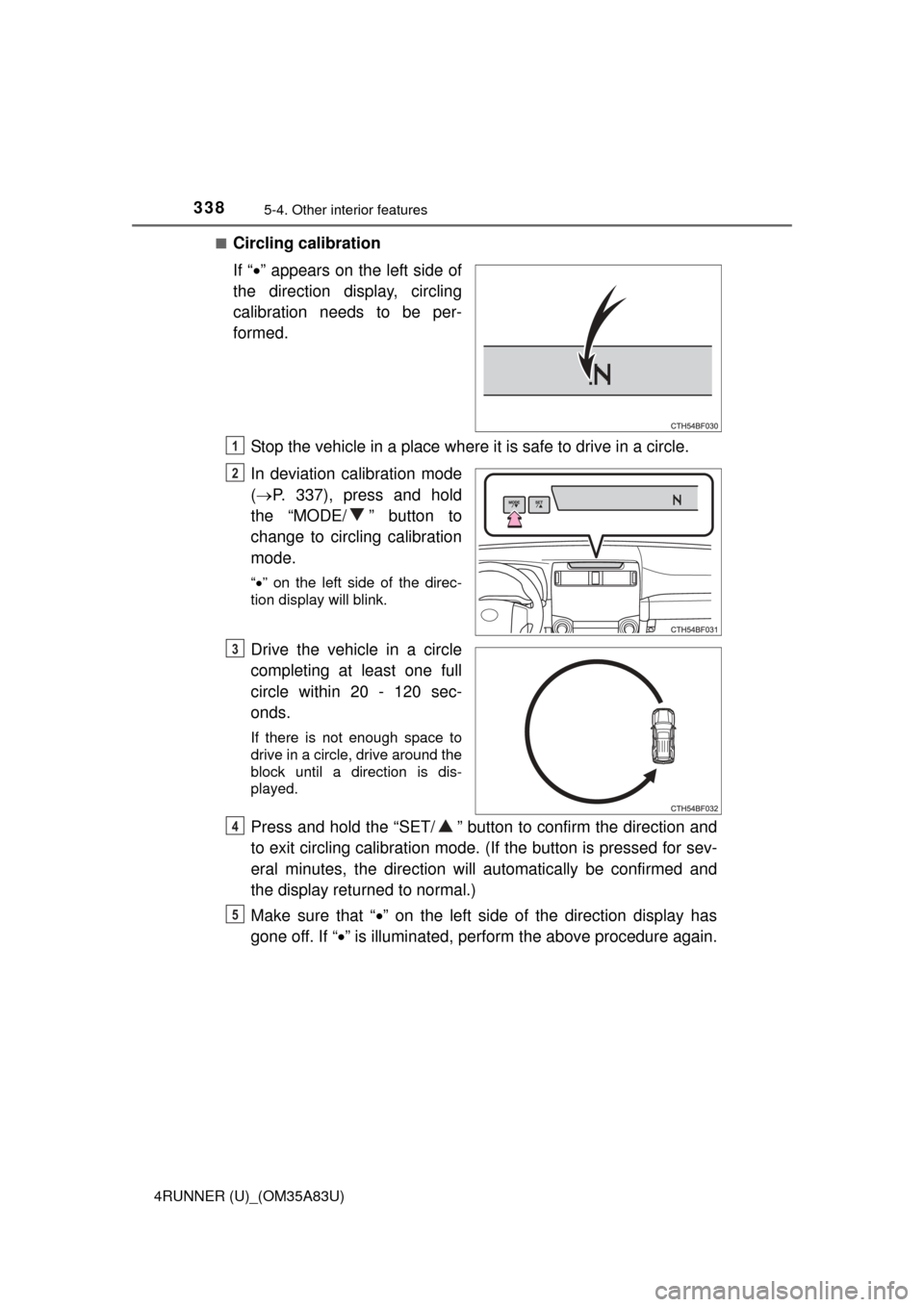
If “
” appears on the left side of
the direction display, circling
calibration needs to be per-
formed.
Stop the vehicle in a place where it is safe to drive in a circle.
In deviation calibration mode
( P. 337), press and hold
the “MODE/ ” button to
change to circling calibration
mode.
“ ” on the left side of the direc-
tion display will blink.
Drive the vehicle in a circle
completing at least one full
circle within 20 - 120 sec-
onds.
If there is not enough space to
drive in a circle, drive around the
block until a direction is dis-
played.
Press and hold the “SET/ ” button to confirm the direction and
to exit circling calibration mode. (If the button is pressed for sev-
eral minutes, the direction will automatically be confirmed and
the display returned to normal.)
Make sure that “ ” on the left side of the direction display has
gone off. If “ ” is illuminated, perform the above procedure again.
1
2
3
4
5
Page 341 of 530
3395-4. Other interior features
5
Interior features
4RUNNER (U)_(OM35A83U)
■Conditions unfavorable to correct operation
The compass may not show the correct direction in the following conditions:
●The vehicle is stopped immediately after turning.
● The vehicle is on an inclined surface.
● The vehicle is in a place where the earth's magnetic field is subject to inter-
ference by artificial magnetic fiel ds (underground car park/parking lot, under
a steel tower, between buildings, roof car park/parking lot, near an intersec-
tion, near a large vehicle, etc.).
● The vehicle has become magnetized.
(There is a magnet or metal object near the accessory meter display.)
● The battery has been disconnected.
● A door is open.
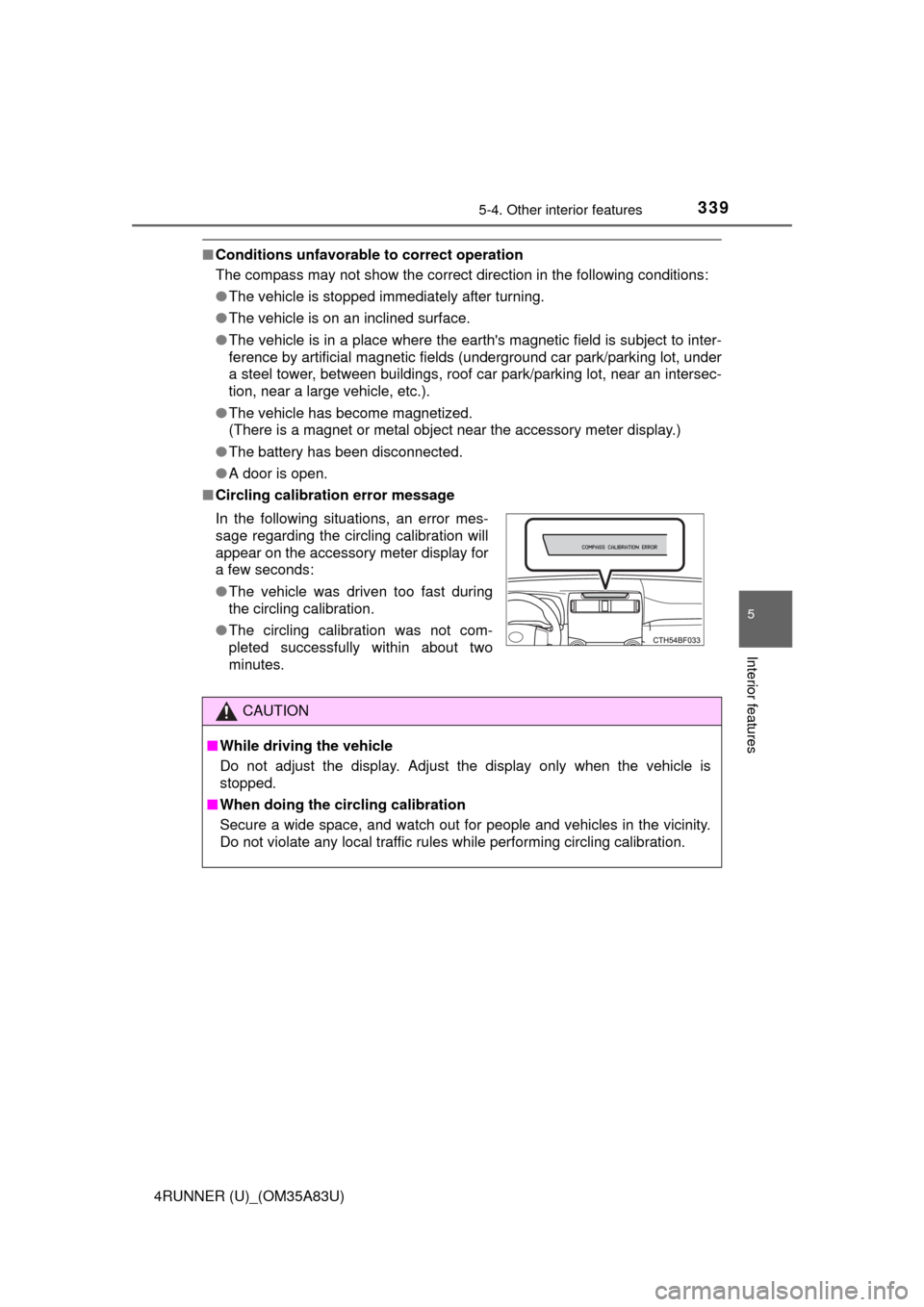
■ Circling calibration error message
In the following situations, an error mes-
sage regarding the circling calibration will
appear on the accessory meter display for
a few seconds:
●The vehicle was driven too fast during
the circling calibration.
● The circling calibration was not com-
pleted successfully within about two
minutes.
CAUTION
■While driving the vehicle
Do not adjust the display. Adjust the display only when the vehicle is
stopped.
■ When doing the circling calibration
Secure a wide space, and watch out for people and vehicles in the vicinity.
Do not violate any local traffic rules while performing circling calibration.
Page 350 of 530
3486-2. Maintenance
4RUNNER (U)_(OM35A83U)■
Reset the maintenance data (U.S.A. only)
After the required maintenance is performed according to the maintenance
schedule, please reset the maintenance data.
To reset the data, follow the procedure described below:
Turn the engine switch off with the trip meter A reading shown. ( P. 83)
Vehicles without a smart key system:
While pressing the display change button ( P. 83), turn the engine switch
to the “ON” position (do not start the engine because reset mode will be
canceled).
Vehicles with a smart key system:
While pressing the display change button ( P. 83), turn the engine switch
to the IGNITION ON mode (do not start the engine because otherwise the
reset mode will be canceled).
Continue to press and hold the button until the trip meter displays “000000”.
■ Allow inspection and repairs to be performed by a Toyota dealer
●Toyota technicians are well-trained specialists and are kept up to date with
the latest service information. They are well informed about the operations
of all systems on your vehicle.
● Keep a copy of the repair order. It proves that the maintenance that has
been performed is under warranty cove rage. If any problem should arise
while your vehicle is under warranty, your Toyota dealer will promptly take
care of it.
CAUTION
■ If your vehicle is not properly maintained
Improper maintenance could result in serious damage to the vehicle and
possible death or serious injury.
■ Handling of the battery
● Engine exhaust, some of its constituents, and a wide variety of automobile
components contain or emit chemicals known to the State of California to
cause cancer and birth defects and other reproductive harm. Work in a
well ventilated area.
● Oils, fuels and fluids contained in vehicles as well as waste produced by
component wear contain or emit chemicals known to the State of Califor-
nia to cause cancer and birth defects or other reproductive harm. Avoid
exposure and wash any affected area immediately.
● Battery posts, terminals and related accessories contain lead and lead
compounds which are known to cause brain damage. Wash your hands
after handling. ( P. 367)
1
2
3
Page 409 of 530

407
When trouble arises7
4RUNNER (U)_(OM35A83U)7-1. Essential information
Emergency flashers .......... 408
If your vehicle has to be stopped in an
emergency ...................... 409
7-2. Steps to take in an emergency
If your vehicle needs to be towed ......................... 411
If you think something is wrong .............................. 416
Fuel pump shut off system ............................ 417
If a warning light turns on or a warning buzzer
sounds ............................ 418
If a warning message or indicator is
displayed......................... 426
If you have a flat tire.......... 433
If the engine will not start ........................... 446
If the shift lever cannot be shifted from P............. 448
If you cannot operate back door opener .................... 449
If the electronic key does not operate properly........ 450
If the vehicle battery is discharged ...................... 452
If your vehicle overheats ... 455
If the vehicle becomes stuck ............................... 458
Page 428 of 530
4267-2. Steps to take in an emergency
4RUNNER (U)_(OM35A83U)
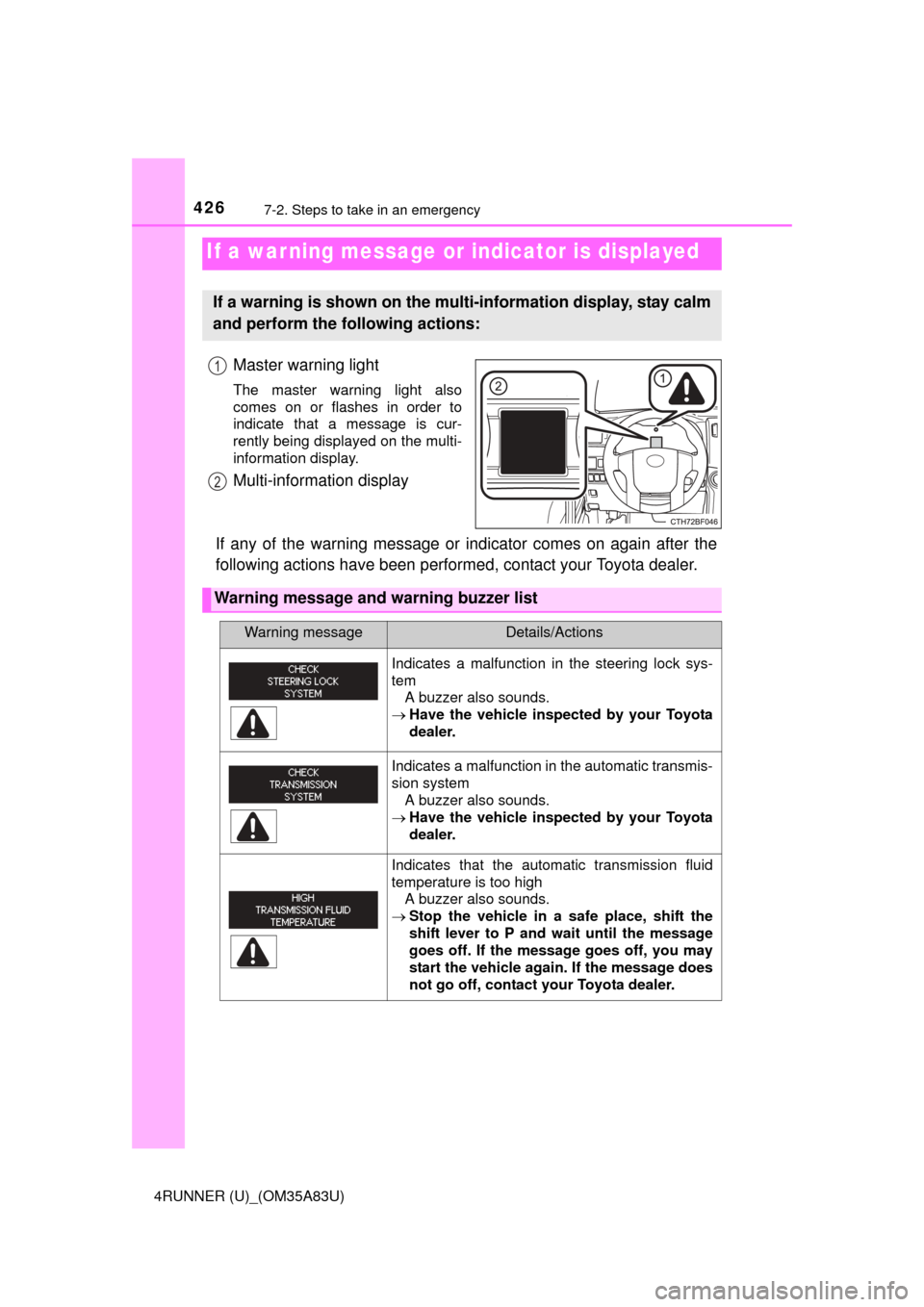
Master warning light
The master warning light also
comes on or flashes in order to
indicate that a message is cur-
rently being displayed on the multi-
information display.
Multi-information display
If any of the warning message or indicator comes on again after the
following actions have been performed, contact your Toyota dealer.
If a war ning message or indicator is displayed
If a warning is shown on the multi-information display, stay calm
and perform the following actions:
1
2
Warning message and warning buzzer list
Warning messageDetails/Actions
Indicates a malfunction in the steering lock sys-
tem A buzzer also sounds.
Have the vehicle inspected by your Toyota
dealer.
Indicates a malfunction in the automatic transmis-
sion system
A buzzer also sounds.
Have the vehicle inspected by your Toyota
dealer.
Indicates that the automatic transmission fluid
temperature is too high
A buzzer also sounds.
Stop the vehicle in a safe place, shift the
shift lever to P and wait until the message
goes off. If the messag e goes off, you may
start the vehicle agai n. If the message does
not go off, contact your Toyota dealer.
Page 429 of 530

4277-2. Steps to take in an emergency
7
When trouble arises
4RUNNER (U)_(OM35A83U)
Indicates a malfunction in the intuitive parking
assist-sensorThe site of the malfunction flashes and stays
on.
A buzzer will sound for several seconds and
this warning message will disappear after sev-
eral seconds.
If the engine switch is turned to a mode other
than IGNITION ON mode and then back to
IGNITION ON mode, the buzzer will sound and
this message will be displayed again.
Have the vehicle inspected by your Toyota
dealer.
Indicates that one or more of the doors is not fully
closed
If the vehicle reaches a speed of 3 mph (5 km/h), flashes and a buzzer sounds to indicate
that the door(s) are not yet fully closed.
Make sure that all the doors are closed.
Indicates that the back door is not fully closed
If the vehicle reaches a speed of 3 mph (5 km/h), flashes and a buzzer sounds to indicate
that the back door is not yet fully closed.
Close the back door.
Indicates that the moon roof is not fully closed
(with the engine switch off, and the driver's door
open)
A buzzer also sounds.
Close the moon roof.
Indicates that the parking brake is still engaged
If the vehicle reaches a speed of 3 mph (5 km/h),
flashes and a buzzer sounds to indicate
that the parking brake is still engaged.
Release the parking brake.
Indicates that the washer fluid level is low.
Add washer fluid.
Warning messageDetails/Actions
(Flashes)
(Flashes)
(Flashes)