2014 SUBARU TRIBECA warning lights
[x] Cancel search: warning lightsPage 150 of 426
warning light illuminate simultaneously,take the following steps.
1. Stop the vehicle in the nearest safe,flat place.
2. Shut down the engine, apply theparking brake, and then restart it.
3. Release the parking brake. If bothwarning lights turn off, the EBD systemmay be malfunctioning.
Drive carefully to the nearest SUBARUdealer and have the system inspected.
4. If both warning lights illuminate againand remain illuminated after the enginehas been restarted, shut down the engineagain, apply the parking brake, and checkthe brake fluid level.
5. If the brake fluid level is not below the“MIN”mark, the EBD system may bemalfunctioning. Drive carefully to thenearest SUBARU dealer and have thesystem inspected.
6. If the brake fluid level is below the“MIN”mark, DO NOT drive the vehicle.Instead, have the vehicle towed to thenearest SUBARU dealer for repair.
&Low fuel warning light
CAUTION
Immediately put fuel in the tankwhenever the low fuel warning lightilluminates. Engine misfires as aresult of an empty tank could causedamage to the engine.
The low fuel warning light illuminateswhen the tank is nearly empty approxi-mately 2.6 US gal (10 liters, 2.2 Imp gal). Itonly operates when the ignition switch isin the“ON”position. When this lightilluminates, fillthe fuel tank immediately.
NOTE
This light does not turn off unless thetank is replenished up to an internalfuel quantity of approximately 4.0 USgal (15 liters, 3.3 Imp gal).
&Door open warning light
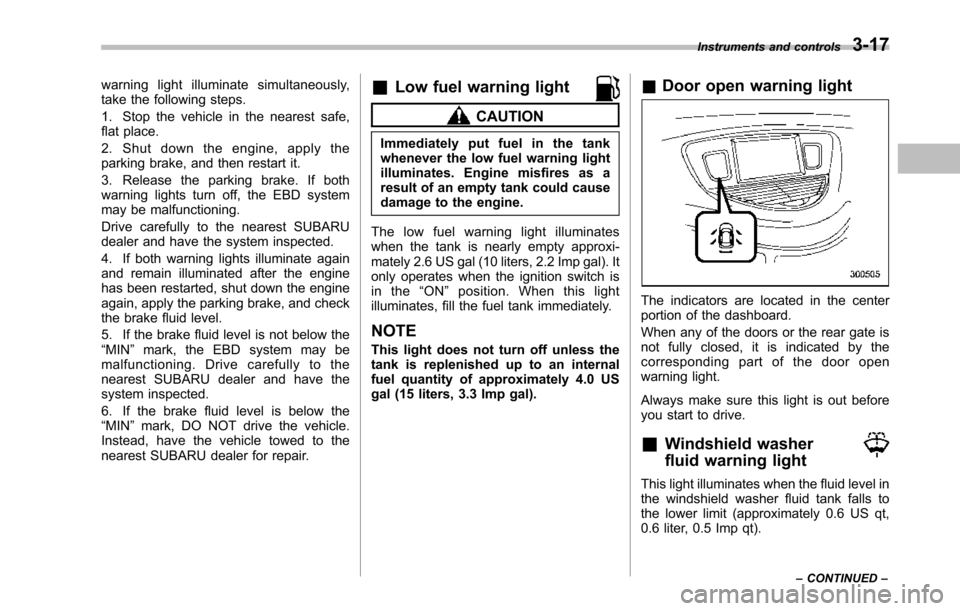
The indicators are located in the centerportion of the dashboard.
When any of the doors or the rear gate isnot fully closed, it is indicated by thecorresponding part of the door openwarning light.
Always make sure this light is out beforeyou start to drive.
&Windshield washer
fluid warning light
This light illuminates when the fluid level inthe windshield washer fluid tank falls tothe lower limit (approximately 0.6 US qt,0.6 liter, 0.5 Imp qt).
Instruments and controls3-17
–CONTINUED–
Page 152 of 426

after the engine is started but turns offimmediately, remaining off..The warning light illuminates afterthe engine has started and turns offwhile the vehicle is subsequently beingdriven..The warning light illuminates duringdriving, but it turns off immediately andremains off.
!Vehicle Dynamics Control opera-tion indicator light
U.S.-spec. models and Canada-spec.models:
The indicator light flashes during activa-tion of the skid suppression function andduring activationof the traction controlfunction.
NOTE
.The light may remain illuminated fora short period of time after the enginehas been started, especially in coldweather. This does not indicate theexistence of a problem. The lightshould turn off as soon as the enginehas warmed up..The indicator light illuminates whenthe engine has developed a problemand the CHECK ENGINE warning light/malfunction indicator light is on.
Latin America-spec. models:
The indicator light flashes when the skidsuppression function is activated. It illumi-nates when only the traction controlfunction is operating.
The Vehicle Dynamics Control system isprobably malfunctioning under any of thefollowing conditions. Have your vehiclechecked at a SUBARU dealer as soon aspossible .
.The light does not illuminate when theignition switch is turned to the“ON”position.
.The light does not turn off even afterthe lapse of several minutes (the enginehas warmed up) after the engine hasstarted (U.S.-spec.models and Canada-spec. models)/even after a period ofapproximately 2 seconds after the ignitionswitch has been turned to the“ON”position (Latin America-spec. models).
&Traction Control sys-
tem OFF indicator light
(U.S.-spec models and
Canada-spec. models)
This light illuminates when the TractionControl system OFF switch is pressed todeactivate the Traction Control system.
The Vehicle Dynamics Control system is
probably malfunctioning under any of thefollowing conditions. Have your vehiclechecked at a SUBARU dealer immedi-ately.
.The light does not illuminate when theignition switch is turned to the“ON”position.
.The lightdoes not turn off even after aperiod of approximately 2 seconds afterthe ignition switch has been turned to the“ON”position.
&Vehicle Dynamics
Control warning light
(Latin America-spec.
models)/Traction Con-
trol OFF indicator light
(Latin America-spec.
models)
This warning light functions to indicatemalfunctions in the Vehicle DynamicsControl system as well as to indicate thatthe Traction Control system has beendeactivated.
It illuminates in the event of a malfunctionin the system and is on when the systemis not operating.
Instruments and controls3-19
–CONTINUED–
Page 155 of 426
3-22Instruments and controls
&High beam indicator
light
This light shows that the headlights are inthe high beam mode.
This indicator light also illuminates whenthe headlight flasher is operated.
&Cruise control indica-
tor light
This light illuminates when the“CRUISE”main switch is pressed to activate thecruise control function. For details, refer to“To set cruise control”F7-30.
CAUTION
If the CHECK ENGINE warning light/malfunction indicator light illumi-nates, the cruise control indicatorlight flashes at the same time. Atthis time, avoid driving at highspeed and have your vehicle in-spected at a SUBARU dealer assoon as possible.
NOTE
If you move the cruise control lever orpress the main switch button whileturning the ignition switch“ON”, thecruise control function is deactivated
and the cruise control indicator lightflashes. To reactivate the cruise controlfunction, turn the ignition switch backto the“Acc”or“LOCK”position, andthen turn it again to the“ON”position.
&Cruise control set in-
dicator light
This light illuminates when vehicle speedhasbeen set to use the cruise controlfunction.
&Headlight indicator
light
This indicator light illuminates when thelight switch is turned to the“”position(to turn on the parking lights) or to the“”position (to turn on the headlights).
&Front fog light indicator
light
This indicator light illuminates while thefront fog lights are illuminated.
Clock
NOTE
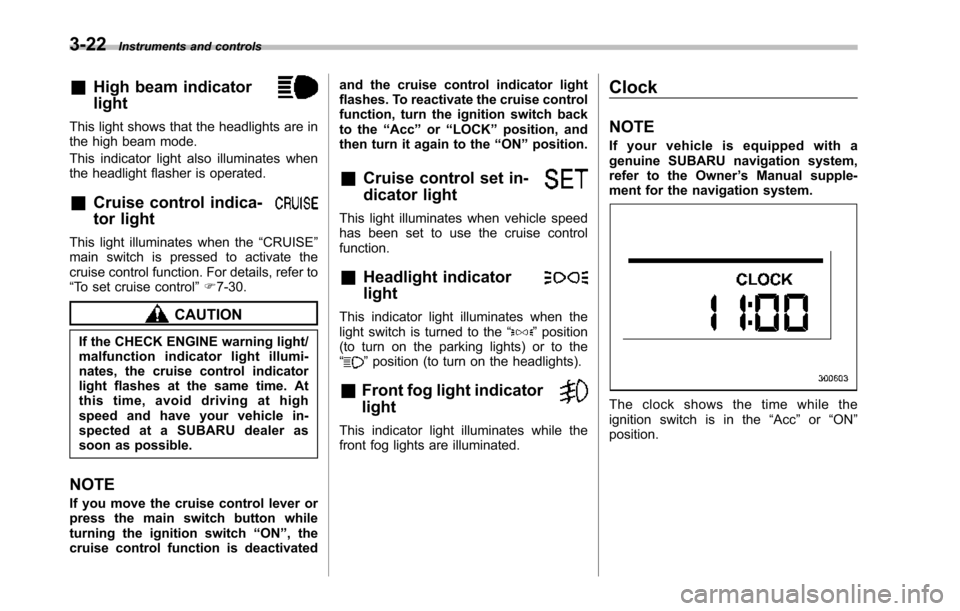
If your vehicle is equipped with agenuine SUBARU navigation system,refer to the Owner’s Manual supple-ment for the navigation system.
The clock shows the time while theignition switch is in the“Acc”or“ON”position.
Page 160 of 426
&Journey time
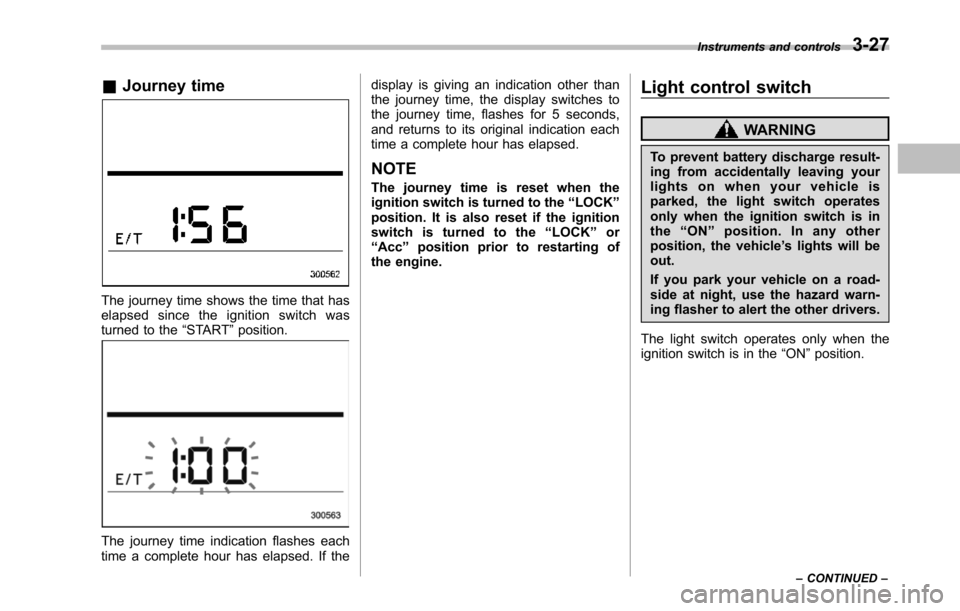
The journey time shows the time that haselapsed since the ignition switch wasturned to the“START”position.
The journey time indication flashes eachtime a complete hour has elapsed. If the
display is giving an indication other thanthe journey time, the display switches tothe journey time, flashes for 5 seconds,and returns to its original indication eachtime a complete hour has elapsed.
NOTE
The journey time is reset when theignition switch is turned to the“LOCK”position. It is also reset if the ignitionswitch is turned to the“LOCK”or“Acc”position prior to restarting ofthe engine.
Light control switch
WARNING
To prevent battery discharge result-ing from accidentally leaving yourlights on when your vehicle isparked, the light switch operatesonly when the ignition switch is inthe“ON”position. In any otherposition, the vehicle’s lights will beout.
If you park your vehicle on a road-side at night, use the hazard warn-ing flasher to alert the other drivers.
The light switch operates only when theignition switch is in the“ON”position.
Instruments and controls3-27
–CONTINUED–
Page 162 of 426
&Daytime running light system
WARNING
The brightness of the illumination ofthe high beam headlights is reducedby the daytime running light system.The light switch must always beturned to the“”position when itis dark outside.
The high beam headlights will automati-cally illuminate at reduced brightnesswhen the engine has started, under thefollowing conditions.
.The select lever is in a position otherthan the“P”position.
.The parkingbrake is fully released.
.The light switch is in the“OFF”or“”position.
NOTE
When the light switch is in the“”position,the front side marker lights,parking lights and license plate lightsare also illuminated.
Turn signal lever
To activate the right turn signal, push theturn signal lever up. To activate the leftturn signal, push the turn signal leverdown. When the turn is finished, the leverwill return automatically. If the lever doesnot return after cornering, return the leverto the neutral position by hand.
To signal a lane change, push the turnsignal lever up or down slightly and hold itduring the lane change. The turn signalindicator lights will flash in the direction ofthe turn or lane change. The lever willreturn automatically to the neutral positionwhen you release it.
Illumination brightness con-
trol
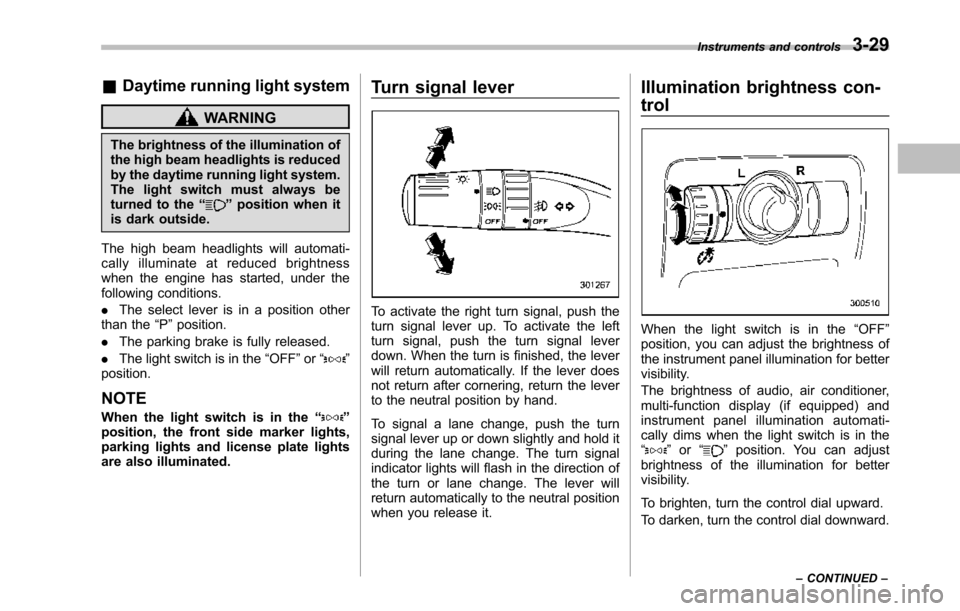
When the light switch is in the“OFF”position, you can adjust the brightness ofthe instrument panel illumination for bettervisibility.
The brightnessof audio, air conditioner,multi-function display (if equipped) andinstrument panel illumination automati-cally dims when the light switch is in the“”or“”position. You can adjustbrightness of the illumination for bettervisibility.
To brighten, turn the control dial upward.
To darken, turn the control dial downward.
Instruments and controls3-29
–CONTINUED–
Page 254 of 426
Preparing to drive
You should perform the following checksand adjustments every day before youstart driving.
1. Check that all windows, mirrors, andlights are clean and unobstructed.
2. Check the appearance and conditionof the tires. Also check tires for properinflation.
3. Look under the vehicle for any sign ofleaks.
4. Check that the hood and rear gate arefully closed.
5. Check the adjustment of the seat.
6. Check the adjustment of the insideand outside mirrors.
7. Fasten your seatbelt. Check that yourpassengers have fastened their seatbelts.
8. Check the operation of the warningand indicator lights when the ignitionswitch is turned to the“ON”position.
9. Check the gauges, indicator and warn-ing lights after starting the engine.
NOTE
Engine oil, engine coolant, brake fluid,washer fluid and other fluid levelsshould be checked daily, weekly or atfuel stops.
Starting the engine
CAUTION
.Do not operate the starter motorcontinuously for more than 10seconds. If the engine fails tostart after operating the starterfor 5 to 10 seconds, wait for 10seconds or more before tryingagain.
.If you restart the engine while thevehicle is moving, shift the selectlever into the“N”position. Donot attempt to place the selectlever of a moving vehicle into the“P”position.
1. Apply the parking brake.
2. Turn off unnecessary lights and ac-cessories.
3. Shift the select lever to the“P”or“N”position (preferably“P”position). Thestarter will only operate when the selectlever is at the“P”or“N”position.
4. Turn the ignition switch to the“ON”position and check the operation of thewarning and indicator lights. Refer to“Warning and indicator lights”F3-9.
5. Turn the ignition switch to the“START”positionwithoutdepressing the accelera-
tor pedal. Release the key immediatelyafter the engine has started.
If the engine does not start, try thefollowing.(1) Turn the ignition switch to the“LOCK”position and wait for at least10 seconds. After checking that theparking brake is firmly set, turn theignition switch to the“START”positionwhile depressing the accelerator pedalslightly (approximately a quarter of thefull stroke).Release the acceleratorpedal as soon as the engine starts.(2) If this fails to start the engine, turnthe ignition switch back to the“LOCK”position and wait for at least 10seconds.Then fully depress the accel-erator pedal and turn the ignitionswitch to the“START”position. If theengine starts, quickly release theaccelerator pedal.(3) If this fails to start the engine, turnthe ignition switch again to the“LOCK”position.After waiting for 10 secondsor longer, turn the ignition switch to the“START”position without depressingthe accelerator pedal.(4) If the engine still refuses to start,contact your nearest SUBARU dealerfor assistance.
6. Confirm that all warning and indicatorlights have turned off after the engine has
Starting and operating7-7
–CONTINUED–
Page 270 of 426
warning light illuminate simultaneously,take the following steps.
1. Stop the vehicle in the nearest safe,flat location.
2. Shut down the engine, apply theparking brake, and then restart it.
3. Release the parking brake. If bothwarning lights turn off, the EBD systemmay be malfunctioning.
Drive carefully to the nearest SUBARUdealer and have the system inspected.
4. If both warning lights illuminate againand remain illuminated after the enginehas been restarted, shut down the engineagain, apply the parking brake, and checkthe brake fluid level. Refer to“Brake fluid”F11-17.
5. If the brake fluid level is not below the“MIN”mark, the EBD system may bemalfunctioning. Drive carefully to thenearest SUBARU dealer and have thesystem inspected.
6. If the brake fluid level is below the“MIN”mark, DO NOT drive the vehicle.Instead, have the vehicle towed to thenearest SUBARU dealer for repair.
WARNING
.Driving with the brake systemwarning light illuminated is dan-
gerous. This indicates your brakesystem may not be workingproperly. If the light remainsilluminated, have the brakes in-spected by a SUBARU dealerimmediately.
.If at all in doubt about whetherthe brakes are operating prop-erly, do not drive the vehicle.Have your vehicle towed to thenearest SUBARU dealer for re-pair.
Vehicle Dynamics Control
system
WARNING
Always use the utmost care indriving–overconfidence becauseyou are driving with a Vehicle Dy-namics Control system equippedvehicle could easily lead to a ser-ious accident.
CAUTION
.Even if your vehicle is equippedwith Vehicle Dynamics Controlsystem, winter tires should beused when driving on snow-cov-ered or icy roads; in addition,vehicle speed should be reducedconsiderably. Simply having aVehicle Dynamics Control sys-tem does not guarantee that thevehicle will be able to avoidaccidents in any situation.
.Activation of the Vehicle Dy-namics Control system is anindication that the road beingtravelled on has a slippery sur-face; since having Vehicle Dy-namics Control is no guarantee
Starting and operating7-23
–CONTINUED–
Page 299 of 426
8-20Driving tips
5. Use only a hitch ball that is appropriatefor the ball mount and your trailer. Thehitch ball must be securely installed on theball mount.
6. Connect your trailer to the hitch ball.
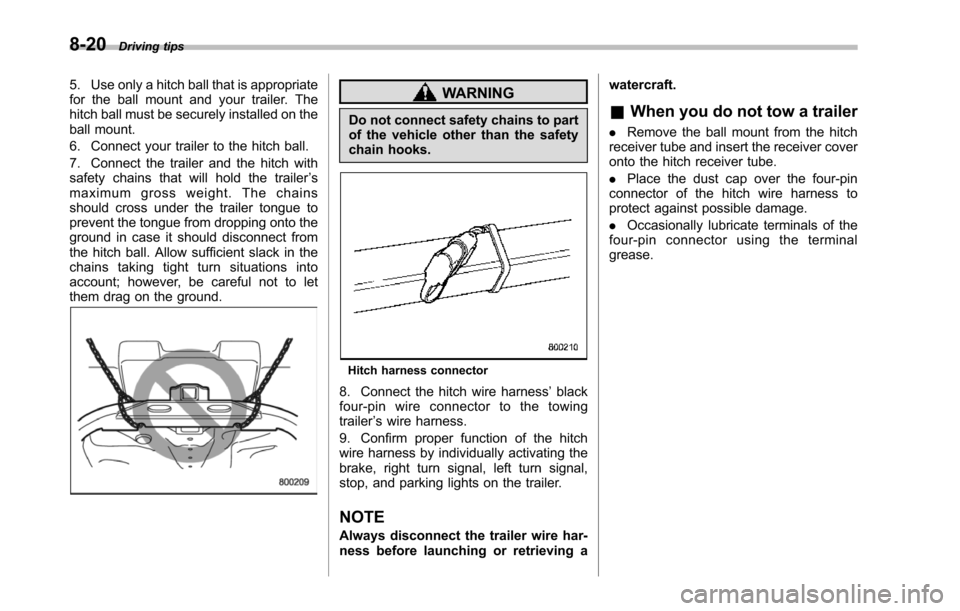
7. Connect the trailer and the hitch withsafety chains that will hold the trailer’smaximum gross weight. The chainsshould cross under the trailer tongue toprevent the tongue from dropping onto theground in case it should disconnect fromthe hitch ball. Allow sufficient slack in thechains taking tight turn situations intoaccount; however, be careful not to letthem drag on the ground.
WARNING
Do not connect safety chains to partof the vehicle other than the safetychain hooks.
Hitch harness connector
8. Connect the hitch wire harness’blackfour-pin wire connector to the towingtrailer’s wire harness.
9. Confirm proper function of the hitchwire harness by individually activating thebrake, right turn signal, left turn signal,stop,and parking lights on the trailer.
NOTE
Always disconnectthe trailer wire har-ness before launching or retrieving a
watercraft.
&When you do not tow a trailer
.Remove the ball mount from the hitchreceiver tube and insert the receiver coveronto the hitch receiver tube.
.Place the dust cap over the four-pinconnectorof the hitch wire harness toprotect against possible damage.
.Occasionally lubricate terminals of thefour-pin connector using the terminalgrease.