2014 SUBARU TRIBECA brake
[x] Cancel search: brakePage 153 of 426
3-20Instruments and controls
!Vehicle Dynamics Control warninglight
CAUTION
The Vehicle Dynamics Control sys-tem provides its ABS controlthrough the electrical circuit of theABS system. Accordingly, if the ABSis inoperative, the Vehicle DynamicsControl system becomes unable toprovide ABS control. As a result, theVehicle Dynamics Control systemalso becomes inoperative, causingthe warning light to illuminate.Though both the Vehicle DynamicsControl and ABS systems are inop-erative in this case, the ordinaryfunctions of the brake system arestill available. You will be safe whiledriving with this condition, but drivecarefully and have your vehiclechecked at a SUBARU dealer assoon as possible.
NOTE
.If the electrical circuit of the VehicleDynamics Control system itself mal-functions, only the warning light illumi-nates. At this time, the ABS (Anti-lockBrake System) remains fully opera-tional.
.The warning light illuminates whenthe electronic control system of theABS/Vehicle Dynamics Control systemmalfunctions.
The Vehicle Dynamics Control system isprobably inoperative under any of thefollowing conditions. Have your vehiclechecked at a SUBARU dealer immedi-ately.
.The warninglight does not illuminatewhen the ignition switch is turned to the“ON”position.
.The warning light illuminates while thevehicle is running.
NOTE
If the warning light behavior is asdescribed in the following conditions,the Vehicle Dynamics Control systemmay be considered normal.
.The warning light illuminates rightafter the engine is started but turns offimmediately, remaining off..The warning light illuminates afterengine startup and turns off while thevehicle is subsequently being driven..The warning light illuminates duringdriving, but it turns off immediately andremains off.
!Traction Control OFF indicator light
.It illuminates when the Traction ControlOFF switch is pressed.
.It also illuminates when the TractionControl system is deactivated.
NOTE
.The light may remain illuminated forawhileaftertheenginehasbeenstarted,especially in cold weather. Thisdoes not indicate the existence of aproblem. The light should turn off assoon as the engine has warmed up..The indicator light illuminates whenthe engine has developed a problemand the CHECK ENGINE warning light/Malfunction indicator light illuminates.
The Vehicle Dynamics Control system isprobably malfunctioning under the listedcondition. Have your vehicle checked at aSUBARU dealer as soon as possible.
.The light does not turn off even afterthe lapse of several minutes (the enginehas warmed up) after the engine hasstarted.
Page 162 of 426
&Daytime running light system
WARNING
The brightness of the illumination ofthe high beam headlights is reducedby the daytime running light system.The light switch must always beturned to the“”position when itis dark outside.
The high beam headlights will automati-cally illuminate at reduced brightnesswhen the engine has started, under thefollowing conditions.
.The select lever is in a position otherthan the“P”position.
.The parkingbrake is fully released.
.The light switch is in the“OFF”or“”position.
NOTE
When the light switch is in the“”position,the front side marker lights,parking lights and license plate lightsare also illuminated.
Turn signal lever
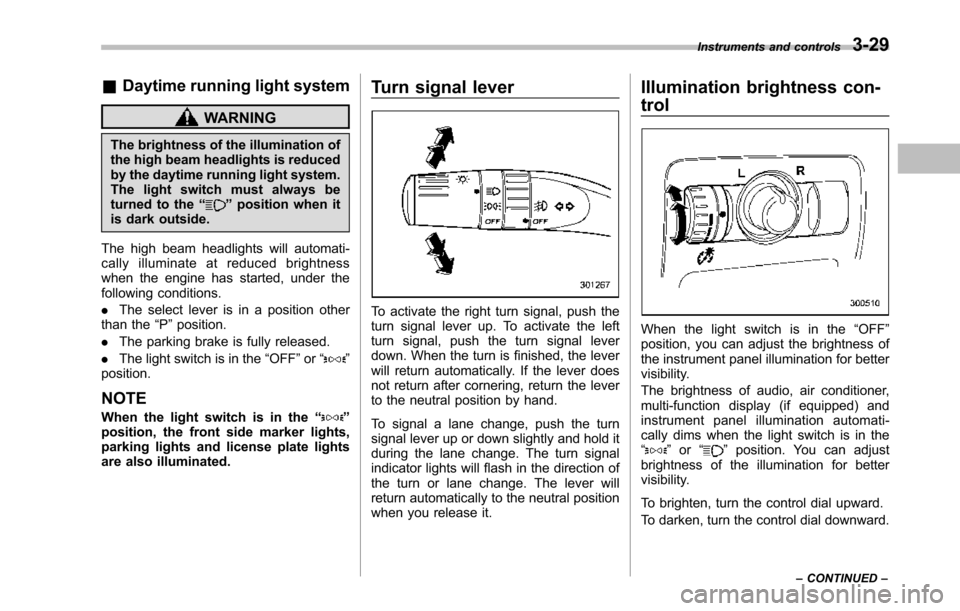
To activate the right turn signal, push theturn signal lever up. To activate the leftturn signal, push the turn signal leverdown. When the turn is finished, the leverwill return automatically. If the lever doesnot return after cornering, return the leverto the neutral position by hand.
To signal a lane change, push the turnsignal lever up or down slightly and hold itduring the lane change. The turn signalindicator lights will flash in the direction ofthe turn or lane change. The lever willreturn automatically to the neutral positionwhen you release it.
Illumination brightness con-
trol
When the light switch is in the“OFF”position, you can adjust the brightness ofthe instrument panel illumination for bettervisibility.
The brightnessof audio, air conditioner,multi-function display (if equipped) andinstrument panel illumination automati-cally dims when the light switch is in the“”or“”position. You can adjustbrightness of the illumination for bettervisibility.
To brighten, turn the control dial upward.
To darken, turn the control dial downward.
Instruments and controls3-29
–CONTINUED–
Page 220 of 426
Rear Seat Entertainment
(RSE) system operation (if
equipped)
If your vehicle is equipped with the RearSeat Entertainment (RSE) system, youcan listen to the audio via the vehiclespeakers. Push the“RSE AUX”button toplay a DVD using the Rear Seat Entertain-ment system.
For detailed operating procedures, refer tothe Owner’s Manual supplement for theRear Seat Entertainment (RSE) system.
NOTE
.To watch a DVD in the front seatsusing the monitor of the navigationsystem, park the vehicle in a safelocation and apply the parking brake.Images of the DVD will not be displayedon the front monitor unless the parkingbrake is applied..The harman/kardon®audio systemis a stereo system with 2 channels. If aharman/kardon®audio system isequipped, the Rear Seat Entertainment(RSE) system may not generate asatisfying realistic sound when playing5.1 channel audio sources.
Precautions to observe when
handling a compact disc
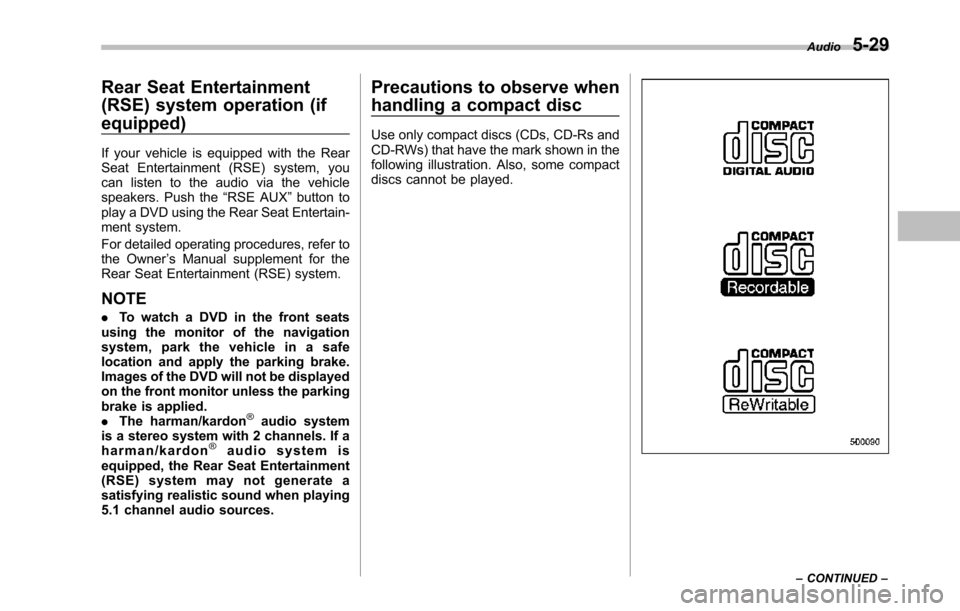
Use only compact discs (CDs, CD-Rs andCD-RWs) that have the mark shown in thefollowing illustration. Also, some compactdiscs cannot be played.
Audio5-29
–CONTINUED–
Page 232 of 426
especially metal ones such ascoins or aluminum foil, into theaccessory power outlet. Thatcould cause a short circuit. Al-ways put the cap on the acces-sory power outlet when it is notin use.
.Use only electrical applianceswhich are designed for 12V DC.
The maximum power rating of anappliance that can be connectedis shown in the following list. Donot usean appliance which ex-ceeds the indicated wattage foreach outlet.
–The two outlets in the centerconsole: 120W or less (Whenusing appliances connectedto two outlets simultaneously,the total power consumed bythem must not exceed 120W.)
–The two outlets in the rearcabin: 120W or less (Whenusing appliances connectedto two outlets simultaneously,the total power consumed bythem must not exceed 120W.)
Overloading the accessorypower outlet cancause a shortcircuit. Do not use dual adaptersor more than one electrical appli-
ance.
.If the plug on your electric appli-ance is either too loose or tootight for the accessory poweroutlet, this can result in a poorcontact or cause the plug to getstuck. Only use plugs that fitproperly.
.Use of an electric appliance in theaccessory power outlet for a longperiod of time while the engine isnot running can cause batterydischarge.
.Before driving your vehicle, makesure that the plug and the cordon your electrical appliance willnot interfere with your shiftinggears and operating the accel-erator and brake pedals. If theydo, do not use the electricalappliance while driving.
NOTE
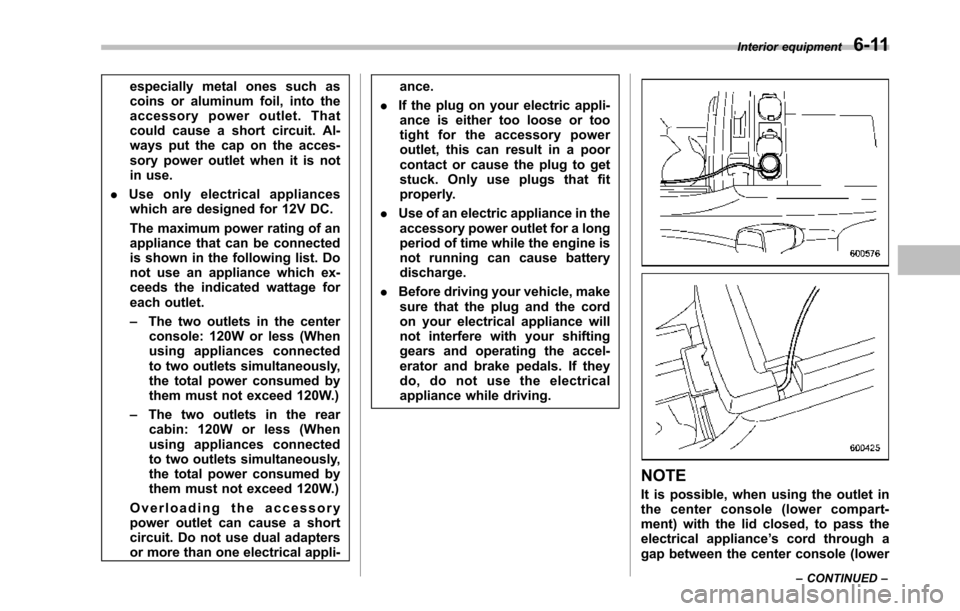
It is possible, when using the outlet inthe center console (lower compart-ment) with the lid closed, to pass theelectrical appliance’s cord through agap between the center console (lower
Interior equipment6-11
–CONTINUED–
Page 248 of 426
Fuel...................................................................... 7-2Fuel requirements............................................... 7-2Fuel filler lid and cap........................................... 7-3
State emission testing (U.S. only)...................... 7-5
Preparing to drive............................................... 7-7
Starting the engine.............................................. 7-7
Stopping the engine............................................ 7-8
Remote engine start system (dealer option)..... 7-8Starting your vehicle........................................... 7-9Remote start safety features................................ 7-9Entering the vehicle while it is running via remotestart.................................................................. 7-9Entering the vehicle following remote engine startshutdown.......................................................... 7-9Pre-heating or pre-cooling the interior of thevehicle............................................................. 7-10Service mode..................................................... 7-10Remote engine start transmitter programmingand programmable feature option..................... 7-10System maintenance.......................................... 7-11
Automatic transmission..................................... 7-12Select lever........................................................ 7-13Shift lock function.............................................. 7-14Selectionof manual mode.................................. 7-16Driving tips........................................................ 7-17SPORT mode..................................................... 7-18
Power steering................................................... 7-18
Braking............................................................... 7-19Braking tips....................................................... 7-19Brake system.................................................... 7-19Disc brake pad wear warning indicators............. 7-20
ABS (Anti-lock Brake System).......................... 7-20ABS system self-check...................................... 7-21ABS warning light.............................................. 7-21
Electronic Brake Force Distribution (EBD)system............................................................. 7-22Steps to take if EBD system malfunctions.......... 7-22
Vehicle Dynamics Control system.................... 7-23Vehicle Dynamics Control system monitor.......... 7-25Traction Control system OFF switch................... 7-25
Tire pressure monitoring system (TPMS)........ 7-27
Parking your vehicle......................................... 7-28Parking brake.................................................... 7-28Parking tips....................................................... 7-29
Cruise control.................................................... 7-29To set cruise control.......................................... 7-30To temporarily cancel the cruise control............. 7-31To turn off the cruise control.............................. 7-31To change the cruising speed ............................ 7-31Cruise control indicator light.............................. 7-32Cruise control set indicator light........................ 7-32
Starting and operating
7
Page 254 of 426
Preparing to drive
You should perform the following checksand adjustments every day before youstart driving.
1. Check that all windows, mirrors, andlights are clean and unobstructed.
2. Check the appearance and conditionof the tires. Also check tires for properinflation.
3. Look under the vehicle for any sign ofleaks.
4. Check that the hood and rear gate arefully closed.
5. Check the adjustment of the seat.
6. Check the adjustment of the insideand outside mirrors.
7. Fasten your seatbelt. Check that yourpassengers have fastened their seatbelts.
8. Check the operation of the warningand indicator lights when the ignitionswitch is turned to the“ON”position.
9. Check the gauges, indicator and warn-ing lights after starting the engine.
NOTE
Engine oil, engine coolant, brake fluid,washer fluid and other fluid levelsshould be checked daily, weekly or atfuel stops.
Starting the engine
CAUTION
.Do not operate the starter motorcontinuously for more than 10seconds. If the engine fails tostart after operating the starterfor 5 to 10 seconds, wait for 10seconds or more before tryingagain.
.If you restart the engine while thevehicle is moving, shift the selectlever into the“N”position. Donot attempt to place the selectlever of a moving vehicle into the“P”position.
1. Apply the parking brake.
2. Turn off unnecessary lights and ac-cessories.
3. Shift the select lever to the“P”or“N”position (preferably“P”position). Thestarter will only operate when the selectlever is at the“P”or“N”position.
4. Turn the ignition switch to the“ON”position and check the operation of thewarning and indicator lights. Refer to“Warning and indicator lights”F3-9.
5. Turn the ignition switch to the“START”positionwithoutdepressing the accelera-
tor pedal. Release the key immediatelyafter the engine has started.
If the engine does not start, try thefollowing.(1) Turn the ignition switch to the“LOCK”position and wait for at least10 seconds. After checking that theparking brake is firmly set, turn theignition switch to the“START”positionwhile depressing the accelerator pedalslightly (approximately a quarter of thefull stroke).Release the acceleratorpedal as soon as the engine starts.(2) If this fails to start the engine, turnthe ignition switch back to the“LOCK”position and wait for at least 10seconds.Then fully depress the accel-erator pedal and turn the ignitionswitch to the“START”position. If theengine starts, quickly release theaccelerator pedal.(3) If this fails to start the engine, turnthe ignition switch again to the“LOCK”position.After waiting for 10 secondsor longer, turn the ignition switch to the“START”position without depressingthe accelerator pedal.(4) If the engine still refuses to start,contact your nearest SUBARU dealerfor assistance.
6. Confirm that all warning and indicatorlights have turned off after the engine has
Starting and operating7-7
–CONTINUED–
Page 255 of 426
7-8Starting and operating
started. The fuel injection system auto-matically lowers the idle speed as theengine warms up.
While the engine is warming up, makesure that the select lever is at the“P”or“N”position and that the parking brake isapplied.
NOTE
.The engine may be difficult to startwhen the battery has been discon-nected and reconnected (for mainte-nance or other purposes). This diffi-culty is caused by the electronicallycontrolled throttle’sself-diagnosisfunction. To overcome it, keep theignition switch in the“ON”positionfor approximately 10 seconds beforestartingthe engine..To p r o t e c t t h e e n g i n e w h i l e t h eselect lever is in the“P”or“N”position, the engine is controlled sothat the engine speed may not becometoo high even if the accelerator pedal isdepressed hard.
Stopping the engine
WARNING
Do not stop the engine when thevehicle is moving. This will causeloss of power to the power steeringand the brakebooster, making steer-ing and braking more difficult. Itcould also result in accidental acti-vation of the“LOCK”position on theignition switch, causing the steeringwheel to lock.
The ignition switch should be turned offonly whenthe vehicle is stopped and theengine is idling.
Remote engine start system
(dealer option)
WARNING
.Do not start the engine using theremote start system in an en-closed environment (e.g. closedgarage). Prolonged operation ofa motor vehicle in an enclosedenvironment can cause a harmfulbuild-up of Carbon Monoxide.Carbon Monoxide is harmful toyour health. Exposure to highlevels of Carbon Monoxide cancause headaches, dizziness or inextreme cases unconsciousnessand/or death.
.Before performing any servicingof the vehicle, temporarily placethe remote engine start system inservice mode to prevent thesystem from unexpectedly start-ing the engine.
Page 256 of 426
&Starting your vehicle
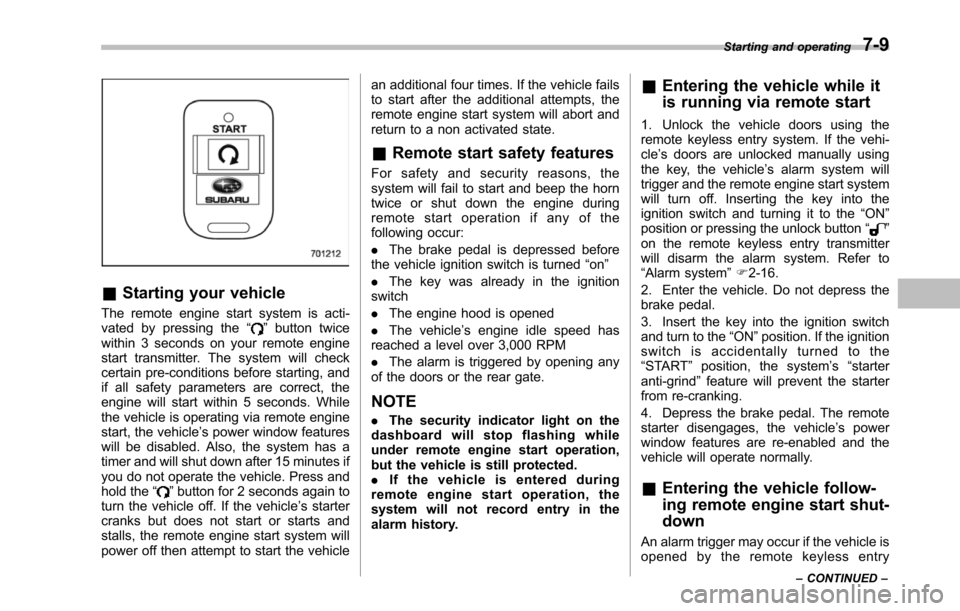
The remote engine start system is acti-vated by pressing the“”button twicewithin 3 seconds on your remote enginestart transmitter. The system will checkcertain pre-conditions before starting, andif all safety parameters are correct, theengine will start within 5 seconds. Whilethe vehicle is operating via remote enginestart, the vehicle’s power window featureswill be disabled. Also, the system has atimer and will shut down after 15 minutes ifyou do not operate the vehicle. Press andhold the“”button for 2 seconds again toturn the vehicle off. If the vehicle’s startercranks but does not start or starts andstalls, the remote engine start system willpower off then attempt to start the vehicle
an additional four times. If the vehicle failsto start after the additional attempts, theremote engine start system will abort andreturn to a non activated state.
&Remote start safety features
For safety and security reasons, thesystem will fail to start and beep the horntwice or shut down the engine duringremote start operation if any of thefollowing occur:
.The brake pedal is depressed beforethe vehicle ignition switch is turned“on”
.The key was already in the ignitionswitch
.The engine hood is opened
.The vehicle’s engine idle speed hasreached a level over 3,000 RPM
.The alarm is triggered by opening anyof the doors or the rear gate.
NOTE
.The security indicator light on thedashboard will stop flashing whileunder remote engine start operation,but the vehicle is still protected..If the vehicle is entered duringremote engine start operation, thesystem will not record entry in thealarm history.
&Entering the vehicle while it
is running via remote start
1. Unlock the vehicle doors using theremote keyless entry system. If the vehi-cle’s doors are unlocked manually usingthe key, the vehicle’s alarm system willtrigger and the remote engine start systemwill turn off. Inserting the key into theignition switch and turning it to the“ON”position or pressing the unlock button“”on the remote keyless entry transmitterwill disarm the alarm system. Refer to“Alarmsystem”F2-16.
2. Enter the vehicle. Do not depress thebrake pedal.
3. Insert the key into the ignition switchand turn to the“ON”position. If the ignitionswitch is accidentally turned to the“START”position, the system’s“starteranti-grind”feature will prevent the starterfrom re-cranking.
4. Depress the brake pedal. The remotestarter disengages, the vehicle’s powerwindow features are re-enabled and thevehicle will operate normally.
&Entering the vehicle follow-
ing remote engine start shut-
down
An alarm trigger may occur if the vehicle isopened by the remote keyless entry
Starting and operating7-9
–CONTINUED–