2014 SUBARU TRIBECA ECO mode
[x] Cancel search: ECO modePage 140 of 426
The odometer/trip meter will also turn off ifyou open and close the driver’sdoorwithin 10 seconds of illumination of theodometer/trip meter.
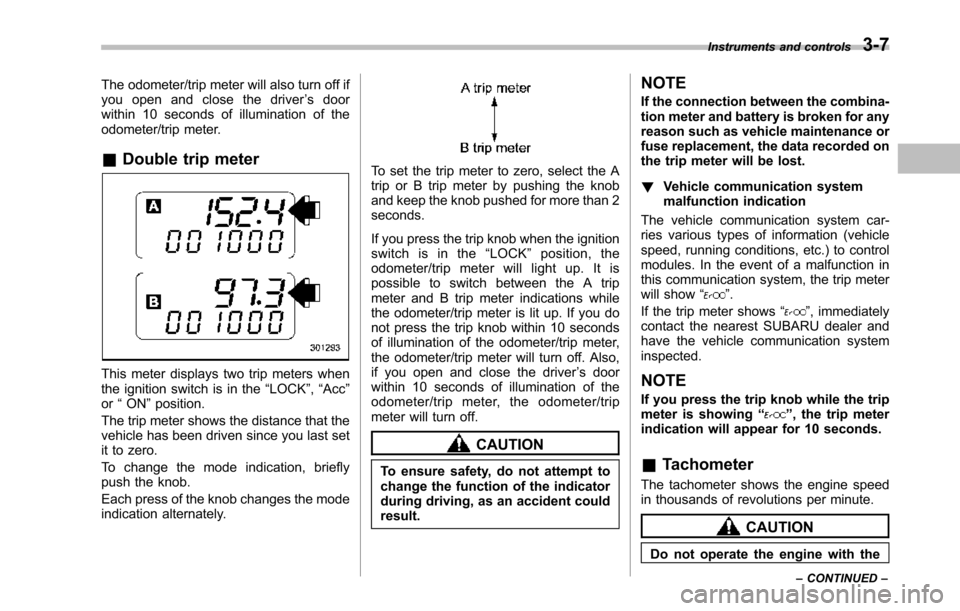
&Double trip meter
This meter displays two trip meters whenthe ignition switch is in the“LOCK”,“Acc”or“ON”position.
The trip metershows the distance that thevehicle has been driven since you last setit to zero.
To change the mode indication, brieflypush the knob.
Each press of the knob changes the modeindication alternately.
To set the trip meter to zero, select the Atrip or B trip meter by pushing the knoband keep the knob pushed for more than 2seconds.
If you press the trip knob when the ignitionswitch is in the“LOCK”position, theodometer/trip meter will light up. It ispossible to switch between the A tripmeter and B trip meter indications whilethe odometer/trip meter is lit up. If you donot press the trip knob within 10 secondsof illumination of the odometer/trip meter,the odometer/trip meter will turn off. Also,if you open and close the driver’s doorwithin 10 seconds of illumination of theodometer/trip meter, the odometer/tripmeter will turn off.
CAUTION
To ensure safety, do not attempt tochange thefunction of the indicatorduring driving, as an accident couldresult.
NOTE
If the connection between the combina-tion meter and battery is broken for anyreason such as vehicle maintenance orfuse replacement, the data recorded onthe trip meter will be lost.
!Vehicle communication systemmalfunction indication
The vehicle communication system car-ries various types of information (vehiclespeed, running conditions, etc.) to controlmodules. In the event of a malfunction inthis communication system, the trip meterwill show“”.
If the trip meter shows“”, immediatelycontact the nearest SUBARU dealer andhavethe vehicle communication systeminspected.
NOTE
If you press the trip knob while the tripmeter is showing“”, the trip meterindication will appear for 10 seconds.
&Tachometer
The tachometer shows the engine speedin thousands of revolutions per minute.
CAUTION
Do not operate the engine with the
Instruments and controls3-7
–CONTINUED–
Page 141 of 426
3-8Instruments and controls
pointer of the tachometer in the redzone. This may cause severe da-mage to the engine.
NOTE
To protect the engine while the selectlever is in the“P”or“N”position, theengineis controlled so that the enginespeed may not become too high even ifthe accelerator pedal is depressedhard.
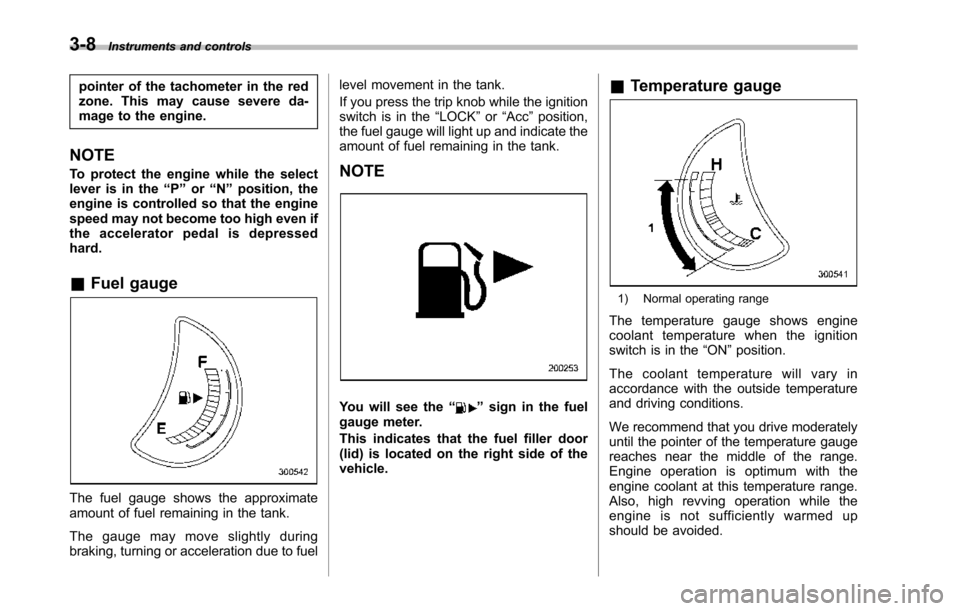
&Fuel gauge
The fuel gauge shows the approximateamount of fuel remaining in the tank.
The gauge may move slightly duringbraking, turning or acceleration due to fuel
level movement in the tank.
If you press the trip knob while the ignitionswitch is in the“LOCK”or“Acc”position,the fuel gauge will light up and indicate theamount of fuel remaining in the tank.
NOTE
You will see the“”signin the fuelgauge meter.
This indicates that the fuel filler door(lid) is located on the right side of thevehicle.
&Temperature gauge
1) Normal operating range
The temperature gauge shows enginecoolant temperature when the ignitionswitch is in the“ON”position.
The coolant temperature will vary inaccordance with the outside temperatureand driving conditions.
We recommend that you drive moderatelyuntil the pointer of the temperature gaugereaches near the middle of the range.Engine operation is optimum with theengine coolant at this temperature range.Also, high revving operation while theengine is not sufficiently warmed upshould be avoided.
Page 151 of 426
3-18Instruments and controls
&All-Wheel Drive warn-
ing light
WARNING
Continued driving with the AWDwarning light flashing can lead topowertrain damage. If the AWDwarninglight flashes, promptly parkin a safe place then check whetherall four tires are the same diameterand whether any of the tires has apuncture or has lost air pressure forsome other reason.
NOTE
If the temporary spare tire is used, theAWD warning light may flash. Use ofthe temporary spare tire should there-fore be restricted to the minimum timenecessary. Replace the temporarysparetire with a conventional tire assoon as possible.
This light flashes if the vehicle is drivenwith tires of different diameters fitted on itswheelsor with the air pressure exces-sively low in any of its tires.
&Vehicle Dynamics
Control warning light
(U.S.-spec models and
Canada-spec. models)/
Vehicle Dynamics Con-
trol operation indicator
light (all models)
!Vehicle Dynamics Control warninglight (U.S.-spec models andCanada-spec. models)
CAUTION
The Vehicle Dynamics Control sys-tem provides its ABS controlthrough the electrical circuit of theABS system. Accordingly, if the ABSis inoperative, the Vehicle DynamicsControl system becomes unable toprovide ABS control. As a result, theVehicle Dynamics Control systemalso becomes inoperative, causingthe warning light to illuminate.Though both the Vehicle DynamicsControl and ABS systems are inop-erative in this case, the ordinaryfunctions of the brake system arestill available. You will be safe whiledriving with this condition, but drivecarefully and have your vehicle
checked at a SUBARU dealer assoon as possible.
NOTE
.If the electrical circuit of the VehicleDynamics Control system itself mal-functions, the warning light only illumi-nates. At this time, the ABS (Anti-lockBrake System) remains fully opera-tional..The warning light illuminates whenthe electronic control system of theABS/Vehicle Dynamics Control systemmalfunctions.
The Vehicle Dynamics Control system isprobably inoperative under any of thefollowing conditions. Have your vehiclecheckedat a SUBARU dealer immedi-ately.
.The warning light does not illuminatewhen the ignition switch is turned to the“ON”position.
.The warning light illuminates while thevehicle is running.
NOTE
If the warning light behavior is asdescribed in the following examples,the Vehicle Dynamics Control systemmay be considered normal.
.The warning light illuminates right
Page 152 of 426

after the engine is started but turns offimmediately, remaining off..The warning light illuminates afterthe engine has started and turns offwhile the vehicle is subsequently beingdriven..The warning light illuminates duringdriving, but it turns off immediately andremains off.
!Vehicle Dynamics Control opera-tion indicator light
U.S.-spec. models and Canada-spec.models:
The indicator light flashes during activa-tion of the skid suppression function andduring activationof the traction controlfunction.
NOTE
.The light may remain illuminated fora short period of time after the enginehas been started, especially in coldweather. This does not indicate theexistence of a problem. The lightshould turn off as soon as the enginehas warmed up..The indicator light illuminates whenthe engine has developed a problemand the CHECK ENGINE warning light/malfunction indicator light is on.
Latin America-spec. models:
The indicator light flashes when the skidsuppression function is activated. It illumi-nates when only the traction controlfunction is operating.
The Vehicle Dynamics Control system isprobably malfunctioning under any of thefollowing conditions. Have your vehiclechecked at a SUBARU dealer as soon aspossible .
.The light does not illuminate when theignition switch is turned to the“ON”position.
.The light does not turn off even afterthe lapse of several minutes (the enginehas warmed up) after the engine hasstarted (U.S.-spec.models and Canada-spec. models)/even after a period ofapproximately 2 seconds after the ignitionswitch has been turned to the“ON”position (Latin America-spec. models).
&Traction Control sys-
tem OFF indicator light
(U.S.-spec models and
Canada-spec. models)
This light illuminates when the TractionControl system OFF switch is pressed todeactivate the Traction Control system.
The Vehicle Dynamics Control system is
probably malfunctioning under any of thefollowing conditions. Have your vehiclechecked at a SUBARU dealer immedi-ately.
.The light does not illuminate when theignition switch is turned to the“ON”position.
.The lightdoes not turn off even after aperiod of approximately 2 seconds afterthe ignition switch has been turned to the“ON”position.
&Vehicle Dynamics
Control warning light
(Latin America-spec.
models)/Traction Con-
trol OFF indicator light
(Latin America-spec.
models)
This warning light functions to indicatemalfunctions in the Vehicle DynamicsControl system as well as to indicate thatthe Traction Control system has beendeactivated.
It illuminates in the event of a malfunctionin the system and is on when the systemis not operating.
Instruments and controls3-19
–CONTINUED–
Page 154 of 426
&Security indicator light
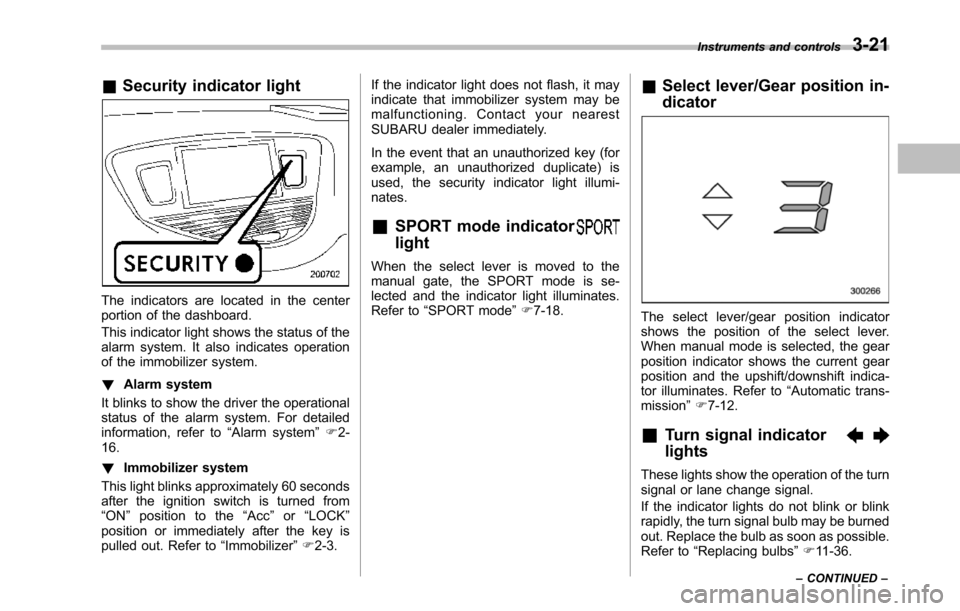
The indicators are located in the centerportion of the dashboard.
This indicator light shows the status of thealarm system. It also indicates operationof the immobilizer system.
!Alarm system
It blinks to show the driver the operationalstatus of the alarm system. For detailedinformation, refer to“Alarm system”F2-16.
!Immobilizer system
This light blinks approximately 60 secondsafter the ignition switch is turned from“ON”position to the“Acc”or“LOCK”position or immediately after the key ispulled out. Refer to“Immobilizer”F2-3.
If the indicator light does not flash, it mayindicate that immobilizer system may bemalfunctioning. Contact your nearestSUBARU dealer immediately.
In the event that an unauthorized key (forexample, an unauthorized duplicate) isused, the security indicator light illumi-nates.
&SPORT mode indicator
light
When the select lever is moved to themanual gate, the SPORT mode is se-lected and theindicator light illuminates.Refer to“SPORTmode”F7-18.
&Select lever/Gear position in-
dicator
The select lever/gear position indicatorshows the position of the select lever.When manual mode is selected, the gearposition indicator shows the current gearposition andthe upshift/downshift indica-tor illuminates. Refer to“Automatic trans-mission”F7-12.
&Turn signal indicator
lights
These lights show the operation of the turnsignal or lane change signal.
If the indicator lights do not blink or blinkrapidly, the turn signal bulb may be burnedout. Replace the bulb as soon as possible.Refer to“Replacing bulbs”F11-36.
Instruments and controls3-21
–CONTINUED–
Page 156 of 426
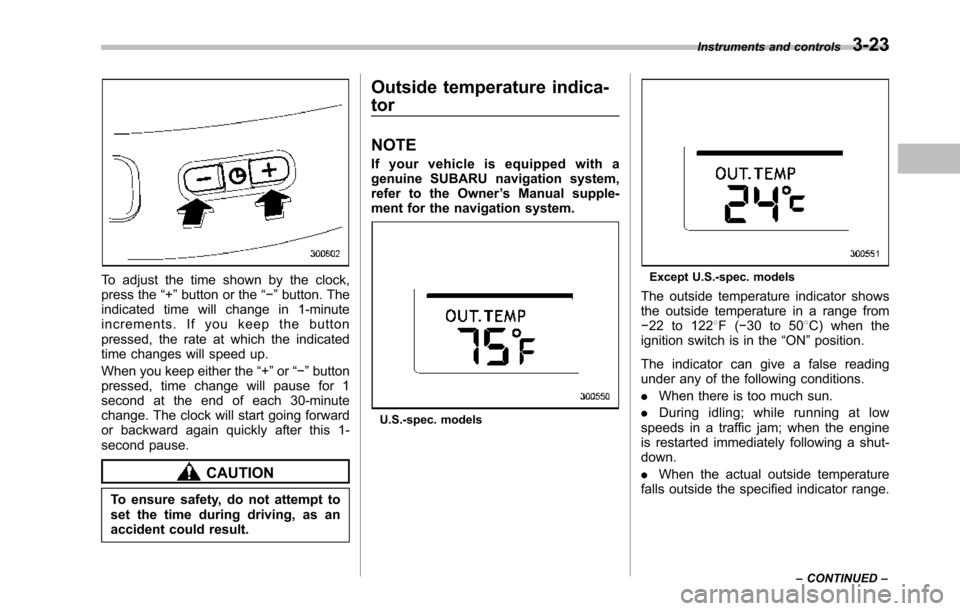
To adjust the time shown by the clock,press the“+”button or the“!”button. Theindicated time will change in 1-minuteincrements. If you keep the buttonpressed, the rate at which the indicatedtime changes will speed up.
When you keepeither the“+”or“!”buttonpressed,time change will pause for 1second at the end of each 30-minutechange. The clock will start going forwardor backward again quickly after this 1-second pause.
CAUTION
To ensure safety, do not attempt toset the time during driving, as anaccident could result.
Outside temperature indica-
tor
NOTE
If your vehicle is equipped with agenuine SUBARU navigation system,refer to the Owner’s Manual supple-ment for the navigation system.
U.S.-spec. models
Except U.S.-spec. models
Theoutside temperature indicator showsthe outside temperature in a range from!22 to 1228F(!30 to 508C) when theignition switch is in the“ON”position.
The indicator can give a false readingunder any of the following conditions.
.When there is too much sun.
.During idling; while running at lowspeeds in a traffic jam; when the engineis restarted immediately following a shut-down.
.When the actual outside temperaturefalls outside the specified indicator range.
Instruments and controls3-23
–CONTINUED–
Page 157 of 426
3-24Instruments and controls
&Low outside temperature
warning
U.S.-spec. models
Except U.S.-spec. models
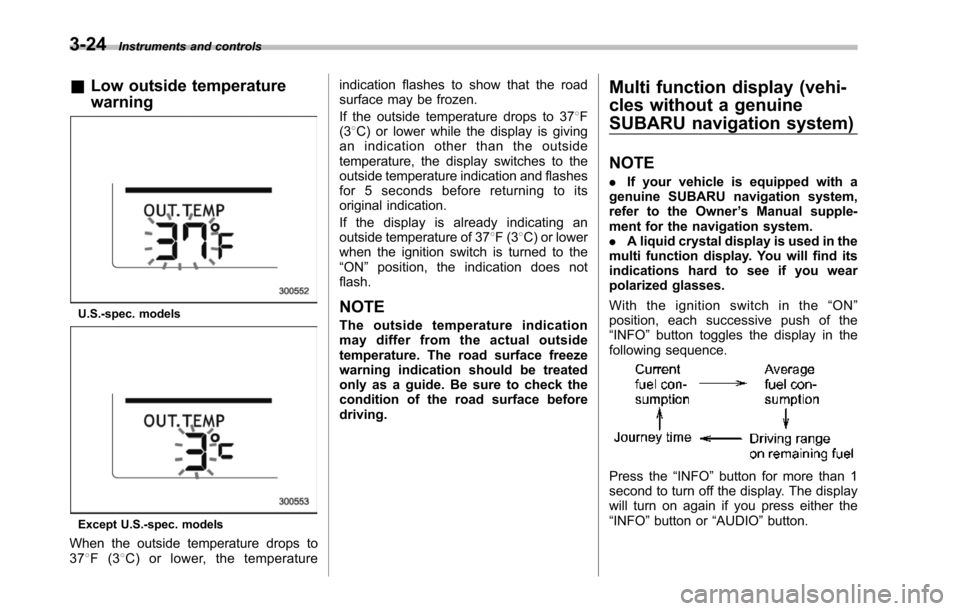
When the outside temperature drops to378F(38C) or lower, the temperature
indication flashes to show that the roadsurface may be frozen.
If the outside temperature drops to 378F(38C) or lower while the display is givingan indication other than the outsidetemperature, the display switches to theoutside temperature indication and flashesfor 5 seconds before returning to itsoriginal indication.
If the display is already indicating anoutside temperature of 378F(38C) or lowerwhen the ignition switch is turned to the“ON”position, the indication does notflash.
NOTE
The outside temperature indicationmay differ from the actual outsidetemperature.The road surface freezewarning indication should be treatedonly as a guide. Be sure to check thecondition of the road surface beforedriving.
Multi function display (vehi-
cles without a genuine
SUBARU navigation system)
NOTE
.If your vehicle is equipped with agenuine SUBARU navigation system,refer to the Owner’s Manual supple-ment for the navigation system..A liquid crystal display is used in themulti function display. You will find itsindications hard to see if you wearpolarized glasses.
With the ignition switch in the“ON”position, each successive push of the“INFO”button toggles the display in thefollowing sequence.
Press the“INFO”button for more than 1second to turn off the display. The displaywill turn on again if you press either the“INFO”button or“AUDIO”button.
Page 159 of 426
3-26Instruments and controls
&Driving range on remaining
fuel
U.S.-spec. models
Except U.S.-spec.models
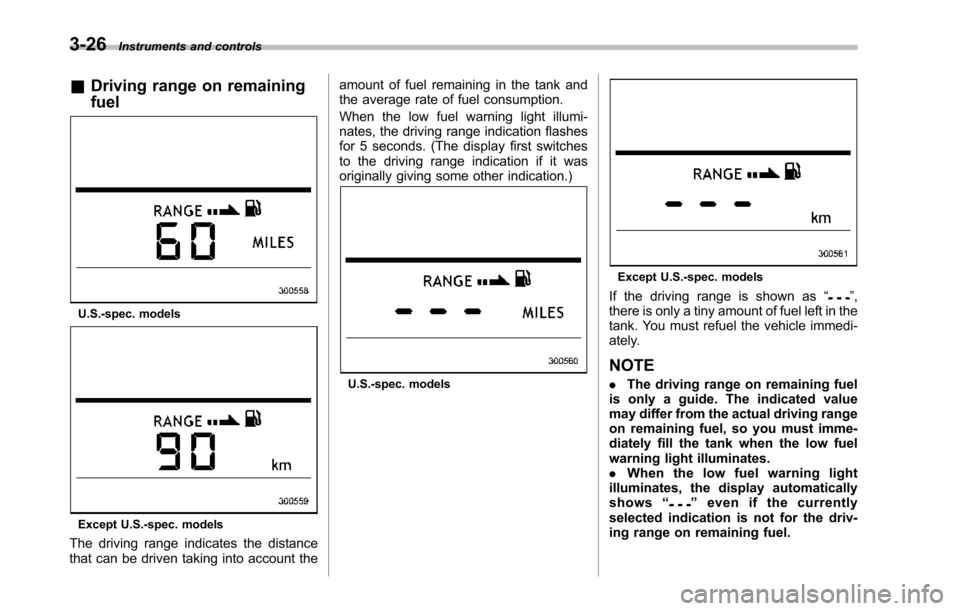
The driving range indicates the distancethat can be driven taking into account the
amount of fuel remaining in the tank andthe average rate of fuel consumption.
When the low fuel warning light illumi-nates, the driving range indication flashesfor 5 seconds. (The display first switchesto the driving range indication if it wasoriginally giving some other indication.)
U.S.-spec. models
Except U.S.-spec. models
If the driving range is shown as“”,there is only a tiny amount of fuel left in thetank. You must refuel the vehicle immedi-ately.
NOTE
.The driving range on remaining fuelis only a guide. The indicated valuemay differ from the actual driving rangeon remaining fuel, so you must imme-diately fill the tank when the low fuelwarning light illuminates..When the low fuel warning lightilluminates, the display automaticallyshows“”even if the currentlyselected indication is not for the driv-ing range on remaining fuel.