2014 SKODA FABIA tow
[x] Cancel search: towPage 92 of 216

Flexible storage compartmentFig. 90
Flexible storage compartment
Read and observe and on page 84 first.
The flexible storage compartment can be installed on either side of the boot
» Fig. 90 .
Fitting
›
Place both ends of the storage compartment into the openings on the right
side panel of the boot.
›
Push the storage compartment down to lock it.
Removing
›
Grasp the storage compartment on the two upper corners.
›
Remove the storage compartment by pulling upwards and then towards you.
The storage compartment is designed for storing small objects with a maxi-
mum total weight of 8 kg.
Class N1 vehicles
Read and observe
and on page 84 first.
In class N1 vehicles that are not fitted with a protective grille, a lashing set that
complies with the EN 12195 standard (1-4) must be used for fastening the load.
Proper functioning of the electrical installation is essential for safe vehicle op-
eration. It is important to ensure that the electrical installation is not damaged
during the adjustment process or when the storage area is being loaded and
unloaded.
Variable loading floor in the luggage compartment
Introduction
This chapter contains information on the following subjects:
Setting in the upper position
89
Setting in the lower position
90
Removing/inserting
90
Folding / Securing
91
The maximum permissible load of the variable loading floor is 75 kg. For the
transport of heavy loads, adjust the variable loading floor to the lower position
or remove it from the vehicle.
Setting in the upper position
Fig. 91
Set the variable loading floor to the upper position
The variable loading floor in the lower position can be set to the upper position
as follows.
›
Grasp the variable loading floor at handle
A
» Fig. 91 .
89Transporting and practical equipment
Page 94 of 216

Folding / SecuringFig. 94
Fold up variable loading floor / secure variable loading floor
For easier handling, e. g. with the spare tyre, the variable load floor can be fol-
ded up and fastened by means of a hook on the frame of the boot lid.
The variable loading floor can be folded up in both positions (both upper and
lower) and fastened.
›
Grasp the variable loading floor at handle
A
» Fig. 94 .
›
Place the variable loading floor in the direction of the arrow.
›
Hook the
B
hook to the frame of the boot lid.
WARNINGThe folded-up variable cargo floor limits the driver's view to the rear.
CAUTION
Before closing the tailgate, the variable loading floor is to be unhooked from
the frame and set in the upper or lower position - there is a risk of damage to
the hook.
Bicycle carrier in the luggage compartment
Introduction
This chapter contains information on the following subjects:
Install/remove crossmember
91
Fitting/removing the bike rack
92
Place bicycle into the carrier
93
Ensure the stability of the bicycles with a belt
93Up to two bicycles can be transported in a carrier in the luggage compartment.
Maximum size of the transported bikes: 19 "frame with 26" wheels.
Before transporting, the following steps must be taken.›
Remove the roll-up cover » page 88.
›
Push the head rests into the seat backrests until they click into position
» page 72 .
›
Fold the rear seat forward » page 75.
›
Fold the rear seat backrests forward » page 74.
WARNINGWhen transporting bicycles, ensuring the safety of the passengers is para-
mount.
CAUTION
■ Take care handling the bicycle - there is a risk of damaging the vehicle.■The bike rack cannot be installed if the variable cargo floor is stowed in the
luggage compartment.
Install/remove crossmember
Fig. 95
Install crossmember: Loosen the screws and unlock brackets /
place crossmember on the lashing eyelets
91Transporting and practical equipment
Page 96 of 216

CAUTIONThe bike stowed in the rack must not touch either the boot lid or other vehicle
parts - there is a risk of damage to the vehicle occurring.
Place bicycle into the carrier
Fig. 98
Insert the front fork of the bicycle into the carrier / mounting ex-
ample of the front wheel
Read and observe
and on page 91 first.
›
Remove the front wheel from the bike.
›
Release the quick release
A
» Fig. 98 on the carrier and adjust according to
the bicycle fork width.
›
Place the bicycle fork on the fixing axle and tighten with the quick release
A
.
›
Set the left bicycle pedal towards the vehicle front to secure the front wheel
more easily.
›
If you want to transport two bicycles, loosen screw
A
» Fig. 97 on page 92
on the carrier and move the carrier along with attached bike to the left.
The handlebar must not touch the side window of the luggage compartment.
›
Tighten screw
A
» Fig. 97 on page 92 on the support.
›
Guide the boot lid gently downwards and check while doing this that there is
no contact between the handlebar and the rear window.
›
If necessary, the position of the sliding part
E
» Fig. 97 on page 92 can be
adjusted.
›
The dismantled front wheel can best be stowed between the left crank and
the bicycle frame.
›
Attach the front wheel with belt
B
to the front fork » Fig. 98 or to the bicy-
cle frame.
›
The second carrier is installed and the bicycle is secured in a similar way.
Ensure the stability of the bicycles with a beltFig. 99
Ensure the stability of the bicycles with a belt
Read and observe
and on page 91 first.
›
In order to loosen the rubber part of the clamp, push both parts against each
other and open the clamp.
›
Position the clamp with the rubber part in the direction of travel as low down
on the saddle support as possible and close it.
›
When transporting two bicycles, stretch the belt » Fig. 99 -
between the
saddles by moving the bicycles apart.
›
Hook the carabiners on the ends of the belt into the lower lashing eyelets
behind the rear seats » Fig. 99 -
.
›
Pull the belt through the tensioning clasps on both sides in turn.
›
If necessary, you can correct the position of the bicycles in the vehicle after-
wards.
Roof rack
Introduction
This chapter contains information on the following subjects:
fixing points for base support
94
Roof load
94
93Transporting and practical equipment
Page 110 of 216
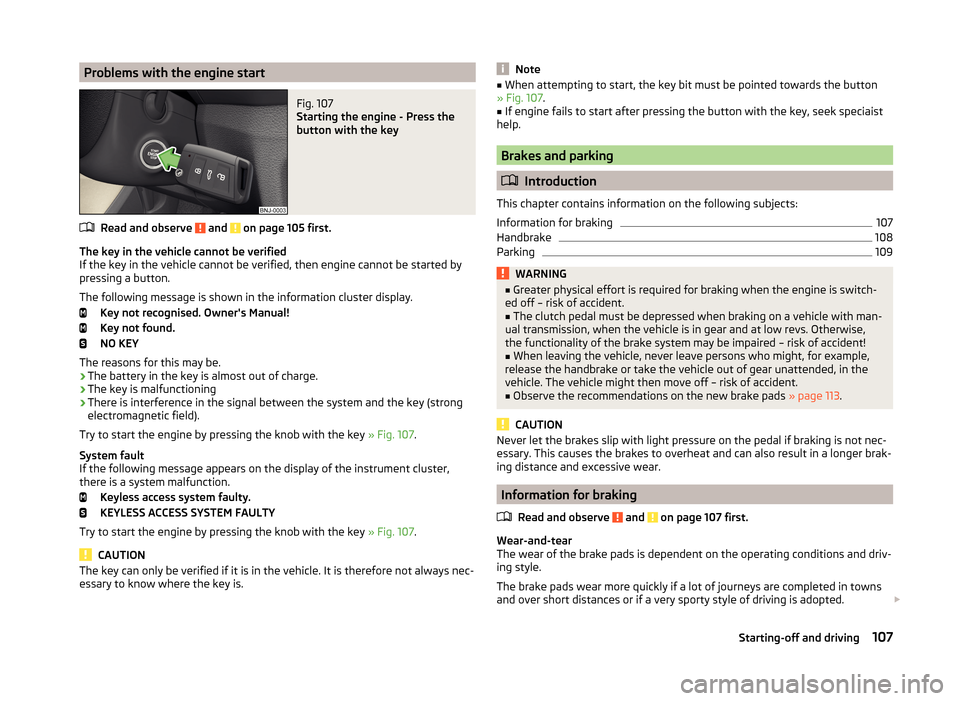
Problems with the engine startFig. 107
Starting the engine - Press the
button with the key
Read and observe and on page 105 first.
The key in the vehicle cannot be verified
If the key in the vehicle cannot be verified, then engine cannot be started by
pressing a button.
The following message is shown in the information cluster display. Key not recognised. Owner's Manual!
Key not found.
NO KEY
The reasons for this may be.
› The battery in the key is almost out of charge.
› The key is malfunctioning
› There is interference in the signal between the system and the key (strong
electromagnetic field).
Try to start the engine by pressing the knob with the key » Fig. 107.
System fault
If the following message appears on the display of the instrument cluster,
there is a system malfunction.
Keyless access system faulty.
KEYLESS ACCESS SYSTEM FAULTY
Try to start the engine by pressing the knob with the key » Fig. 107.
CAUTION
The key can only be verified if it is in the vehicle. It is therefore not always nec-
essary to know where the key is.Note■ When attempting to start, the key bit must be pointed towards the button
» Fig. 107 .■
If engine fails to start after pressing the button with the key, seek speciaist
help.
Brakes and parking
Introduction
This chapter contains information on the following subjects:
Information for braking
107
Handbrake
108
Parking
109WARNING■ Greater physical effort is required for braking when the engine is switch-
ed off – risk of accident.■
The clutch pedal must be depressed when braking on a vehicle with man-
ual transmission, when the vehicle is in gear and at low revs. Otherwise,
the functionality of the brake system may be impaired – risk of accident!
■
When leaving the vehicle, never leave persons who might, for example,
release the handbrake or take the vehicle out of gear unattended, in the
vehicle. The vehicle might then move off – risk of accident.
■
Observe the recommendations on the new brake pads » page 113.
CAUTION
Never let the brakes slip with light pressure on the pedal if braking is not nec-
essary. This causes the brakes to overheat and can also result in a longer brak-
ing distance and excessive wear.
Information for braking
Read and observe
and on page 107 first.
Wear-and-tear
The wear of the brake pads is dependent on the operating conditions and driv-
ing style.
The brake pads wear more quickly if a lot of journeys are completed in towns
and over short distances or if a very sporty style of driving is adopted.
107Starting-off and driving
Page 115 of 216

Manual gear shifting (Tiptronic)Fig. 111
Selector lever
Read and observe and on page 110 first.
Tiptronic mode makes it possible to manually shift gears on the selector lever.This mode can be selected both while halted and while driving.
The currently selected gear is indicated in the » Fig. 110 on page 111 display.
The gearshift indicator must be observed when changing gear » page 44.
Switching to manual shifting
›
Push the gear selector from position D/S towards the right, or left in a right-
hand drive vehicle.
When switching to the manual shifting while driving, the current gear is main-
tained.
Shifting up gears
›
Press the selector lever forwards
+
» Fig. 111 .
Shifting down gears
›
Press the selector lever backwards
-
» Fig. 111 .
Note
■
It may be advantageous to use manual gear shifting when driving downhill,
for example. Shifting to a lower gear reduces the load on the brakes and hence
brake wear » page 107.■
When accelerating, the gearbox automatically shifts up into the higher gear
just before the maximum permissible engine speed is reached.
■
If a lower gear is selected, the gearbox does not shift down until there is no
risk of the engine overrevving.
Starting-off and driving
Read and observe
and on page 110 first.
Starting off
›
Start the engine.
›
Firmly depress and hold the brake pedal.
›
Press the lock button in the direction of
1
» Fig. 110 on page 111 and hold.
›
Move the selector lever into the desired position » page 111and then release
the lock button.
›
Release the brake pedal and accelerate.
Stopping (while the car is moving)
›
Fully depress and hold the brake pedal and bring the vehicle to a stop.
›
Keep holding the brake pedal until driving is resumed.
The selector lever position N does not have to be selected when stopping for a
short time, such as at a cross roads.
Kickdown
The kickdown function allows you to achieve maximum acceleration by your vehicle while driving.
When the accelerator pedal is fully depressed, the kickdown function is activa-
ted in any forward driving mode.
The gearbox shifts down one or more gears depending on the vehicle speed
and engine speed, and the vehicle accelerates.
The gearbox does not shift up into the highest gear until the engine has
reached its maximum revolutions for this gear range.
WARNINGRapid acceleration, particularly on slippery roads, can lead to loss of control
of the vehicle – there is a risk of an accident.
Retraction and economical driving
Introduction
This chapter contains information on the following subjects:
Driving in
113
Tips for economical driving
113
112Driving
Page 121 of 216

Acoustic signals and display
The interval between the acoustic signals becomes shorter as the clearance is
reduced. A continuous tone sounds from a distance of approx. 30 cm - danger
area. From this moment on do not continue driving!
For information on setting the acoustic signals and a description of the Info-
tainment display, see » Infotainment manual , chapter Vehicle settings (button
CAR) .
Towing a trailer
On vehicles equipped with a factory-fitted towing device, only system areas A
and
B
» Fig. 114 are active when towing a trailer.
Note
The signal tones for front obstacle recognition are factory-set to be higher
than for rear obstacle recognition.
Activation/deactivation
Read and observe
and on page 117 first.
The system is automatically activated by selecting reverse gear or pressing
the symbol button
» Fig. 114 on page 117 .
This is confirmed by a short acoustic signal (the symbol in the button lights
up).
On vehicles with Version 1, the system can be deactivated by moving out of re-
verse gear.
For vehicles with Version 2, the system is deactivated by pressing the symbol
button or automatically at a speed over 10 km/h (the symbol
in the but-
ton goes out).
Displaying an error
If a warning signal sounds for about 3 seconds after activating the system and
there is no obstacle close to your car, this indicates a system fault. The fault is
also indicated by the symbol flashing in the button. Seek help from a spe-
cialist garage.
Note
The system can only be activated via the symbol button at a speed of below
10 km/hr.Automatic system activation when moving forwardFig. 116
Infotainment display: Display
with automatic activation
Read and observe and on page 117 first.
Automatic activation takes place at a speed below around 10 km/h under the following conditions.
› The distance to the obstacle at the front is less than around 90 cm.
› The distance to the obstacle at the front is less than around 30 cm.
After activation, the following is shown in the left pane of the Infotainment
display » Fig. 116 .
Acoustic signals are sounded as of a distance from the obstacle of around
50 cm.
Automatic display can be activated/deactivated in the Infotainment » Infotain-
ment manual , chapter Vehicle settings (CAR button) .
Cruise control system
Introduction
This chapter contains information on the following subjects:
Functioning
119
Operating Description
119
The Cruise Control System (CCS) maintains a set speed without you having to
actuate the accelerator pedal.
The status where the CCS maintains the speed is referred to hereinafter as the
control .
118Driving
Page 127 of 216

WARNINGIn the following situations, Front Assistant should be switched off for safe-
ty reasons.■
When the vehicle is being towed away.
■
When the vehicle is on a rolling test bench.
■
If an unfounded warning or a system action was taken.
■
When on a truck, or a car ferry service or similar.
Information messages
Read and observe
and on page 122 first.
The warning symbols are shown in the instrument cluster display. Front Assist: No sensor view.
The sensor is soiled or covered.
Stop the car, switch off the engine and clean the sensor or eliminate the dis-
turbance causing the lack of visibility » Fig. 123 on page 122 .
If the message appears again after starting the engine, the system should be disabled » page 123 . Seek help from a specialist garage.
Front Assist not available.
The system is not available for an unknown reason.
Stop the vehicle, switch off the engine and then start it again.
If the message appears again after starting the engine, the system should be disabled » page 123 . Seek help from a specialist garage.
START-STOP
Introduction
This chapter contains information on the following subjects:
Operating conditions for the system
124
Operation in vehicles with manual gearbox
125
Operation in vehicles with automatic gearbox
125
System conditioned automatic start-up
126
Manually deactivating/activating
126
Information messages
126The START-STOP system (hereinafter referred to just as the system) reduces
fuel consumption and polluting emissions and CO 2 emissions by turning the
engine off, e.g. when stopping at traffic lights, and starting the engine again
when moving off.WARNING■ Never let the vehicle roll with the engine switched off.■The brake servo unit and power steering only operate if the engine is run-
ning.
Operating conditions for the system
Fig. 125
Engine is automatically switched
off / automatic engine cut off is
not possible
Read and observe on page 124 first.
For the system-dependent automatic engine shutdown to operate, the follow-
ing conditions must be met.
The driver's door is closed.
The driver has fastened the seat belt.
The bonnet is closed.
The driving speed exceeded 4 km/h after the last stop.
No trailer is coupled.
Some additional conditions for the system to function cannot be either influ-
enced or recognised by the driver. Therefore, the system can react differently
in situations which are identical from the driver's view.
If, after stopping the vehicle, the check icon
» Fig. 125 appears on the dis-
play, then the conditions for automatic engine shutdown are not met.
Running the engine is essential, for example, for the following reasons.
› The engine temperature for the proper function of the system has not yet
been reached.
› The charge state of the vehicle battery is too low.
124Driving
Page 132 of 216

Hitch and trailer
Hitch
Introduction
This chapter contains information on the following subjects:
Description
129
Adjusting the ready position
130
A correctly set ready position
130
Assembling the bar ball - first step
131
Assembling the bar ball - second step
131
Check proper fitting
132
Removing the bar ball - first step
132
Removing the bar ball - second step
133
Accessories
133
The maximum trailer drawbar load is 50 kg.
WARNING■
Check that the ball head is seated correctly and is secured in the mount-
ing recess before starting any journey.■
Do not use the ball head if it is not correctly inserted in the mounting re-
cess.
■
Do not use the towing equipment if it is damaged or incomplete.
■
Do not modify or adapt the towing equipment in any way.
■
Never release the ball head while the trailer is still coupled.
■
Keep the mounting recess of the towing equipment clean at all times.
Such dirt prevents the ball head from being attached securely.
CAUTION
■ Take care with the tow bar - there is a risk of damaging the paint on the
bumper.■
When the ball rod is removed, always place the cover onto the mounting re-
cess - there is a danger of soiling the mounting recess.
Note
■ Operation and maintenance of towing device » page 145.■Tow the vehicle by means of the detachable ball rod » page 179.DescriptionFig. 129
Carrier for the towing device / tow bar
Read and observe
and on page 129 first.
The ball head can be removed and is kept in the spare wheel well or in a com-
partment for the spare wheel in the luggage compartment.
Carrier for the towing device and ball rod » Fig. 129
Cover for the mounting recess
Mounting recess
Dust cap
Ball head
Operating lever
Lock cap
Release pin
Key
Locking ball
Note
If you lose the key, please get in touch with a specialist garage.123456789129Hitch and trailer