Page 61 of 378
1
Monitoring59
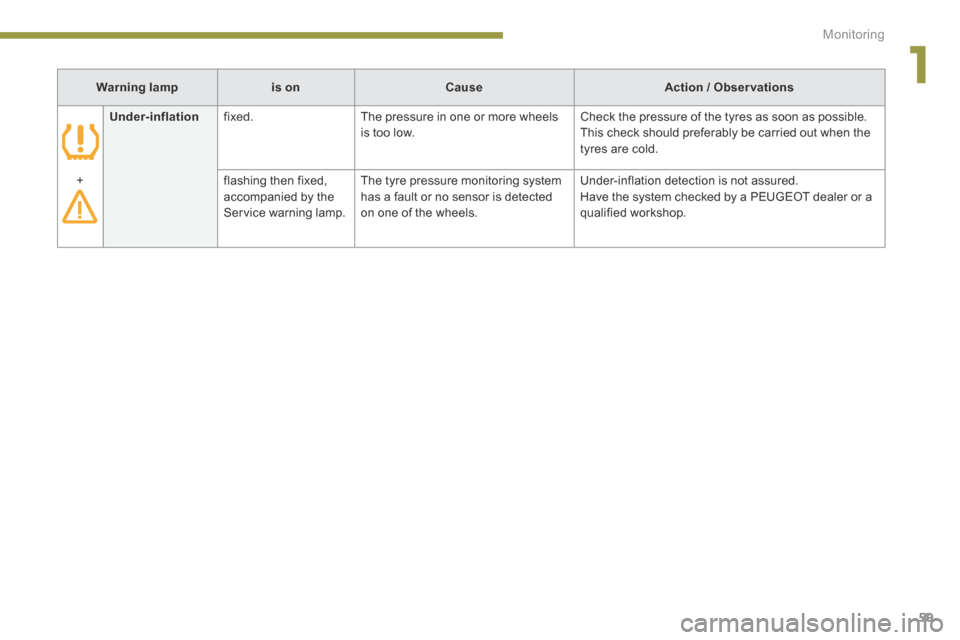
Warning lampis onCauseAction / Observations
Under-inflation fixed. The pressure in one or more wheels is too low. Check the pressure of the tyres as soon as possible. This check should preferably be carried out when the tyres are cold.
+ flashing then fixed, accompanied by the Service warning lamp.
The tyre pressure monitoring system has a fault or no sensor is detected on one of the wheels.
Under-inflation detection is not assured. Have the system checked by a PEUGEOT dealer or a qualified workshop.
Page 62 of 378
Monitoring
60
Coolant temperature indicator
With the hybrid system active, when the needle is: - in zone A , the temperature is correct, A , the temperature is correct, A - in zone B , the temperature is too high; the max temperature warning lamp 1 and the central STOP warning lamp come on,
accompanied by an audible signal and a message in the screen.
After driving for a few minutes, the temperature and pressure in the cooling system increase. To top up the level: wait for the engine to cool, unscrew the cap by two turns to allow the pressure to drop, when the pressure has dropped, remove the cap, top up the level to the "MA X" mark.
You must stop as soon as it is safe to do so. Wait a few minutes before switching off the engine. Contact a PEUGEOT dealer or a qualified workshop.
Page 65 of 378
1
Monitoring63
Engine oil level indicator
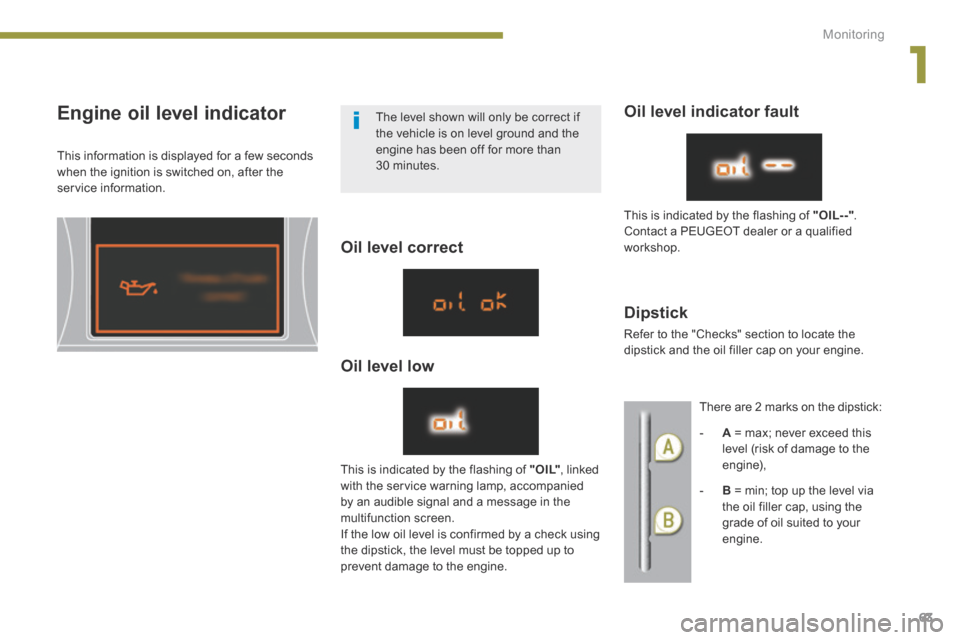
This information is displayed for a few seconds when the ignition is switched on, after the service information.
Oil level correct
Oil level low
Oil level indicator fault
Dipstick
This is indicated by the flashing of " O I L" , linked with the service warning lamp, accompanied by an audible signal and a message in the multifunction screen. If the low oil level is confirmed by a check using the dipstick, the level must be topped up to prevent damage to the engine.
This is indicated by the flashing of "OIL- -" .
Contact a PEUGEOT dealer or a qualified workshop.
Refer to the "Checks" section to locate the dipstick and the oil filler cap on your engine.
There are 2 marks on the dipstick:
- A = max; never exceed this level (risk of damage to the engine),
- B = min; top up the level via the oil filler cap, using the grade of oil suited to your
engine.
The level shown will only be correct if the vehicle is on level ground and the engine has been off for more than 30 minutes.
Page 68 of 378
Multifunction screens
66
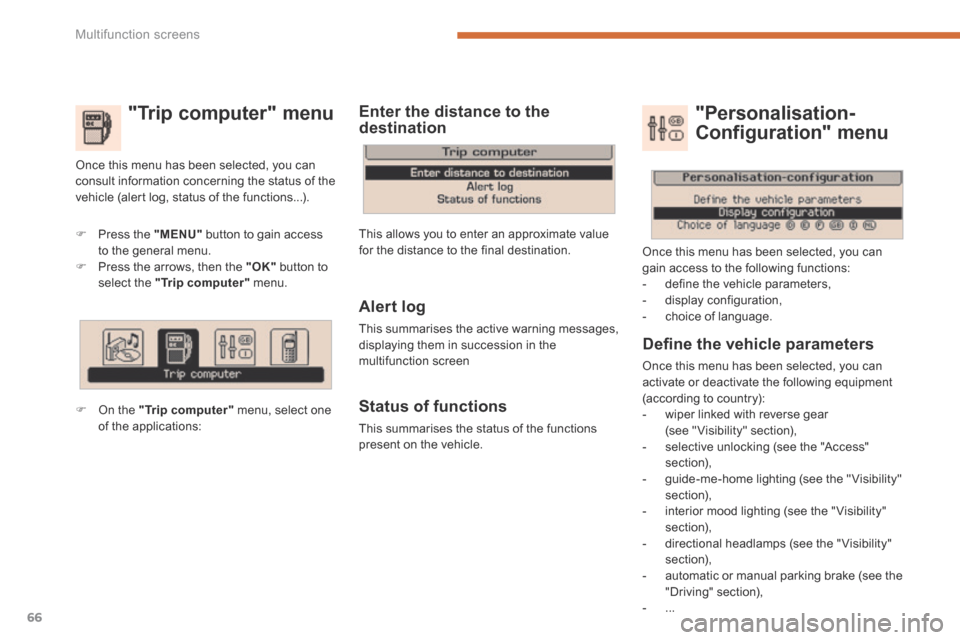
"Trip computer" menu
Press the "MENU" button to gain access to the general menu. Press the arrows, then the "OK" button to select the "Trip computer" menu.
On the "Trip computer" menu, select one of the applications:
Enter the distance to the destination
Once this menu has been selected, you can consult information concerning the status of the vehicle (alert log, status of the functions...).
Defi ne the vehicle parameters
Once this menu has been selected, you can activate or deactivate the following equipment (according to country): - wiper linked with reverse gear (see " Visibility" section), - selective unlocking (see the "Access" section), - guide-me-home lighting (see the " Visibility" section), - interior mood lighting (see the " Visibility" section),
- directional headlamps (see the "Visibility" section), - automatic or manual parking brake (see the "Driving" section), - ...
"Personalisation-
Configuration" menu
Once this menu has been selected, you can gain access to the following functions: - define the vehicle parameters, - display configuration, - choice of language. Alert log
This summarises the active warning messages, displaying them in succession in the multifunction screen
Status of functions
This summarises the status of the functions present on the vehicle.
This allows you to enter an approximate value for the distance to the final destination.
Page 72 of 378
Multifunction screens
70
Access to the retractable screen
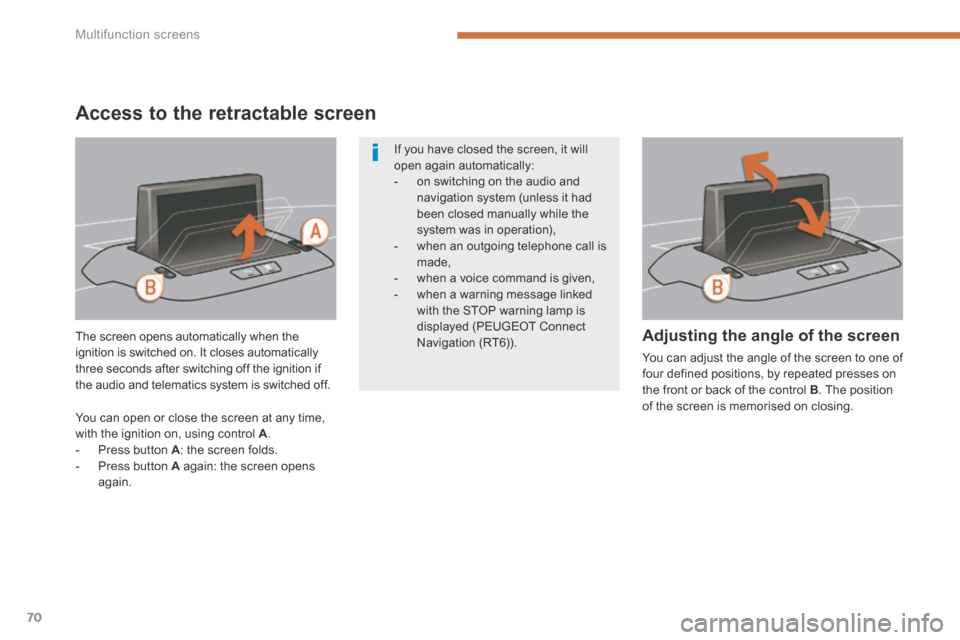
The screen opens automatically when the ignition is switched on. It closes automatically three seconds after switching off the ignition if the audio and telematics system is switched off.
Adjusting the angle of the screen
You can adjust the angle of the screen to one of four defined positions, by repeated presses on the front or back of the control B . The position of the screen is memorised on closing.
If you have closed the screen, it will open again automatically: - on switching on the audio and navigation system (unless it had been closed manually while the
system was in operation), - when an outgoing telephone call is made, - when a voice command is given, - when a warning message linked with the STOP warning lamp is displayed (PEUGEOT Connect Navigation (RT6)).
You can open or close the screen at any time, with the ignition on, using control A . - Press button A : the screen folds. - Press button A again: the screen opens again.
Page 95 of 378
4
Access93
Electronic engine immobiliser
The key contains an electronic chip which has a special code. When the ignition is switched on, this code must be recognised in order for starting to be possible. This electronic engine immobiliser locks the engine management system a few minutes after the ignition is switched off and prevents starting of the engine by anyone who does not have the key.
Anti-theft protection
In the event of a fault, you are informed by illumination of this warning lamp, an audible signal and a message in the screen. In this case, your vehicle will not start; contact a PEUGEOT dealer as soon as possible.
Energy economy mode
After switching off the engine (position 1-Stop ), you can still use functions such as the Stop ), you can still use functions such as the Stopaudio and telematics system, wipers, dipped beam headlamps, courtesy lamps, etc. for a maximum combined period of thirty minutes.
A heavy object (key fob...), attached to the key and weighing down on its shaft in the ignition switch, could cause a malfunction.
For more information, refer to the "Practical information - Energy economy mode" section.
Keep safely, away from your vehicle, the label attached to the keys given to you on acquisition of the vehicle.
Page 96 of 378
Access
94
Remote control problem
Following disconnection of the vehicle battery, replacement of the remote control battery or in the event of a remote control malfunction, you can no longer unlock, lock or locate your vehicle.
First of all, use the key in the lock to unlock or lock your vehicle. Then, reinitialise the remote control.
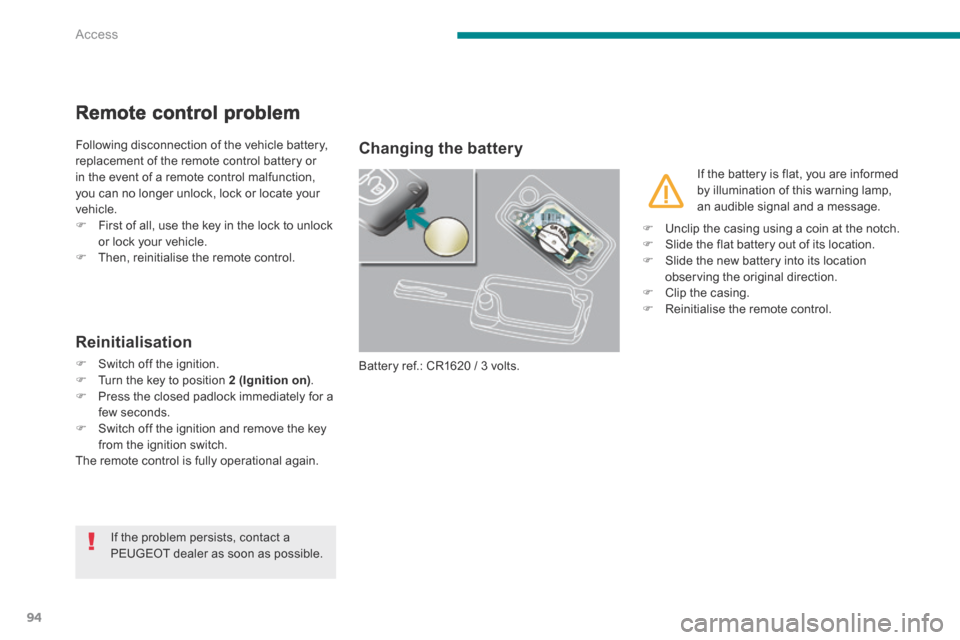
Changing the battery
Battery ref.: CR1620 / 3 volts.
Reinitialisation
Switch off the ignition. Turn the key to position 2 (Ignition on) . Press the closed padlock immediately for a few seconds. Switch off the ignition and remove the key
from the ignition switch. The remote control is fully operational again.
If the battery is flat, you are informed by illumination of this warning lamp, an audible signal and a message.
If the problem persists, contact a PEUGEOT dealer as soon as possible.
Unclip the casing using a coin at the notch. Slide the flat battery out of its location. Slide the new battery into its location observing the original direction. Clip the casing. Reinitialise the remote control.
Page 102 of 378
Access
100
Doors
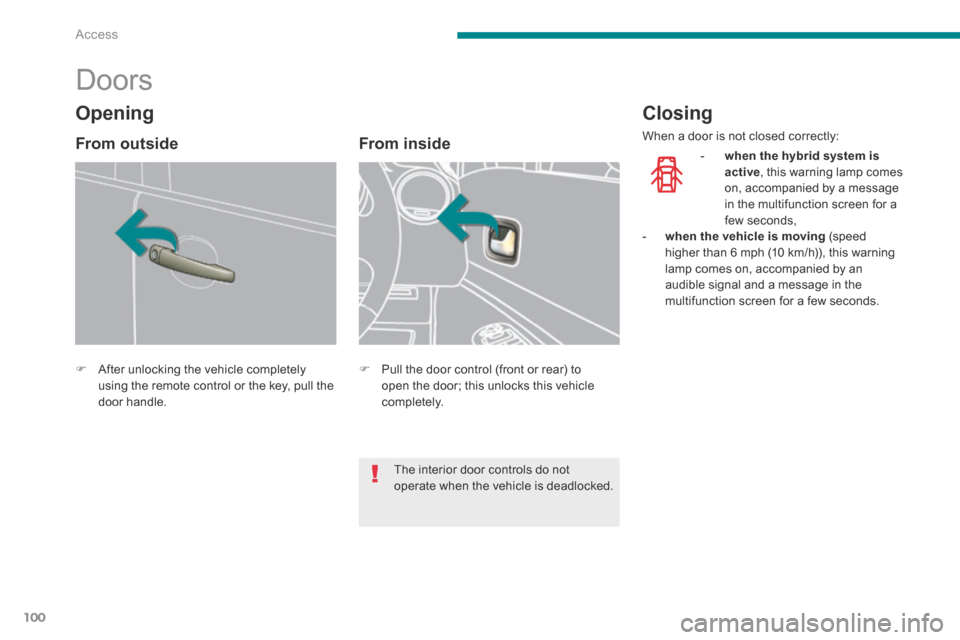
After unlocking the vehicle completely using the remote control or the key, pull the door handle.
From inside
Pull the door control (front or rear) to open the door; this unlocks this vehicle completely.
Closing
When a door is not closed correctly:
- when the hybrid system is active , this warning lamp comes on, accompanied by a message in the multifunction screen for a few seconds, - when the vehicle is moving (speed higher than 6 mph (10 km/h)), this warning lamp comes on, accompanied by an audible signal and a message in the multifunction screen for a few seconds.
Opening
From outside
The interior door controls do not operate when the vehicle is deadlocked.