Page 207 of 256
05
205
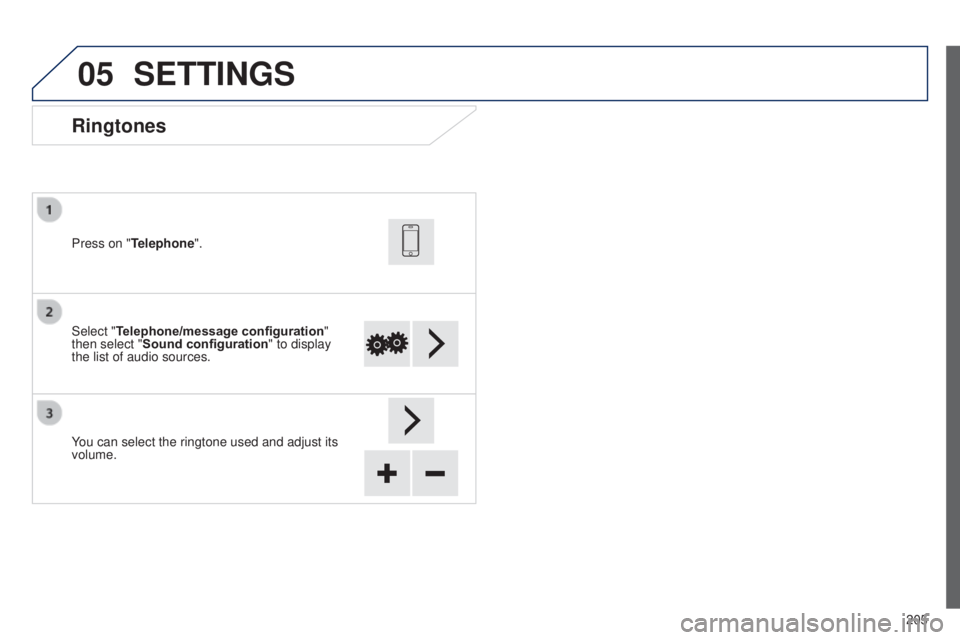
Ringtones
Select "Telephone/message configuration"
then select "Sound configuration " to display
the list of audio sources. Press on "Telephone".
You can select the ringtone used and adjust its
volume.
SETTINGS
B3_en_Chap12a_Autoradio-t oyota-tactile-1_ed01-2014
Page 209 of 256
06
207
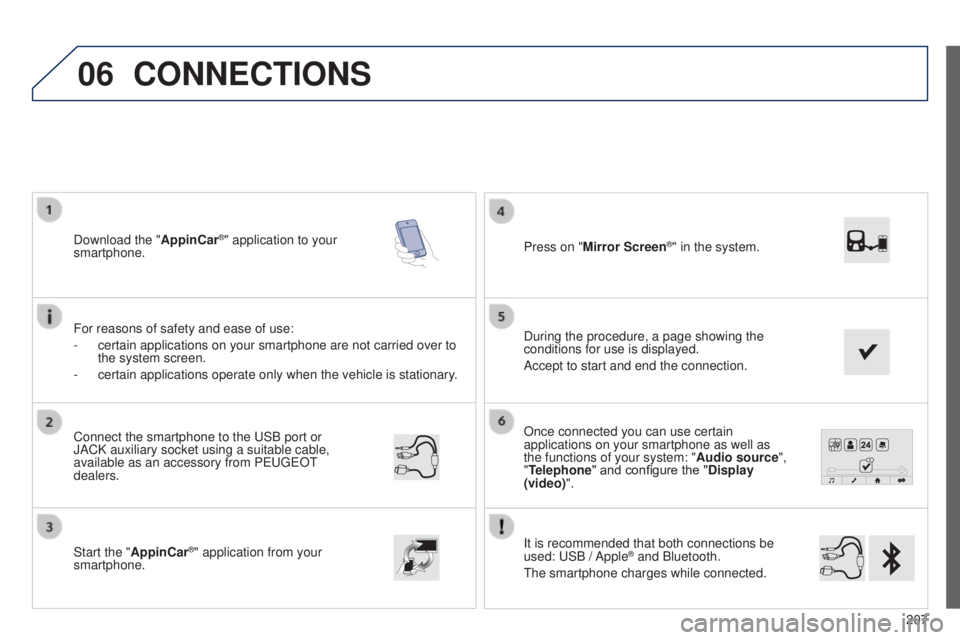
Once connected you can use certain
applications on your smartphone as well as
the functions of your system: "Audio source",
"Telephone" and configure the "Display
(video)".
It is recommended that both connections be
used:
u
SB / Apple
® and Bluetooth.
t
he smartphone charges while connected.
Connect the smartphone to the
u
SB
port or
JACK auxiliary socket using a suitable cable,
available as an accessory from P
euge
O
t
dealers.
Start the "
AppinCar®" application from your
smartphone. During the procedure, a page showing the
conditions for use is displayed.
Accept to start and end the connection. Press on "Mirror Screen
®" in the system.
Download the "
AppinCar®" application to your
smartphone.
For reasons of safety and ease of use:
-
certain applications on your smartphone are not carried over to
the system screen.
-
certain applications operate only when the vehicle is stationary
.
CONNECTIONS
B3_en_Chap12a_Autoradio-toyota-tactile-1_ed01-2014
Page 211 of 256
209
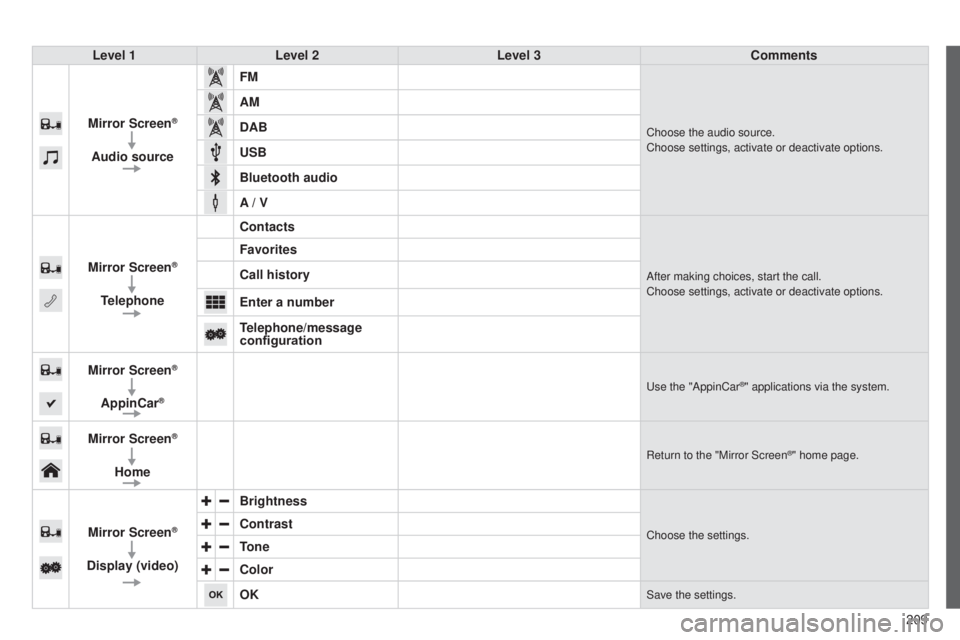
Level 1
Level 2 Level 3 Comments
Mirror Screen
®
Audio source FM
Choose the audio source.
Choose settings, activate or deactivate options.
AM
DAB
USB
Bluetooth audio
A / V
Mirror Screen
®
Telephone Contacts
After making choices, start the call.
Choose settings, activate or deactivate options.
Favorites
Call history
Enter a number
Telephone/message
configuration
Mirror Screen
®
AppinCar®use the "AppinCar®" applications via the system.
Mirror Screen®
Home
Return to the "Mirror Screen®" home page.
Mirror Screen®
Display (video) Brightness
Choose the settings.Contrast
Tone
Color
OK
Save the settings.
B3_en_Chap12a_Autoradio-t
oyota-tactile-1_ed01-2014
Page 213 of 256
06
2 11
It is recommended that both connections be
used:
u
SB / MirrorLink
® and Bluetooth.
t
he smartphone charges while connected.
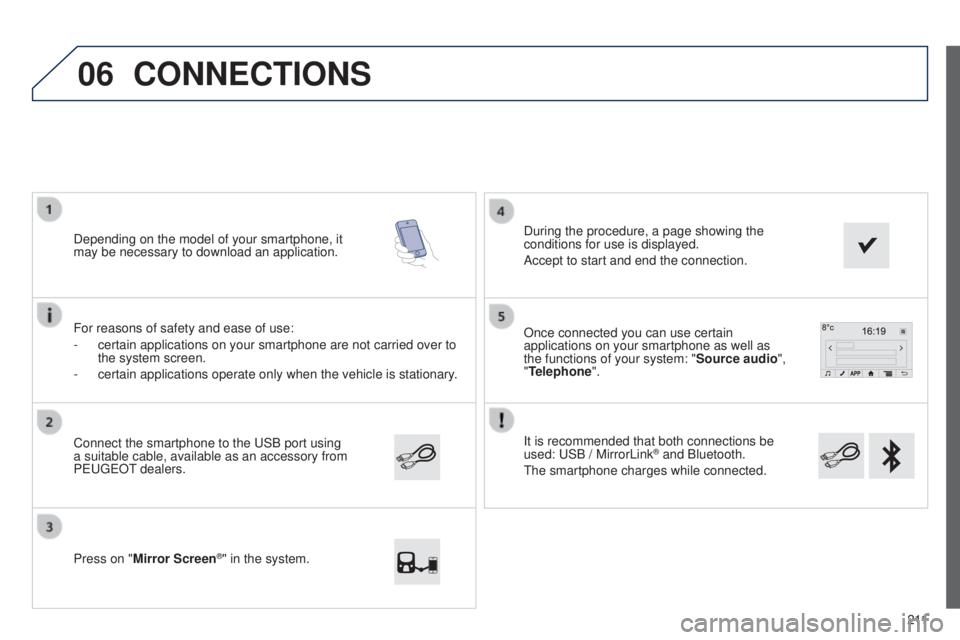
Once connected you can use certain
applications on your smartphone as well as
the functions of your system: "Source audio
",
"Telephone".
Connect the smartphone to the
u
SB port using
a suitable cable, available as an accessory from
P
euge
O
t dealers.
Depending on the model of your smartphone, it
may be necessary to download an application.
Press on "
Mirror Screen
®" in the system. During the procedure, a page showing the
conditions for use is displayed.
Accept to start and end the connection.
For reasons of safety and ease of use:
-
certain applications on your smartphone are not carried over to
the system screen.
-
certain applications operate only when the vehicle is stationary
.
CONNECTIONS
B3_en_Chap12a_Autoradio-t
oyota-tactile-1_ed01-2014
Page 215 of 256
213
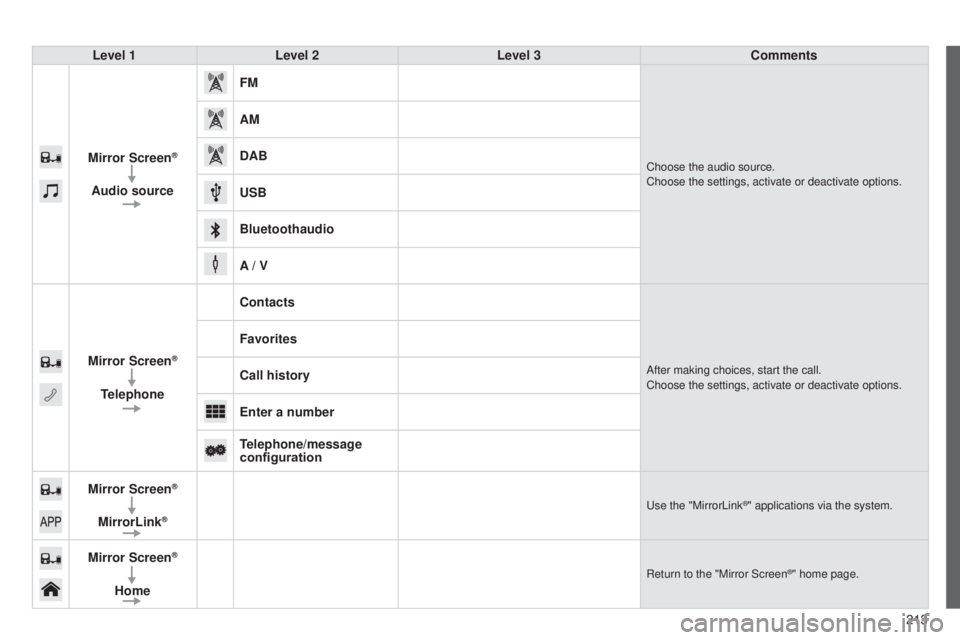
Level 1
Level 2 Level 3 Comments
Mirror Screen
®
Audio source FM
Choose the audio source.
Choose the settings, activate or deactivate options.
AM
DAB
USB
Bluetoothaudio
A / V
Mirror Screen
®
Telephone Contacts
After making choices, start the call.
Choose the settings, activate or deactivate options.
Favorites
Call history
Enter a number
Telephone/message
configuration
Mirror Screen
®
MirrorLink®use the "MirrorLink®" applications via the system.
Mirror Screen®
Home
Return to the "Mirror Screen®" home page.
B3_en_Chap12a_Autoradio-t oyota-tactile-1_ed01-2014
Page 217 of 256

215
Level 1
Level 2 Level 3 Comment
Configuration General Clock
OK
Save settings.
LanguageSelect the language.
BeepActivate or deactivate beep mode.
Personalise the startup
imagetransferStore images in a folder initially called "Startupimage",
before copying them to the system.
Delete all
OK
Save the settings.
AnimationActivate or deactivate animation mode.
Delete personal dataDelete
Choose settings, activate or deactivate options.
Do not delete
Update software
Software information
Configuration Audio Audio Bluetooth sound
configuration
Choose settings.
iPod® sound inputu
SBActivate or deactivate iPod® sound inputs.AuX
V
ideo input mode N
t SC
Activate or deactivate the video input modes.PA L
Sleeve configuration
Activate or deactivate sleeve configuration.
Automatic sound
adjustment OffActivate or deactivate the automatic sound adjustment
modes.Low
Medium
High
Configuration
Display General
Select the display configuration.
Video
B3_en_Chap12a_Autoradio-t
oyota-tactile-1_ed01-2014
Page 219 of 256
217
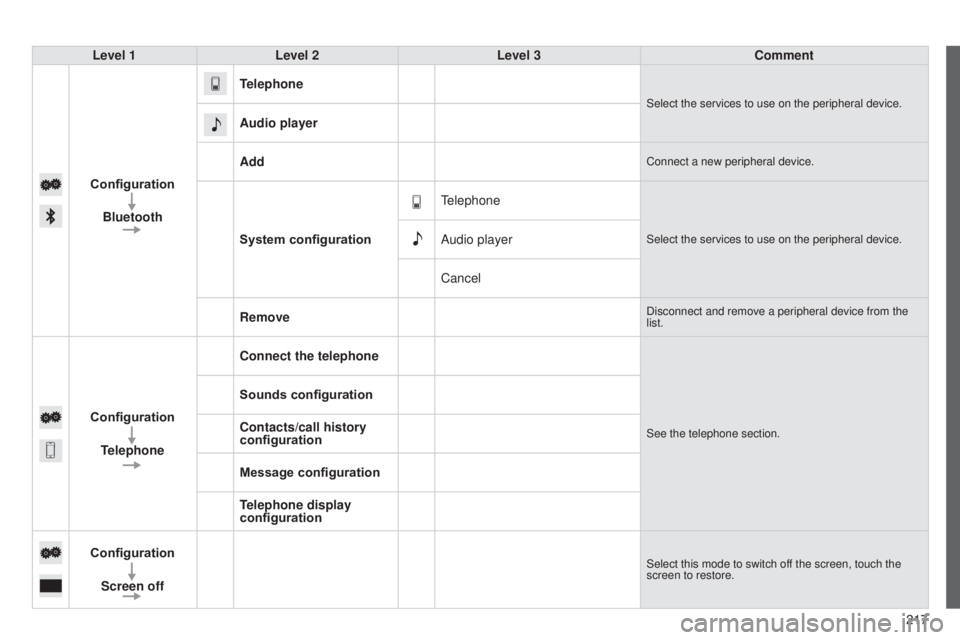
Level 1
Level 2 Level 3 Comment
Configuration Bluetooth Telephone
Select the services to use on the peripheral device.
Audio player
Add
Connect a new peripheral device.
System configuration
telephone
Select the services to use on the peripheral device.Audio player
Cancel
Remove
Disconnect and remove a peripheral device from the
list.
Configuration Telephone Connect the telephoneSee the telephone section.
Sounds configuration
Contacts/call history
configuration
Message configuration
Telephone display
configuration
Configuration Screen off
Select this mode to switch off the screen, touch the
screen to restore.
B3_en_Chap12a_Autoradio-t oyota-tactile-1_ed01-2014
Page 220 of 256

the following table groups together the answers to the most frequently as\
ked questions concerning your audio system.
FREQUENTLY ASKED QUESTIONS
218QUESTION
ANSWER SOLUTION
Telephone, Bluetooth
I cannot connect my
Bluetooth telephone.
t
he telephone's Bluetooth function may be switched off or the telephone
may not be visible. -
Check that your telephone's Bluetooth
function is switched on.
-
Check in the telephone settings that it is
"visible to all".
t
he Bluetooth telephone is not compatible with the system.
You can check the compatibility of your telephone
at www.peugeot.co.uk (services).
t
he volume of the
telephone connected
in Bluetooth mode is
inaudible.
t
he volume depends both on the system and on the telephone.
Increase the volume of the audio system, to
maximum if required, and increase the volume of
the telephone if necessary.
The ambient noise level has an influence on the quality of telephone
communication. Reduce the ambient noise level (close the
windows, reduce the booster fan speed, slow
down, ...).
Contacts are not shown
in alphabetical order. Some telephones offer display options. Depending on the settings
chosen, contacts can be transferred in a specific order. Modify the display setting in the telephone
directory.
t
he system does
not receive SMS text
messages.
t
he Bluetooth mode on your telephone does not permit sending SMS text
messages to the system.