2014 NISSAN QUEST key
[x] Cancel search: keyPage 301 of 482
4-118Monitor, heater, air conditioner, audio, phone and voice recognition systems
JVH0475X
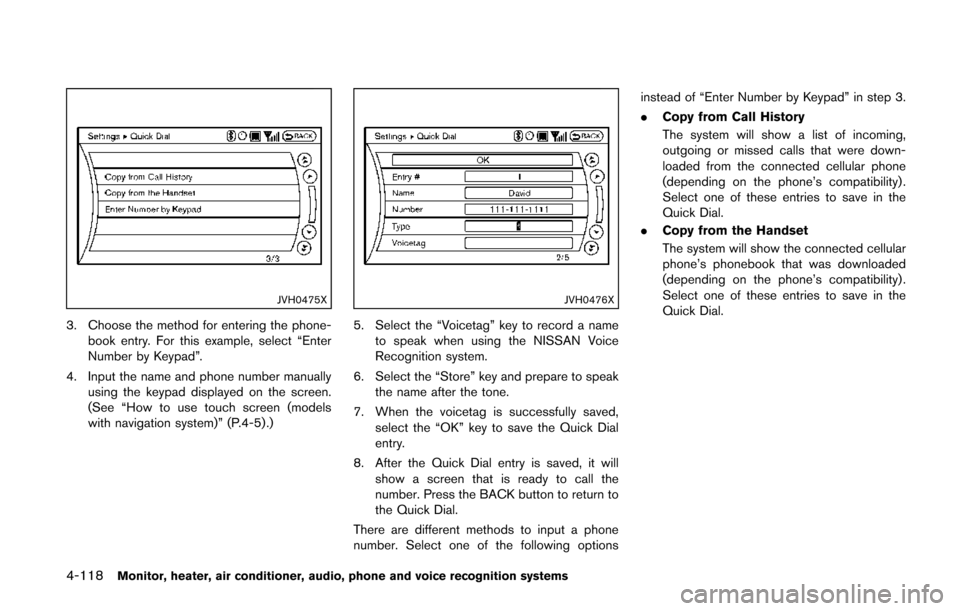
3. Choose the method for entering the phone-book entry. For this example, select “Enter
Number by Keypad”.
4. Input the name and phone number manually using the keypad displayed on the screen.
(See “How to use touch screen (models
with navigation system)” (P.4-5) .)
JVH0476X
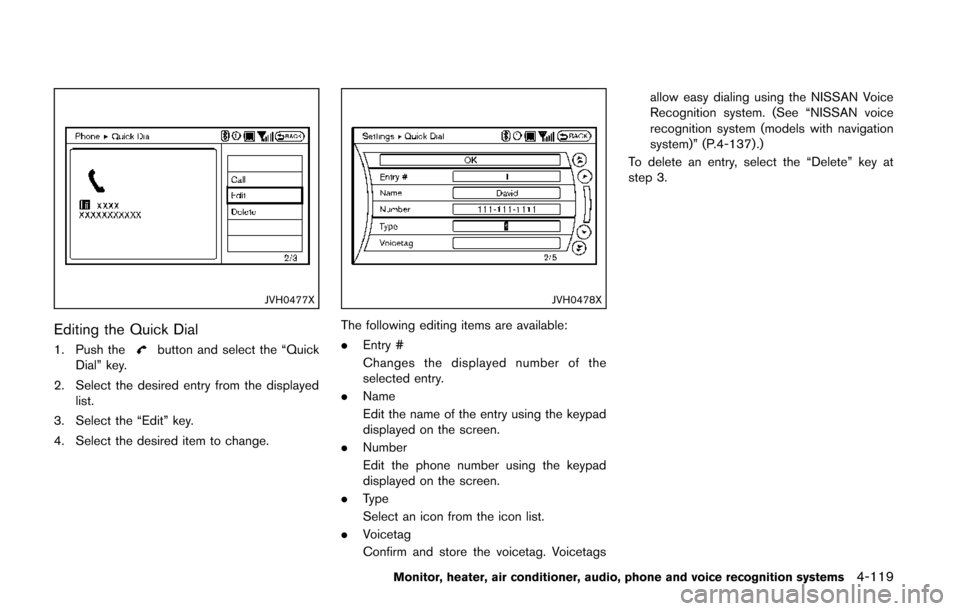
5. Select the “Voicetag” key to record a name
to speak when using the NISSAN Voice
Recognition system.
6. Select the “Store” key and prepare to speak the name after the tone.
7. When the voicetag is successfully saved, select the “OK” key to save the Quick Dial
entry.
8. After the Quick Dial entry is saved, it will show a screen that is ready to call the
number. Press the BACK button to return to
the Quick Dial.
There are different methods to input a phone
number. Select one of the following options instead of “Enter Number by Keypad” in step 3.
.
Copy from Call History
The system will show a list of incoming,
outgoing or missed calls that were down-
loaded from the connected cellular phone
(depending on the phone’s compatibility) .
Select one of these entries to save in the
Quick Dial.
. Copy from the Handset
The system will show the connected cellular
phone’s phonebook that was downloaded
(depending on the phone’s compatibility) .
Select one of these entries to save in the
Quick Dial.
Page 302 of 482
JVH0477X
Editing the Quick Dial
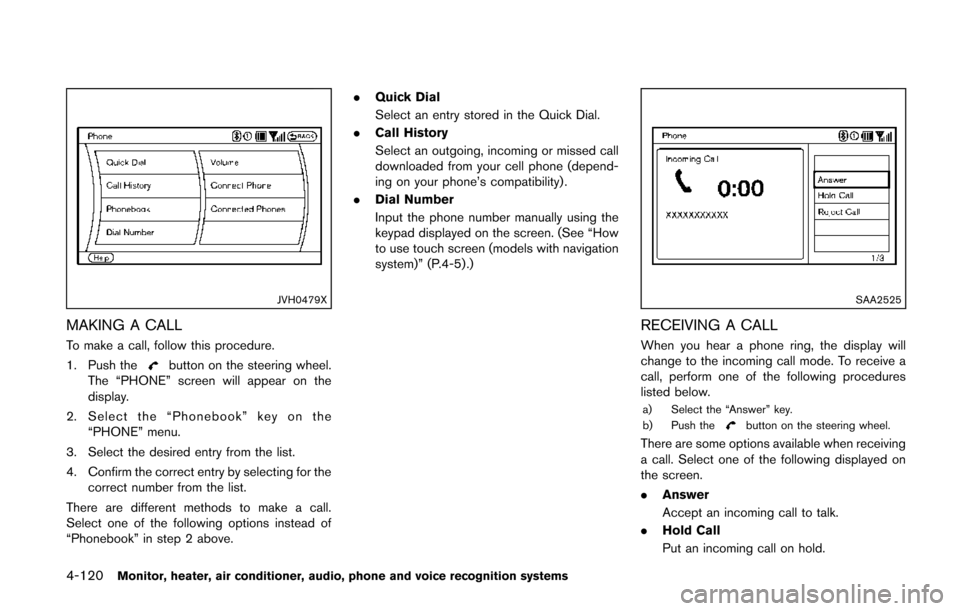
1. Push thebutton and select the “Quick
Dial” key.
2. Select the desired entry from the displayed list.
3. Select the “Edit” key.
4. Select the desired item to change.
JVH0478X
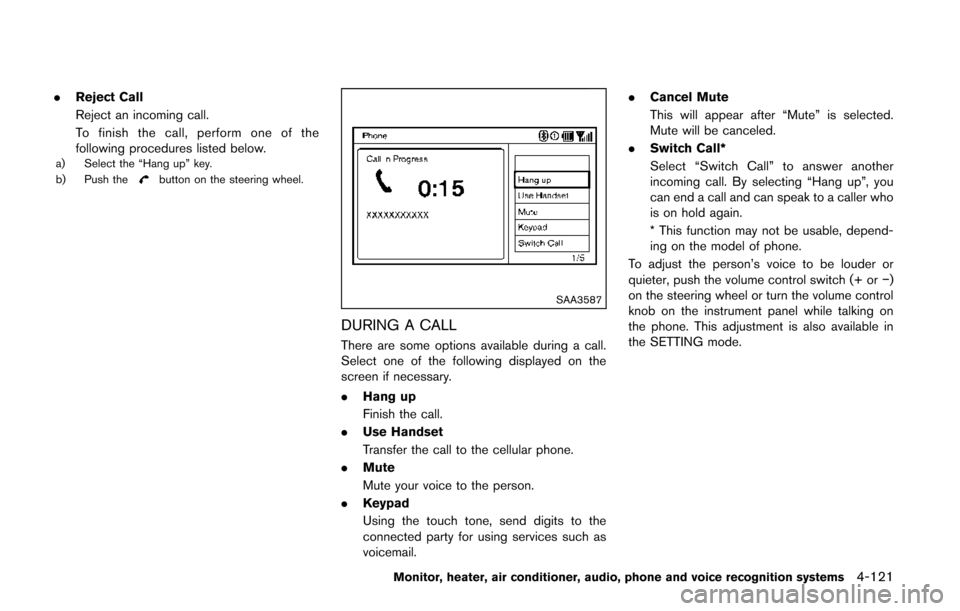
The following editing items are available:
. Entry #
Changes the displayed number of the
selected entry.
. Name
Edit the name of the entry using the keypad
displayed on the screen.
. Number
Edit the phone number using the keypad
displayed on the screen.
. Type
Select an icon from the icon list.
. Voicetag
Confirm and store the voicetag. Voicetags allow easy dialing using the NISSAN Voice
Recognition system. (See “NISSAN voice
recognition system (models with navigation
system)” (P.4-137) .)
To delete an entry, select the “Delete” key at
step 3.
Monitor, heater, air conditioner, audio, phone and voice recognition systems4-119
Page 303 of 482
4-120Monitor, heater, air conditioner, audio, phone and voice recognition systems
JVH0479X
MAKING A CALL
To make a call, follow this procedure.
1. Push the
button on the steering wheel.
The “PHONE” screen will appear on the
display.
2. Select the “Phonebook” key on the “PHONE” menu.
3. Select the desired entry from the list.
4. Confirm the correct entry by selecting for the correct number from the list.
There are different methods to make a call.
Select one of the following options instead of
“Phonebook” in step 2 above. .
Quick Dial
Select an entry stored in the Quick Dial.
. Call History
Select an outgoing, incoming or missed call
downloaded from your cell phone (depend-
ing on your phone’s compatibility) .
. Dial Number
Input the phone number manually using the
keypad displayed on the screen. (See “How
to use touch screen (models with navigation
system)” (P.4-5) .)
SAA2525
RECEIVING A CALL
When you hear a phone ring, the display will
change to the incoming call mode. To receive a
call, perform one of the following procedures
listed below.
a) Select the “Answer” key.
b) Push thebutton on the steering wheel.
There are some options available when receiving
a call. Select one of the following displayed on
the screen.
.Answer
Accept an incoming call to talk.
. Hold Call
Put an incoming call on hold.
Page 304 of 482
.Reject Call
Reject an incoming call.
To finish the call, perform one of the
following procedures listed below.
a) Select the “Hang up” key.
b) Push thebutton on the steering wheel.
SAA3587
DURING A CALL
There are some options available during a call.
Select one of the following displayed on the
screen if necessary.
.Hang up
Finish the call.
. Use Handset
Transfer the call to the cellular phone.
. Mute
Mute your voice to the person.
. Keypad
Using the touch tone, send digits to the
connected party for using services such as
voicemail. .
Cancel Mute
This will appear after “Mute” is selected.
Mute will be canceled.
. Switch Call*
Select “Switch Call” to answer another
incoming call. By selecting “Hang up”, you
can end a call and can speak to a caller who
is on hold again.
* This function may not be usable, depend-
ing on the model of phone.
To adjust the person’s voice to be louder or
quieter, push the volume control switch (+ or −)
on the steering wheel or turn the volume control
knob on the instrument panel while talking on
the phone. This adjustment is also available in
the SETTING mode.
Monitor, heater, air conditioner, audio, phone and voice recognition systems4-121
Page 305 of 482
4-122Monitor, heater, air conditioner, audio, phone and voice recognition systems
JVH0480X
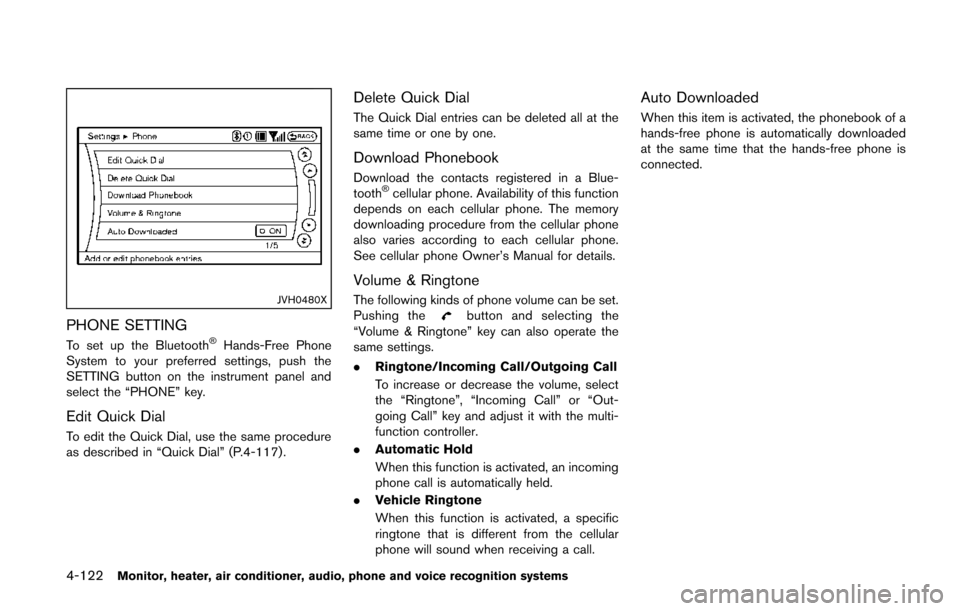
PHONE SETTING
To set up the Bluetooth®Hands-Free Phone
System to your preferred settings, push the
SETTING button on the instrument panel and
select the “PHONE” key.
Edit Quick Dial
To edit the Quick Dial, use the same procedure
as described in “Quick Dial” (P.4-117) .
Delete Quick Dial
The Quick Dial entries can be deleted all at the
same time or one by one.
Download Phonebook
Download the contacts registered in a Blue-
tooth®cellular phone. Availability of this function
depends on each cellular phone. The memory
downloading procedure from the cellular phone
also varies according to each cellular phone.
See cellular phone Owner’s Manual for details.
Volume & Ringtone
The following kinds of phone volume can be set.
Pushing thebutton and selecting the
“Volume & Ringtone” key can also operate the
same settings.
. Ringtone/Incoming Call/Outgoing Call
To increase or decrease the volume, select
the “Ringtone”, “Incoming Call” or “Out-
going Call” key and adjust it with the multi-
function controller.
. Automatic Hold
When this function is activated, an incoming
phone call is automatically held.
. Vehicle Ringtone
When this function is activated, a specific
ringtone that is different from the cellular
phone will sound when receiving a call.
Auto Downloaded
When this item is activated, the phonebook of a
hands-free phone is automatically downloaded
at the same time that the hands-free phone is
connected.
Page 312 of 482
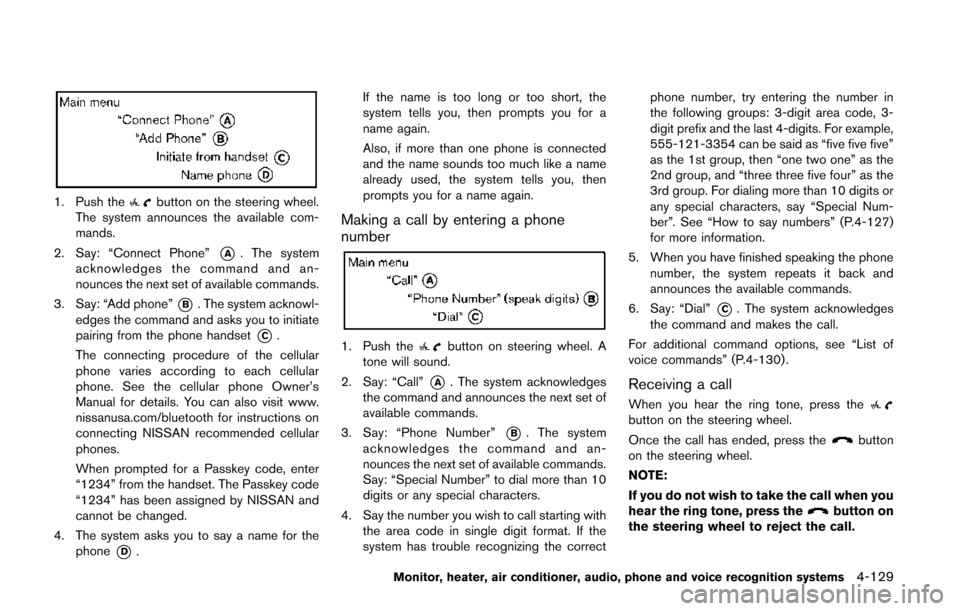
1. Push thebutton on the steering wheel.
The system announces the available com-
mands.
2. Say: “Connect Phone”
*A. The system
acknowledges the command and an-
nounces the next set of available commands.
3. Say: “Add phone”
*B. The system acknowl-
edges the command and asks you to initiate
pairing from the phone handset
*C.
The connecting procedure of the cellular
phone varies according to each cellular
phone. See the cellular phone Owner’s
Manual for details. You can also visit www.
nissanusa.com/bluetooth for instructions on
connecting NISSAN recommended cellular
phones.
When prompted for a Passkey code, enter
“1234” from the handset. The Passkey code
“1234” has been assigned by NISSAN and
cannot be changed.
4. The system asks you to say a name for the phone
*D. If the name is too long or too short, the
system tells you, then prompts you for a
name again.
Also, if more than one phone is connected
and the name sounds too much like a name
already used, the system tells you, then
prompts you for a name again.
Making a call by entering a phone
number
1. Push thebutton on steering wheel. A
tone will sound.
2. Say: “Call”
*A. The system acknowledges
the command and announces the next set of
available commands.
3. Say: “Phone Number”
*B. The system
acknowledges the command and an-
nounces the next set of available commands.
Say: “Special Number” to dial more than 10
digits or any special characters.
4. Say the number you wish to call starting with the area code in single digit format. If the
system has trouble recognizing the correct phone number, try entering the number in
the following groups: 3-digit area code, 3-
digit prefix and the last 4-digits. For example,
555-121-3354 can be said as “five five five”
as the 1st group, then “one two one” as the
2nd group, and “three three five four” as the
3rd group. For dialing more than 10 digits or
any special characters, say “Special Num-
ber”. See “How to say numbers” (P.4-127)
for more information.
5. When you have finished speaking the phone number, the system repeats it back and
announces the available commands.
6. Say: “Dial”
*C. The system acknowledges
the command and makes the call.
For additional command options, see “List of
voice commands” (P.4-130) .
Receiving a call
When you hear the ring tone, press thebutton on the steering wheel.
Once the call has ended, press the
button
on the steering wheel.
NOTE:
If you do not wish to take the call when you
hear the ring tone, press the
button on
the steering wheel to reject the call.
Monitor, heater, air conditioner, audio, phone and voice recognition systems4-129
Page 320 of 482
NISSAN Voice Recognition allows hands-free
operation of the Phone, Navigation, Information
and Audio systems in one of two modes,
Standard Mode or Alternate Command Mode.
In Standard Mode, commands that are available
are always shown on the display and announced
by the system. You can complete your desired
operation by simply following the prompts given
by the system. (See “NISSAN voice recognition
standard mode” (P.4-137) for details.)
For advanced operation, you can use the
Alternate Command Mode. (See “NISSAN voice
recognition alternate command mode” (P.4-
148) for details.) When this mode is active, an
expanded list of commands can be spoken after
pushing the TALK
switch, and the voice
command menu prompts are turned off. Review
the expanded command list, which is available
when this mode is active. Note that in this mode
the recognition success rate may be affected as
the number of available commands and the ways
of speaking each command are increased.
To switch one mode to another, see each mode
description later in this section.
To improve the recognition success rate when
Alternate Command Mode is active, try using the
Speaker Adaptation Function available in that
mode. Otherwise, it is recommended that
Alternate Command Mode be turned off and Standard Mode be used for the best recognition
performance.
For the voice commands for the navigation
system, refer to the Navigation System Owner’s
Manual of your vehicle.
NISSAN VOICE RECOGNITION
STANDARD MODE
The following section is applicable when the
Standard Mode is activated.
The Standard Mode enables you to complete
the desired operation by simply following the
prompts that appear on the display and also are
announced by the system.
JVH0159M
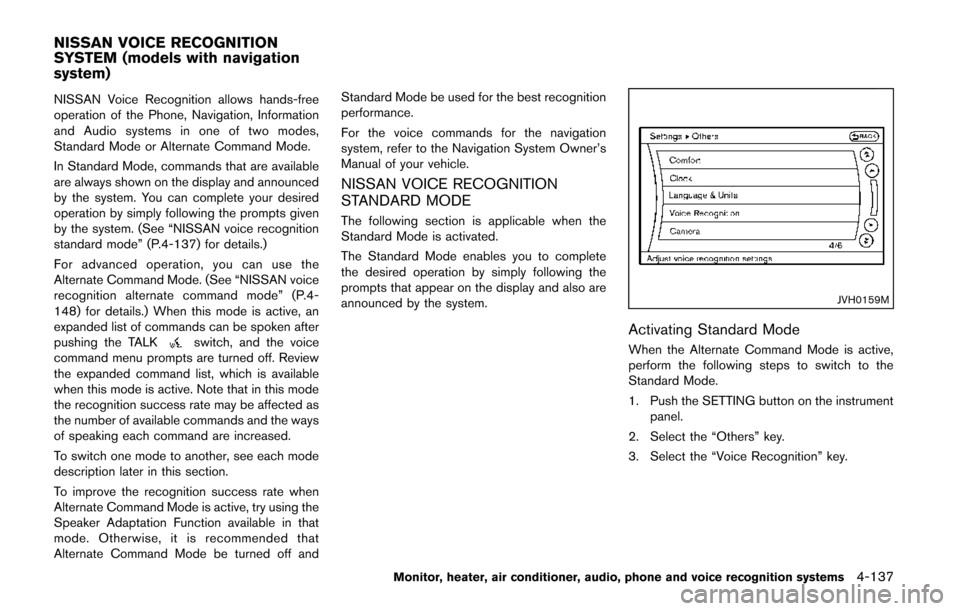
Activating Standard Mode
When the Alternate Command Mode is active,
perform the following steps to switch to the
Standard Mode.
1. Push the SETTING button on the instrument
panel.
2. Select the “Others” key.
3. Select the “Voice Recognition” key.
Monitor, heater, air conditioner, audio, phone and voice recognition systems4-137
NISSAN VOICE RECOGNITION
SYSTEM (models with navigation
system)
Page 321 of 482
4-138Monitor, heater, air conditioner, audio, phone and voice recognition systems
SAA2530
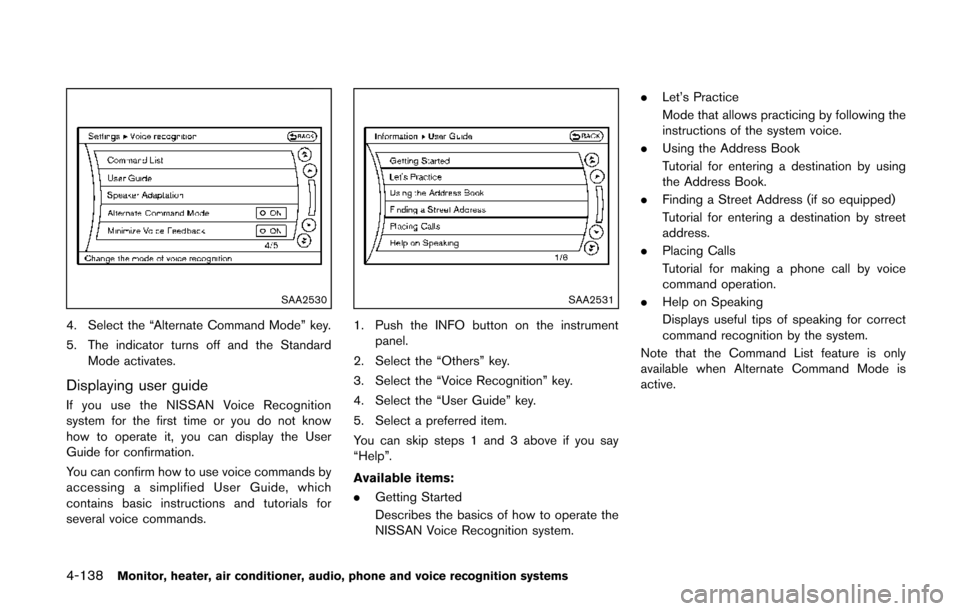
4. Select the “Alternate Command Mode” key.
5. The indicator turns off and the StandardMode activates.
Displaying user guide
If you use the NISSAN Voice Recognition
system for the first time or you do not know
how to operate it, you can display the User
Guide for confirmation.
You can confirm how to use voice commands by
accessing a simplified User Guide, which
contains basic instructions and tutorials for
several voice commands.
SAA2531
1. Push the INFO button on the instrument
panel.
2. Select the “Others” key.
3. Select the “Voice Recognition” key.
4. Select the “User Guide” key.
5. Select a preferred item.
You can skip steps 1 and 3 above if you say
“Help”.
Available items:
. Getting Started
Describes the basics of how to operate the
NISSAN Voice Recognition system. .
Let’s Practice
Mode that allows practicing by following the
instructions of the system voice.
. Using the Address Book
Tutorial for entering a destination by using
the Address Book.
. Finding a Street Address (if so equipped)
Tutorial for entering a destination by street
address.
. Placing Calls
Tutorial for making a phone call by voice
command operation.
. Help on Speaking
Displays useful tips of speaking for correct
command recognition by the system.
Note that the Command List feature is only
available when Alternate Command Mode is
active.