Page 77 of 432
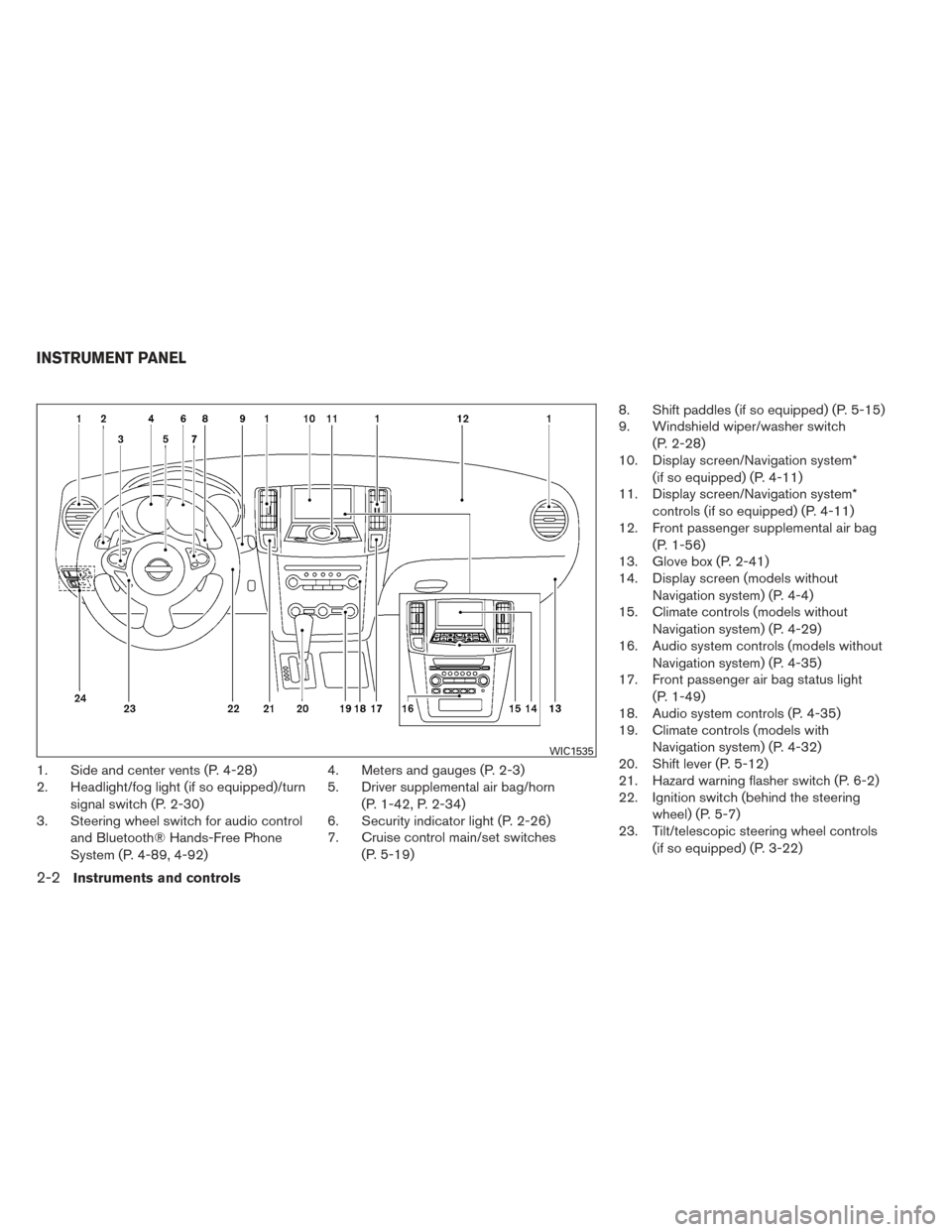
1. Side and center vents (P. 4-28)
2. Headlight/fog light (if so equipped)/turnsignal switch (P. 2-30)
3. Steering wheel switch for audio control
and Bluetooth® Hands-Free Phone
System (P. 4-89, 4-92) 4. Meters and gauges (P. 2-3)
5. Driver supplemental air bag/horn
(P. 1-42, P. 2-34)
6. Security indicator light (P. 2-26)
7. Cruise control main/set switches
(P. 5-19) 8. Shift paddles (if so equipped) (P. 5-15)
9. Windshield wiper/washer switch
(P. 2-28)
10. Display screen/Navigation system*
(if so equipped) (P. 4-11)
11. Display screen/Navigation system*
controls (if so equipped) (P. 4-11)
12. Front passenger supplemental air bag
(P. 1-56)
13. Glove box (P. 2-41)
14. Display screen (models without
Navigation system) (P. 4-4)
15. Climate controls (models without
Navigation system) (P. 4-29)
16. Audio system controls (models without
Navigation system) (P. 4-35)
17. Front passenger air bag status light
(P. 1-49)
18. Audio system controls (P. 4-35)
19. Climate controls (models with
Navigation system) (P. 4-32)
20. Shift lever (P. 5-12)
21. Hazard warning flasher switch (P. 6-2)
22. Ignition switch (behind the steering
wheel) (P. 5-7)
23. Tilt/telescopic steering wheel controls
(if so equipped) (P. 3-22)
WIC1535
INSTRUMENT PANEL
2-2Instruments and controls
Page 78 of 432
24. Vehicle Dynamic Control (VDC) OFFswitch (P. 2-37)
Outside mirror controls (P. 3-27)
Heated steering wheel switch
(if so equipped) (P. 2-37)
Trunk lid release switch (P. 3-19)
* Refer to the separate Navigation System Own-
er’s Manual (if so equipped) .
See the page number indicated in paren-
theses for operating details.
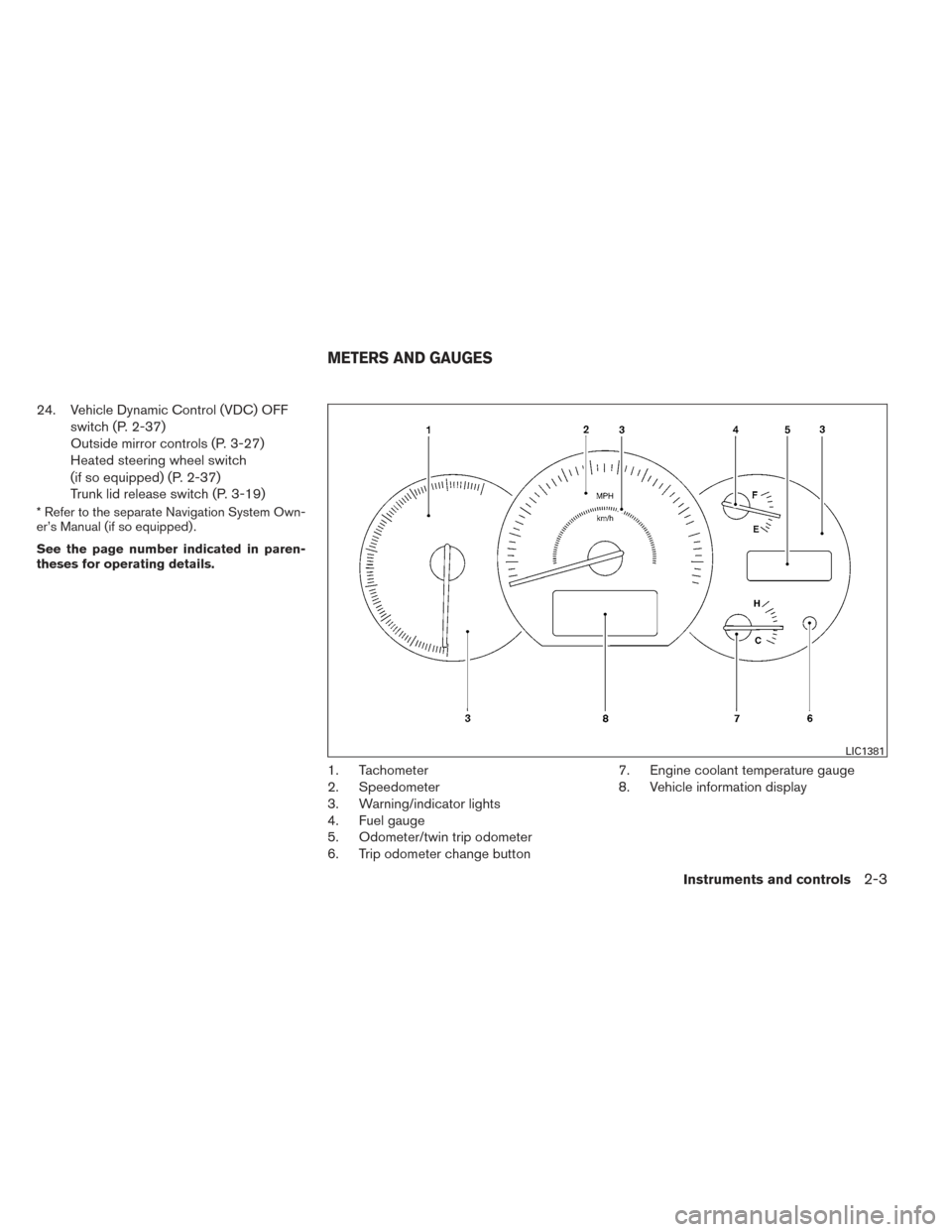
1. Tachometer
2. Speedometer
3. Warning/indicator lights
4. Fuel gauge
5. Odometer/twin trip odometer
6. Trip odometer change button 7. Engine coolant temperature gauge
8. Vehicle information display
LIC1381
METERS AND GAUGES
Instruments and controls2-3
Page 88 of 432
TPMS malfunction:
If the TPMS is not functioning properly, the low
tire pressure warning light will flash for approxi-
mately 1 minute when the ignition switch is
placed in the ON position. The light will remain on
after the 1 minute. Have the system checked by a
NISSAN dealer. The CHECK TIRE PRESSURE
warning does not appear if the low tire pressure
warning light illuminates to indicate a TPMS mal-
function.
For additional information, see “Tire Pressure
Monitoring System (TPMS)” in the “Starting and
driving” section and “Tire pressure” in the “Main-
tenance and do-it-yourself” section in this
manual.
WARNING
●Radio waves could adversely affect
electrical medical equipment. Those
who use a pacemaker should contact
the electric medical equipment manu-
facturer for the possible influences be-
fore use.
● If the light does not illuminate with the
ignition switch in the ON position, have
the vehicle checked by a NISSAN dealer
as soon as possible. ●
If the light illuminates while driving,
avoid sudden steering maneuvers or
abrupt braking, reduce vehicle speed,
pull off the road to a safe location and
stop the vehicle as soon as possible.
Driving with under-inflated tires may
permanently damage the tires and in-
crease the likelihood of tire failure. Se-
rious vehicle damage could occur and
may lead to an accident and could result
in serious personal injury. Check the
tire pressure for all four tires. Adjust the
tire pressure to the recommended
COLD tire pressure shown on the Tire
and Loading Information label located
in the driver’s door opening to turn the
low tire pressure warning light OFF. If
the light still comes on while driving
after adjusting the tire pressure, a tire
may be flat. If you have a flat tire, re-
place it with a spare tire as soon as
possible. ●
When a spare tire is mounted or a wheel
is replaced, tire pressure will not be
indicated, the TPMS will not function
and the low tire pressure warning light
will flash for approximately 1 minute.
The light will remain on after 1 minute.
Contact your NISSAN dealer as soon as
possible for tire replacement and/or
system resetting.
● Replacing tires with those not originally
specified by NISSAN could affect the
proper operation of the TPMS.
CAUTION
● The TPMS is not a substitute for the
regular tire pressure check. Be sure to
check the tire pressure regularly.
● If the vehicle is being driven at speeds
of less than 16 MPH (25 km/h), the
TPMS may not operate correctly.
● Be sure to install the specified size of
tires to the 4 wheels correctly.
Instruments and controls2-13
Page 93 of 432
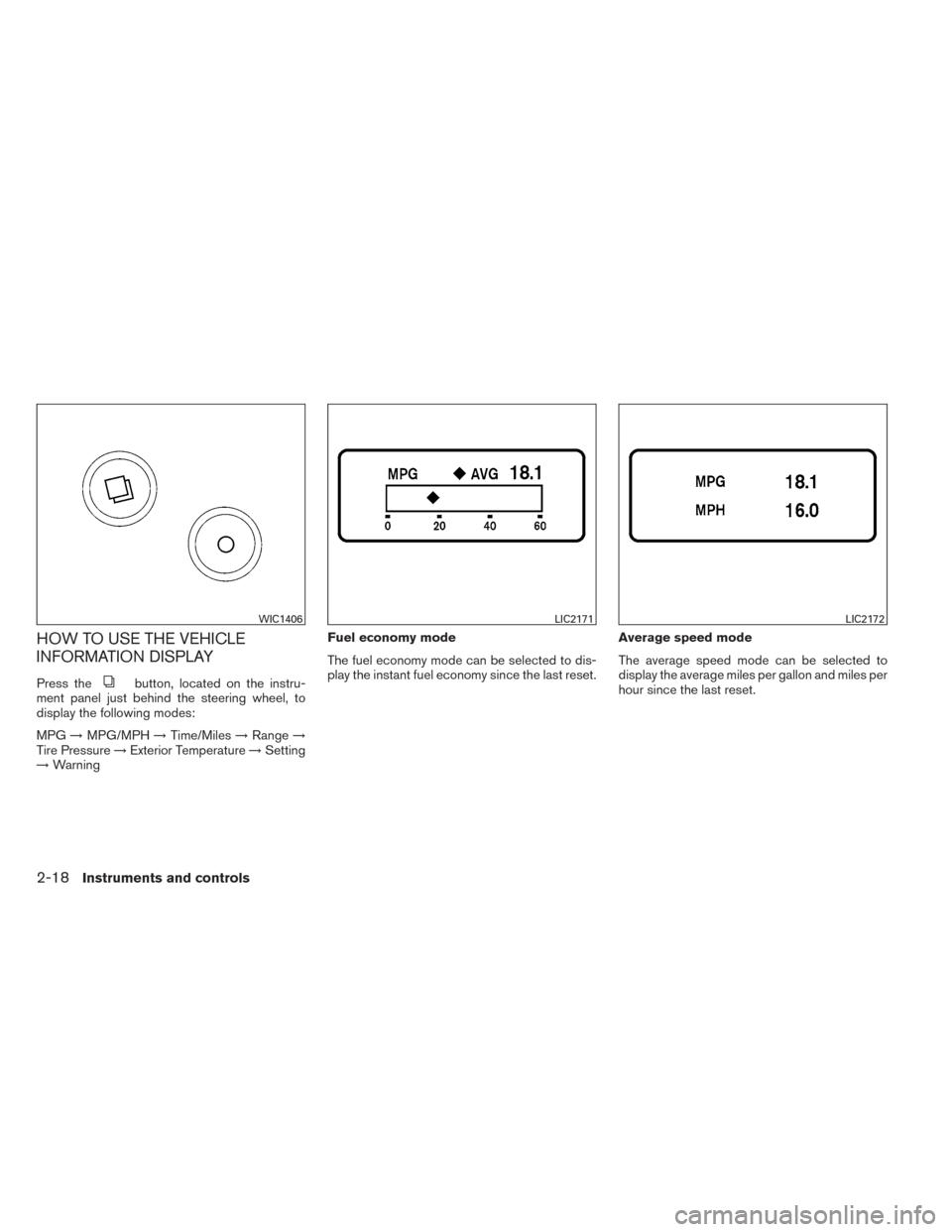
HOW TO USE THE VEHICLE
INFORMATION DISPLAY
Press thebutton, located on the instru-
ment panel just behind the steering wheel, to
display the following modes:
MPG →MPG/MPH →Time/Miles →Range →
Tire Pressure →Exterior Temperature →Setting
→ Warning Fuel economy mode
The fuel economy mode can be selected to dis-
play the instant fuel economy since the last reset.
Average speed mode
The average speed mode can be selected to
display the average miles per gallon and miles per
hour since the last reset.
WIC1406LIC2171LIC2172
2-18Instruments and controls
Page 109 of 432
TURN SIGNAL SWITCH
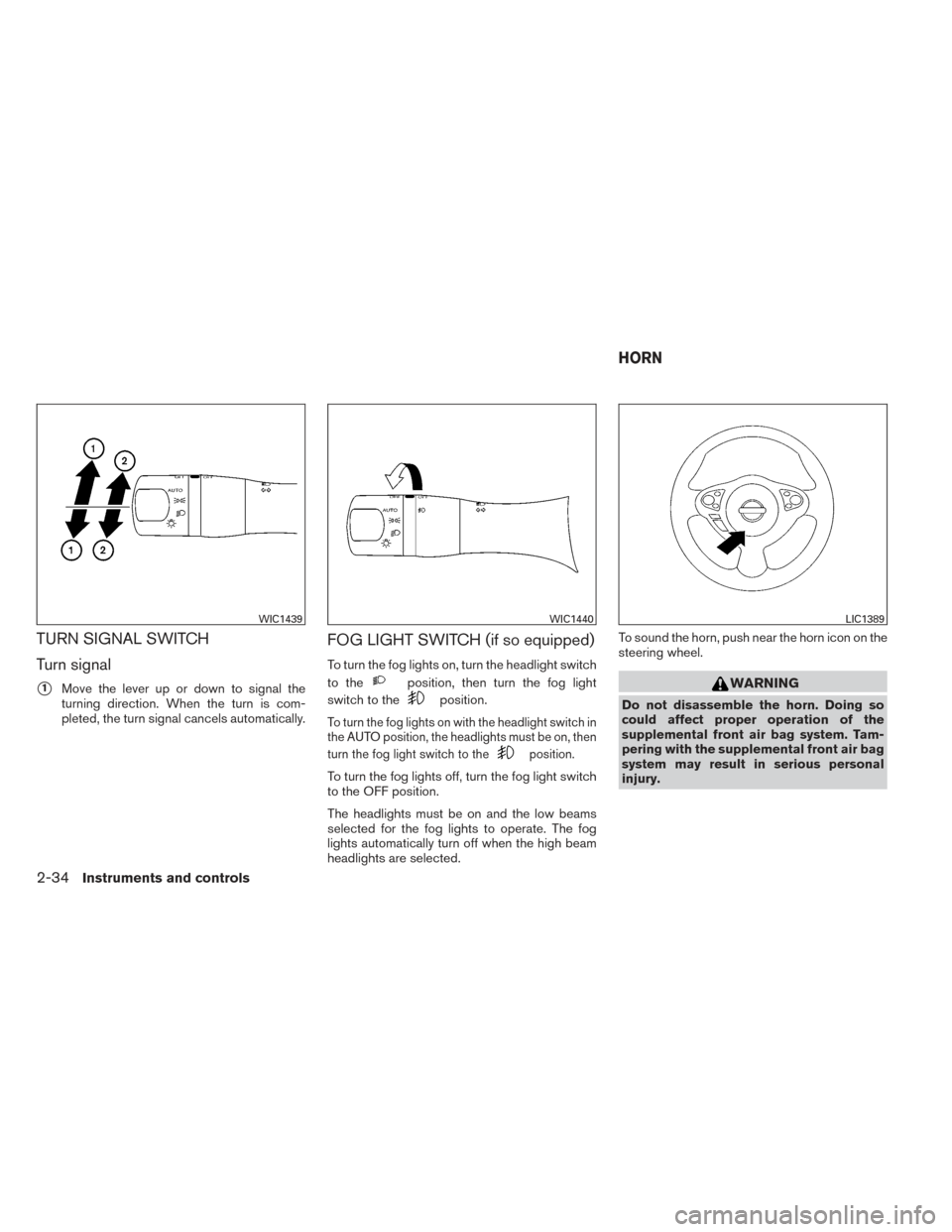
Turn signal
�1Move the lever up or down to signal the
turning direction. When the turn is com-
pleted, the turn signal cancels automatically.
FOG LIGHT SWITCH (if so equipped)
To turn the fog lights on, turn the headlight switch
to the
position, then turn the fog light
switch to the
position.
To turn the fog lights on with the headlight switch in
the AUTO position, the headlights must be on, then
turn the fog light switch to the
position.
To turn the fog lights off, turn the fog light switch
to the OFF position.
The headlights must be on and the low beams
selected for the fog lights to operate. The fog
lights automatically turn off when the high beam
headlights are selected. To sound the horn, push near the horn icon on the
steering wheel.
WARNING
Do not disassemble the horn. Doing so
could affect proper operation of the
supplemental front air bag system. Tam-
pering with the supplemental front air bag
system may result in serious personal
injury.
WIC1439WIC1440LIC1389
HORN
2-34Instruments and controls
Page 112 of 432
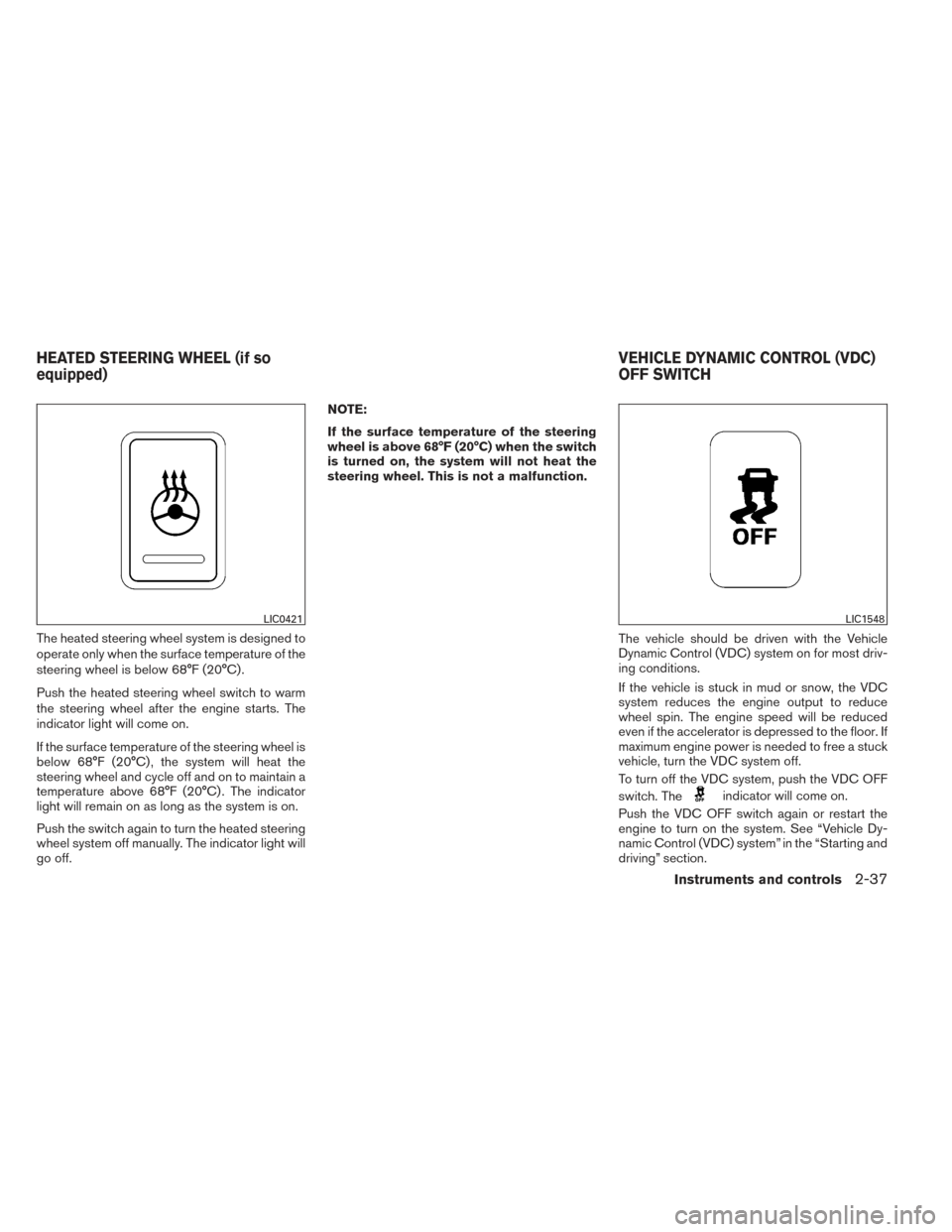
The heated steering wheel system is designed to
operate only when the surface temperature of the
steering wheel is below 68°F (20°C) .
Push the heated steering wheel switch to warm
the steering wheel after the engine starts. The
indicator light will come on.
If the surface temperature of the steering wheel is
below 68°F (20°C) , the system will heat the
steering wheel and cycle off and on to maintain a
temperature above 68°F (20°C) . The indicator
light will remain on as long as the system is on.
Push the switch again to turn the heated steering
wheel system off manually. The indicator light will
go off.NOTE:
If the surface temperature of the steering
wheel is above 68°F (20°C) when the switch
is turned on, the system will not heat the
steering wheel. This is not a malfunction.
The vehicle should be driven with the Vehicle
Dynamic Control (VDC) system on for most driv-
ing conditions.
If the vehicle is stuck in mud or snow, the VDC
system reduces the engine output to reduce
wheel spin. The engine speed will be reduced
even if the accelerator is depressed to the floor. If
maximum engine power is needed to free a stuck
vehicle, turn the VDC system off.
To turn off the VDC system, push the VDC OFF
switch. The
indicator will come on.
Push the VDC OFF switch again or restart the
engine to turn on the system. See “Vehicle Dy-
namic Control (VDC) system” in the “Starting and
driving” section.
LIC0421LIC1548
HEATED STEERING WHEEL (if so
equipped) VEHICLE DYNAMIC CONTROL (VDC)
OFF SWITCH
Instruments and controls2-37
Page 155 of 432
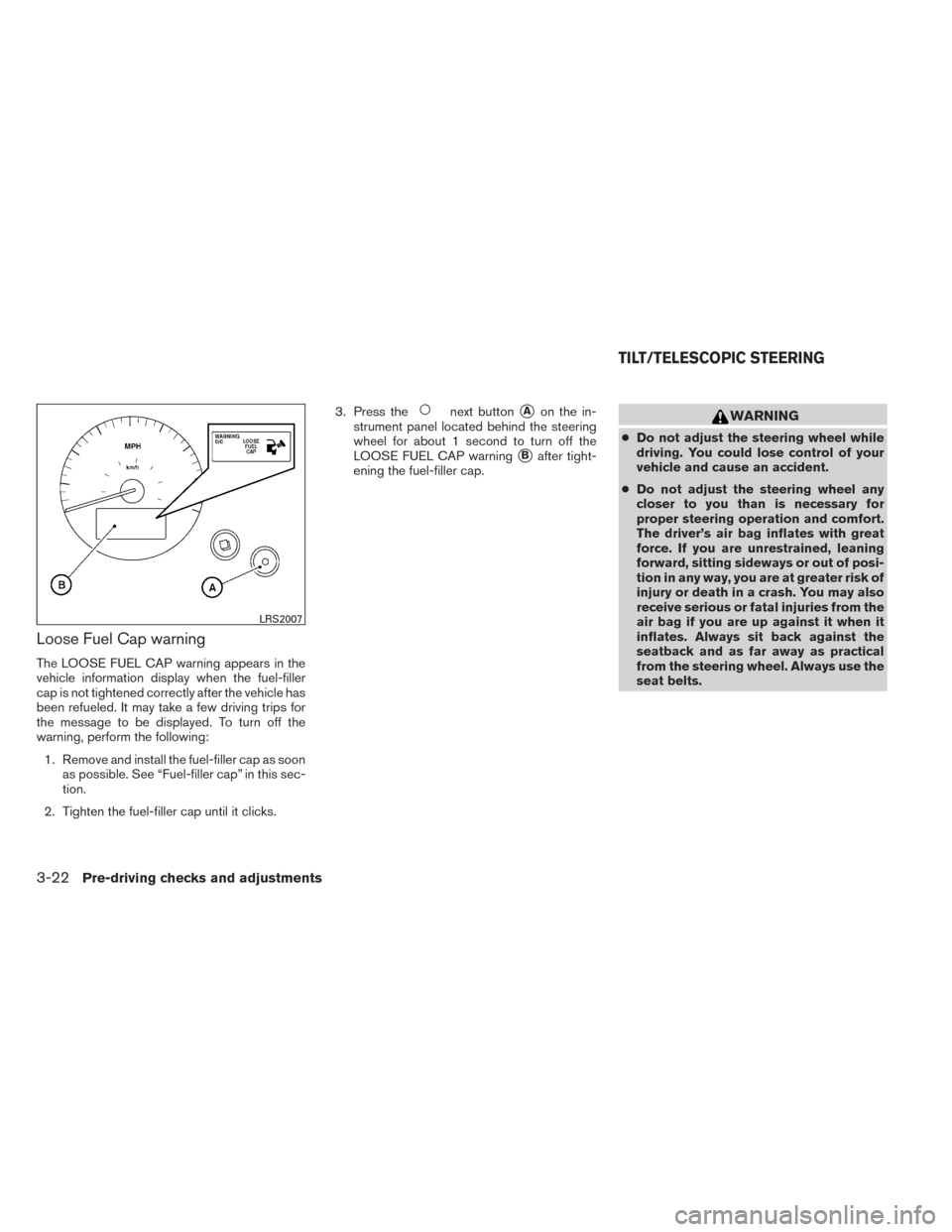
Loose Fuel Cap warning
The LOOSE FUEL CAP warning appears in the
vehicle information display when the fuel-filler
cap is not tightened correctly after the vehicle has
been refueled. It may take a few driving trips for
the message to be displayed. To turn off the
warning, perform the following:1. Remove and install the fuel-filler cap as soon as possible. See “Fuel-filler cap” in this sec-
tion.
2. Tighten the fuel-filler cap until it clicks. 3. Press the
next button�Aon the in-
strument panel located behind the steering
wheel for about 1 second to turn off the
LOOSE FUEL CAP warning
�Bafter tight-
ening the fuel-filler cap.
WARNING
● Do not adjust the steering wheel while
driving. You could lose control of your
vehicle and cause an accident.
● Do not adjust the steering wheel any
closer to you than is necessary for
proper steering operation and comfort.
The driver’s air bag inflates with great
force. If you are unrestrained, leaning
forward, sitting sideways or out of posi-
tion in any way, you are at greater risk of
injury or death in a crash. You may also
receive serious or fatal injuries from the
air bag if you are up against it when it
inflates. Always sit back against the
seatback and as far away as practical
from the steering wheel. Always use the
seat belts.
LRS2007
TILT/TELESCOPIC STEERING
3-22Pre-driving checks and adjustments
Page 156 of 432
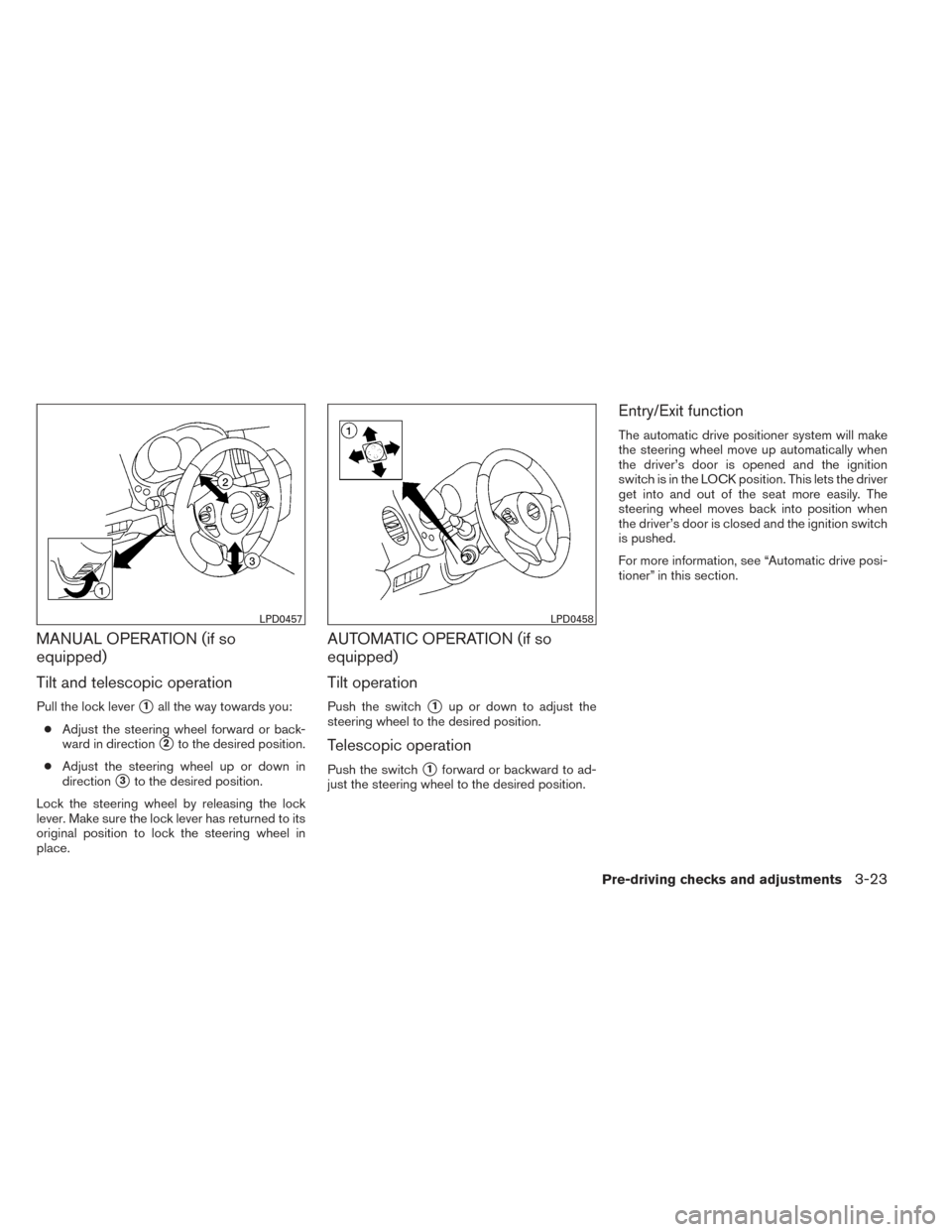
MANUAL OPERATION (if so
equipped)
Tilt and telescopic operation
Pull the lock lever�1all the way towards you:
● Adjust the steering wheel forward or back-
ward in direction
�2to the desired position.
● Adjust the steering wheel up or down in
direction
�3to the desired position.
Lock the steering wheel by releasing the lock
lever. Make sure the lock lever has returned to its
original position to lock the steering wheel in
place.
AUTOMATIC OPERATION (if so
equipped)
Tilt operation
Push the switch�1up or down to adjust the
steering wheel to the desired position.
Telescopic operation
Push the switch�1forward or backward to ad-
just the steering wheel to the desired position.
Entry/Exit function
The automatic drive positioner system will make
the steering wheel move up automatically when
the driver’s door is opened and the ignition
switch is in the LOCK position. This lets the driver
get into and out of the seat more easily. The
steering wheel moves back into position when
the driver’s door is closed and the ignition switch
is pushed.
For more information, see “Automatic drive posi-
tioner” in this section.
LPD0457LPD0458
Pre-driving checks and adjustments3-23