Page 159 of 397
Seat belt warning chime
The seat belt warning chime will sound for about
6 seconds unless the driver’s seat belt is securely
fastened.
12-volt battery charge warning chime
If the 12-volt battery charge warning light illumi-
nates, the chime will sound when a warning mes-
sage is displayed on the vehicle information dis-
play on the lower display.
When the chime sounds, immediately stop the
vehicle in a safe location and push the P (Park)
position switch on the shift lever and apply park-
ing brake. The 12-volt battery charge warning
light turns off on the lower display and the chime
will stop when the parking brake is applied or the
vehicle is placed in the P (Park) position. Contact
a NISSAN certified LEAF dealer for support. For
details of the meter warnings, see “12-volt bat-
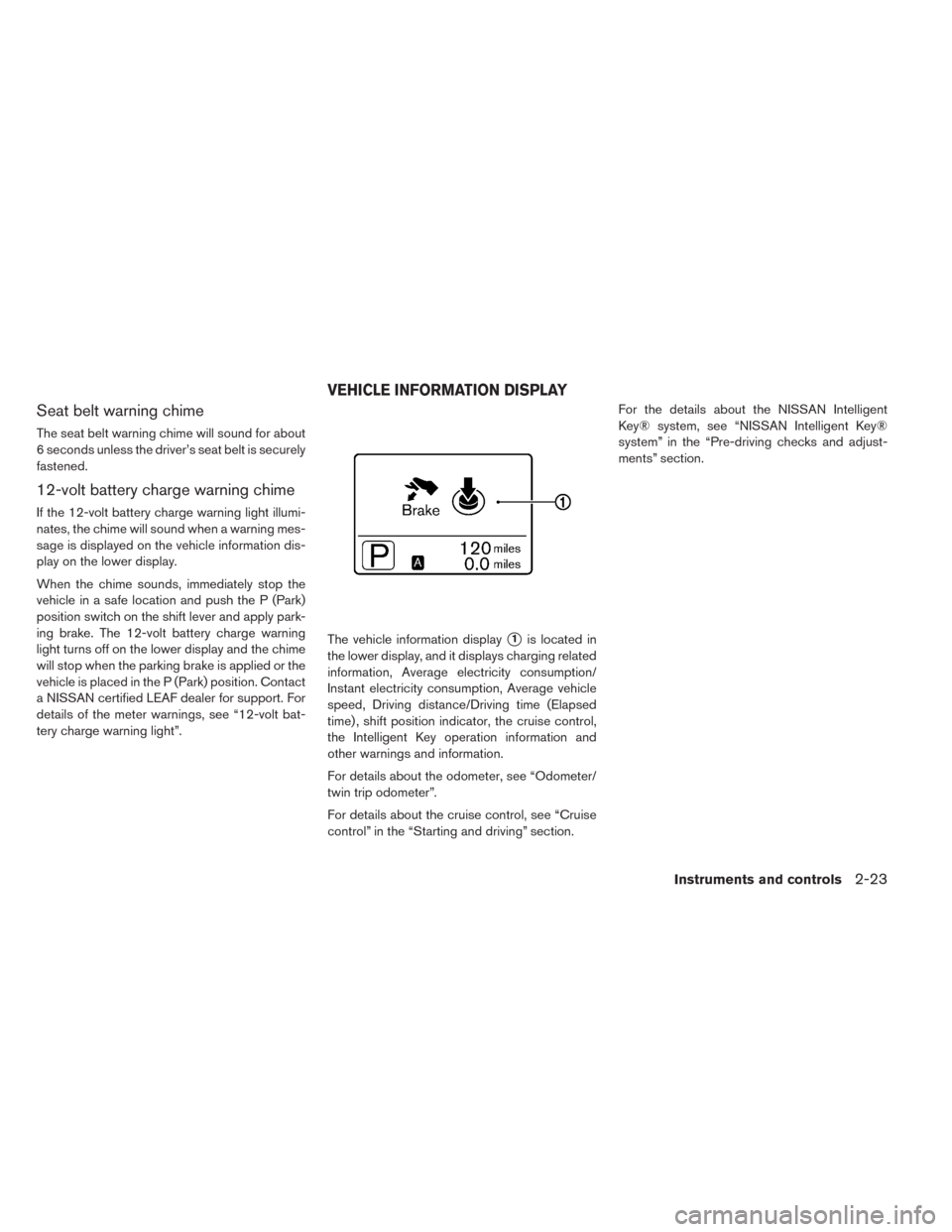
tery charge warning light”.The vehicle information display
�1is located in
the lower display, and it displays charging related
information, Average electricity consumption/
Instant electricity consumption, Average vehicle
speed, Driving distance/Driving time (Elapsed
time) , shift position indicator, the cruise control,
the Intelligent Key operation information and
other warnings and information.
For details about the odometer, see “Odometer/
twin trip odometer”.
For details about the cruise control, see “Cruise
control” in the “Starting and driving” section.For the details about the NISSAN Intelligent
Key® system, see “NISSAN Intelligent Key®
system” in the “Pre-driving checks and adjust-
ments” section.
VEHICLE INFORMATION DISPLAY
Instruments and controls2-23
Page 164 of 397
TRIP COMPUTER
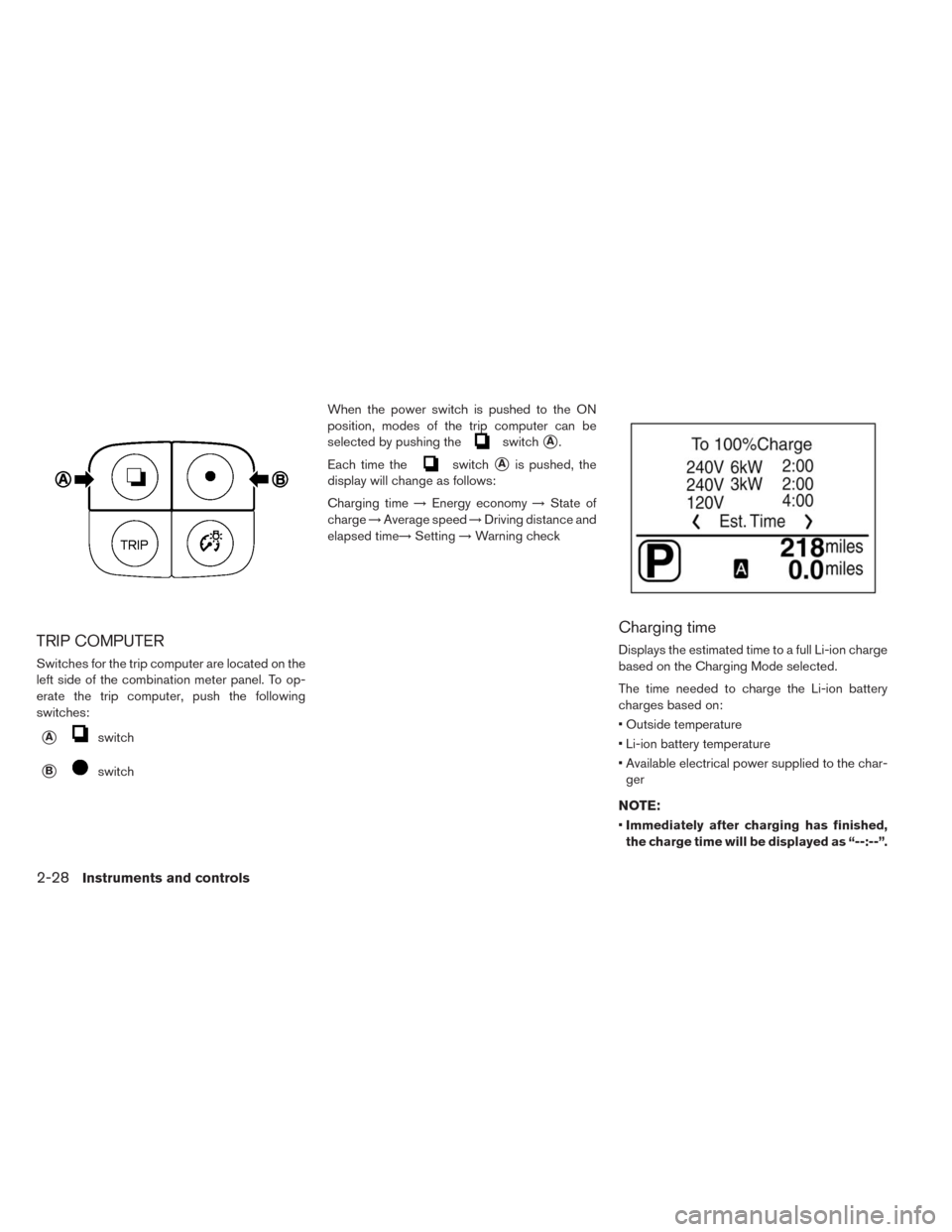
Switches for the trip computer are located on the
left side of the combination meter panel. To op-
erate the trip computer, push the following
switches:
�Aswitch
�BswitchWhen the power switch is pushed to the ON
position, modes of the trip computer can be
selected by pushing the
switch�A.
Each time the
switch�Ais pushed, the
display will change as follows:
Charging time→Energy economy→State of
charge→Average speed→Driving distance and
elapsed time→Setting→Warning check
Charging time
Displays the estimated time to a full Li-ion charge
based on the Charging Mode selected.
The time needed to charge the Li-ion battery
charges based on:
• Outside temperature
• Li-ion battery temperature
• Available electrical power supplied to the char-
ger
NOTE:
•Immediately after charging has finished,
the charge time will be displayed as “--:--”.
2-28Instruments and controls
Page 165 of 397
•The estimated charging time stops updat-
ing if the air conditioner is turned on while
the Li-ion battery is charging. The esti-
mated charging time updates approxi-
mately 15 minutes after the air condi-
tioner is turned off.
•The 6 kW and the 3 kW charging time
typically shows different times to reach a
full charge.
• However, the same charging time may be
shown for both the 6 kW and the 3 kW based
on the Li-ion battery state of charge and battery
temperature.
• The system may automatically slow the battery
charge to prevent the battery from becoming
overcharged.
Energy economy
Average energy economy:
The average energy economy mode shows the
average energy economy since the last reset.
Resetting the average energy economy is done
by pushing and holding the
switch�Bfor
longer than 1 second. (The average speed is also
reset at the same time.)
The display is updated every 30 seconds. At
about the first 0.3 mile (500 m) after a reset, the
display shows “----”.Instant energy economy:
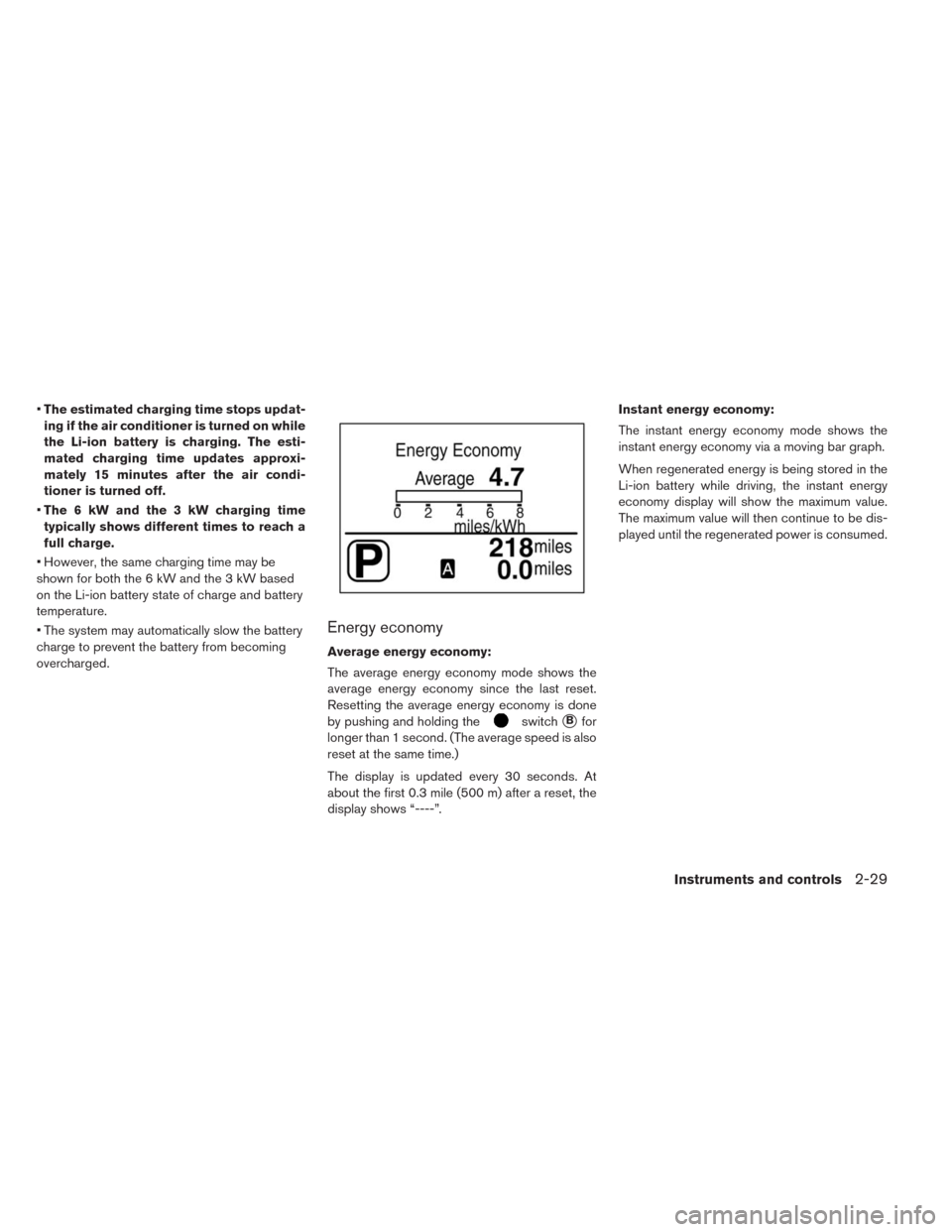
The instant energy economy mode shows the
instant energy economy via a moving bar graph.
When regenerated energy is being stored in the
Li-ion battery while driving, the instant energy
economy display will show the maximum value.
The maximum value will then continue to be dis-
played until the regenerated power is consumed.
Instruments and controls2-29
Page 169 of 397
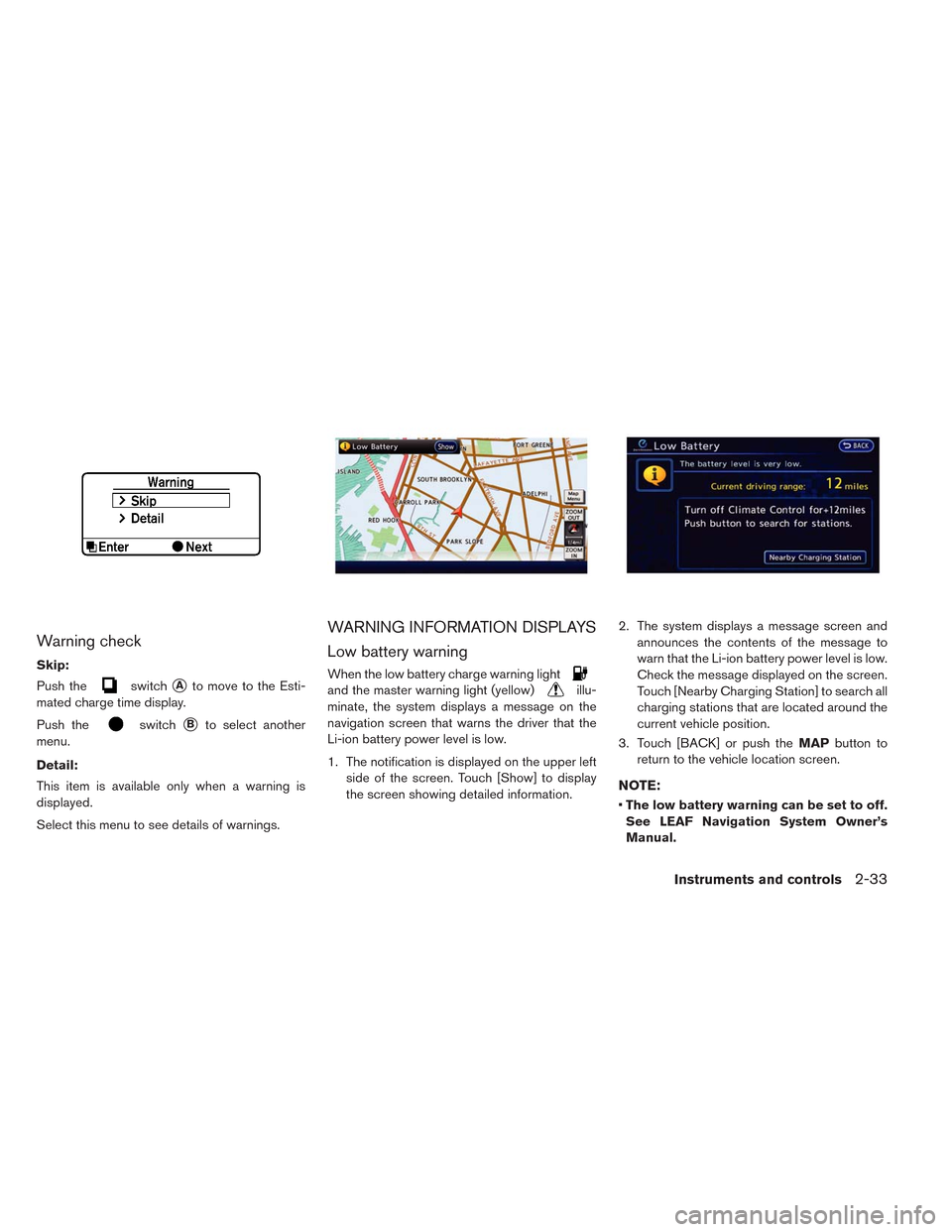
Warning check
Skip:
Push the
switch�Ato move to the Esti-
mated charge time display.
Push the
switch�Bto select another
menu.
Detail:
This item is available only when a warning is
displayed.
Select this menu to see details of warnings.
WARNING INFORMATION DISPLAYS
Low battery warning
When the low battery charge warning light
and the master warning light (yellow)illu-
minate, the system displays a message on the
navigation screen that warns the driver that the
Li-ion battery power level is low.
1. The notification is displayed on the upper left
side of the screen. Touch [Show] to display
the screen showing detailed information.2. The system displays a message screen and
announces the contents of the message to
warn that the Li-ion battery power level is low.
Check the message displayed on the screen.
Touch [Nearby Charging Station] to search all
charging stations that are located around the
current vehicle position.
3. Touch [BACK] or push theMAPbutton to
return to the vehicle location screen.
NOTE:
•The low battery warning can be set to off.
See LEAF Navigation System Owner’s
Manual.
Instruments and controls2-33
Page 170 of 397
•When the battery power level is low, the
system automatically obtains charging
station information.
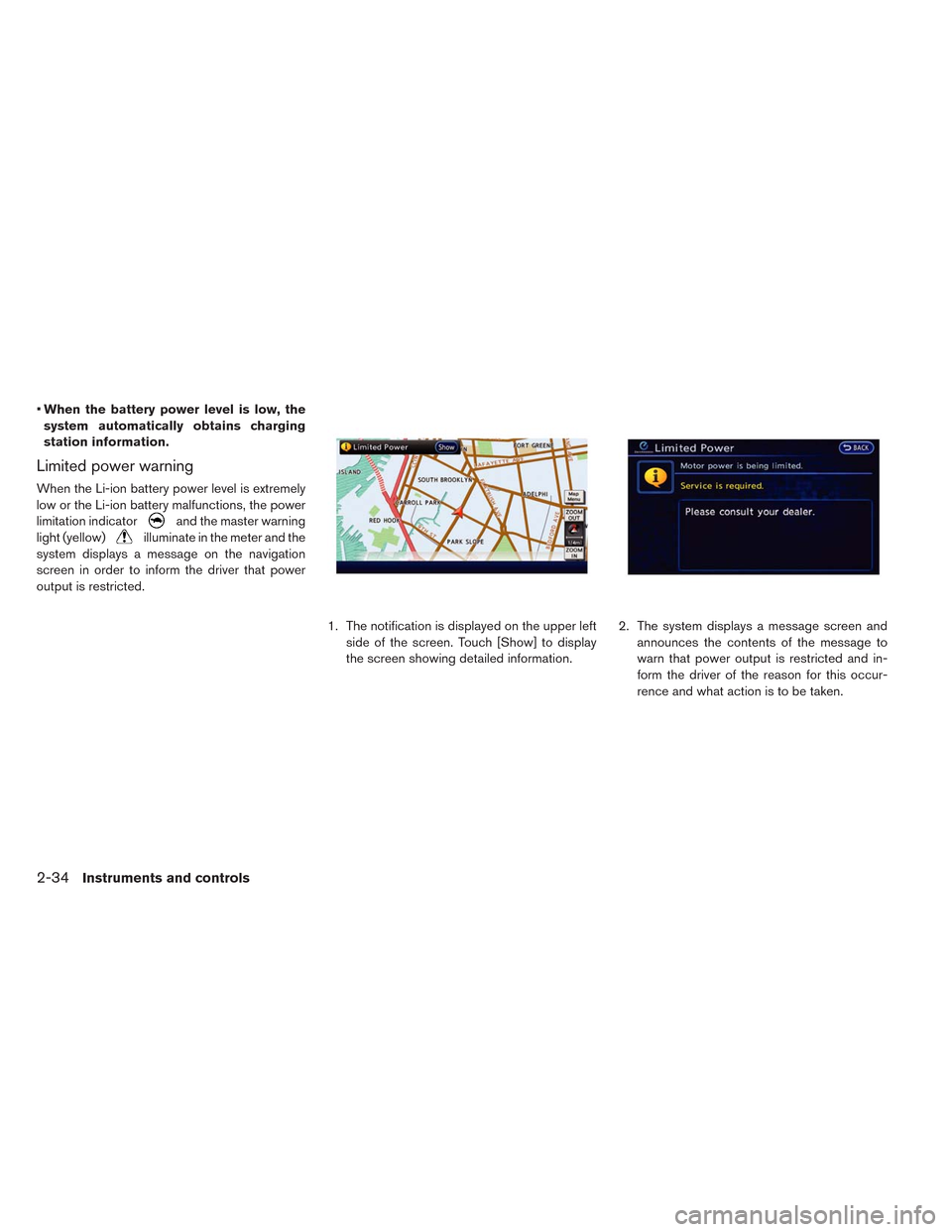
Limited power warning
When the Li-ion battery power level is extremely
low or the Li-ion battery malfunctions, the power
limitation indicator
and the master warning
light (yellow)
illuminate in the meter and the
system displays a message on the navigation
screen in order to inform the driver that power
output is restricted.
1. The notification is displayed on the upper left
side of the screen. Touch [Show] to display
the screen showing detailed information.2. The system displays a message screen and
announces the contents of the message to
warn that power output is restricted and in-
form the driver of the reason for this occur-
rence and what action is to be taken.
2-34Instruments and controls
Page 172 of 397
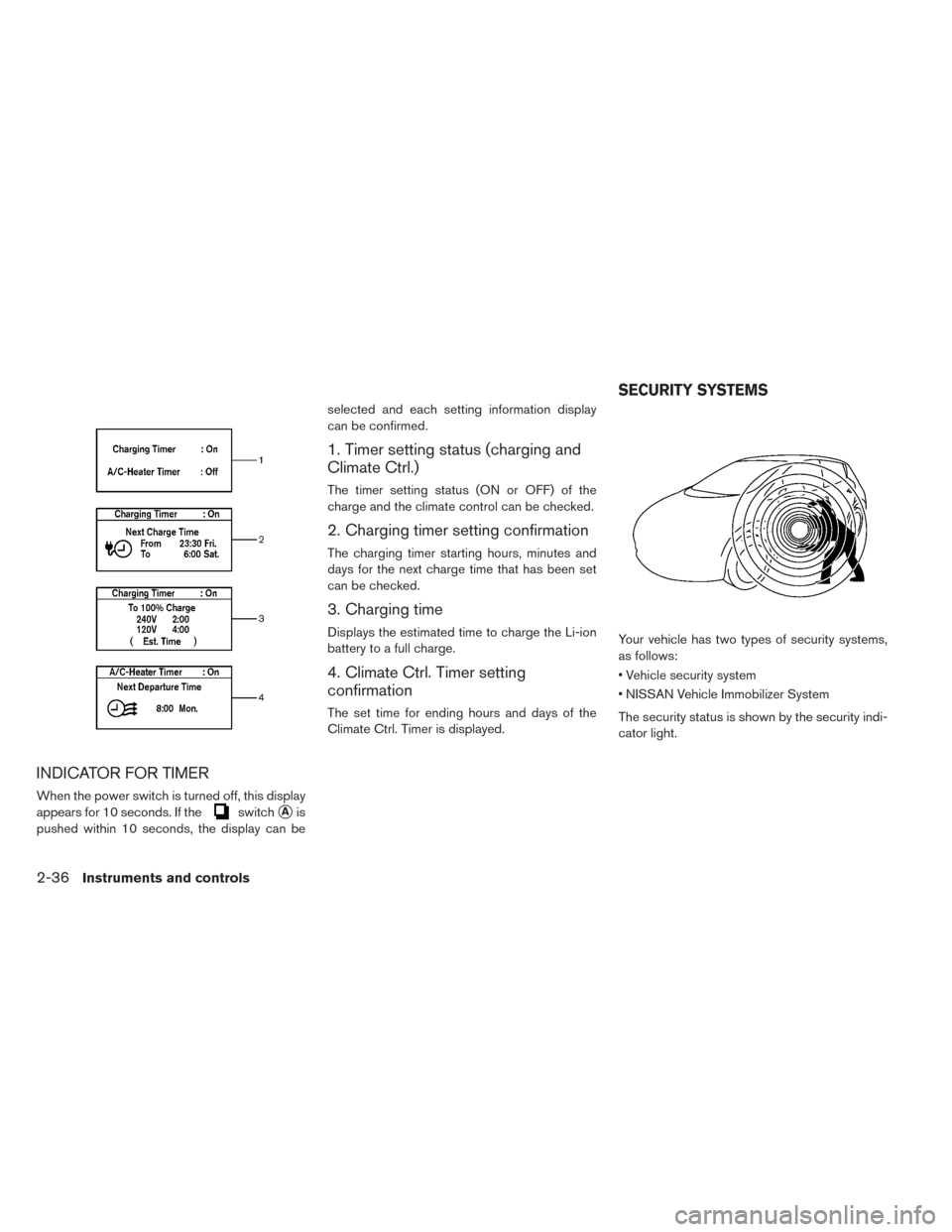
INDICATOR FOR TIMER
When the power switch is turned off, this display
appears for 10 seconds. If the
switch�Ais
pushed within 10 seconds, the display can beselected and each setting information display
can be confirmed.
1. Timer setting status (charging and
Climate Ctrl.)
The timer setting status (ON or OFF) of the
charge and the climate control can be checked.
2. Charging timer setting confirmation
The charging timer starting hours, minutes and
days for the next charge time that has been set
can be checked.
3. Charging time
Displays the estimated time to charge the Li-ion
battery to a full charge.
4. Climate Ctrl. Timer setting
confirmation
The set time for ending hours and days of the
Climate Ctrl. Timer is displayed.Your vehicle has two types of security systems,
as follows:
• Vehicle security system
• NISSAN Vehicle Immobilizer System
The security status is shown by the security indi-
cator light.
SECURITY SYSTEMS
2-36Instruments and controls
Page 186 of 397
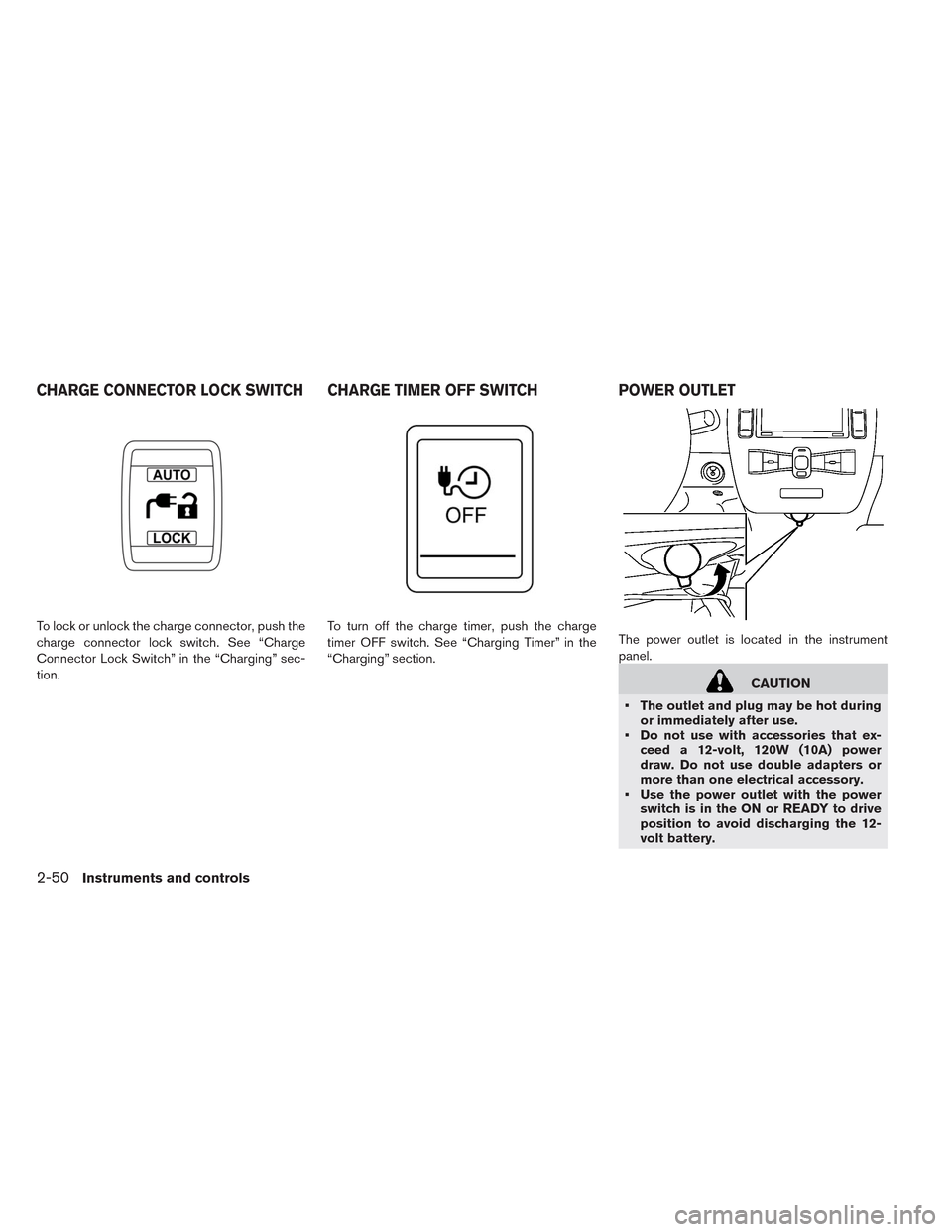
To lock or unlock the charge connector, push the
charge connector lock switch. See “Charge
Connector Lock Switch” in the “Charging” sec-
tion.To turn off the charge timer, push the charge
timer OFF switch. See “Charging Timer” in the
“Charging” section.The power outlet is located in the instrument
panel.
CAUTION
• The outlet and plug may be hot during
or immediately after use.
• Do not use with accessories that ex-
ceed a 12-volt, 120W (10A) power
draw. Do not use double adapters or
more than one electrical accessory.
• Use the power outlet with the power
switch is in the ON or READY to drive
position to avoid discharging the 12-
volt battery.
CHARGE CONNECTOR LOCK SWITCH CHARGE TIMER OFF SWITCH POWER OUTLET
2-50Instruments and controls
Page 219 of 397
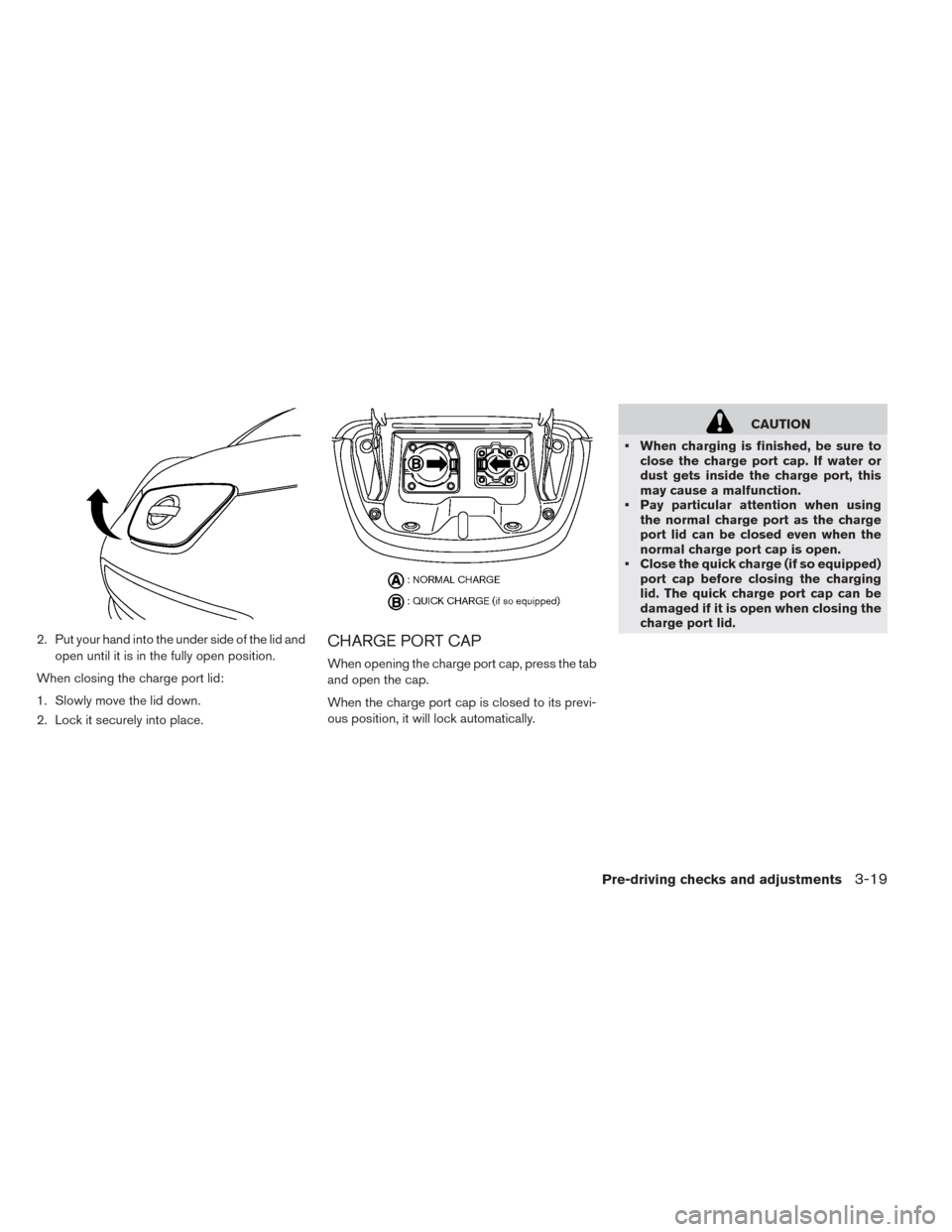
2. Put your hand into the under side of the lid and
open until it is in the fully open position.
When closing the charge port lid:
1. Slowly move the lid down.
2. Lock it securely into place.CHARGE PORT CAP
When opening the charge port cap, press the tab
and open the cap.
When the charge port cap is closed to its previ-
ous position, it will lock automatically.
CAUTION
• When charging is finished, be sure to
close the charge port cap. If water or
dust gets inside the charge port, this
may cause a malfunction.
• Pay particular attention when using
the normal charge port as the charge
port lid can be closed even when the
normal charge port cap is open.
• Close the quick charge (if so equipped)
port cap before closing the charging
lid. The quick charge port cap can be
damaged if it is open when closing the
charge port lid.
Pre-driving checks and adjustments3-19