2014 NISSAN LEAF service
[x] Cancel search: servicePage 133 of 397
• Tampering with the side air bag system
may result in serious personal injury.
For example, do not change the front
seats by placing material near the
seatbacks or by installing additional
trim material, such as seat covers,
around the side air bag.
• Work around and on the side air bag
and curtain air bag systems should be
done by a NISSAN certified LEAF
dealer. Installation of electrical equip-
ment should also be done by a NISSAN
certified LEAF dealer. The Supplemen-
tal Restraint System (SRS) wiring har-
nesses* should not be modified or dis-
connected. Unauthorized electrical
test equipment and probing devices
should not be used on the side air bag
and curtain supplemental air bag sys-
tems.
*The SRS wiring harness connectors are
yellow and orange for easy identification.
When selling your vehicle, we request that you
inform the buyer about the side air bag and
curtain air bag systems and guide the buyer to
the appropriate sections in this Owner’s Manual.SEAT BELTS WITH
PRETENSIONERS (FRONT SEATS)
WARNING
• The pretensioners cannot be reused
after activation. They must be replaced
together with the retractor and buckle
as a unit.
• If the vehicle becomes involved in a
collision but a pretensioner is not acti-
vated, be sure to have the pretensioner
system checked and, if necessary, re-
placed by a NISSAN certified LEAF
dealer.
• No unauthorized changes should be
made to any components or wiring of
the pretensioner system. This is to pre-
vent damage to or accidental activa-
tion of the pretensioners. Tampering
with the pretensioner system may re-
sult in serious personal injury.• Work around and on the pretensioner
system should be done by a NISSAN
certified LEAF dealer. Installation of
electrical equipment should also be
done by a NISSAN certified LEAF
dealer. Unauthorized electrical test
equipment and probing devices should
not be used on the pretensioner sys-
tem.
• If you need to dispose of a preten-
sioner or scrap the vehicle, contact a
NISSAN certified LEAF dealer. Correct
pretensioner disposal procedures are
set forth in the appropriate NISSAN
Service Manual. Incorrect disposal
procedures could cause personal in-
jury.
The pretensioner system may activate with the
supplemental air bag system in certain types of
collisions. Working with the seat belt retractor, it
helps tighten the seat belt when the vehicle be-
comes involved in certain types of collisions,
helping to restrain front seat occupants.
The pretensioner is encased with the seat belt
retractor for both front seating positions. The
driver’s seat belt also has a pretensioner at the
outer floor anchor. These seat belts are used the
same way as conventional seat belts.
Safety–Seats, seat belts and supplemental restraint system1-47
Page 135 of 397
When the power switch is in the ON position, the
supplemental air bag warning light illuminates for
about 7 seconds and then turns off. This means
the system is operational.
If any of the following conditions occur, the front
air bag, side air bag, curtain air bag and preten-
sioner systems need servicing:
• The supplemental air bag warning light remains
on after approximately 7 seconds.
• The supplemental air bag warning light flashes
intermittently.
• The supplemental air bag warning light does not
come on at all.
Under these conditions, the front air bag, side air
bag, curtain air bag and pretensioner systems
may not operate properly. They must be checked
and repaired. Take your vehicle to the nearest
NISSAN certified LEAF dealer.
WARNING
If the supplemental air bag warning light
is on, it could mean that the front air bag,
side air bag, curtain air bag and/or pre-
tensioner systems will not operate in an
accident. To help avoid injury to yourself
or others, have your vehicle checked by a
NISSAN certified LEAF dealer as soon as
possible.
REPAIR AND REPLACEMENT
PROCEDURE
The front air bags, side air bags, curtain air bags
and pretensioners are designed to activate on a
one-time-only basis. As a reminder, unless it is
damaged, the supplemental air bag warning light
will remain illuminated after inflation has occurred.
Repair and replacement of these systems should
be done only by a NISSAN certified LEAF dealer.
When maintenance work is required on the ve-
hicle, the front air bags, side air bags, curtain air
bags and pretensioners and related parts should
be pointed out to the person performing the
maintenance. The power switch should always
be in the LOCK position when working under the
hood or inside the vehicle.
WARNING
• Once a front air bag, side air bag or
curtain air bag has inflated, the air bag
module will not function again and
must be replaced. Additionally, the ac-
tivated pretensioners must also be re-
placed. The air bag module and preten-
sioner should be replaced by a
NISSAN certified LEAF dealer. The air
bag modules and pretensioner system
cannot be repaired.
• The front air bag, side air bag and
curtain air bag systems, and preten-
sioner system should be inspected by
a NISSAN certified LEAF dealer if there
is any damage to the front end or side
portion of the vehicle.
• If you need to dispose of a supplemen-
tal air bag or pretensioner or scrap the
vehicle, contact a NISSAN certified
LEAF dealer. Correct supplemental air
bag and pretensioner system disposal
procedures are set forth in the appro-
priate NISSAN Service Manual. Incor-
rect disposal procedures could cause
personal injury.
Safety–Seats, seat belts and supplemental restraint system1-49
Page 152 of 397
cooperative regenerative brake and/or the elec-
tronically driven intelligent brake systems are not
functioning properly. Have the system checked
by a NISSAN certified LEAF dealer. If the BRAKE
warning light (red) also illuminates, stop the ve-
hicle immediately and contact a NISSAN certified
LEAF dealer. For additional information, see
“Brakes” in the “Starting and driving” section.
WARNING
• Pressing the brake pedal when the
power switch position is not in the ON
or READY to drive position and/or low
brake fluid level may increase the
stopping distance and braking will re-
quire greater pedal effort as well as
pedal travel.
• If the brake fluid level is below the
minimum or MIN mark on the brake
fluid reservoir, do not drive until the
brake system has been checked at a
NISSAN certified LEAF dealer.• The cooperative regenerative brake
system may not be working properly if
the brake system warning light illumi-
nates when the READY to drive indica-
tor light is ON. If you judge it to be safe,
drive carefully to the nearest service
station for repairs. Otherwise, have
your vehicle towed because driving
could be dangerous.orBRAKE warning
light (red)
When the power switch is placed in the ON
position or in the READY to drive position, the
light remains illuminated for about a few seconds.
If the light illuminates at any other time, it may
indicate that the hydraulic brake system is not
functioning properly. If the BRAKE warning light
illuminates, stop the vehicle immediately and
contact a NISSAN certified LEAF dealer.
Parking brake indicator:
When the ignition switch is placed in the ON
position, the light comes on when the parking
brake is applied.
Low brake fluid warning light:
When the power switch is in the ON position, the
light warns of a low brake fluid level. If this warn-ing light illuminates, the Vehicle Dynamic Control
(VDC) warning light and the brake system warn-
ing light (yellow) also illuminate.
If the light illuminates while the power switch is in
the READY to drive position with the parking
brake not applied, stop the vehicle and perform
the following items.
1. Check the brake fluid level. If brake fluid is
necessary, add fluid and have the system
checked by a NISSAN certified LEAF dealer.
See “Brake fluid” in the “Maintenance and
do-it-yourself” section.
2. If the brake fluid level is correct, have the
warning system checked by a NISSAN certi-
fied LEAF dealer.
WARNING
• Your brake system may not be working
properly if the warning light is on. Driv-
ing could be dangerous. If you judge
the brake system to be safe, drive care-
fully to the nearest service station for
repairs. Otherwise, have your vehicle
towed because driving it could be dan-
gerous.
2-16Instruments and controls
Page 171 of 397
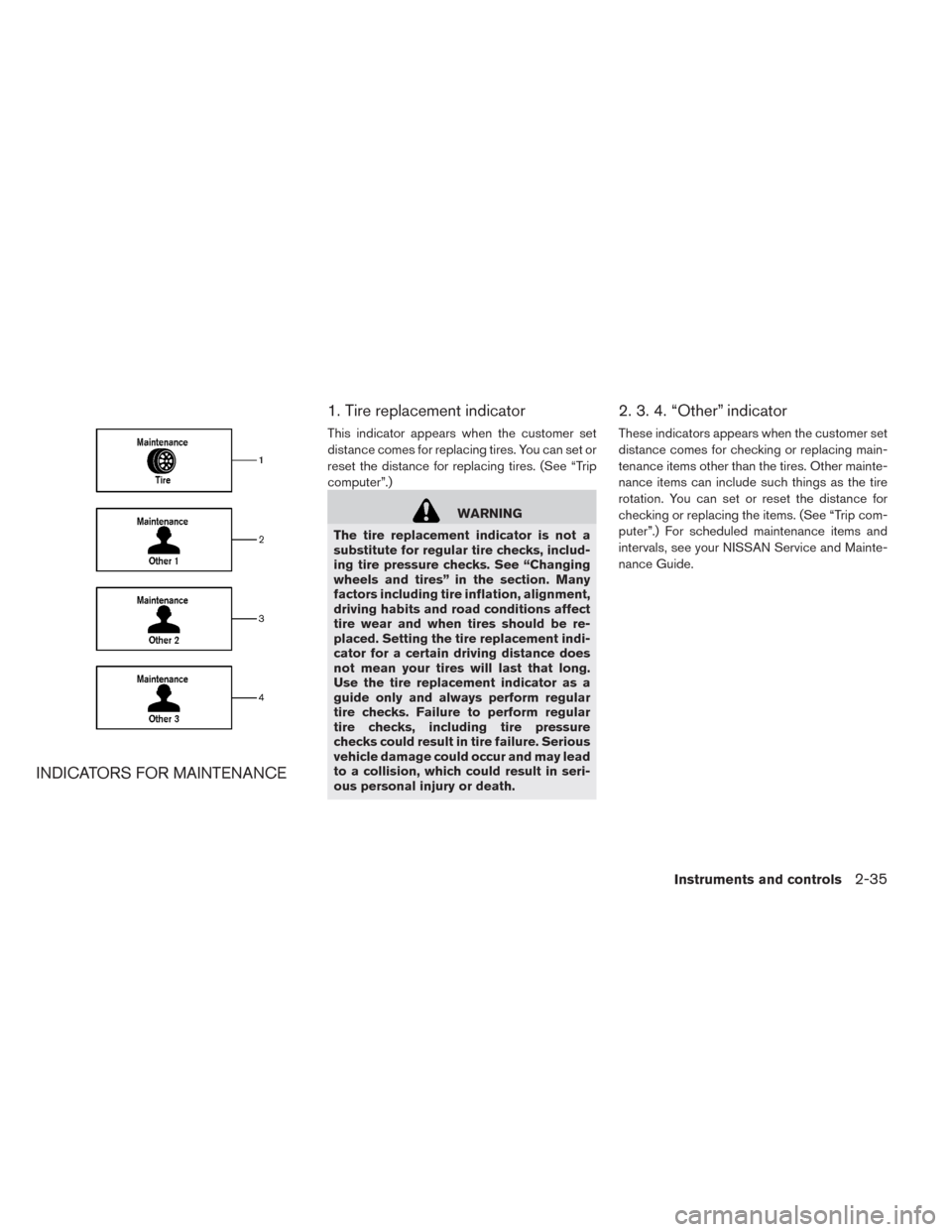
INDICATORS FOR MAINTENANCE1. Tire replacement indicator
This indicator appears when the customer set
distance comes for replacing tires. You can set or
reset the distance for replacing tires. (See “Trip
computer”.)
WARNING
The tire replacement indicator is not a
substitute for regular tire checks, includ-
ing tire pressure checks. See “Changing
wheels and tires” in the section. Many
factors including tire inflation, alignment,
driving habits and road conditions affect
tire wear and when tires should be re-
placed. Setting the tire replacement indi-
cator for a certain driving distance does
not mean your tires will last that long.
Use the tire replacement indicator as a
guide only and always perform regular
tire checks. Failure to perform regular
tire checks, including tire pressure
checks could result in tire failure. Serious
vehicle damage could occur and may lead
to a collision, which could result in seri-
ous personal injury or death.
2. 3. 4. “Other” indicator
These indicators appears when the customer set
distance comes for checking or replacing main-
tenance items other than the tires. Other mainte-
nance items can include such things as the tire
rotation. You can set or reset the distance for
checking or replacing the items. (See “Trip com-
puter”.) For scheduled maintenance items and
intervals, see your NISSAN Service and Mainte-
nance Guide.
Instruments and controls2-35
Page 175 of 397
Security indicator light
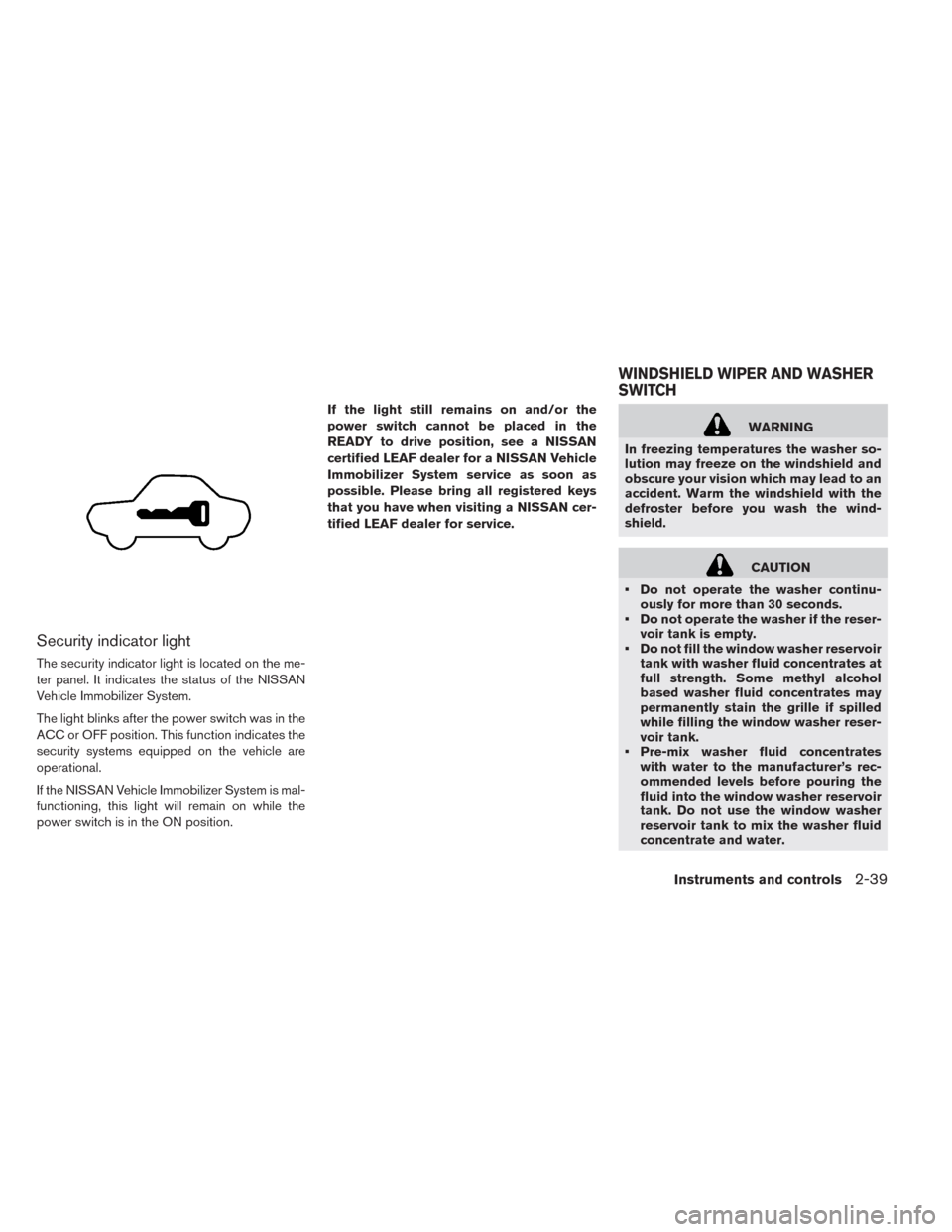
The security indicator light is located on the me-
ter panel. It indicates the status of the NISSAN
Vehicle Immobilizer System.
The light blinks after the power switch was in the
ACC or OFF position. This function indicates the
security systems equipped on the vehicle are
operational.
If the NISSAN Vehicle Immobilizer System is mal-
functioning, this light will remain on while the
power switch is in the ON position.If the light still remains on and/or the
power switch cannot be placed in the
READY to drive position, see a NISSAN
certified LEAF dealer for a NISSAN Vehicle
Immobilizer System service as soon as
possible. Please bring all registered keys
that you have when visiting a NISSAN cer-
tified LEAF dealer for service.
WARNING
In freezing temperatures the washer so-
lution may freeze on the windshield and
obscure your vision which may lead to an
accident. Warm the windshield with the
defroster before you wash the wind-
shield.
CAUTION
• Do not operate the washer continu-
ously for more than 30 seconds.
• Do not operate the washer if the reser-
voir tank is empty.
• Do not fill the window washer reservoir
tank with washer fluid concentrates at
full strength. Some methyl alcohol
based washer fluid concentrates may
permanently stain the grille if spilled
while filling the window washer reser-
voir tank.
• Pre-mix washer fluid concentrates
with water to the manufacturer’s rec-
ommended levels before pouring the
fluid into the window washer reservoir
tank. Do not use the window washer
reservoir tank to mix the washer fluid
concentrate and water.
WINDSHIELD WIPER AND WASHER
SWITCH
Instruments and controls2-39
Page 240 of 397
A NISSAN certified LEAF dealer will be able to
service your environmentally friendly climate con-
trol system.
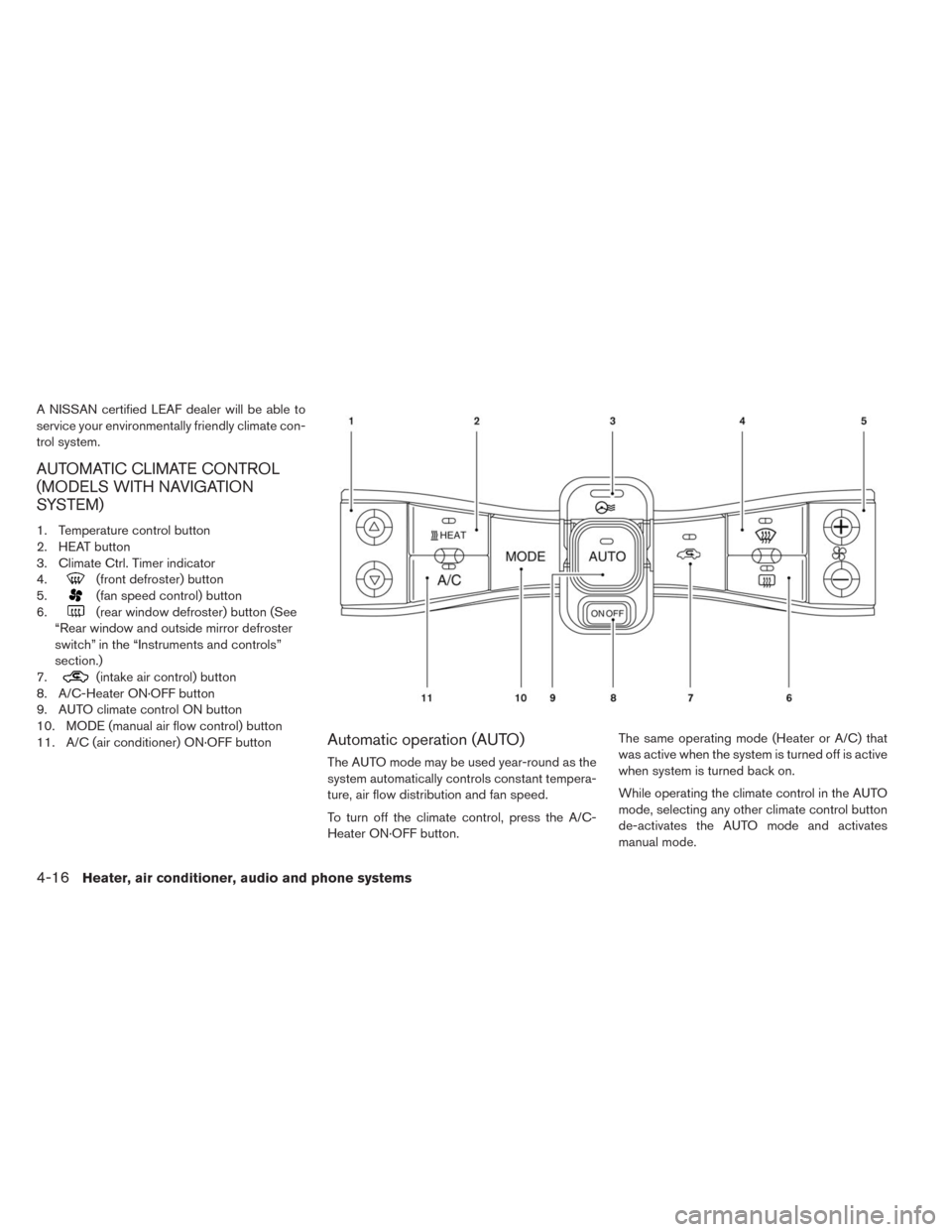
AUTOMATIC CLIMATE CONTROL
(MODELS WITH NAVIGATION
SYSTEM)
1. Temperature control button
2. HEAT button
3. Climate Ctrl. Timer indicator
4.
(front defroster) button
5.
(fan speed control) button
6.
(rear window defroster) button (See
“Rear window and outside mirror defroster
switch” in the “Instruments and controls”
section.)
7.
(intake air control) button
8. A/C-Heater ON·OFF button
9. AUTO climate control ON button
10. MODE (manual air flow control) button
11. A/C (air conditioner) ON·OFF button
Automatic operation (AUTO)
The AUTO mode may be used year-round as the
system automatically controls constant tempera-
ture, air flow distribution and fan speed.
To turn off the climate control, press the A/C-
Heater ON·OFF button.The same operating mode (Heater or A/C) that
was active when the system is turned off is active
when system is turned back on.
While operating the climate control in the AUTO
mode, selecting any other climate control button
de-activates the AUTO mode and activates
manual mode.
4-16Heater, air conditioner, audio and phone systems
Page 246 of 397
Remote climate control
This vehicle incorporates a communication de-
vice that is called a TCU (Telematics Communi-
cation Unit) . The communication connection be-
tween this unit and NISSAN CARWINGS Data
Center allows for various remote function ser-
vices.
Even when away from the vehicle, climate control
can be started by accessing the NISSAN CAR-
WINGS Data Center website using a cellular
phone or a personal computer.
When operation is started, or at the set start time,
the NISSAN CARWINGS Data Center accesses
the vehicle. When the vehicle receives a com-
mand for remote operation, the climate control
immediately turns ON and operates for the speci-
fied period of time. Confirmation of the ON/OFF
of the climate control operation can be checked
by accessing the website or by e-mail.
Establishing the CARWINGS™ service is neces-
sary before using the service. See LEAF Naviga-
tion System Owner’s Manual.WARNING
• Radio waves could adversely affect
electric medical equipment. For more
information, contact your electric
medical equipment manufacturer for
the possible effect on pacemakers be-
fore using the remote climate control.
• Even if the remote climate control is
set, the temperature in the passenger
room may become high if the system
automatically stops. Do not leave chil-
dren or adults who would normally re-
quire the support of others alone in
your vehicle. Pets should not be left
alone either. On hot, sunny days, tem-
peratures in a closed vehicle could
quickly become high enough to cause
severe or possibly fatal injuries to
people or animals.
NOTE:
•To check the Li-ion battery charging status
using an internet enabled smart phone or
personal computer.
– The vehicle must be located in a cellu-
lar phone coverage area.
– The cellular phone must be located in
an area with cellular phone coverage.– The computer must be connected to
the internet.
•Some cellular phones are not compatible
with this system and cannot be used to
check the Li-ion battery charging status.
Confirm this beforehand.
Operating tips:
• When the charge connector is connected, the
climate control operates using electric power.
When the charge connector is disconnected
from the vehicle, the climate control operates
using vehicle battery electric power.
• The climate control can be operated for a maxi-
mum of 2 hours when the charge connector is
connected to the vehicle, or a maximum of 15
minutes when the charge connector is discon-
nected.
• The remote climate control will only start to
operate when the power switch is in the OFF
position. Be sure to check that the power switch
is in the OFF position.
• Remote climate control operation is not avail-
able when the vehicle is in an area of cellular
communication range.
• Communication becomes unavailable when the
vehicle is not used for two weeks or more.
When the power switch is placed in the ON
4-22Heater, air conditioner, audio and phone systems
Page 249 of 397
FM RADIO RECEPTION
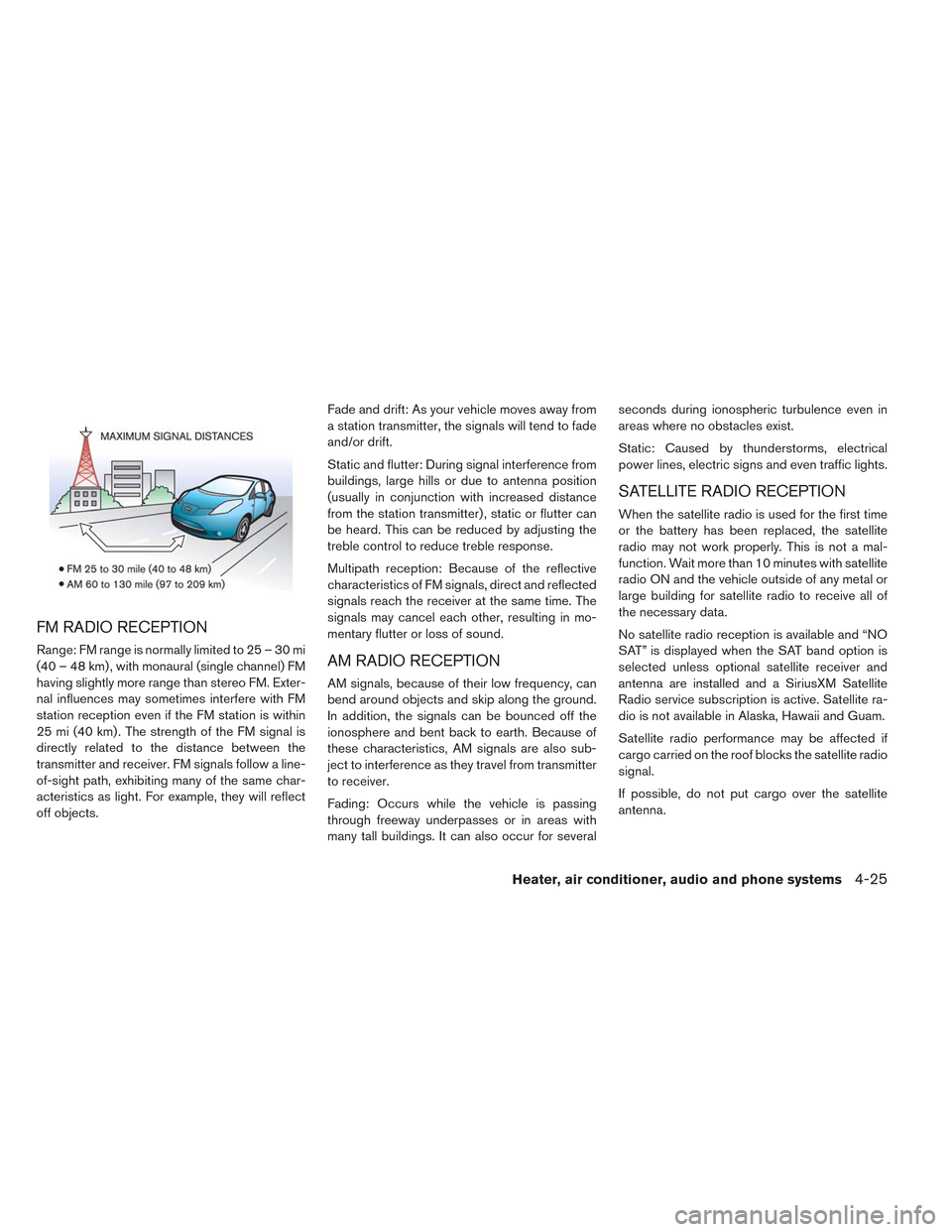
Range: FM range is normally limited to 25 – 30 mi
(40 – 48 km) , with monaural (single channel) FM
having slightly more range than stereo FM. Exter-
nal influences may sometimes interfere with FM
station reception even if the FM station is within
25 mi (40 km) . The strength of the FM signal is
directly related to the distance between the
transmitter and receiver. FM signals follow a line-
of-sight path, exhibiting many of the same char-
acteristics as light. For example, they will reflect
off objects.Fade and drift: As your vehicle moves away from
a station transmitter, the signals will tend to fade
and/or drift.
Static and flutter: During signal interference from
buildings, large hills or due to antenna position
(usually in conjunction with increased distance
from the station transmitter) , static or flutter can
be heard. This can be reduced by adjusting the
treble control to reduce treble response.
Multipath reception: Because of the reflective
characteristics of FM signals, direct and reflected
signals reach the receiver at the same time. The
signals may cancel each other, resulting in mo-
mentary flutter or loss of sound.AM RADIO RECEPTION
AM signals, because of their low frequency, can
bend around objects and skip along the ground.
In addition, the signals can be bounced off the
ionosphere and bent back to earth. Because of
these characteristics, AM signals are also sub-
ject to interference as they travel from transmitter
to receiver.
Fading: Occurs while the vehicle is passing
through freeway underpasses or in areas with
many tall buildings. It can also occur for severalseconds during ionospheric turbulence even in
areas where no obstacles exist.
Static: Caused by thunderstorms, electrical
power lines, electric signs and even traffic lights.
SATELLITE RADIO RECEPTION
When the satellite radio is used for the first time
or the battery has been replaced, the satellite
radio may not work properly. This is not a mal-
function. Wait more than 10 minutes with satellite
radio ON and the vehicle outside of any metal or
large building for satellite radio to receive all of
the necessary data.
No satellite radio reception is available and “NO
SAT” is displayed when the SAT band option is
selected unless optional satellite receiver and
antenna are installed and a SiriusXM Satellite
Radio service subscription is active. Satellite ra-
dio is not available in Alaska, Hawaii and Guam.
Satellite radio performance may be affected if
cargo carried on the roof blocks the satellite radio
signal.
If possible, do not put cargo over the satellite
antenna.
Heater, air conditioner, audio and phone systems4-25